ECU Hyundai Elantra 2018 Owner's Guide
[x] Cancel search | Manufacturer: HYUNDAI, Model Year: 2018, Model line: Elantra, Model: Hyundai Elantra 2018Pages: 526, PDF Size: 17.2 MB
Page 109 of 526
3-32
Convenient features of your vehicle
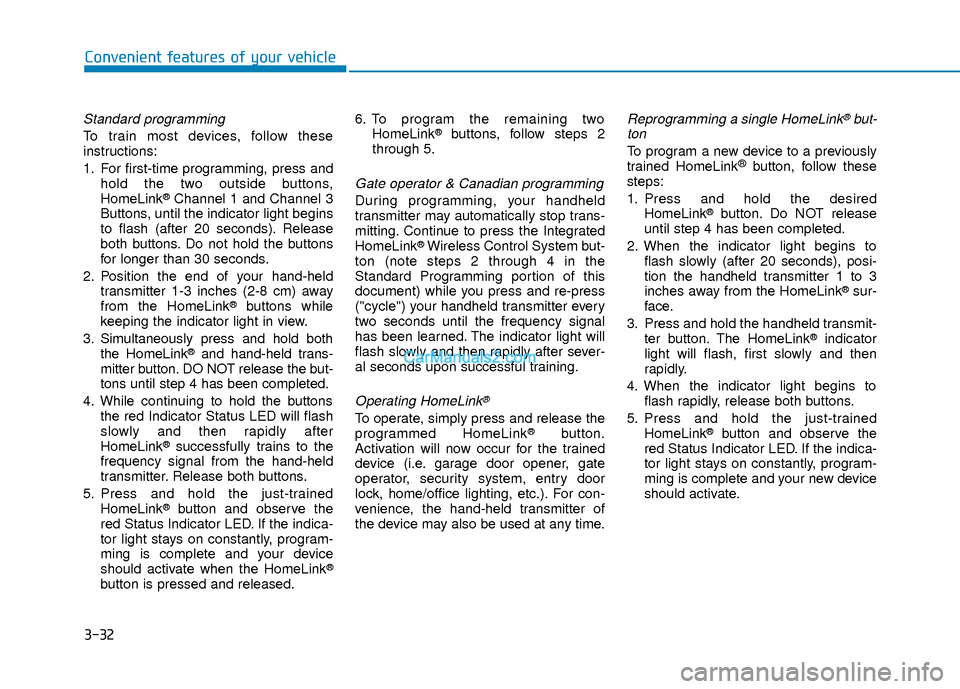
Standard programming
To train most devices, follow these
instructions:
1. For first-time programming, press andhold the two outside buttons,
HomeLink
®Channel 1 and Channel 3
Buttons, until the indicator light begins
to flash (after 20 seconds). Release
both buttons. Do not hold the buttons
for longer than 30 seconds.
2. Position the end of your hand-held transmitter 1-3 inches (2-8 cm) away
from the HomeLink
®buttons while
keeping the indicator light in view.
3. Simultaneously press and hold both the HomeLink
®and hand-held trans-
mitter button. DO NOT release the but-
tons until step 4 has been completed.
4. While continuing to hold the buttons the red Indicator Status LED will flash
slowly and then rapidly after
HomeLink
®successfully trains to the
frequency signal from the hand-held
transmitter. Release both buttons.
5. Press and hold the just-trained HomeLink
®button and observe the
red Status Indicator LED. If the indica-
tor light stays on constantly, program-
ming is complete and your device
should activate when the HomeLink
®
button is pressed and released. 6. To program the remaining two
HomeLink
®buttons, follow steps 2
through 5.
Gate operator & Canadian programming
During programming, your handheld
transmitter may automatically stop trans-
mitting. Continue to press the Integrated
HomeLink
®Wireless Control System but-
ton (note steps 2 through 4 in the
Standard Programming portion of this
document) while you press and re-press
("cycle") your handheld transmitter every
two seconds until the frequency signal
has been learned. The indicator light will
flash slowly and then rapidly after sever-
al seconds upon successful training.
Operating HomeLink®
To operate, simply press and release the
programmed HomeLink®button.
Activation will now occur for the trained
device (i.e. garage door opener, gate
operator, security system, entry door
lock, home/office lighting, etc.). For con-
venience, the hand-held transmitter of
the device may also be used at any time.
Reprogramming a single HomeLink®but-
ton
To program a new device to a previously
trained HomeLink®button, follow these
steps:
1. Press and hold the desired HomeLink
®button. Do NOT release
until step 4 has been completed.
2. When the indicator light begins to flash slowly (after 20 seconds), posi-
tion the handheld transmitter 1 to 3
inches away from the HomeLink
®sur-
face.
3. Press and hold the handheld transmit- ter button. The HomeLink
®indicator
light will flash, first slowly and then
rapidly.
4. When the indicator light begins to flash rapidly, release both buttons.
5. Press and hold the just-trained HomeLink
®button and observe the
red Status Indicator LED. If the indica-
tor light stays on constantly, program-
ming is complete and your new device
should activate.
Page 123 of 526
3-46
Convenient features of your vehicle
Closing the hood
1. Before closing the hood, check the fol-lowing:
must be correctly installed.
bustible material must be removed
from the engine compartment.
2. Return the support rod to its clip to prevent it from ratting.
3. Lower the hood halfway (lifted approx- imately 12 inches (30 cm) from the
closed position) and push down to
securely lock in place. Then double
check to be sure the hood is secure.
If the hood can slightly be raised, it is
not securely locked. Open it again and
close it with more force.
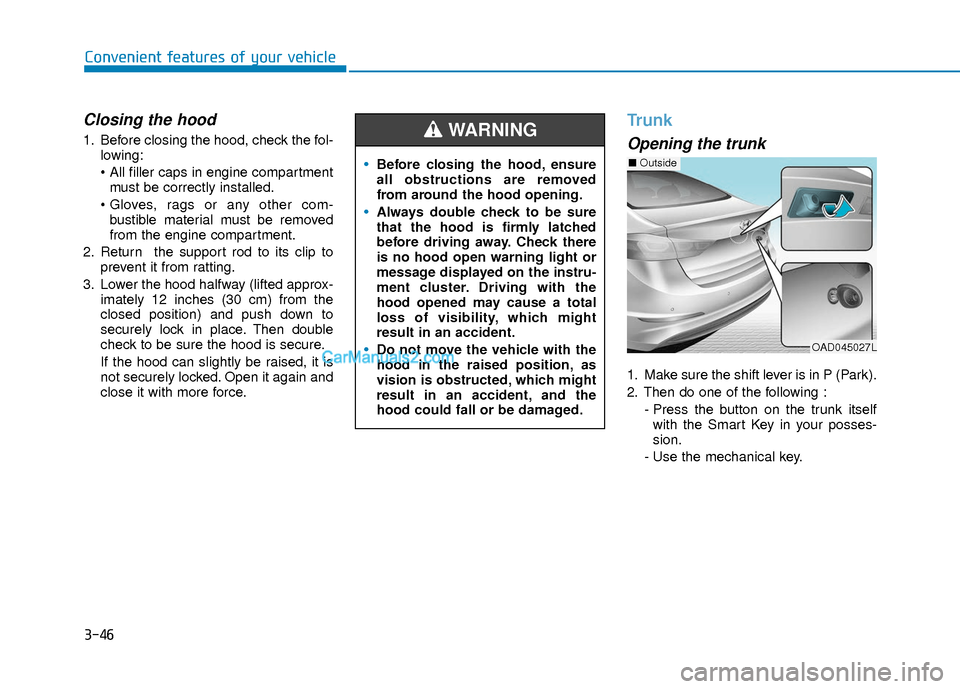
Trunk
Opening the trunk
1. Make sure the shift lever is in P (Park).
2. Then do one of the following :
- Press the button on the trunk itselfwith the Smart Key in your posses-
sion.
- Use the mechanical key.
Before closing the hood, ensure
all obstructions are removed
from around the hood opening.
Always double check to be sure
that the hood is firmly latched
before driving away. Check there
is no hood open warning light or
message displayed on the instru-
ment cluster. Driving with the
hood opened may cause a total
loss of visibility, which might
result in an accident.
Do not move the vehicle with the
hood in the raised position, as
vision is obstructed, which might
result in an accident, and the
hood could fall or be damaged.
WARNING
OAD045027L
■ Outside
Page 129 of 526
3-52
Convenient features of your vehicle
Closing the fuel filler door
1. To install the fuel tank cap, turn itclockwise until it "clicks" one time.
2. Close the fuel filler door until it is latched securely.
Gasoline is highly flammable and
explosive. Failure to follow these
guidelines may result in SERIOUS
INJURY or DEATH:
Read and follow all warnings
posted at the gas station.
Before refueling, note the loca-
tion of the Emergency Gasoline
Shut-Off, if available, at the gas
station.
Before touching the fuel nozzle,
you should eliminate the poten-
tial build-up of static electricity
by touching a metal part of the
vehicle, a safe distance away
from the fuel filler neck, nozzle, or
other gas source, with your bare
hand. (Continued)
WARNING
(Continued)
Do not use cellular phones while
refueling. Electric current and/or
electronic interference from cel-
lular phones can potentially
ignite fuel vapors and cause a
fire.
Do not get back into a vehicle
once you have begun refueling.
You can generate a build-up of
static electricity by touching, rub-
bing or sliding against any item
or fabric capable of producing
static electricity. Static electricity
discharge can ignite fuel vapors
causing a fire. If you must re-
enter the vehicle, you should
once again eliminate potentially
dangerous static electricity dis-
charge by touching a metal part
of the vehicle, away from the fuel
filler neck, nozzle or other gaso-
line source, with your bare hand.
When using an approved
portable fuel container, be sure to
place the container on the
ground prior to refueling. Static
electricity discharge from the
container can ignite fuel vapors
causing a fire.(Continued)
(Continued)Once refueling has begun, con-
tact between your bare hand and
the vehicle should be maintained
until the filling is complete.
Use only approved portable plastic
fuel containers designed to carry
and store gasoline.
When refueling, always move the
shift lever to the P (Park) posi-
tion, set the parking brake, and
place the ignition switch to the
LOCK/OFF position. Sparks pro-
duced by electrical components
related to the engine can ignite
fuel vapors causing a fire.
Do not use matches or a lighter
and do not smoke or leave a lit
cigarette in your vehicle while at
a gas station, especially during
refueling.
Do not over-fill or top-off your
vehicle tank, which can cause
gasoline spillage. (Continued)
Page 130 of 526
3-53
Convenient features of your vehicle
3
Information
Make sure to refuel your vehicle according
to the "Fuel Requirements" suggested in
the Introduction chapter. Do not spill fuel on the exterior sur-
faces of the vehicle. Any type of fuel
spilled on painted surfaces may
damage the paint.
If the fuel filler cap requires replace- ment, use only a genuine HYUNDAI
cap or the equivalent specified for
your vehicle. An incorrect fuel filler
cap can result in a serious malfunc-
tion of the fuel system or emission
control system.
NOTICE
i
(Continued)
If a fire breaks out during refuel-
ing, leave the vicinity of the vehi-
cle, and immediately contact the
manager of the gas station and
then contact the local fire depart-
ment. Follow any safety instruc-
tions they provide.
If pressurized fuel sprays out, it
can cover your clothes or skin
and thus subject you to the risk
of fire and burns. Always remove
the fuel cap carefully and slowly.
If the cap is venting fuel or if you
hear a hissing sound, wait until
the condition stops before com-
pletely removing the cap.
Always check that the fuel cap is
installed securely to prevent fuel
spillage in the event of an acci-
dent.
Page 144 of 526
3-67
Convenient features of your vehicle
3
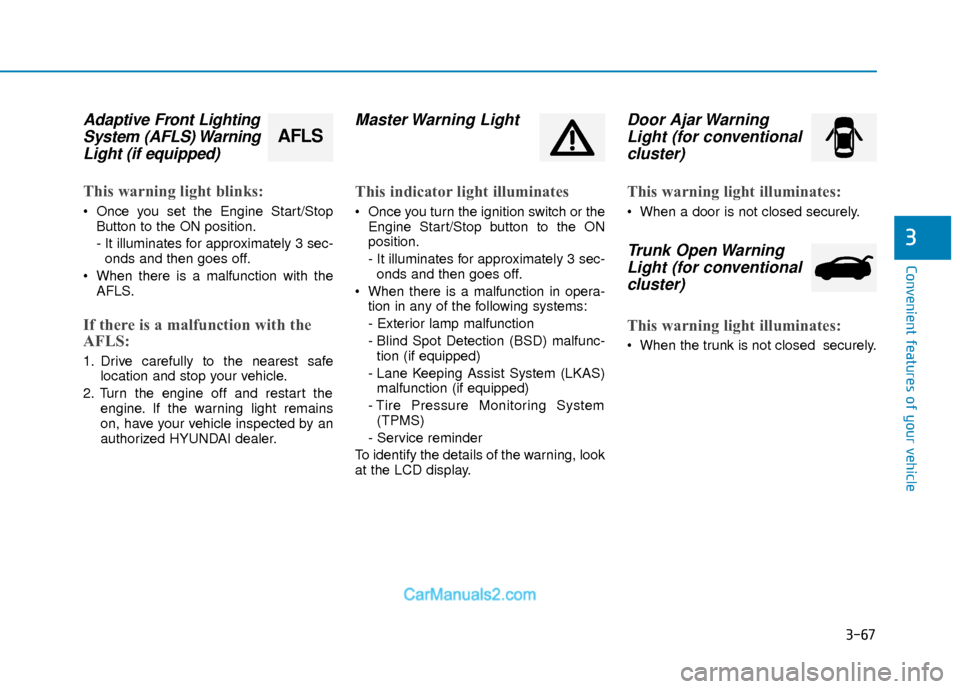
Adaptive Front LightingSystem (AFLS) WarningLight (if equipped)
This warning light blinks:
Once you set the Engine Start/Stop
Button to the ON position.
- It illuminates for approximately 3 sec-onds and then goes off.
When there is a malfunction with the AFLS.
If there is a malfunction with the
AFLS:
1. Drive carefully to the nearest safe location and stop your vehicle.
2. Turn the engine off and restart the engine. If the warning light remains
on, have your vehicle inspected by an
authorized HYUNDAI dealer.
Master Warning Light
This indicator light illuminates
Once you turn the ignition switch or theEngine Start/Stop button to the ON
position.
- It illuminates for approximately 3 sec-onds and then goes off.
When there is a malfunction in opera- tion in any of the following systems:
- Exterior lamp malfunction
- Blind Spot Detection (BSD) malfunc-tion (if equipped)
- Lane Keeping Assist System (LKAS) malfunction (if equipped)
- Tire Pressure Monitoring System (TPMS)
- Service reminder
To identify the details of the warning, look
at the LCD display.
Door Ajar Warning Light (for conventionalcluster)
This warning light illuminates:
When a door is not closed securely.
Trunk Open WarningLight (for conventional cluster)
This warning light illuminates:
When the trunk is not closed securely.
AFLS
Page 183 of 526
3-106
Convenient features of your vehicle
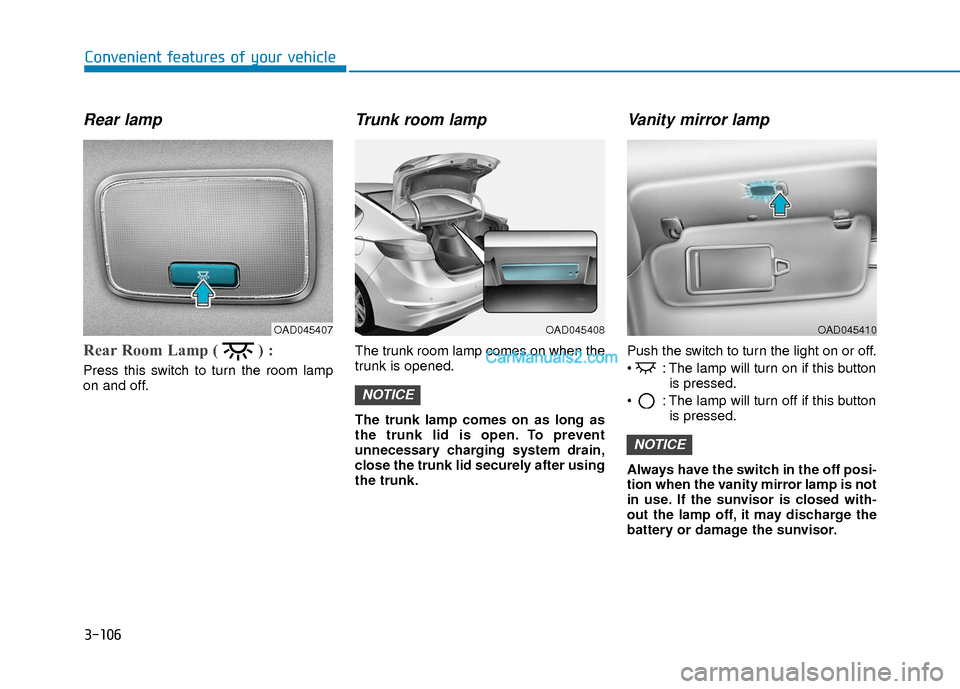
Rear lamp
Rear Room Lamp ( ) :
Press this switch to turn the room lamp
on and off.
Trunk room lamp
The trunk room lamp comes on when the
trunk is opened.
The trunk lamp comes on as long as
the trunk lid is open. To prevent
unnecessary charging system drain,
close the trunk lid securely after using
the trunk.
Vanity mirror lamp
Push the switch to turn the light on or off.
: The lamp will turn on if this buttonis pressed.
: The lamp will turn off if this button is pressed.
Always have the switch in the off posi-
tion when the vanity mirror lamp is not
in use. If the sunvisor is closed with-
out the lamp off, it may discharge the
battery or damage the sunvisor.
NOTICE
NOTICE
OAD045408OAD045407OAD045410
Page 212 of 526
3-135
Convenient features of your vehicle
3
C
CL
LI
IM
M A
AT
TE
E
C
C O
O N
NT
TR
R O
O L
L
A
A D
DD
DI
IT
T I
IO
O N
NA
AL
L
F
F E
E A
A T
TU
U R
RE
ES
S
(
( I
IF
F
E
E Q
Q U
UI
IP
P P
PE
ED
D )
)
Automatic Ventilation
(if equipped)
When the ignition switch is in the ON
position or when the engine is running
and temperature is below 59°F (15°C)
with the recirculated air position selected
more than five minutes, the air intake
position will automatically change to the
outside (fresh) air position.
To cancel or reset the Automatic
Ventilation
When the air conditioning system is on,
select Face Level mode and while
pressing the A/C button, press the recir-
culated air position button five times with-
in three seconds.
Sunroof Inside Air
Recirculation (if equipped)
When the heater or air conditioning sys-
tem is on with the sunroof opened, the
outside (fresh) air position will be auto-
matically selected. At this time, if you
press the recirculated air position button,
the recirculated air position will be select-
ed but will change back to the outside
(fresh) air position after 3 minutes.
When the sunroof is closed, the air intake
position will return to the original position
that was selected.
To avoid possible theft, do not leave
valuables in the storage compart-
ments.
NOTICE
S
ST
T O
O R
RA
A G
G E
E
C
C O
O M
M P
PA
A R
RT
TM
M E
EN
N T
T
Never store cigarette lighters,
propane cylinders, or other flamma-
ble/explosive materials in the vehi-
cle. These items may catch fire
and/or explode if the vehicle is
exposed to hot temperatures for
extended periods.
WARNING
ALWAYS keep the storage compart-
ment covers closed securely while
driving. Items inside your vehicle
are moving as fast as the vehicle. If
you have to stop or turn quickly, or
if there is a crash, the items may fly
out of the compartment and may
cause an injury if they strike the
driver or a passenger.
WARNING
Page 216 of 526
3-139
Convenient features of your vehicle
3
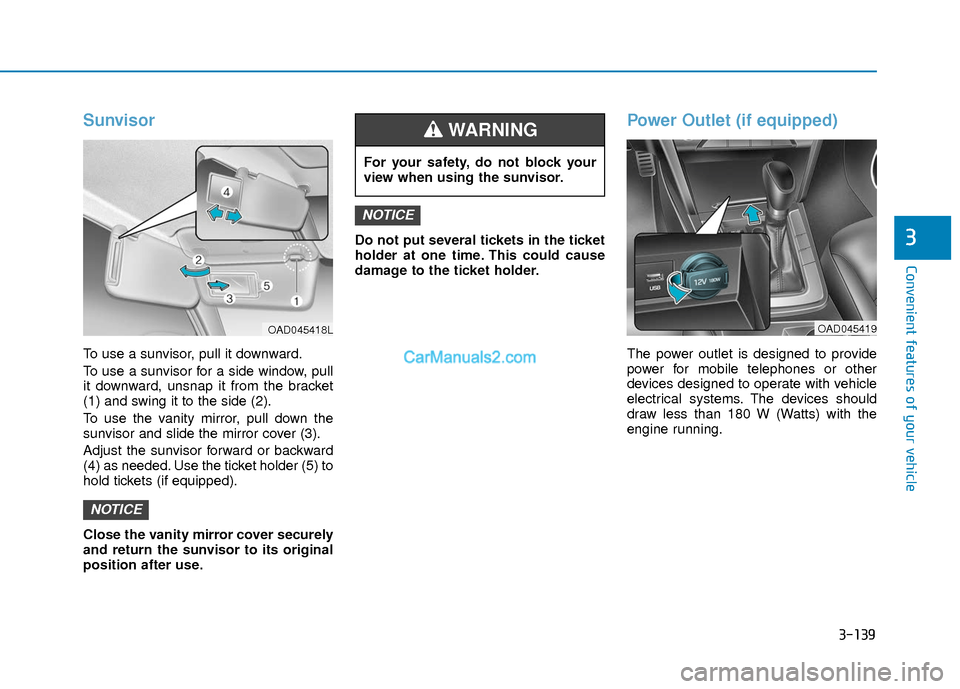
Sunvisor
To use a sunvisor, pull it downward.
To use a sunvisor for a side window, pull
it downward, unsnap it from the bracket
(1) and swing it to the side (2).
To use the vanity mirror, pull down the
sunvisor and slide the mirror cover (3).
Adjust the sunvisor forward or backward
(4) as needed. Use the ticket holder (5) to
hold tickets (if equipped).
Close the vanity mirror cover securely
and return the sunvisor to its original
position after use.Do not put several tickets in the ticket
holder at one time. This could cause
damage to the ticket holder.
Power Outlet (if equipped)
The power outlet is designed to provide
power for mobile telephones or other
devices designed to operate with vehicle
electrical systems. The devices should
draw less than 180 W (Watts) with the
engine running.
NOTICE
NOTICE
For your safety, do not block your
view when using the sunvisor.
WARNING
OAD045419OAD045418L
Page 219 of 526
3-142
Convenient features of your vehicle
Floor Mat Anchor(s)
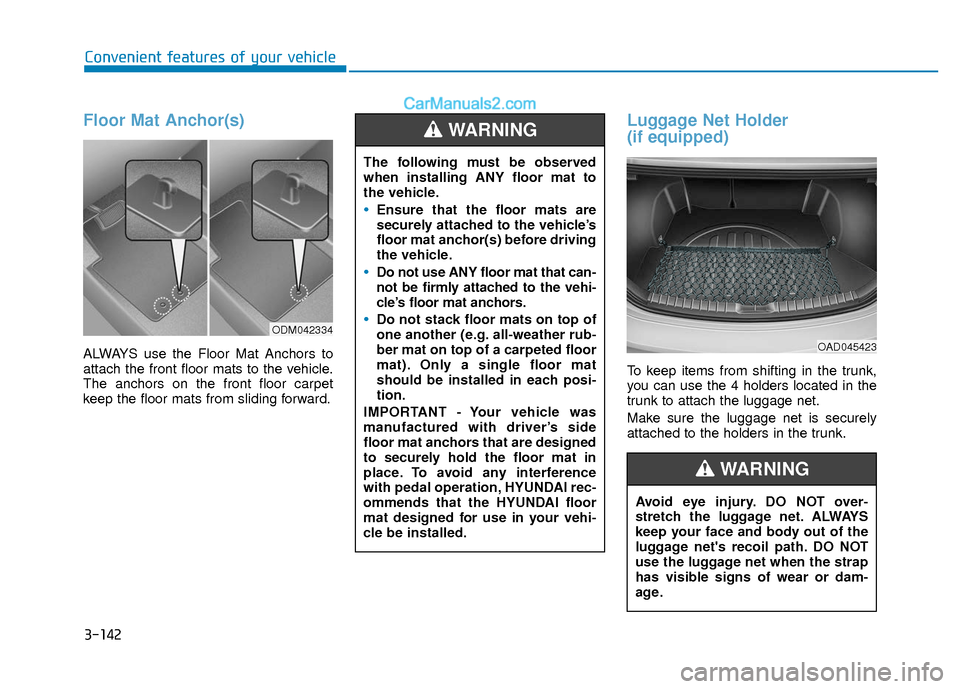
ALWAYS use the Floor Mat Anchors to
attach the front floor mats to the vehicle.
The anchors on the front floor carpet
keep the floor mats from sliding forward.
Luggage Net Holder
(if equipped)
To keep items from shifting in the trunk,
you can use the 4 holders located in the
trunk to attach the luggage net.
Make sure the luggage net is securely
attached to the holders in the trunk.
ODM042334
The following must be observed
when installing ANY floor mat to
the vehicle.
Ensure that the floor mats are
securely attached to the vehicle’s
floor mat anchor(s) before driving
the vehicle.
Do not use ANY floor mat that can-
not be firmly attached to the vehi-
cle’s floor mat anchors.
Do not stack floor mats on top of
one another (e.g. all-weather rub-
ber mat on top of a carpeted floor
mat). Only a single floor mat
should be installed in each posi-
tion.
IMPORTANT - Your vehicle was
manufactured with driver’s side
floor mat anchors that are designed
to securely hold the floor mat in
place. To avoid any interference
with pedal operation, HYUNDAI rec-
ommends that the HYUNDAI floor
mat designed for use in your vehi-
cle be installed.
WARNING
Avoid eye injury. DO NOT over-
stretch the luggage net. ALWAYS
keep your face and body out of the
luggage net's recoil path. DO NOT
use the luggage net when the strap
has visible signs of wear or dam-
age.
WARNING
OAD045423
Page 262 of 526
4-43
Multimedia System
4
3. From your Bluetooth®Wireless
Technology device (i.e. Mobile
Phone), search and select your car
audio system.
❈ SSP : Secure Simple Pairing
Non SSP supported device :
4. After a few moments, a screen is dis- played where the passkey is entered.
Enter the passkey “0000” to pair your
Bluetooth®Wireless Technology
device with the car audio system.
SSP supported device :
4. After a few moments, a screen is dis- played that has the 6 digit passkey
from any nearby SSP device that is
found. Check the passkey on your
Bluetooth®Wireless Technology. Some phones (i.e., iPhone
®, Android TM
and Blackberry®phones) may offer an
option to allow acceptance of all future
Bluetooth
®connection requests by
default. Visit http://www.hyundaiusa.com/Bluetoothfor additional
information on pairing your Bluetooth®-
enabled mobile phone, and to view a
phone compatibility list.
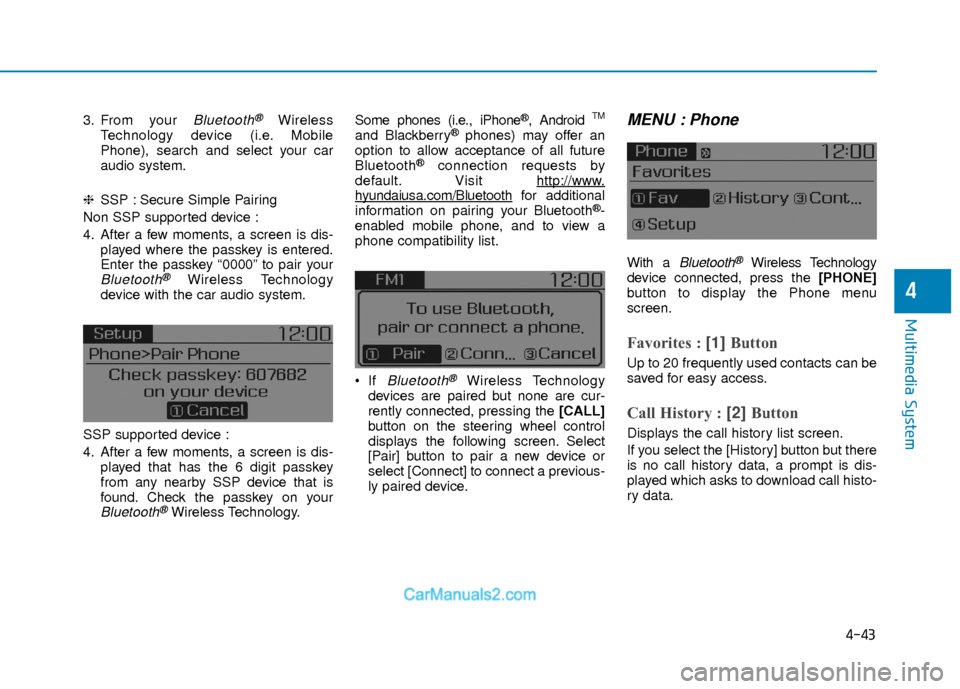
If
Bluetooth®Wireless Technology
devices are paired but none are cur-
rently connected, pressing the [CALL]
button on the steering wheel control
displays the following screen. Select
[Pair] button to pair a new device or
select [Connect] to connect a previous-
ly paired device.
MENU : Phone
With a Bluetooth®Wireless Technology
device connected, press the [PHONE]
button to display the Phone menu
screen.
Favorites : [1] Button
Up to 20 frequently used contacts can be
saved for easy access.
Call History : [2] Button
Displays the call history list screen.
If you select the [History] button but there
is no call history data, a prompt is dis-
played which asks to download call histo-
ry data.