fuel Hyundai Elantra 2018 Owner's Guide
[x] Cancel search | Manufacturer: HYUNDAI, Model Year: 2018, Model line: Elantra, Model: Hyundai Elantra 2018Pages: 526, PDF Size: 17.2 MB
Page 158 of 526
3-81
Convenient features of your vehicle
3
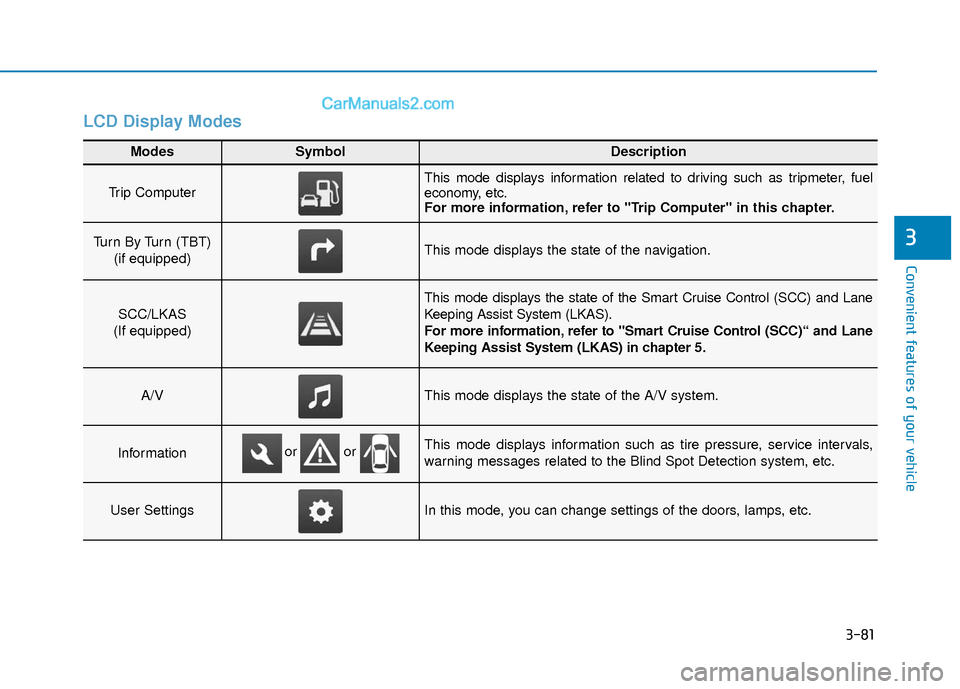
LCD Display Modes
Modes SymbolDescription
Trip Computer This mode displays information related to driving such as tripmeter, fuel
economy, etc.
For more information, refer to "Trip Computer" in this chapter.
Turn By Turn (TBT) (if equipped)This mode displays the state of the navigation.
SCC/LKAS
(If equipped)
This mode displays the state of the Smart Cruise Control (SCC) and Lane
Keeping Assist System (LKAS).
For more information, refer to "Smart Cruise Control (SCC)“ and Lane
Keeping Assist System (LKAS) in chapter 5.
A/VThis mode displays the state of the A/V system.
InformationThis mode displays information such as tire pressure, service intervals,
warning messages related to the Blind Spot Detection system, etc.
User SettingsIn this mode, you can change settings of the doors, lamps, etc.
or or
Page 159 of 526
3-82
Convenient features of your vehicle
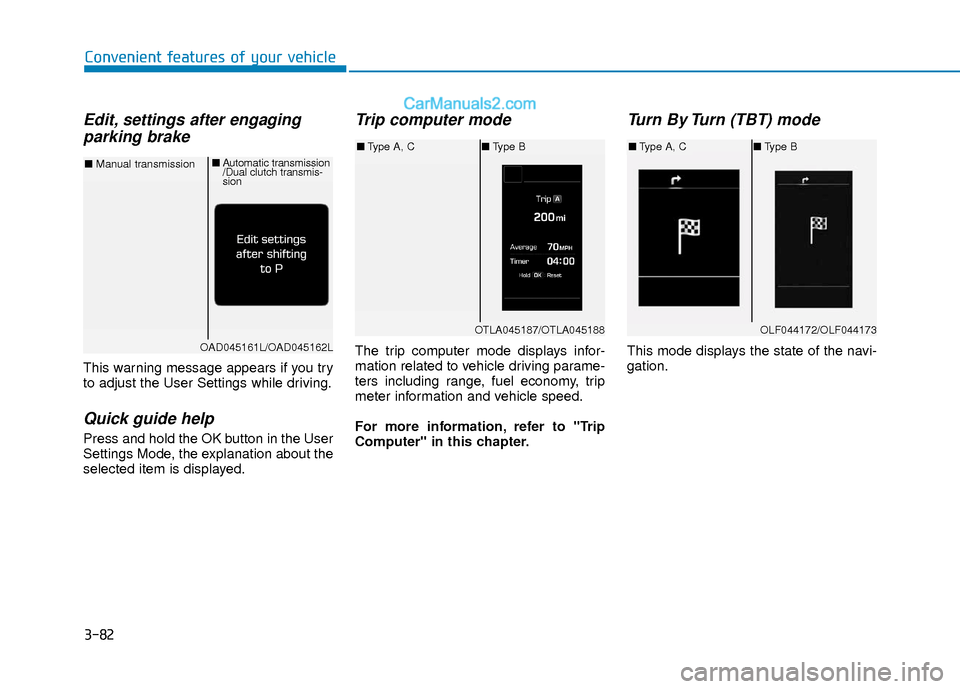
Edit, settings after engagingparking brake
This warning message appears if you try
to adjust the User Settings while driving.
Quick guide help
Press and hold the OK button in the User
Settings Mode, the explanation about the
selected item is displayed.
Trip computer mode
The trip computer mode displays infor-
mation related to vehicle driving parame-
ters including range, fuel economy, trip
meter information and vehicle speed.
For more information, refer to "Trip
Computer" in this chapter.
Turn By Turn (TBT) mode
This mode displays the state of the navi-
gation.
OTLA045187/OTLA045188
■ Type A, C ■Type B
OAD045161L/OAD045162L
■ Manual transmission ■
Automatic transmission
/Dual clutch transmis-
sion
OLF044172/OLF044173
■Type A, C ■Type B
Page 166 of 526
3-89
Convenient features of your vehicle
3
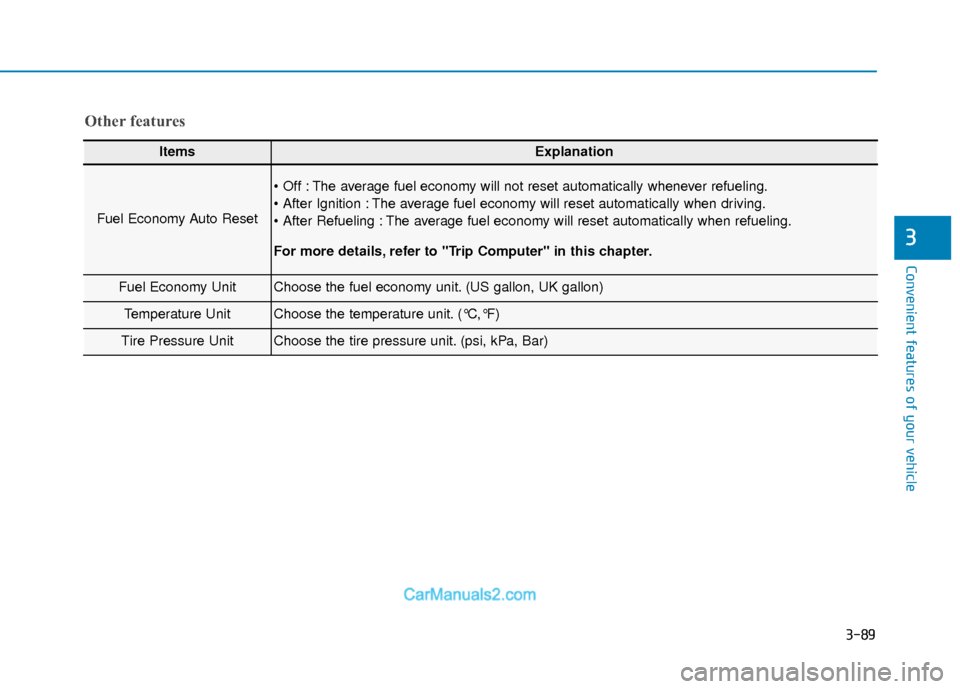
ItemsExplanation
Fuel Economy Auto Reset
The average fuel economy will not reset automatically whenever refueling.
The average fuel economy will reset automatically when driving.
The average fuel economy will reset automatically when refueling.
For more details, refer to "Trip Computer" in this chapter.
Fuel Economy UnitChoose the fuel economy unit. (US gallon, UK gallon)
Temperature UnitChoose the temperature unit. (°C,°F)
Tire Pressure UnitChoose the tire pressure unit. (psi, kPa, Bar)
Other features
Page 167 of 526
3-90
Convenient features of your vehicle
Conventional Cluster
The trip computer is a microcomputer-
controlled driver information system that
displays information related to driving.
Information
Some driving information stored in the
trip computer (for example Average
Vehicle Speed) resets if the battery is dis-
connected.
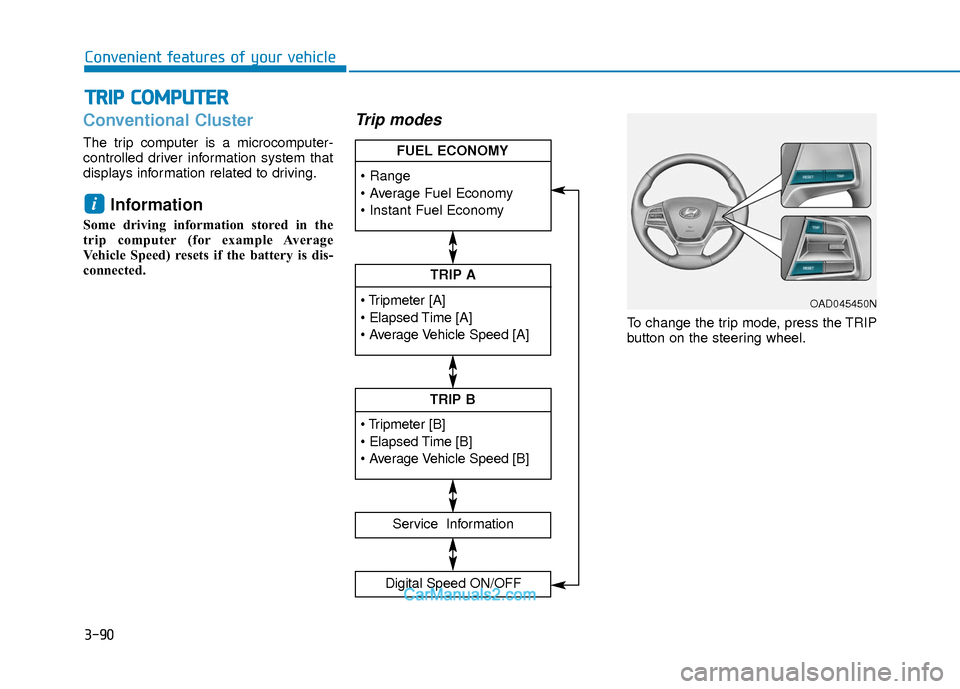
Trip modes
To change the trip mode, press the TRIP
button on the steering wheel.
i
T TR
R I
IP
P
C
C O
O M
M P
PU
U T
TE
ER
R
TRIP A
Service Information
Digital Speed ON/OFF
TRIP B
FUEL ECONOMY
OAD045450N
Page 168 of 526
3-91
Convenient features of your vehicle
3
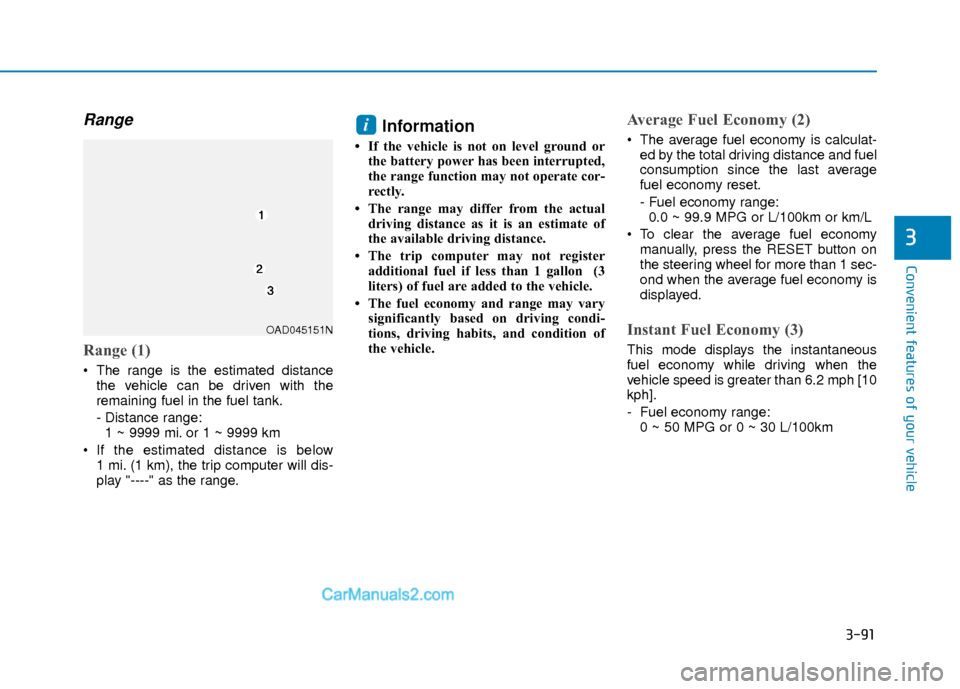
Range
Range (1)
The range is the estimated distancethe vehicle can be driven with the
remaining fuel in the fuel tank.
- Distance range:1 ~ 9999 mi. or 1 ~ 9999 km
If the estimated distance is below 1 mi. (1 km), the trip computer will dis-
play "----" as the range.
Information
• If the vehicle is not on level ground orthe battery power has been interrupted,
the range function may not operate cor-
rectly.
• The range may differ from the actual driving distance as it is an estimate of
the available driving distance.
• The trip computer may not register additional fuel if less than 1 gallon (3
liters) of fuel are added to the vehicle.
• The fuel economy and range may vary significantly based on driving condi-
tions, driving habits, and condition of
the vehicle.
Average Fuel Economy (2)
The average fuel economy is calculat-ed by the total driving distance and fuel
consumption since the last average
fuel economy reset.
- Fuel economy range:0.0 ~ 99.9 MPG or L/100km or km/L
To clear the average fuel economy manually, press the RESET button on
the steering wheel for more than 1 sec-
ond when the average fuel economy is
displayed.
Instant Fuel Economy (3)
This mode displays the instantaneous
fuel economy while driving when the
vehicle speed is greater than 6.2 mph [10
kph].
- Fuel economy range:0 ~ 50 MPG or 0 ~ 30 L/100km
i
OAD045151N
Page 171 of 526
3-94
Convenient features of your vehicle
Supervision Cluster
The trip computer is a microcomputer-
controlled driver information system that
displays information related to driving.
Information
Some driving information stored in the
trip computer (for example Average
Vehicle Speed) resets if the battery is dis-
connected.
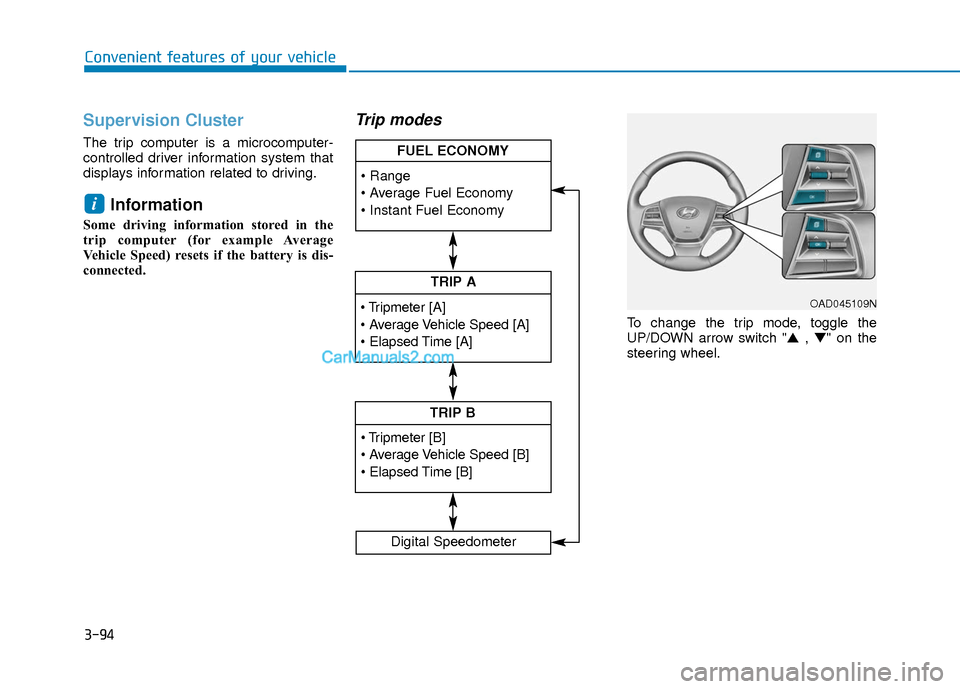
Trip modes
To change the trip mode, toggle the
UP/DOWN arrow switch "▲ , ▼" on the
steering wheel.
i
TRIP A
TRIP B
FUEL ECONOMY
Digital Speedometer
OAD045109N
Page 172 of 526
3-95
Convenient features of your vehicle
3
Range
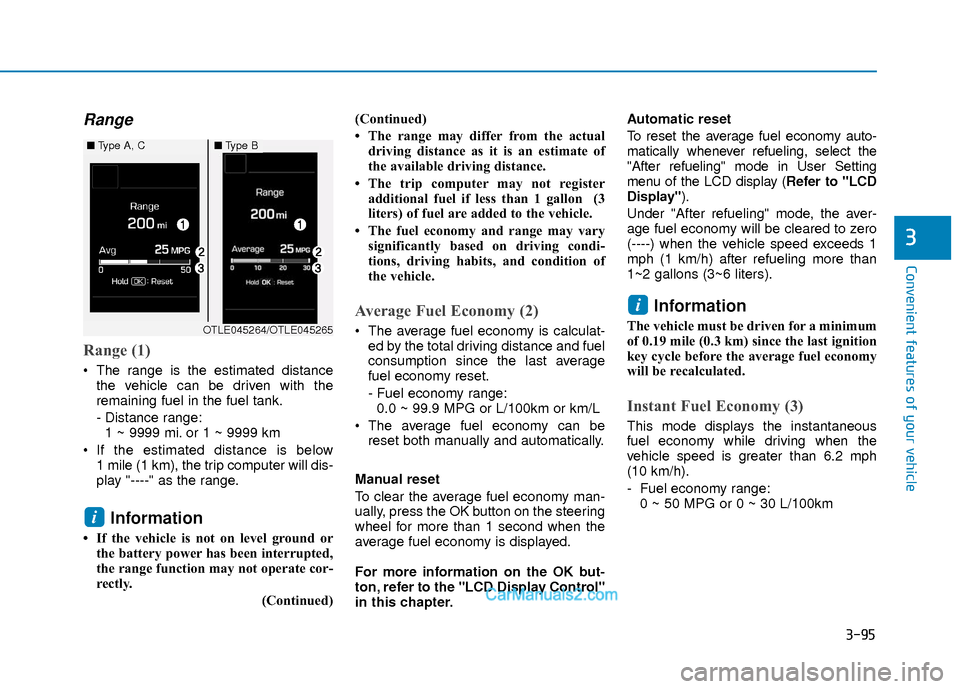
Range (1)
The range is the estimated distancethe vehicle can be driven with the
remaining fuel in the fuel tank.
- Distance range:1 ~ 9999 mi. or 1 ~ 9999 km
If the estimated distance is below 1 mile (1 km), the trip computer will dis-
play "----" as the range.
Information
• If the vehicle is not on level ground orthe battery power has been interrupted,
the range function may not operate cor-
rectly.
(Continued)(Continued)
• The range may differ from the actual
driving distance as it is an estimate of
the available driving distance.
• The trip computer may not register additional fuel if less than 1 gallon (3
liters) of fuel are added to the vehicle.
• The fuel economy and range may vary significantly based on driving condi-
tions, driving habits, and condition of
the vehicle.
Average Fuel Economy (2)
The average fuel economy is calculat-ed by the total driving distance and fuel
consumption since the last average
fuel economy reset.
- Fuel economy range:0.0 ~ 99.9 MPG or L/100km or km/L
The average fuel economy can be reset both manually and automatically.
Manual reset
To clear the average fuel economy man-
ually, press the OK button on the steering
wheel for more than 1 second when the
average fuel economy is displayed.
For more information on the OK but-
ton, refer to the "LCD Display Control"
in this chapter. Automatic reset
To reset the average fuel economy auto-
matically whenever refueling, select the
"After refueling" mode in User Setting
menu of the LCD display (
Refer to "LCD
Display").
Under "After refueling" mode, the aver-
age fuel economy will be cleared to zero
(----) when the vehicle speed exceeds 1
mph (1 km/h) after refueling more than
1~2 gallons (3~6 liters).
Information
The vehicle must be driven for a minimum
of 0.19 mile (0.3 km) since the last ignition
key cycle before the average fuel economy
will be recalculated.
Instant Fuel Economy (3)
This mode displays the instantaneous
fuel economy while driving when the
vehicle speed is greater than 6.2 mph
(10 km/h).
- Fuel economy range: 0 ~ 50 MPG or 0 ~ 30 L/100km
i
i
■ Type A, C■Type B
OTLE045264/OTLE045265
Page 174 of 526
3-97
Convenient features of your vehicle
3
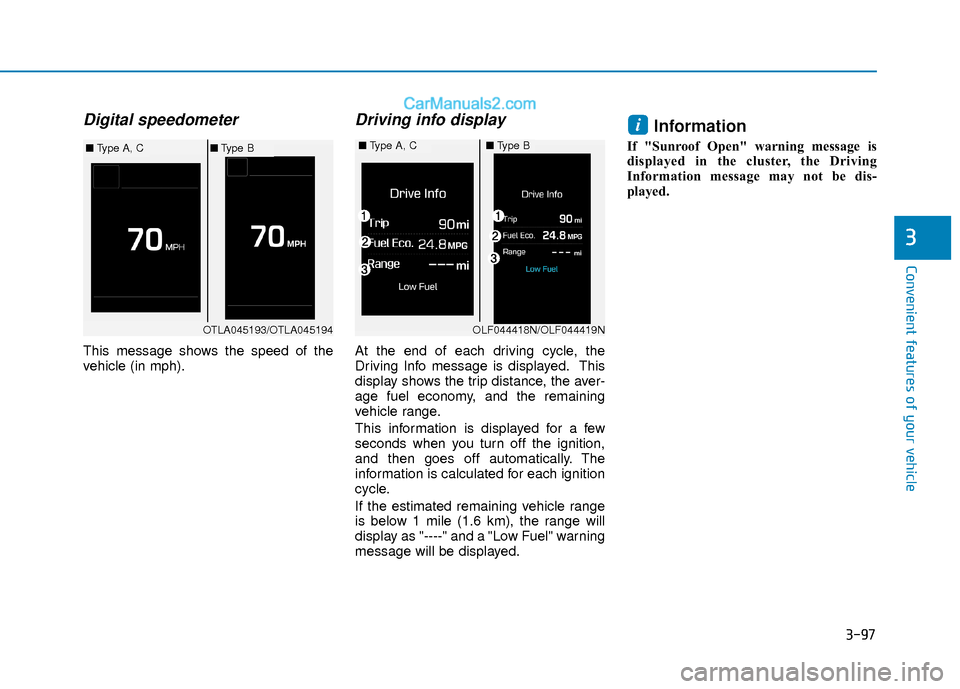
Digital speedometer
This message shows the speed of the
vehicle (in mph).
Driving info display
At the end of each driving cycle, the
Driving Info message is displayed. This
display shows the trip distance, the aver-
age fuel economy, and the remaining
vehicle range.
This information is displayed for a few
seconds when you turn off the ignition,
and then goes off automatically. The
information is calculated for each ignition
cycle.
If the estimated remaining vehicle range
is below 1 mile (1.6 km), the range will
display as "----" and a "Low Fuel" warning
message will be displayed.
Information
If "Sunroof Open" warning message is
displayed in the cluster, the Driving
Information message may not be dis-
played.
i
OTLA045193/OTLA045194
■Type A, C■Type B■Type A, C■Type B
OLF044418N/OLF044419N
Page 304 of 526
5-21
Driving your vehicle
5
D (Drive)
This is the normal driving position. The
transmission will automatically shift
through a six-gear sequence, providing
the best fuel economy and power.
For extra power when passing another
vehicle or driving uphill depress the
accelerator pedal further until you feel
the transmission downshift to a lower
gear.
The DRIVE MODE switch, located on the
shift lever console, allows the driver to
switch from NORMAL mode to ECO or
SPORT mode.
For more information, refer to "Drive
Mode Integrated Control System"
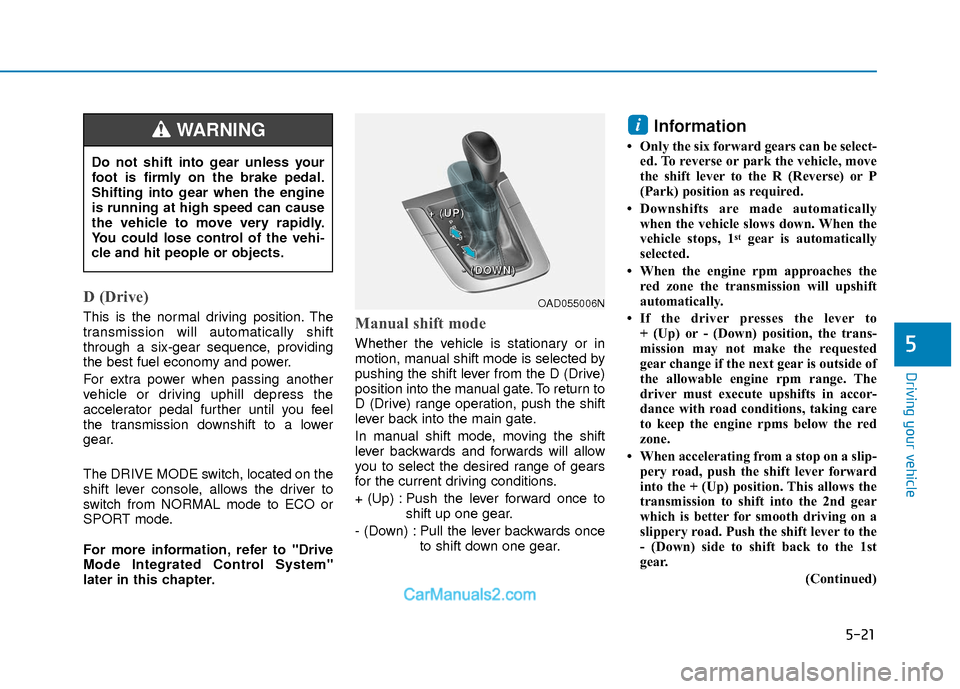
later in this chapter.Manual shift mode
Whether the vehicle is stationary or in
motion, manual shift mode is selected by
pushing the shift lever from the D (Drive)
position into the manual gate. To return to
D (Drive) range operation, push the shift
lever back into the main gate.
In manual shift mode, moving the shift
lever backwards and forwards will allow
you to select the desired range of gears
for the current driving conditions.
+ (Up) : Push the lever forward once toshift up one gear.
- (Down) : Pull the lever backwards once to shift down one gear.
Information
• Only the six forward gears can be select-ed. To reverse or park the vehicle, move
the shift lever to the R (Reverse) or P
(Park) position as required.
• Downshifts are made automatically when the vehicle slows down. When the
vehicle stops, 1
stgear is automatically
selected.
• When the engine rpm approaches the red zone the transmission will upshift
automatically.
• If the driver presses the lever to + (Up) or - (Down) position, the trans-
mission may not make the requested
gear change if the next gear is outside of
the allowable engine rpm range. The
driver must execute upshifts in accor-
dance with road conditions, taking care
to keep the engine rpms below the red
zone.
• When accelerating from a stop on a slip- pery road, push the shift lever forward
into the + (Up) position. This allows the
transmission to shift into the 2nd gear
which is better for smooth driving on a
slippery road. Push the shift lever to the
- (Down) side to shift back to the 1st
gear.
(Continued)
i
Do not shift into gear unless your
foot is firmly on the brake pedal.
Shifting into gear when the engine
is running at high speed can cause
the vehicle to move very rapidly.
You could lose control of the vehi-
cle and hit people or objects.
WARNING
OAD055006N
+
+
+
+
(
(
(
(
U
U
U
U
P
P
P
P
)
)
)
)
-
-
-
-
(
(
(
(
D
D
D
D
O
O
O
O
W
W
W
W
N
N
N
N
)
)
)
)
Page 307 of 526
5-24
Driving your vehicle
The dual clutch transmission can bethought of as an automatically shifting
manual transmission. It gives the driv-
ing feel of a manual transmission, yet
provides the ease of a fully automatic
transmission.
When D (Drive) is selected, the trans- mission will automatically shift through
the gears similar to a conventional
automatic transmission. Unlike a tradi-
tional automatic transmission, the gear
shifting can sometimes be felt and
heard as the actuators engage the
clutches and the gears are selected.
The dual clutch transmission incorpo- rates a dry-type dual clutch mecha-
nism, which allows for better accelera-
tion performance and increased fuel
efficiency while driving. But it differs
from a conventional automatic trans-
mission because it does not incorpo-
rate a torque converter. Instead, the
transition from one gear to the next is
managed by clutch slip, especially at
lower speeds. As a result, shifts are
sometimes more noticeable, and a
light vibration can be felt as the trans-
mission shaft speed is matched with
the engine shaft speed. This is a nor-
mal condition of the dual clutch trans-
mission.
D DU
U A
AL
L
C
C L
LU
U T
TC
CH
H
T
T R
R A
A N
N S
SM
M I
IS
S S
SI
IO
O N
N
(
( I
IF
F
E
E Q
Q U
UI
IP
P P
PE
ED
D )
)
Move shift lever. Press the shift button, then move shift lever.
Depress the brake pedal, press the shift button, and then move shift lever.OAD055005N
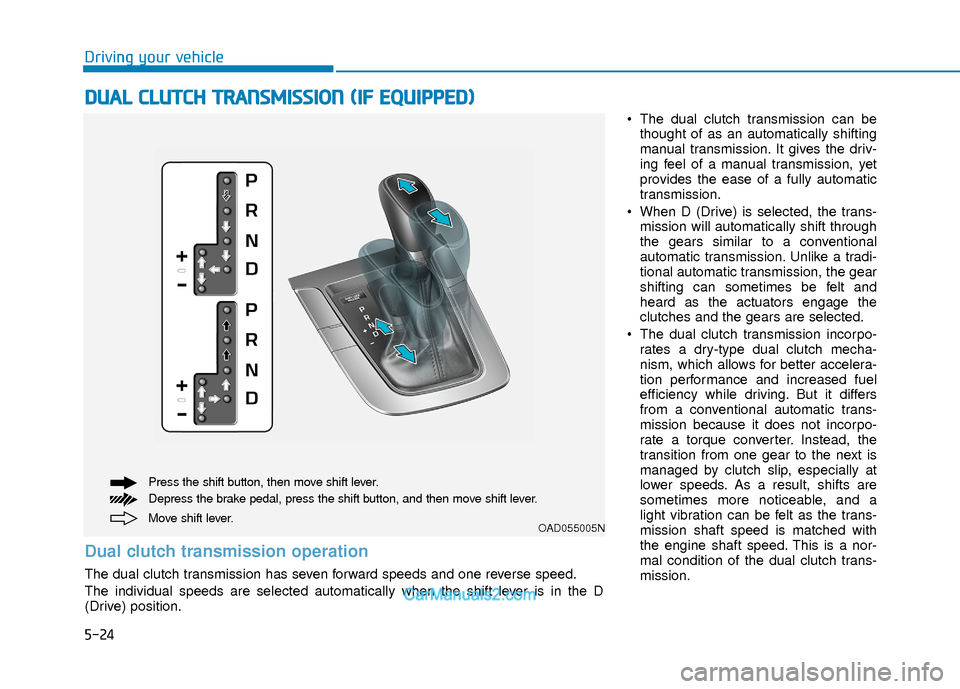
Dual clutch transmission operation
The dual clutch transmission has seven forward speeds and one reverse speed.
The individual speeds are selected automatically when the shift lever is in the D
(Drive) position.