eco Hyundai Elantra 2018 Workshop Manual
[x] Cancel search | Manufacturer: HYUNDAI, Model Year: 2018, Model line: Elantra, Model: Hyundai Elantra 2018Pages: 526, PDF Size: 17.2 MB
Page 121 of 526
3-44
Convenient features of your vehicle
Resetting the sunroof
Sunroof needs to be reset if the following
occurs :
- Battery is discharged or disconnectedor the related fuse has been replaced
or disconnected
- The one-touch sliding function of the sunroof does not normally operate
Reset procedure :
1. Place the ignition switch to the ON position or start the engine. It is rec-
ommended to reset the sunroof while
the engine is running.
2. Push the control lever forward. The sunroof will close completely or tilt
depending on the condition of the sun-
roof.
3. Release the control lever when the sunroof stops moving.
4. Push the control lever forward about 10 seconds.
- When the sunroof is in the closed position :
The glass will tilt and slightly move up and down.
- When the sunroof is in the tilt posi- tion:
The glass will slightly move up and down. Do not release the lever until the opera-
tion is completed.
If you release the lever during operation,
start the procedure again from step 2.
5. Within 3 seconds, push and hold the
control lever forward until the sunroof
operates as follows:
Tilt down → Slide Open → Slide
Close.
Do not release the lever until the opera-
tion is completed.
If you release the lever during operation,
start the procedure again from step 2.
6. Release the sunroof control lever after all steps have completed. (The sun-
roof system has been reset.)
Information
• If the sunroof is not reset when the vehi-cle battery is disconnected or dis-
charged, or the sunroof fuse is blown,
the sunroof may not operate normally.
• For more detailed information, we rec- ommend that you contact an authorized
HYUNDAI dealer.
i
Page 122 of 526
3-45
Convenient features of your vehicle
3
E
EX
X T
TE
ER
R I
IO
O R
R
F
F E
E A
A T
TU
U R
RE
ES
S
Hood
Opening the hood
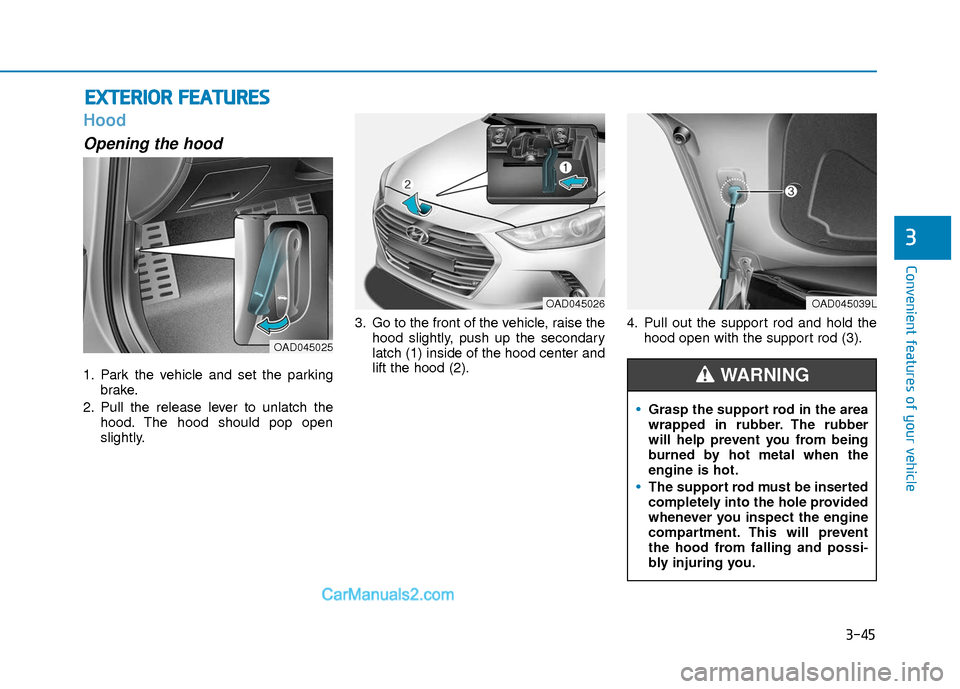
1. Park the vehicle and set the parking
brake.
2. Pull the release lever to unlatch the hood. The hood should pop open
slightly. 3. Go to the front of the vehicle, raise the
hood slightly, push up the secondary
latch (1) inside of the hood center and
lift the hood (2). 4. Pull out the support rod and hold the
hood open with the support rod (3).
OAD045025
OAD045039L
Grasp the support rod in the area
wrapped in rubber. The rubber
will help prevent you from being
burned by hot metal when the
engine is hot.
The support rod must be inserted
completely into the hole provided
whenever you inspect the engine
compartment. This will prevent
the hood from falling and possi-
bly injuring you.
WARNING
OAD045026
Page 125 of 526
3-48
Convenient features of your vehicle
Smart Trunk (if equipped)
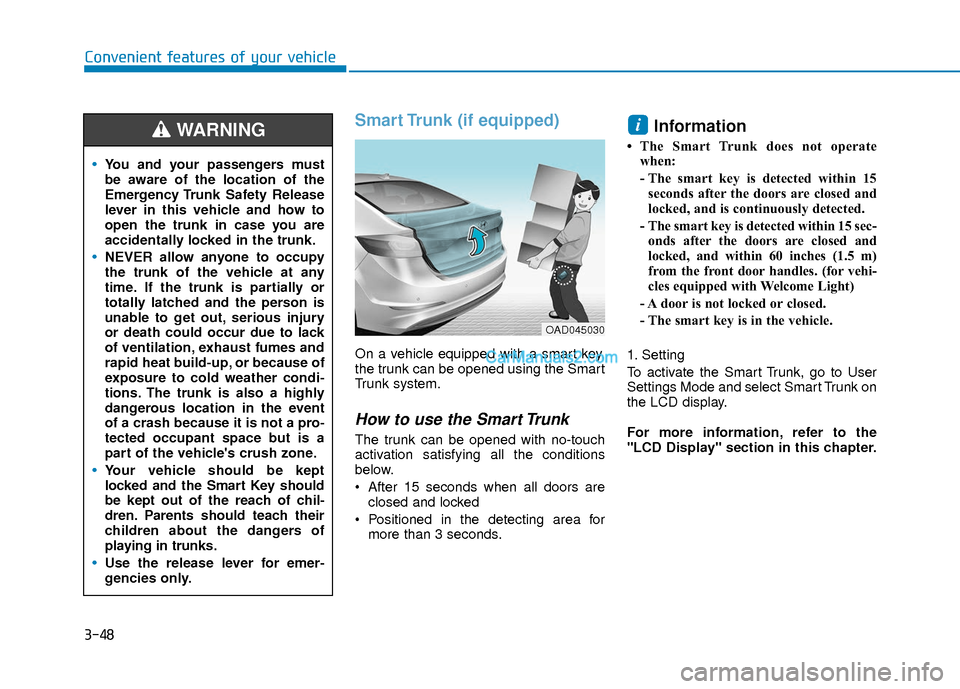
On a vehicle equipped with a smart key,
the trunk can be opened using the Smart
Trunk system.
How to use the Smart Trunk
The trunk can be opened with no-touch
activation satisfying all the conditions
below.
After 15 seconds when all doors areclosed and locked
Positioned in the detecting area for more than 3 seconds.
Information
• The Smart Trunk does not operatewhen:
- The smart key is detected within 15seconds after the doors are closed and
locked, and is continuously detected.
- The smart key is detected within 15 sec- onds after the doors are closed and
locked, and within 60 inches (1.5 m)
from the front door handles. (for vehi-
cles equipped with Welcome Light)
- A door is not locked or closed.
- The smart key is in the vehicle.
1. Setting
To activate the Smart Trunk, go to User
Settings Mode and select Smart Trunk on
the LCD display.
For more information, refer to the
"LCD Display" section in this chapter.
i
You and your passengers must
be aware of the location of the
Emergency Trunk Safety Release
lever in this vehicle and how to
open the trunk in case you are
accidentally locked in the trunk.
NEVER allow anyone to occupy
the trunk of the vehicle at any
time. If the trunk is partially or
totally latched and the person is
unable to get out, serious injury
or death could occur due to lack
of ventilation, exhaust fumes and
rapid heat build-up, or because of
exposure to cold weather condi-
tions. The trunk is also a highly
dangerous location in the event
of a crash because it is not a pro-
tected occupant space but is a
part of the vehicle's crush zone.
Your vehicle should be kept
locked and the Smart Key should
be kept out of the reach of chil-
dren. Parents should teach their
children about the dangers of
playing in trunks.
Use the release lever for emer-
gencies only.
WARNING
OAD045030
Page 127 of 526
3-50
Convenient features of your vehicle
How to deactivate the SmartTrunk function using the smartkey
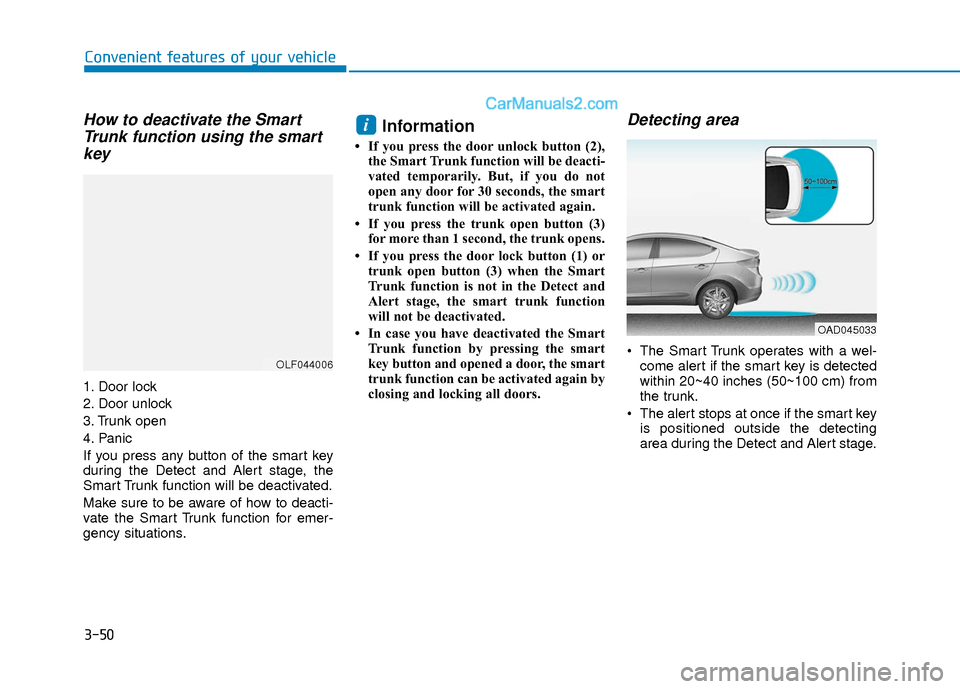
1. Door lock
2. Door unlock
3. Trunk open
4. Panic
If you press any button of the smart key
during the Detect and Alert stage, the
Smart Trunk function will be deactivated.
Make sure to be aware of how to deacti-
vate the Smart Trunk function for emer-
gency situations.
Information
• If you press the door unlock button (2),
the Smart Trunk function will be deacti-
vated temporarily. But, if you do not
open any door for 30 seconds, the smart
trunk function will be activated again.
• If you press the trunk open button (3) for more than 1 second, the trunk opens.
• If you press the door lock button (1) or trunk open button (3) when the Smart
Trunk function is not in the Detect and
Alert stage, the smart trunk function
will not be deactivated.
• In case you have deactivated the Smart Trunk function by pressing the smart
key button and opened a door, the smart
trunk function can be activated again by
closing and locking all doors.
Detecting area
The Smart Trunk operates with a wel-come alert if the smart key is detected
within 20~40 inches (50~100 cm) from
the trunk.
The alert stops at once if the smart key is positioned outside the detecting
area during the Detect and Alert stage.
i
OLF044006
OAD045033
Page 136 of 526
3-59
Convenient features of your vehicle
3
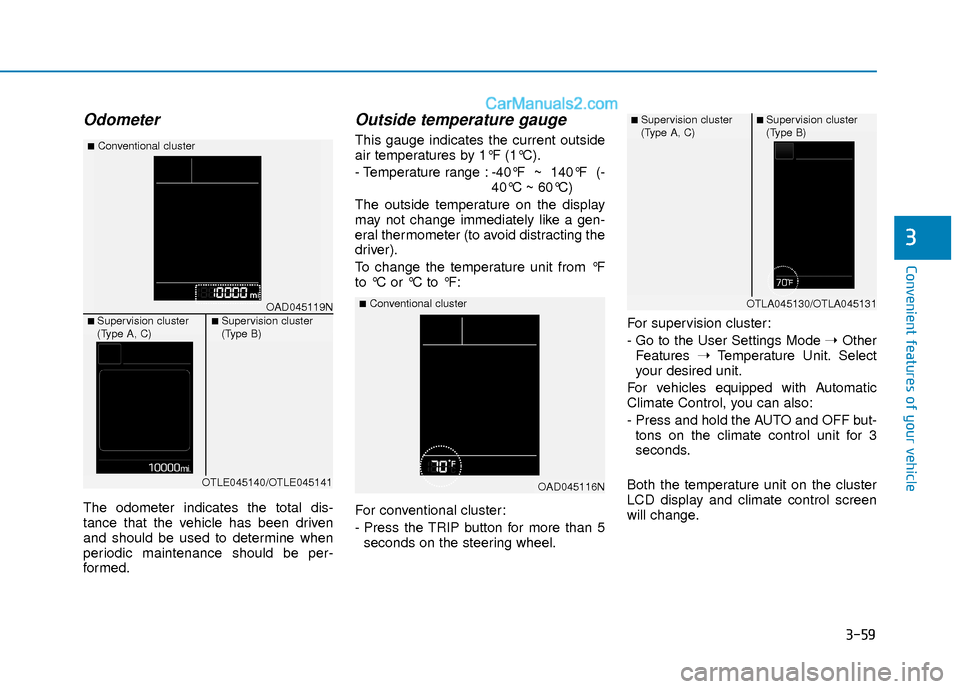
Odometer
The odometer indicates the total dis-
tance that the vehicle has been driven
and should be used to determine when
periodic maintenance should be per-
formed.
Outside temperature gauge
This gauge indicates the current outside
air temperatures by 1°F (1°C).
- Temperature range :-40°F ~ 140°F (-
40°C ~ 60°C)
The outside temperature on the display
may not change immediately like a gen-
eral thermometer (to avoid distracting the
driver).
To change the temperature unit from °F
to °C or °C to °F:
For conventional cluster:
- Press the TRIP button for more than 5 seconds on the steering wheel. For supervision cluster:
- Go to the User Settings Mode
➝Other
Features ➝Temperature Unit. Select
your desired unit.
For vehicles equipped with Automatic
Climate Control, you can also:
- Press and hold the AUTO and OFF but- tons on the climate control unit for 3
seconds.
Both the temperature unit on the cluster
LCD display and climate control screen
will change.
OAD045116N
■Conventional clusterOAD045119N
■Conventional cluster
■ Supervision cluster
(Type A, C)■ Supervision cluster
(Type B)
OTLE045140/OTLE045141
■ Supervision cluster
(Type A, C)■ Supervision cluster
(Type B)
OTLA045130/OTLA045131
Page 137 of 526
3-60
Convenient features of your vehicle
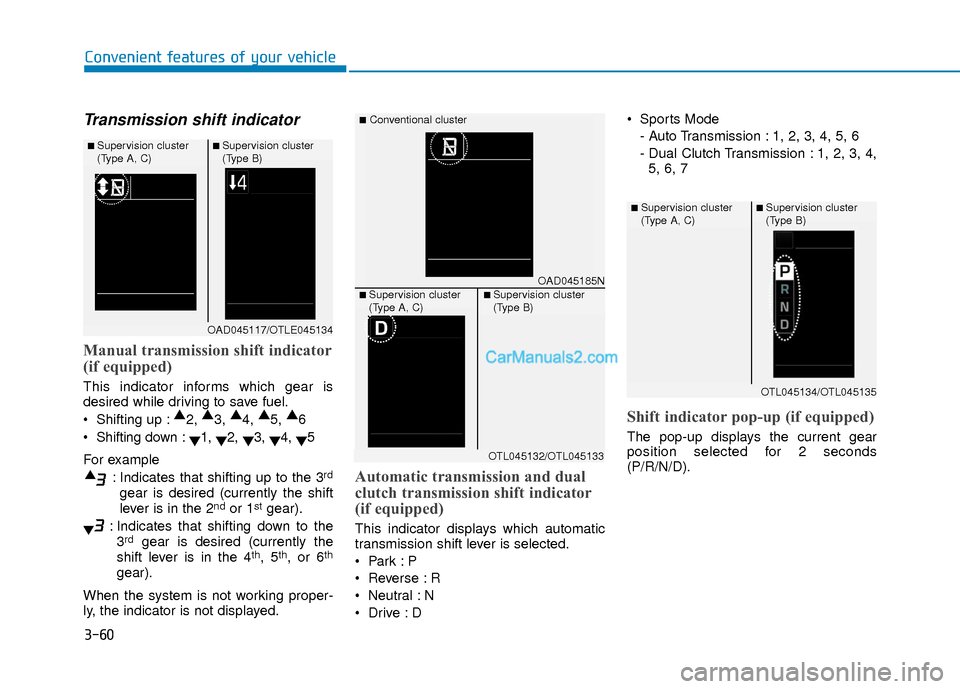
Transmission shift indicator
Manual transmission shift indicator
(if equipped)
This indicator informs which gear is
desired while driving to save fuel.
Shifting up :▲
2, ▲
3, ▲
4, ▲
5, ▲
6
Shifting down : ▼1,
▼2,
▼3,
▼4,
▼5
For example : Indicates that shifting up to the 3
rd
gear is desired (currently the shift
lever is in the 2ndor 1stgear).
: Indicates that shifting down to the 3
rdgear is desired (currently the
shift lever is in the 4th, 5th, or 6th
gear).
When the system is not working proper-
ly, the indicator is not displayed.
Automatic transmission and dual
clutch transmission shift indicator
(if equipped)
This indicator displays which automatic
transmission shift lever is selected.
Reverse : R
Neutral : N
Sports Mode
- Auto Transmission : 1, 2, 3, 4, 5, 6
- Dual Clutch Transmission : 1, 2, 3, 4,5, 6, 7
Shift indicator pop-up (if equipped)
The pop-up displays the current gear
position selected for 2 seconds
(P/R/N/D).
OAD045117/OTLE045134
■ Supervision cluster
(Type A, C)■ Supervision cluster
(Type B)
OAD045185N
■Conventional cluster
■ Supervision cluster
(Type A, C)■ Supervision cluster
(Type B)
OTL045132/OTL045133
OTL045134/OTL045135
■ Supervision cluster
(Type A, C)■ Supervision cluster
(Type B)
Page 141 of 526
3-64
Convenient features of your vehicle
Malfunction IndicatorLamp (MIL)
This warning light illuminates:
Once you turn the ignition switch or
Engine Start/Stop button to the ON
position.
- It illuminates for approximately 3 sec-onds and then goes off.
When there is a malfunction with the emission control system.
In this case, have your vehicle inspect-
ed by an authorized HYUNDAI dealer.
- Malfunction Indicator Lamp (MIL)
Driving with the Malfunction Indicator
Lamp (MIL) on may cause damage to
the emission control systems which
could affect drivability and/or fuel
economy.
If the Malfunction Indicator Lamp
(MIL) illuminates, potential catalytic
converter damage is possible which
could result in loss of engine power.
In this case, have your vehicle
inspected by an authorized HYUNDAI
dealer.
Charging System Warning Light
If this warning light comes on while the
engine is running, the battery is not being
charged. Immediately turn off all electri-
cal accessories. Try not to use electrical-
ly operated controls, such as the power
windows. Keep the engine running; stop-
ping then restarting the engine will quick-
ly discharge the battery.
If there is a malfunction with either
the alternator or electrical charging
system:
1. Drive carefully to the nearest safe
location and stop your vehicle.
2. Turn the engine off and check the alternator drive belt for looseness or
breakage.
If the belt is adjusted properly, there
may be a problem in the electrical
charging system.
In this case, have your vehicle
inspected by an authorized HYUNDAI
dealer.
Engine Oil PressureWarning Light
This warning light illuminates:
Once you turn the ignition switch or the
Engine Start/Stop button to the ON
position.
- It remains on until the engine is start-ed.
When the engine oil pressure is low.
If the engine oil pressure is low:
1. Drive carefully to the nearest safe location and stop your vehicle.
2. Turn the engine off and check the engine oil level (For more informa-
tion, refer to "Engine Oil" in chapter
7). If the level is low, add oil as
required.
If the warning light remains on after
adding oil and restarting the engine or
if oil is not available, turn off the
engine. There is a mechanical concern
that needs to be repaired before you
can continue driving. In this case,
have your vehicle inspected by an
authorized HYUNDAI dealer.
NOTICE
NOTICE
NOTICE
Page 143 of 526
3-66
Convenient features of your vehicle
This warning light remains ON
after blinking for approximately 60
seconds, or repeatedly blinks ON
and OFF in 3 second intervals:
When there is a malfunction with the
TPMS.
In this case, have your vehicle inspected
by an authorized HYUNDAI dealer.
For more information, refer to "Tire
Pressure Monitoring System (TPMS)"
in chapter 6.
Automatic EmergencyBraking (AEB) Warninglight (if equipped)
This warning light illuminates :
When the AEB system is turned off.
When the radar sensor or cover is
blocked with dirt or snow. Check the
sensor and cover and clean them by
using a soft cloth.
When there is a malfunction with AEB. In this case, have your vehicle inspect-
ed by an authorized HYUNDAI dealer.
Headlight WarningLight
This warning light illuminates:
This warning light illuminates if one of the
exterior bulbs (headlamp, taillamp,
foglamp, etc.) is not operating properly.
One of the bulbs may need to be
replaced. If the vehicle is equipped with
LED headlamps, have the vehicle
inspected by an authorized HYUNDAI
dealer.
Information
When replacing the bulb, use the same
wattage bulb.
For more information, refer to "BULB
WATTAGE" in chapter 8.
i
Safe Stopping
The TPMS cannot alert you to
severe and sudden tire damage
caused by external factors.
If you notice any vehicle instabili-
ty, immediately take your foot off
the accelerator pedal, apply the
brakes gradually with light force,
and slowly move to a safe posi-
tion off the road.
WARNING
Page 145 of 526
3-68
Convenient features of your vehicle
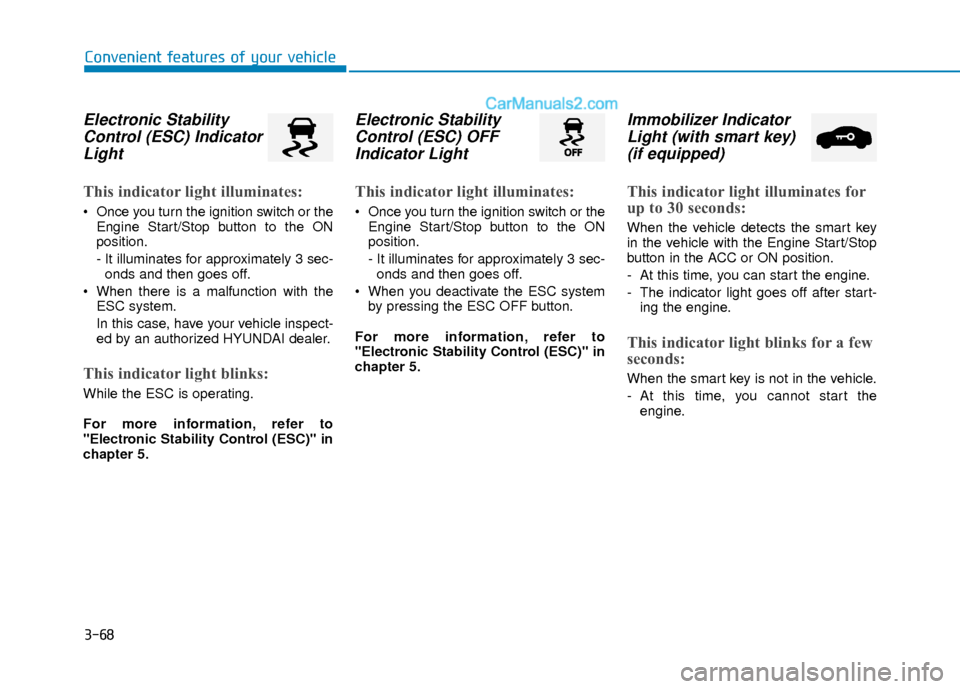
Electronic StabilityControl (ESC) IndicatorLight
This indicator light illuminates:
Once you turn the ignition switch or the
Engine Start/Stop button to the ON
position.
- It illuminates for approximately 3 sec-onds and then goes off.
When there is a malfunction with the ESC system.
In this case, have your vehicle inspect-
ed by an authorized HYUNDAI dealer.
This indicator light blinks:
While the ESC is operating.
For more information, refer to
"Electronic Stability Control (ESC)" in
chapter 5.
Electronic StabilityControl (ESC) OFFIndicator Light
This indicator light illuminates:
Once you turn the ignition switch or the
Engine Start/Stop button to the ON
position.
- It illuminates for approximately 3 sec-onds and then goes off.
When you deactivate the ESC system by pressing the ESC OFF button.
For more information, refer to
"Electronic Stability Control (ESC)" in
chapter 5.
Immobilizer Indicator Light (with smart key)(if equipped)
This indicator light illuminates for
up to 30 seconds:
When the vehicle detects the smart key
in the vehicle with the Engine Start/Stop
button in the ACC or ON position.
- At this time, you can start the engine.
- The indicator light goes off after start-
ing the engine.
This indicator light blinks for a few
seconds:
When the smart key is not in the vehicle.
- At this time, you cannot start theengine.
Page 146 of 526
3-69
Convenient features of your vehicle
3
This indicator light illuminates for
2 seconds and goes off:
If the smart key is in the vehicle and the
Engine Start/Stop button is ON, but the
vehicle cannot detect the smart key.
In this case, have your vehicle inspected
by an authorized HYUNDAI dealer.
This indicator light blinks:
When the battery voltage of the smartkey is low.
- At this time, you can not start theengine. However, you can start the
engine if you press the ignition switch or
the Engine Start/Stop button with the
smart key. (For more information,
refer to "Starting the Engine" in
chapter 5).
When there is a malfunction with the immobilizer system.
In this case, have your vehicle inspect-
ed by an authorized HYUNDAI dealer.
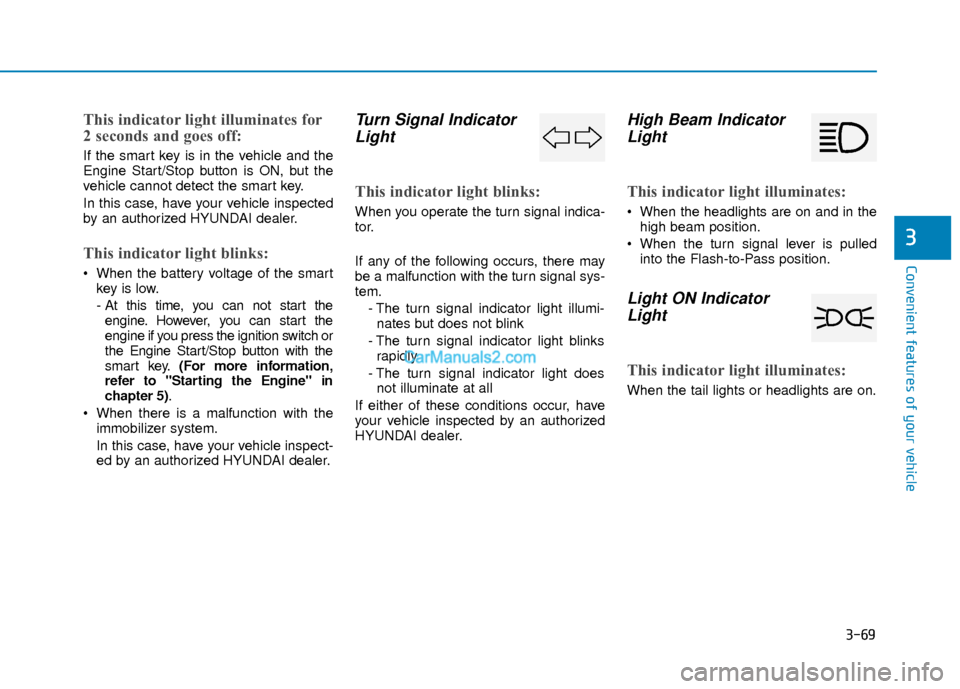
Turn Signal IndicatorLight
This indicator light blinks:
When you operate the turn signal indica-
tor.
If any of the following occurs, there may
be a malfunction with the turn signal sys-
tem.
- The turn signal indicator light illumi-nates but does not blink
- The turn signal indicator light blinks rapidly
- The turn signal indicator light does not illuminate at all
If either of these conditions occur, have
your vehicle inspected by an authorized
HYUNDAI dealer.
High Beam Indicator Light
This indicator light illuminates:
When the headlights are on and in the
high beam position.
When the turn signal lever is pulled into the Flash-to-Pass position.
Light ON IndicatorLight
This indicator light illuminates:
When the tail lights or headlights are on.