ignition Hyundai Elantra 2018 Manual PDF
[x] Cancel search | Manufacturer: HYUNDAI, Model Year: 2018, Model line: Elantra, Model: Hyundai Elantra 2018Pages: 526, PDF Size: 17.2 MB
Page 319 of 526
5-36
Driving your vehicle
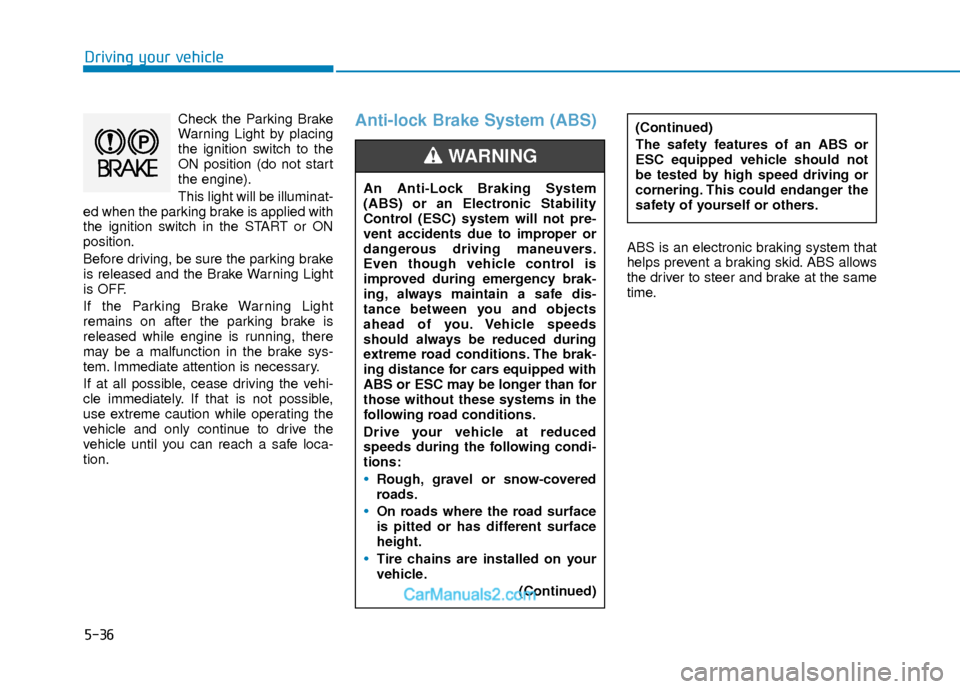
Check the Parking Brake
Warning Light by placing
the ignition switch to the
ON position (do not start
the engine).
This light will be illuminat-
ed when the parking brake is applied with
the ignition switch in the START or ON
position.
Before driving, be sure the parking brake
is released and the Brake Warning Light
is OFF.
If the Parking Brake Warning Light
remains on after the parking brake is
released while engine is running, there
may be a malfunction in the brake sys-
tem. Immediate attention is necessary.
If at all possible, cease driving the vehi-
cle immediately. If that is not possible,
use extreme caution while operating the
vehicle and only continue to drive the
vehicle until you can reach a safe loca-
tion.Anti-lock Brake System (ABS)
ABS is an electronic braking system that
helps prevent a braking skid. ABS allows
the driver to steer and brake at the same
time.
An Anti-Lock Braking System
(ABS) or an Electronic Stability
Control (ESC) system will not pre-
vent accidents due to improper or
dangerous driving maneuvers.
Even though vehicle control is
improved during emergency brak-
ing, always maintain a safe dis-
tance between you and objects
ahead of you. Vehicle speeds
should always be reduced during
extreme road conditions. The brak-
ing distance for cars equipped with
ABS or ESC may be longer than for
those without these systems in the
following road conditions.
Drive your vehicle at reduced
speeds during the following condi-
tions:
Rough, gravel or snow-covered
roads.
On roads where the road surface
is pitted or has different surface
height.
Tire chains are installed on your
vehicle.
(Continued)
WARNING
(Continued)
The safety features of an ABS or
ESC equipped vehicle should not
be tested by high speed driving or
cornering. This could endanger the
safety of yourself or others.
Page 320 of 526
5-37
Driving your vehicle
5
Using ABS
To obtain the maximum benefit from your
ABS in an emergency situation, do not
attempt to modulate your brake pressure
and do not try to pump your brakes.
Depress your brake pedal as hard as
possible.
When you apply your brakes under con-
ditions which may lock the wheels, you
may hear sounds from the brakes, or feel
a corresponding sensation in the brake
pedal. This is normal and it means your
ABS is active.
ABS does not reduce the time or dis-
tance it takes to stop the vehicle.
Always maintain a safe distance from the
vehicle in front of you.
ABS will not prevent a skid that results
from sudden changes in direction, such
as trying to take a corner too fast or mak-
ing a sudden lane change. Always drive
at a safe speed for the road and weather
conditions.
ABS cannot prevent a loss of stability.
Always steer moderately when braking
hard. Severe or sharp steering wheel
movement can still cause your vehicle to
veer into oncoming traffic or off the road.On loose or uneven road surfaces, oper-
ation of the anti-lock brake system may
result in a longer stopping distance than
for vehicles equipped with a conventional
brake system.
The ABS warning light ( ) will stay on
for several seconds after the ignition
switch is in the ON position. During that
time, the ABS will go through self-diag-
nosis and the light will go off if everything
is normal. If the light stays on, you may
have a problem with your ABS. Contact
an authorized HYUNDAI dealer as soon
as possible
Information
When you jump start your vehicle because
of a drained battery, the ABS warning
light ( ) may turn on at the same time.
This happens because of the low battery
voltage. It does not mean your ABS is mal-
functioning. Have the battery recharged
before driving the vehicle.
i
If the ABS warning light ( ) is on
and stays on, you may have a prob-
lem with the ABS. Your power
brakes will work normally. To
reduce the risk of serious injury or
death, contact your HYUNDAI deal-
er as soon as possible.
WARNING
When you drive on a road having
poor traction, such as an icy road,
and apply your brakes continuous-
ly, the ABS will be active continu-
ously and the ABS warning light
( ) may illuminate. Pull your car
over to a safe place and turn the
engine off.
Restart the engine. If the ABS warn-
ing light is off, then your ABS sys-
tem is normal.
Otherwise, you may have a problem
with your ABS system.
Contact an
authorized HYUNDAI dealer as soon
as possible.
CAUTION
Page 321 of 526
5-38
Driving your vehicle
Electronic Stability Control
(ESC)
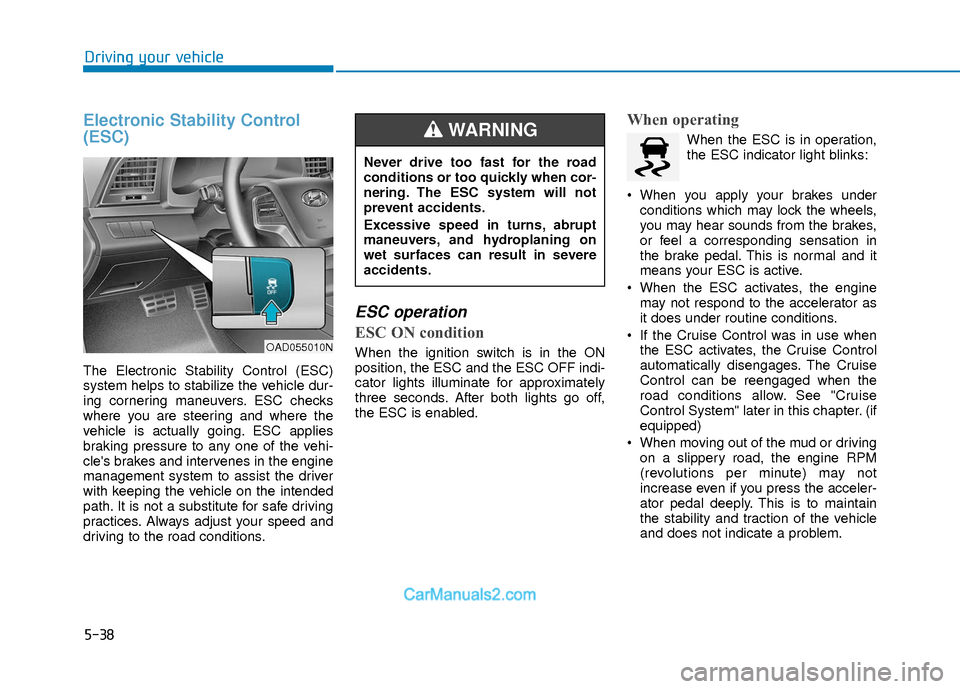
The Electronic Stability Control (ESC)
system helps to stabilize the vehicle dur-
ing cornering maneuvers. ESC checks
where you are steering and where the
vehicle is actually going. ESC applies
braking pressure to any one of the vehi-
cle's brakes and intervenes in the engine
management system to assist the driver
with keeping the vehicle on the intended
path. It is not a substitute for safe driving
practices. Always adjust your speed and
driving to the road conditions.
ESC operation
ESC ON condition
When the ignition switch is in the ON
position, the ESC and the ESC OFF indi-
cator lights illuminate for approximately
three seconds. After both lights go off,
the ESC is enabled.
When operating
When the ESC is in operation,
the ESC indicator light blinks:
When you apply your brakes under conditions which may lock the wheels,
you may hear sounds from the brakes,
or feel a corresponding sensation in
the brake pedal. This is normal and it
means your ESC is active.
When the ESC activates, the engine may not respond to the accelerator as
it does under routine conditions.
If the Cruise Control was in use when the ESC activates, the Cruise Control
automatically disengages. The Cruise
Control can be reengaged when the
road conditions allow. See "Cruise
Control System" later in this chapter. (if
equipped)
When moving out of the mud or driving on a slippery road, the engine RPM
(revolutions per minute) may not
increase even if you press the acceler-
ator pedal deeply. This is to maintain
the stability and traction of the vehicle
and does not indicate a problem.
OAD055010N
Never drive too fast for the road
conditions or too quickly when cor-
nering. The ESC system will not
prevent accidents.
Excessive speed in turns, abrupt
maneuvers, and hydroplaning on
wet surfaces can result in severe
accidents.
WARNING
Page 322 of 526
5-39
Driving your vehicle
5
ESC OFF condition
To cancel ESC operation :
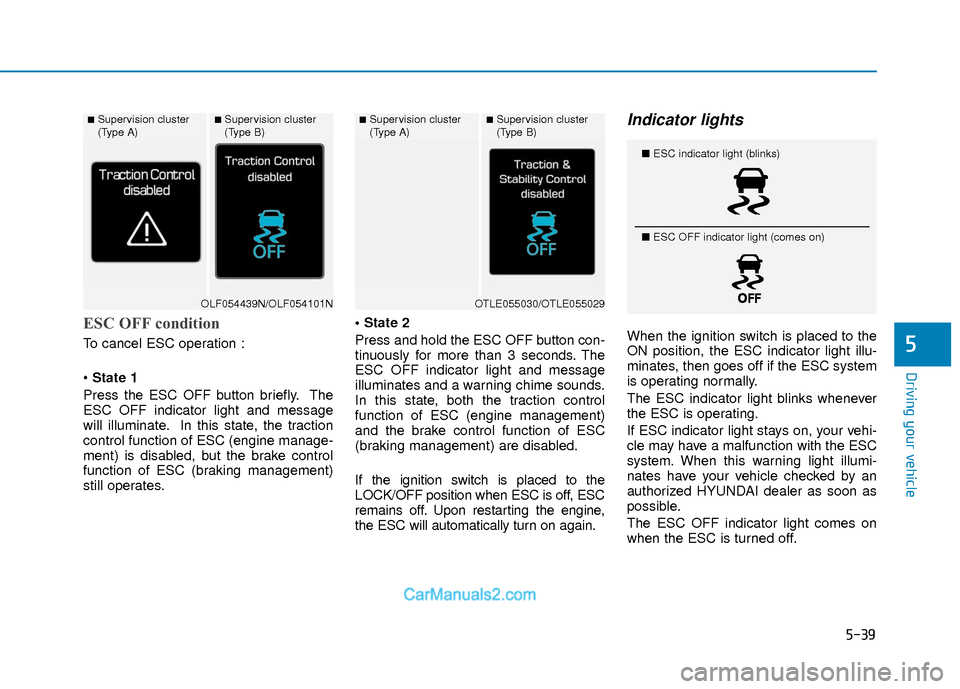
State 1
Press the ESC OFF button briefly. The
ESC OFF indicator light and message
will illuminate. In this state, the traction
control function of ESC (engine manage-
ment) is disabled, but the brake control
function of ESC (braking management)
still operates.
Press and hold the ESC OFF button con-
tinuously for more than 3 seconds. The
ESC OFF indicator light and message
illuminates and a warning chime sounds.
In this state, both the traction control
function of ESC (engine management)
and the brake control function of ESC
(braking management) are disabled.
If the ignition switch is placed to the
LOCK/OFF position when ESC is off, ESC
remains off. Upon restarting the engine,
the ESC will automatically turn on again.
Indicator lights
When the ignition switch is placed to the
ON position, the ESC indicator light illu-
minates, then goes off if the ESC system
is operating normally.
The ESC indicator light blinks whenever
the ESC is operating.
If ESC indicator light stays on, your vehi-
cle may have a malfunction with the ESC
system. When this warning light illumi-
nates have your vehicle checked by an
authorized HYUNDAI dealer as soon as
possible.
The ESC OFF indicator light comes on
when the ESC is turned off.
■Supervision cluster
(Type A)■Supervision cluster
(Type B)
OLF054439N/OLF054101N
■Supervision cluster
(Type A)■Supervision cluster
(Type B)
OTLE055030/OTLE055029
■
ESC indicator light (blinks)
■ ESC OFF indicator light (comes on)
Page 325 of 526
5-42
Driving your vehicle
Hill-Start Assist Control (HAC)
The Hill-Start Assist Control (HAC) helps
prevent the vehicle from rolling back-
wards when starting a vehicle from a
stop on a hill. The system operates the
brakes automatically for approximately 2
seconds and releases the brake after 2
seconds or when the accelerator pedal is
depressed.
The HAC does not operate when theshift lever is in P (Park) or N
(Neutral)
The HAC activates even though the ESC (Electronic Stability Control) is
off but does not activate when the
ESC has malfunctioned.
Good Braking Practices
Wet brakes can be dangerous! The
brakes may get wet if the vehicle is driv-
en through standing water or if it is
washed. Your vehicle will not stop as
quickly if the brakes are wet. Wet brakes
may cause the vehicle to pull to one side. To dry the brakes, apply the brakes light-
ly until the braking action returns to nor-
mal, taking care to keep the vehicle
under control at all times. If the braking
action does not return to normal, stop as
soon as it is safe to do so and call an
authorized HYUNDAI dealer for assis-
tance.
DO NOT drive with your foot resting on
the brake pedal. Even light, but constant
pedal pressure can result in the brakes
overheating, brake wear, and possibly
even brake failure.
If a tire goes flat while you are driving,
apply the brakes gently and keep the
vehicle pointed straight ahead while you
slow down. When you are moving slowly
enough for it to be safe to do so, pull off
the road and stop in a safe location.
Keep your foot firmly on the brake pedal
when the vehicle is stopped to prevent
the vehicle from rolling forward.
NOTICE
Always be ready to depress the
accelerator pedal when starting off
on a incline. The HAC activates only
for approximately 2 seconds.
WARNING
Whenever leaving the vehicle or
parking, always come to a complete
stop and continue to depress the
brake pedal. Move the shift lever
into the 1
stgear (for manual trans-
mission vehicle) or P (Park, for
automatic transmission vehicle)
position, then apply the parking
brake, and place the ignition switch
in the LOCK/OFF position.
Vehicles parked with the parking
brake not applied or not fully
engaged may roll inadvertently and
may cause injury to the driver and
others. ALWAYS apply the parking
brake before exiting the vehicle.
WARNING
Page 329 of 526
5-46
Driving your vehicle
BSD (Blind Spot Detection) /
LCA (Lane Change Assist)
Operating conditions
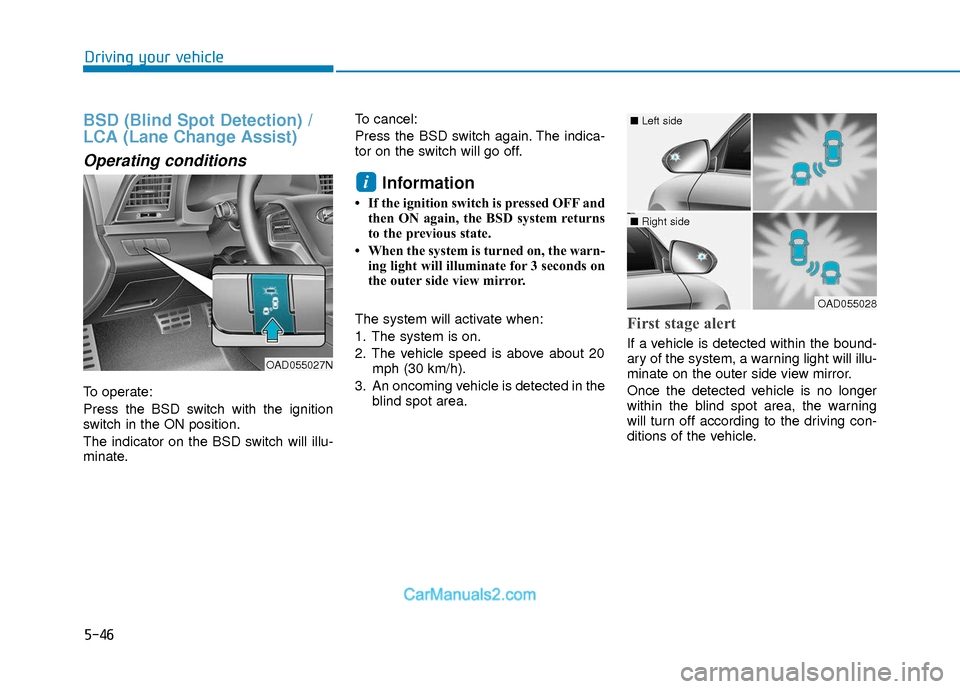
To operate:
Press the BSD switch with the ignition
switch in the ON position.
The indicator on the BSD switch will illu-
minate.To cancel:
Press the BSD switch again. The indica-
tor on the switch will go off.
Information
• If the ignition switch is pressed OFF and
then ON again, the BSD system returns
to the previous state.
• When the system is turned on, the warn- ing light will illuminate for 3 seconds on
the outer side view mirror.
The system will activate when:
1. The system is on.
2. The vehicle speed is above about 20 mph (30 km/h).
3. An oncoming vehicle is detected in the blind spot area.
First stage alert
If a vehicle is detected within the bound-
ary of the system, a warning light will illu-
minate on the outer side view mirror.
Once the detected vehicle is no longer
within the blind spot area, the warning
will turn off according to the driving con-
ditions of the vehicle.
i
OAD055027N
OAD055028
■ Left side
■ Right side
Page 335 of 526
5-52
Driving your vehicle
The Automatic Emergency Braking
(AEB) system is designed to detect and
monitor the vehicle ahead or detect a
pedestrian in the roadway through radar
signals and camera recognition to warn
the driver that a collision is imminent, and
if necessary, apply emergency braking.System Setting and Activation
System setting
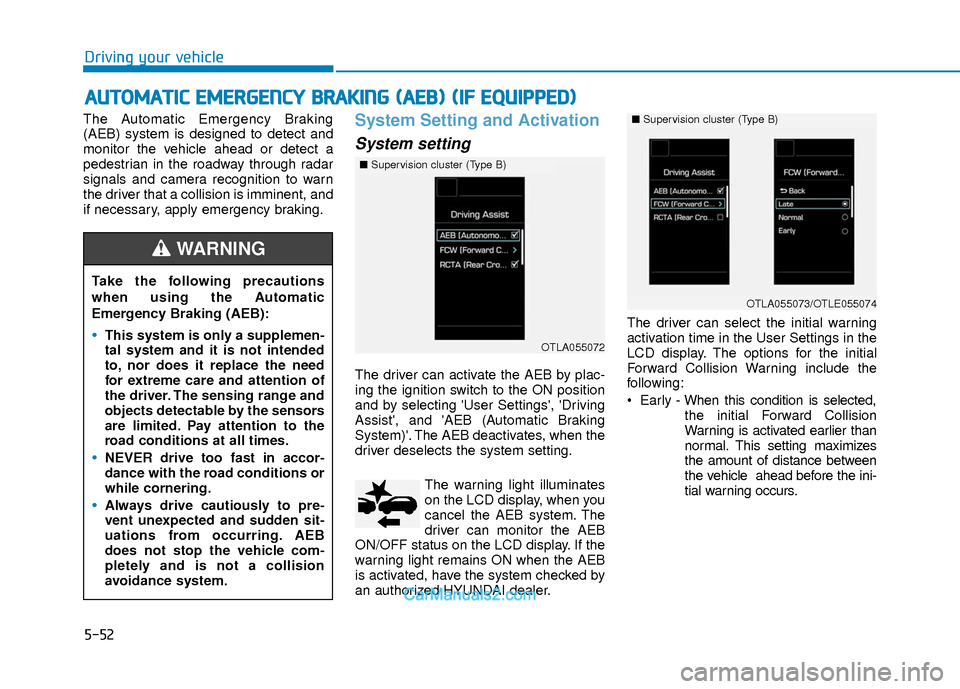
The driver can activate the AEB by plac-
ing the ignition switch to the ON position
and by selecting 'User Settings', 'Driving
Assist', and 'AEB (Automatic Braking
System)'. The AEB deactivates, when the
driver deselects the system setting.The warning light illuminates
on the LCD display, when you
cancel the AEB system. The
driver can monitor the AEB
ON/OFF status on the LCD display. If the
warning light remains ON when the AEB
is activated, have the system checked by
an authorized HYUNDAI dealer. The driver can select the initial warning
activation time in the User Settings in the
LCD display. The options for the initial
Forward Collision Warning include the
following:
Early - When this condition is selected,
the initial Forward Collision
Warning is activated earlier than
normal. This setting maximizes
the amount of distance between
the vehicle ahead before the ini-
tial warning occurs.
A AU
U T
TO
O M
M A
AT
TI
IC
C
E
E M
M E
ER
R G
G E
EN
N C
CY
Y
B
B R
RA
A K
KI
IN
N G
G
(
( A
A E
EB
B )
)
(
( I
IF
F
E
E Q
Q U
UI
IP
P P
PE
ED
D )
)
Take the following precautions
when using the Automatic
Emergency Braking (AEB):
This system is only a supplemen-
tal system and it is not intended
to, nor does it replace the need
for extreme care and attention of
the driver. The sensing range and
objects detectable by the sensors
are limited. Pay attention to the
road conditions at all times.
NEVER drive too fast in accor-
dance with the road conditions or
while cornering.
Always drive cautiously to pre-
vent unexpected and sudden sit-
uations from occurring. AEB
does not stop the vehicle com-
pletely and is not a collision
avoidance system.
WARNING
■ Supervision cluster (Type B)
OTLA055072
■ Supervision cluster (Type B)
OTLA055073/OTLE055074
Page 336 of 526
5-53
Driving your vehicle
5
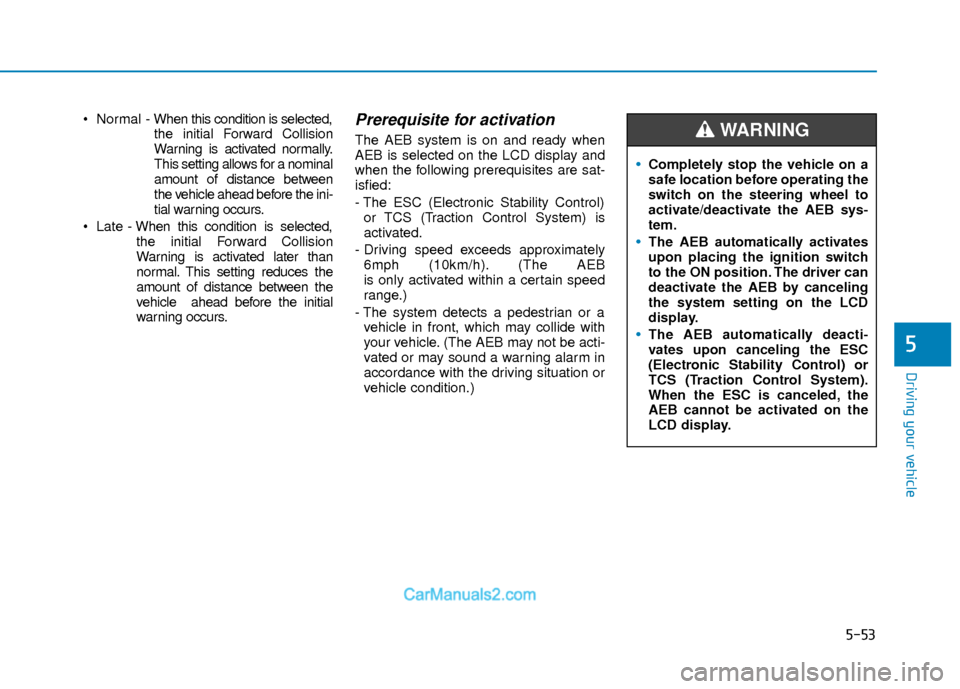
Normal - When this condition is selected,
the initial Forward Collision
Warning is activated normally.
This setting allows for a nominal
amount of distance between
the vehicle ahead before the ini-
tial warning occurs.
Late - When this condition is selected,
the initial Forward Collision
Warning is activated later than
normal. This setting reduces the
amount of distance between the
vehicle ahead before the initial
warning occurs.Prerequisite for activation
The AEB system is on and ready when
AEB is selected on the LCD display and
when the following prerequisites are sat-
isfied:
- The ESC (Electronic Stability Control) or TCS (Traction Control System) is
activated.
- Driving speed exceeds approximately 6mph (10km/h). (The AEB
is only activated within a certain speed
range.)
- The system detects a pedestrian or a vehicle in front, which may collide with
your vehicle. (The AEB may not be acti-
vated or may sound a warning alarm in
accordance with the driving situation or
vehicle condition.)
Completely stop the vehicle on a
safe location before operating the
switch on the steering wheel to
activate/deactivate the AEB sys-
tem.
The AEB automatically activates
upon placing the ignition switch
to the ON position. The driver can
deactivate the AEB by canceling
the system setting on the LCD
display.
The AEB automatically deacti-
vates upon canceling the ESC
(Electronic Stability Control) or
TCS (Traction Control System).
When the ESC is canceled, the
AEB cannot be activated on the
LCD display.
WARNING
Page 346 of 526
5-63
Driving your vehicle
5
LKAS Operation
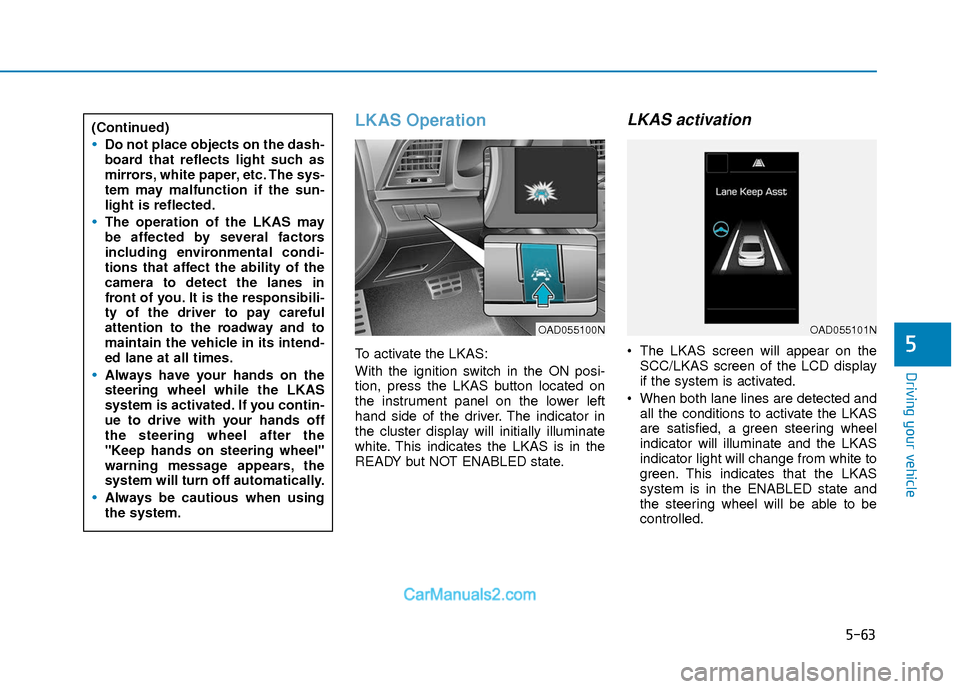
To activate the LKAS:
With the ignition switch in the ON posi-
tion, press the LKAS button located on
the instrument panel on the lower left
hand side of the driver. The indicator in
the cluster display will initially illuminate
white. This indicates the LKAS is in the
READY but NOT ENABLED state.
LKAS activation
The LKAS screen will appear on theSCC/LKAS screen of the LCD display
if the system is activated.
When both lane lines are detected and all the conditions to activate the LKAS
are satisfied, a green steering wheel
indicator will illuminate and the LKAS
indicator light will change from white to
green. This indicates that the LKAS
system is in the ENABLED state and
the steering wheel will be able to be
controlled.
(Continued)
Do not place objects on the dash-
board that reflects light such as
mirrors, white paper, etc. The sys-
tem may malfunction if the sun-
light is reflected.
The operation of the LKAS may
be affected by several factors
including environmental condi-
tions that affect the ability of the
camera to detect the lanes in
front of you. It is the responsibili-
ty of the driver to pay careful
attention to the roadway and to
maintain the vehicle in its intend-
ed lane at all times.
Always have your hands on the
steering wheel while the LKAS
system is activated. If you contin-
ue to drive with your hands off
the steering wheel after the
"Keep hands on steering wheel"
warning message appears, the
system will turn off automatically.
Always be cautious when using
the system.
OAD055100NOAD055101N
Page 350 of 526
5-67
Driving your vehicle
5
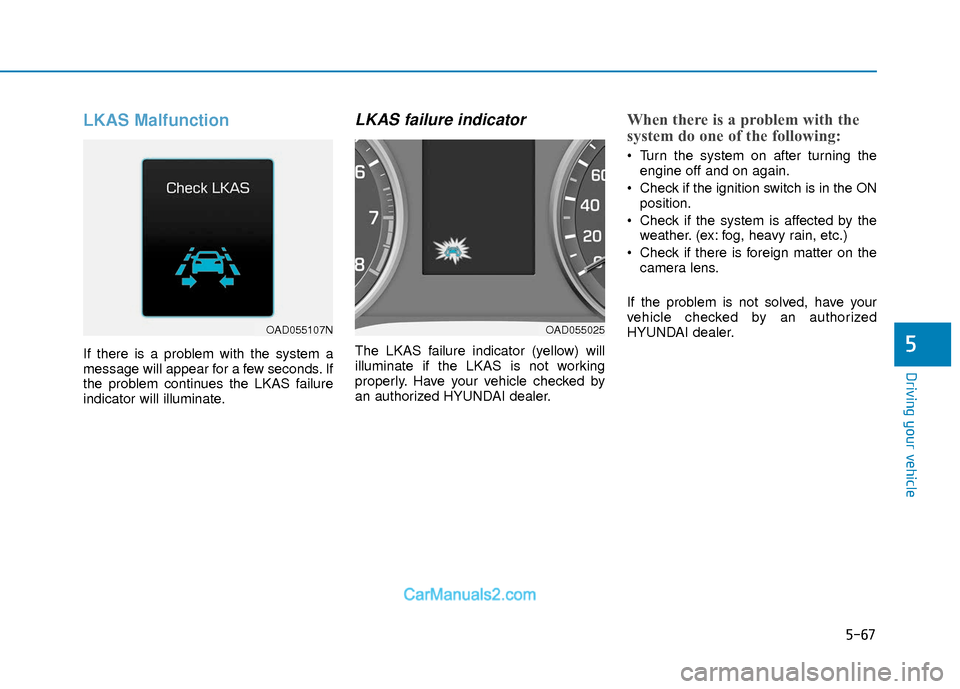
LKAS Malfunction
If there is a problem with the system a
message will appear for a few seconds. If
the problem continues the LKAS failure
indicator will illuminate.
LKAS failure indicator
The LKAS failure indicator (yellow) will
illuminate if the LKAS is not working
properly. Have your vehicle checked by
an authorized HYUNDAI dealer.
When there is a problem with the
system do one of the following:
Turn the system on after turning theengine off and on again.
Check if the ignition switch is in the ON position.
Check if the system is affected by the weather. (ex: fog, heavy rain, etc.)
Check if there is foreign matter on the camera lens.
If the problem is not solved, have your
vehicle checked by an authorized
HYUNDAI dealer.
OAD055107NOAD055025