rear view mirror Hyundai Elantra 2018 Owner's Manual
[x] Cancel search | Manufacturer: HYUNDAI, Model Year: 2018, Model line: Elantra, Model: Hyundai Elantra 2018Pages: 526, PDF Size: 17.2 MB
Page 14 of 526
1-3
Your vehicle at a glance
1
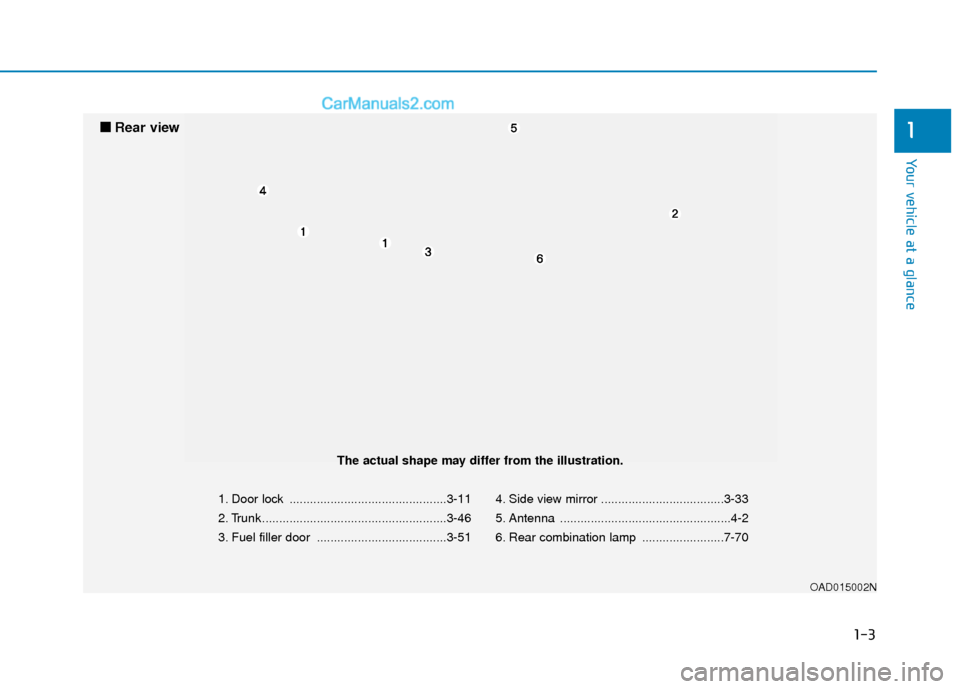
1. Door lock ..............................................3-11
2. Trunk ......................................................3-46
3. Fuel filler door ......................................3-514. Side view mirror ....................................3-33
5. Antenna ..................................................4-2
6. Rear combination lamp ........................7-70
OAD015002N
■
■
Rear view
The actual shape may differ from the illustration.
Page 78 of 526

Convenient features of your vehicle
Accessing Your Vehicle .........................................3-3
Remote Key........................................................................\
.3-3
Smart Key ........................................................................\
....3-6
Immobilizer System .........................................................3-10
Door Locks ............................................................3-11
Operating Door Locks from Outside the Vehicle ....3-11
Operating Door Locks from Inside the Vehicle .......3-12
Auto Door Lock/Unlock Features ...............................3-14
Child-Protector Rear Door locks ................................3-15
Theft-Alarm System ............................................3-15
Driver Position Memory System ........................3-16
Storing Positions into Memory ....................................3-17
Easy Access Function ....................................................3-18
Steering Wheel .....................................................3-18
Electric Power Steering (EPS) .....................................3-18
Tilt Steering/Telescope Steering.................................3-19
Horn ........................................................................\
............3-19
Mirrors ...................................................................3-20
Inside Rearview Mirror ..................................................3-20
Side View Mirrors ...........................................................3-33
Reverse Parking Aid Function......................................3-36
Windows ................................................................3-37
Power Windows ...............................................................3-38
Sunroof..................................................................3-41
Sunroof opening and closing .......................................3-42
Sliding the sunroof .........................................................3-42
Tilting the sunroof ..........................................................3-43
Sunshade ........................................................................\
...3-43
Resetting the sunroof ....................................................3-44
Exterior Features .................................................3-45
Hood ........................................................................\
...........3-45
Trunk ........................................................................\
..........3-46
Smart Trunk ......................................................................3-\
48
Fuel Filler Door ................................................................3-51
Instrument Cluster ...............................................3-54
Instrument Cluster Control............................................3-56
Gauges ........................................................................\
.......3-56
Warning and Indicator lights ........................................3-61
LCD Display Messages ...................................................3-71
LCD Display (For Supervision Cluster) .............3-80
LCD Display Control ........................................................3-80
LCD Display Modes .........................................................3-81
User Settings Mode ........................................................3-85
Trip Computer .......................................................3-90
Conventional Cluster.......................................................3\
-90
Supervision Cluster .........................................................3-94
3
Page 93 of 526
3-16
Convenient features of your vehicle
Once the security system is set, opening
any door, the trunk, or the hood without
using the remote key or smart key will
cause the alarm to activate.
The Theft Alarm System will not set if the
hood, the trunk, or any door is not fully
closed. If the system will not set, check
the hood, the trunk, or the doors are fully
closed.
Do not attempt to alter this system or add
other devices to it.
Information
• Do not lock the doors until all passen-gers have left the vehicle. If the remain-
ing passenger leaves the vehicle when
the system is armed, the alarm will be
activated.
• If the vehicle is not disarmed with the remote key or smart key, open the doors
by using the mechanical key and place
the ignition switch in the ON position
(for remote key) or start the engine (for
smart key) by directly pressing the igni-
tion switch with the smart key.
• When the system is disarmed but a door or trunk is not opened within 30 sec-
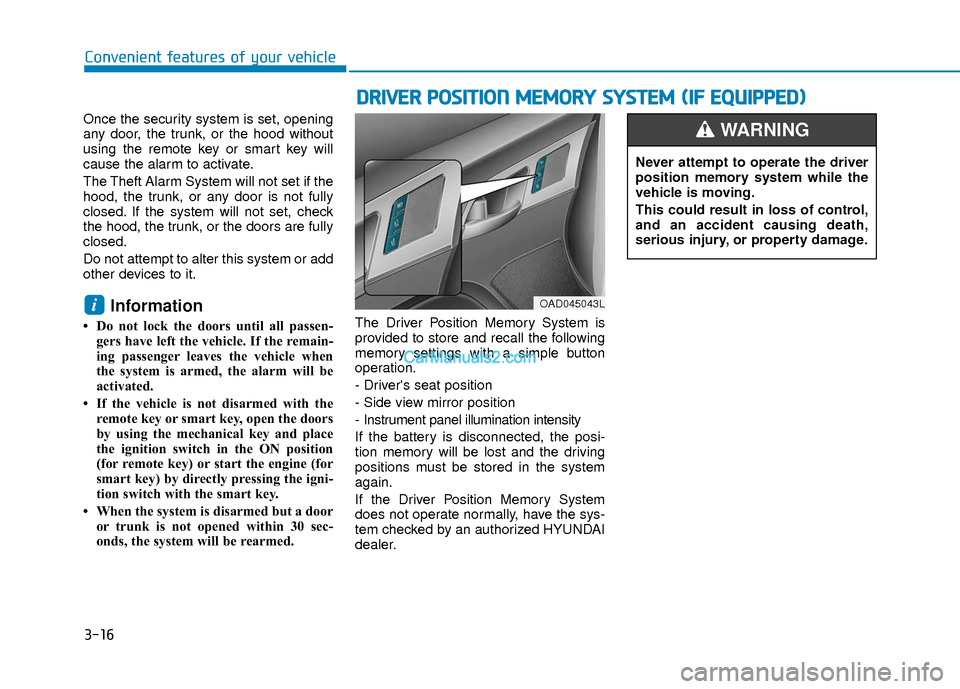
onds, the system will be rearmed. The Driver Position Memory System is
provided to store and recall the following
memory settings with a simple button
operation.
- Driver's seat position
- Side view mirror position
- Instrument panel illumination intensity
If the battery is disconnected, the posi-
tion memory will be lost and the driving
positions must be stored in the system
again.
If the Driver Position Memory System
does not operate normally, have the sys-
tem checked by an authorized HYUNDAI
dealer.
i
D D
R
RI
IV
V E
ER
R
P
P O
O S
SI
IT
T I
IO
O N
N
M
M E
EM
M O
OR
RY
Y
S
S Y
Y S
ST
T E
EM
M
(
( I
IF
F
E
E Q
Q U
UI
IP
P P
PE
ED
D )
)
OAD045043L
Never attempt to operate the driver
position memory system while the
vehicle is moving.
This could result in loss of control,
and an accident causing death,
serious injury, or property damage.
WARNING
Page 97 of 526
3-20
Convenient features of your vehicle
Inside Rearview Mirror
Before you start driving, adjust the
rearview mirror to the center on the view
through the rear window.When cleaning the mirror, use a paper
towel or similar material dampened
with glass cleaner. Do not spray glass
cleaner directly on the mirror as that
may cause the liquid cleaner to enter
the mirror housing.
Day/night rearview mirror
(if equipped)
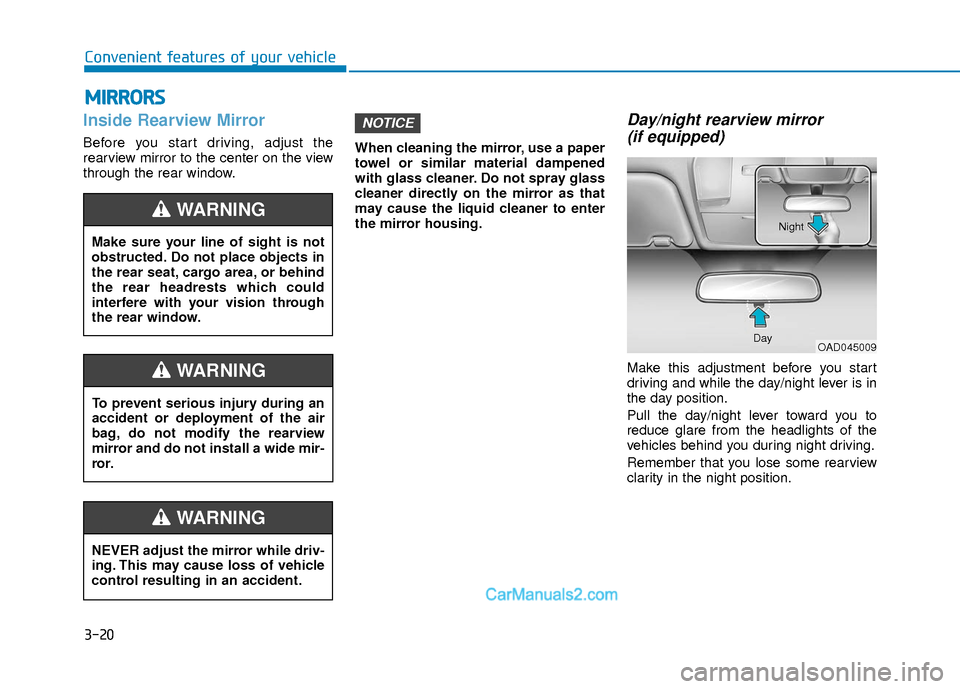
Make this adjustment before you start
driving and while the day/night lever is in
the day position.
Pull the day/night lever toward you to
reduce glare from the headlights of the
vehicles behind you during night driving.
Remember that you lose some rearview
clarity in the night position.
NOTICE
M M I
IR
R R
RO
O R
RS
S
Make sure your line of sight is not
obstructed. Do not place objects in
the rear seat, cargo area, or behind
the rear headrests which could
interfere with your vision through
the rear window.
WARNING
NEVER adjust the mirror while driv-
ing. This may cause loss of vehicle
control resulting in an accident.
WARNING
To prevent serious injury during an
accident or deployment of the air
bag, do not modify the rearview
mirror and do not install a wide mir-
ror.
WARNING
OAD045009
Day Night
Page 98 of 526
3-21
Convenient features of your vehicle
3
Blue Link®center (if equipped)
For details, refer to the Blue Link®
Owner's Guide, Navigation Manual or
Audio Manual.
Electric chromic mirror (ECM)with HomeLink®system,
compass and Blue Link®
(for U.S.A)
Your vehicle may be equipped with a
Gentex Automatic-Dimming Mirror with a
Z-Nav™ Electronic Compass Display
and an Integrated HomeLink
®Wireless
Control System. During nighttime driving,
this feature will automatically detect and
reduce rearview mirror glare while the
compass indicates the direction the vehi-
cle is pointed. The HomeLink
®Universal
Transceiver allows you to activate your
garage door(s), electric gate, home light-
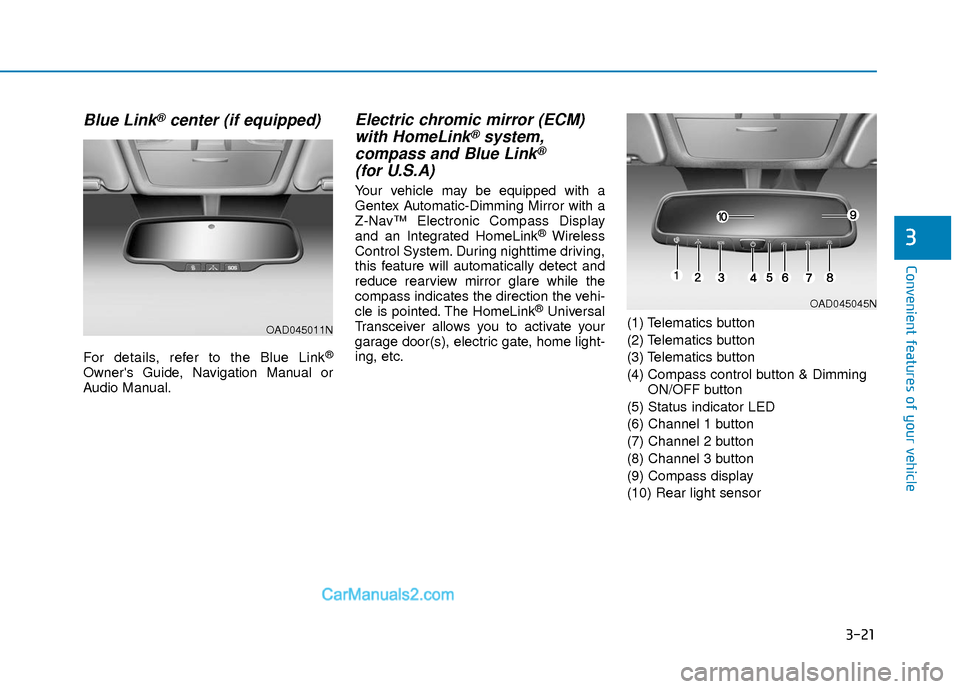
ing, etc. (1) Telematics button
(2) Telematics button
(3) Telematics button
(4) Compass control button & Dimming
ON/OFF button
(5) Status indicator LED
(6) Channel 1 button
(7) Channel 2 button
(8) Channel 3 button
(9) Compass display
(10) Rear light sensor
OAD045011N
OAD045045N
Page 104 of 526
3-27
Convenient features of your vehicle
3
Reprogramming a single HomeLink®but-
ton
To program a device to HomeLink®using
a HomeLink®button previously trained,
follow these steps:
1. Press and hold the desired HomeLink
®
button. DO NOT release the button.
2. The indicator light will begin to flash after 20 seconds. Without releasing the
HomeLink
®button, proceed with
"Programming" step 2.
For questions or comments, contact
HomeLink
®at www.homelink.comor 1-
800-355-3515.
Erasing HomeLink®buttons
Individual buttons cannot be erased.
However, to erase all three programmed
buttons:
1. Press and hold the two outer HomeLink
®buttons until the indicator
light begins to flash after 10 seconds.
2. Release both buttons. Do not hold for longer than 20 seconds.
The Integrated HomeLink
®Wireless
Control System is now in the training
(learn) mode and can be programmed at
any time following the appropriate steps
in the Programming chapters above. NVS
®is a registered trademark and Z-
Nav™ is a trademark of the Gentex
Corporation, Zeeland, Michigan.
HomeLink
®is a registered trademark
owned by Johnson Controls,
Incorporated, Milwaukee, Wisconsin.
FCC ID: NZLTLMHL4
IC: 4112A-TLMHL4
Information
This device complies with Part 15 of the
FCC Rules.
Operation is subject to the following three
conditions:
1. This device may not cause harmful interference, and
2. This device must accept any interfer- ence received, including interference
that may cause undesired operation.
3. The transceiver has been tested and complies with FCC and Industry
Canada rules. Changes or modifica-
tions not expressly approved by the
party responsible for compliance could
void the user's authority to operate the
device.
Electric chromic mirror (ECM)with compass and HomeLink®
system (for Canada)
Your vehicle may be equipped with a
Gentex Automatic-Dimming Mirror with a
Z-Nav™ Electronic Compass Display
and an Integrated HomeLink
®Wireless
Control System.
During nighttime driving, this feature will
automatically detect and reduce rearview
mirror glare while the compass indicates
the direction the vehicle is pointed. The
HomeLink
®Universal Transceiver allows
you to activate your garage door(s), elec-
tric gate, home lighting, etc.
i
Page 111 of 526
3-34
Convenient features of your vehicle
Use your interior side view mirror or
direct observation to determine the actu-
al distance of following vehicles when
changing lanes.
Do not scrape ice off the mirrorface; this may damage the surface
of the glass.
If the mirror is jammed with ice, do not adjust the mirror by force. Use
an approved spray de-icer (not radi-
ator antifreeze) spray, or a sponge
or soft cloth with very warm water,
or move the vehicle to a warm place
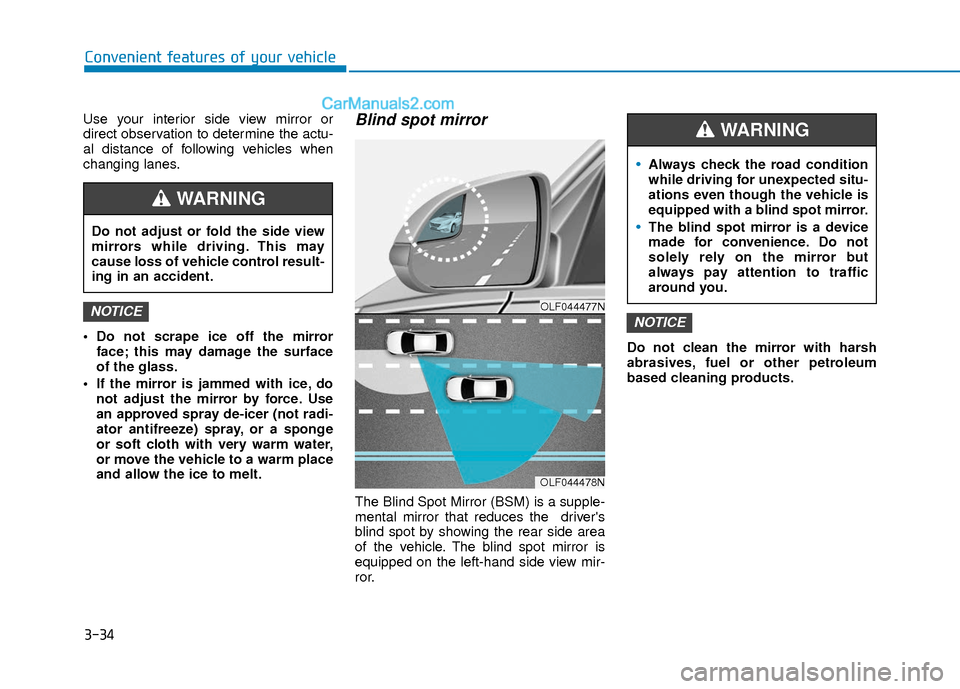
and allow the ice to melt.Blind spot mirror
The Blind Spot Mirror (BSM) is a supple-
mental mirror that reduces the driver's
blind spot by showing the rear side area
of the vehicle. The blind spot mirror is
equipped on the left-hand side view mir-
ror. Do not clean the mirror with harsh
abrasives, fuel or other petroleum
based cleaning products.
NOTICENOTICEOLF044477N
OLF044478N
Do not adjust or fold the side view
mirrors while driving. This may
cause loss of vehicle control result-
ing in an accident.
WARNING
Always check the road condition
while driving for unexpected situ-
ations even though the vehicle is
equipped with a blind spot mirror.
The blind spot mirror is a device
made for convenience. Do not
solely rely on the mirror but
always pay attention to traffic
around you.
WARNING
Page 112 of 526
3-35
Convenient features of your vehicle
3
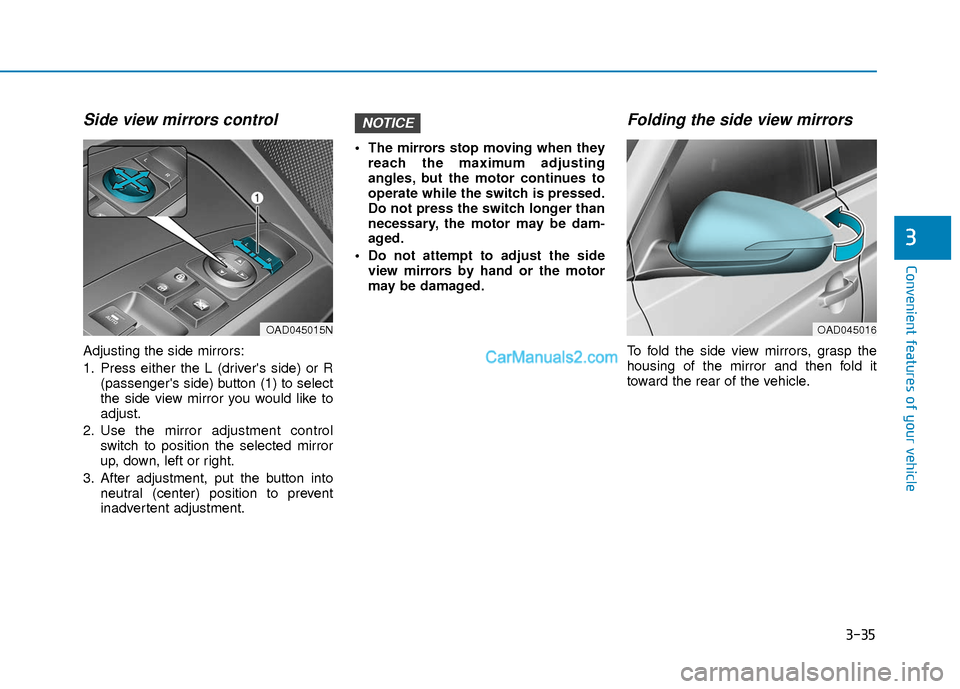
Side view mirrors control
Adjusting the side mirrors:
1. Press either the L (driver's side) or R(passenger's side) button (1) to select
the side view mirror you would like to
adjust.
2. Use the mirror adjustment control switch to position the selected mirror
up, down, left or right.
3. After adjustment, put the button into neutral (center) position to prevent
inadvertent adjustment. The mirrors stop moving when they
reach the maximum adjusting
angles, but the motor continues to
operate while the switch is pressed.
Do not press the switch longer than
necessary, the motor may be dam-
aged.
Do not attempt to adjust the side view mirrors by hand or the motor
may be damaged.
Folding the side view mirrors
To fold the side view mirrors, grasp the
housing of the mirror and then fold it
toward the rear of the vehicle.
NOTICE
OAD045015NOAD045016
Page 187 of 526
3-110
Convenient features of your vehicle
D
DE
EF
FR
R O
O S
ST
T E
ER
R
To prevent damage to the conductors
bonded to the inside surface of the
rear window, never use sharp instru-
ments or window cleaners containing
abrasives to clean the window.
If you want to defrost and defog the
front windshield, refer to the
"Windshield Defrosting and
Defogging" section in this chapter.
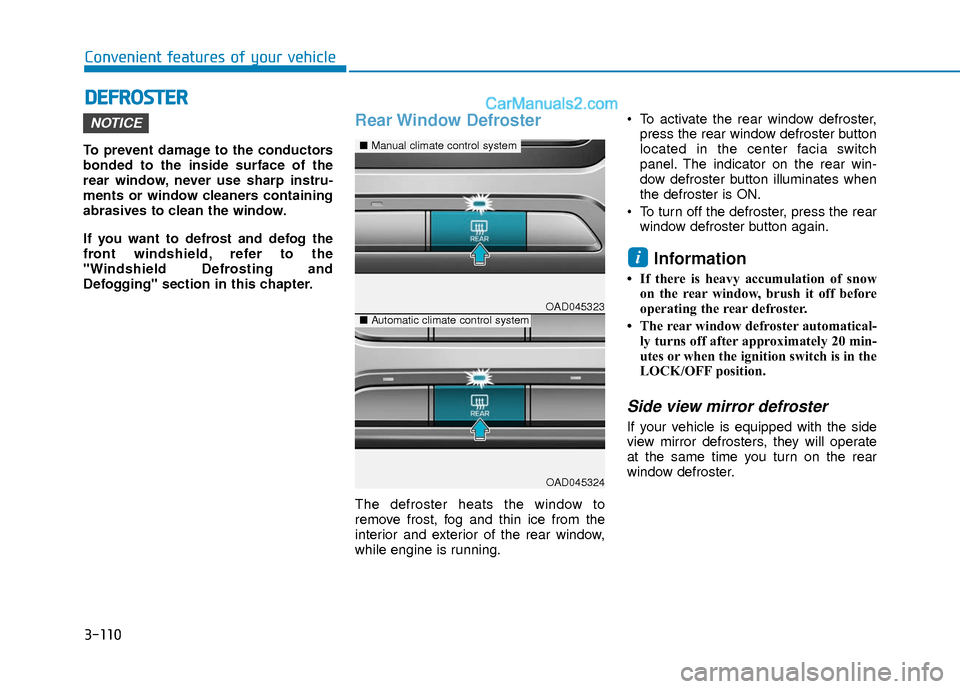
Rear Window Defroster
The defroster heats the window to
remove frost, fog and thin ice from the
interior and exterior of the rear window,
while engine is running. To activate the rear window defroster,
press the rear window defroster button
located in the center facia switch
panel. The indicator on the rear win-
dow defroster button illuminates when
the defroster is ON.
To turn off the defroster, press the rear window defroster button again.
Information
• If there is heavy accumulation of snowon the rear window, brush it off before
operating the rear defroster.
• The rear window defroster automatical- ly turns off after approximately 20 min-
utes or when the ignition switch is in the
LOCK/OFF position.
Side view mirror defroster
If your vehicle is equipped with the side
view mirror defrosters, they will operate
at the same time you turn on the rear
window defroster.
i
NOTICE
OAD045323
OAD045324
■ Manual climate control system
■Automatic climate control system
Page 208 of 526
3-131
Convenient features of your vehicle
3
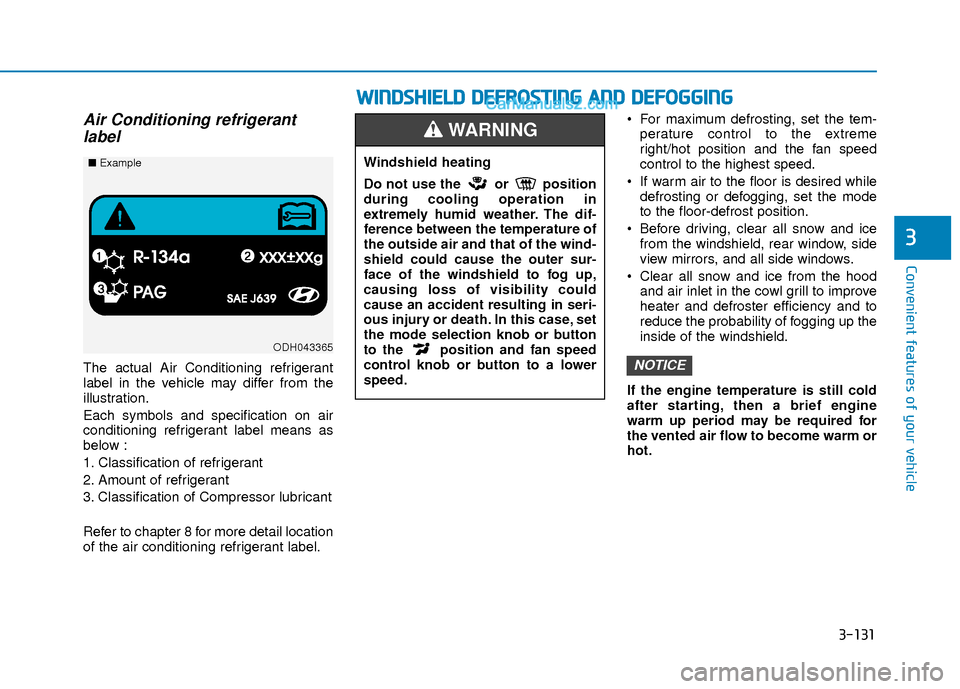
Air Conditioning refrigerantlabel
The actual Air Conditioning refrigerant
label in the vehicle may differ from the
illustration.
Each symbols and specification on air
conditioning refrigerant label means as
below :
1. Classification of refrigerant
2. Amount of refrigerant
3. Classification of Compressor lubricant
Refer to chapter 8 for more detail location
of the air conditioning refrigerant label. For maximum defrosting, set the tem-
perature control to the extreme
right/hot position and the fan speed
control to the highest speed.
If warm air to the floor is desired while defrosting or defogging, set the mode
to the floor-defrost position.
Before driving, clear all snow and ice from the windshield, rear window, side
view mirrors, and all side windows.
Clear all snow and ice from the hood and air inlet in the cowl grill to improve
heater and defroster efficiency and to
reduce the probability of fogging up the
inside of the windshield.
If the engine temperature is still cold
after starting, then a brief engine
warm up period may be required for
the vented air flow to become warm or
hot.NOTICE
ODH043365
■ Example
W
WI
IN
N D
DS
SH
H I
IE
E L
LD
D
D
D E
EF
FR
R O
O S
ST
T I
IN
N G
G
A
A N
N D
D
D
D E
EF
FO
O G
GG
GI
IN
N G
G
Windshield heating
Do not use the or position
during cooling operation in
extremely humid weather. The dif-
ference between the temperature of
the outside air and that of the wind-
shield could cause the outer sur-
face of the windshield to fog up,
causing loss of visibility could
cause an accident resulting in seri-
ous injury or death. In this case, set
the mode selection knob or button
to the position and fan speed
control knob or button to a lower
speed.
WARNING