Temperature Hyundai Elantra 2019 User Guide
[x] Cancel search | Manufacturer: HYUNDAI, Model Year: 2019, Model line: Elantra, Model: Hyundai Elantra 2019Pages: 535, PDF Size: 16.83 MB
Page 153 of 535
3-69
Convenient features of your vehicle
3
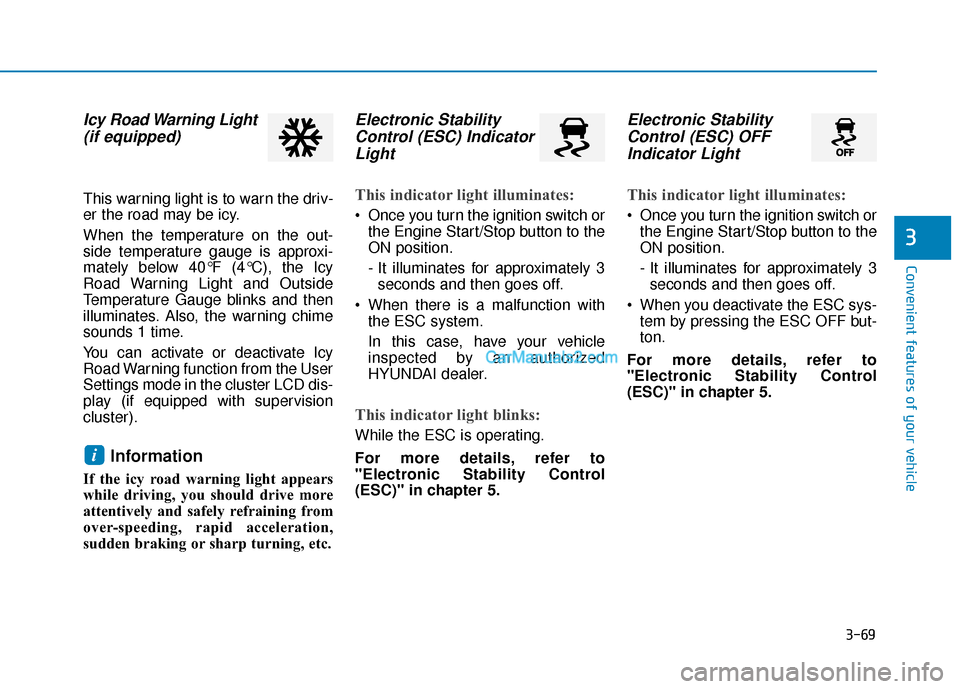
Icy Road Warning Light(if equipped)
This warning light is to warn the driv-
er the road may be icy.
When the temperature on the out-
side temperature gauge is approxi-
mately below 40°F (4°C), the Icy
Road Warning Light and Outside
Temperature Gauge blinks and then
illuminates. Also, the warning chime
sounds 1 time.
You can activate or deactivate Icy
Road Warning function from the User
Settings mode in the cluster LCD dis-
play (if equipped with supervision
cluster).
Information
If the icy road warning light appears
while driving, you should drive more
attentively and safely refraining from
over-speeding, rapid acceleration,
sudden braking or sharp turning, etc.
Electronic StabilityControl (ESC) IndicatorLight
This indicator light illuminates:
Once you turn the ignition switch or
the Engine Start/Stop button to the
ON position.
- It illuminates for approximately 3seconds and then goes off.
When there is a malfunction with the ESC system.
In this case, have your vehicle
inspected by an authorized
HYUNDAI dealer.
This indicator light blinks:
While the ESC is operating.
For more details, refer to
"Electronic Stability Control
(ESC)" in chapter 5.
Electronic StabilityControl (ESC) OFFIndicator Light
This indicator light illuminates:
Once you turn the ignition switch or
the Engine Start/Stop button to the
ON position.
- It illuminates for approximately 3seconds and then goes off.
When you deactivate the ESC sys- tem by pressing the ESC OFF but-
ton.
For more details, refer to
"Electronic Stability Control
(ESC)" in chapter 5.
i
Page 174 of 535
3-90
Convenient features of your vehicle
ItemsExplanation
Fuel Economy Reset
The average fuel economy will not reset automatically whenever refueling.
When the engine has been OFF for 4 hours or longer the average fuel economy willreset automatically.
The average fuel economy will reset automatically after adding 6 liters (1.6 gal- lons) of fuel or more and after driving speed exceeds 1 km/h (1 mph).
For more details, refer to "Trip Computer" in this chapter.
Fuel Economy UnitTo select the fuel economy unit.
(US gallon, UK gallon)
Temperature UnitTo select the temperature unit.
(°C,°F)
Tire Pressure UnitTo select the tire pressure unit.
(psi, kPa, bar)
Other
❈ ❈ The information provided may differ depending on which functions are applicable to your vehicle.
Reset
You can reset the menus in the User Settings Mode. All menus in the User Settings Mode are reset to factory set-
tings, except language and service interval.
ItemsExplanation
LanguageTo select language.
Language
Page 195 of 535
3-111
Convenient features of your vehicle
3
Windshield Washers
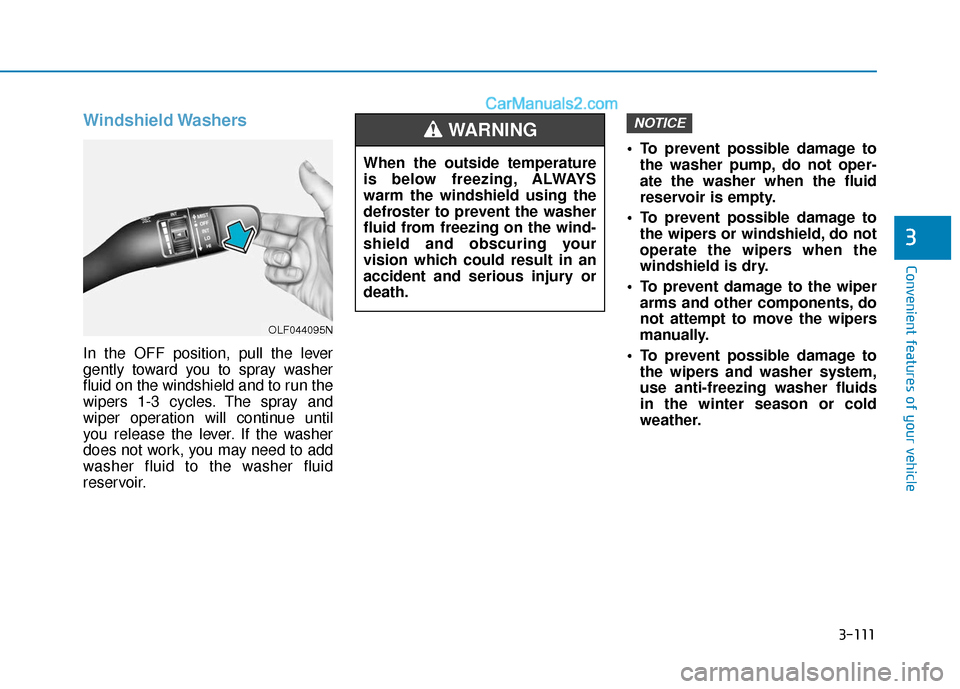
In the OFF position, pull the lever
gently toward you to spray washer
fluid on the windshield and to run the
wipers 1-3 cycles. The spray and
wiper operation will continue until
you release the lever. If the washer
does not work, you may need to add
washer fluid to the washer fluid
reservoir. To prevent possible damage to
the washer pump, do not oper-
ate the washer when the fluid
reservoir is empty.
To prevent possible damage to the wipers or windshield, do not
operate the wipers when the
windshield is dry.
To prevent damage to the wiper arms and other components, do
not attempt to move the wipers
manually.
To prevent possible damage to the wipers and washer system,
use anti-freezing washer fluids
in the winter season or cold
weather.
NOTICE
When the outside temperature
is below freezing, ALWAYS
warm the windshield using the
defroster to prevent the washer
fluid from freezing on the wind-
shield and obscuring your
vision which could result in an
accident and serious injury or
death.
WARNING
OLF044095N
Page 198 of 535
3-114
Convenient features of your vehicle
M
MA
AN
N U
U A
AL
L
C
C L
LI
IM
M A
AT
TE
E
C
C O
O N
NT
TR
R O
O L
L
S
S Y
Y S
ST
T E
EM
M
(
( I
IF
F
E
E Q
Q U
UI
IP
P P
PE
ED
D )
)
OAD048300N
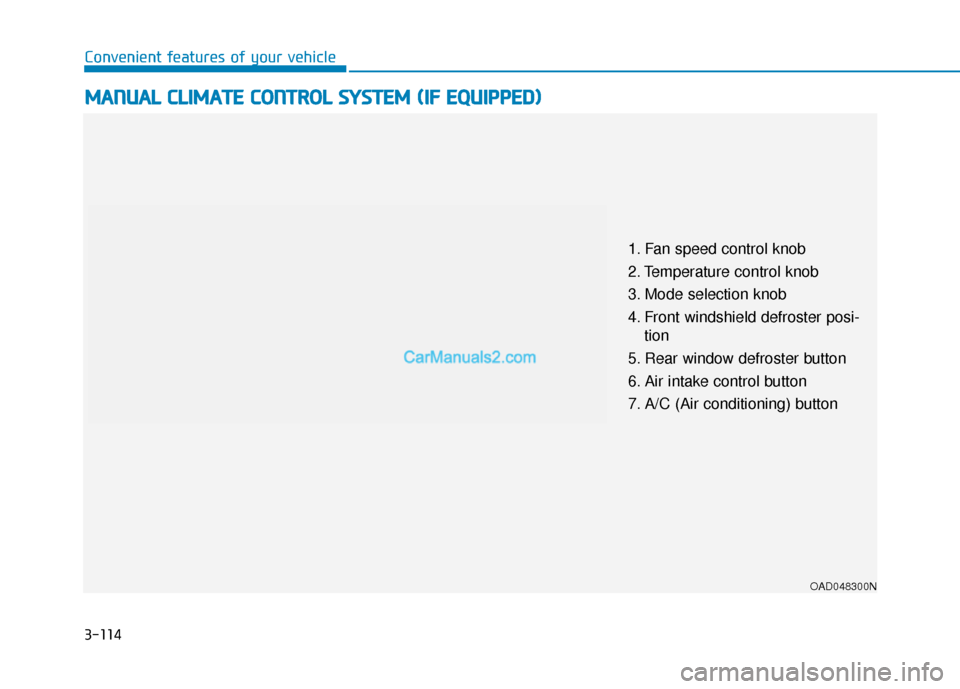
1. Fan speed control knob
2. Temperature control knob
3. Mode selection knob
4. Front windshield defroster posi-
tion
5. Rear window defroster button
6. Air intake control button
7. A/C (Air conditioning) button
Page 199 of 535
3-115
Convenient features of your vehicle
3
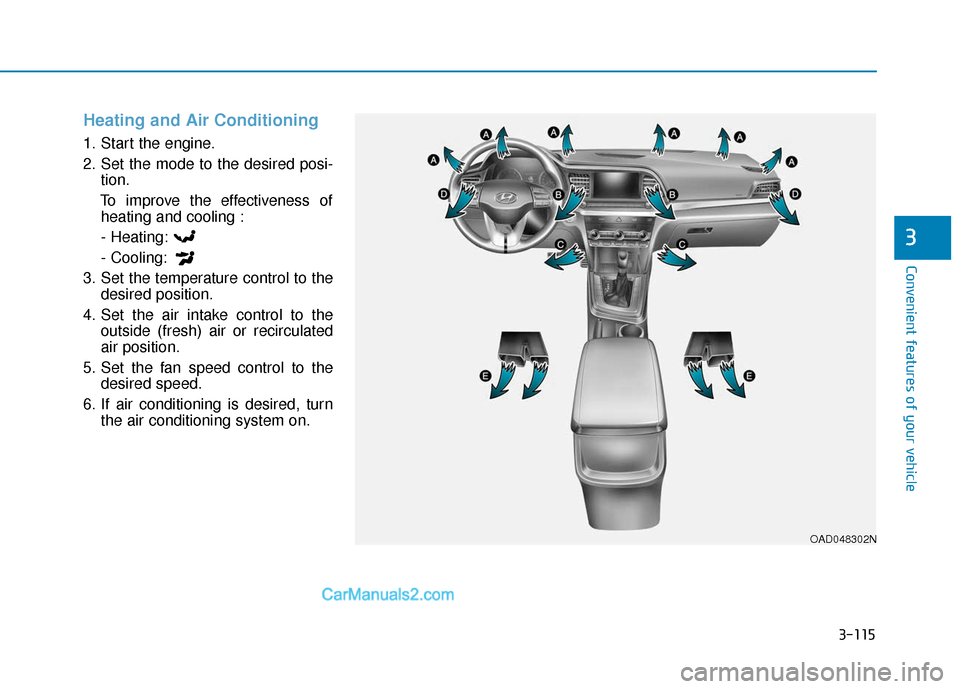
Heating and Air Conditioning
1. Start the engine.
2. Set the mode to the desired posi-tion.
To improve the effectiveness of heating and cooling :
- Heating:
- Cooling:
3. Set the temperature control to the desired position.
4. Set the air intake control to the outside (fresh) air or recirculated
air position.
5. Set the fan speed control to the desired speed.
6. If air conditioning is desired, turn the air conditioning system on.
OAD048302N
Page 201 of 535
3-117
Convenient features of your vehicle
3
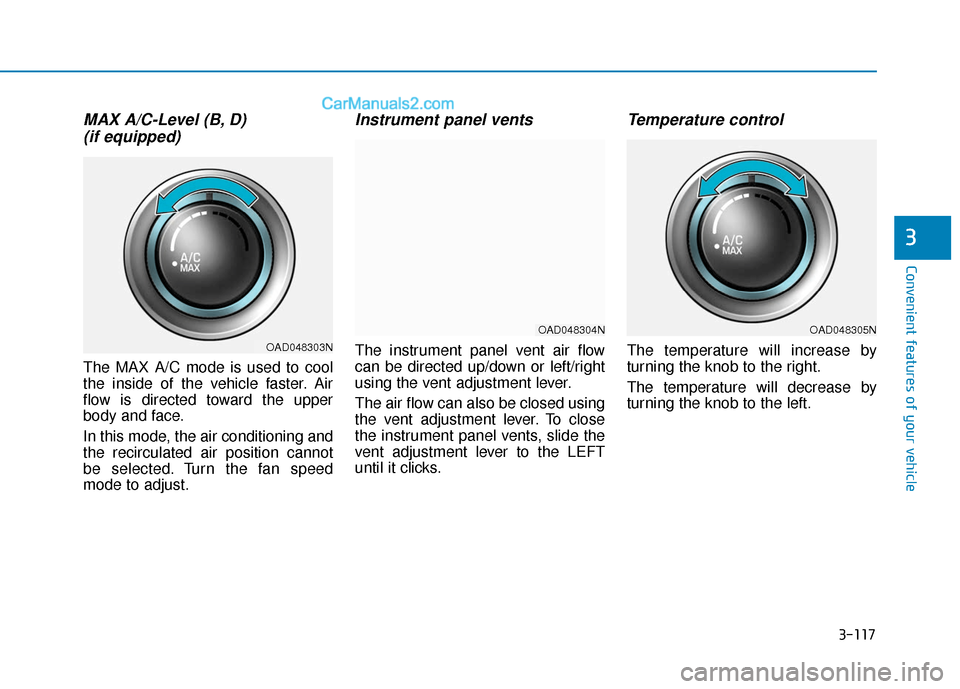
MAX A/C-Level (B, D) (if equipped)
The MAX A/C mode is used to cool
the inside of the vehicle faster. Air
flow is directed toward the upper
body and face.
In this mode, the air conditioning and
the recirculated air position cannot
be selected. Turn the fan speed
mode to adjust.
Instrument panel vents
The instrument panel vent air flow
can be directed up/down or left/right
using the vent adjustment lever.
The air flow can also be closed using
the vent adjustment lever. To close
the instrument panel vents, slide the
vent adjustment lever to the LEFT
until it clicks.
Temperature control
The temperature will increase by
turning the knob to the right.
The temperature will decrease by
turning the knob to the left.
OAD048305N
OAD048303N
OAD048304N
Page 202 of 535
3-118
Convenient features of your vehicle
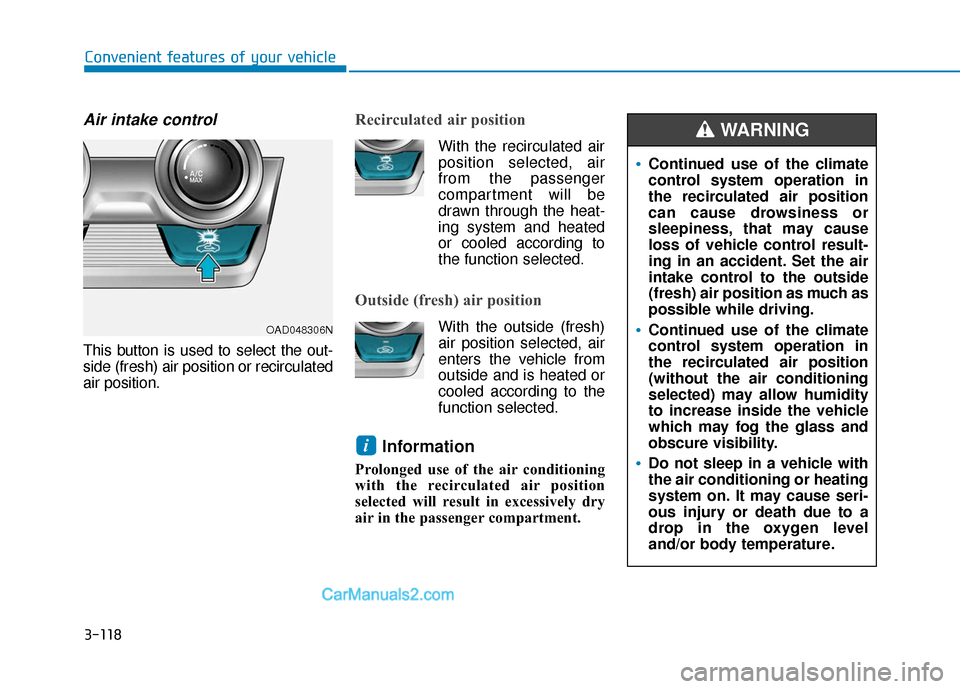
Air intake control
This button is used to select the out-
side (fresh) air position or recirculated
air position.
Recirculated air position
With the recirculated airposition selected, air
from the passenger
compartment will be
drawn through the heat-
ing system and heated
or cooled according to
the function selected.
Outside (fresh) air position
With the outside (fresh) air position selected, air
enters the vehicle from
outside and is heated or
cooled according to the
function selected.
Information
Prolonged use of the air conditioning
with the recirculated air position
selected will result in excessively dry
air in the passenger compartment.
i
Continued use of the climate
control system operation in
the recirculated air position
can cause drowsiness or
sleepiness, that may cause
loss of vehicle control result-
ing in an accident. Set the air
intake control to the outside
(fresh) air position as much as
possible while driving.
Continued use of the climate
control system operation in
the recirculated air position
(without the air conditioning
selected) may allow humidity
to increase inside the vehicle
which may fog the glass and
obscure visibility.
Do not sleep in a vehicle with
the air conditioning or heating
system on. It may cause seri-
ous injury or death due to a
drop in the oxygen level
and/or body temperature.
WARNING
OAD048306N
Page 203 of 535
3-119
Convenient features of your vehicle
3
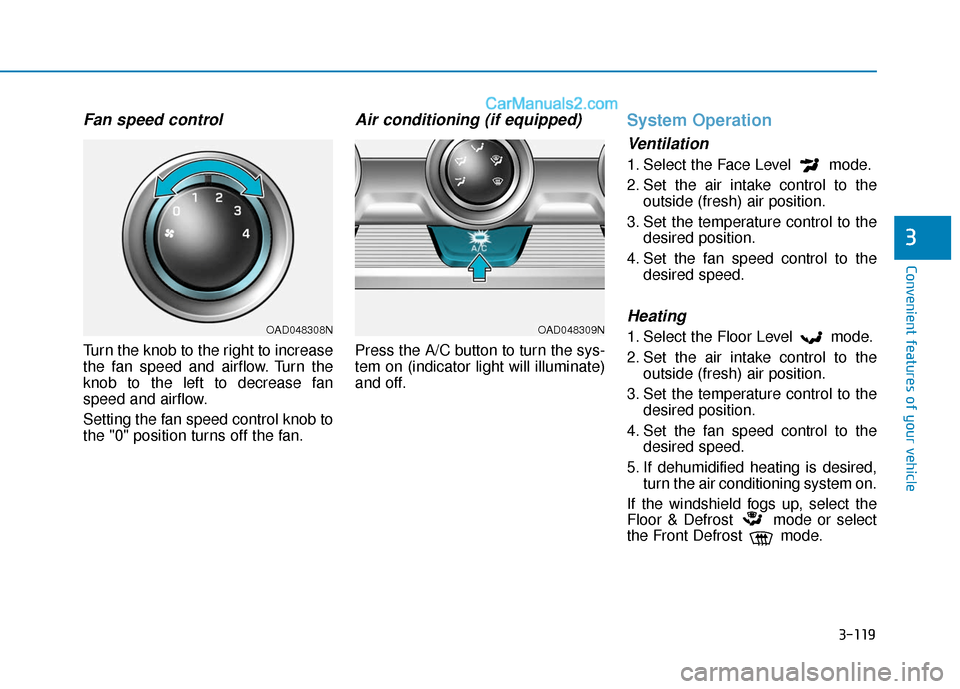
Fan speed control
Turn the knob to the right to increase
the fan speed and airflow. Turn the
knob to the left to decrease fan
speed and airflow.
Setting the fan speed control knob to
the "0" position turns off the fan.
Air conditioning (if equipped)
Press the A/C button to turn the sys-
tem on (indicator light will illuminate)
and off.
System Operation
Ventilation
1. Select the Face Level mode.
2. Set the air intake control to theoutside (fresh) air position.
3. Set the temperature control to the desired position.
4. Set the fan speed control to the desired speed.
Heating
1. Select the Floor Level mode.
2. Set the air intake control to theoutside (fresh) air position.
3. Set the temperature control to the desired position.
4. Set the fan speed control to the desired speed.
5. If dehumidified heating is desired, turn the air conditioning system on.
If the windshield fogs up, select the
Floor & Defrost mode or select
the Front Defrost mode.OAD048308NOAD048309N
Page 204 of 535
3-120
Convenient features of your vehicle
Operation Tips
To keep dust or unpleasant fumesfrom entering the car through the
ventilation system, temporarily set
the air intake control to the recircu-
lated air position. Return the con-
trol to the fresh air position when
the irritation has passed. This will
help keep the driver alert and com-
fortable.
To prevent the inside of the wind- shield from fogging, set the air
intake control to the fresh air posi-
tion and fan speed to the desired
position, turn on the air condition-
ing system, and adjust the temper-
ature control to desired tempera-
ture.
Air conditioning
All HYUNDAI Air Conditioning
Systems are filled with environmen-
tally friendly R-134a refrigerant.
1. Start the engine.
2. Push the air conditioning button.
3. Set the mode to the Face Level mode.
4. Set the air intake control to the recirculated air position. However,
prolonged operation of the recircu-
lated air position will excessively
dry the air. In this case, change the
air position.
5. Adjust the fan speed control and temperature control to maintain
maximum comfort.
When maximum cooling is desired,
set the temperature control to the
extreme left position then set the fan
speed control to the highest speed. When using the air conditioning
system, monitor the engine tem-
perature gauge closely while driv-
ing up hills or in heavy traffic
when outside temperatures are
high. Air conditioning system
operation can cause engine over-
heating. Continue to use the blow-
er fan, but turn the air condition-
ing system off if the engine tem-
perature gauge indicates engine
overheating.
NOTICE
Page 205 of 535
3-121
Convenient features of your vehicle
3
Air conditioning system operation
tips
If the vehicle has been parked indirect sunlight during hot weather,
open the windows for a short time to
let the hot air inside the vehicle
escape.
After sufficient cooling has been achieved, switch back from the recir-
culated air to the fresh outside air
position.
To help reduce moisture inside of the windows on rainy or humid days,
decrease the humidity inside the
vehicle by operating the air condition-
ing system with the windows and
sunroof closed.
Use the air conditioning system every month only for a few minutes to
ensure maximum system perform-
ance.
If you operate air conditioner exces- sively, the difference between the
temperature of the outside air and
that of the windshield could cause the
outer surface of the windshield to fog
up, causing loss of visibility. In this
case, set the mode selection knob or
button to the position and fan
speed control to the lower speed.
System Maintenance
Climate control air filter
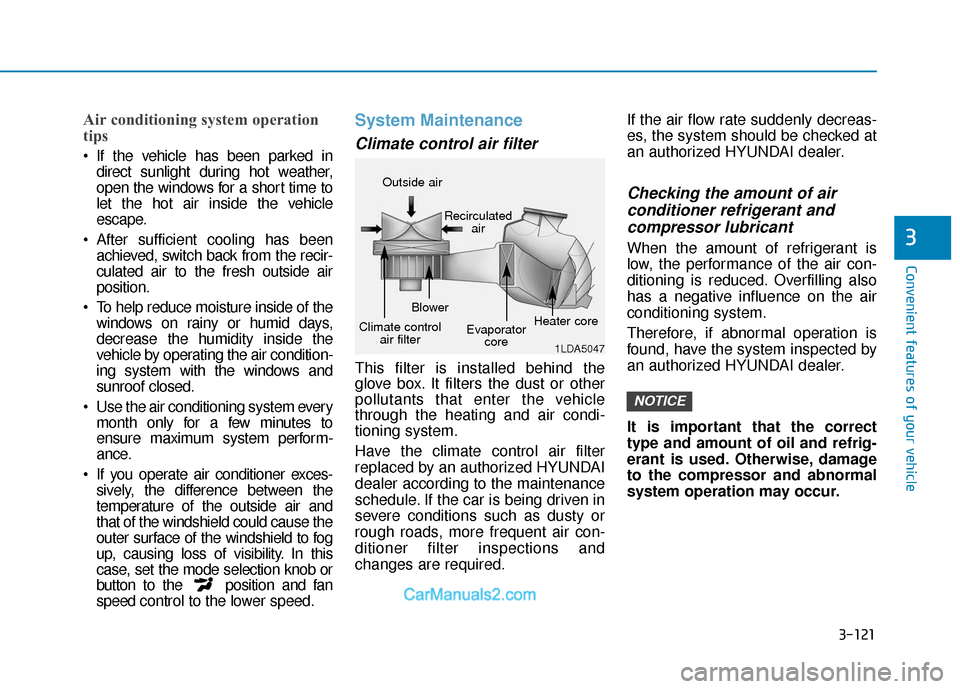
This filter is installed behind the
glove box. It filters the dust or other
pollutants that enter the vehicle
through the heating and air condi-
tioning system.
Have the climate control air filter
replaced by an authorized HYUNDAI
dealer according to the maintenance
schedule. If the car is being driven in
severe conditions such as dusty or
rough roads, more frequent air con-
ditioner filter inspections and
changes are required. If the air flow rate suddenly decreas-
es, the system should be checked at
an authorized HYUNDAI dealer.
Checking the amount of air
conditioner refrigerant andcompressor lubricant
When the amount of refrigerant is
low, the performance of the air con-
ditioning is reduced. Overfilling also
has a negative influence on the air
conditioning system.
Therefore, if abnormal operation is
found, have the system inspected by
an authorized HYUNDAI dealer.
It is important that the correct
type and amount of oil and refrig-
erant is used. Otherwise, damage
to the compressor and abnormal
system operation may occur.
NOTICE
1LDA5047
Outside air
Recirculatedair
Climate control air filter Blower
Evaporatorcore Heater core