Temperature Hyundai Elantra 2019 Owner's Guide
[x] Cancel search | Manufacturer: HYUNDAI, Model Year: 2019, Model line: Elantra, Model: Hyundai Elantra 2019Pages: 535, PDF Size: 16.83 MB
Page 220 of 535
3-136
Convenient features of your vehicle
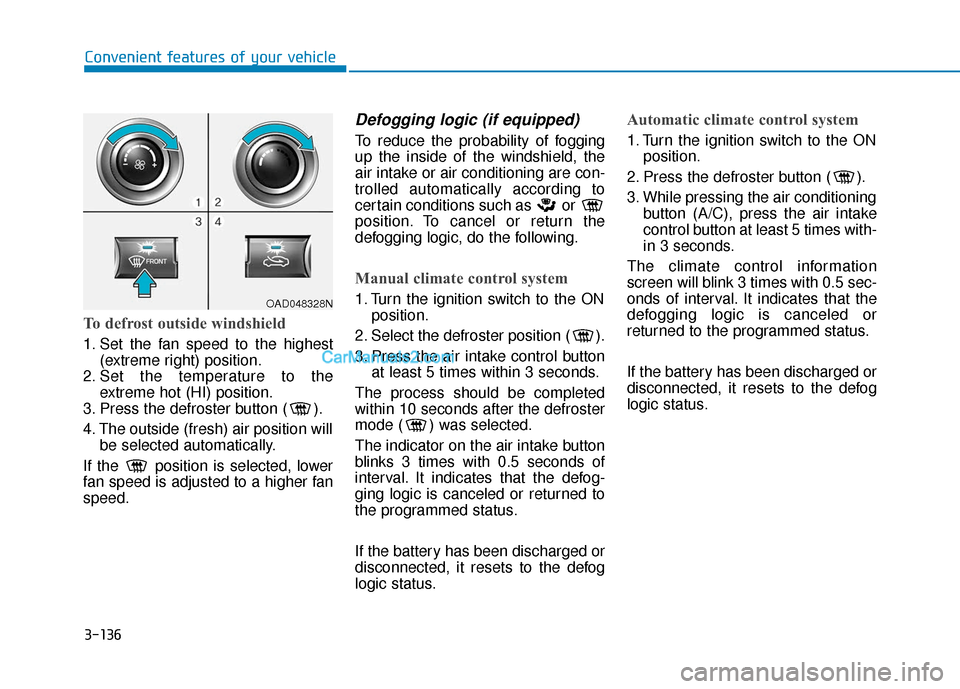
To defrost outside windshield
1. Set the fan speed to the highest(extreme right) position.
2. Set the temperature to the extreme hot (HI) position.
3. Press the defroster button ( ).
4. The outside (fresh) air position will be selected automatically.
If the position is selected, lower
fan speed is adjusted to a higher fan
speed.
Defogging logic (if equipped)
To reduce the probability of fogging
up the inside of the windshield, the
air intake or air conditioning are con-
trolled automatically according to
certain conditions such as or
position. To cancel or return the
defogging logic, do the following.
Manual climate control system
1. Turn the ignition switch to the ON position.
2. Select the defroster position ( ).
3. Press the air intake control button at least 5 times within 3 seconds.
The process should be completed
within 10 seconds after the defroster
mode ( ) was selected.
The indicator on the air intake button
blinks 3 times with 0.5 seconds of
interval. It indicates that the defog-
ging logic is canceled or returned to
the programmed status.
If the battery has been discharged or
disconnected, it resets to the defog
logic status.
Automatic climate control system
1. Turn the ignition switch to the ON position.
2. Press the defroster button ( ).
3. While pressing the air conditioning button (A/C), press the air intake
control button at least 5 times with-
in 3 seconds.
The climate control information
screen will blink 3 times with 0.5 sec-
onds of interval. It indicates that the
defogging logic is canceled or
returned to the programmed status.
If the battery has been discharged or
disconnected, it resets to the defog
logic status.
OAD048328N
Page 221 of 535
3-137
Convenient features of your vehicle
3
Auto Defogging System (Only
for Automatic Climate Control
System, if equipped)
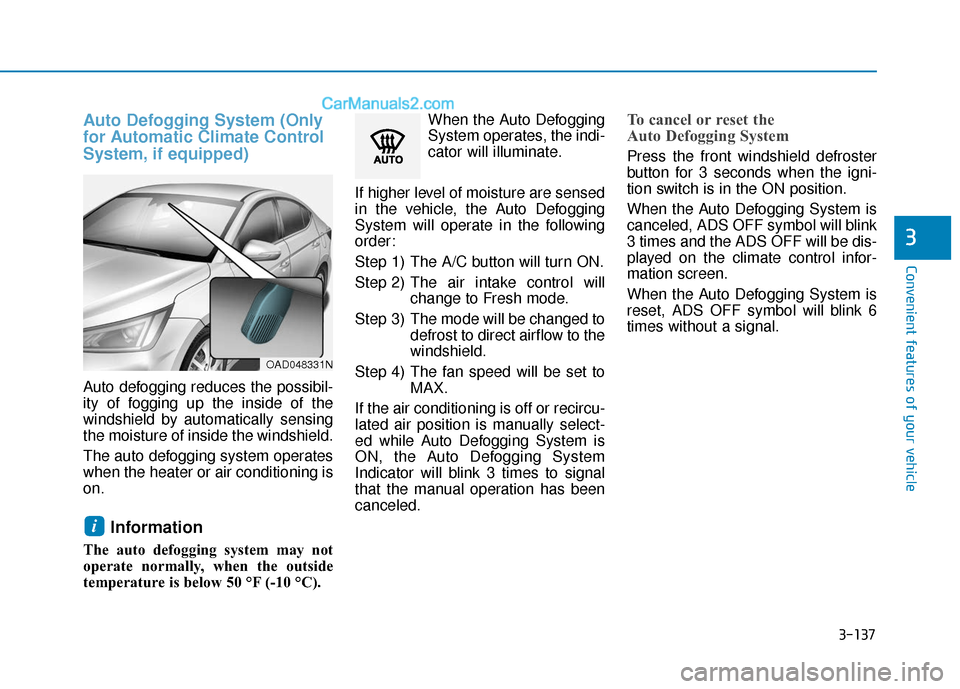
Auto defogging reduces the possibil-
ity of fogging up the inside of the
windshield by automatically sensing
the moisture of inside the windshield.
The auto defogging system operates
when the heater or air conditioning is
on.
Information
The auto defogging system may not
operate normally, when the outside
temperature is below 50 °F (-10 °C).When the Auto Defogging
System operates, the indi-
cator will illuminate.
If higher level of moisture are sensed
in the vehicle, the Auto Defogging
System will operate in the following
order:
Step 1) The A/C button will turn ON.
Step 2) The air intake control will change to Fresh mode.
Step 3) The mode will be changed to defrost to direct airflow to the
windshield.
Step 4) The fan speed will be set to MAX.
If the air conditioning is off or recircu-
lated air position is manually select-
ed while Auto Defogging System is
ON, the Auto Defogging System
Indicator will blink 3 times to signal
that the manual operation has been
canceled.
To cancel or reset the
Auto Defogging System
Press the front windshield defroster
button for 3 seconds when the igni-
tion switch is in the ON position.
When the Auto Defogging System is
canceled, ADS OFF symbol will blink
3 times and the ADS OFF will be dis-
played on the climate control infor-
mation screen.
When the Auto Defogging System is
reset, ADS OFF symbol will blink 6
times without a signal.
i
OAD048331N
Page 222 of 535
3-138
Convenient features of your vehicle
Information
• When the air conditioning is turnedon by Auto defogging system, if you
try to turn off the air conditioning,
the indicator will blink 3 times and
the air conditioning will not be
turned off.
• For efficiency, do not select recircu- lated air position while Auto defog-
ging system is operating.
• When Auto defogging mode is selected, fan speed, temperature and
intake mode which is adjusted man-
ually are canceled for better defog-
ging result. Do not remove the sensor cover
located on the upper end of the
driver side windshield glass.
Damage to system parts could
occur and may not be covered by
your vehicle warranty.
NOTICEi
Page 223 of 535
3-139
Convenient features of your vehicle
3
C
CL
LI
IM
M A
AT
TE
E
C
C O
O N
NT
TR
R O
O L
L
A
A D
DD
DI
IT
T I
IO
O N
NA
AL
L
F
F E
E A
A T
TU
U R
RE
ES
S
(
( I
IF
F
E
E Q
Q U
UI
IP
P P
PE
ED
D )
)
Automatic Ventilation
(if equipped)
When the ignition switch is in the ON
position or when the engine is run-
ning and temperature is below 59°F
(15°C) with the recirculated air posi-
tion selected more than five minutes,
the air intake position will automati-
cally change to the outside (fresh) air
position.
To cancel or reset the Automatic
Ventilation
When the air conditioning system is
on, select Face Level mode and
while pressing the A/C button, press
the recirculated air position button
five times within three seconds.
Sunroof Inside Air
Recirculation (if equipped)
When the heater or air conditioning
system is on with the sunroof
opened, the outside (fresh) air posi-
tion will be automatically selected. At
this time, if you press the recirculated
air position button, the recirculated
air position will be selected but will
change back to the outside (fresh) air
position after 3 minutes.
When the sunroof is closed, the air
intake position will return to the orig-
inal position that was selected.
To avoid possible theft, do not
leave valuables in the storage
compartments.
NOTICE
S
ST
T O
O R
RA
A G
G E
E
C
C O
O M
M P
PA
A R
RT
TM
M E
EN
N T
T
Never store cigarette lighters,
propane cylinders, or other
flammable/explosive materials
in the vehicle. These items may
catch fire and/or explode if the
vehicle is exposed to hot tem-
peratures for extended periods.
WARNING
ALWAYS keep the storage com-
partment covers closed secure-
ly while driving. Items inside
your vehicle are moving as fast
as the vehicle. If you have to
stop or turn quickly, or if there
is a crash, the items may fly out
of the compartment and may
cause an injury if they strike the
driver or a passenger.
WARNING
Page 227 of 535
3-143
Convenient features of your vehicle
3
Keep your drinks sealed whiledriving to prevent spilling your
drink. If liquid spills, it may get
into the vehicle's electrical/elec-
tronic system and damage elec-
trical/electronic parts.
When cleaning spilled liquids, do not dry the cup holder at high
temperature. This may damage
the cup holder.
Sunvisor
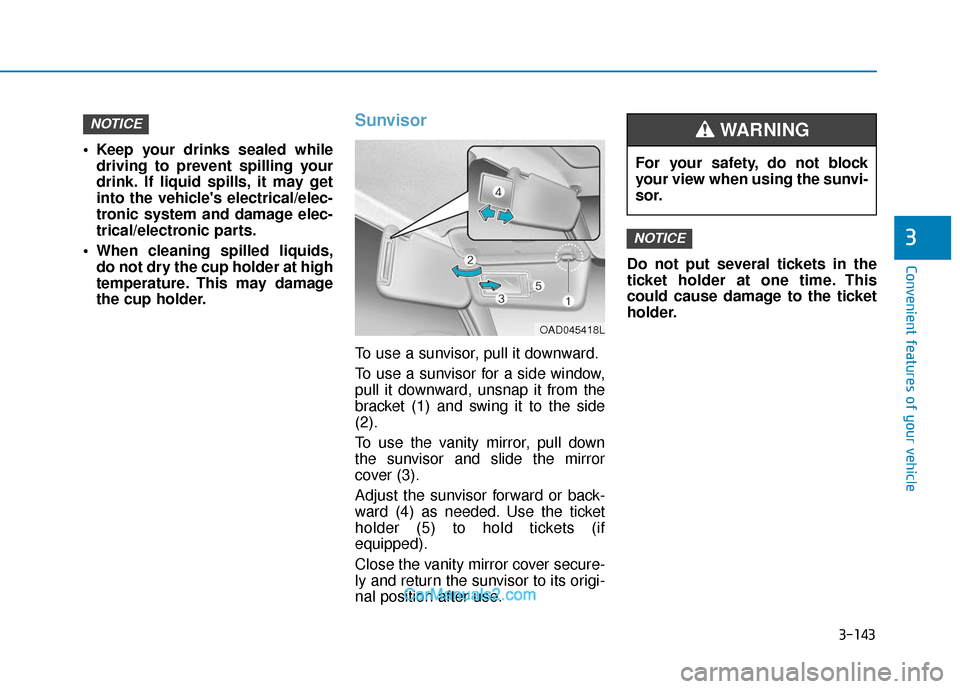
To use a sunvisor, pull it downward.
To use a sunvisor for a side window,
pull it downward, unsnap it from the
bracket (1) and swing it to the side
(2).
To use the vanity mirror, pull down
the sunvisor and slide the mirror
cover (3).
Adjust the sunvisor forward or back-
ward (4) as needed. Use the ticket
holder (5) to hold tickets (if
equipped).
Close the vanity mirror cover secure-
ly and return the sunvisor to its origi-
nal position after use. Do not put several tickets in the
ticket holder at one time. This
could cause damage to the ticket
holder.
NOTICE
NOTICE
For your safety, do not block
your view when using the sunvi-
sor.
WARNING
OAD045418L
Page 230 of 535
3-146
Convenient features of your vehicle
The wireless cellular phone charging system may not sup-
port certain cellular phones,
which are not verified for the Qi
specification ( ).
When placing your cellular phone on the charging mat,
position the phone in the middle
of the mat for optimal charging
performance. If your cell phone
is off to the side, the charging
rate may be less and in some
cases the cell phone may experi-
ence higher heat conduction.
In some cases, the wireless charging may stop temporarily
when the Remote Key or Smart
Key is used, either when starting
the vehicle or locking/unlocking
the doors, etc.
When charging certain cellular phones, the charging indicator
may not change to green when
the cell phone is fully charged.
The wireless charging process may temporarily stop, when tem-
perature abnormally increases/
decreases inside the wireless cel-
lular phone charging system. Stop
the charging cellular phone and
wait until temperature falls to a
certain level.
The wireless charging process may temporarily stop when there
is any metallic item, such as a
coin, between the wireless cellular
phone charging system and the
cellular phone.
When charging some cellular phones with a self-protection fea-
ture, the wireless charging speed
may decrease and the wireless
charging may stop.
If the cellular phone has a thick cover, the wireless charging may
not be possible.
If the cell phone is not completely contacting the charging pad, wire-
less charging may not operate
properly.
Some magnetic items like credit cards, phone cards or rail tickets
may be damaged if left with the
cellular phone during the charging
process. When any cellular phone without a
wireless charging function or a
metallic object is placed on the
charging pad, a small noise may
sound. This small sound is due to
the vehicle discerning compatibil-
ity of the object placed on the
charging pad. It does not affect
your vehicle or the cellular phone
in any way.
Information
If the ignition switch is in the LOCK/
OFF position, the charging also stops.
Information
This device complies with part 15 of
the FCC Rules.
Operation is subject to the following
two conditions:
1. This device may not cause harmful interference, and
2. This device must accept any inter- ference received, including inter-
ference that may cause undesired
operation.
i
i
NOTICE
Page 237 of 535
Driving your vehicle
5
Before Driving ........................................................5-4
Before Entering the Vehicle ...........................................5-4
Before Starting ..................................................................5-4
Ignition Switch ........................................................5-6
Key Ignition Switch ...........................................................5-6
Engine Start/Stop Button................................................5-9
Manual Transmission ...........................................5-16
Manual Transmission Operation ..................................5-16
Good Driving Practices ..................................................5-18
Automatic Transmission ......................................5-19
Automatic Transmission Operation .............................5-19
Good Driving Practices ..................................................5-24
Dual Clutch Transmission ....................................5-26
Dual clutch transmission operation ............................5-26
LCD display for transmission temperature and
warning message.............................................................5-28
Good Driving Practices ..................................................5-37
Braking System ....................................................5-39
Power Brakes ...................................................................5-39
Disc Brakes Wear Indicator ..........................................5-40
Rear Drum Brakes...........................................................5-40
Parking Brake...................................................................5-40
Anti-lock Brake System (ABS) ....................................5-42
Electronic Stability Control (ESC)................................5-44 Vehicle Stability Management (VSM).........................5-48
Hill-Start Assist Control (HAC) ....................................5-49
Good Braking Practices .................................................5-49
Drive Mode Integrated Control System ............5-51
Blind-spot Collision Warning (BCW) .................5-54
System description .........................................................5-54
System setting and activation......................................5-55
Warning and system control ........................................5-56
Detecting sensor .............................................................5-58
Limitations of the system .............................................5-60
Rear Cross-traffic Collision Warning (RCCW)
System ...................................................................5-64
System description .........................................................5-64
System setting and activation......................................5-64
Warning and system control ........................................5-66
Detecting sensor .............................................................5-67
Limitations of the system .............................................5-69
Forward Collision Avoidance (FCA) System .....5-73
System Setting and Activation.....................................5-73
FCA Warning Message and System Control ............5-75
FCA Sensor .......................................................................5\
-78
System Malfunction .......................................................5-79
Limitations of the System .............................................5-81
Page 264 of 535
5-28
Driving your vehicle
Always come to a complete stop before shifting into D (Drive) or
R (Reverse).
Do not put the shift lever in N (Neutral) while driving.
LCD display for transmission
temperature and warning mes-
sage
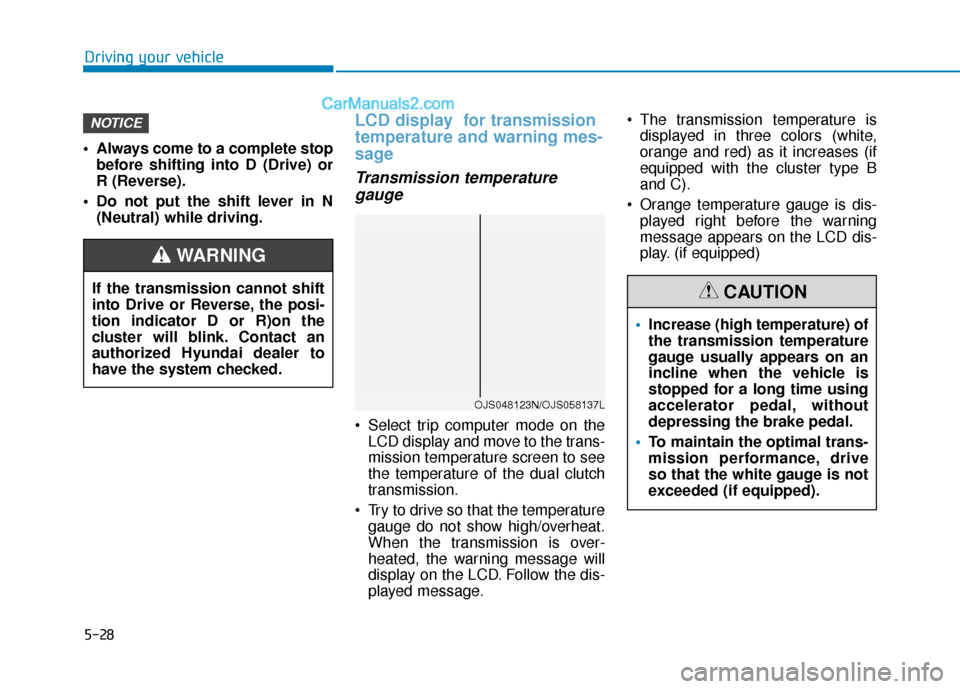
Transmission temperaturegauge
Select trip computer mode on the
LCD display and move to the trans-
mission temperature screen to see
the temperature of the dual clutch
transmission.
Try to drive so that the temperature gauge do not show high/overheat.
When the transmission is over-
heated, the warning message will
display on the LCD. Follow the dis-
played message. The transmission temperature is
displayed in three colors (white,
orange and red) as it increases (if
equipped with the cluster type B
and C).
Orange temperature gauge is dis- played right before the warning
message appears on the LCD dis-
play. (if equipped)
NOTICE
If the transmission cannot shift
into Drive or Reverse, the posi-
tion indicator D or R)on the
cluster will blink. Contact an
authorized Hyundai dealer to
have the system checked.
WARNING
OJS048123N/OJS058137L
Increase (high temperature) of
the transmission temperature
gauge usually appears on an
incline when the vehicle is
stopped for a long time using
accelerator pedal, without
depressing the brake pedal.
To maintain the optimal trans-
mission performance, drive
so that the white gauge is not
exceeded (if equipped).
CAUTION
Page 265 of 535
5-29
Driving your vehicle
5
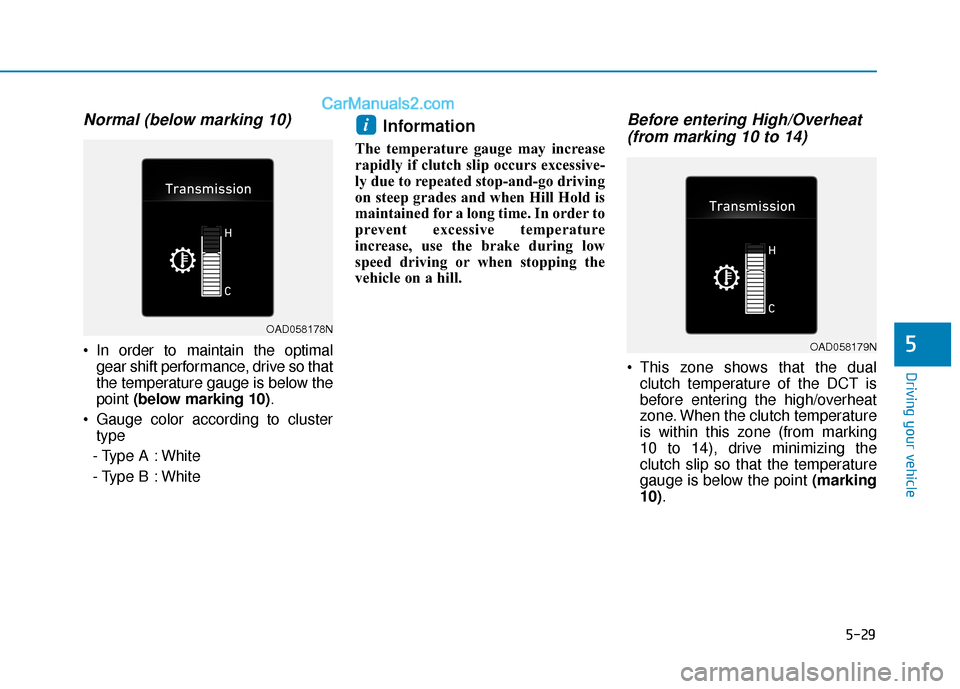
Normal (below marking 10)
In order to maintain the optimalgear shift performance, drive so that
the temperature gauge is below the
point (below marking 10) .
Gauge color according to cluster type
- Type A : White
- Type B : White
Information
The temperature gauge may increase
rapidly if clutch slip occurs excessive-
ly due to repeated stop-and-go driving
on steep grades and when Hill Hold is
maintained for a long time. In order to
prevent excessive temperature
increase, use the brake during low
speed driving or when stopping the
vehicle on a hill.
Before entering High/Overheat (from marking 10 to 14)
This zone shows that the dual
clutch temperature of the DCT is
before entering the high/overheat
zone. When the clutch temperature
is within this zone (from marking
10 to 14), drive minimizing the
clutch slip so that the temperature
gauge is below the point (marking
10).
i
OAD058178N
OAD058179N
Page 266 of 535
5-30
Driving your vehicle
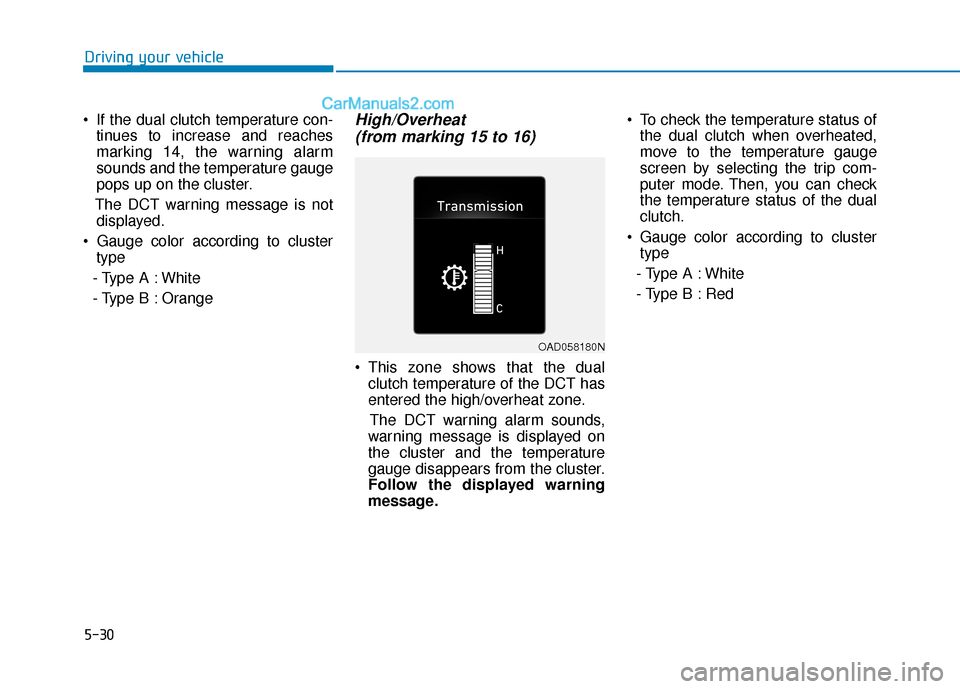
If the dual clutch temperature con- tinues to increase and reaches
marking 14, the warning alarm
sounds and the temperature gauge
pops up on the cluster.
The DCT warning message is not displayed.
type
- Type A : White
- Type B : Orange
High/Overheat (from marking 15 to 16)
This zone shows that the dual
clutch temperature of the DCT has
entered the high/overheat zone.
The DCT warning alarm sounds,
warning message is displayed on
the cluster and the temperature
gauge disappears from the cluster.
Follow the displayed warning
message. To check the temperature status of
the dual clutch when overheated,
move to the temperature gauge
screen by selecting the trip com-
puter mode. Then, you can check
the temperature status of the dual
clutch.
Gauge color according to cluster type
- Type A : White
- Type B : Red
OAD058180N