stop start Hyundai Elantra 2019 User Guide
[x] Cancel search | Manufacturer: HYUNDAI, Model Year: 2019, Model line: Elantra, Model: Hyundai Elantra 2019Pages: 535, PDF Size: 16.83 MB
Page 149 of 535
3-65
Convenient features of your vehicle
3
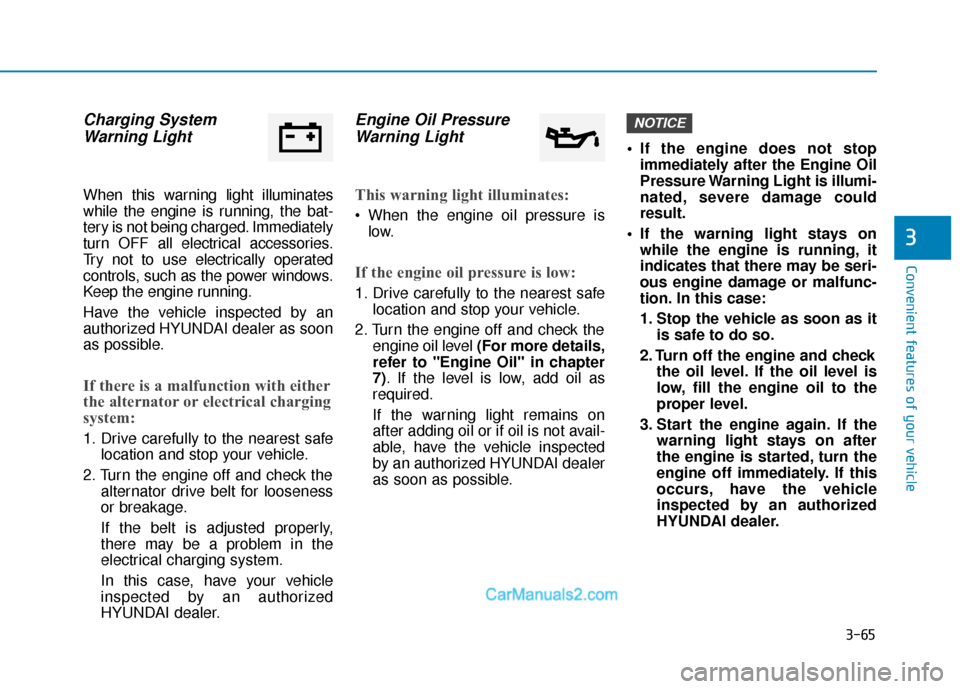
Charging SystemWarning Light
When this warning light illuminates
while the engine is running, the bat-
tery is not being charged. Immediately
turn OFF all electrical accessories.
Try not to use electrically operated
controls, such as the power windows.
Keep the engine running.
Have the vehicle inspected by an
authorized HYUNDAI dealer as soon
as possible.
If there is a malfunction with either
the alternator or electrical charging
system:
1. Drive carefully to the nearest safe
location and stop your vehicle.
2. Turn the engine off and check the alternator drive belt for looseness
or breakage.
If the belt is adjusted properly,
there may be a problem in the
electrical charging system.
In this case, have your vehicle
inspected by an authorized
HYUNDAI dealer.
Engine Oil PressureWarning Light
This warning light illuminates:
When the engine oil pressure is
low.
If the engine oil pressure is low:
1. Drive carefully to the nearest safe location and stop your vehicle.
2. Turn the engine off and check the engine oil level (For more details,
refer to "Engine Oil" in chapter
7). If the level is low, add oil as
required.
If the warning light remains on
after adding oil or if oil is not avail-
able, have the vehicle inspected
by an authorized HYUNDAI dealer
as soon as possible. If the engine does not stop
immediately after the Engine Oil
Pressure Warning Light is illumi-
nated, severe damage could
result.
If the warning light stays on while the engine is running, it
indicates that there may be seri-
ous engine damage or malfunc-
tion. In this case:
1. Stop the vehicle as soon as it is safe to do so.
2. Turn off the engine and check the oil level. If the oil level is
low, fill the engine oil to the
proper level.
3. Start the engine again. If the warning light stays on after
the engine is started, turn the
engine off immediately. If this
occurs, have the vehicle
inspected by an authorized
HYUNDAI dealer.
NOTICE
Page 150 of 535
3-66
Convenient features of your vehicle
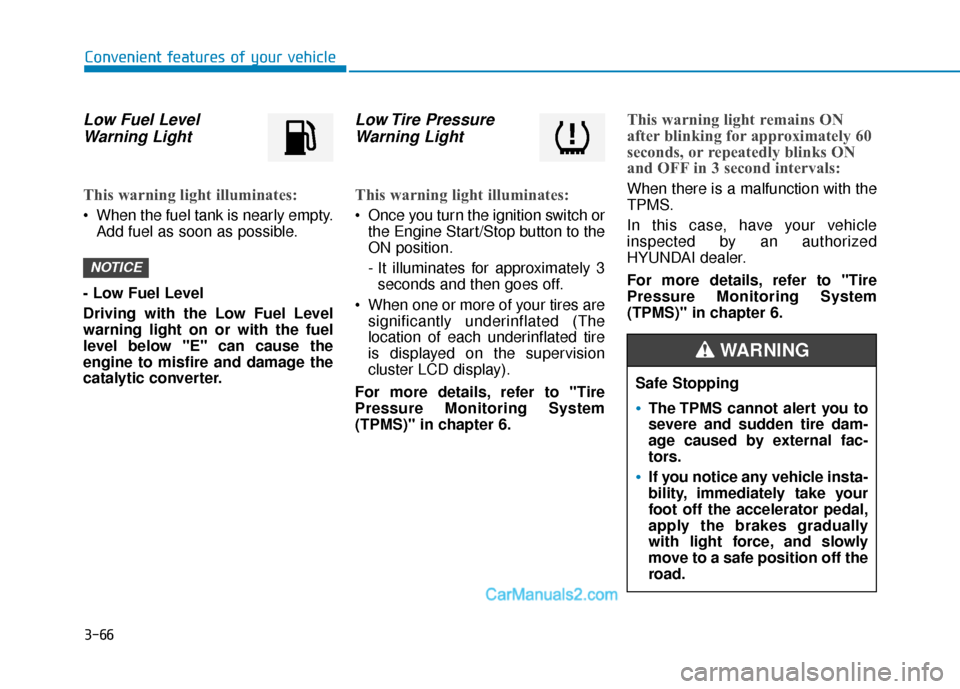
Low Fuel LevelWarning Light
This warning light illuminates:
When the fuel tank is nearly empty.
Add fuel as soon as possible.
- Low Fuel Level
Driving with the Low Fuel Level
warning light on or with the fuel
level below "E" can cause the
engine to misfire and damage the
catalytic converter.
Low Tire Pressure Warning Light
This warning light illuminates:
Once you turn the ignition switch or
the Engine Start/Stop button to the
ON position.
- It illuminates for approximately 3seconds and then goes off.
When one or more of your tires are significantly underinflated (The
location of each underinflated tire
is displayed on the supervision
cluster LCD display).
For more details, refer to "Tire
Pressure Monitoring System
(TPMS)" in chapter 6.
This warning light remains ON
after blinking for approximately 60
seconds, or repeatedly blinks ON
and OFF in 3 second intervals:
When there is a malfunction with the
TPMS.
In this case, have your vehicle
inspected by an authorized
HYUNDAI dealer.
For more details, refer to "Tire
Pressure Monitoring System
(TPMS)" in chapter 6.
NOTICE
Safe Stopping
The TPMS cannot alert you to
severe and sudden tire dam-
age caused by external fac-
tors.
If you notice any vehicle insta-
bility, immediately take your
foot off the accelerator pedal,
apply the brakes gradually
with light force, and slowly
move to a safe position off the
road.
WARNING
Page 151 of 535
3-67
Convenient features of your vehicle
3
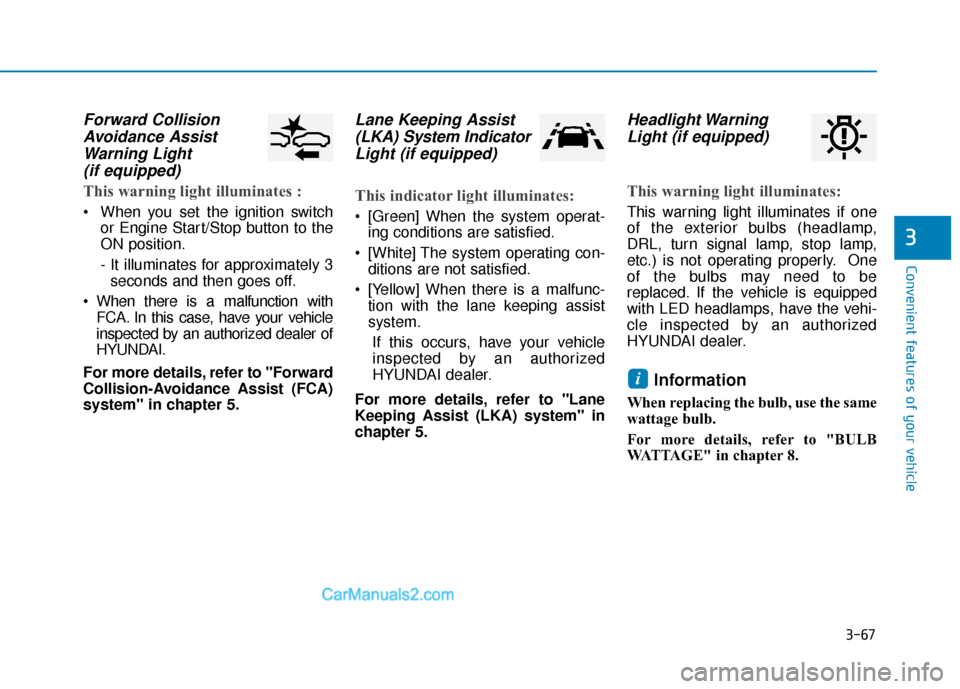
Forward CollisionAvoidance AssistWarning Light(if equipped)
This warning light illuminates :
When you set the ignition switch
or Engine Start/Stop button to the
ON position.
- It illuminates for approximately 3seconds and then goes off.
When there is a malfunction with FCA. In this case, have your vehicle
inspected by an authorized dealer of
HYUNDAI.
For more details, refer to "Forward
Collision-Avoidance Assist (FCA)
system" in chapter 5.
Lane Keeping Assist (LKA) System IndicatorLight (if equipped)
This indicator light illuminates:
[Green] When the system operat-
ing conditions are satisfied.
[White] The system operating con- ditions are not satisfied.
[Yellow] When there is a malfunc- tion with the lane keeping assist
system.
If this occurs, have your vehicleinspected by an authorized
HYUNDAI dealer.
For more details, refer to "Lane
Keeping Assist (LKA) system" in
chapter 5.
Headlight Warning Light (if equipped)
This warning light illuminates:
This warning light illuminates if one
of the exterior bulbs (headlamp,
DRL, turn signal lamp, stop lamp,
etc.) is not operating properly. One
of the bulbs may need to be
replaced. If the vehicle is equipped
with LED headlamps, have the vehi-
cle inspected by an authorized
HYUNDAI dealer.
Information
When replacing the bulb, use the same
wattage bulb.
For more details, refer to "BULB
WATTAGE" in chapter 8.
i
Page 152 of 535
3-68
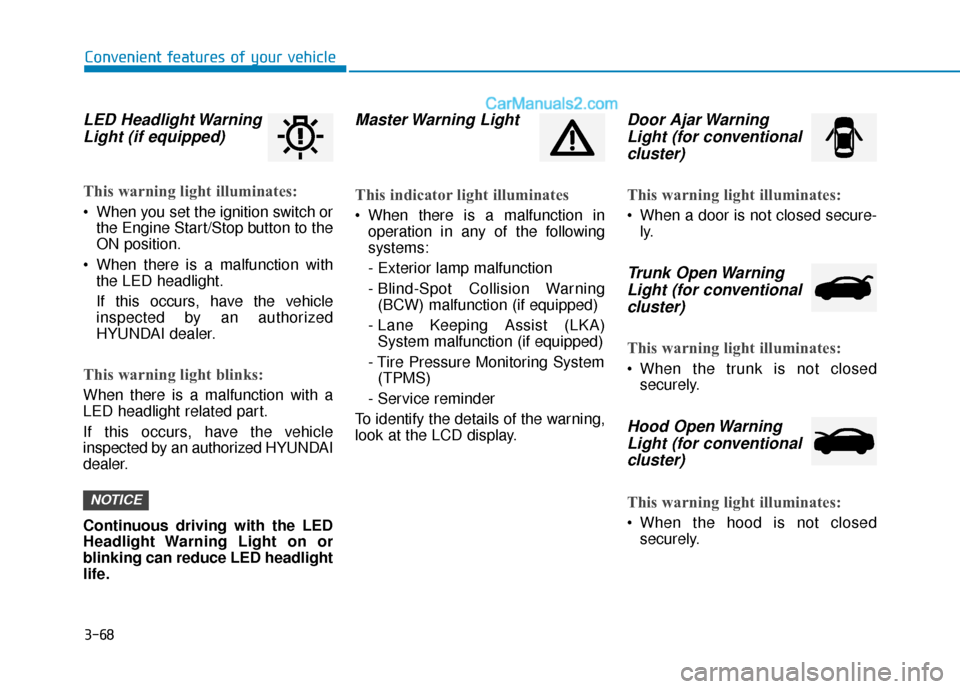
LED Headlight WarningLight (if equipped)
This warning light illuminates:
When you set the ignition switch or
the Engine Start/Stop button to the
ON position.
When there is a malfunction with the LED headlight.
If this occurs, have the vehicle
inspected by an authorized
HYUNDAI dealer.
This warning light blinks:
When there is a malfunction with a
LED headlight related part.
If this occurs, have the vehicle
inspected by an authorized HYUNDAI
dealer.
Continuous driving with the LED
Headlight Warning Light on or
blinking can reduce LED headlight
life.
Master Warning Light
This indicator light illuminates
When there is a malfunction inoperation in any of the following
systems:
- Exterior lamp malfunction
- Blind-Spot Collision Warning(BCW) malfunction (if equipped)
- Lane Keeping Assist (LKA) System malfunction (if equipped)
- Tire Pressure Monitoring System (TPMS)
- Service reminder
To identify the details of the warning,
look at the LCD display.
Door Ajar Warning Light (for conventionalcluster)
This warning light illuminates:
When a door is not closed secure-
ly.
Trunk Open WarningLight (for conventional cluster)
This warning light illuminates:
When the trunk is not closed
securely.
Hood Open WarningLight (for conventionalcluster)
This warning light illuminates:
When the hood is not closed
securely.
NOTICE
Convenient features of your vehicle
Page 153 of 535
3-69
Convenient features of your vehicle
3
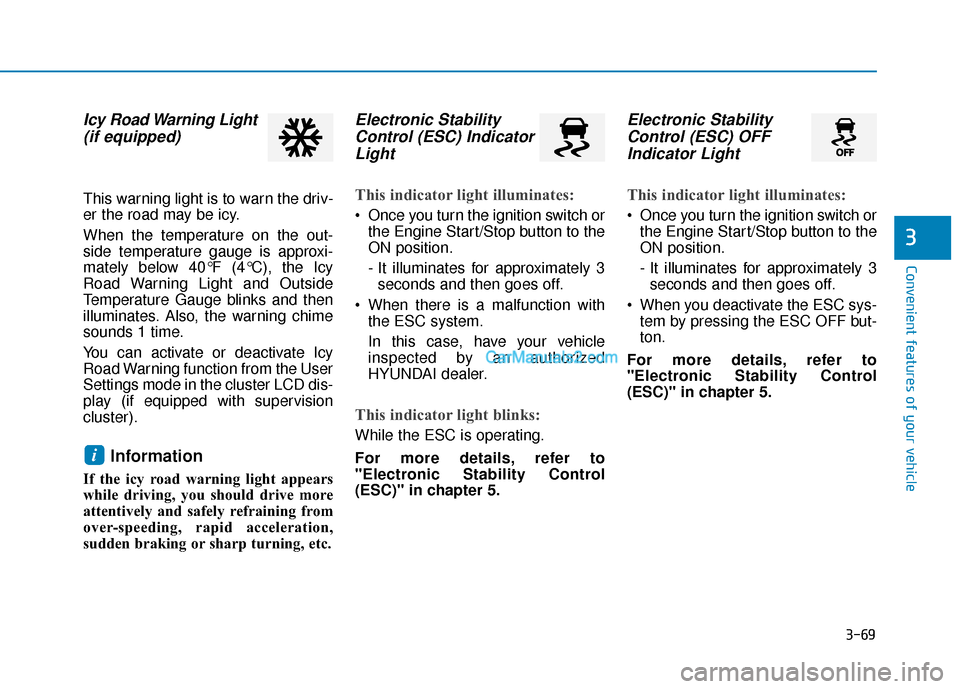
Icy Road Warning Light(if equipped)
This warning light is to warn the driv-
er the road may be icy.
When the temperature on the out-
side temperature gauge is approxi-
mately below 40°F (4°C), the Icy
Road Warning Light and Outside
Temperature Gauge blinks and then
illuminates. Also, the warning chime
sounds 1 time.
You can activate or deactivate Icy
Road Warning function from the User
Settings mode in the cluster LCD dis-
play (if equipped with supervision
cluster).
Information
If the icy road warning light appears
while driving, you should drive more
attentively and safely refraining from
over-speeding, rapid acceleration,
sudden braking or sharp turning, etc.
Electronic StabilityControl (ESC) IndicatorLight
This indicator light illuminates:
Once you turn the ignition switch or
the Engine Start/Stop button to the
ON position.
- It illuminates for approximately 3seconds and then goes off.
When there is a malfunction with the ESC system.
In this case, have your vehicle
inspected by an authorized
HYUNDAI dealer.
This indicator light blinks:
While the ESC is operating.
For more details, refer to
"Electronic Stability Control
(ESC)" in chapter 5.
Electronic StabilityControl (ESC) OFFIndicator Light
This indicator light illuminates:
Once you turn the ignition switch or
the Engine Start/Stop button to the
ON position.
- It illuminates for approximately 3seconds and then goes off.
When you deactivate the ESC sys- tem by pressing the ESC OFF but-
ton.
For more details, refer to
"Electronic Stability Control
(ESC)" in chapter 5.
i
Page 154 of 535
3-70
Convenient features of your vehicle
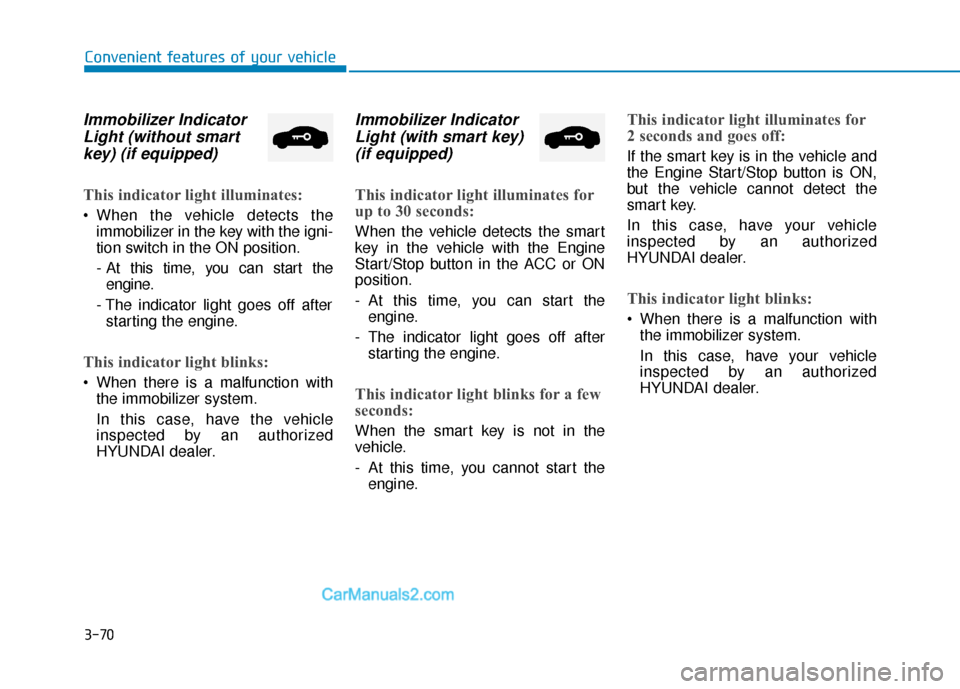
Immobilizer IndicatorLight (without smartkey) (if equipped)
This indicator light illuminates:
When the vehicle detects the
immobilizer in the key with the igni-
tion switch in the ON position.
- At this time, you can start theengine.
- The indicator light goes off after starting the engine.
This indicator light blinks:
When there is a malfunction with the immobilizer system.
In this case, have the vehicle
inspected by an authorized
HYUNDAI dealer.
Immobilizer IndicatorLight (with smart key)(if equipped)
This indicator light illuminates for
up to 30 seconds:
When the vehicle detects the smart
key in the vehicle with the Engine
Start/Stop button in the ACC or ON
position.
- At this time, you can start the
engine.
- The indicator light goes off after starting the engine.
This indicator light blinks for a few
seconds:
When the smart key is not in the
vehicle.
- At this time, you cannot start theengine.
This indicator light illuminates for
2 seconds and goes off:
If the smart key is in the vehicle and
the Engine Start/Stop button is ON,
but the vehicle cannot detect the
smart key.
In this case, have your vehicle
inspected by an authorized
HYUNDAI dealer.
This indicator light blinks:
When there is a malfunction withthe immobilizer system.
In this case, have your vehicle
inspected by an authorized
HYUNDAI dealer.
Page 157 of 535
3-73
Convenient features of your vehicle
3
LCD Display Messages
(if equipped)
Shift to P or N to start engine(for smart key system and auto-matic transmission/dual clutchtransmission)
This warning message is displayed if
you try to start the engine with the
shift lever not in the P (Park) or N
(Neutral) position.
Information
You can start the engine with the shift
lever in the N (Neutral) position. But,
for your safety, we recommend that
you start the engine with the shift
lever in the P (Park) position.
Shift to P (for smart key system)
This message is displayed if you try
to turn off the engine without the shift
lever in P (Park) position.
At this time, the Engine Start/Stop
button turns to the ACC position (If
you press the Engine Start/Stop but-
ton once more, it will turn to the ON
position).
Press START button again (for smart key system)
This message is displayed if you
were unable to start the vehicle when
the Start/Stop button was pressed.
If this occurs, attempt to start the
engine by pressing the Start/Stop
button again.
If the warning message appears
each time you press the Start/Stop
button, have your vehicle inspected
by an authorized Hyundai dealer.
Press brake pedal to start engine(for smart key system and auto-matic transmission/dual clutchtransmission)
This warning message is displayed if
the Engine Start/Stop button
changes to the ACC position twice
by pressing the button repeatedly
without depressing the brake pedal.
In order to start the vehicle, press the
brake pedal to start the engine.
Press clutch pedal to startengine (for smart key systemand manual transmission)
This warning message is displayed if
the Engine Start/Stop button is in the
ACC position twice by pressing the
button repeatedly without depressing
the clutch pedal.
Depress the clutch pedal to start the
engine.
i
Page 158 of 535
3-74
Convenient features of your vehicle
Press START button with key(for smart key system)
This warning message is displayed if
you press the Engine Start/Stop but-
ton while the warning message "Key
not detected" is shown.
At this time, the immobilizer indicator
light blinks.
Low Key Battery (for smart key system)
This warning message is displayed if
the battery of the smart key is dis-
charged when the Engine Start/Stop
button changes to the OFF position.
Key not detected (for smart key system)
This warning message is displayed if
the smart key is not detected when
you press the Engine Start/Stop but-
ton.
Key not in vehicle (for smart key system)
This warning message is displayed if
the smart key is not in the vehicle
when you press the Engine Start/
Stop button.
When attempting to start the vehicle,
always have the smart key with you.
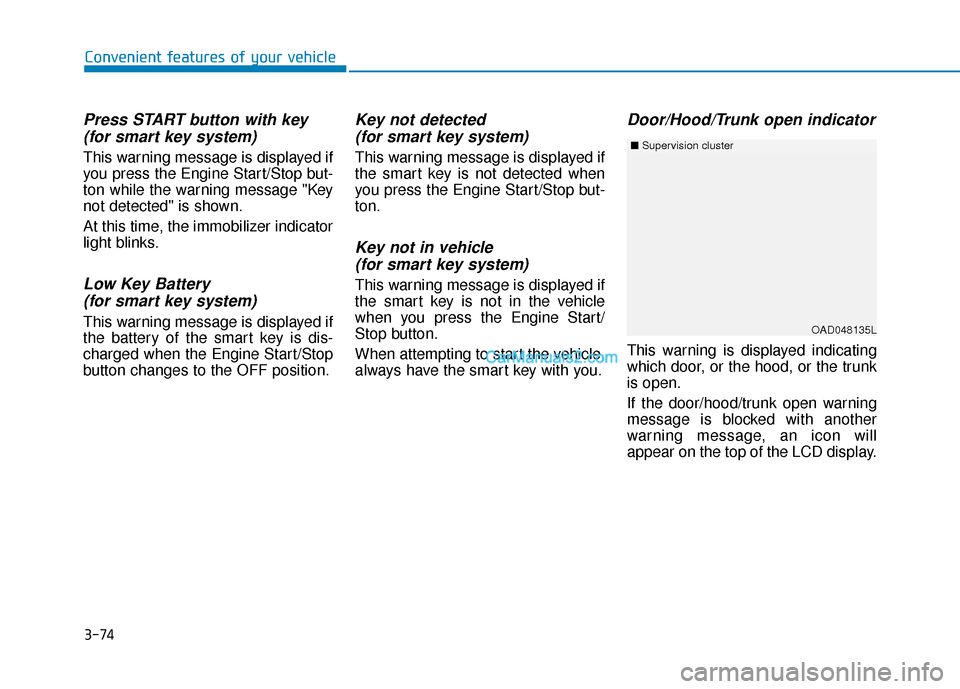
Door/Hood/Trunk open indicator
This warning is displayed indicating
which door, or the hood, or the trunk
is open.
If the door/hood/trunk open warning
message is blocked with another
warning message, an icon will
appear on the top of the LCD display.
OAD048135L
■ Supervision cluster
Page 161 of 535
3-77
Convenient features of your vehicle
3
Check BRAKE SWITCH fuse
This warning message is displayed if
the brake switch fuse is disconnect-
ed.
If this message is displayed, replace
the fuse with a new one before start-
ing the vehicle. If that is not possible,
you can start the engine by pressing
the Engine Start/Stop button for 10
seconds in the ACC position.
Low Fuel
This warning message is displayed if
the fuel tank is almost out of fuel.
When this message is displayed, the
vehicle range is approximately 30
miles.
When this message is displayed, the
low fuel level warning light in the
cluster will come on.
It is recommended to look for the
nearest fueling station and refuel as
soon as possible.
Engine has overheated
This warning message is displayed
when the engine coolant tempera-
ture is above 248°F (120°C). This
means that the engine is overheated
and may be damaged.
If your vehicle is overheated, refer
to "Overheating" in chapter 6.
Check headlight
This warning message is displayed if
the headlamps are not operating
properly. The headlamp bulb may
need to be replaced.
In addition, if a specific lamp(turn
signal lamp etc.) is not operating
properly, the warning message
according to a specific lamp (turn
signal lamp etc.) is displayed. A cor-
responding bulb may need to be
replaced.
When replacing the bulb, use the
same wattage bulb.
For more details, refer to "BULB
WATTAGE" in chapter 8.
NOTICE
Page 170 of 535
3-86
Convenient features of your vehicle
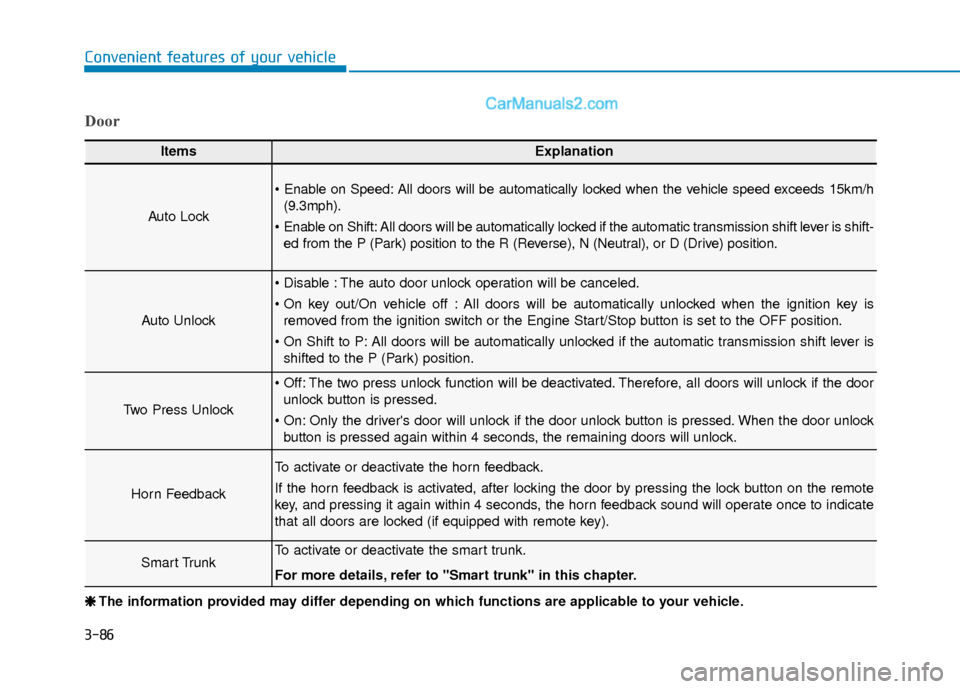
Door
ItemsExplanation
Auto Lock
All doors will be automatically locked when the vehicle speed exceeds 15km/h(9.3mph).
Enable on Shift: All doors will be automatically locked if the automatic transmission shift lever is shift- ed from the P (Park) position to the R (Reverse), N (Neutral), or D (Drive) position.
Auto Unlock
Disable : The auto door unlock operation will be canceled.
On key out/On vehicle off : All doors will be automatically unlocked when the ignition key isremoved from the ignition switch or the Engine Start/Stop button is set to the OFF position.
On Shift to P: All doors will be automatically unlocked if the automatic transmission shift lever is shifted to the P (Park) position.
Two Press Unlock
Off: The two press unlock function will be deactivated. Therefore, all doors will unlock if the doorunlock button is pressed.
On: Only the driver's door will unlock if the door unlock button is pressed. When the door unlock button is pressed again within 4 seconds, the remaining doors will unlock.
Horn Feedback
To activate or deactivate the horn feedback.
If the horn feedback is activated, after locking the door by pressing the lock button on the remote
key, and pressing it again within 4 seconds, the horn feedback sound will operate once to indicate
that all doors are locked (if equipped with remote key).
Smart TrunkTo activate or deactivate the smart trunk.
For more details, refer to "Smart trunk" in this chapter.
❈ ❈ The information provided may differ depending on which functions are applicable to your vehicle.