stop start Hyundai Elantra 2019 Owner's Guide
[x] Cancel search | Manufacturer: HYUNDAI, Model Year: 2019, Model line: Elantra, Model: Hyundai Elantra 2019Pages: 535, PDF Size: 16.83 MB
Page 177 of 535
3-93
Convenient features of your vehicle
3
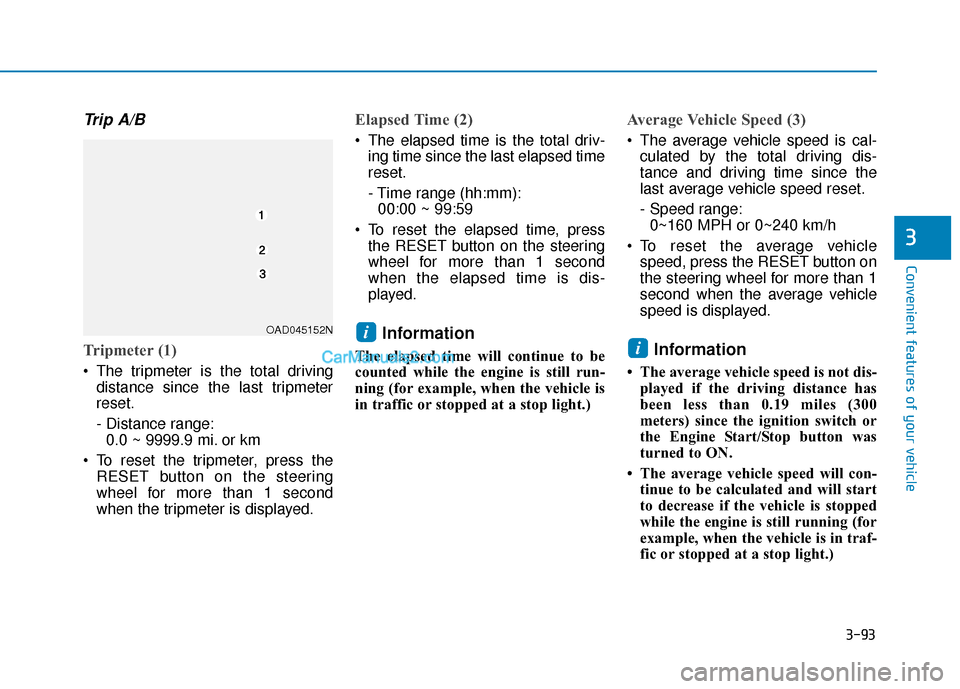
Trip A/B
Tripmeter (1)
The tripmeter is the total drivingdistance since the last tripmeter
reset.
- Distance range:0.0 ~ 9999.9 mi. or km
To reset the tripmeter, press the RESET button on the steering
wheel for more than 1 second
when the tripmeter is displayed.
Elapsed Time (2)
The elapsed time is the total driv-ing time since the last elapsed time
reset.
- Time range (hh:mm):00:00 ~ 99:59
To reset the elapsed time, press the RESET button on the steering
wheel for more than 1 second
when the elapsed time is dis-
played.
Information
The elapsed time will continue to be
counted while the engine is still run-
ning (for example, when the vehicle is
in traffic or stopped at a stop light.)
Average Vehicle Speed (3)
The average vehicle speed is cal-culated by the total driving dis-
tance and driving time since the
last average vehicle speed reset.
- Speed range:0~160 MPH or 0~240 km/h
To reset the average vehicle speed, press the RESET button on
the steering wheel for more than 1
second when the average vehicle
speed is displayed.
Information
• The average vehicle speed is not dis-played if the driving distance has
been less than 0.19 miles (300
meters) since the ignition switch or
the Engine Start/Stop button was
turned to ON.
• The average vehicle speed will con- tinue to be calculated and will start
to decrease if the vehicle is stopped
while the engine is still running (for
example, when the vehicle is in traf-
fic or stopped at a stop light.)
i
iOAD045152N
Page 178 of 535
3-94
Convenient features of your vehicle
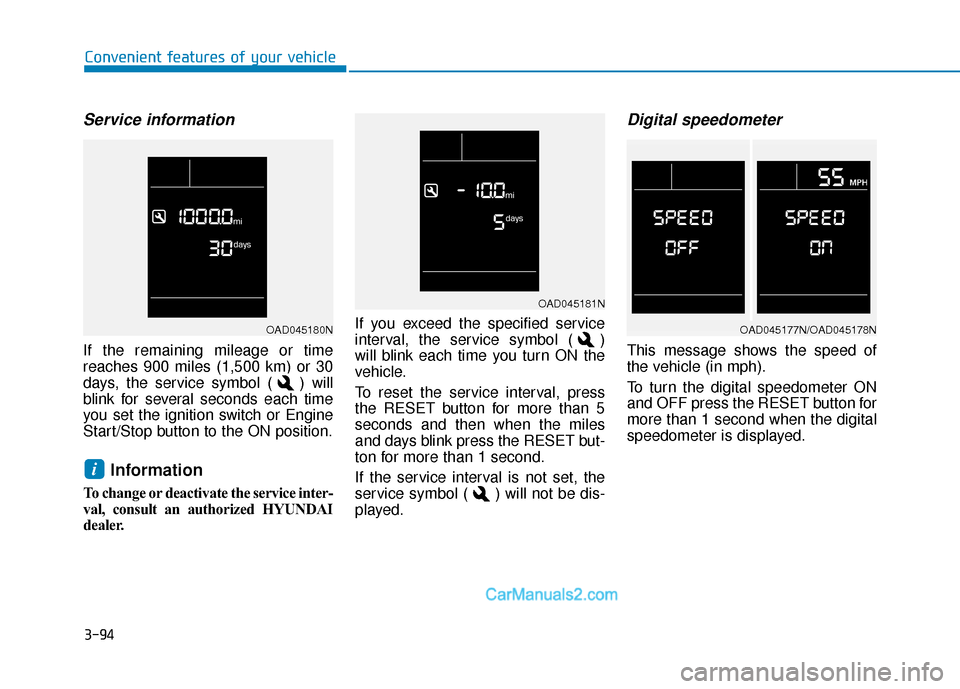
Service information
If the remaining mileage or time
reaches 900 miles (1,500 km) or 30
days, the service symbol ( ) will
blink for several seconds each time
you set the ignition switch or Engine
Start/Stop button to the ON position.
Information
To change or deactivate the service inter-
val, consult an authorized HYUNDAI
dealer.If you exceed the specified service
interval, the service symbol ( )
will blink each time you turn ON the
vehicle.
To reset the service interval, press
the RESET button for more than 5
seconds and then when the miles
and days blink press the RESET but-
ton for more than 1 second.
If the service interval is not set, the
service symbol ( ) will not be dis-
played.
Digital speedometer
This message shows the speed of
the vehicle (in mph).
To turn the digital speedometer ON
and OFF press the RESET button for
more than 1 second when the digital
speedometer is displayed.
i
OAD045181N
OAD045180NOAD045177N/OAD045178N
Page 181 of 535
3-97
Convenient features of your vehicle
3
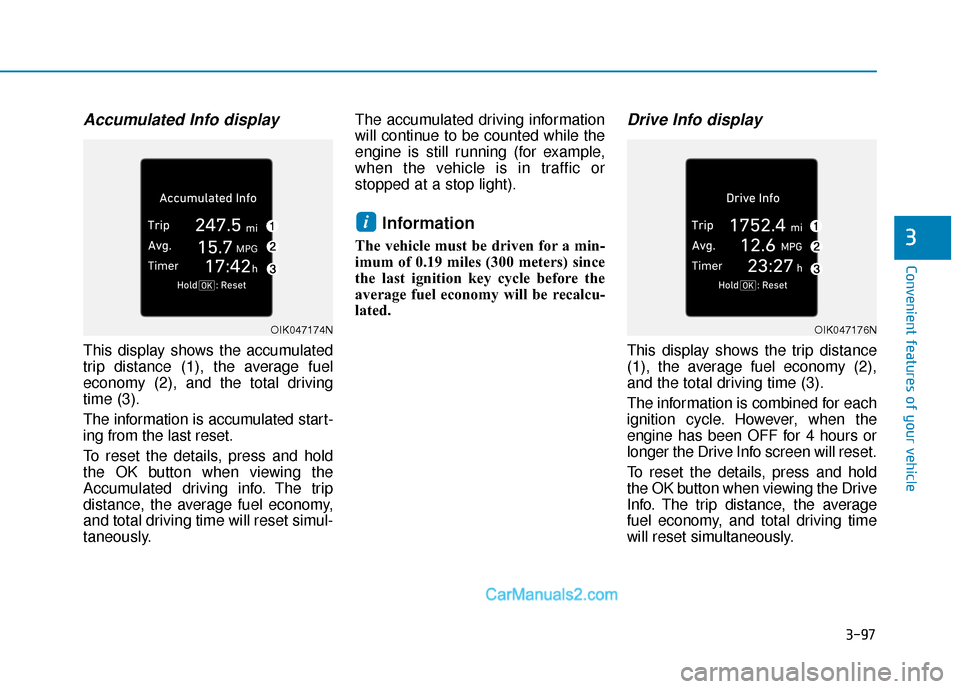
Accumulated Info display
This display shows the accumulated
trip distance (1), the average fuel
economy (2), and the total driving
time (3).
The information is accumulated start-
ing from the last reset.
To reset the details, press and hold
the OK button when viewing the
Accumulated driving info. The trip
distance, the average fuel economy,
and total driving time will reset simul-
taneously.The accumulated driving information
will continue to be counted while the
engine is still running (for example,
when the vehicle is in traffic or
stopped at a stop light).
Information
The vehicle must be driven for a min-
imum of 0.19 miles (300 meters) since
the last ignition key cycle before the
average fuel economy will be recalcu-
lated.
Drive Info display
This display shows the trip distance
(1), the average fuel economy (2),
and the total driving time (3).
The information is combined for each
ignition cycle. However, when the
engine has been OFF for 4 hours or
longer the Drive Info screen will reset.
To reset the details, press and hold
the OK button when viewing the Drive
Info. The trip distance, the average
fuel economy, and total driving time
will reset simultaneously.
i
OIK047174NOIK047176N
Page 226 of 535
3-142
Convenient features of your vehicle
I
IN
N T
TE
ER
R I
IO
O R
R
F
F E
E A
A T
TU
U R
RE
ES
S
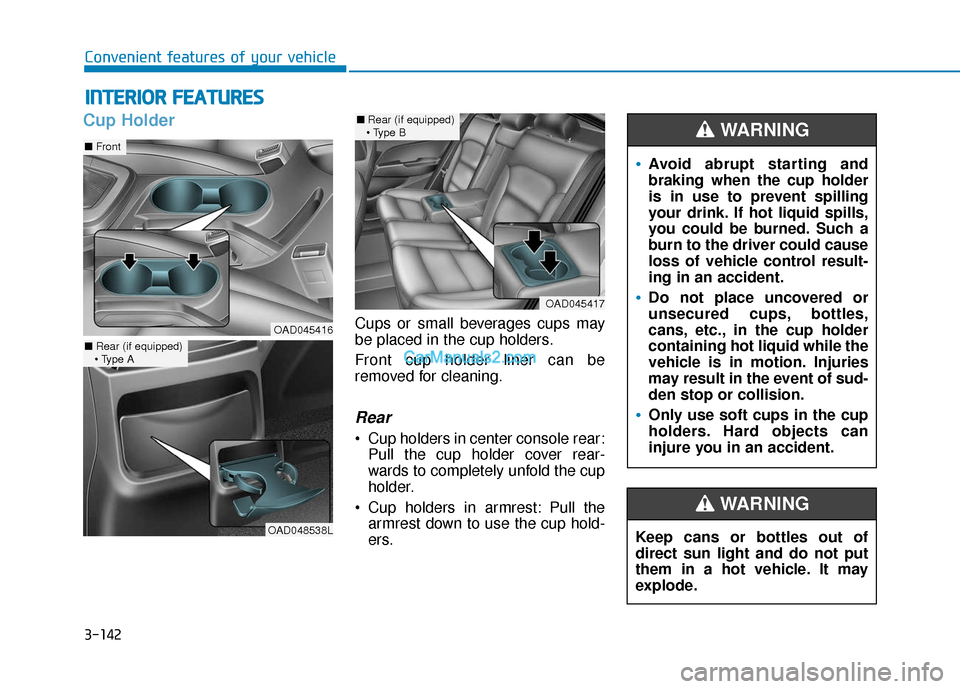
Cup Holder
Cups or small beverages cups may
be placed in the cup holders.
Front cup holder liner can be
removed for cleaning.
Rear
Cup holders in center console rear:
Pull the cup holder cover rear-
wards to completely unfold the cup
holder.
Cup holders in armrest: Pull the armrest down to use the cup hold-
ers.
Avoid abrupt starting and
braking when the cup holder
is in use to prevent spilling
your drink. If hot liquid spills,
you could be burned. Such a
burn to the driver could cause
loss of vehicle control result-
ing in an accident.
Do not place uncovered or
unsecured cups, bottles,
cans, etc., in the cup holder
containing hot liquid while the
vehicle is in motion. Injuries
may result in the event of sud-
den stop or collision.
Only use soft cups in the cup
holders. Hard objects can
injure you in an accident.
WARNING
Keep cans or bottles out of
direct sun light and do not put
them in a hot vehicle. It may
explode.
WARNING
OAD045416
■ Front
OAD048538L
■Rear (if equipped)
OAD045417
■ Rear (if equipped)
Page 229 of 535
![Hyundai Elantra 2019 Owners Guide 3-145
Convenient features of your vehicle
3
Wireless Cellular Phone
Charging System (if equipped)
[A]: Indicator light, [B]: Charging pad
On certain models, the vehicle
comes equipped with a wireless](/img/35/14536/w960_14536-228.png "Hyundai Elantra 2019 Owners Guide 3-145
Convenient features of your vehicle
3
Wireless Cellular Phone
Charging System (if equipped)
[A]: Indicator light, [B]: Charging pad
On certain models, the vehicle
comes equipped with a wireless")
3-145
Convenient features of your vehicle
3
Wireless Cellular Phone
Charging System (if equipped)
[A]: Indicator light, [B]: Charging pad
On certain models, the vehicle
comes equipped with a wireless cel-
lular phone charger.
The system is available when all
doors are closed, and when the igni-
tion switch is ON.
To charge a cellular phone
The wireless cellular phone charging
system charges only the Qi-enabled
cellular phones ( ). Read the label
on the cellular phone accessory
cover or visit your cellular phone
manufacturer's website to check
whether your cellular phone supports
the Qi technology.
The wireless charging process starts
when you put a Qi-enabled cellular
phone on the wireless charging unit.
1. Remove other items, including thesmart key, from the wireless charg-
ing unit. If not, the wireless charg-
ing process may be interrupted.
Place the cellular phone on the
center of the charging pad ( ).
2. The indicator light is orange when the cellular phone is charging. The
indicator light turns green when
phone charging is complete.
3. You can turn ON or OFF the wire- less charging function in the user
settings mode on the instrument
cluster. For further information,
refer to the "LCD Display Modes"
in this chapter. If your cellular phone is not charging:
- Slightly change the position of the
cellular phone on the charging
pad.
- Make sure the indicator light is orange.
The indicator light will blink orange for
10 seconds if there is a malfunction in
the wireless charging system.
In this case, temporarily stop the
charging process, and re-attempt to
charge your cellular phone again.
The system warns you with a mes-
sage on the LCD display if the cellular
phone is still on the wireless charging
unit after the engine is turned OFF
and the front door is opened.
Information
For some manufacturers' cellular
phones, the system may not warn you
even though the cellular phone is left
on the wireless charging unit. This is
due to the particular characteristic of
the cellular phone and not a malfunc-
tion of the wireless charging.
i
OAD048575L
Page 230 of 535
3-146
Convenient features of your vehicle
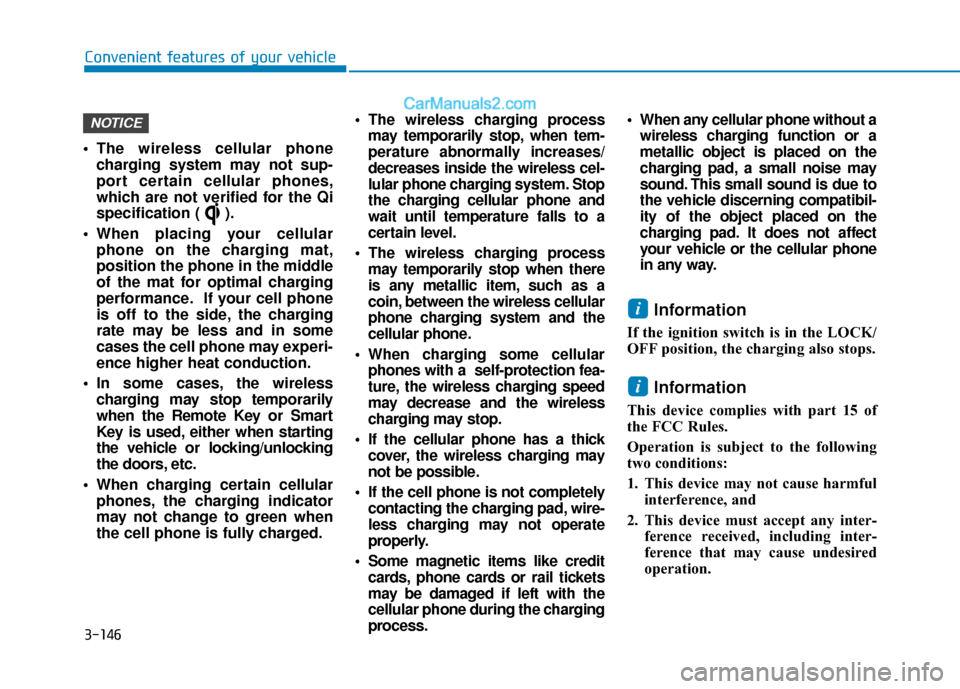
The wireless cellular phone charging system may not sup-
port certain cellular phones,
which are not verified for the Qi
specification ( ).
When placing your cellular phone on the charging mat,
position the phone in the middle
of the mat for optimal charging
performance. If your cell phone
is off to the side, the charging
rate may be less and in some
cases the cell phone may experi-
ence higher heat conduction.
In some cases, the wireless charging may stop temporarily
when the Remote Key or Smart
Key is used, either when starting
the vehicle or locking/unlocking
the doors, etc.
When charging certain cellular phones, the charging indicator
may not change to green when
the cell phone is fully charged.
The wireless charging process may temporarily stop, when tem-
perature abnormally increases/
decreases inside the wireless cel-
lular phone charging system. Stop
the charging cellular phone and
wait until temperature falls to a
certain level.
The wireless charging process may temporarily stop when there
is any metallic item, such as a
coin, between the wireless cellular
phone charging system and the
cellular phone.
When charging some cellular phones with a self-protection fea-
ture, the wireless charging speed
may decrease and the wireless
charging may stop.
If the cellular phone has a thick cover, the wireless charging may
not be possible.
If the cell phone is not completely contacting the charging pad, wire-
less charging may not operate
properly.
Some magnetic items like credit cards, phone cards or rail tickets
may be damaged if left with the
cellular phone during the charging
process. When any cellular phone without a
wireless charging function or a
metallic object is placed on the
charging pad, a small noise may
sound. This small sound is due to
the vehicle discerning compatibil-
ity of the object placed on the
charging pad. It does not affect
your vehicle or the cellular phone
in any way.
Information
If the ignition switch is in the LOCK/
OFF position, the charging also stops.
Information
This device complies with part 15 of
the FCC Rules.
Operation is subject to the following
two conditions:
1. This device may not cause harmful interference, and
2. This device must accept any inter- ference received, including inter-
ference that may cause undesired
operation.
i
i
NOTICE
Page 237 of 535
Driving your vehicle
5
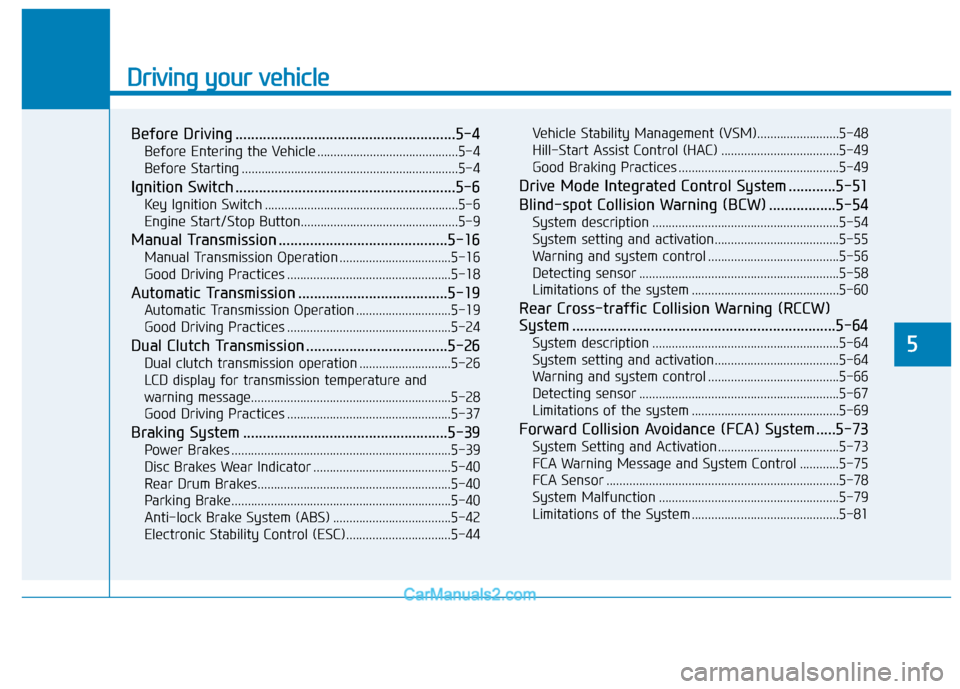
Before Driving ........................................................5-4
Before Entering the Vehicle ...........................................5-4
Before Starting ..................................................................5-4
Ignition Switch ........................................................5-6
Key Ignition Switch ...........................................................5-6
Engine Start/Stop Button................................................5-9
Manual Transmission ...........................................5-16
Manual Transmission Operation ..................................5-16
Good Driving Practices ..................................................5-18
Automatic Transmission ......................................5-19
Automatic Transmission Operation .............................5-19
Good Driving Practices ..................................................5-24
Dual Clutch Transmission ....................................5-26
Dual clutch transmission operation ............................5-26
LCD display for transmission temperature and
warning message.............................................................5-28
Good Driving Practices ..................................................5-37
Braking System ....................................................5-39
Power Brakes ...................................................................5-39
Disc Brakes Wear Indicator ..........................................5-40
Rear Drum Brakes...........................................................5-40
Parking Brake...................................................................5-40
Anti-lock Brake System (ABS) ....................................5-42
Electronic Stability Control (ESC)................................5-44 Vehicle Stability Management (VSM).........................5-48
Hill-Start Assist Control (HAC) ....................................5-49
Good Braking Practices .................................................5-49
Drive Mode Integrated Control System ............5-51
Blind-spot Collision Warning (BCW) .................5-54
System description .........................................................5-54
System setting and activation......................................5-55
Warning and system control ........................................5-56
Detecting sensor .............................................................5-58
Limitations of the system .............................................5-60
Rear Cross-traffic Collision Warning (RCCW)
System ...................................................................5-64
System description .........................................................5-64
System setting and activation......................................5-64
Warning and system control ........................................5-66
Detecting sensor .............................................................5-67
Limitations of the system .............................................5-69
Forward Collision Avoidance (FCA) System .....5-73
System Setting and Activation.....................................5-73
FCA Warning Message and System Control ............5-75
FCA Sensor .......................................................................5\
-78
System Malfunction .......................................................5-79
Limitations of the System .............................................5-81
Page 245 of 535
5-9
Driving your vehicle
5
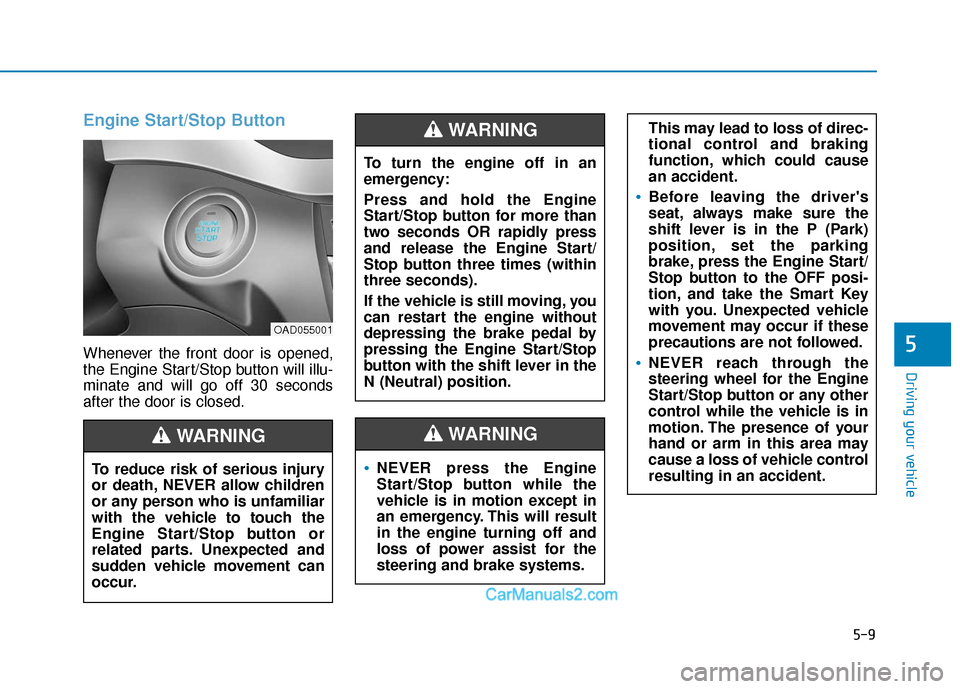
Engine Start/Stop Button
Whenever the front door is opened,
the Engine Start/Stop button will illu-
minate and will go off 30 seconds
after the door is closed.
NEVER press the Engine
Start/Stop button while the
vehicle is in motion except in
an emergency. This will result
in the engine turning off and
loss of power assist for the
steering and brake systems.
WARNING
To turn the engine off in an
emergency:
Press and hold the Engine
Start/Stop button for more than
two seconds OR rapidly press
and release the Engine Start/
Stop button three times (within
three seconds).
If the vehicle is still moving, you
can restart the engine without
depressing the brake pedal by
pressing the Engine Start/Stop
button with the shift lever in the
N (Neutral) position.
This may lead to loss of direc-
tional control and braking
function, which could cause
an accident.
Before leaving the driver's
seat, always make sure the
shift lever is in the P (Park)
position, set the parking
brake, press the Engine Start/
Stop button to the OFF posi-
tion, and take the Smart Key
with you. Unexpected vehicle
movement may occur if these
precautions are not followed.
NEVER reach through the
steering wheel for the Engine
Start/Stop button or any other
control while the vehicle is in
motion. The presence of your
hand or arm in this area may
cause a loss of vehicle control
resulting in an accident.
WARNING
To reduce risk of serious injury
or death, NEVER allow children
or any person who is unfamiliar
with the vehicle to touch the
Engine Start/Stop button or
related parts. Unexpected and
sudden vehicle movement can
occur.
WARNING
OAD055001
Page 246 of 535
5-10
Driving your vehicle
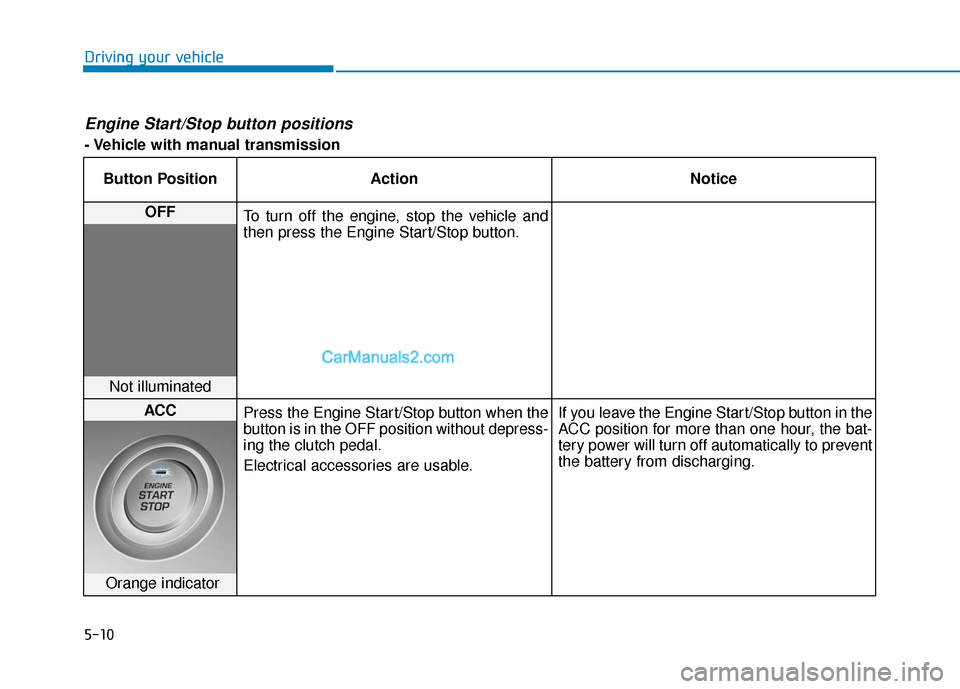
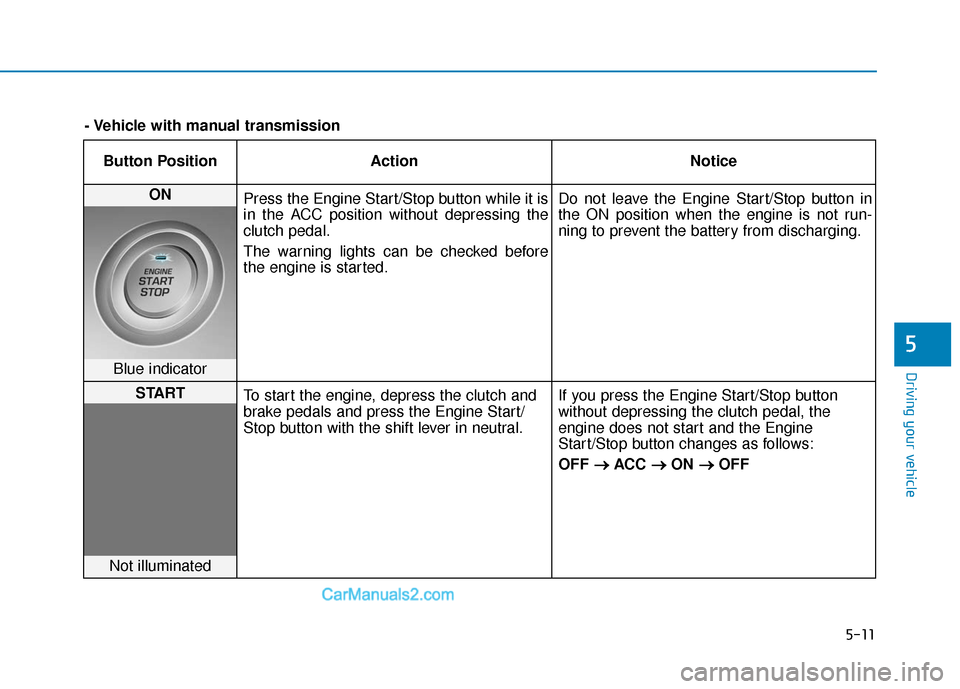
Engine Start/Stop button positions
- Vehicle with manual transmissionButton Position Action Notice
OFF To turn off the engine, stop the vehicle and
then press the Engine Start/Stop button.
Not illuminated
ACC Press the Engine Start/Stop button when the
button is in the OFF position without depress-
ing the clutch pedal.
Electrical accessories are usable. If you leave the Engine Start/Stop button in the
ACC position for more than one hour, the bat-
tery power will turn off automatically to prevent
the battery from discharging.
Orange indicator
Page 247 of 535
5-11
Driving your vehicle
5
Button PositionAction Notice
ON
Press the Engine Start/Stop button while it is
in the ACC position without depressing the
clutch pedal.
The warning lights can be checked before
the engine is started. Do not leave the Engine Start/Stop button in
the ON position when the engine is not run-
ning to prevent the battery from discharging.
Blue indicator
START
To start the engine, depress the clutch and
brake pedals and press the Engine Start/
Stop button with the shift lever in neutral. If you press the Engine Start/Stop button
without depressing the clutch pedal, the
engine does not start and the Engine
Start/Stop button changes as follows:
OFF
→ →
ACC →
→
ON →
→
OFF
Not illuminated
- Vehicle with manual transmission