Seat Hyundai Elantra 2019 Repair Manual
[x] Cancel search | Manufacturer: HYUNDAI, Model Year: 2019, Model line: Elantra, Model: Hyundai Elantra 2019Pages: 535, PDF Size: 16.83 MB
Page 77 of 535
2-60
Safety system of your vehicle
Why Didn't My Air Bag Go Off
in a Collision?
There are certain types of accidents
in which the air bag would not be
expected to provide additional pro-
tection. These include rear impacts,
second or third collisions in multiple
impact accidents, as well as low
speed impacts. Damage to the vehi-
cle indicates a collision energy
absorption, and is not an indicator of
whether or not an air bag should
have inflated.
Air bag collision sensors
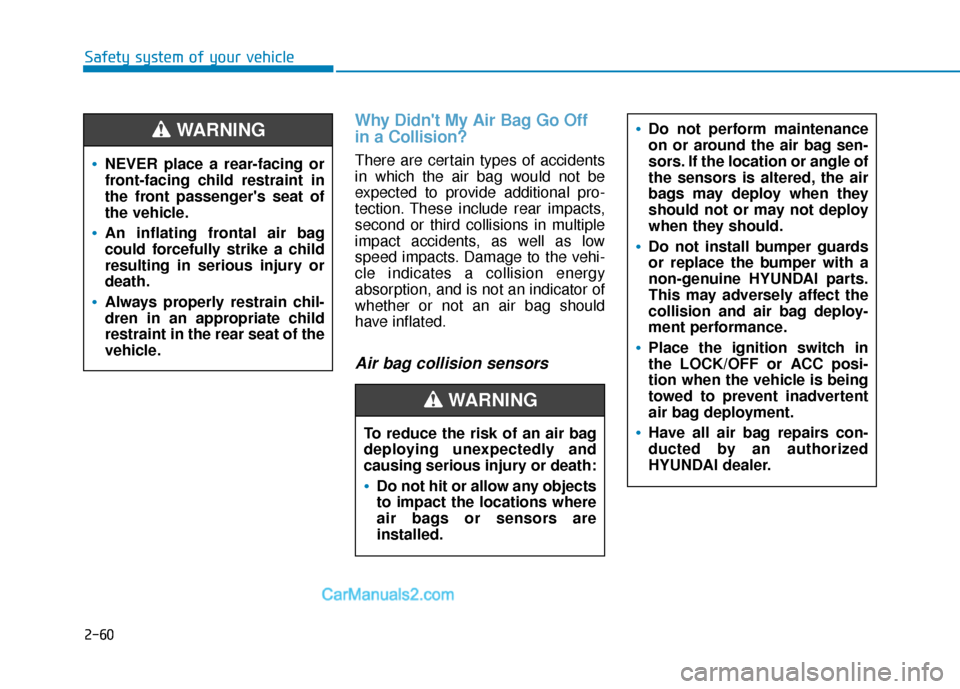
NEVER place a rear-facing or
front-facing child restraint in
the front passenger's seat of
the vehicle.
An inflating frontal air bag
could forcefully strike a child
resulting in serious injury or
death.
Always properly restrain chil-
dren in an appropriate child
restraint in the rear seat of the
vehicle.
WARNING
To reduce the risk of an air bag
deploying unexpectedly and
causing serious injury or death:
Do not hit or allow any objects
to impact the locations where
air bags or sensors are
installed.
Do not perform maintenance
on or around the air bag sen-
sors. If the location or angle of
the sensors is altered, the air
bags may deploy when they
should not or may not deploy
when they should.
Do not install bumper guards
or replace the bumper with a
non-genuine HYUNDAI parts.
This may adversely affect the
collision and air bag deploy-
ment performance.
Place the ignition switch in
the LOCK/OFF or ACC posi-
tion when the vehicle is being
towed to prevent inadvertent
air bag deployment.
Have all air bag repairs con-
ducted by an authorized
HYUNDAI dealer.
WARNING
Page 80 of 535
2-63
Safety system of your vehicle
2
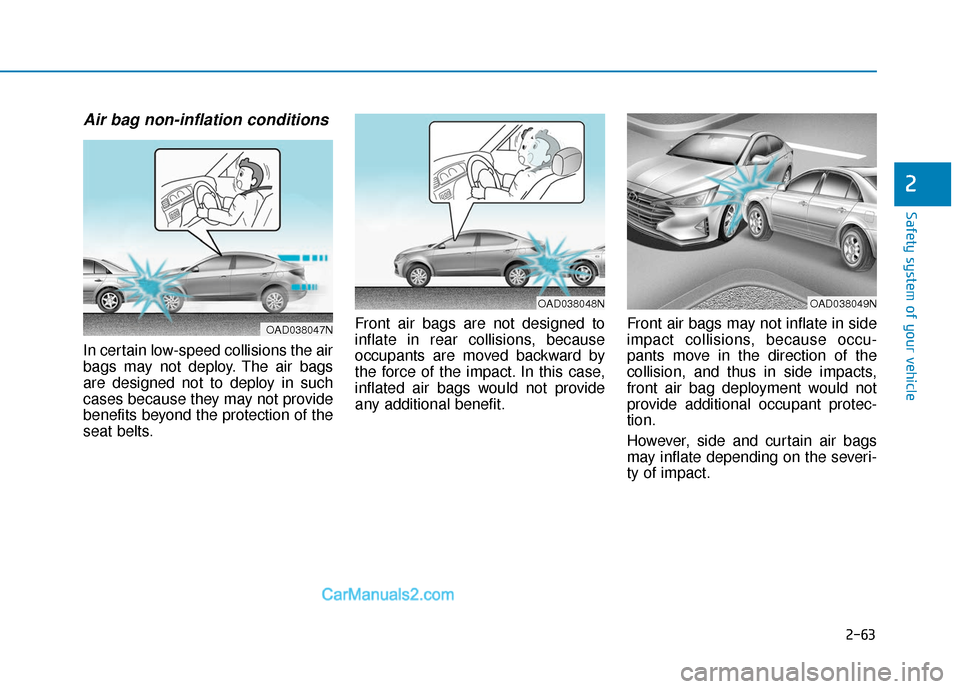
Air bag non-inflation conditions
In certain low-speed collisions the air
bags may not deploy. The air bags
are designed not to deploy in such
cases because they may not provide
benefits beyond the protection of the
seat belts.Front air bags are not designed to
inflate in rear collisions, because
occupants are moved backward by
the force of the impact. In this case,
inflated air bags would not provide
any additional benefit.
Front air bags may not inflate in side
impact collisions, because occu-
pants move in the direction of the
collision, and thus in side impacts,
front air bag deployment would not
provide additional occupant protec-
tion.
However, side and curtain air bags
may inflate depending on the severi-
ty of impact.
OAD038049NOAD038048N
OAD038047N
Page 82 of 535
2-65
Safety system of your vehicle
2
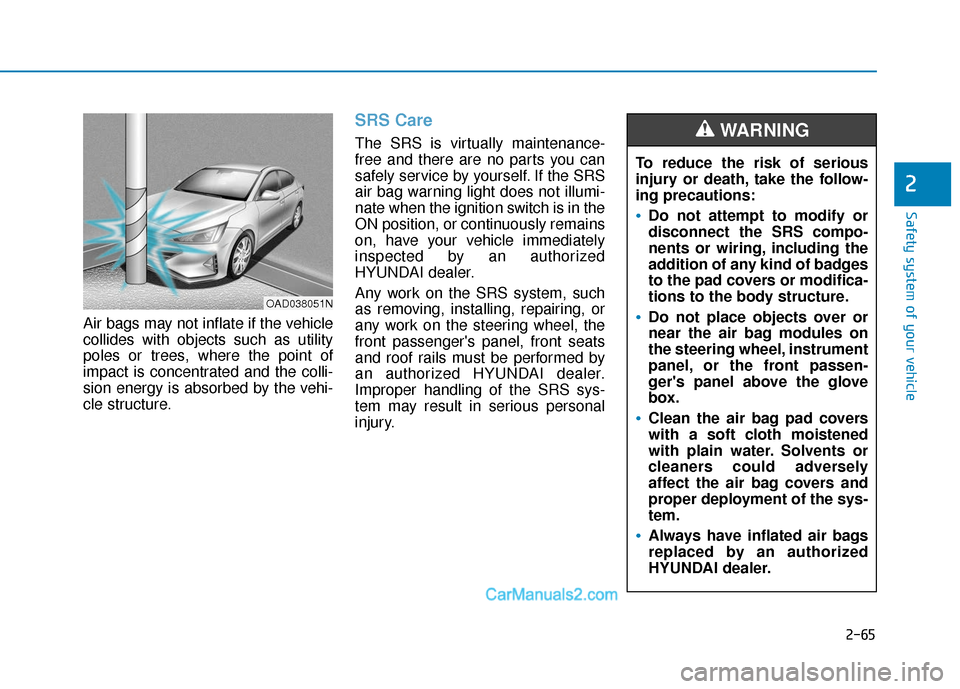
Air bags may not inflate if the vehicle
collides with objects such as utility
poles or trees, where the point of
impact is concentrated and the colli-
sion energy is absorbed by the vehi-
cle structure.
SRS Care
The SRS is virtually maintenance-
free and there are no parts you can
safely service by yourself. If the SRS
air bag warning light does not illumi-
nate when the ignition switch is in the
ON position, or continuously remains
on, have your vehicle immediately
inspected by an authorized
HYUNDAI dealer.
Any work on the SRS system, such
as removing, installing, repairing, or
any work on the steering wheel, the
front passenger's panel, front seats
and roof rails must be performed by
an authorized HYUNDAI dealer.
Improper handling of the SRS sys-
tem may result in serious personal
injury.To reduce the risk of serious
injury or death, take the follow-
ing precautions:
Do not attempt to modify or
disconnect the SRS compo-
nents or wiring, including the
addition of any kind of badges
to the pad covers or modifica-
tions to the body structure.
Do not place objects over or
near the air bag modules on
the steering wheel, instrument
panel, or the front passen-
ger's panel above the glove
box.
Clean the air bag pad covers
with a soft cloth moistened
with plain water. Solvents or
cleaners could adversely
affect the air bag covers and
proper deployment of the sys-
tem.
Always have inflated air bags
replaced by an authorized
HYUNDAI dealer.
WARNING
OAD038051N
Page 83 of 535
2-66
Safety system of your vehicle
Additional Safety Precautions
Passengers should not move out
of or change seats while the vehi-
cle is moving.A passenger who is
not wearing a seat belt during a
crash or emergency stop can be
thrown against the inside of the vehi-
cle, against other occupants, or be
ejected from the vehicle.
Do not use any accessories on
seat belts. Devices claiming to
improve occupant comfort or reposi-
tion the seat belt can reduce the pro-
tection provided by the seat belt and
increase the chance of serious injury
in a crash
Do not modify the front seats.
Modification of the front seats could
interfere with the operation of the
supplemental restraint system sens-
ing components or side air bags.
Do not place items under the front
seats. Placing items under the front
seats could interfere with the opera-
tion of the supplemental restraint
system sensing components and
wiring harnesses. Do not cause impact to the doors.
Impact to the doors when the ignition
switch is in the ON position may
cause the air bags to inflate.
Modifications to accommodate
disabilities.
If you require modifica-
tion to your vehicle to accommodate
a disability, contact the HYUNDAI
Customer Connect Center at 800-
633-5151.
Adding equipment to or modify- ing your air bag equipped vehicle
If you modify your vehicle by chang-
ing your vehicle's frame, bumper sys-
tem, front end or side sheet metal or
ride height, this may affect the opera-
tion of your vehicle's air bag system.
If components of the air bag
system must be discarded, or
if the vehicle must be
scrapped, certain safety pre-
cautions must be observed.
Consult an authorized
HYUNDAI dealer for the nec-
essary information. Failure to
follow these precautions
could increase the risk of per-
sonal injury.
Page 85 of 535

Convenient features of your vehicle
Accessing Your Vehicle .........................................3-3
Remote Key........................................................................\
.3-3
Smart Key ........................................................................\
....3-6
Immobilizer System .........................................................3-11
Door Locks ............................................................3-12
Operating Door Locks from Outside the Vehicle ....3-12
Operating Door Locks from Inside the Vehicle .......3-13
Auto Door Lock/Unlock Features ...............................3-15
Child-Protector Rear Door locks ................................3-16
Safe Exit Assist (SEA) System .....................................3-16
Theft-Alarm System ............................................3-17
Driver Position Memory System ........................3-18
Storing Positions into Memory ....................................3-18
Recalling Positions from Memory...............................3-19
Resetting the Driver's Seat Memory System...........3-19
Easy Access Function ....................................................3-20
Steering Wheel .....................................................3-21
Electric Power Steering (EPS) .....................................3-21
Tilt Steering/Telescopic Steering ................................3-21
Horn ........................................................................\
............3-22
Mirrors ...................................................................3-23
Inside Rearview Mirror ..................................................3-23
Side View Mirrors ...........................................................3-30
Reverse Parking Aid Function......................................3-33
Windows ................................................................3-34
Power Windows ...............................................................3-35
Sunroof..................................................................3-39
Sunroof opening and closing .......................................3-40
Sliding the sunroof .........................................................3-40
Tilting the sunroof ..........................................................3-40
Sunshade ........................................................................\
...3-41
Resetting the sunroof ....................................................3-41
Sunroof Open Warning ..................................................3-42
Exterior Features .................................................3-43
Hood ........................................................................\
...........3-43
Trunk ........................................................................\
..........3-44
Smart Trunk ......................................................................3-\
46
Fuel Filler Door ................................................................3-49
Instrument Cluster ...............................................3-53
Instrument Cluster Control............................................3-55
Gauges ........................................................................\
.......3-56
Transmission Shift Indicator .........................................3-60
Warning and Indicator lights ........................................3-61
LCD Display Messages ...................................................3-73
LCD Display (For Supervision Cluster) .............3-79
LCD Display Control ........................................................3-79
LCD Display Modes .........................................................3-80
3
Page 100 of 535
3-16
Convenient features of your vehicle
Child-Protector Rear Door
locks
The child safety lock is provided to
help prevent children seated in the
rear from accidentally opening the
rear doors. The rear door safety locks
should be used whenever children
are in the vehicle.
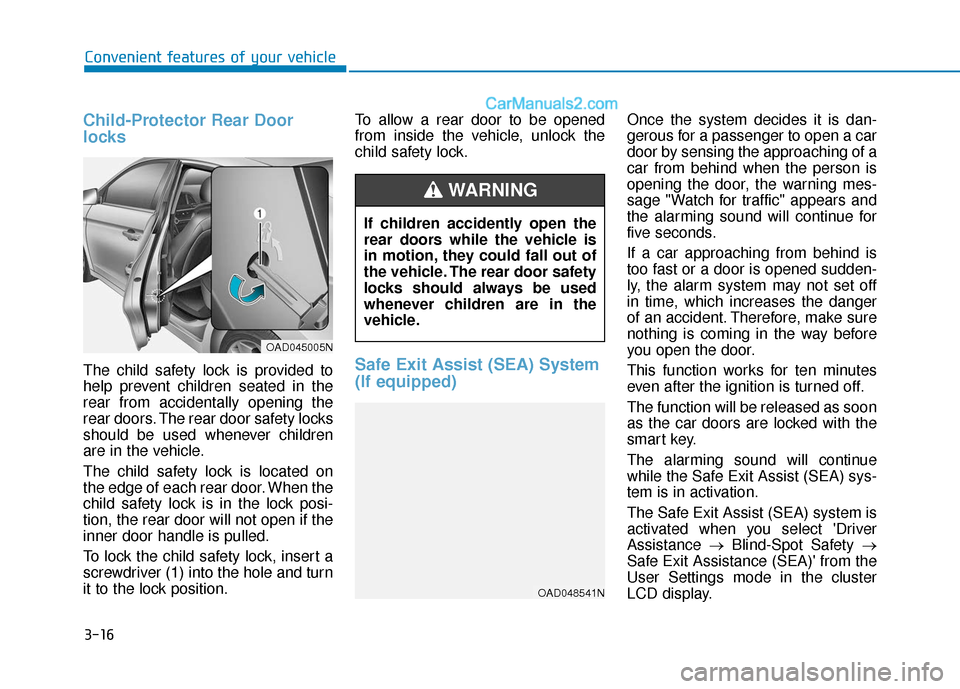
The child safety lock is located on
the edge of each rear door. When the
child safety lock is in the lock posi-
tion, the rear door will not open if the
inner door handle is pulled.
To lock the child safety lock, insert a
screwdriver (1) into the hole and turn
it to the lock position.To allow a rear door to be opened
from inside the vehicle, unlock the
child safety lock.Safe Exit Assist (SEA) System
(If equipped)
Once the system decides it is dan-
gerous for a passenger to open a car
door by sensing the approaching of a
car from behind when the person is
opening the door, the warning mes-
sage "Watch for traffic" appears and
the alarming sound will continue for
five seconds.
If a car approaching from behind is
too fast or a door is opened sudden-
ly, the alarm system may not set off
in time, which increases the danger
of an accident. Therefore, make sure
nothing is coming in the way before
you open the door.
This function works for ten minutes
even after the ignition is turned off.
The function will be released as soon
as the car doors are locked with the
smart key.
The alarming sound will continue
while the Safe Exit Assist (SEA) sys-
tem is in activation.
The Safe Exit Assist (SEA) system is
activated when you select 'Driver
Assistance
→Blind-Spot Safety →
Safe Exit Assistance (SEA)' from the
User Settings mode in the cluster
LCD display.
If children accidently open the
rear doors while the vehicle is
in motion, they could fall out of
the vehicle. The rear door safety
locks should always be used
whenever children are in the
vehicle.
WARNING
OAD045005N
OAD048541N
Page 102 of 535
3-18
Convenient features of your vehicle
The Driver Position Memory System
is provided to store and recall the fol-
lowing memory settings with a sim-
ple button operation.
- Driver's seat position
- Side view mirror position
- Instrument panel illumination intensity
If the battery is disconnected, the
position memory will be lost and the
driving positions must be stored in
the system again.
If the Driver Position Memory
System does not operate normally,
have the system checked by an
authorized HYUNDAI dealer.
Storing Positions into Memory
1. Check that the shift lever is in P (Park) while the ignition switch is
in the ON position.
2. Adjust the driver’s seat position, side view mirror position and
instrument panel illumination
intensity to positions comfortable
for the driver.
3. Press the SET button. The system will beep once and notify you
"Press button to save settings"on
the LCD display.
4. Press one of the memory buttons (1 or 2) within 4 seconds. The sys-
tem will beep twice when the
memory has been successfully
stored.
5.
"Driver 1 (or 2) settings saved" will
appear on the LCD display.
D D R
RI
IV
V E
ER
R
P
P O
O S
SI
IT
T I
IO
O N
N
M
M E
EM
M O
OR
RY
Y
S
S Y
Y S
ST
T E
EM
M
(
( I
IF
F
E
E Q
Q U
UI
IP
P P
PE
ED
D )
)
OAD045043L
Never attempt to operate the
driver position memory system
while the vehicle is moving.
This could result in loss of con-
trol, and an accident causing
death, serious injury, or proper-
ty damage.
WARNING
OLF047403N/OLF047404N
Page 103 of 535
3-19
Convenient features of your vehicle
3
Recalling Positions from
Memory
1. Check that the shift lever is in P(Park) while the ignition switch is
in the ON position.
2. Press the desired memory button (1 or 2). The system will beep
once, and then the driver’s seat
position, side view mirror position
and instrument panel illumination
intensity will automatically adjust
to the stored positions.
3.
"Driver 1(or 2) settings is applied" will
appear on the LCD display. While recalling the "1" memory
position, pressing the SET or 1
button temporarily stops the
adjustment of the recalled mem-
ory position. Pressing the 2 but-
ton recalls the "2" memory posi-
tion.
While recalling the "2" memory position, pressing the SET or 2
button temporarily stops the
adjustment of the recalled mem-
ory position. Pressing the 1 but-
ton recalls the "1" memory posi-
tion.
While recalling the stored posi- tions, pressing one of the con-
trol buttons for the driver's seat,
side view mirror or instrument
panel illumination will cause the
movement of that component to
stop and move in the direction
that the control button is
pressed.
Resetting the Driver's Seat
Memory System
Take the following procedures to reset
the driver's seat memory system,
when it does not operate properly.
To reset the driver's seat memo-ry system
1. Set the ignition switch to the ON
position, set the gear in P (Park),
and open the driver's door.
2. Operate the control switch to set the driver's seat and seatback to
the foremost position.
3. Simultaneously press the SET button and push forward the seat
movement switch over 2 seconds.
NOTICE
OLF047401N/OLF047402N
Page 104 of 535
3-20
Convenient features of your vehicle
While resetting the driver's seatmemory system
1. It starts with the notification
sound.
2. The driver's seat and seatback is adjusted to the rearward position
with the notification sound.
3. The driver's seat and seatback is re-adjusted to the default position
(central position) with the notifica-
tion sound.
However, in the following cases, the
resetting procedure and the notifica-
tion sound may stop.
- The memory button is pressed.
- The control switch is operated.
- The gear is shifted out of P (Park).
- The driving speed exceeds 2 mph (3 km/h).
- The driver's door is closed. Reattempt to do the resetting
procedure again, when the reset-
ting procedure incompletely
stops or the notification sound
do not stop.
Make sure that there is no obsta- cle around the driver's seat in
advance of resetting the driver's
seat memory system.
Easy Access Function
When exiting the vehicle the driver’s
seat will move rearward when the
engine is turned off and the shift
lever in P (Park).
When entering the vehicle the dri-
ver’s seat will move forward when the
ignition switch is placed to the ACC
position.
You can activate or deactivate the
Easy Access Function from the User
Settings Mode on the LCD display.
For more details, refer to the "LCD
Display" section in this chapter.
NOTICE
Page 107 of 535
3-23
Convenient features of your vehicle
3
Inside Rearview Mirror
Before driving your vehicle, check to
see that your inside rearview mirror
is properly positioned. Adjust the
rearview mirror so that the view
through the rear window is properly
centered.When cleaning the mirror, use a
paper towel or similar material
dampened with glass cleaner. Do
not spray glass cleaner directly on
the mirror as that may cause the
liquid cleaner to enter the mirror
housing.
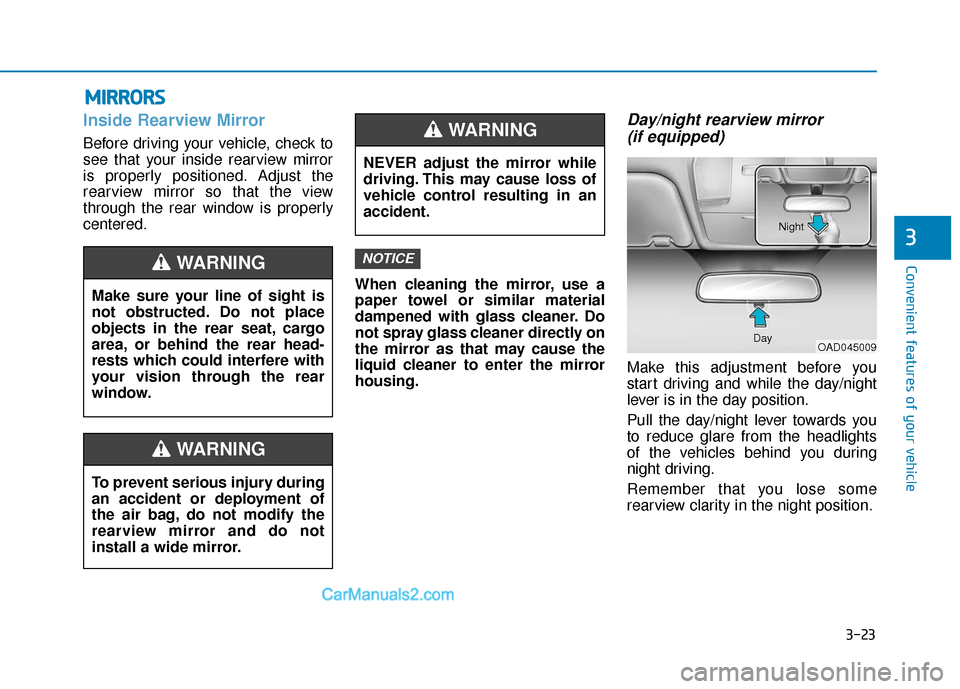
Day/night rearview mirror (if equipped)
Make this adjustment before you
start driving and while the day/night
lever is in the day position.
Pull the day/night lever towards you
to reduce glare from the headlights
of the vehicles behind you during
night driving.
Remember that you lose some
rearview clarity in the night position.
NOTICE
M M I
IR
R R
RO
O R
RS
S
Make sure your line of sight is
not obstructed. Do not place
objects in the rear seat, cargo
area, or behind the rear head-
rests which could interfere with
your vision through the rear
window.
WARNING
NEVER adjust the mirror while
driving. This may cause loss of
vehicle control resulting in an
accident.
WARNING
To prevent serious injury during
an accident or deployment of
the air bag, do not modify the
rearview mirror and do not
install a wide mirror.
WARNING
OAD045009
Day Night