Electronic control Hyundai Elantra 2020 User Guide
[x] Cancel search | Manufacturer: HYUNDAI, Model Year: 2020, Model line: Elantra, Model: Hyundai Elantra 2020Pages: 535, PDF Size: 16.8 MB
Page 311 of 535
5-75
Driving your vehicle
5
Information
If you change the warning timing, the
warning time of other systems may
change. Always be aware before
changing the warning timing.
Prerequisite for activation
The FCA system is on and ready
when 'Active Assist' or 'Warning
Only' under Forward Safety is select-
ed in the LCD display and when the
following prerequisites are satisfied:
- The ESC (Electronic StabilityControl) is on.
- Driving speed exceeds approxi- mately 6mph (10 km/h) (The FCA
is only activated within a certain
speed range.).
- The system detects a vehicle in front, which may collide with your
vehicle. (The FCA may not be acti-
vated or may sound a warning
alarm in accordance with the driv-
ing situation or vehicle condition.)
FCA Warning Message and
Brake Control
FCA produces warning messages,
warning alarms, and emergency
braking based on the level of risk of
a frontal collision, such as when a
vehicle ahead suddenly brakes.
i
FCA automatically activates
upon placing the ignition
switch to the ON position. The
driver can deactivate FCA by
canceling the system setting
in the cluster LCD display. To
avoid driver distractions, do
not attempt to set or cancel
the FCA while driving the
vehicle.
FCA automatically deacti-
vates upon canceling ESC.
When ESC is canceled, FCA
cannot be activated in the
cluster LCD display. The FCA
warning light will illuminate
which is normal.
WARNING
Page 315 of 535
5-79
Driving your vehicle
5
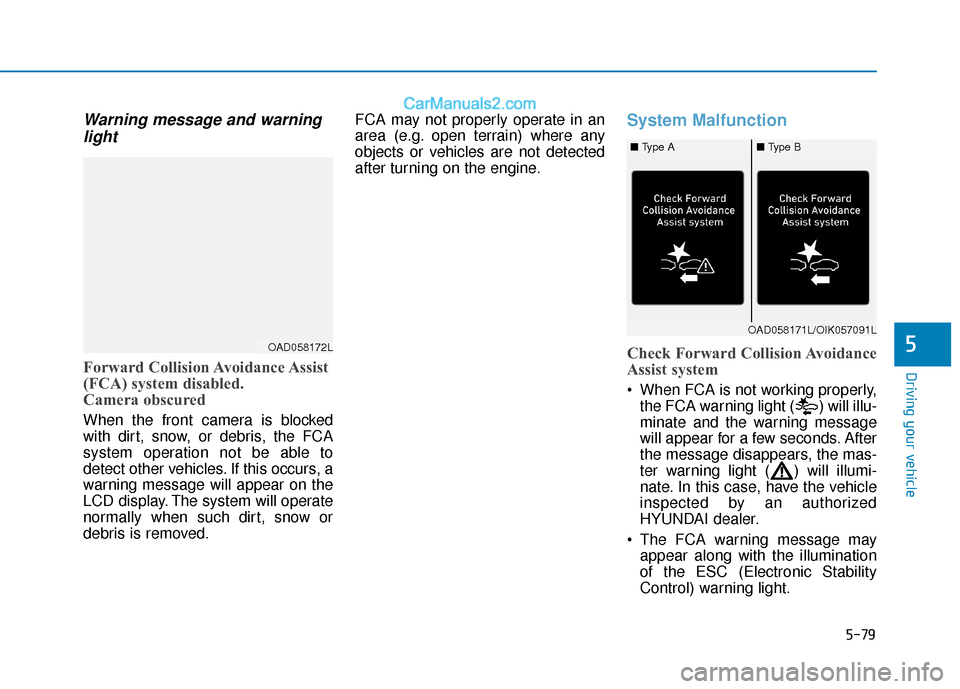
Warning message and warninglight
Forward Collision Avoidance Assist
(FCA) system disabled.
Camera obscured
When the front camera is blocked
with dirt, snow, or debris, the FCA
system operation not be able to
detect other vehicles. If this occurs, a
warning message will appear on the
LCD display. The system will operate
normally when such dirt, snow or
debris is removed. FCA may not properly operate in an
area (e.g. open terrain) where any
objects or vehicles are not detected
after turning on the engine.
System Malfunction
Check Forward Collision Avoidance
Assist system
When FCA is not working properly,
the FCA warning light ( ) will illu-
minate and the warning message
will appear for a few seconds. After
the message disappears, the mas-
ter warning light ( ) will illumi-
nate. In this case, have the vehicle
inspected by an authorized
HYUNDAI dealer.
The FCA warning message may appear along with the illumination
of the ESC (Electronic Stability
Control) warning light.
OAD058172L
OAD058171L/OIK057091L
■ Type A■ Type B
Page 323 of 535
5-87
Driving your vehicle
5
- If you select "Warning Only", theFCA system activates and pro-
duces only warning alarms in
accordance with the collision risk
levels. Braking assist will not be
applied in this setting.
- If you select "Off", the FCA sys- tem deactivates,
The warning light illu-
minates on the LCD
display, when you can-
cel the FCA system.
The driver can monitor the FCA
ON/OFF status on the LCD display.
Also, the warning light illuminates
when the ESC (Electronic Stability
Control) is turned off. If the warning
light remains ON when the FCA is
activated, have the system
checked by an authorized
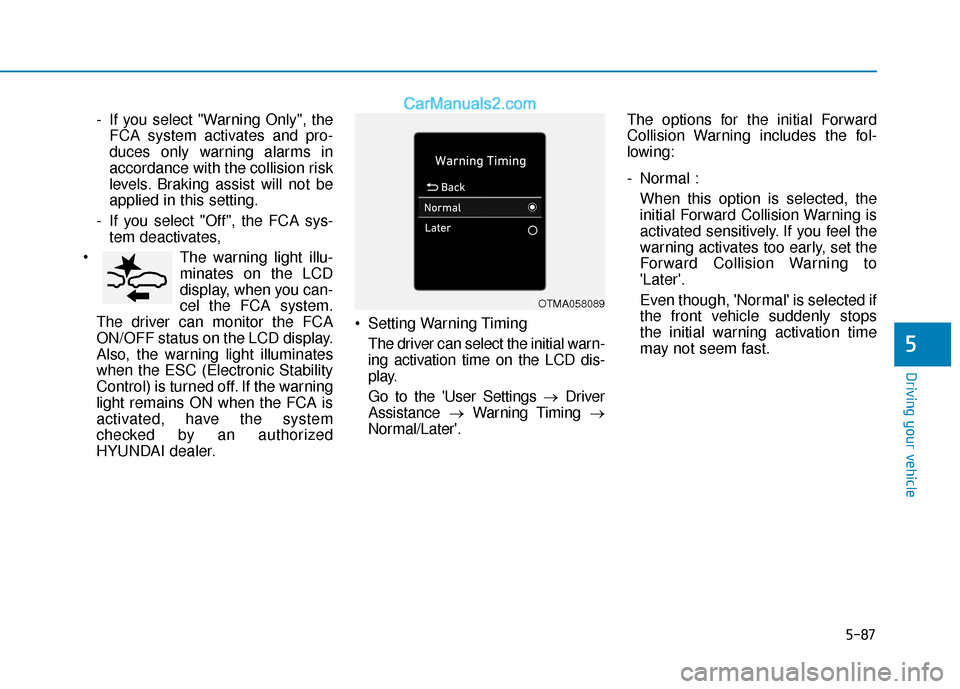
HYUNDAI dealer. Setting Warning Timing
The driver can select the initial warn-
ing activation time on the LCD dis-
play.
Go to the 'User Settings → Driver
Assistance →Warning Timing →
Normal/Later'. The options for the initial Forward
Collision Warning includes the fol-
lowing:
- Normal :
When this option is selected, the
initial Forward Collision Warning is
activated sensitively. If you feel the
warning activates too early, set the
Forward Collision Warning to
'Later'.
Even though, 'Normal' is selected if
the front vehicle suddenly stops
the initial warning activation time
may not seem fast.
OTMA058089
Page 324 of 535
5-88
Driving your vehicle
- Later : When this option is selected, the
initial Forward Collision Warning is
activated later than normal. This
setting reduces the amount of dis-
tance between the vehicle or
pedestrian ahead before the initial
warning occurs.
Select 'Later' when traffic is light
and when driving speed is slow.
Information
If you change the warning timing, the
warning time of other systems may
change. Always be aware before
changing the warning timing.
Prerequisite for activation
The FCA system is on and ready
when 'Active Assist' or 'Warning
Only' under Forward Safety is select-
ed in the LCD display and when the
following prerequisites are satisfied:
- The ESC (Electronic StabilityControl) is on.
- Driving speed exceeds approxi- mately 6 mph (10 km/h) (The FCA
is only activated within a certain
speed range.).
- The system detects a pedestrian or a vehicle in front, which may col-
lide with your vehicle. (The FCA
may not be activated or may sound
a warning alarm in accordance
with the driving situation or vehicle
condition.)
- If you select "Warning only", the FCA system activates and pro-
duces only warning alarms in
accordance with the collision risk
levels. (The FCA system may not
operate properly depending on the
frontal situation, the direction of
pedestrian or cyclist (if equipped)
and speed.)
i
FCA automatically activates
upon placing the ignition
switch to the ON position. The
driver can deactivate FCA by
canceling the system setting
in the cluster LCD display. To
avoid driver distractions, do
not attempt to set or cancel
the FCA while driving the
vehicle.
FCA automatically deacti-
vates upon canceling ESC.
When ESC is canceled, FCA
cannot be activated in the
cluster LCD display. The FCA
warning light will illuminate
which is normal.
WARNING
Page 328 of 535
5-92
Driving your vehicle
If the sensor is forcibly moved out of proper alignment, the FCA
system may not operate correct-
ly. In this case, a warning mes-
sage may not be displayed. Have
the vehicle inspected by an
authorized HYUNDAI dealer.
Information
Have the system checked by an
authorized HYUNDAI dealer when:
• The windshield glass is replaced.
• The radar sensor or cover gets dam-aged or replaced.
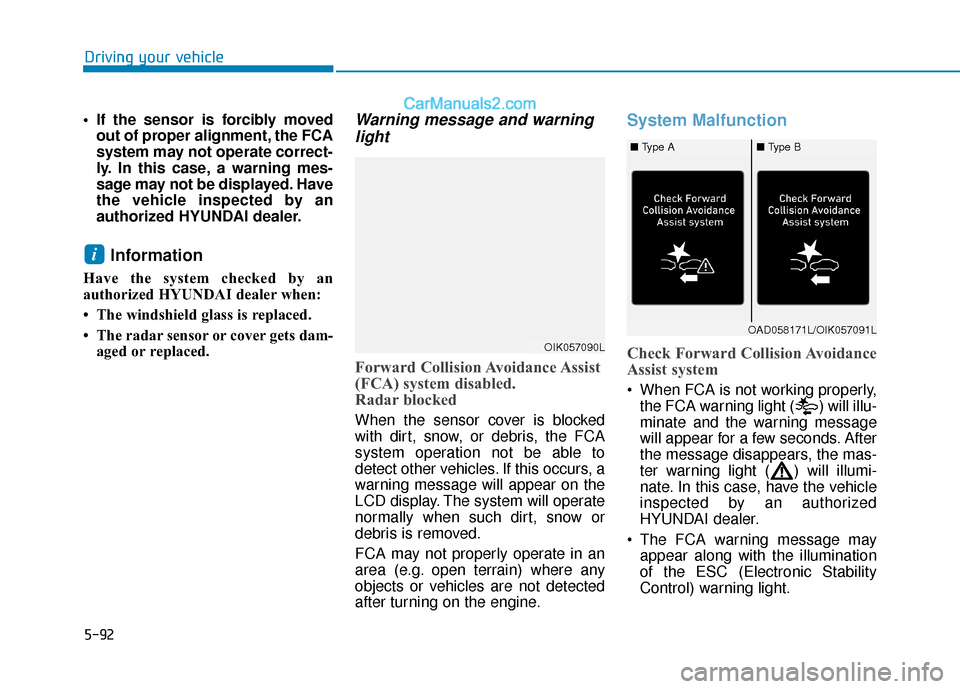
Warning message and warninglight
Forward Collision Avoidance Assist
(FCA) system disabled.
Radar blocked
When the sensor cover is blocked
with dirt, snow, or debris, the FCA
system operation not be able to
detect other vehicles. If this occurs, a
warning message will appear on the
LCD display. The system will operate
normally when such dirt, snow or
debris is removed.
FCA may not properly operate in an
area (e.g. open terrain) where any
objects or vehicles are not detected
after turning on the engine.
System Malfunction
Check Forward Collision Avoidance
Assist system
When FCA is not working properly,
the FCA warning light ( ) will illu-
minate and the warning message
will appear for a few seconds. After
the message disappears, the mas-
ter warning light ( ) will illumi-
nate. In this case, have the vehicle
inspected by an authorized
HYUNDAI dealer.
The FCA warning message may appear along with the illumination
of the ESC (Electronic Stability
Control) warning light.
i
OIK057090L
OAD058171L/OIK057091L
■ Type A■ Type B
Page 341 of 535
5-105
Driving your vehicle
5
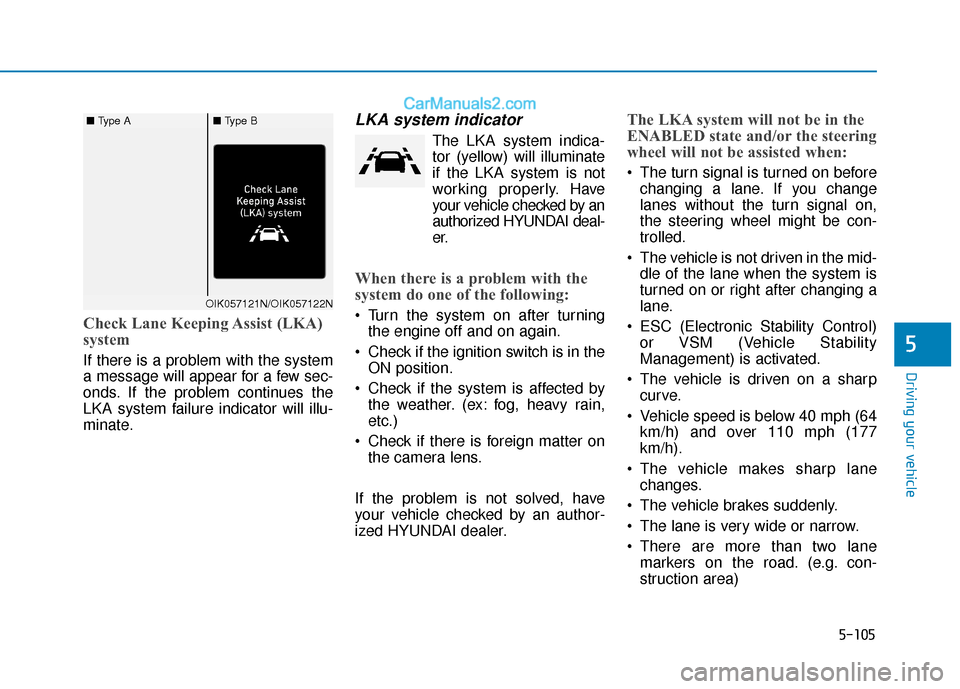
Check Lane Keeping Assist (LKA)
system
If there is a problem with the system
a message will appear for a few sec-
onds. If the problem continues the
LKA system failure indicator will illu-
minate.
LKA system indicator
The LKA system indica-tor (yellow) will illuminate
if the LKA system is not
working properly. Have
your vehicle checked by an
authorized HYUNDAI deal-
er.
When there is a problem with the
system do one of the following:
Turn the system on after turning the engine off and on again.
Check if the ignition switch is in the ON position.
Check if the system is affected by the weather. (ex: fog, heavy rain,
etc.)
Check if there is foreign matter on the camera lens.
If the problem is not solved, have
your vehicle checked by an author-
ized HYUNDAI dealer.
The LKA system will not be in the
ENABLED state and/or the steering
wheel will not be assisted when:
The turn signal is turned on before changing a lane. If you change
lanes without the turn signal on,
the steering wheel might be con-
trolled.
The vehicle is not driven in the mid- dle of the lane when the system is
turned on or right after changing a
lane.
ESC (Electronic Stability Control) or VSM (Vehicle Stability
Management) is activated.
The vehicle is driven on a sharp curve.
Vehicle speed is below 40 mph (64 km/h) and over 110 mph (177
km/h).
The vehicle makes sharp lane changes.
The vehicle brakes suddenly.
The lane is very wide or narrow.
There are more than two lane markers on the road. (e.g. con-
struction area)
OIK057121N/OIK057122N
■ Type A■ Type B
Page 352 of 535
5-116
Driving your vehicle
Cruise Control will be canceledwhen:
Depressing the brake pedal.
Depressing the clutch pedal.
(for manual transmission vehicle)
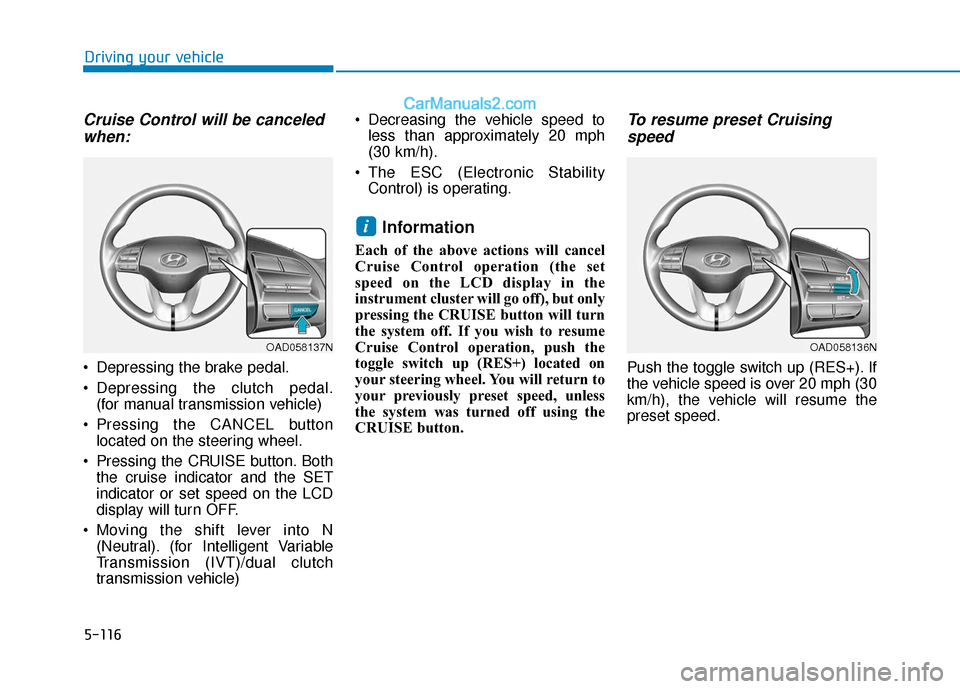
Pressing the CANCEL button located on the steering wheel.
Pressing the CRUISE button. Both the cruise indicator and the SET
indicator or set speed on the LCD
display will turn OFF.
Moving the shift lever into N (Neutral). (for Intelligent Variable
Transmission (IVT)/dual clutch
transmission vehicle) Decreasing the vehicle speed to
less than approximately 20 mph
(30 km/h).
The ESC (Electronic Stability Control) is operating.
Information
Each of the above actions will cancel
Cruise Control operation (the set
speed on the LCD display in the
instrument cluster will go off), but only
pressing the CRUISE button will turn
the system off. If you wish to resume
Cruise Control operation, push the
toggle switch up (RES+) located on
your steering wheel. You will return to
your previously preset speed, unless
the system was turned off using the
CRUISE button.
To resume preset Cruisingspeed
Push the toggle switch up (RES+). If
the vehicle speed is over 20 mph (30
km/h), the vehicle will resume the
preset speed.
i
OAD058137NOAD058136N
Page 358 of 535
5-122
Driving your vehicle
To temporarily accelerate withthe Smart Cruise Control on
If you want to speed up temporarily
when the Smart Cruise Control is on,
depress the accelerator pedal.
Increased speed will not interfere
with Smart Cruise Control operation
or change the set speed.
To return to the set speed, take your
foot off the accelerator pedal.
If you push the toggle switch down
(SET-) at increased speed, the cruis-
ing speed will be set again pedal.
Smart Cruise Control set speedwill be temporarily canceledwhen:
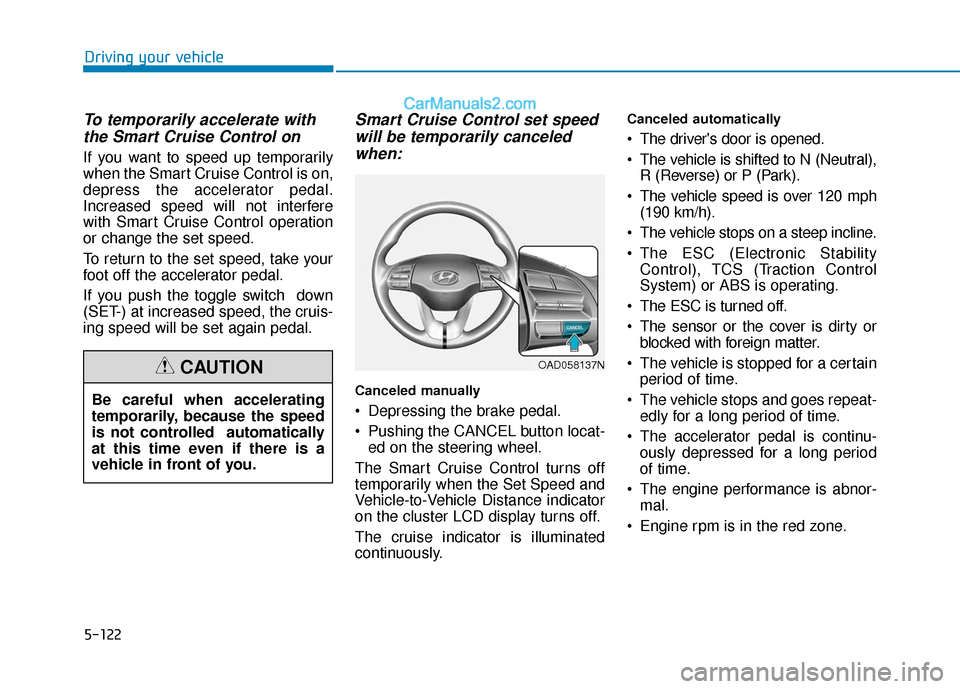
Canceled manually
Depressing the brake pedal.
Pushing the CANCEL button locat-
ed on the steering wheel.
The Smart Cruise Control turns off
temporarily when the Set Speed and
Vehicle-to-Vehicle Distance indicator
on the cluster LCD display turns off.
The cruise indicator is illuminated
continuously.
Canceled automatically
The driver's door is opened.
The vehicle is shifted to N (Neutral), R (Reverse) or P (Park).
The vehicle speed is over 120 mph (190 km/h).
The vehicle stops on a steep incline.
The ESC (Electronic Stability Control), TCS (Traction Control
System) or ABS is operating.
The ESC is turned off.
The sensor or the cover is dirty or blocked with foreign matter.
The vehicle is stopped for a certain period of time.
The vehicle stops and goes repeat- edly for a long period of time.
The accelerator pedal is continu- ously depressed for a long period
of time.
The engine performance is abnor- mal.
Engine rpm is in the red zone.
OAD058137N
Be careful when accelerating
temporarily, because the speed
is not controlled automatically
at this time even if there is a
vehicle in front of you.
CAUTION
Page 359 of 535
5-123
Driving your vehicle
5
The driver starts driving by pushingthe toggle switch up (RES+)/down
(SET-) or depressing the accelera-
tor pedal, after stopping the vehicle
with a vehicle stopped far away in
front.
The Forward Collision-Avoidance Assist (FCA) is activated.
The engine is stopped by ISG (Idle Stop and Go) system (if equipped).
Each of these actions will cancel the
Smart Cruise Control operation. The
Set Speed and Vehicle-to-Vehicle
Distance on the cluster LCD display
will go off.
In a condition the Smart Cruise
Control is cancelled automatically,
the Smart Cruise Control will not
resume even though the RES+ or
SET- toggle switch is pushed.
Also, if the Smart Cruise Control is
canceled automatically while the
vehicle is at a standstill, EPB
(Electronic Parking Brake) will be
applied.Information
If the Smart Cruise Control is can-
celed during a situation that is not
described, have the system checked by
an authorized HYUNDAI dealer.
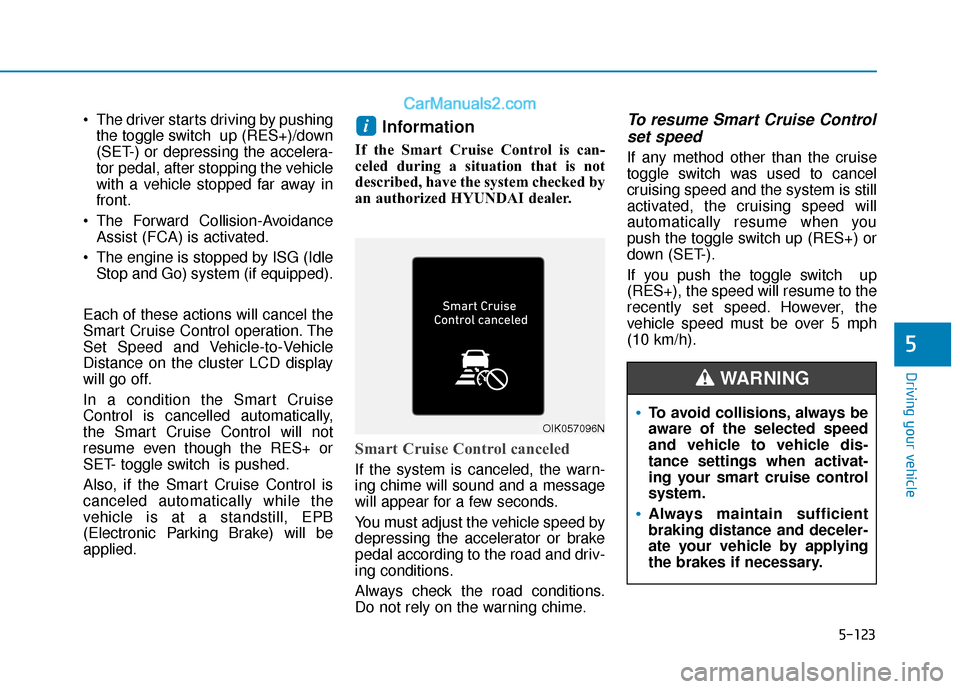
Smart Cruise Control canceled
If the system is canceled, the warn-
ing chime will sound and a message
will appear for a few seconds.
You must adjust the vehicle speed by
depressing the accelerator or brake
pedal according to the road and driv-
ing conditions.
Always check the road conditions.
Do not rely on the warning chime.
To resume Smart Cruise Control set speed
If any method other than the cruise
toggle switch was used to cancel
cruising speed and the system is still
activated, the cruising speed will
automatically resume when you
push the toggle switch up (RES+) or
down (SET-).
If you push the toggle switch up
(RES+), the speed will resume to the
recently set speed. However, the
vehicle speed must be over 5 mph
(10 km/h).
i
OIK057096NTo avoid collisions, always be
aware of the selected speed
and vehicle to vehicle dis-
tance settings when activat-
ing your smart cruise control
system.
Always maintain sufficient
braking distance and deceler-
ate your vehicle by applying
the brakes if necessary.
WARNING
Page 505 of 535
7-83
7
Maintenance
The emission control system of your
vehicle is covered by a written limited
warranty. Please see the warranty
information contained in the Owner’s
Handbook & Warranty Information
booklet in your vehicle.
Your vehicle is equipped with an
emission control system to meet all
applicable emission regulations.
There are three emission control
systems, as follows.
(1) Crankcase emission control sys-tem
(2) Evaporative emission control sys- tem
(3) Exhaust emission control system
In order to assure the proper function
of the emission control systems, it is
recommended that you have your
vehicle inspected and maintained by
an authorized HYUNDAI dealer in
accordance with the maintenance
schedule in this manual. For the Inspection and
Maintenance Test (With Electronic
Stability Control (ESC) system)
To prevent the vehicle from mis-
firing during dynamometer test-
ing, turn the Electronic Stability
Control (ESC) system off by
pressing the ESC switch (ESC
OFF light illuminated).
After dynamometer testing is completed, turn the ESC system
back on by pressing the ESC
switch again.1. Crankcase Emission Control System
The positive crankcase ventilation
system is employed to prevent air
pollution caused by blow-by gases
being emitted from the crankcase.
This system supplies fresh filtered air
to the crankcase through the air
intake hose. Inside the crankcase,
the fresh air mixes with blow-by
gases, which then pass through the
PCV valve into the induction system.
2. Evaporative Emission ControlSystem Including Onboard
Refueling Vapor Recovery
(ORVR)
The Evaporative Emission Control
System is designed to prevent fuel
vapors from escaping into the atmos-
phere. The ORVR system is
designed to allow the vapors from
the fuel tank to be loaded into a can-
ister while refueling at the gas sta-
tion, preventing the escape of fuel
vapors into the atmosphere.
NOTICE
E EM
M I
IS
S S
SI
IO
O N
N
C
C O
O N
NT
TR
R O
O L
L
S
S Y
Y S
ST
T E
EM
M