sensor HYUNDAI ELANTRA 2021 Owner's Manual
[x] Cancel search | Manufacturer: HYUNDAI, Model Year: 2021, Model line: ELANTRA, Model: HYUNDAI ELANTRA 2021Pages: 570, PDF Size: 52.21 MB
Page 243 of 570
05
5-107
Auto defogging system (only
for automatic climate control
system, if equipped)
OCN7050061
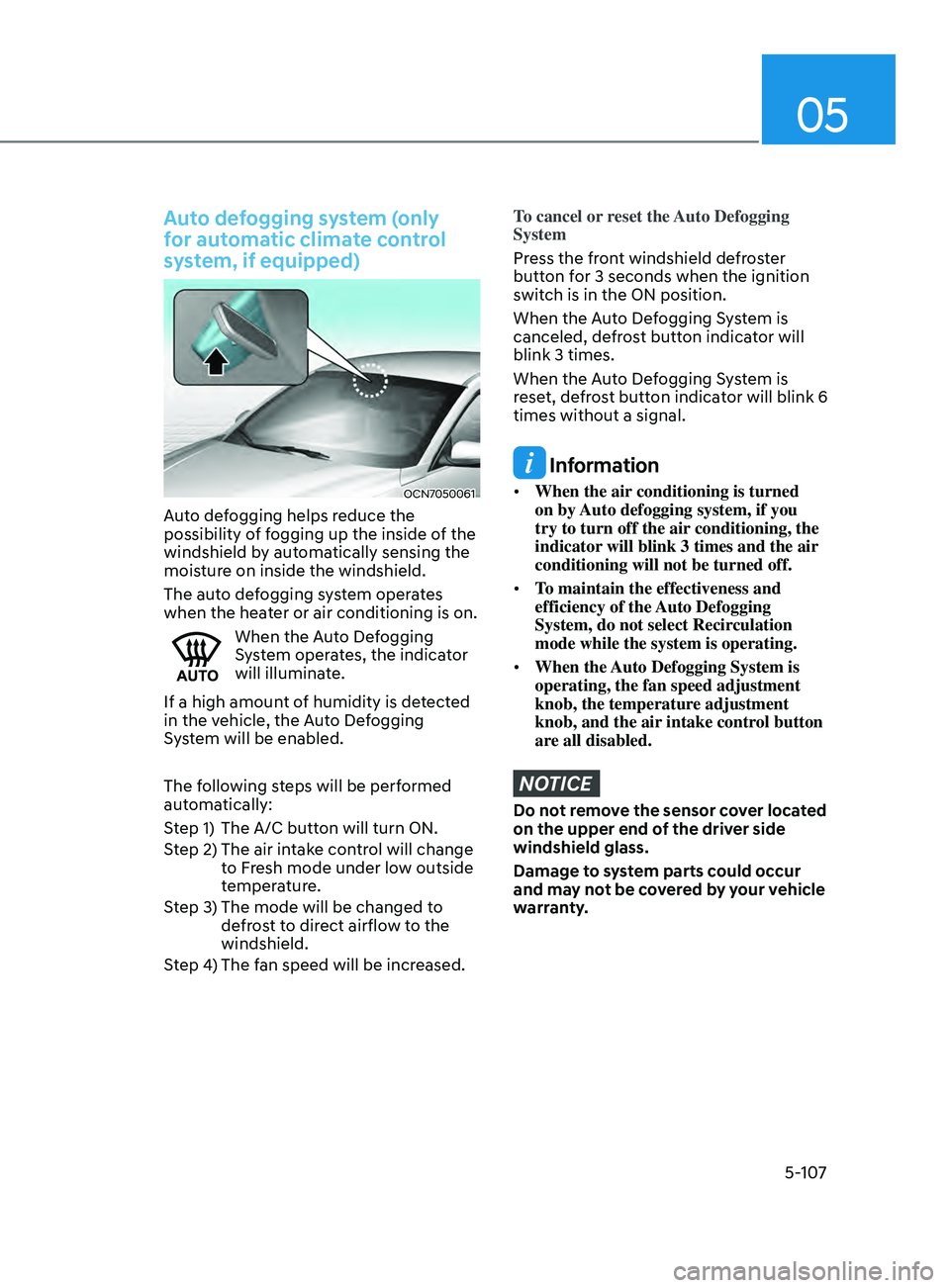
Auto defogging helps reduce the
possibility of fogging up the inside of the
windshield by automatically sensing the
moisture on inside the windshield.
The auto defogging system operates
when the heater or air conditioning is on.
When the Auto Defogging
System operates, the indicator
will illuminate.
If a high amount of humidity is detected
in the vehicle, the Auto Defogging
System will be enabled.
The following steps will be performed
automatically:
Step 1) The A/C button will turn ON.
Step 2) The air intake control will change to Fresh mode under low outside
temperature.
Step 3) The mode will be changed to defrost to direct airflow to the
windshield.
Step 4) The fan speed will be increased.
To cancel or reset the Auto Defogging
System
Press the front windshield defroster
button for 3 seconds when the ignition
switch is in the ON position.
When the Auto Defogging System is
canceled, defrost button indicator will
blink 3 times.
When the Auto Defogging System is
reset, defrost button indicator will blink 6
times without a signal.
Information
• When the air conditioning is turned
on by Auto defogging system, if you
try to turn off the air conditioning, the
indicator will blink 3 times and the air
conditioning will not be turned off.
• To maintain the effectiveness and
efficiency of the Auto Defogging
System, do not select Recirculation
mode while the system is operating.
• When the Auto Defogging System is
operating, the fan speed adjustment
knob, the temperature adjustment
knob, and the air intake control button
are all disabled.
NOTICE
Do not remove the sensor cover located
on the upper end of the driver side
windshield glass.
Damage to system parts could occur
and may not be covered by your vehicle
warranty.
Page 260 of 570

6
6. While Driving
Before Driving ........................................................................\
........................6-4Before Entering the Vehicle ........................................................................\
.............6-4
Bef ore Starting ........................................................................\
................................. 6-4
Ignition Switch ........................................................................\
.......................6-5Key Ignition Switch ........................................................................\
.......................... 6-5
Engine S tart/Stop Button ........................................................................\
................ 6-8
Intelligent variable transmission ..................................................................6-12Intelligent variable transmission operation ...........................................................6-12
P arking ........................................................................\
............................................. 6-
17
Good driving practices
........................................................................\
.................... 6-
18
Brake System ........................................................................\
........................6-19Power Brakes ........................................................................\
...................................6-19
Disc Brak es Wear Indicator........................................................................\
.............6-19
Parking brake
........................................................................\
.................................. 6-
20
Electronic Parking Brake (EPB)
........................................................................\
..... 6-22
A
uto Hold
........................................................................\
.....................................
...6-26
Anti-lock Brake System (ABS) ..................................................................... 6-29Electronic Stability Control (ESC) ........................................................................\
.. 6-31
V ehicle Stability Management (VSM) .................................................................. 6-
33
Hill-Start Assist Control (HAC)
........................................................................\
....... 6-
34
Good Braking Practices
........................................................................\
................. 6-
34
ISG (Idle Stop and Go) system..................................................................... 6-35To Activate the ISG System ........................................................................\
............6-35
T o Deactivate the ISG System ........................................................................\
....... 6-37
ISG System Malfunction
........................................................................\
................ 6-
37
Battery Sensor Deactivation
........................................................................\
.......... 6-
38
Drive Mode Integrated Control System ......................................................6-39Drive Mode ........................................................................\
..................................... 6-39
Smart shift on trip comput er ........................................................................\
......... 6-42
Special Driving Conditions ........................................................................\
..6-43Hazardous Driving Conditions ........................................................................\
...... 6-43
Rocking the V ehicle ........................................................................\
....................... 6-43
Smoo
th Cornering
........................................................................\
.......................... 6-44
Driving a
t Night
........................................................................\
.............................. 6-44
Driving in the Rain ........................................................................\
.......................... 6-44
Driving in Flooded Ar
eas
........................................................................\
................ 6-45
High
way Driving
........................................................................\
............................. 6-45
Page 294 of 570
06
6-35
The Idle Stop and Go (ISG) system
automatically and temporarily shuts
down the engine when the vehicle is
stopped and idling to help improve
fuel efficiency and reduce exhaust gas
emissions. (i.e. red stop light, stop sign,
and traffic jam).
The engine is automatically started upon
satisfying the starting conditions.
The ISG system is always active, when
the engine is running.
Information
When the engine is automatically started
by the ISG system, some warning
lights (i.e. ABS, ESC, ESC OFF, EPS,
and parking brake warning light) may
illuminate for a few seconds due to the
low battery voltage. However, it does
not indicate a malfunction with the ISG
system.
To Activate the ISG System
Prerequisite for activation
The ISG system operates in the following
situations.
• The driver's seatbelt is fastened
• The driver's door and hood are closed
• The brake vacuum pressure is
adequate
• The battery sensor is activated and
the battery is sufficiently charged
• Outside temperature is not too low or
too high
• The vehicle is driven over a constant
speed and stops
• The climate control system satisfies
the conditions
• The vehicle is sufficiently warmed up
• The incline is gradual
• The steering wheel is turned less than
180 degrees and then the vehicle
stops
Information
If the ISG light (white) is turned on on the
instrument cluster and does not meet the
ISG system operating conditions, the ISG
system is not activated.
When the ISG light (yellow) is on while the
ISG system meets operating conditions, we
recommend that the system be inspected
by an authorized HYUNDAI dealer.
Auto stop
To stop the engine in idle stop mode
1.
Decrease the v
ehicle speed to 0 mph.
2.
Depress the br
ake pedal with the shift
button in D (Drive) or N (Neutral).
The auto stop indicator (
) illuminates
in green on the instrument cluster, when
the engine stops.
Information
The driving speed must reach at least 3
mph (5 km/h) after an idle stop to stop the
engine in idle stop mode again.
In auto stop mode, when the driver
opens the hood, the ISG system will be
deactivated.
Isg (Idle stop and go) s ystem (If e quIpped)
Page 296 of 570
06
6-37
OIK057086N
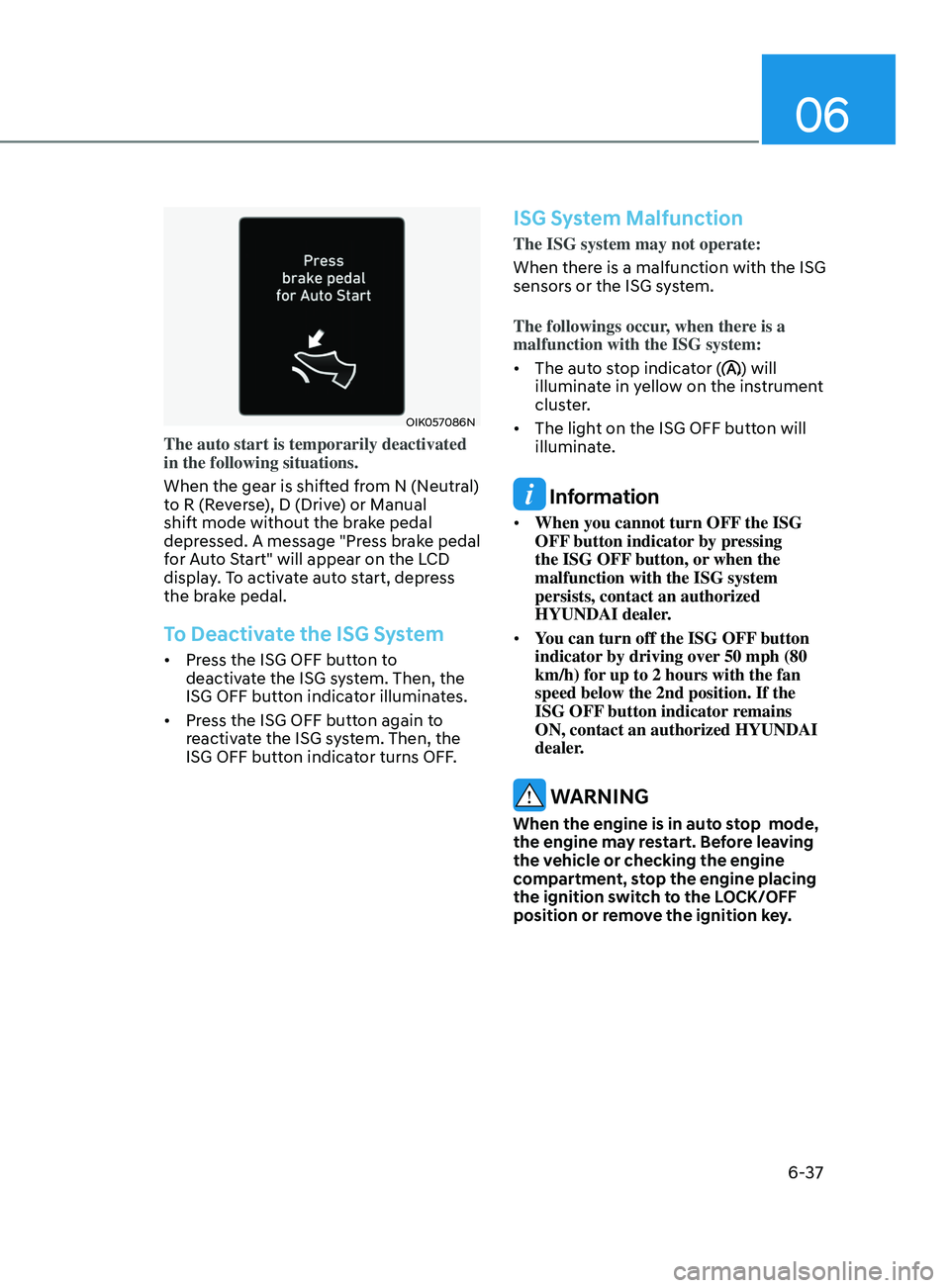
The auto start is temporarily deactivated
in the following situations.
When the gear is shifted from N (Neutral)
to R (Reverse), D (Drive) or Manual
shift mode without the brake pedal
depressed. A message "Press brake pedal
for Auto Start" will appear on the LCD
display. To activate auto start, depress
the brake pedal.
To Deactivate the ISG System
• Press the ISG OFF button to
deactivate the ISG system. Then, the
ISG OFF button indicator illuminates.
• Press the ISG OFF button again to
reactivate the ISG system. Then, the
ISG OFF button indicator turns OFF.
ISG System Malfunction
The ISG system may not operate:
When there is a malfunction with the ISG
sensors or the ISG system.
The followings occur, when there is a
malfunction with the ISG system:
• The auto stop indicator (
) will
illuminate in yellow on the instrument
cluster.
• The light on the ISG OFF button will
illuminate.
Information
• When you cannot turn OFF the ISG
OFF button indicator by pressing
the ISG OFF button, or when the
malfunction with the ISG system
persists, contact an authorized
HYUNDAI dealer.
• You can turn off the ISG OFF button
indicator by driving over 50 mph (80
km/h) for up to 2 hours with the fan
speed below the 2nd position. If the
ISG OFF button indicator remains
ON, contact an authorized HYUNDAI
dealer.
WARNING
When the engine is in auto stop mode,
the engine may restart. Before leaving
the vehicle or checking the engine
compartment, stop the engine placing
the ignition switch to the LOCK/OFF
position or remove the ignition key.
Page 297 of 570
![HYUNDAI ELANTRA 2021 Owners Manual 6-38
Battery Sensor Deactivation
OCN7060158N
[A] : Battery sensor
The battery sensor is deactivated, when
the battery is disconnected from the
negative pole for maintenance purpose.
In this case, t](/img/35/41160/w960_41160-296.png "HYUNDAI ELANTRA 2021 Owners Manual 6-38
Battery Sensor Deactivation
OCN7060158N
[A] : Battery sensor
The battery sensor is deactivated, when
the battery is disconnected from the
negative pole for maintenance purpose.
In this case, t")
6-38
Battery Sensor Deactivation
OCN7060158N
[A] : Battery sensor
The battery sensor is deactivated, when
the battery is disconnected from the
negative pole for maintenance purpose.
In this case, the ISG system is limitedly
operated due to the battery sensor
deactivation. Thus, the driver needs
to take the following procedures to
reactivate the battery sensor after
disconnecting the battery.
Prerequisites to reactivate the
battery sensor
Switch "ON" and "OFF" the ignition one
time. Park the vehicle for a minimum of 4
hours with the hood and all doors closed.
Pay extreme caution not to connect any
accessories (i.e. navigation and black
box) to the vehicle with the engine in the
OFF status. If not, the battery sensor may
not be reactivated.
Information
The ISG system may not operate in the
following situations.
-There is a malfunction with the ISG
system.
-The battery is weak.
-The brake vacuum pressur
e is low.
If this occurs, have the ISG system
checked by an authorized HYUNDAI
dealer.
NOTICE
• Use only a genuine HYUNDAI
Absorbent Glass Mat (AGM) battery
for replacement. If not, the ISG
system may not operate normally.
• Do not recharge the Absorbent Glass
Mat (AGM) battery with a general
battery charger. It may damage or
explode the Absorbent Glass Mat
(AGM) battery.
• Do not remove the battery cap. The
battery electrolyte, which is harmful
to the human body, may leak out.
While Driving
Page 314 of 570
Driving SafetyForward Collision–Avoidance Assist (FCA) (front view camera only) ....................7-2
F orward Collision–Avoidance Assist (FCA) (sensor fusion) ................................... 7
-14
Lane Keeping Assist (LKA)
........................................................................\
.............. 7
-30
Blind-Spot Collision Warning (BCW)
...................................................................... 7
-36
Blind-Spot Collision-Avoidance Assist (BCA)
........................................................ 7
-45
Safe Exit Warning (SEW)
........................................................................\
.................. 7
-58
Manual Speed Limit Assist (MSLA)
........................................................................\
. 7-63
In
telligent Speed Limit Assist (ISLA)
...................................................................... 7
-66
Driver Attention Warning (DAW)
........................................................................\
..... 7
-7 1
Driving ConvenienceCruise Control (CC) ........................................................................\
...........................7-7 7
Smart Cruise Control (SCC) ........................................................................\
............. 7
-81
Navigation-Based Smart Cruise Control (NSCC) ..................................................7-98
Lane Following Assist (LFA)
........................................................................\
........... 7
-105
Highway Driving Assist (HDA)
........................................................................\
....... 7
-109
Parking SafetyRear View Monitor (RVM) ........................................................................\
..............7- 116
Rear Cross-Traffic Collision Warning (RCCW) ...................................................... 7
-120
Rear Cross-Traffic Collision-Avoidance Assist (RCCA)
......................................... 7
-128
Reverse Parking Distance Warning (PDW)
........................................................... 7
-139
Reverse Parking Collision-Avoidance Assist (PCA)
.............................................. 7
-142
Declaration of Conformity
........................................................................\
.............. 7
-150
7. Driver assistance system
Driver assistance system
7
Page 315 of 570
Driver assistance system
7-2
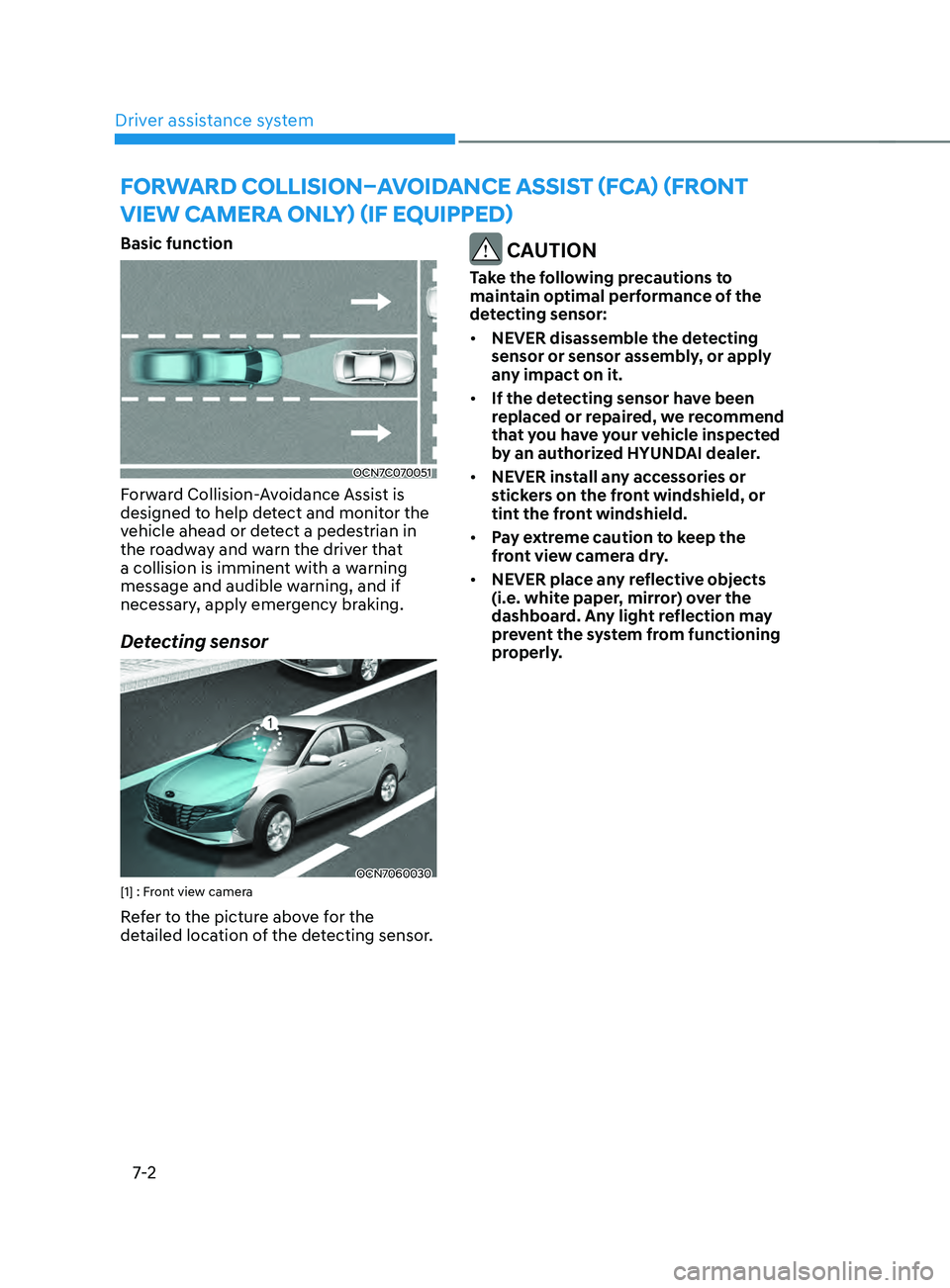
Basic function
OCN7C070051
Forward Collision-Avoidance Assist is
designed to help detect and monitor the
vehicle ahead or detect a pedestrian in
the roadway and warn the driver that
a collision is imminent with a warning
message and audible warning, and if
necessary, apply emergency braking.
Detecting sensor
OCN7060030[1] : Front view camera
Refer to the picture above for the
detailed location of the detecting sensor.
CAUTION
Take the following precautions to
maintain optimal performance of the
detecting sensor:
• NEVER disassemble the detecting
sensor or sensor assembly, or apply
any impact on it.
• If the detecting sensor have been
replaced or repaired, we recommend
that you have your vehicle inspected
by an authorized HYUNDAI dealer.
• NEVER install any accessories or
stickers on the front windshield, or
tint the front windshield.
• Pay extreme caution to keep the
front view camera dry.
• NEVER place any reflective objects
(i.e. white paper, mirror) over the
dashboard. Any light reflection may
prevent the system from functioning
properly.
Forward Collision–avoid anCe assist (F Ca) (Fr ont
view CaMera onlY) (iF e
quipped)
Page 321 of 570
Driver assistance system7-8
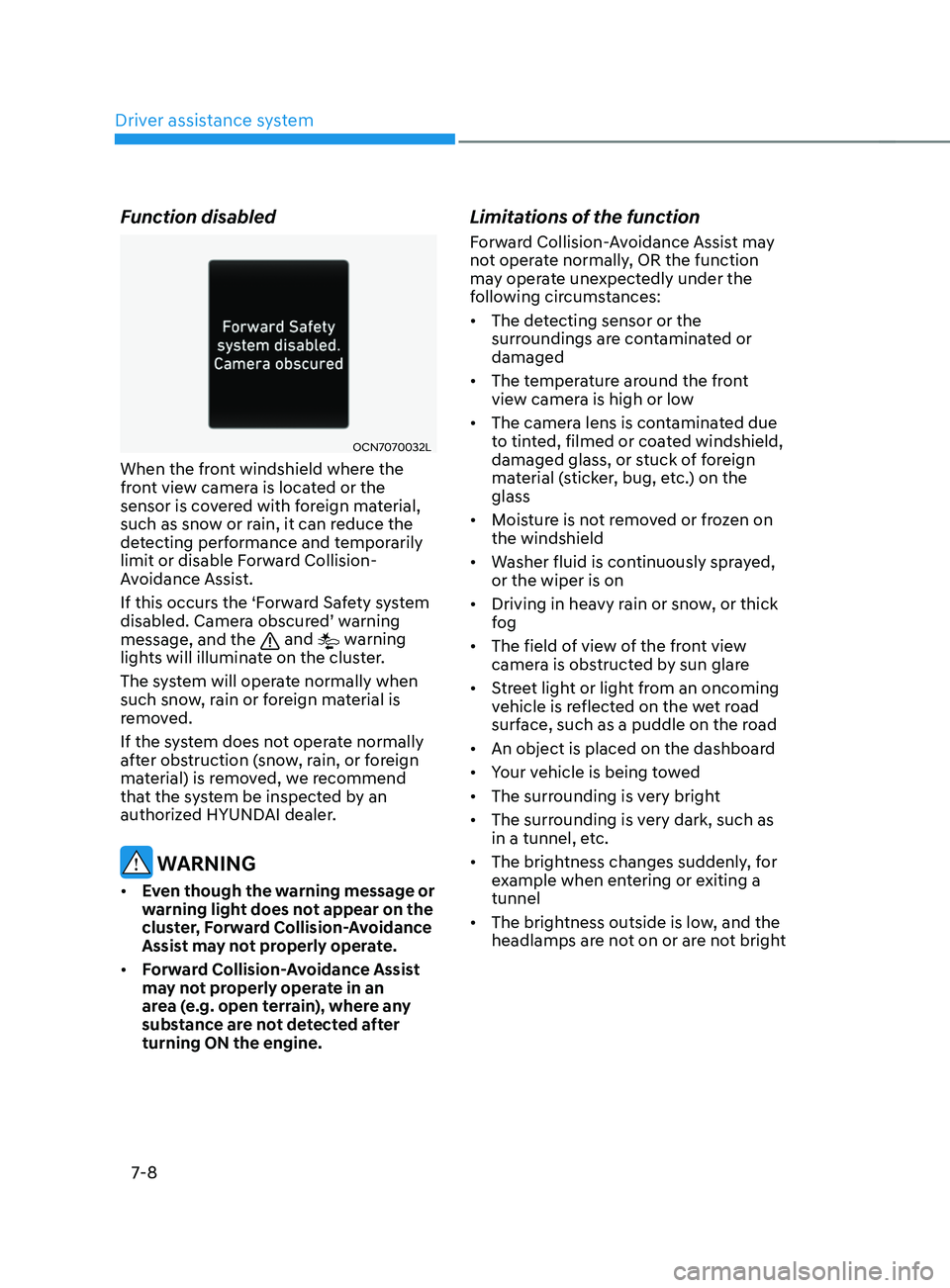
Function disabled
OCN7070032L
When the front windshield where the
front view camera is located or the
sensor is covered with foreign material,
such as snow or rain, it can reduce the
detecting performance and temporarily
limit or disable Forward Collision-
Avoidance Assist.
If this occurs the ‘Forward Safety system
disabled. Camera obscured’ warning
message, and the
and warning
lights will illuminate on the cluster.
The system will operate normally when
such snow, rain or foreign material is
removed.
If the system does not operate normally
after obstruction (snow, rain, or foreign
material) is removed, we recommend
that the system be inspected by an
authorized HYUNDAI dealer.
WARNING
• Even though the warning message or
warning light does not appear on the
cluster, Forward Collision-Avoidance
Assist may not properly operate.
• Forward Collision-Avoidance Assist
may not properly operate in an
area (e.g. open terrain), where any
substance are not detected after
turning ON the engine.
Limitations of the function
Forward Collision-Avoidance Assist may
not operate normally, OR the function
may operate unexpectedly under the
following circumstances:
• The detecting sensor or the
surroundings are contaminated or
damaged
• The temperature around the front
view camera is high or low
• The camera lens is contaminated due
to tinted, filmed or coated windshield,
damaged glass, or stuck of foreign
material (sticker, bug, etc.) on the
glass
• Moisture is not removed or frozen on
the windshield
• Washer fluid is continuously sprayed,
or the wiper is on
• Driving in heavy rain or snow, or thick
fog
• The field of view of the front view
camera is obstructed by sun glare
• Street light or light from an oncoming
vehicle is reflected on the wet road
surface, such as a puddle on the road
• An object is placed on the dashboard
• Your vehicle is being towed
• The surrounding is very bright
• The surrounding is very dark, such as
in a tunnel, etc.
• The brightness changes suddenly, for
example when entering or exiting a
tunnel
• The brightness outside is low, and the
headlamps are not on or are not bright
Page 323 of 570
Driver assistance system
7-10
• There is a group of pedestrians or a
large crowd in front
• The pedestrian is wearing clothing
that easily blends into the
background, making it difficult to
detect
• The pedestrian is difficult to
distinguish from the similar shaped
structure in the surroundings
• You are driving by a pedestrian,
traffic sign, structure, etc. near the
intersection
• Driving in a parking lot
• Driving through a tollgate,
construction area, unpaved road,
partial paved road, uneven road,
speed bumps, etc.
• Driving on an incline road, curved
road, etc.
• Driving through a roadside with trees
or streetlights
• The adverse road conditions cause
excessive vehicle vibrations while
driving
• Your vehicle height is low or high
due to heavy loads, abnormal tire
pressure, etc.
• Driving through a narrow road where
trees or grass or overgrown
• There is interference by
electromagnetic waves such as
driving in an area with strong radio
waves or electrical noise WARNING
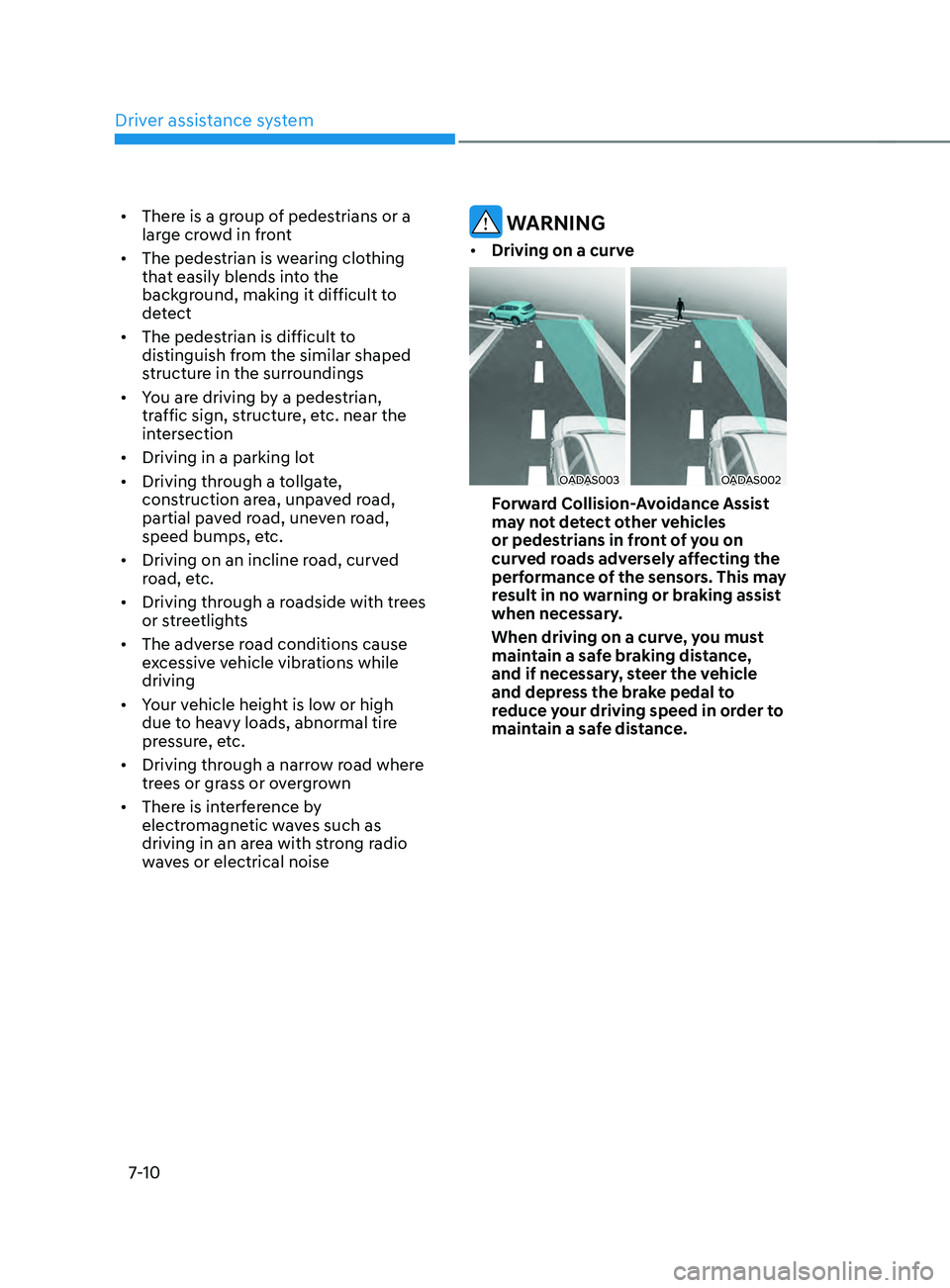
• Driving on a curve
OADAS003OADAS002
Forward Collision-Avoidance Assist
may not detect other vehicles
or pedestrians in front of you on
curved roads adversely affecting the
performance of the sensors. This may
result in no warning or braking assist
when necessary.
When driving on a curve, you must
maintain a safe braking distance,
and if necessary, steer the vehicle
and depress the brake pedal to
reduce your driving speed in order to
maintain a safe distance.
Page 324 of 570
07
7-11
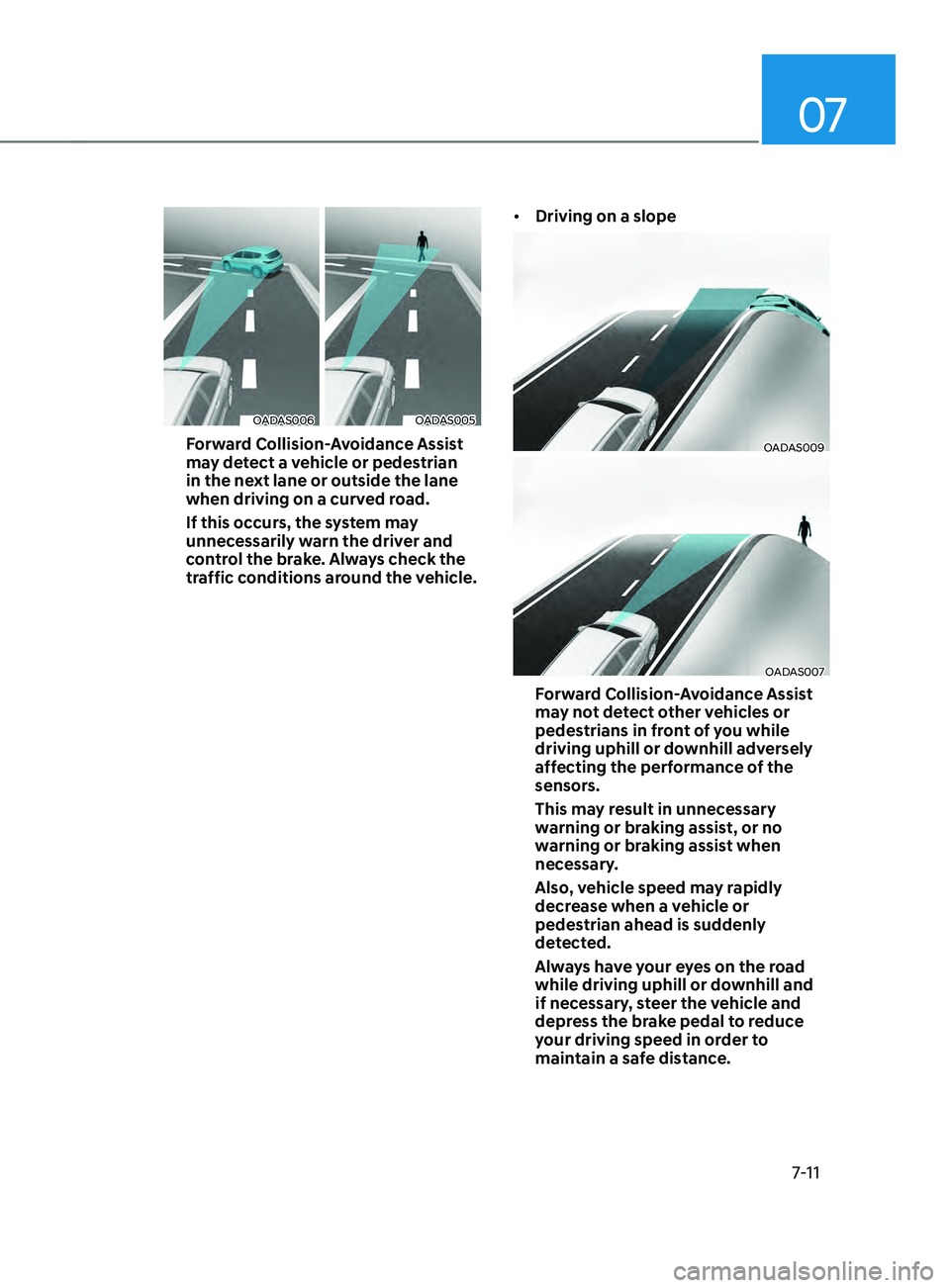
OADAS006OADAS005
Forward Collision-Avoidance Assist
may detect a vehicle or pedestrian
in the next lane or outside the lane
when driving on a curved road.
If this occurs, the system may
unnecessarily warn the driver and
control the brake. Always check the
traffic conditions around the vehicle.•
Driving on a slopeOADAS009
OADAS007
Forward Collision-Avoidance Assist
may not detect other vehicles or
pedestrians in front of you while
driving uphill or downhill adversely
affecting the performance of the
sensors.
This may result in unnecessary
warning or braking assist, or no
warning or braking assist when
necessary.
Also, vehicle speed may rapidly
decrease when a vehicle or
pedestrian ahead is suddenly
detected.
Always have your eyes on the road
while driving uphill or downhill and
if necessary, steer the vehicle and
depress the brake pedal to reduce
your driving speed in order to
maintain a safe distance.