air HYUNDAI ELANTRA 2021 Service Manual
[x] Cancel search | Manufacturer: HYUNDAI, Model Year: 2021, Model line: ELANTRA, Model: HYUNDAI ELANTRA 2021Pages: 570, PDF Size: 52.21 MB
Page 93 of 570
04
4 -7
WARNING
Running out of fuel can expose vehicle
occupants to danger.
You must stop and obtain additional
fuel as soon as possible after the
warning light comes on or when the
gauge indicator comes close to the "E
(Empty)" level.
NOTICE
Avoid driving with an extremely low
fuel level. Running out of fuel could
cause the engine to misfire and damage
the catalytic converter.
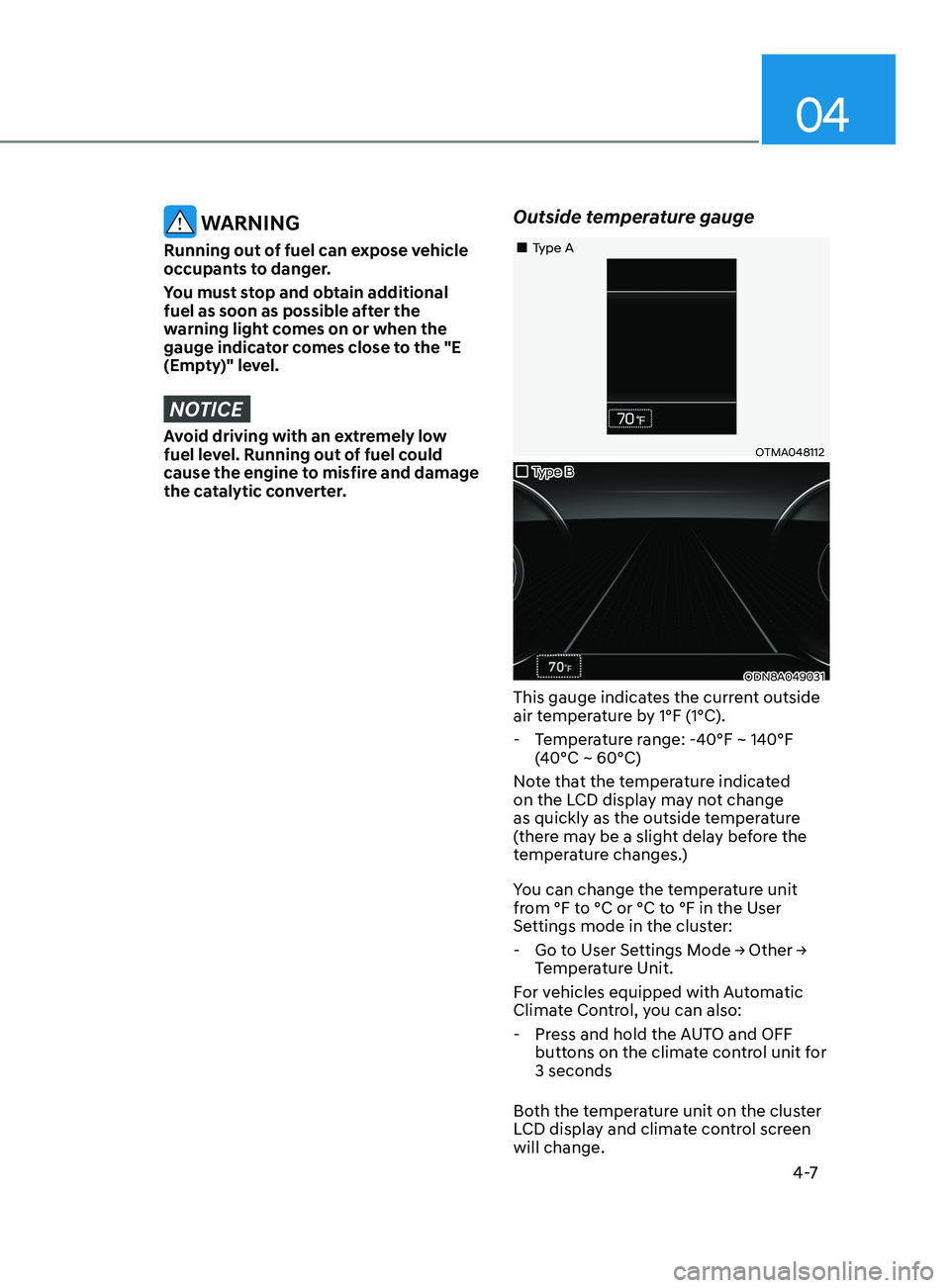
Outside temperature gauge
OTMA048112
ODN8A049031
„„Type B
„
„Type A
This gauge indicates the current outside
air temperature by 1°F (1°C).
- Temper
ature range: -40°F ~ 140°F
(40°C ~ 60°C)
Note that the temperature indicated
on the LCD display may not change
as quickly as the outside temperature
(there may be a slight delay before the
temperature changes.)
You can change the temperature unit
from °F to °C or °C to °F in the User
Settings mode in the cluster:
- Go t
o
U
ser
Se
ttings
M
ode
→ Other → Temper
ature Unit.
For vehicles equipped with Automatic
Climate Control, you can also:
- Press and hold the A
UTO and OFF
buttons on the climate control unit for
3 seconds
Both the temperature unit on the cluster
LCD display and climate control screen
will change.
Page 95 of 570
04
4-9
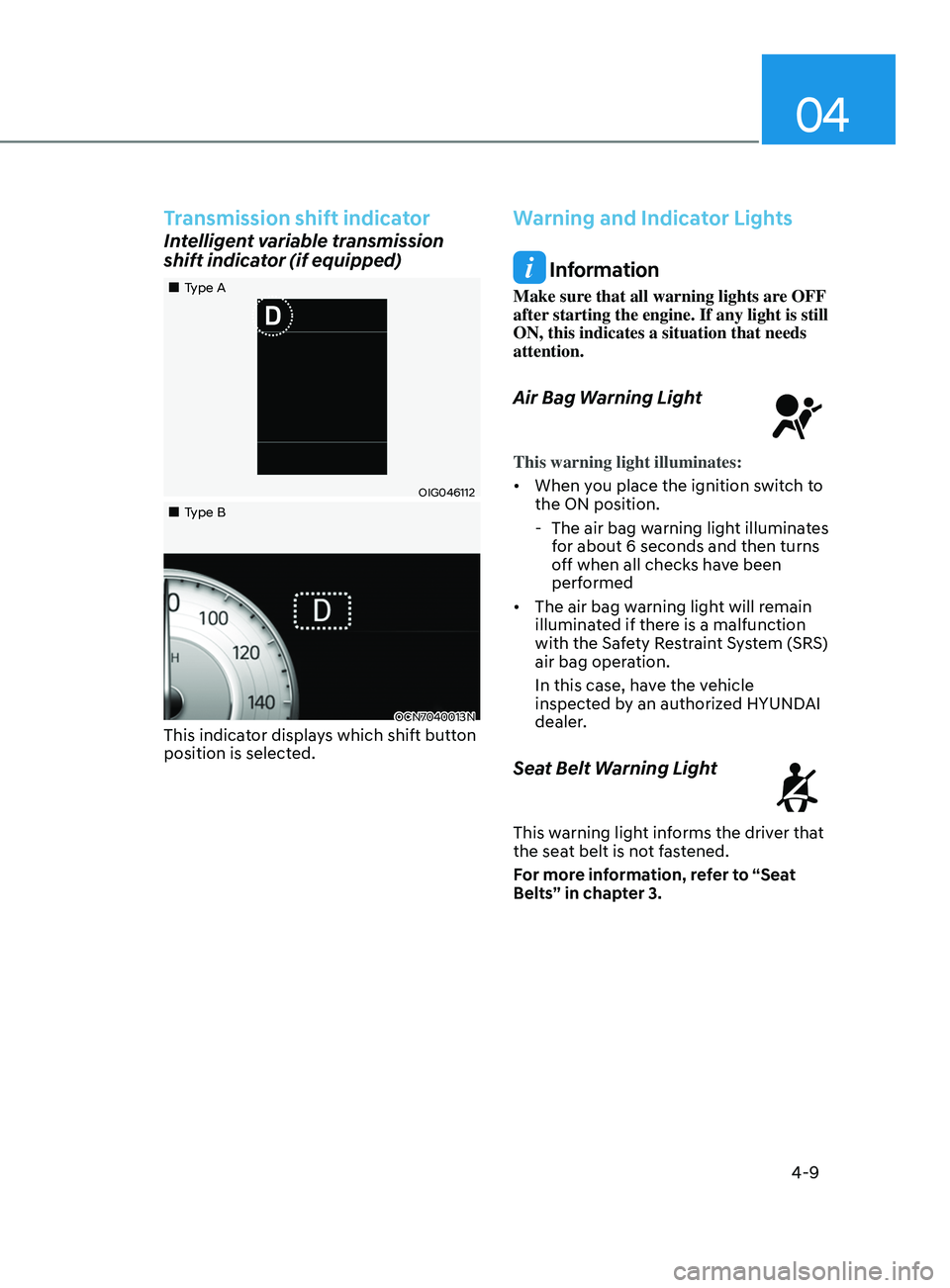
Transmission shift indicator
Intelligent variable transmission
shift indicator (if equipped)
OIG046112
OCN7040013N
„„Type A
„
„Type B
This indicator displays which shift button
position is selected.
Warning and Indicator Lights
Information
Make sure that all warning lights are OFF
after starting the engine. If any light is still
ON, this indicates a situation that needs
attention.
Air Bag Warning Light
This warning light illuminates:
• When you place the ignition switch to
the ON position.
- The air bag warning ligh
t illuminates
for about 6 seconds and then turns
off when all checks have been
performed
• The air bag warning light will remain
illuminated if there is a malfunction
with the Safety Restraint System (SRS)
air bag operation.
In this case, have the vehicle
inspected by an authorized HYUNDAI
dealer.
Seat Belt Warning Light
This warning light informs the driver that
the seat belt is not fastened.
For more information, refer to “Seat
Belts” in chapter 3.
Page 138 of 570
 ........................................................................\
.....5-72Detecting sensor (Front view camera) ......................................................")
5
High Beam Assist (HBA) ........................................................................\
.....5-72Detecting sensor (Front view camera) ...................................................................5-72
F unction settings ........................................................................\
............................. 5-
72
Function operation
........................................................................\
.......................... 5-
73
Function malfunction and limitations
.................................................................... 5-73
Interior Lights ........................................................................\
....................... 5-75Interior lamp AUTO cut ........................................................................\
...................5-75
F ront lamps ........................................................................\
..................................... .5-75
Rear lamp
........................................................................\
........................................ 5
-76
Luggage compartment lamp
........................................................................\
......... 5-
77
Vanity mirror lamp
........................................................................\
........................... 5-
77
Welcome system
........................................................................\
............................ 5-
78
Wipers and Washers ........................................................................\
............5-79Windshield Wipers ........................................................................\
......................... 5-79
Windshield W ashers ........................................................................\
....................... 5-80
Manual Climate Control System .................................................................5-81Heating and Air Conditioning ........................................................................\
........ 5-82
Sy stem operation ........................................................................\
........................... 5-88
S
ystem Maintenance
........................................................................\
..................... 5-90
Automatic Climate Control System ............................................................5-92Automatic heating and air conditioning ............................................................... 5-93
Manual heating and air conditioning .................................................................... 5-94
Sy
stem operation
........................................................................\
......................... 5-
100
System Maintenance
........................................................................\
.................... 5-
102
Windshield defrosting and defogging ......................................................5-104Manual climate control system ........................................................................\
... 5-104
A utomatic climate control system ....................................................................... 5-105
De
fogging logic
........................................................................\
........................... 5-
106
Auto defogging system (only for automatic climate control system)
............... 5-
107
Defroster
........................................................................\
....................................... 5-
108
Climate control additional features ..........................................................5-109Sunroof inside air recirculation ........................................................................\
... 5-109
A uto comfort control (for driver’s seat) .............................................................. 5-
109
Automatic ventilation
........................................................................\
................... 5-
109
Storage compartment ........................................................................\
........5-110Center console storage ........................................................................\
................. 5-110
Glo ve box ........................................................................\
....................................... 5-
110
Page 139 of 570

5
Interior Features ........................................................................\
...................5-111Cup Holder ........................................................................\
...................................... 5-111
Sun visor ........................................................................\
.......................................... 5-
112
Power Outlet
........................................................................\
................................... 5-
112
USB Charger
........................................................................\
................................... 5-
113
Wireless Cellular Phone Charging System
.......................................................... 5-
114
Clock
........................................................................\
.............................................. 5-
116
Clothes Hanger
........................................................................\
.............................. 5-
116
Infotainment System ........................................................................\
...........5-117USB Port ........................................................................\
.......................................... 5-117
An tenna ........................................................................\
..................................... .....5-118
Steering wheel audio control
........................................................................\
....... 5-
119
Infotainment system
........................................................................\
..................... 5-
120
Voice recognition
........................................................................\
.................................. 5-
120
Bluetooth® Wireless Technology hands-free
....................................................... 5-
120
How vehicle radio works
........................................................................\
................ 5-
121
High Beam Assist (HBA) ........................................................................\
.....5-72Detecting sensor (Front view camera) ................................................................... 5-72
Function settings ........................................................................\
............................. 5-72
Function operation ........................................................................\
.......................... 5-73
Function malfunction and limitations .................................................................... 5-73
Interior Lights ........................................................................\
....................... 5-75Interior lamp AUTO cut ........................................................................\
................... 5-75
Front lamps ........................................................................\
...................................... 5-75
Rear lamp ........................................................................\
........................................ 5 -76
Luggage compartment lamp ........................................................................\
......... 5-77
Vanity mirror lamp ........................................................................\
........................... 5-77
Welcome system ........................................................................\
............................ 5-78
Wipers and Washers ........................................................................\
............5-79Windshield Wipers ........................................................................\
......................... 5-79
Windshield Washers ........................................................................\
....................... 5-80
Manual Climate Control System ................................................................. 5-81Heating and Air Conditioning ........................................................................\
........ 5-82
System operation ........................................................................\
........................... 5-88
System Maintenance ........................................................................\
..................... 5-90
Automatic Climate Control System ............................................................5-92Automatic heating and air conditioning ............................................................... 5-93
Manual heating and air conditioning .................................................................... 5-94
System operation ........................................................................\
......................... 5-100
System Maintenance ........................................................................\
.................... 5-102
Windshield defrosting and defogging ......................................................5-104Manual climate control system ........................................................................\
... 5-104
Automatic climate control system ....................................................................... 5-105
Defogging logic ........................................................................\
........................... 5-106
Auto defogging system (only for automatic climate control system) ............... 5-107
Defroster ........................................................................\
....................................... 5-108
Climate control additional features ..........................................................5-109Sunroof inside air recirculation ........................................................................\
... 5-109
Auto comfort control (for driver’s seat) .............................................................. 5-109
Automatic ventilation ........................................................................\
................... 5-109
Storage compartment ........................................................................\
........5-110Center console storage ........................................................................\
................. 5-110
Glove box ........................................................................\
....................................... 5-110
5. Convenient Features
Page 141 of 570
05
5-5
Trunk unlocking
To unlock the trunk :
1.
Press and hold the T
runk Unlock
button (3) on the remote key for more
than one second.
2.
The hazard w
arning lights will blink
two times and the trunk will be
unlocked.
3.
Once the trunk is opened and then
closed, the trunk will automa
tically
lock.
Information
The word “HOLD” is written on the
button to inform you that you must press
and hold the button for more than one
second.
Panic button
Press and hold the Panic button (4) for
more than one second. The horn sounds
and hazard warning lights flash for about
30 seconds.
To cancel the panic mode, press any
button on the remote key.
Start-up
For information, refer to the “Key
Ignition Switch” section in chapter 6.
NOTICE
To prevent damaging the remote key:
• Keep the remote key away from
water or any liquid and fire. Internal
circuits may malfunction if the inside
of the remote key gets damp (from
liquids or moisture) or if it is heated.
This can exclude the remote key from
being covered under warranty.
• Avoid dropping or throwing the
remote key.
• Protect the remote key from extreme
temperatures.
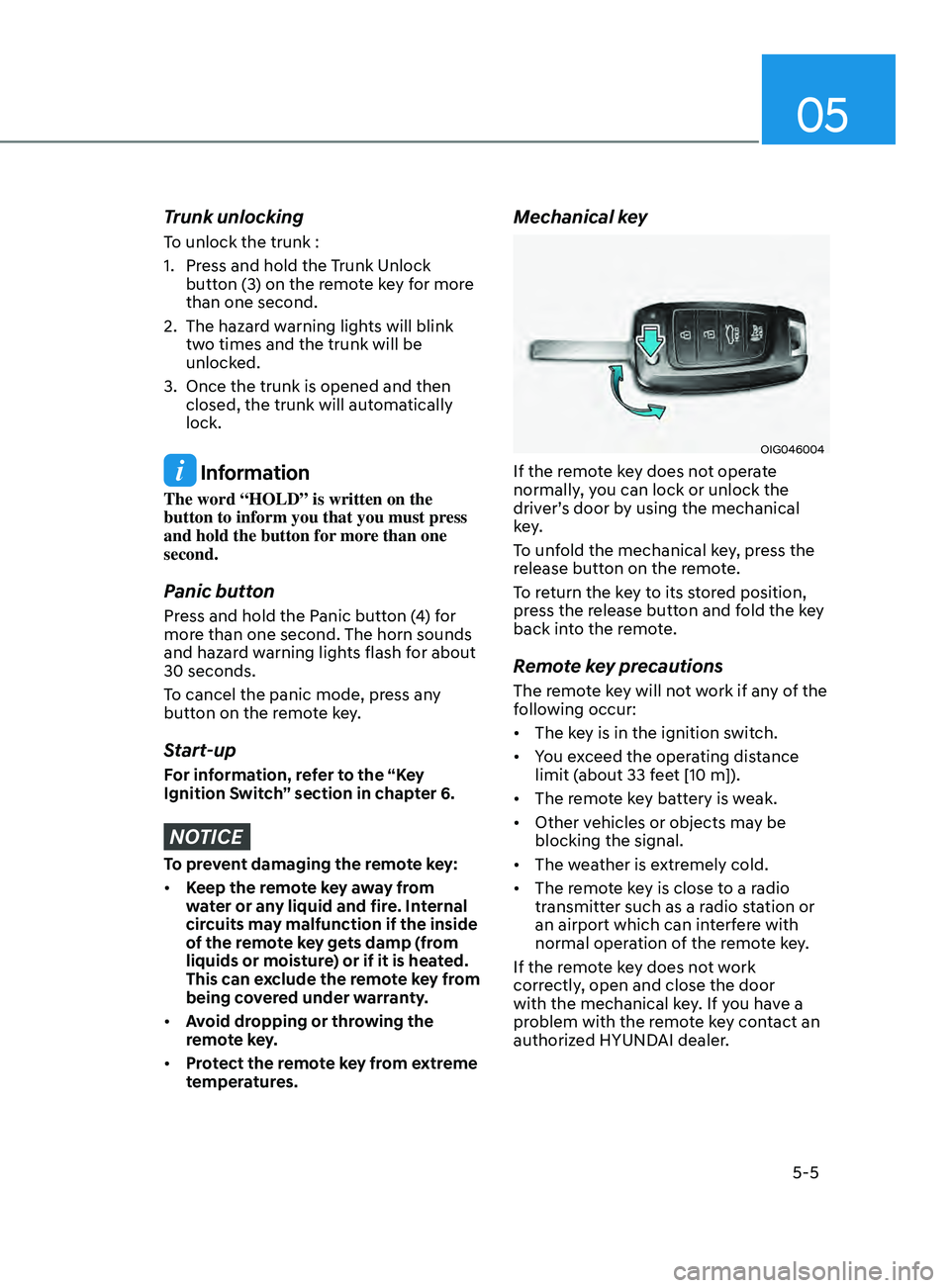
Mechanical key
OIG046004
If the remote key does not operate
normally, you can lock or unlock the
driver’s door by using the mechanical
key.
To unfold the mechanical key, press the
release button on the remote.
To return the key to its stored position,
press the release button and fold the key
back into the remote.
Remote key precautions
The remote key will not work if any of the
following occur:
• The key is in the ignition switch.
• You exceed the operating distance
limit (about 33 feet [10 m]).
• The remote key battery is weak.
• Other vehicles or objects may be
blocking the signal.
• The weather is extremely cold.
• The remote key is close to a radio
transmitter such as a radio station or
an airport which can interfere with
normal operation of the remote key.
If the remote key does not work
correctly, open and close the door
with the mechanical key. If you have a
problem with the remote key contact an
authorized HYUNDAI dealer.
Page 148 of 570
Convenient Features
5-12
Start-up
You can start the engine without
inserting the key. For detailed
information refer to the Engine Start/
Stop button in chapter 6.
Information
If the smart key is not moved for some
time, the detection function for smart key
operation will pause. Lift the smart key to
activate the detection again.
NOTICE
To prevent damaging the smart key:
• Keep the smart key away from water
or any liquid and fire. If the inside
of the smart key gets damp (due to
drinks or moisture), or is heated,
internal circuit may malfunction and
may void the vehicle warranty.
• Avoid dropping or throwing the
smart key.
• Protect the smart key from extreme
temperatures.
NOTICE
Always have the smart key with you
when leaving the vehicle. If the smart
key is left near the vehicle, the vehicle
battery may be discharged.
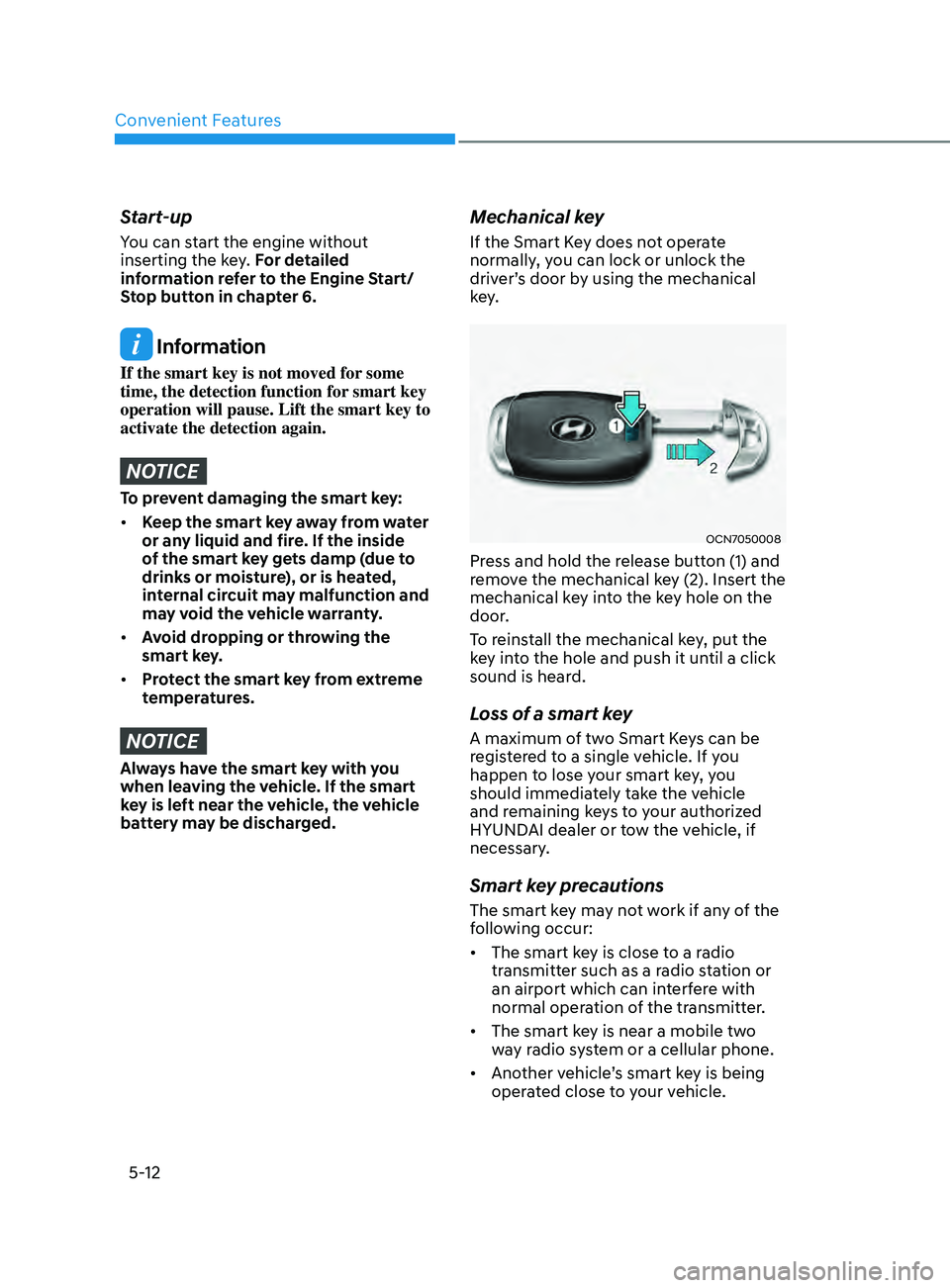
Mechanical key
If the Smart Key does not operate
normally, you can lock or unlock the
driver’s door by using the mechanical
key.
OCN7050008
Press and hold the release button (1) and
remove the mechanical key (2). Insert the
mechanical key into the key hole on the
door.
To reinstall the mechanical key, put the
key into the hole and push it until a click
sound is heard.
Loss of a smart key
A maximum of two Smart Keys can be
registered to a single vehicle. If you
happen to lose your smart key, you
should immediately take the vehicle
and remaining keys to your authorized
HYUNDAI dealer or tow the vehicle, if
necessary.
Smart key precautions
The smart key may not work if any of the
following occur:
• The smart key is close to a radio
transmitter such as a radio station or
an airport which can interfere with
normal operation of the transmitter.
• The smart key is near a mobile two
way radio system or a cellular phone.
• Another vehicle’s smart key is being
operated close to your vehicle.
Page 151 of 570
05
5-15
hyundai Digital Key
(if equipped)
Digital Key Application
To use Hyundai Digital Key mobile app,
you should install Hyundai digital key
application. Search ‘Hyundai digital key’
in the Google Play Store and download
the app. Please refer to the detailed
manual of the digital key app. The option
can be found under the following app
menu:
Menu → Application Info → Tutorial
Please note the manual before using the
app.
à This service is only av
ailable for
Android smartphones. Please confirm
supported/compatible devices on our
website.
WARNING
For used vehicle
If any of the digital key (smartphone key
or card key) is already registered when
you press ON button after unlocking
the doors, the message ‘Digital key(s)
active’ appears on the instrument
cluster once. If you buy a used vehicle,
you should confirm the message and
delete the registered smartphone key
and card key. In addition, please notify
the Hyundai Customer Care Center.
If the card key does not work properly,
please delete the card key and register
the smartphone key and re-register the
card key.
For vehicle maintenance
If you need to have your Digital Key
System repaired or replaced please
ensure you Smartphone Key is still
active. You may have to pair your phone
again.
In the case, re-initialize your Digital
Keys using the Hyundai Digital Key
mobile app.
Digital key (smartphone) NFC
function
You can use the Digital Key NFC (Near
Field Communication) function after
turning on your smartphone function in
the NFC settings. And you should unlock
& turn on smartphone screen to use it.
à To change the NF
C mode of the
smartphone, please refer to the
smartphone manual or contact
to the customer service center of
smartphone manufacturers.
Page 152 of 570
Convenient Features
5-16
Digital key (smartphone)
ODN8A059129
ODN8A059240
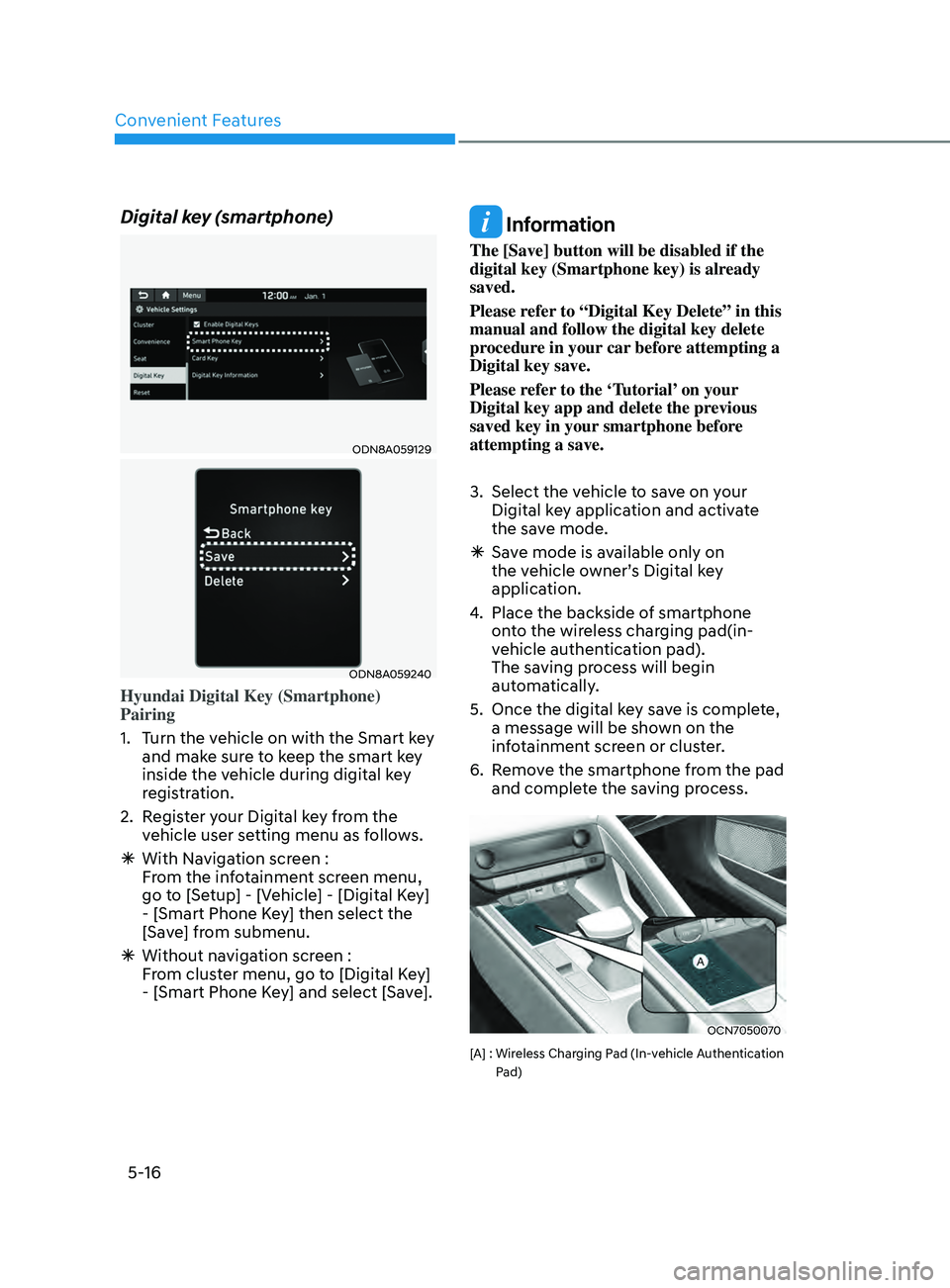
Hyundai Digital Key (Smartphone)
Pairing
1.
Turn the v
ehicle on with the Smart key
and make sure to keep the smart key
inside the vehicle during digital key
registration.
2.
Regis
ter your Digital key from the
vehicle user setting menu as follows.
à With Naviga
tion screen :
From the infotainment screen menu,
go to [Setup] - [Vehicle] - [Digital Key]
- [Smart Phone Key] then select the
[Save] from submenu.
à Without naviga
tion screen :
From cluster menu, go to [Digital Key]
- [Smart Phone Key] and select [Save].
Information
The [Save] button will be disabled if the
digital key (Smartphone key) is already
saved.
Please refer to “Digital Key Delete” in this
manual and follow the digital key delete
procedure in your car before attempting a
Digital key save.
Please refer to the ‘Tutorial’ on your
Digital key app and delete the previous
saved key in your smartphone before
attempting a save.
3.
Select the vehicle t
o save on your
Digital key application and activate
the save mode.
à Sav
e mode is available only on
the vehicle owner’s Digital key
application.
4.
Place the backside o
f smartphone
onto the wireless charging pad(in-
vehicle authentication pad).
The saving process will begin
automatically.
5.
Once the digital ke
y save is complete,
a message will be shown on the
infotainment screen or cluster.
6.
Remo
ve the smartphone from the pad
and complete the saving process.
OCN7050070
[A] : Wireless Charging Pad (In-vehicle Authentication
P
ad)
Page 157 of 570
05
5-21
Remote Start with Digital Key
• When the shift lever of your vehicle
is in P (Park) and all of the doors
including trunk and hood is locked
and the vehicle is off, press the Door
Lock button in the Hyundai Digital
Key app then press the Remote Start
button within 4 seconds.
You can confirm the engine is on if the
hazard warning lights blinks two times
and the chime sounds.
• If you want to turn off the engine,
press Remote Engine Stop. Air
Conditioner / Heating system
maintains the same status as when
you last used the vehicle.
• Unless you put the registered digital
key(smartphone) on the interior
authentication pad (wireless charger)
when the remote start function is on,
the engine will turn off.
• If you do not get into the vehicle
within 10 minutes after the engine
turns on, the vehicle will turn off.
For more information, refer to the Engine
Start/Stop button in chapter 6.
Vehicle information Display
The digital key application displays
the vehicle information such as
driving or door conditions through the
communication with the vehicle.
• How to check : Select the vehicle
what you want to check and touch
the vehicle image, then vehicle
information display page will be
shown.
• Contents : accumulated odometer,
latest fuel economy, driving range,
fuel remaining, tire pressure, doors
lock/unlock status and last data
updated time.
ÃDisplay
ed vehicle date could be
differed from the current vehicle
condition.
à For mor
e information, please refer to
the ‘Tutorial’ on your Digital key app. Smartphone change/App deletion
If you change your smartphone or delete
the Hyundai Digital Key App, please refer
to the following to set up your Digital
Key:
Smartphone Change/ Reset
If you change or reset the smartphone,
the registered digital key in your previous
smartphone may not be used. Please
refer to following procedure to use the
digital key.
1.
Install the digital k
ey application and
log in.
2.
If you ar
e the owner, retry the Digital
key save process.
3.
If you ar
e the sharer, need to re-share
the key from owner.
App delete & reinstall/ Delete App data
You can re-download the digital key from
the server and follow these procedures.
1.
Reins
tall the application and log in.
2.
Input the PIN number for user
v
erification.
3.
If PIN is correct, digital k
ey data
will be re-downloaded to your
smartphone and you can use it
without any further registration or
sharing.
Smartphone operability with Digital Key
The digital key application may not be
available to older type smartphones.
Please check the available smartphone
models with your dealer. NFC antenna
position on the smartphone can be
confirmed on each smartphone’s manual
or contact to customer service center of
the smartphone manufacture.
Page 158 of 570
Convenient Features
5-22
CAUTION
• Do not leave the registered digital
key (smartphone) and card key in
your vehicle. Please carry around
your keys all the time.
• If you happen to lose your digital
key (smartphone) or card key
registered as a main user’s key, you
should immediately delete the key
on the vehicle’s key menu. For more
information, refer to the Digital Key
Deletion in this chapter.
• If you registered your digital key
(smartphone) or card key in the
vehicle, a message appears on the
instrument cluster and informs you
that the key is registered.
(Message: Digital key(s) active.)
• If you buy a used vehicle, you should
confirm the message and delete the
registered smartphone key and card
key. In this case, you should carry
your smart key.
• If you keep place the NFC card
of the digital key on the interior
authentication pad (wireless
charger) while driving, it may cause a
malfunction of the NFC card.
• You should remove your NFC card
of the digital key on the interior
authentication pad after turning on
the engine.
• Hyundai digital key app may not
work properly when the NFC or
Bluetooth communication between
smartphone and car is poor.
• If the remote control operation
is executed where the mobile
connection is weak, Bluetooth
connection is poor due to other
Bluetooth devices or there is an
object such as metal or concrete, it
might be delayed or the operable
distance might decrease. You should
not cover the smartphone with your
hand or place other devices which
can cause frequency interference. It
may result in poor performance. •
If the remote control function is not
activated, please use NFC function to
lock or unlock the doors
• You should be careful not to
press the remote control button
on the digital key (smartphone)
accidentally.
• If the digital key (smartphone) is
discharged or defective or you
cannot use the digital key since the
vehicle battery is discharged, use the
inside door lock button to lock all of
the doors.
CAUTION
• Hyundai digital key app on the
smartphone and card key may not
work if any of the following occurs:
-Hyundai digital ke
y app on the
smartphone is deleted. (Required
to reinstall the app)
- Ac
count log in information of
Hyundai digital key app is expired.
(Required to re-log in)
- When you try t
o log in to another
smartphone instead of the
registered smartphone with same
user account.
- Smartphone roo
ting or app
hacking is detected.
- Smartphone batt
ery or the vehicle
battery is discharged.
- Smartphone’
s screen is off or
locked.
- NFC or Blue
tooth is turned off on
the smartphone settings.
- Smartphone’
s mobile network
setting is off or airplane mode is
activated.
- A credit car
d is overlapped in the
back of your smartphone or metal
or thick case is used.
- The card k
ey is overlapped with
other credit cards or the key is
used as inserted in the wallet or
card wallet.