stop start HYUNDAI ELANTRA 2021 Service Manual
[x] Cancel search | Manufacturer: HYUNDAI, Model Year: 2021, Model line: ELANTRA, Model: HYUNDAI ELANTRA 2021Pages: 570, PDF Size: 52.21 MB
Page 282 of 570
06
6-23
Information
• For your safety, you can engage the
EPB even though the ignition switch
is in the OFF position, but you cannot
release it.
• For your safety, depress the brake
pedal and release the parking brake
manually with the EPB switch when
you drive downhill or when backing up
the vehicle.
NOTICE
• If the parking brake warning light is
still on even though the EPB has been
released, we recommend that the
system be checked by an authorized
HYUNDAI dealer.
• Do not drive your vehicle with the
EPB applied. It may cause excessive
brake pad and brake rotor wear.
EPB (Electronic Parking Brake) may be
automatically applied when:
• Requested by other systems
• The driver turns the engine off while
Auto Hold is operating.
• The vehicle is parked on the slope and
the Engine Start/Stop button is in the
OFF position.
• The Engine is turned off when the
driver tries to park but the vehicle still
moves a bit.
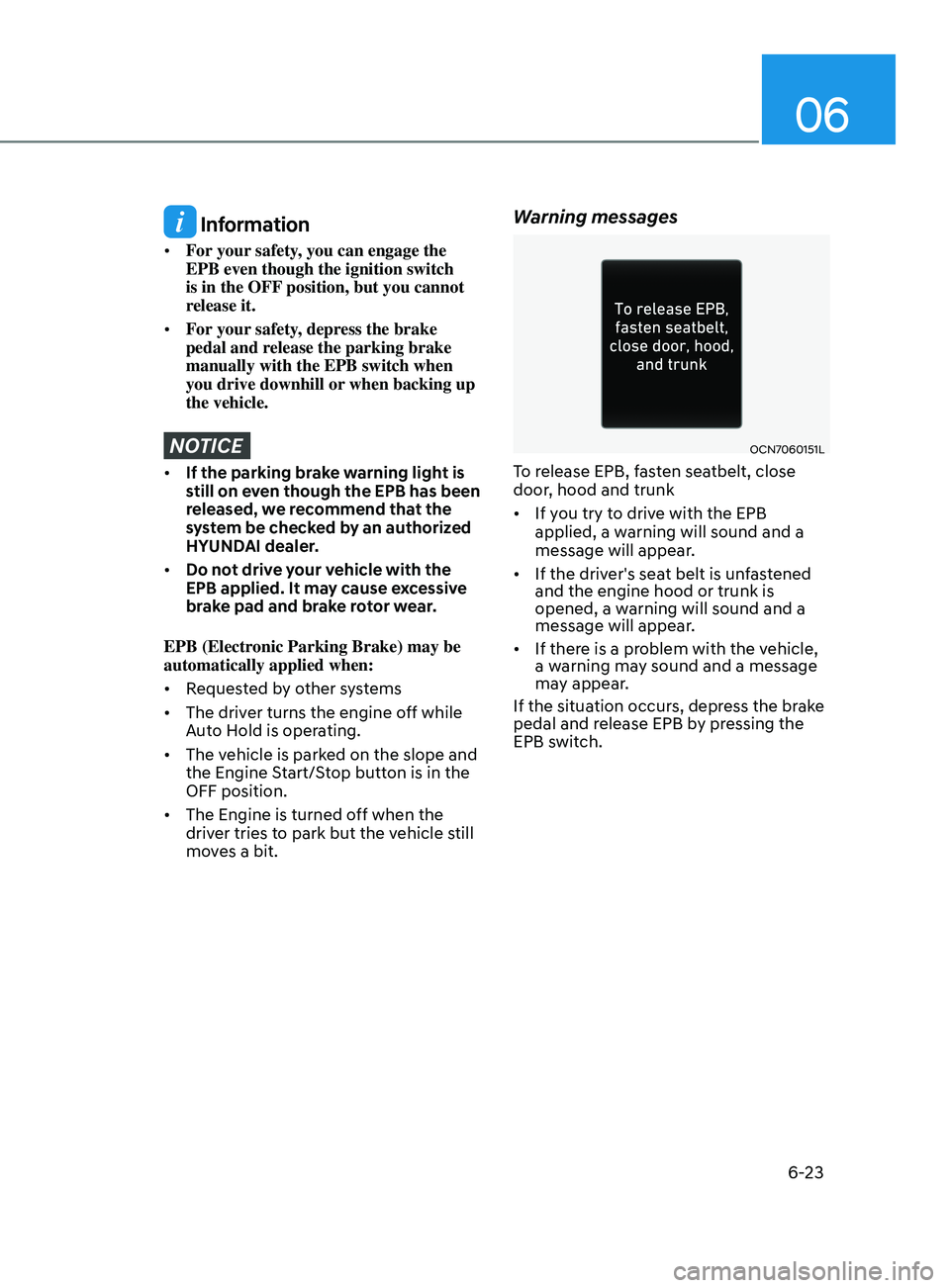
Warning messages
OCN7060151L
To release EPB, fasten seatbelt, close
door, hood and trunk
• If you try to drive with the EPB
applied, a warning will sound and a
message will appear.
• If the driver's seat belt is unfastened
and the engine hood or trunk is
opened, a warning will sound and a
message will appear.
• If there is a problem with the vehicle,
a warning may sound and a message
may appear.
If the situation occurs, depress the brake
pedal and release EPB by pressing the
EPB switch.
Page 286 of 570
06
6-27
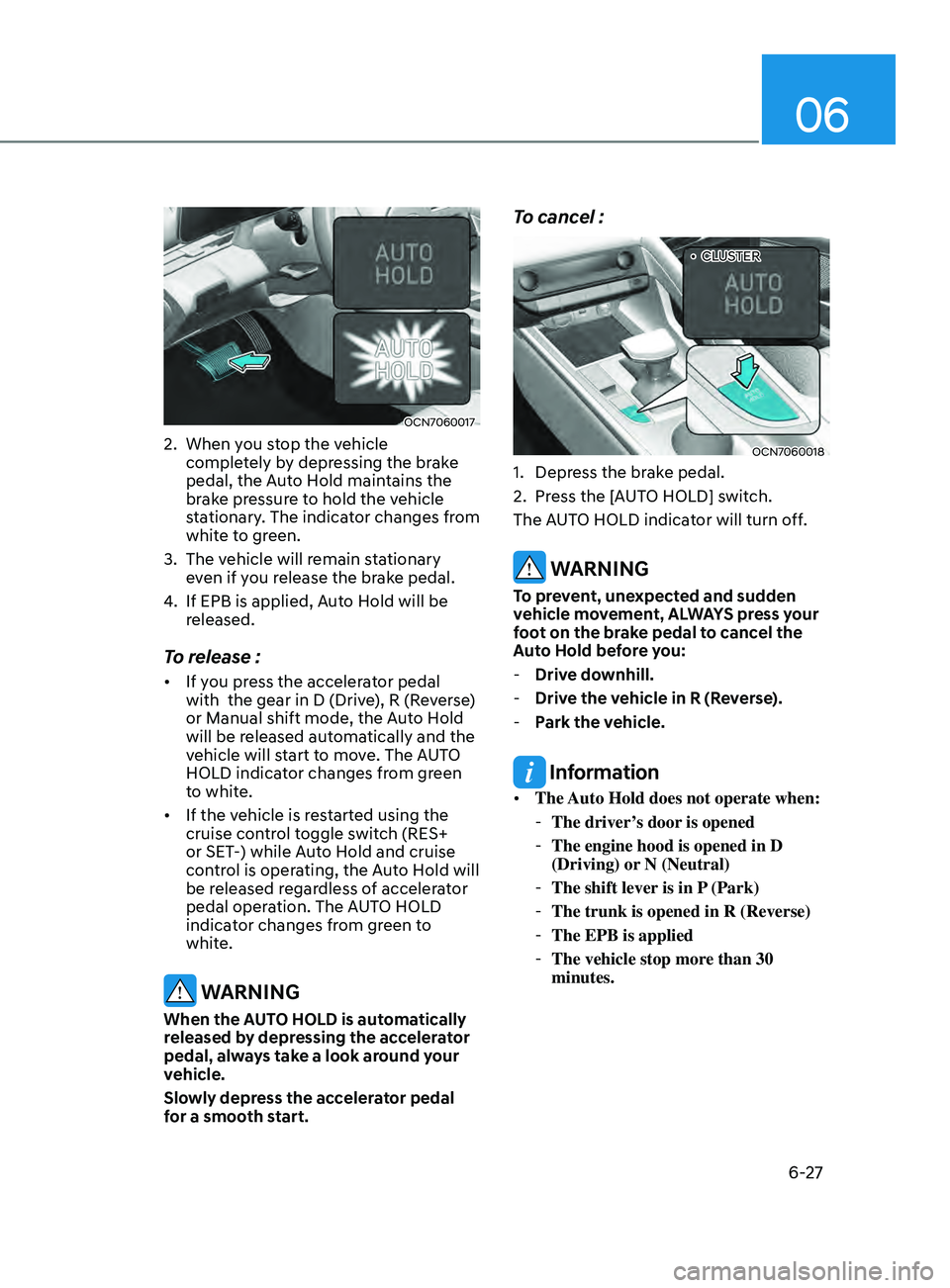
OCN7060017
2. When you stop the vehicle
completely by depressing the brake
pedal, the Auto Hold maintains the
brake pressure to hold the vehicle
stationary. The indicator changes from
white to green.
3.
The vehicle will r
emain stationary
even if you release the brake pedal.
4.
If EPB is applied, Aut
o Hold will be
released.
To release :
• If you press the accelerator pedal
with the gear in D (Drive), R (Reverse)
or Manual shift mode, the Auto Hold
will be released automatically and the
vehicle will start to move. The AUTO
HOLD indicator changes from green
to white.
• If the vehicle is restarted using the
cruise control toggle switch (RES+
or SET-) while Auto Hold and cruise
control is operating, the Auto Hold will
be released regardless of accelerator
pedal operation. The AUTO HOLD
indicator changes from green to
white.
WARNING
When the AUTO HOLD is automatically
released by depressing the accelerator
pedal, always take a look around your
vehicle.
Slowly depress the accelerator pedal
for a smooth start.
To cancel :
OCN7060018
„•CLUSTER
1. Depress the brake pedal.
2.
Press the [A
UTO HOLD] switch.
The AUTO HOLD indicator will turn off.
WARNING
To prevent, unexpected and sudden
vehicle movement, ALWAYS press your
foot on the brake pedal to cancel the
Auto Hold before you:
- Drive do
wnhill.
-Drive the v
ehicle in R (Reverse).
-Park the v
ehicle.
Information
• The Auto Hold does not operate when:
-The driver’
s door is opened
-The engine hood is opened in D
(Driving) or N (Neutral)
-The shift lever is in P
(Park)
-The trunk is opened in R (Reverse)
-The EPB is applied
-The vehicle stop more than 30
minutes.
Page 287 of 570
6-28
• For your safety, the Auto Hold
automatically switches to EPB when:
-The driver’
s door is opened in D
(Driving) or N(Neutral).
- The engine hood is opened.
-The trunk is opened in R (Reverse).
-The vehicle stops for mor
e than 10
minutes
- The vehicle stands on a steep slope
-The vehicle moves several times
-The vehicle stops for mor
e than 30
minutes accumulatively.
In these cases, the parking brake
warning light comes on, the AUTO
HOLD indicator changes from green
to white, and a warning sound and a
message will appear to inform you that
EPB has been automatically engaged.
Before driving off again, press foot
brake pedal, check the surrounding area
near your vehicle and release parking
brake manually with the EPB switch.
• While operating Auto Hold, you may
hear mechanical noise. However, it is
normal operating noise.
NOTICE
If the AUTO HOLD indicator changes
to yellow, the Auto Hold is not working
properly. Contact an authorized
HYUNDAI dealer.
WARNING
• Depress the accelerator pedal slowly
when you start the vehicle.
• For your safety, cancel the Auto Hold
when you drive downhill, back up the
vehicle or park the vehicle.
NOTICE
If there is a malfunction with the
driver's door or engine hood open
detection system, the Auto Hold may
not work properly.
Contact an authorized HYUNDAI dealer.
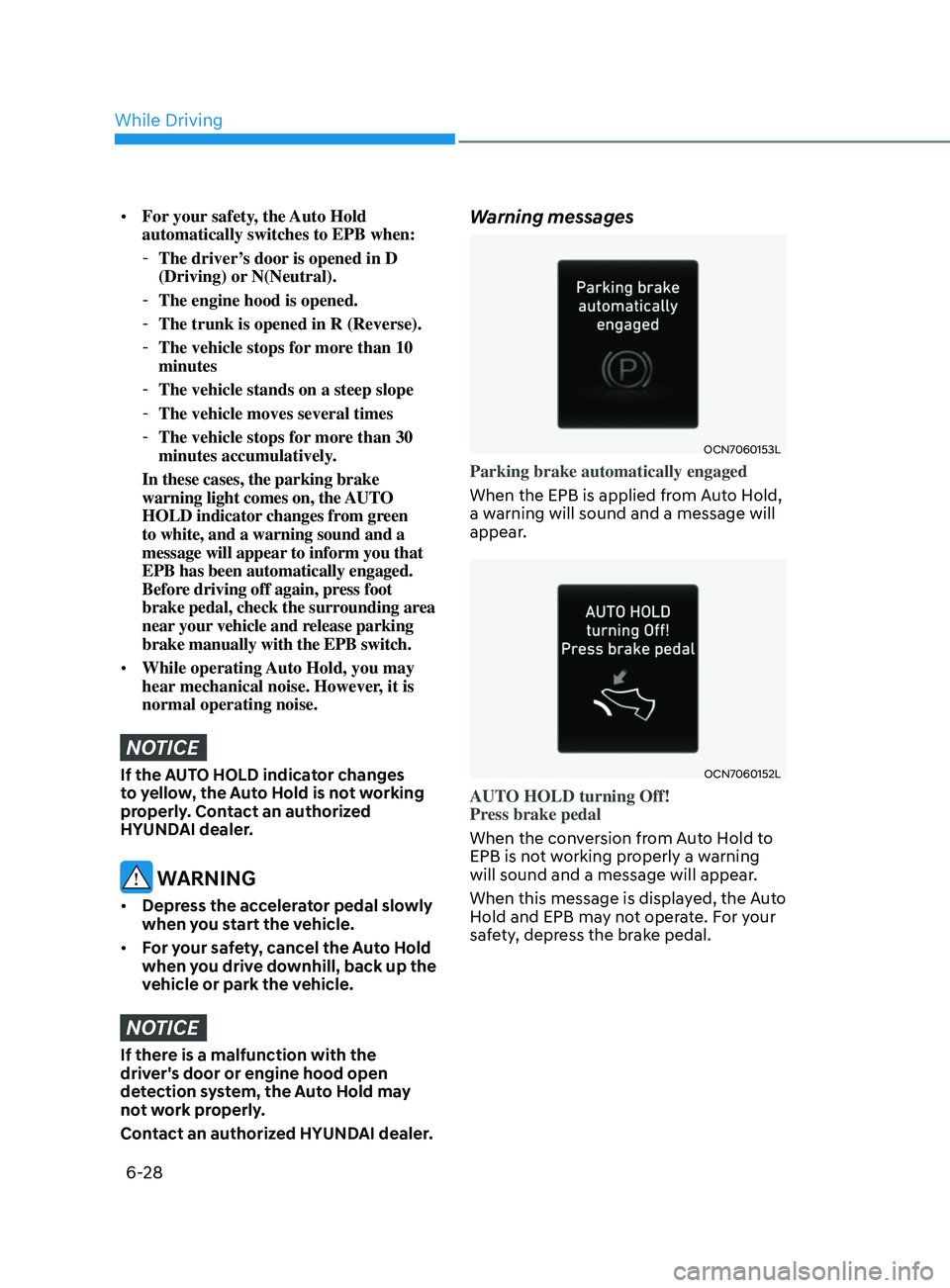
Warning messages
OCN7060153L
Parking brake automatically engaged
When the EPB is applied from Auto Hold,
a warning will sound and a message will
appear.
OCN7060152L
AUTO HOLD turning Off!
Press brake pedal
When the conversion from Auto Hold to
EPB is not working properly a warning
will sound and a message will appear.
When this message is displayed, the Auto
Hold and EPB may not operate. For your
safety, depress the brake pedal.
While Driving
Page 289 of 570
6-30
Using ABS
To obtain the maximum benefit from
your ABS in an emergency situation,
do not attempt to modulate your brake
pressure and do not try to pump your
brakes. Depress your brake pedal as hard
as possible.
When you apply your brakes under
conditions which may lock the wheels,
you may hear sounds from the brakes,
or feel a corresponding sensation in the
brake pedal. This is normal and it means
your ABS is active.
ABS does not reduce the time or distance
it takes to stop the vehicle.
Always maintain a safe distance from the
vehicle in front of you.
ABS will not prevent a skid that results
from sudden changes in direction, such
as trying to take a corner too fast or
making a sudden lane change. Always
drive at a safe speed for the road and
weather conditions.
ABS cannot prevent a loss of stability.
Always steer moderately when braking
hard. Severe or sharp steering wheel
movement can still cause your vehicle to
veer into oncoming traffic or off the road.
On loose or uneven road surfaces,
operation of the anti-lock brake system
may result in a longer stopping distance
than for vehicles equipped with a
conventional brake system.
The ABS warning light (
) will stay on
for several seconds after the ignition
switch is in the ON position. During
that time, the ABS will go through self-
diagnosis and the light will go off if
everything is normal. If the light stays on,
you may have a problem with your ABS.
Contact an authorized HYUNDAI dealer
as soon as possible.
WARNING
If the ABS warning light () is on and
stays on, you may have a problem with
the ABS. Your power brakes will work
normally. To reduce the risk of serious
injury or death, contact your HYUNDAI
dealer as soon as possible.
CAUTION
When you drive on a road having poor
traction, such as an icy road, and apply
your brakes continuously, the ABS will
be active continuously and the ABS
warning light (
) may illuminate. Pull
your car over to a safe place and turn
the engine off.
Restart the engine. If the ABS warning
light is off, then your ABS system is
normal.
Otherwise, you may have a problem
with your ABS system. Contact an
authorized HYUNDAI dealer as soon as
possible.
Information
When you jump start your vehicle because
of a drained battery, the ABS warning
light (
) may turn on at the same
time. This happens because of the low
battery voltage. It does not mean your
ABS is malfunctioning. Have the battery
recharged before driving the vehicle.
While Driving
Page 293 of 570
6-34
WARNING
If ESC indicator light () or EPS
warning light () stays on or blinks,
your vehicle may have a malfunction
with the VSM system. When the
warning light illuminates, have your
vehicle checked by an authorized
HYUNDAI dealer as soon as possible.
Driving with wheels and tires with
different sizes may cause the ESC system
to malfunction. Before replacing tires,
make sure all four tires and wheels are
the same size. Never drive the vehicle
with different sized tires and wheels
installed.
Hill-Start Assist Control (HAC)
(if equipped)
The Hill-Start Assist Control (HAC)
helps prevent the vehicle from rolling
backwards when starting a vehicle from
a stop on a hill. The system operates the
brakes automatically for approximately
2 seconds and releases the brake after 2
seconds or when the accelerator pedal is
depressed.
WARNING
Always be ready to depress the
accelerator pedal when starting off on
a incline. The HAC activates only for
approximately 2 seconds.
NOTICE
• The HAC does not operate when
the shift button is in P (Park) or N
(Neutral)
• The HAC activates even though the
ESC (Electronic Stability Control) is
off but does not activate when the
ESC has malfunctioned.
Good Braking Practices
WARNING
Whenever leaving the vehicle or
parking, always come to a complete
stop and continue to depress the brake
pedal. Move the shift button into P
(Park) position, then apply the parking
brake, and place the ignition switch in
the LOCK/OFF position.
Vehicles parked with the parking brake
not applied or not fully engaged may
roll inadvertently and may cause injury
to the driver and others. ALWAYS apply
the parking brake before exiting the
vehicle.
Wet brakes can be dangerous! The
brakes may get wet if the vehicle is
driven through standing water or if it
is washed. Your vehicle will not stop as
quickly if the brakes are wet. Wet brakes
may cause the vehicle to pull to one side.
To dry the brakes, apply the brakes
lightly until the braking action returns to
normal, taking care to keep the vehicle
under control at all times. If the braking
action does not return to normal, stop
as soon as it is safe to do so and call
an authorized HYUNDAI dealer for
assistance.
DO NOT drive with your foot resting on
the brake pedal. Even light, but constant
pedal pressure can result in the brakes
overheating, brake wear, and possibly
even brake failure.
If a tire goes flat while you are driving,
apply the brakes gently and keep the
vehicle pointed straight ahead while you
slow down. When you are moving slowly
enough for it to be safe to do so, pull off
the road and stop in a safe location.
Keep your foot firmly on the brake pedal
when the vehicle is stopped to prevent
the vehicle from rolling forward.
While Driving
Page 294 of 570
06
6-35
The Idle Stop and Go (ISG) system
automatically and temporarily shuts
down the engine when the vehicle is
stopped and idling to help improve
fuel efficiency and reduce exhaust gas
emissions. (i.e. red stop light, stop sign,
and traffic jam).
The engine is automatically started upon
satisfying the starting conditions.
The ISG system is always active, when
the engine is running.
Information
When the engine is automatically started
by the ISG system, some warning
lights (i.e. ABS, ESC, ESC OFF, EPS,
and parking brake warning light) may
illuminate for a few seconds due to the
low battery voltage. However, it does
not indicate a malfunction with the ISG
system.
To Activate the ISG System
Prerequisite for activation
The ISG system operates in the following
situations.
• The driver's seatbelt is fastened
• The driver's door and hood are closed
• The brake vacuum pressure is
adequate
• The battery sensor is activated and
the battery is sufficiently charged
• Outside temperature is not too low or
too high
• The vehicle is driven over a constant
speed and stops
• The climate control system satisfies
the conditions
• The vehicle is sufficiently warmed up
• The incline is gradual
• The steering wheel is turned less than
180 degrees and then the vehicle
stops
Information
If the ISG light (white) is turned on on the
instrument cluster and does not meet the
ISG system operating conditions, the ISG
system is not activated.
When the ISG light (yellow) is on while the
ISG system meets operating conditions, we
recommend that the system be inspected
by an authorized HYUNDAI dealer.
Auto stop
To stop the engine in idle stop mode
1.
Decrease the v
ehicle speed to 0 mph.
2.
Depress the br
ake pedal with the shift
button in D (Drive) or N (Neutral).
The auto stop indicator (
) illuminates
in green on the instrument cluster, when
the engine stops.
Information
The driving speed must reach at least 3
mph (5 km/h) after an idle stop to stop the
engine in idle stop mode again.
In auto stop mode, when the driver
opens the hood, the ISG system will be
deactivated.
Isg (Idle stop and go) s ystem (If e quIpped)
Page 295 of 570
6-36
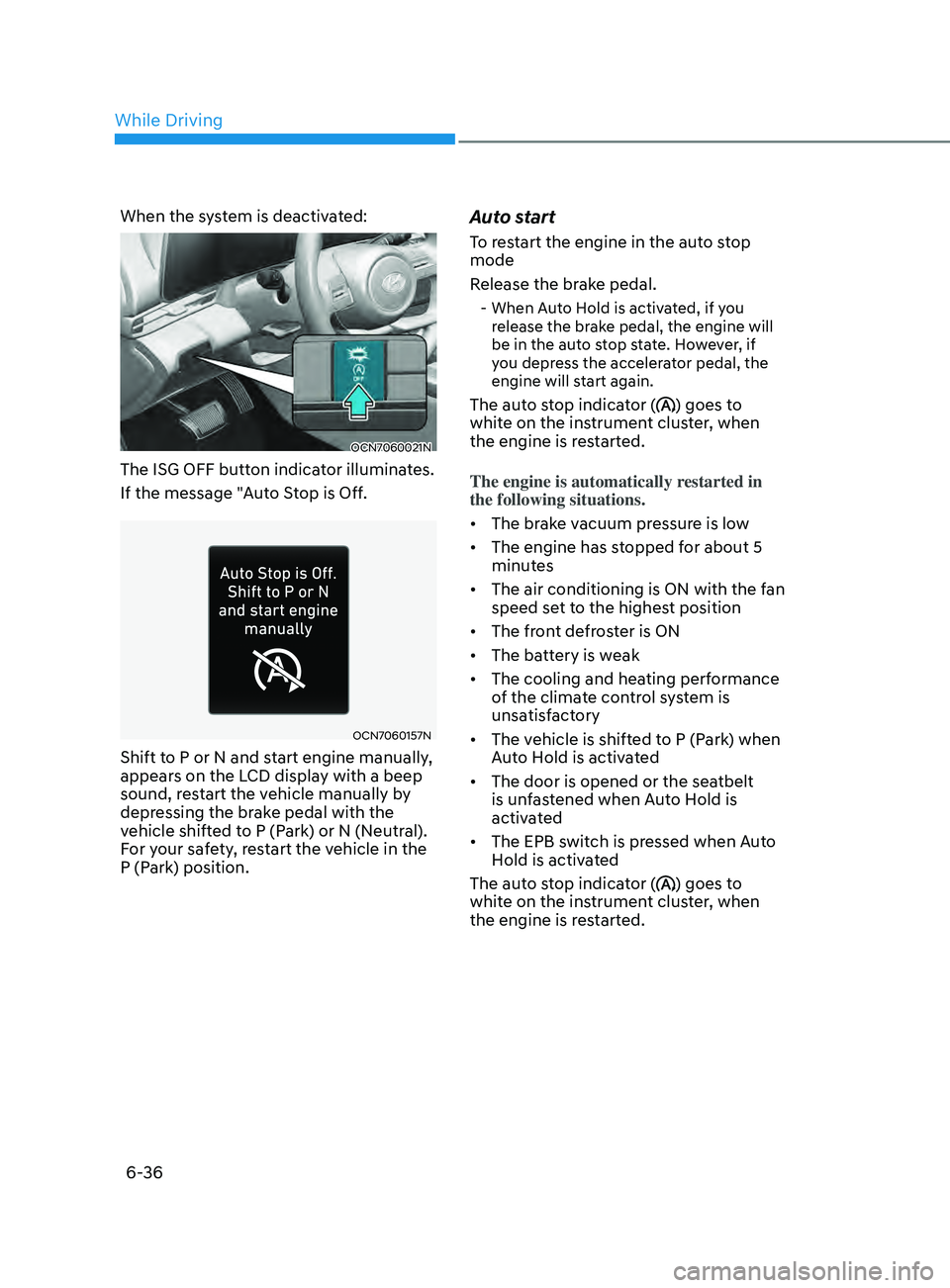
When the system is deactivated:
OCN7060021N
The ISG OFF button indicator illuminates.
If the message "Auto Stop is Off.
OCN7060157N
Shift to P or N and start engine manually,
appears on the LCD display with a beep
sound, restart the vehicle manually by
depressing the brake pedal with the
vehicle shifted to P (Park) or N (Neutral).
For your safety, restart the vehicle in the
P (Park) position.
Auto start
To restart the engine in the auto stop
mode
Release the brake pedal.
- When Auto Hold is activated, if you release the brake pedal, the engine will
be in the auto stop state. However, if
you depress the accelerator pedal, the
engine will start again.
The auto stop indicator () goes to
white on the instrument cluster, when
the engine is restarted.
The engine is automatically restarted in
the following situations.
• The brake vacuum pressure is low
• The engine has stopped for about 5
minutes
• The air conditioning is ON with the fan
speed set to the highest position
• The front defroster is ON
• The battery is weak
• The cooling and heating performance
of the climate control system is
unsatisfactory
• The vehicle is shifted to P (Park) when
Auto Hold is activated
• The door is opened or the seatbelt
is unfastened when Auto Hold is
activated
• The EPB switch is pressed when Auto
Hold is activated
The auto stop indicator (
) goes to
white on the instrument cluster, when
the engine is restarted.
While Driving
Page 296 of 570
06
6-37
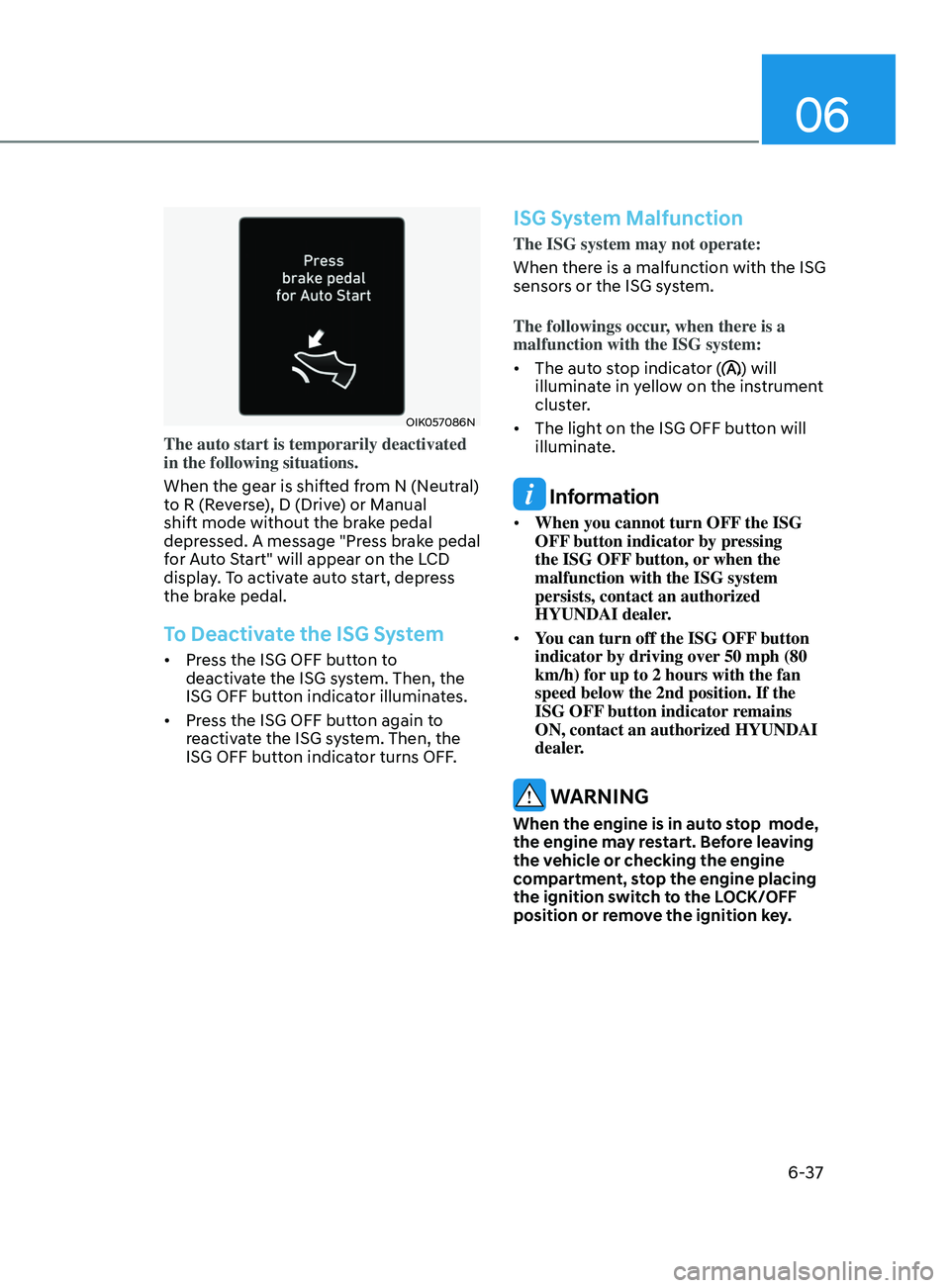
OIK057086N
The auto start is temporarily deactivated
in the following situations.
When the gear is shifted from N (Neutral)
to R (Reverse), D (Drive) or Manual
shift mode without the brake pedal
depressed. A message "Press brake pedal
for Auto Start" will appear on the LCD
display. To activate auto start, depress
the brake pedal.
To Deactivate the ISG System
• Press the ISG OFF button to
deactivate the ISG system. Then, the
ISG OFF button indicator illuminates.
• Press the ISG OFF button again to
reactivate the ISG system. Then, the
ISG OFF button indicator turns OFF.
ISG System Malfunction
The ISG system may not operate:
When there is a malfunction with the ISG
sensors or the ISG system.
The followings occur, when there is a
malfunction with the ISG system:
• The auto stop indicator (
) will
illuminate in yellow on the instrument
cluster.
• The light on the ISG OFF button will
illuminate.
Information
• When you cannot turn OFF the ISG
OFF button indicator by pressing
the ISG OFF button, or when the
malfunction with the ISG system
persists, contact an authorized
HYUNDAI dealer.
• You can turn off the ISG OFF button
indicator by driving over 50 mph (80
km/h) for up to 2 hours with the fan
speed below the 2nd position. If the
ISG OFF button indicator remains
ON, contact an authorized HYUNDAI
dealer.
WARNING
When the engine is in auto stop mode,
the engine may restart. Before leaving
the vehicle or checking the engine
compartment, stop the engine placing
the ignition switch to the LOCK/OFF
position or remove the ignition key.
Page 317 of 570
Driver assistance system
7-4
OTM070140N
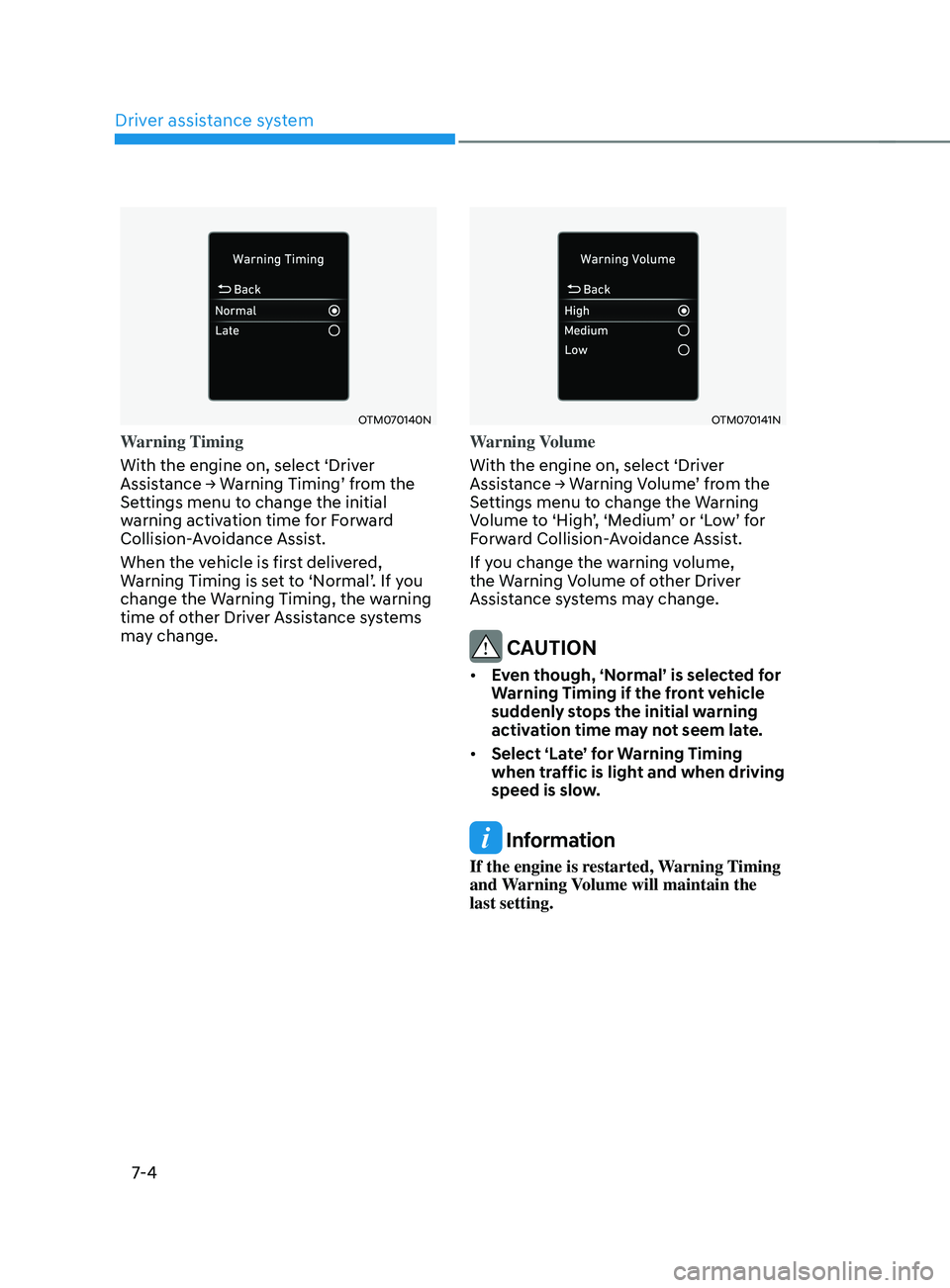
Warning Timing
With the engine on, select ‘Driver
Assistance
→ W
arning
Timing’ fr
om
the Settings menu t
o change the initial
warning activation time for Forward
Collision-Avoidance Assist.
When the vehicle is first delivered,
Warning
Timing is se
t
t
o
‘N
ormal’.
If y
ou
change the Warning Timing, the w
arning
time of other Driver Assistance systems
may change.
OTM070141N
Warning Volume
With the engine on, select ‘Driver
Assistance
→ W
arning
V
olume’
fr
om
the Settings menu t
o change the Warning
Volume
t
o
‘High
’,
‘M
edium’
or ‘L
ow’
f
or
Forw
ard Collision-Avoidance Assist.
If you change the warning volume,
the Warning Volume of other Driver
Assistance systems may change.
CAUTION
• Even though, ‘Normal’ is selected for
Warning Timing if the front vehicle
suddenly stops the initial warning
activation time may not seem late.
• Select ‘Late’ for Warning Timing
when traffic is light and when driving
speed is slow.
Information
If the engine is restarted, Warning Timing
and Warning Volume will maintain the
last setting.
Page 330 of 570
07
7-17
OTM070140N
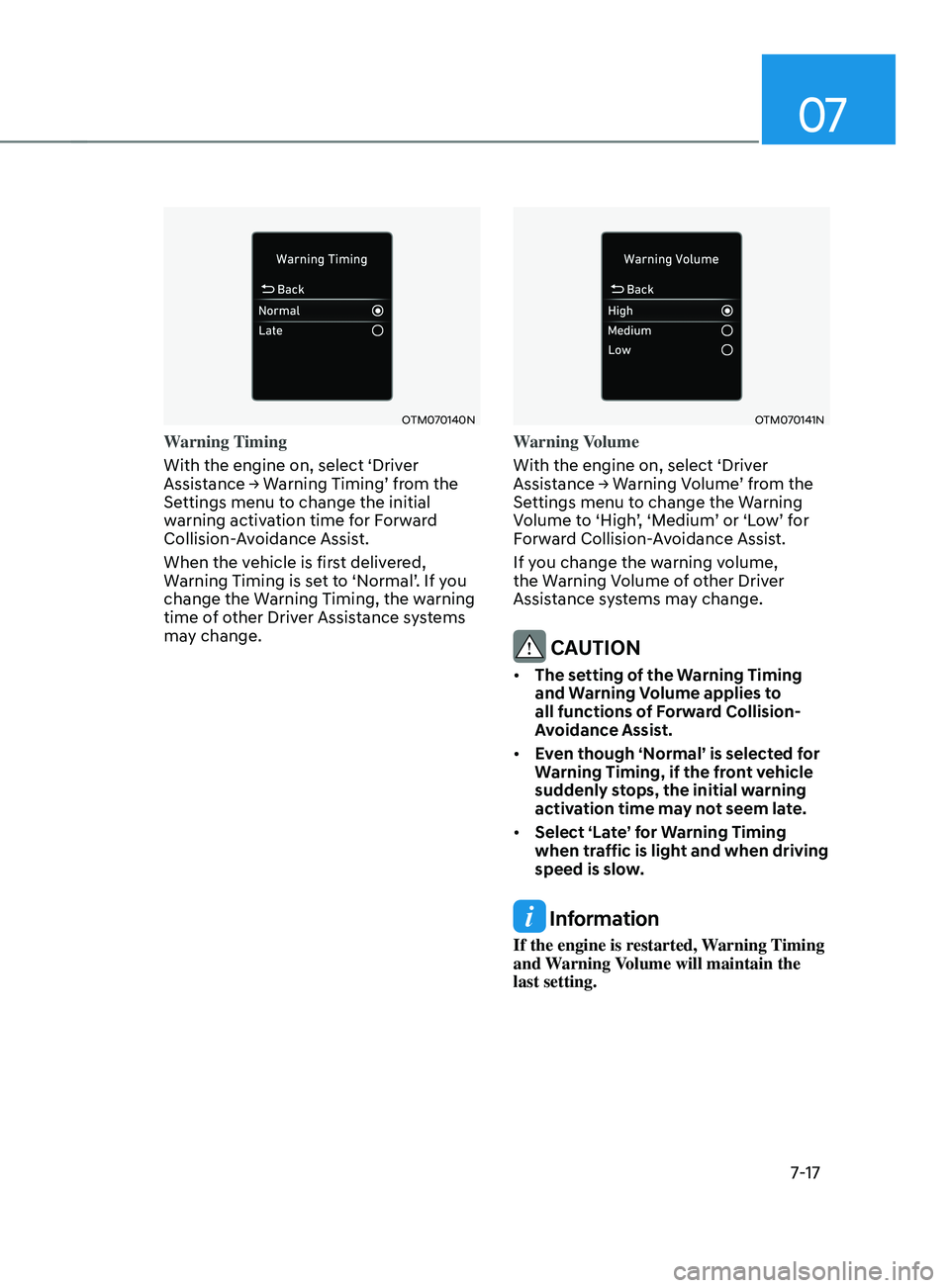
Warning Timing
With the engine on, select ‘Driver
Assistance
→ W
arning
Timing’ fr
om
the Settings menu t
o change the initial
warning activation time for Forward
Collision-Avoidance Assist.
When the vehicle is first delivered,
Warning
Timing is se
t
t
o
‘N
ormal’.
If y
ou
change the Warning Timing, the w
arning
time of other Driver Assistance systems
may change.
OTM070141N
Warning Volume
With the engine on, select ‘Driver
Assistance
→ W
arning
V
olume’
fr
om
the Settings menu t
o change the Warning
Volume
t
o
‘High
’,
‘M
edium’
or ‘L
ow’
f
or
Forw
ard Collision-Avoidance Assist.
If you change the warning volume,
the Warning Volume of other Driver
Assistance systems may change.
CAUTION
• The setting of the Warning Timing
and Warning Volume applies to
all functions of Forward Collision-
Avoidance Assist.
• Even though ‘Normal’ is selected for
Warning Timing, if the front vehicle
suddenly stops, the initial warning
activation time may not seem late.
• Select ‘Late’ for Warning Timing
when traffic is light and when driving
speed is slow.
Information
If the engine is restarted, Warning Timing
and Warning Volume will maintain the
last setting.