ignition Hyundai Elantra Coupe 2014 Owner's Guide
[x] Cancel search | Manufacturer: HYUNDAI, Model Year: 2014, Model line: Elantra Coupe, Model: Hyundai Elantra Coupe 2014Pages: 550, PDF Size: 45.11 MB
Page 151 of 550
465
Features of your vehicle
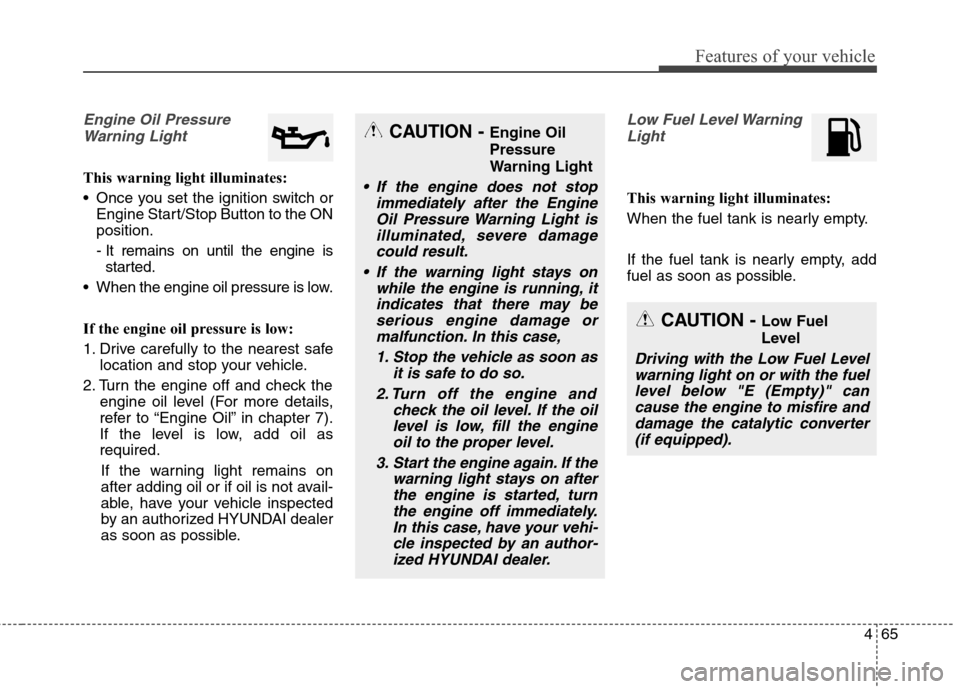
Engine Oil Pressure
Warning Light
This warning light illuminates:
Once you set the ignition switch or
Engine Start/Stop Button to the ON
position.
- It remains on until the engine is
started.
When the engine oil pressure is low.
If the engine oil pressure is low:
1. Drive carefully to the nearest safe
location and stop your vehicle.
2. Turn the engine off and check the
engine oil level (For more details,
refer to “Engine Oil” in chapter 7).
If the level is low, add oil as
required.
If the warning light remains on
after adding oil or if oil is not avail-
able, have your vehicle inspected
by an authorized HYUNDAI dealer
as soon as possible.
Low Fuel Level Warning
Light
This warning light illuminates:
When the fuel tank is nearly empty.
If the fuel tank is nearly empty, add
fuel as soon as possible.
CAUTION - Engine Oil
Pressure
Warning Light
If the engine does not stop
immediately after the Engine
Oil Pressure Warning Light is
illuminated, severe damage
could result.
If the warning light stays on
while the engine is running, it
indicates that there may be
serious engine damage or
malfunction. In this case,
1. Stop the vehicle as soon as
it is safe to do so.
2. Turn off the engine and
check the oil level. If the oil
level is low, fill the engine
oil to the proper level.
3. Start the engine again. If the
warning light stays on after
the engine is started, turn
the engine off immediately.
In this case, have your vehi-
cle inspected by an author-
ized HYUNDAI dealer.
CAUTION - Low Fuel
Level
Driving with the Low Fuel Level
warning light on or with the fuel
level below "E (Empty)" can
cause the engine to misfire and
damage the catalytic converter
(if equipped).
Page 152 of 550
Features of your vehicle
66 4
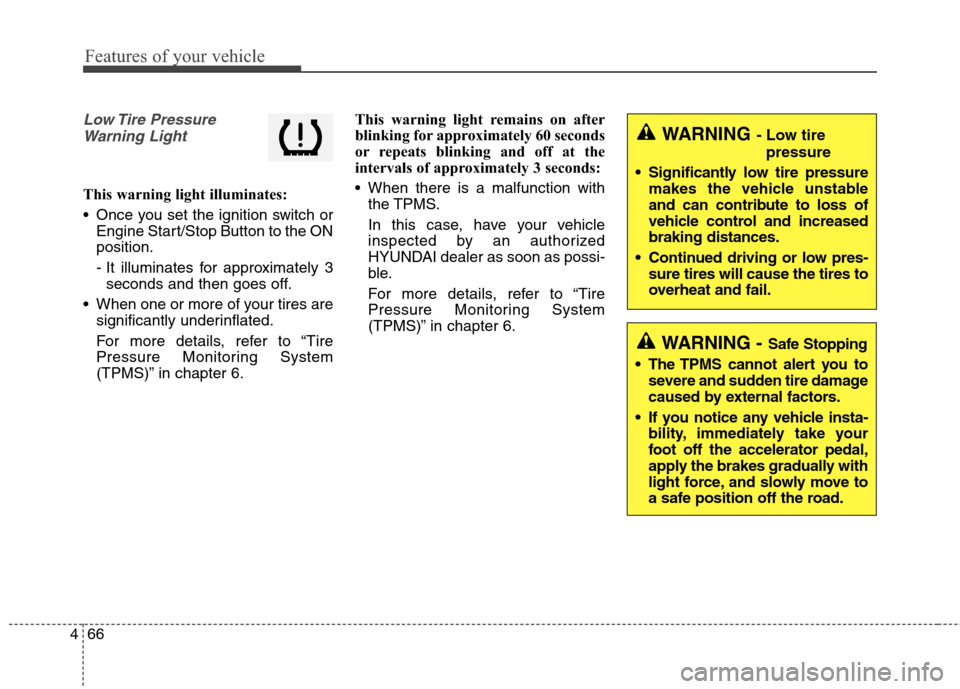
Low Tire Pressure
Warning Light
This warning light illuminates:
Once you set the ignition switch or
Engine Start/Stop Button to the ON
position.
- It illuminates for approximately 3
seconds and then goes off.
When one or more of your tires are
significantly underinflated.
For more details, refer to “Tire
Pressure Monitoring System
(TPMS)” in chapter 6.This warning light remains on after
blinking for approximately 60 seconds
or repeats blinking and off at the
intervals of approximately 3 seconds:
When there is a malfunction with
the TPMS.
In this case, have your vehicle
inspected by an authorized
HYUNDAI dealer as soon as possi-
ble.
For more details, refer to “Tire
Pressure Monitoring System
(TPMS)” in chapter 6.
WARNING - Safe Stopping
The TPMS cannot alert you to
severe and sudden tire damage
caused by external factors.
If you notice any vehicle insta-
bility, immediately take your
foot off the accelerator pedal,
apply the brakes gradually with
light force, and slowly move to
a safe position off the road.
WARNING - Low tire
pressure
Significantly low tire pressure
makes the vehicle unstable
and can contribute to loss of
vehicle control and increased
braking distances.
Continued driving or low pres-
sure tires will cause the tires to
overheat and fail.
Page 153 of 550
467
Features of your vehicle
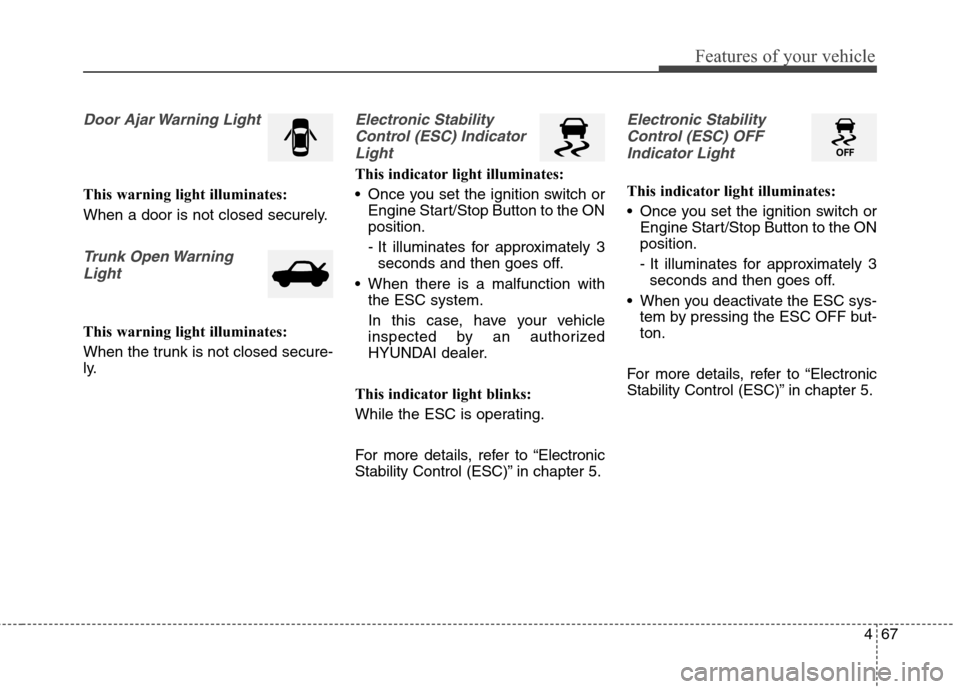
Door Ajar Warning Light
This warning light illuminates:
When a door is not closed securely.
Trunk Open Warning
Light
This warning light illuminates:
When the trunk is not closed secure-
ly.
Electronic Stability
Control (ESC) Indicator
Light
This indicator light illuminates:
Once you set the ignition switch or
Engine Start/Stop Button to the ON
position.
- It illuminates for approximately 3
seconds and then goes off.
When there is a malfunction with
the ESC system.
In this case, have your vehicle
inspected by an authorized
HYUNDAI dealer.
This indicator light blinks:
While the ESC is operating.
For more details, refer to “Electronic
Stability Control (ESC)” in chapter 5.
Electronic Stability
Control (ESC) OFF
Indicator Light
This indicator light illuminates:
Once you set the ignition switch or
Engine Start/Stop Button to the ON
position.
- It illuminates for approximately 3
seconds and then goes off.
When you deactivate the ESC sys-
tem by pressing the ESC OFF but-
ton.
For more details, refer to “Electronic
Stability Control (ESC)” in chapter 5.
Page 154 of 550
Features of your vehicle
68 4
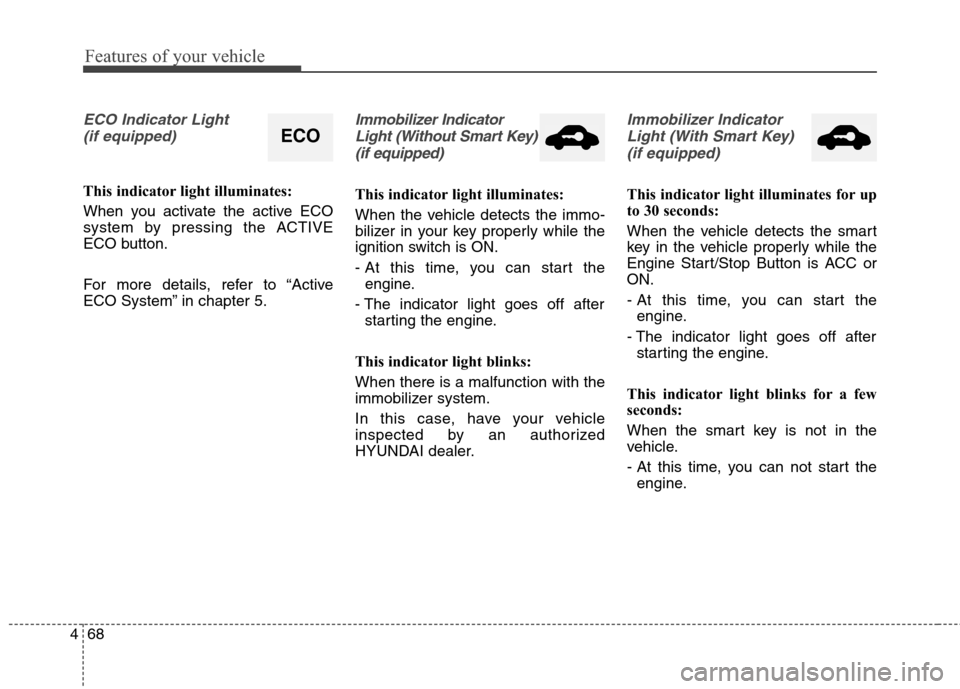
ECO Indicator Light
(if equipped)
This indicator light illuminates:
When you activate the active ECO
system by pressing the ACTIVE
ECO button.
For more details, refer to “Active
ECO System” in chapter 5.
Immobilizer Indicator
Light (Without Smart Key)
(if equipped)
This indicator light illuminates:
When the vehicle detects the immo-
bilizer in your key properly while the
ignition switch is ON.
- At this time, you can start the
engine.
- The indicator light goes off after
starting the engine.
This indicator light blinks:
When there is a malfunction with the
immobilizer system.
In this case, have your vehicle
inspected by an authorized
HYUNDAI dealer.
Immobilizer Indicator
Light (With Smart Key)
(if equipped)
This indicator light illuminates for up
to 30 seconds:
When the vehicle detects the smart
key in the vehicle properly while the
Engine Start/Stop Button is ACC or
ON.
- At this time, you can start the
engine.
- The indicator light goes off after
starting the engine.
This indicator light blinks for a few
seconds:
When the smart key is not in the
vehicle.
- At this time, you can not start the
engine.
ECO
Page 157 of 550
471
Features of your vehicle
KEY OUT Indicator Light
(if equipped)
When the ENGINE START/STOP
button is in the ACC or ON position,
if any door is open, the system
checks for the smart key.
This indicator light blinks:
When the smart key is not in the
vehicle and any door is open with the
ignition switch or Engine Start/Stop
button in the ACC or ON position.
- At this time, if you close all doors,
the chime will also sound for
approximately 5 seconds.
- The indicator will go off while the
vehicle is moving.
KEY
OUT
Page 159 of 550
473
Features of your vehicle
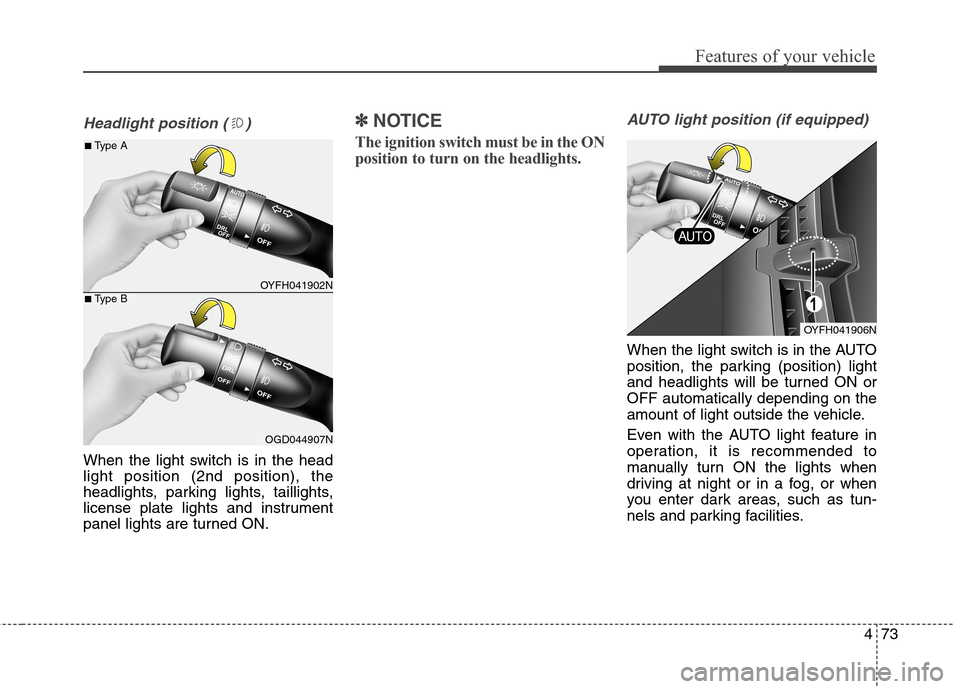
Headlight position ( )
When the light switch is in the head
light position (2nd position), the
headlights, parking lights, taillights,
license plate lights and instrument
panel lights are turned ON.
✽ ✽
NOTICE
The ignition switch must be in the ON
position to turn on the headlights.
AUTO light position (if equipped)
When the light switch is in the AUTO
position, the parking (position) light
and headlights will be turned ON or
OFF automatically depending on the
amount of light outside the vehicle.
Even with the AUTO light feature in
operation, it is recommended to
manually turn ON the lights when
driving at night or in a fog, or when
you enter dark areas, such as tun-
nels and parking facilities.
OYFH041902N
OGD044907N
■Type A
■Type B
OYFH041906N
Page 163 of 550
477
Features of your vehicle
Battery saver function
The purpose of this feature is to pre-
vent the battery from being dis-
charged. The system automatically
turns off the parking lights when the
driver removes the ignition key or
turns the engine off (for smart key)
and opens the driver-side door.
With this feature, the parking lights
will turn off automatically if the driver
parks on the side of road at night.
If necessary, to keep the lights on
when the ignition key is removed or
the engine is turned off (for smart
key), perform the following:
1) Open the driver-side door.
2) Turn the parking lights OFF and
ON again using the light switch on
the steering column.
Headlight escort function
If the key is removed from the ignition
switch or placed in the ACC position
or the LOCK/OFF position with the
headlights ON, the headlights (and/or
parking lights) remain on for about 5
minutes. However, if the driver’s door
is opened and closed, the headlights
are turned off after 15 seconds.
The headlights can be turned off by
pressing the LOCK button on the
remote key or smart key twice or
turning the light switch to the OFF or
AUTO position. However, if you turn
the light switch to the AUTO position
when it is dark outside, the head-
lights will not be turned off.
CAUTION
If the driver gets out of the vehi-
cle through other doors (except
driver's door), the battery saver
function does not operate and
the headlamp delay function
does not turn off automatically.
Therefore, It causes the battery
to be discharged. In this case,
make sure to turn off the lamp
before getting out of the vehicle.
Page 165 of 550
479
Features of your vehicle
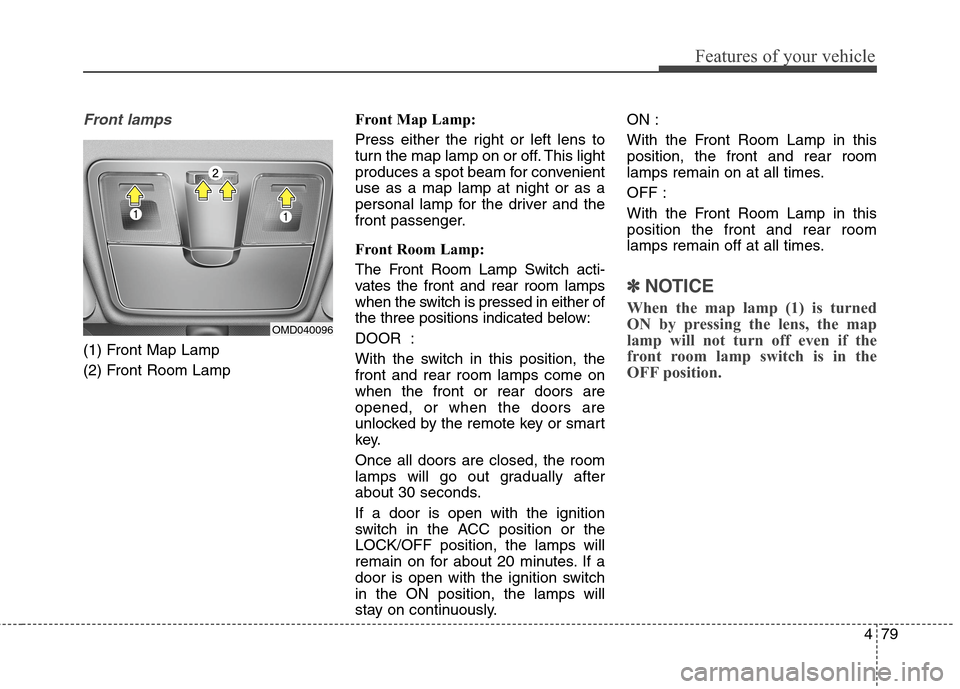
Front lamps
(1) Front Map Lamp
(2) Front Room LampFront Map Lamp:
Press either the right or left lens to
turn the map lamp on or off. This light
produces a spot beam for convenient
use as a map lamp at night or as a
personal lamp for the driver and the
front passenger.
Front Room Lamp:
The Front Room Lamp Switch acti-
vates the front and rear room lamps
when the switch is pressed in either of
the three positions indicated below:
DOOR :
With the switch in this position, the
front and rear room lamps come on
when the front or rear doors are
opened, or when the doors are
unlocked by the remote key or smart
key.
Once all doors are closed, the room
lamps will go out gradually after
about 30 seconds.
If a door is open with the ignition
switch in the ACC position or the
LOCK/OFF position, the lamps will
remain on for about 20 minutes. If a
door is open with the ignition switch
in the ON position, the lamps will
stay on continuously.ON :
With the Front Room Lamp in this
position, the front and rear room
lamps remain on at all times.
OFF :
With the Front Room Lamp in this
position the front and rear room
lamps remain off at all times.
✽ ✽
NOTICE
When the map lamp (1) is turned
ON by pressing the lens, the map
lamp will not turn off even if the
front room lamp switch is in the
OFF position.
OMD040096
Page 169 of 550
483
Features of your vehicle
✽ ✽
NOTICE
If you want to defrost and defog the
front windshield, refer to
“Windshield defrosting and defog-
ging” in this chapter.
Rear window defroster
The defroster heats the window to
remove frost, fog and thin ice from
the rear window, while the engine is
running.To activate the rear window
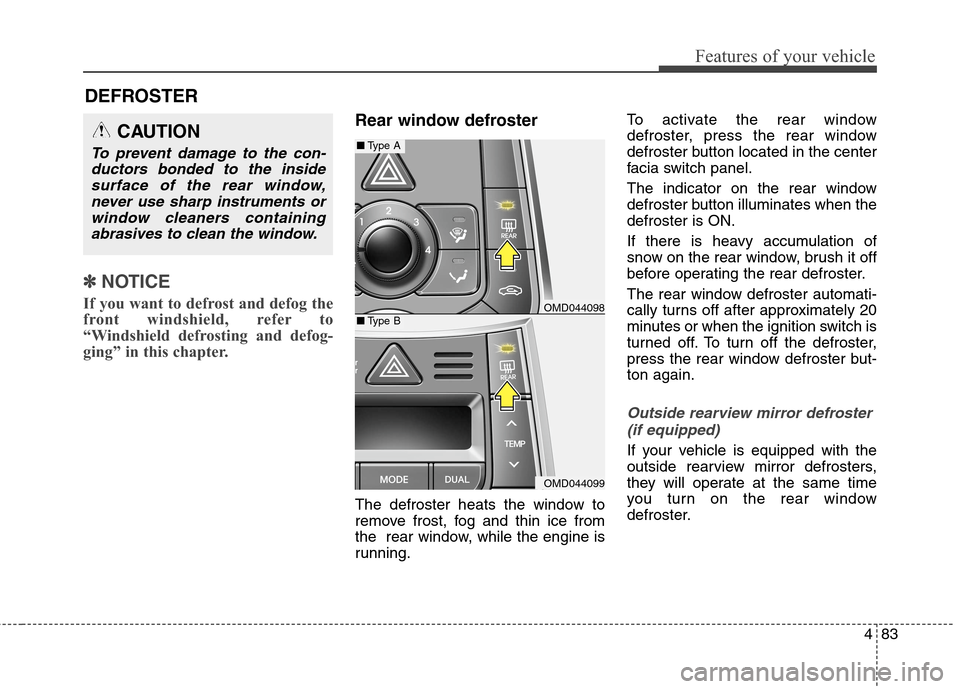
defroster, press the rear window
defroster button located in the center
facia switch panel.
The indicator on the rear window
defroster button illuminates when the
defroster is ON.
If there is heavy accumulation of
snow on the rear window, brush it off
before operating the rear defroster.
The rear window defroster automati-
cally turns off after approximately 20
minutes or when the ignition switch is
turned off. To turn off the defroster,
press the rear window defroster but-
ton again.
Outside rearview mirror defroster
(if equipped)
If your vehicle is equipped with the
outside rearview mirror defrosters,
they will operate at the same time
you turn on the rear window
defroster.
CAUTION
To prevent damage to the con-
ductors bonded to the inside
surface of the rear window,
never use sharp instruments or
window cleaners containing
abrasives to clean the window.
DEFROSTER
OMD044098
OMD044099
■Type A
■Type B
Page 175 of 550
489
Features of your vehicle
Fan speed control
The ignition switch must be in the ON
position for fan operation.
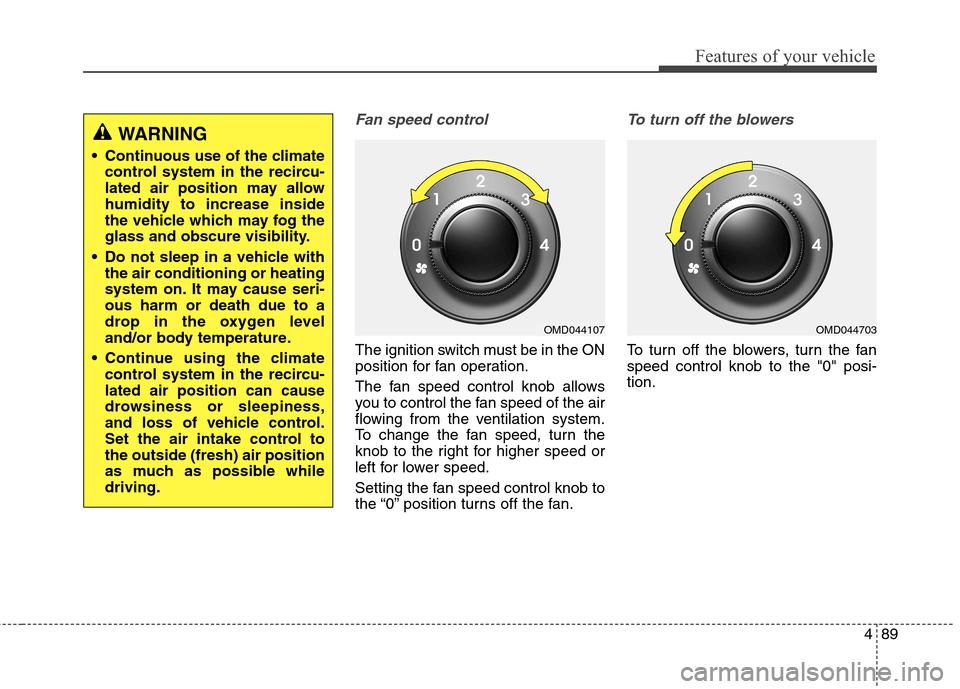
The fan speed control knob allows
you to control the fan speed of the air
flowing from the ventilation system.
To change the fan speed, turn the
knob to the right for higher speed or
left for lower speed.
Setting the fan speed control knob to
the “0” position turns off the fan.
To turn off the blowers
To turn off the blowers, turn the fan
speed control knob to the "0" posi-
tion.
WARNING
Continuous use of the climate
control system in the recircu-
lated air position may allow
humidity to increase inside
the vehicle which may fog the
glass and obscure visibility.
Do not sleep in a vehicle with
the air conditioning or heating
system on. It may cause seri-
ous harm or death due to a
drop in the oxygen level
and/or body temperature.
Continue using the climate
control system in the recircu-
lated air position can cause
drowsiness or sleepiness,
and loss of vehicle control.
Set the air intake control to
the outside (fresh) air position
as much as possible while
driving.
OMD044107OMD044703