cruise control Hyundai Elantra Coupe 2016 Owner's Manual
[x] Cancel search | Manufacturer: HYUNDAI, Model Year: 2016, Model line: Elantra Coupe, Model: Hyundai Elantra Coupe 2016Pages: 526, PDF Size: 9.99 MB
Page 18 of 526
25
Your vehicle at a glance
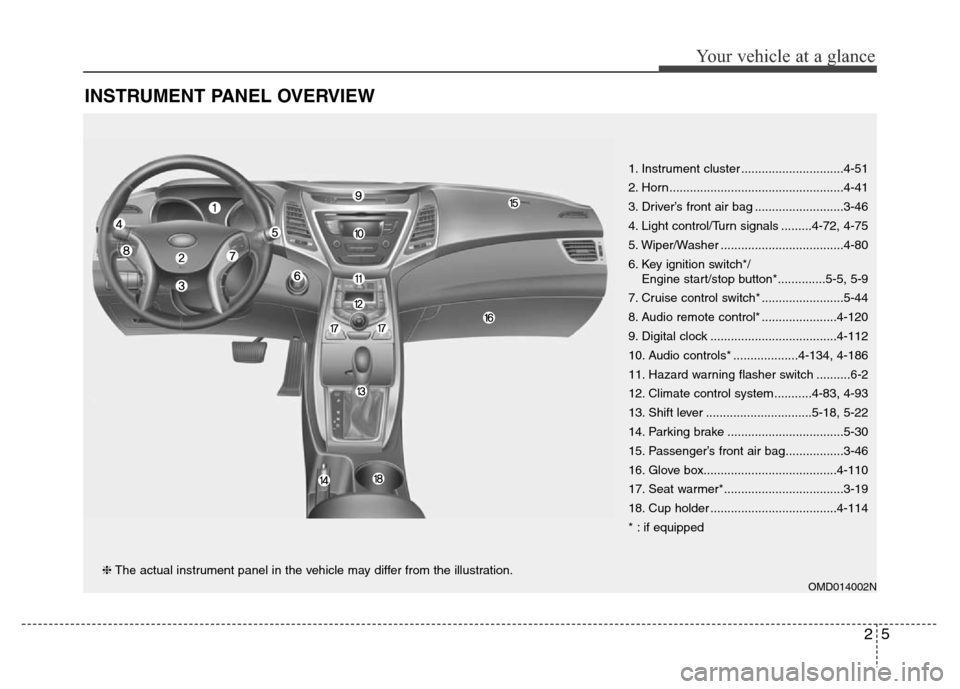
INSTRUMENT PANEL OVERVIEW
OMD014002N
1. Instrument cluster ..............................4-51
2. Horn...................................................4-41
3. Driver’s front air bag ..........................3-46
4. Light control/Turn signals .........4-72, 4-75
5. Wiper/Washer ....................................4-80
6. Key ignition switch*/
Engine start/stop button*..............5-5, 5-9
7. Cruise control switch* ........................5-44
8. Audio remote control* ......................4-120
9. Digital clock .....................................4-112
10. Audio controls* ...................4-134, 4-186
11. Hazard warning flasher switch ..........6-2
12. Climate control system ...........4-83, 4-93
13. Shift lever ...............................5-18, 5-22
14. Parking brake ..................................5-30
15. Passenger’s front air bag.................3-46
16. Glove box.......................................4-110
17. Seat warmer*...................................3-19
18. Cup holder .....................................4-114
* : if equipped
❈The actual instrument panel in the vehicle may differ from the illustration.
Page 155 of 526
Features of your vehicle
70 4
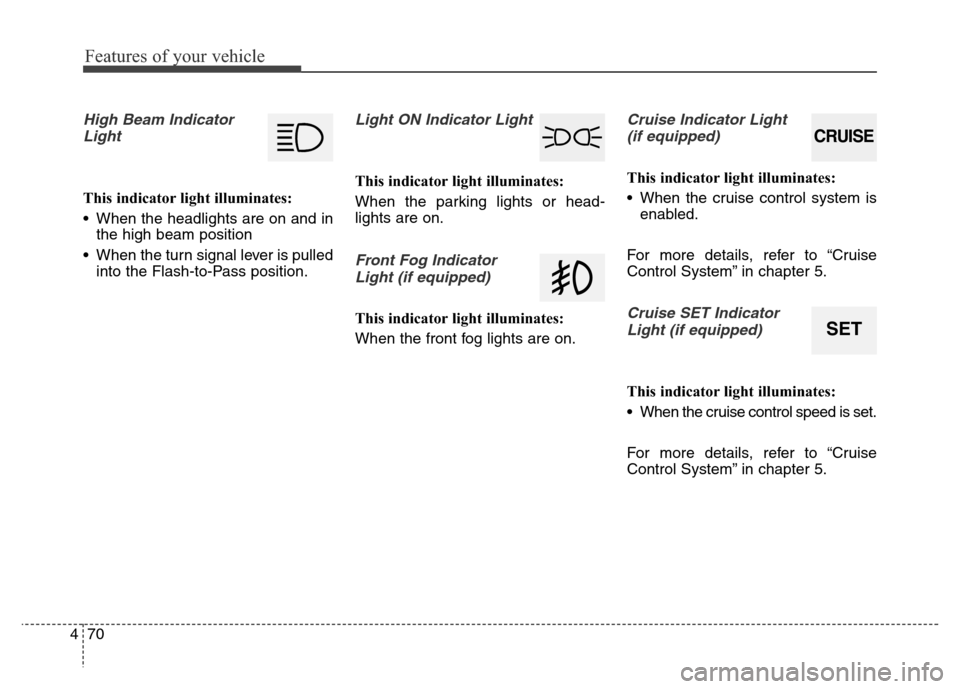
High Beam Indicator
Light
This indicator light illuminates:
• When the headlights are on and in
the high beam position
• When the turn signal lever is pulled
into the Flash-to-Pass position.
Light ON Indicator Light
This indicator light illuminates:
When the parking lights or head-
lights are on.
Front Fog Indicator
Light (if equipped)
This indicator light illuminates:
When the front fog lights are on.
Cruise Indicator Light
(if equipped)
This indicator light illuminates:
• When the cruise control system is
enabled.
For more details, refer to “Cruise
Control System” in chapter 5.
Cruise SET Indicator
Light (if equipped)
This indicator light illuminates:
• When the cruise control speed is set.
For more details, refer to “Cruise
Control System” in chapter 5.
CRUISE
SET
Page 334 of 526
Driving your vehicle
Before driving . . . . . . . . . . . . . . . . . . . . . . . . . . . . . 5-3
• Before entering the vehicle . . . . . . . . . . . . . . . . . . . . . 5-3
• Before starting . . . . . . . . . . . . . . . . . . . . . . . . . . . . . . . 5-3
Ignition switch . . . . . . . . . . . . . . . . . . . . . . . . . . . . . 5-5
• Key ignition switch . . . . . . . . . . . . . . . . . . . . . . . . . . . 5-5
• Engine Start/Stop button . . . . . . . . . . . . . . . . . . . . . . . 5-9
Manual transaxle . . . . . . . . . . . . . . . . . . . . . . . . . . 5-18
• Manual transaxle operation . . . . . . . . . . . . . . . . . . . 5-18
• Good driving practices . . . . . . . . . . . . . . . . . . . . . . . . 5-20
Automatic transaxle . . . . . . . . . . . . . . . . . . . . . . . 5-22
• Automatic transaxle operation . . . . . . . . . . . . . . . . . 5-22
• Parking . . . . . . . . . . . . . . . . . . . . . . . . . . . . . . . . . . . . . 5-27
• Good driving practices . . . . . . . . . . . . . . . . . . . . . . . . 5-27
Braking system . . . . . . . . . . . . . . . . . . . . . . . . . . . 5-29
• Power brakes . . . . . . . . . . . . . . . . . . . . . . . . . . . . . . . 5-29
• Disc brakes wear indicator . . . . . . . . . . . . . . . . . . . . 5-30
• Rear drum brakes . . . . . . . . . . . . . . . . . . . . . . . . . . . 5-30
• Parking brake . . . . . . . . . . . . . . . . . . . . . . . . . . . . . . . 5-30
• Anti-lock Brake System (ABS). . . . . . . . . . . . . . . . . . 5-32
• Electronic Stability Control (ESC) . . . . . . . . . . . . . . 5-35
• Vehicle Stability Management (VSM) . . . . . . . . . . . . 5-39
• Hill-Start Assist Control (HAC) . . . . . . . . . . . . . . . . 5-40
• Good braking practices . . . . . . . . . . . . . . . . . . . . . . . 5-41
Driving assist system . . . . . . . . . . . . . . . . . . . . . . . 5-42
• Active ECO system . . . . . . . . . . . . . . . . . . . . . . . . . . . 5-42
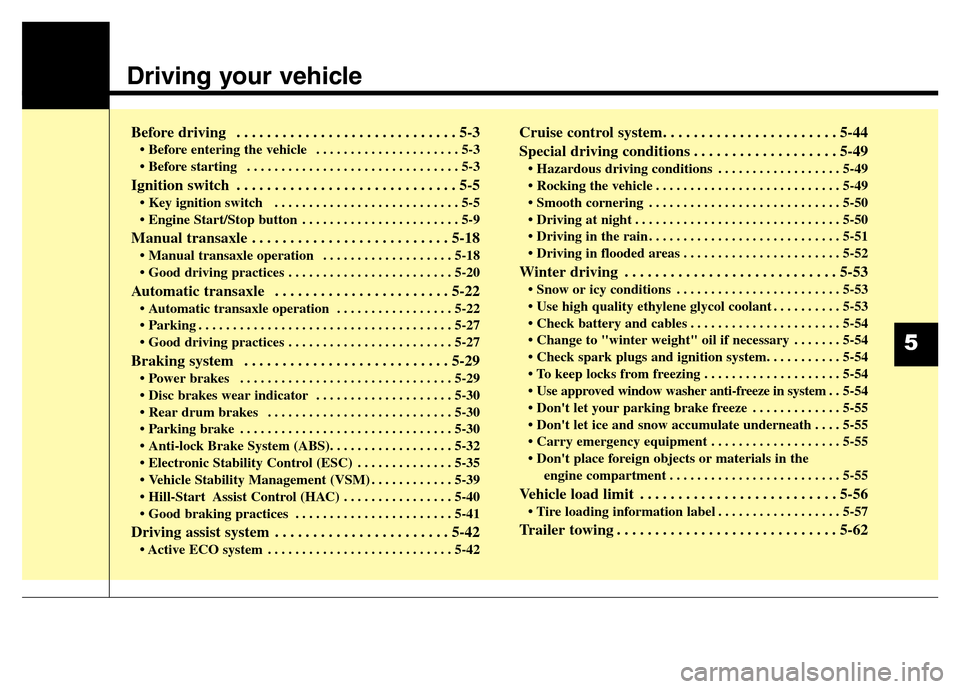
Cruise control system. . . . . . . . . . . . . . . . . . . . . . . 5-44
Special driving conditions . . . . . . . . . . . . . . . . . . . 5-49
• Hazardous driving conditions . . . . . . . . . . . . . . . . . . 5-49
• Rocking the vehicle . . . . . . . . . . . . . . . . . . . . . . . . . . . 5-49
• Smooth cornering . . . . . . . . . . . . . . . . . . . . . . . . . . . . 5-50
• Driving at night . . . . . . . . . . . . . . . . . . . . . . . . . . . . . . 5-50
• Driving in the rain . . . . . . . . . . . . . . . . . . . . . . . . . . . . 5-51
• Driving in flooded areas . . . . . . . . . . . . . . . . . . . . . . . 5-52
Winter driving . . . . . . . . . . . . . . . . . . . . . . . . . . . . 5-53
• Snow or icy conditions . . . . . . . . . . . . . . . . . . . . . . . . 5-53
• Use high quality ethylene glycol coolant . . . . . . . . . . 5-53
• Check battery and cables . . . . . . . . . . . . . . . . . . . . . . 5-54
• Change to "winter weight" oil if necessary . . . . . . . 5-54
• Check spark plugs and ignition system. . . . . . . . . . . 5-54
• To keep locks from freezing . . . . . . . . . . . . . . . . . . . . 5-54
• Use approved window washer anti-freeze in system . . 5-54
• Don't let your parking brake freeze . . . . . . . . . . . . . 5-55
• Don't let ice and snow accumulate underneath . . . . 5-55
• Carry emergency equipment . . . . . . . . . . . . . . . . . . . 5-55
• Don't place foreign objects or materials in the
engine compartment . . . . . . . . . . . . . . . . . . . . . . . . . 5-55
Vehicle load limit . . . . . . . . . . . . . . . . . . . . . . . . . . 5-56
• Tire loading information label . . . . . . . . . . . . . . . . . . 5-57
Trailer towing . . . . . . . . . . . . . . . . . . . . . . . . . . . . . 5-62
5
Page 369 of 526
Driving your vehicle
36 5
ESC operation
ESC ON condition
When the ignition switch is in the ON
position, the ESC and the ESC OFF
indicator lights illuminate for approxi-
mately three seconds and goes off,
then the ESC is turned on.
If this light stays on, your vehicle may
have a malfunction with the ESC
system. Have your vehicle checked
by an authorized HYUNDAI dealer
as soon as possible.When operating
When the ESC is in opera-
tion, the ESC indicator light
blinks:
• When you apply your brakes under
conditions which may lock the
wheels, you may hear sounds from
the brakes, or feel a corresponding
sensation in the brake pedal. This
is normal and it means your ESC is
active.
• When the ESC activates, the
engine may not respond to the
accelerator as it does under rou-
tine conditions.
• If the Cruise Control was in use
when the ESC activates, the cruise
control automatically disengages.
The Cruise Control can be reen-
gaged when the road conditions
allow. See “Cruise Control System”
later in this chapter.• When moving out of the mud or
driving on a slippery road, the
engine rpm (revolutions per
minute) may not increase even if
you press the accelerator pedal
deeply. This is to maintain the sta-
bility and traction of the vehicle and
does not indicate a problem.
Page 377 of 526
Driving your vehicle
44 5
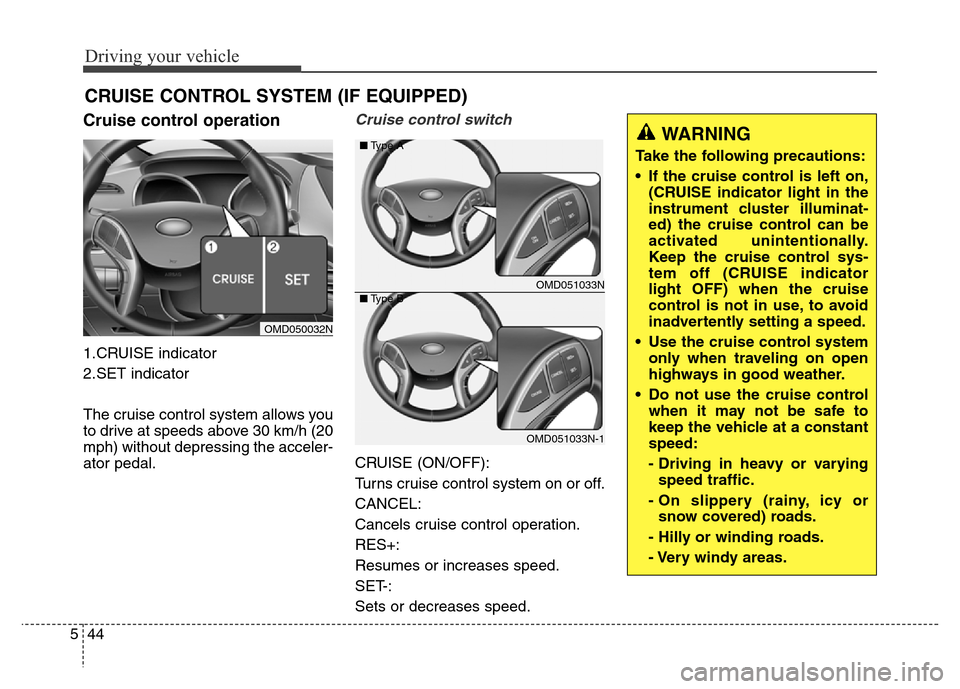
Cruise control operation
1.CRUISE indicator
2.SET indicator
The cruise control system allows you
to drive at speeds above 30 km/h (20
mph) without depressing the acceler-
ator pedal.
Cruise control switch
CRUISE (ON/OFF):
Turns cruise control system on or off.
CANCEL:
Cancels cruise control operation.
RES+:
Resumes or increases speed.
SET-:
Sets or decreases speed.
CRUISE CONTROL SYSTEM (IF EQUIPPED)
OMD050032N
OMD051033N
OMD051033N-1 ■Type A
■Type B
WARNING
Take the following precautions:
• If the cruise control is left on,
(CRUISE indicator light in the
instrument cluster illuminat-
ed) the cruise control can be
activated unintentionally.
Keep the cruise control sys-
tem off (CRUISE indicator
light OFF) when the cruise
control is not in use, to avoid
inadvertently setting a speed.
• Use the cruise control system
only when traveling on open
highways in good weather.
• Do not use the cruise control
when it may not be safe to
keep the vehicle at a constant
speed:
- Driving in heavy or varying
speed traffic.
- On slippery (rainy, icy or
snow covered) roads.
- Hilly or winding roads.
- Very windy areas.
Page 378 of 526
545
Driving your vehicle
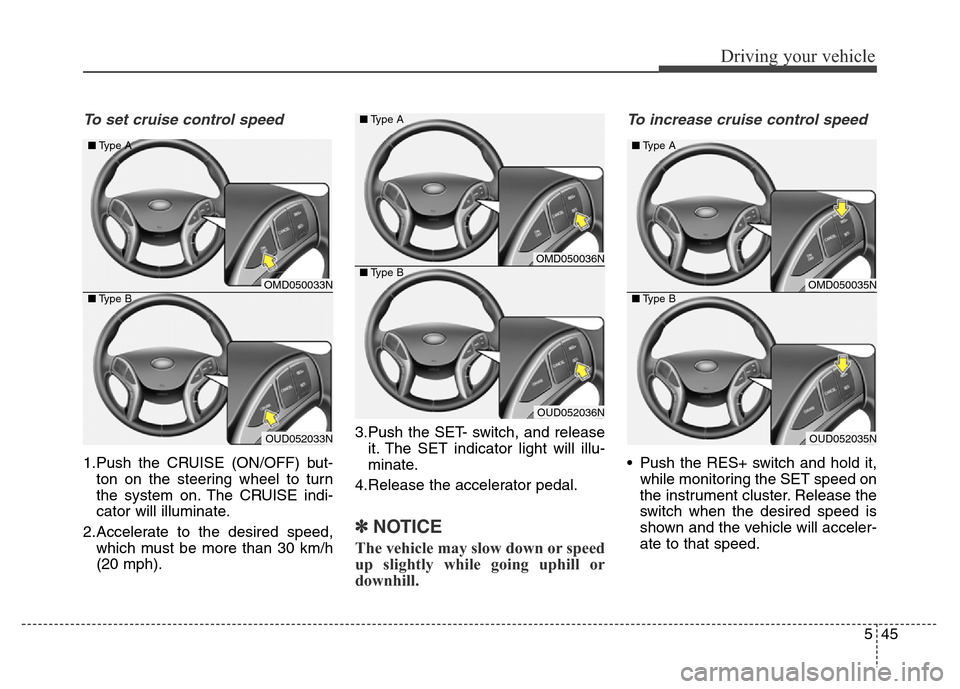
To set cruise control speed
1.Push the CRUISE (ON/OFF) but-
ton on the steering wheel to turn
the system on. The CRUISE indi-
cator will illuminate.
2.Accelerate to the desired speed,
which must be more than 30 km/h
(20 mph).3.Push the SET- switch, and release
it. The SET indicator light will illu-
minate.
4.Release the accelerator pedal.
✽NOTICE
The vehicle may slow down or speed
up slightly while going uphill or
downhill.
To increase cruise control speed
• Push the RES+ switch and hold it,
while monitoring the SET speed on
the instrument cluster. Release the
switch when the desired speed is
shown and the vehicle will acceler-
ate to that speed.
OMD050036N
OUD052036N ■Type A
■Type B
OMD050033N
OUD052033N ■Type A
■Type B
OMD050035N
OUD052035N ■Type A
■Type B
Page 379 of 526
Driving your vehicle
46 5
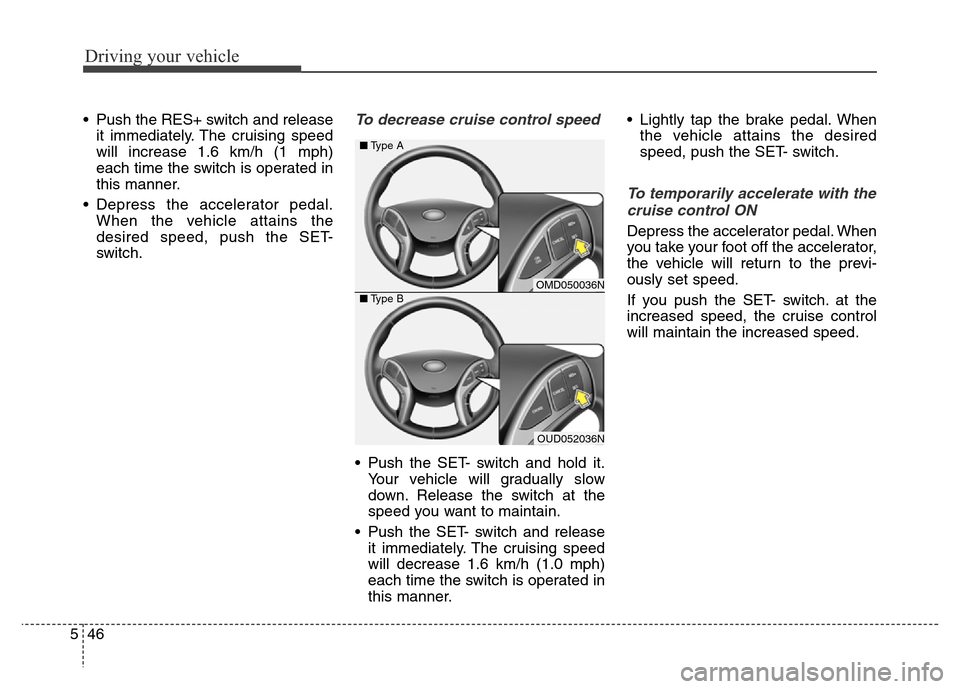
• Push the RES+ switch and release
it immediately. The cruising speed
will increase 1.6 km/h (1 mph)
each time the switch is operated in
this manner.
• Depress the accelerator pedal.
When the vehicle attains the
desired speed, push the SET-
switch.To decrease cruise control speed
• Push the SET- switch and hold it.
Your vehicle will gradually slow
down. Release the switch at the
speed you want to maintain.
• Push the SET- switch and release
it immediately. The cruising speed
will decrease 1.6 km/h (1.0 mph)
each time the switch is operated in
this manner.• Lightly tap the brake pedal. When
the vehicle attains the desired
speed, push the SET- switch.
To temporarily accelerate with the
cruise control ON
Depress the accelerator pedal. When
you take your foot off the accelerator,
the vehicle will return to the previ-
ously set speed.
If you push the SET- switch. at the
increased speed, the cruise control
will maintain the increased speed.
OMD050036N
OUD052036N ■Type A
■Type B
Page 380 of 526
547
Driving your vehicle
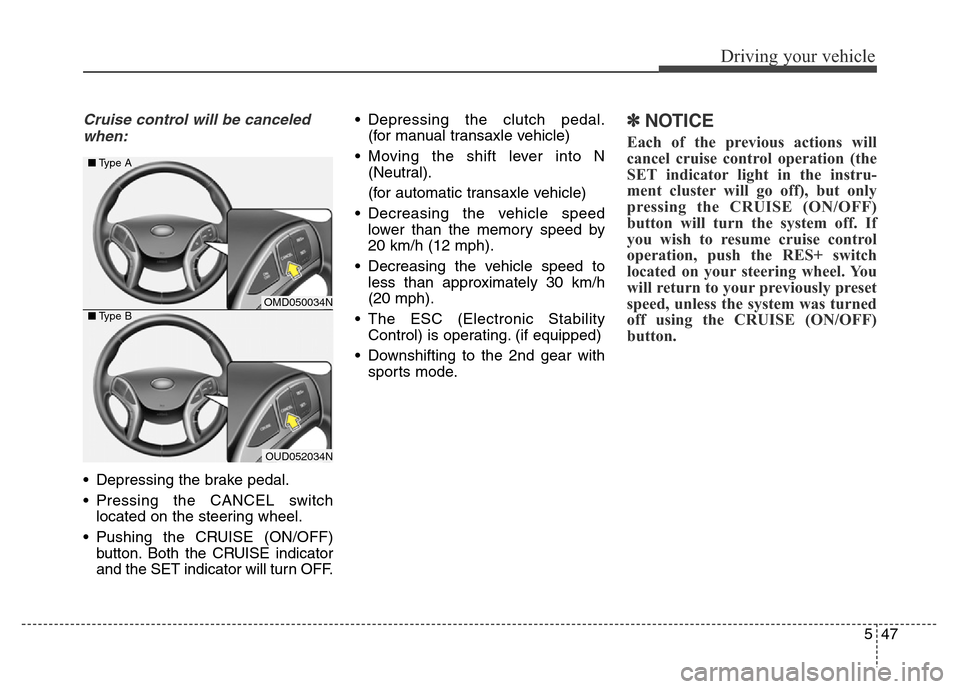
Cruise control will be canceled
when:
• Depressing the brake pedal.
• Pressing the CANCEL switch
located on the steering wheel.
• Pushing the CRUISE (ON/OFF)
button. Both the CRUISE indicator
and the SET indicator will turn OFF.• Depressing the clutch pedal.
(for manual transaxle vehicle)
• Moving the shift lever into N
(Neutral).
(for automatic transaxle vehicle)
• Decreasing the vehicle speed
lower than the memory speed by
20 km/h (12 mph).
• Decreasing the vehicle speed to
less than approximately 30 km/h
(20 mph).
• The ESC (Electronic Stability
Control) is operating. (if equipped)
• Downshifting to the 2nd gear with
sports mode.
✽NOTICE
Each of the previous actions will
cancel cruise control operation (the
SET indicator light in the instru-
ment cluster will go off), but only
pressing the CRUISE (ON/OFF)
button will turn the system off. If
you wish to resume cruise control
operation, push the RES+ switch
located on your steering wheel. You
will return to your previously preset
speed, unless the system was turned
off using the CRUISE (ON/OFF)
button.
OMD050034N
OUD052034N ■Type A
■Type B
Page 381 of 526
Driving your vehicle
48 5
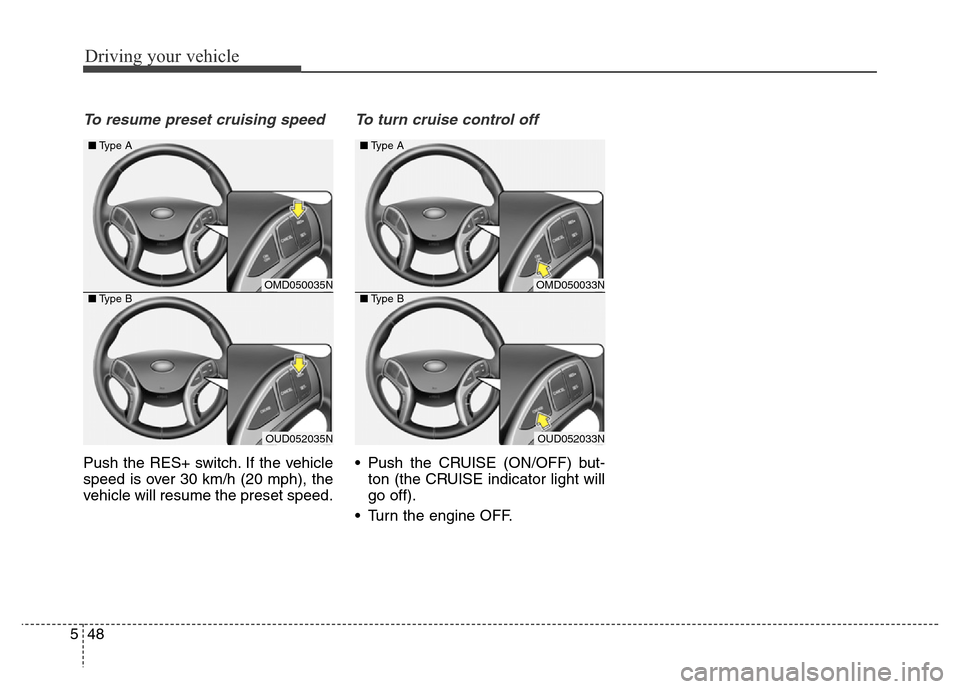
To resume preset cruising speed
Push the RES+ switch. If the vehicle
speed is over 30 km/h (20 mph), the
vehicle will resume the preset speed.
To turn cruise control off
• Push the CRUISE (ON/OFF) but-
ton (the CRUISE indicator light will
go off).
• Turn the engine OFF.
OMD050033N
OUD052033N ■Type A
■Type B
OMD050035N
OUD052035N ■Type A
■Type B
Page 384 of 526
551
Driving your vehicle
• Keep your headlights clean and
properly aimed. Dirty or improperly
aimed headlights will make it much
more difficult to see at night.
• Avoid staring directly at the head-
lights of oncoming vehicles. You
could be temporarily blinded, and it
will take several seconds for your
eyes to readjust to the darkness.Driving in the rain
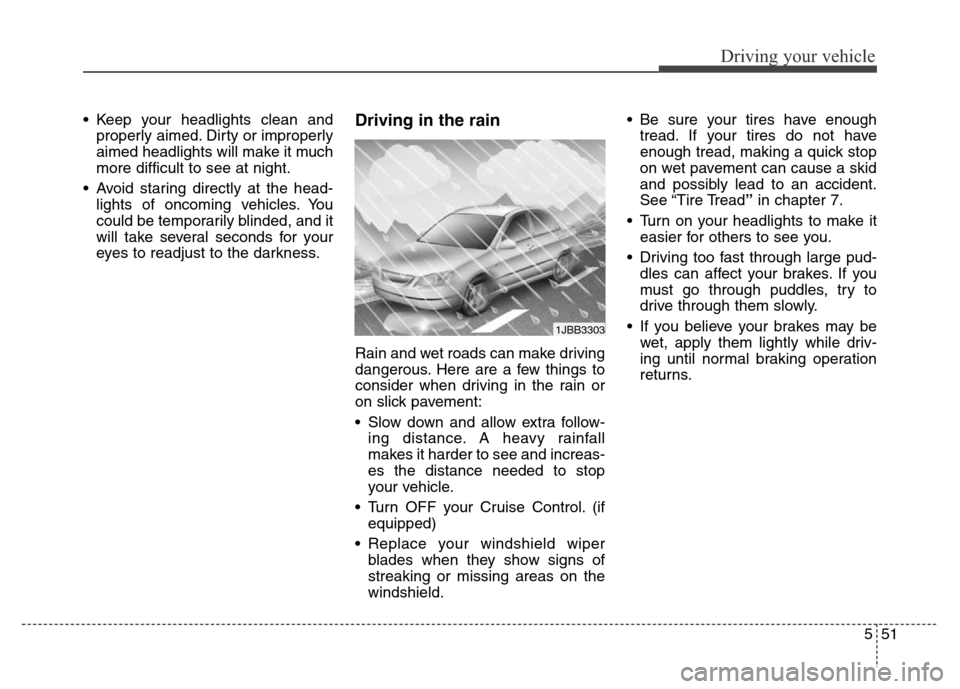
Rain and wet roads can make driving
dangerous. Here are a few things to
consider when driving in the rain or
on slick pavement:
• Slow down and allow extra follow-
ing distance. A heavy rainfall
makes it harder to see and increas-
es the distance needed to stop
your vehicle.
• Turn OFF your Cruise Control. (if
equipped)
• Replace your windshield wiper
blades when they show signs of
streaking or missing areas on the
windshield.• Be sure your tires have enough
tread. If your tires do not have
enough tread, making a quick stop
on wet pavement can cause a skid
and possibly lead to an accident.
See “Tire Tread”in chapter 7.
• Turn on your headlights to make it
easier for others to see you.
• Driving too fast through large pud-
dles can affect your brakes. If you
must go through puddles, try to
drive through them slowly.
• If you believe your brakes may be
wet, apply them lightly while driv-
ing until normal braking operation
returns.
1JBB3303