phone HYUNDAI ELANTRA GT 2014 User Guide
[x] Cancel search | Manufacturer: HYUNDAI, Model Year: 2014, Model line: ELANTRA GT, Model: HYUNDAI ELANTRA GT 2014Pages: 476, PDF Size: 31.71 MB
Page 228 of 476
![HYUNDAI ELANTRA GT 2014 User Guide 4143
Features of your vehicle
Phone List
The names of up to 5 paired phones
will be displayed.
A [ ] is displayed in front of the cur-
rently connected phone.
Select the desired name to setup the
sele](/img/35/56097/w960_56097-227.png "HYUNDAI ELANTRA GT 2014 User Guide 4143
Features of your vehicle
Phone List
The names of up to 5 paired phones
will be displayed.
A [ ] is displayed in front of the cur-
rently connected phone.
Select the desired name to setup the
sele")
4143
Features of your vehicle
Phone List
The names of up to 5 paired phones
will be displayed.
A [ ] is displayed in front of the cur-
rently connected phone.
Select the desired name to setup the
selected phone.
Select [Phone List] Select mobile
phone through TUNE knob Select
[Connect Phone]
➀Select a mobile phone that is not
currently connected.
➁Connect the selected mobile phone.
➂Connection completion is displayed.
❈If a phone is already connected,
disconnect the currently connect-
ed phone and select a new phone
to connect.
Select [Phone List] Select mobile
phone through TUNE knob Select
[Disconnect Phone]
➀Select the currently connected
mobile phone.
➁Disconnect the selected mobile
phone.
➂Disconnection completion is dis-
played.
Page 229 of 476
![HYUNDAI ELANTRA GT 2014 User Guide Features of your vehicle
144 4
(Priority)
This is used to change the order (pri-
ority) of automatic connection for the
paired mobile phones.
Select [Phone List] Select [Priority]
through TUNE knob](/img/35/56097/w960_56097-228.png "HYUNDAI ELANTRA GT 2014 User Guide Features of your vehicle
144 4
(Priority)
This is used to change the order (pri-
ority) of automatic connection for the
paired mobile phones.
Select [Phone List] Select [Priority]
through TUNE knob")
Features of your vehicle
144 4
(Priority)
This is used to change the order (pri-
ority) of automatic connection for the
paired mobile phones.
Select [Phone List] Select [Priority]
through TUNE knob Select No. 1
Priority mobile phone
➀Select [Priority].
➁From the paired phones, select
the phone desired for No.1 priority.
➂The changed priority sequence is
displayed.
❈Once the connection sequence
(priority) is changed, the new no. 1
priority mobile phone will be con-
nected.- When the no. 1 priority cannot be
connected: Automatically attempts
to connect the most recently con-
nected phone.
- Cases when the most recently
connected phone cannot be con-
nected: Attempts to connect in
the order in which paired phones
are listed.
- The connected phone will auto-
matically be changed to No. 1 pri-
ority.
Select [Phone List] Select mobile
phone through TUNE knob Select
[Delete]
➀Select the desired mobile phone.
➁Delete the selected mobile phone.
➂Deletion completion is displayed.
❈When attempting to delete a cur-
rently connected phone, the phone
is first disconnected.
CAUTION
When you delete a mobile
phone, the mobile phone con-
tacts will also be erased.
For stable Bluetooth
® Wireless
Technology communication,
delete the mobile phone from
the audio and also delete the
audio from your mobile phone.
Page 230 of 476
![HYUNDAI ELANTRA GT 2014 User Guide 4145
Features of your vehicle
Contacts Download
This feature is used to download
contacts and call histories into the
audio system.
Select [Contacts Download] Select
through TUNE knobAuto Download
Whe](/img/35/56097/w960_56097-229.png "HYUNDAI ELANTRA GT 2014 User Guide 4145
Features of your vehicle
Contacts Download
This feature is used to download
contacts and call histories into the
audio system.
Select [Contacts Download] Select
through TUNE knobAuto Download
Whe")
4145
Features of your vehicle
Contacts Download
This feature is used to download
contacts and call histories into the
audio system.
Select [Contacts Download] Select
through TUNE knobAuto Download
When connecting a mobile phone, it
is possible to automatically download
new Contacts and Call Histories.
Select [Auto Download] Set /
through TUNE knob
Audio Streaming
Songs (files) saved in your
Bluetooth®Wireless Technology
enabled mobile phone can be played
through the audio system.
Select [Audio Streaming] Set /
through TUNE knobOutgoing Volume
This is used to set the volume of your
voice as heard by the other party
while on a
Bluetooth®Wireless
Technology enabled handsfree call.
Select [Outgoing Volume] Set volume
through TUNE knob
❈Even while on a call, the volume can
be changed by using the ,
key.
Bluetooth®Wireless Technology
System Off
This feature is used when you do not
wish to use the Bluetooth
®Wireless
Technology system.
Select [Bluetooth
®System Off] Set
through TUNE knob
❈If a phone is already connected,
disconnect the currently connect-
ed phone and turn the
Bluetooth®
Wireless Technology system off.
TRACKSEEK
Off
On
Off
On
CAUTION
The download feature may not
be supported in some mobile
phones.
If a different operation is per-
formed while Contacts are
being downloaded, download-
ing will be discontinued.
Contacts already downloaded
will be saved.
When downloading new
Contacts, delete all previously
saved Contacts before start-
ing download.
CAUTION
The Bluetooth®Wireless
Technology audio streaming
feature may not be supported in
some mobile phones.
Page 231 of 476
Features of your vehicle
146 4
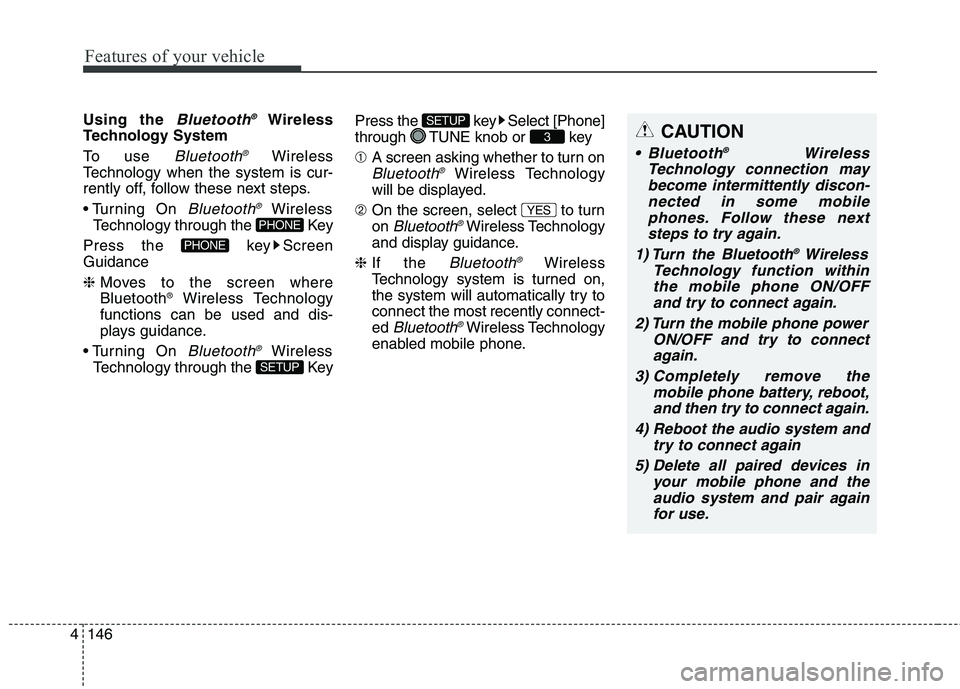
Using the Bluetooth®Wireless
Technology System
To use
Bluetooth®Wireless
Technology when the system is cur-
rently off, follow these next steps.
On
Bluetooth®Wireless
Technology through the Key
Press the key Screen
Guidance
❈Moves to the screen where
Bluetooth
®Wireless Technology
functions can be used and dis-
plays guidance.
On
Bluetooth®Wireless
Technology through the KeyPress the key Select [Phone]
through TUNE knob or key
➀A screen asking whether to turn on
Bluetooth®Wireless Technology
will be displayed.
➁On the screen, select to turn
on
Bluetooth®Wireless Technology
and display guidance.
❈If the
Bluetooth®Wireless
Technology system is turned on,
the system will automatically try to
connect the most recently connect-
ed
Bluetooth®Wireless Technology
enabled mobile phone.
YES
3
SETUP
SETUP
PHONE
PHONE
CAUTION
Bluetooth®Wireless
Technology connection may
become intermittently discon-
nected in some mobile
phones. Follow these next
steps to try again.
1) Turn the Bluetooth
®Wireless
Technology function within
the mobile phone ON/OFF
and try to connect again.
2) Turn the mobile phone power
ON/OFF and try to connect
again.
3) Completely remove the
mobile phone battery, reboot,
and then try to connect again.
4) Reboot the audio system and
try to connect again
5) Delete all paired devices in
your mobile phone and the
audio system and pair again
for use.
Page 240 of 476
4155
Features of your vehicle
Using a cellular phone or a two-
way radio
When a cellular phone is used inside
the vehicle, noise may be produced
from the audio system. This does not
mean that something is wrong with the
audio equipment. In such a case, use
the cellular phone at a place as far as
possible from the audio equipment.
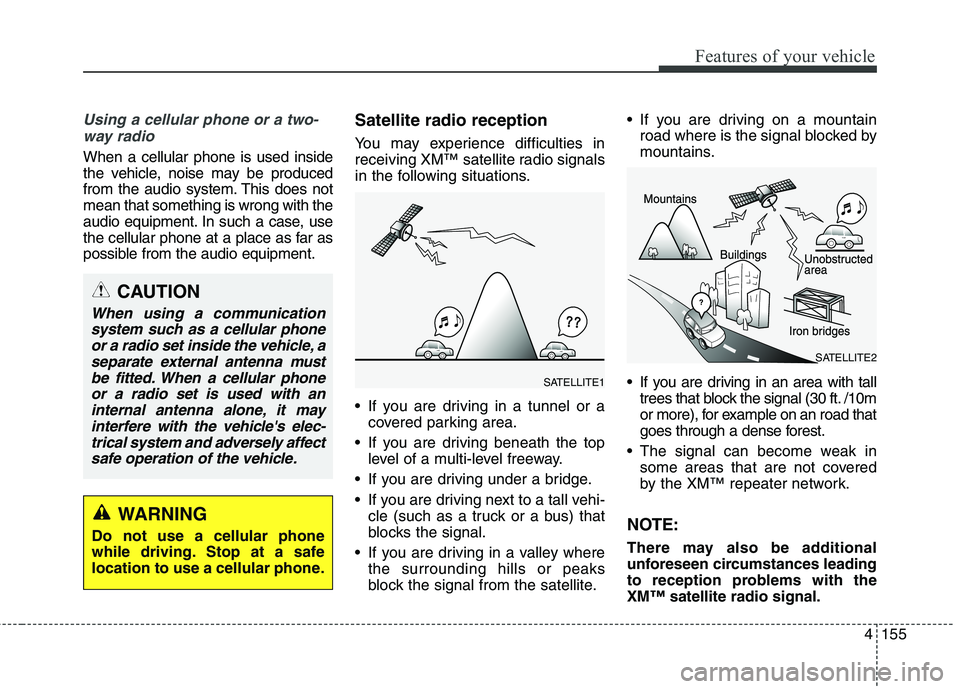
Satellite radio reception
You may experience difficulties in
receiving XM™ satellite radio signals
in the following situations.
If you are driving in a tunnel or a
covered parking area.
If you are driving beneath the top
level of a multi-level freeway.
If you are driving under a bridge.
If you are driving next to a tall vehi-
cle (such as a truck or a bus) that
blocks the signal.
If you are driving in a valley where
the surrounding hills or peaks
block the signal from the satellite. If you are driving on a mountain
road where is the signal blocked by
mountains.
If you are driving in an area with tall
trees that block the signal (30 ft. /10m
or more), for example on an road that
goes through a dense forest.
The signal can become weak in
some areas that are not covered
by the XM™ repeater network.
NOTE:
There may also be additional
unforeseen circumstances leading
to reception problems with the
XM™ satellite radio signal.
CAUTION
When using a communication
system such as a cellular phone
or a radio set inside the vehicle, a
separate external antenna must
be fitted. When a cellular phone
or a radio set is used with an
internal antenna alone, it may
interfere with the vehicle's elec-
trical system and adversely affect
safe operation of the vehicle.
WARNING
Do not use a cellular phone
while driving. Stop at a safe
location to use a cellular phone.
SATELLITE2
SATELLITE1
Page 251 of 476
Features of your vehicle
166 4
(Continued)
Playing videos through the
USB is not supported.
Use of USB accessories such
as rechargers or heaters
using USB I/F may lower per-
formance or cause trouble.
If you use devices such as a
USB hub purchased separate-
ly, the vehicle’s audio system
may not recognize the USB
device. In that case, connect
the USB device directly to the
multimedia terminal of the
vehicle.
If the USB device is divided by
logical drives, only the music
files on the highest-priority
drive are recognized by car
audio.
Devices such as MP3 Player/
Cellular phone/Digital camera
can be unrecognizable by
standard USB I/F can be
unrecognizable.
(Continued)(Continued)
Charging through the USB
may not be supported in some
mobile devices.
USB HDD or USB types liable
to connection failures due to
vehicle vibrations are not sup-
ported. (i-stick type)
Some non-standard USB
devices (METAL COVER TYPE
USB) can be unrecognizable.
Some USB flash memory read-
ers (such as CF, SD, micro SD,
etc.) or external-HDD type
devices can be unrecognizable.
Music files protected by DRM
(DIGITAL RIGHTS MANAGE-
MENT) are not recognizable.
The data in the USB memory
may be lost while using this
audio. Always back up impor-
tant data on a personal stor-
age device.
(Continued)(Continued)
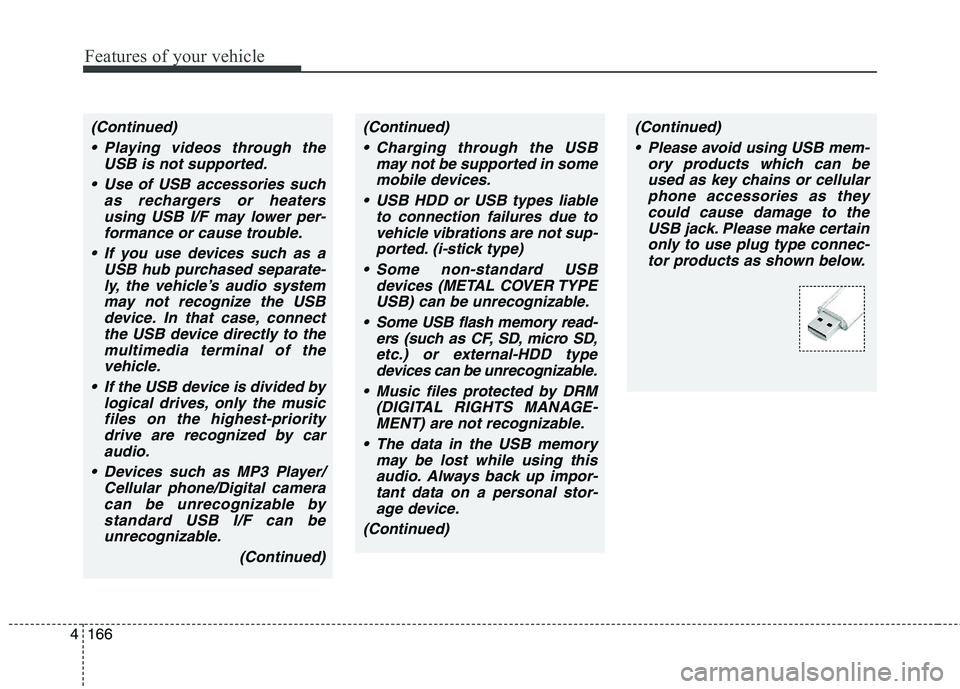
Please avoid using USB mem-
ory products which can be
used as key chains or cellular
phone accessories as they
could cause damage to the
USB jack. Please make certain
only to use plug type connec-
tor products as shown below.
Page 252 of 476
4167
Features of your vehicle
✽ ✽
NOTICE FOR USING THE
iPod®DEVICE
• Some iPod models may not sup-
port communication protocol and
files may not properly play.
Supported iPod models:
- iPod Mini
- iPod 4th(Photo) ~ 6th(Classic)
generation
- iPod Nano 1st~4th generation
- iPod Touch 1st~2nd generation
• The order of search or playback of
songs in the iPod can be different
from the order searched in the
audio system.
• If the iPod disabled due to its own
malfunction, reset the iPod.
(Reset: Refer to iPod manual)
• An iPod may not operate normal-
ly on low battery.
(Continued)(Continued)
• Some iPod devices, such as the
iPhone, can be connected through
the Bluetooth®Wireless
Technology interface. The device
must have audio Bluetooth
®
Wireless Technology capability
(such as for stereo headphone
Bluetooth
®Wireless Technology).
The device can play, but it will not
be controlled by the audio system.
• To use iPod features within the
audio, use the cable provided upon
purchasing an iPod device.
• Skipping or improper operation
may occur depending on the char-
acteristics of your iPod/Phone
device.
• If your iPhone is connected to both
the Bluetooth
®Wireless
Technology and USB, the sound
may not be properly played. In
your iPhone, select the Dock con-
nector orBluetooth
®Wireless
Technology to change the sound
output (source).
CAUTION IN USING
THE iPod®DEVICE
When connecting iPod with
the iPod Power Cable, insert
the connector to the multime-
dia socket completely. If not
inserted completely, commu-
nications between iPod and
audio may be interrupted.
When adjusting the sound
effects of the iPod and the
audio system, the sound
effects of both devices will
overlap and might reduce or
distort the quality of the sound.
Deactivate (turn off) the equal-
izer function of an iPod when
adjusting the audio system’s
volume, and turn off the equal-
izer of the audio system when
using the equalizer of an iPod.
When not using iPod with car
audio, detach the iPod cable
from iPod. Otherwise, iPod may
remain in accessory mode,
and may not work properly.
Page 254 of 476
4169
Features of your vehicle
Bluetooth®Wireless Technology
AUDIO (if equipped)
NOTE:
Bluetooth®Wireless Technology
phone compatibility can be
checked by visiting
www.hyundaiusa.com and under
the SERVICE & PARTS - BLUE-
TOOTH COMPATIBILITY menu.
The website provides informa-
tion, including information on
Pairing, Connection, Handsfree
Calling, Streaming, and more.
What is Bluetooth®Wireless
Technology?
Bluetooth®Wireless Technology is a
wireless technology that allows mul-
tiple devices to be connected in a
short range, low-powered devices
like hands-free, stereo headset, wire-
less remote controller, etc. For more
information, visit the
Bluetooth®
Wireless Technology website at
www.Bluetooth.com
Before using Bluetooth®
Wireless Technology audio
features
Bluetooth®Wireless Technology
audio may not be supported
depending on the compatibility of
your
Bluetooth®Wireless
Technology mobile phone.
Bluetooth®Wireless
Technology audio, you must first
pair and connect the
Bluetooth®
Wireless Technology mobile phone.
Bluetooth®Wireless Technology
audio can be used only when the
[Audio Streaming] of Phone is
turned .
❈Setting
Bluetooth®Wireless
Technology Audio Streaming : Press
the key Select [Phone]
through the tune knob or key
Select [Audio Streaming] through
the TUNE knob Set /
OffOn
3
SETUP
On
Page 255 of 476
Features of your vehicle
170 4
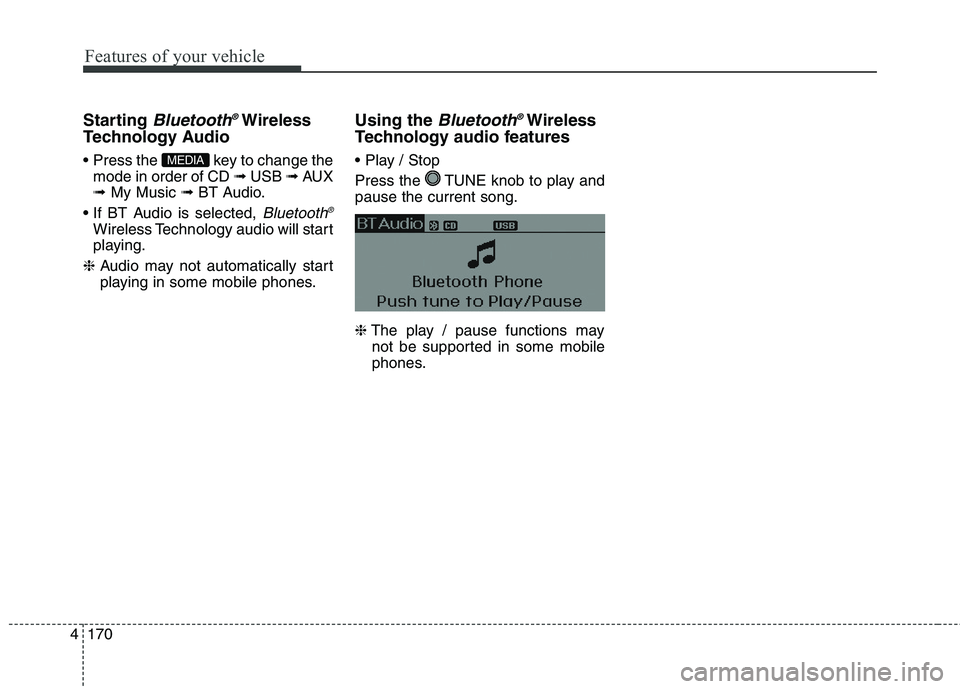
Starting Bluetooth®Wireless
Technology Audio
key to change the
mode in order of CD ➟ USB ➟ AUX
➟ My Music ➟ BT Audio.
Bluetooth®
Wireless Technology audio will start
playing.
❈Audio may not automatically start
playing in some mobile phones.
Using the Bluetooth®Wireless
Technology audio features
Press the TUNE knob to play and
pause the current song.
❈The play / pause functions may
not be supported in some mobile
phones.MEDIA
Page 256 of 476
4171
Features of your vehicle
PHONE (IF EQUIPPED)
Before using the Bluetooth®Wireless
Technology enabled phone features
In order to use
Bluetooth®Wireless
Technology phone, you must first
pair and connect the
Bluetooth®
Wireless Technology mobile phone.
If the mobile phone is not paired or
connected, it is not possible to
enter Phone mode. Once a phone
is paired or connected, the guid-
ance screen will be displayed.
If Priority is set upon vehicle igni-
tion (IGN/ACC ON), the
Bluetooth®
Wireless Technology enabled
phone will be automatically con-
nected. Even if you are outside, the
Bluetooth®Wireless Technology
enabled phone will be automatical-
ly connected once you are in the
vicinity of the vehicle. If you do not
want automatic
Bluetooth®Wireless
Technology enabled phone con-
nection, set the
Bluetooth®Wireless
Technology power to OFF.
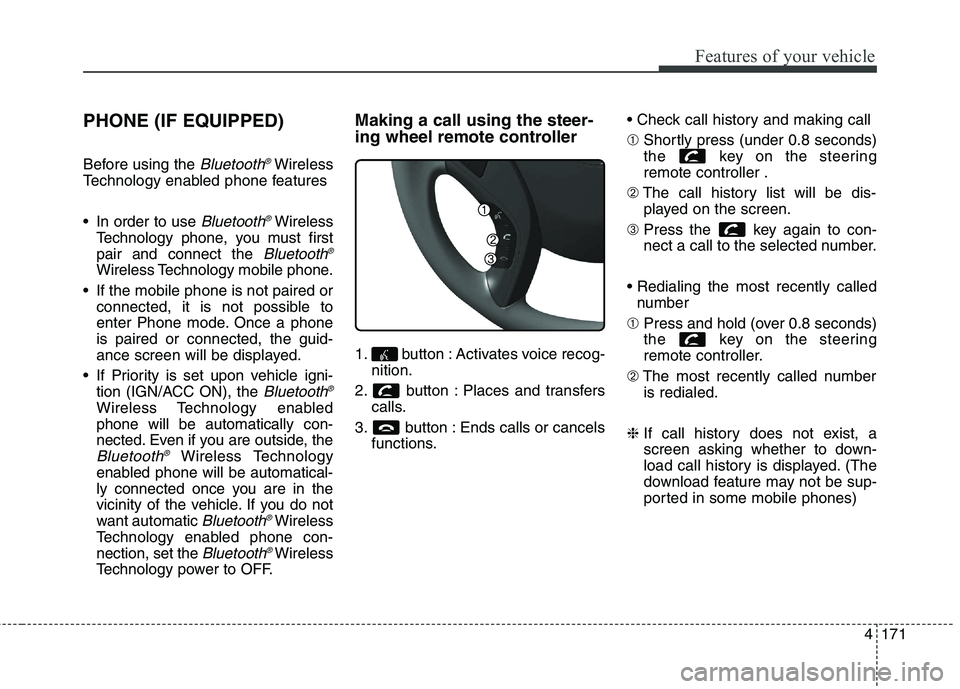
Making a call using the steer-
ing wheel remote controller
1. button : Activates voice recog-
nition.
2. button : Places and transfers
calls.
3. button : Ends calls or cancels
functions.
➀Shortly press (under 0.8 seconds)
the key on the steering
remote controller .
➁The call history list will be dis-
played on the screen.
➂Press the key again to con-
nect a call to the selected number.
number
➀Press and hold (over 0.8 seconds)
the key on the steering
remote controller.
➁The most recently called number
is redialed.
❈If call history does not exist, a
screen asking whether to down-
load call history is displayed. (The
download feature may not be sup-
ported in some mobile phones)