service HYUNDAI ELANTRA GT 2014 User Guide
[x] Cancel search | Manufacturer: HYUNDAI, Model Year: 2014, Model line: ELANTRA GT, Model: HYUNDAI ELANTRA GT 2014Pages: 476, PDF Size: 31.71 MB
Page 258 of 476
4173
Features of your vehicle
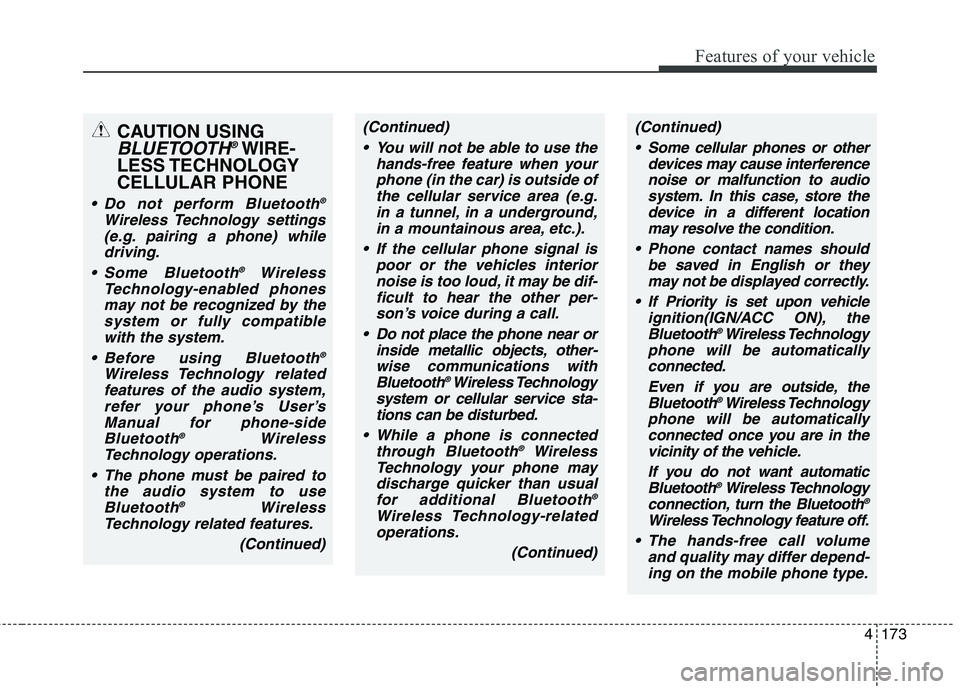
CAUTION USING
BLUETOOTH®WIRE-
LESS TECHNOLOGY
CELLULAR PHONE
Do not perform Bluetooth®
Wireless Technology settings
(e.g. pairing a phone) while
driving.
Some Bluetooth
®Wireless
Technology-enabled phones
may not be recognized by the
system or fully compatible
with the system.
Before using Bluetooth
®
Wireless Technology related
features of the audio system,
refer your phone’s User’s
Manual for phone-side
Bluetooth
®Wireless
Technology operations.
The phone must be paired to
the audio system to use
Bluetooth
®Wireless
Technology related features.
(Continued)
(Continued)
You will not be able to use the
hands-free feature when your
phone (in the car) is outside of
the cellular service area (e.g.
in a tunnel, in a underground,
in a mountainous area, etc.).
If the cellular phone signal is
poor or the vehicles interior
noise is too loud, it may be dif-
ficult to hear the other per-
son’s voice during a call.
Do not place the phone near or
inside metallic objects, other-
wise communications with
Bluetooth
®Wireless Technology
system or cellular service sta-
tions can be disturbed.
While a phone is connected
through Bluetooth
®Wireless
Technology your phone may
discharge quicker than usual
for additional Bluetooth
®
Wireless Technology-related
operations.
(Continued)
(Continued)
Some cellular phones or other
devices may cause interference
noise or malfunction to audio
system. In this case, store the
device in a different location
may resolve the condition.
Phone contact names should
be saved in English or they
may not be displayed correctly.
If Priority is set upon vehicle
ignition(IGN/ACC ON), the
Bluetooth
®Wireless Technology
phone will be automatically
connected.
Even if you are outside, the
Bluetooth
®Wireless Technology
phone will be automatically
connected once you are in the
vicinity of the vehicle.
If you do not want automatic
Bluetooth
®Wireless Technology
connection, turn the Bluetooth®
Wireless Technology feature off.
The hands-free call volume
and quality may differ depend-
ing on the mobile phone type.
Page 269 of 476
Features of your vehicle
184 4
Blue Link®
Hyundai aims to offer differentiated
customer values through a
‘Connected Car Life,’ which is to pro-
vide consumers with fast and reliable
IT technology. As consumers’
lifestyles become more and more
mobile in thanks to remarkable
advances in smart phones, tablet
PCs and overall wireless telecommu-
nication, new lifestyle patterns
demand seamless connection
between one’s office, home, out-
doors and automobiles.
Automobile companies are now
faced with the task of shifting their
paradigm from vehicle-centered
services to customer value-centered
services, with the ultimate goal of
securing global leadership in the
field of vehicle IT and telematics.Hyundai Motor plans to achieve this
by realizing a terminal platform flexi-
ble to changes in IT technology,
cooperating with global IT compa-
nies, creating an eco-system and
providing the latest contents & serv-
ices based on an open environment.
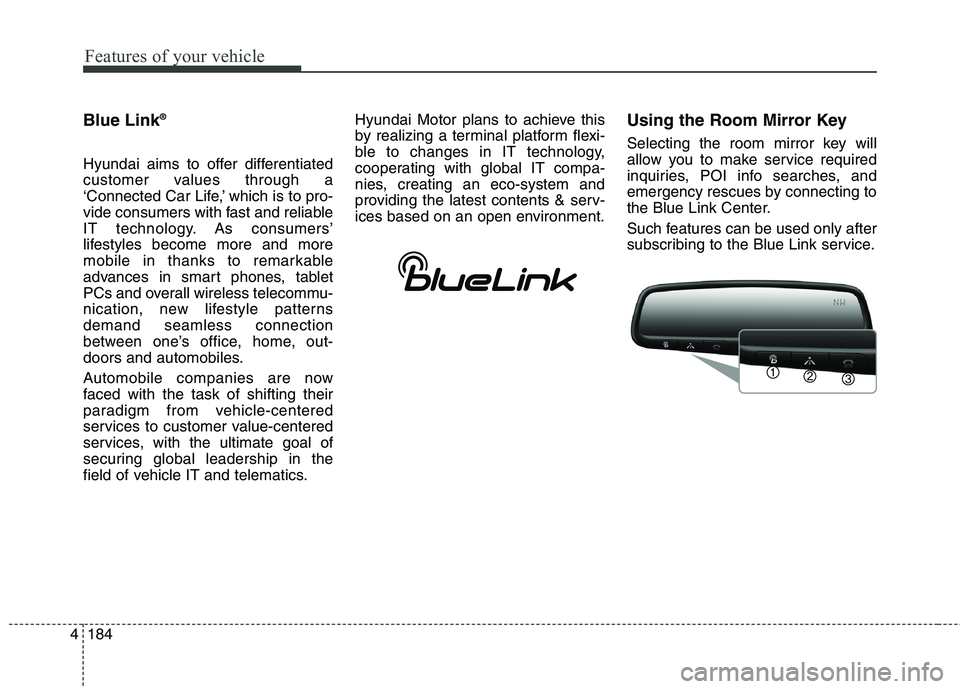
Using the Room Mirror Key
Selecting the room mirror key will
allow you to make service required
inquiries, POI info searches, and
emergency rescues by connecting to
the Blue Link Center.
Such features can be used only after
subscribing to the Blue Link service.
Page 270 of 476
4185
Features of your vehicle
➀(Blue Link Center)
Makes requests for Blue Link service
related inquiries and consultations.
A call is connected to the Blue Link
ser-vice center employee.
Re-pressing the key will end the call.
This feature does not operate when
you are on a
Bluetooth®Wireless
Technology phone call.
➁(Blue Link for POI)
Starts Blue Link voice command.
Voice receiving voice guidance,
shortly press the button to convert to
voice command mode. Press and
hold the button to end voice com-
mand.
1. Navigate to
“Navigate to” voice command is used
to request the download of route
data for a new destination, saved
destinations, daily routes and previ-
ous destinations.
2. Save Destination
“Save Destination” VR command is
used to assign a voice tag to the last
downloaded destination and store it
in a destination directory.
NOTE:
The Turn by Turn(TBT) feature sup-
ports the store of ten(10) destina-
tions in the TBT destinations
directory.3. Route Preview
“Route Preview” VR command allows
the user to preview the route instruc-
tions (upcoming maneuver instruc-
tions) at any time during the route
guidance.
4. Destinations List
“Destinations List” VR command
allows the user to preview and delete
the stored destinations with their
associated voice tags in the Turn by
Turn destinations directory.
5. Voice Guidance
“Voice Guidance” VR command allows
the user to mute/unmute the Turn by
Turn(TBT) direction announcements.
6. Suspend Route
“Suspend Route” VR command
allows the user to suspend and
pause Turn by Turn(TBT) route guid-
ance while in the guidance mode.
Page 290 of 476
Driving your vehicle
18 5
For smooth operation, depress the
brake pedal when shifting from N
(Neutral) to a forward or reverse gear.Transaxle ranges
The indicator in the instrument clus-
ter displays the shift lever position
when the ignition switch is in the ON
position.
P (Park)
Always come to a complete stop
before shifting into P (Park). This
position locks the transaxle and pre-
vents the drive wheels from rotating.
WARNING- Automatic
transaxle
Always check the surrounding
areas near your vehicle for
people, especially children,
before shifting a car into D
(Drive) or R (Reverse).
Before leaving the driver’s
seat, always make sure the
shift lever is in the P (Park)
position; then set the parking
brake fully and shut the
engine off. Unexpected and
sudden vehicle movement
can occur if these precautions
are not followed in the order
identified.
CAUTION
To avoid damage to your
transaxle, do not accelerate
the engine in R (Reverse) or
any forward gear position with
the brakes on.
When stopped on an incline,
do not hold the vehicle sta-
tionary with engine power.
Use the service brake or the
parking brake.
Do not shift from N (Neutral)
or P (Park) into D (Drive), or R
(Reverse) when the engine is
above idle speed.
Page 291 of 476
519
Driving your vehicle
R (Reverse)
Use this position to drive the vehicle
backward.N (Neutral)
The wheels and transaxle are not
engaged. The vehicle will roll freely
even on the slightest incline unless
the parking brake or service brakes
are applied.
D (Drive)
This is the normal forward driving
position. The transaxle will automati-
cally shift through a 6-gear
sequence, providing the best fuel
economy and power.
For extra power when passing anoth-
er vehicle or climbing grades,
depress the accelerator fully, at
which time the transaxle will auto-
matically downshift to the next lower
gear.
✽ ✽
NOTICE
Always come to a complete stop
before shifting into D (Drive).
CAUTION
Always come to a complete stop
before shifting into or out of R
(Reverse); you may damage the
transaxle if you shift into R
(Reverse) while the vehicle is in
motion, except as explained in
“Rocking the vehicle” in this
section.
WARNING
Shifting into P (Park) while the
vehicle is in motion will cause
the drive wheels to lock which
may cause you to lose control
of the vehicle.
Do not use the P (Park) posi-
tion in place of the parking
brake. Always make sure the
shift lever is latched in the P
(Park) position and set the
parking brake fully.
Never leave a child unattend-
ed in a vehicle.
CAUTION
The transaxle may be damaged
if you shift into P (Park) while
the vehicle is in motion.
Page 295 of 476
523
Driving your vehicle
Moving up a steep grade from a
standing start
To move up a steep grade from a
standing start, depress the brake
pedal, shift the shift lever to D
(Drive). Depress the accelerator
gradually while releasing the service
brakes.
WARNING
If your vehicle becomes stuck in
snow, mud, sand, etc., then you
may attempt to rock the vehicle
free by moving it forward and
backward. Do not attempt this
procedure if people or objects
are anywhere near the vehicle.
During the rocking operation
the vehicle may suddenly move
forward or backward as it
becomes unstuck, causing
injury or damage to nearby peo-
ple or objects.
Do not rev up the engine. This
may cause engine over-heating,
transaxle damage or failure, and
tire damage.
Page 297 of 476
525
Driving your vehicle
In the event of brake failure
If service brakes fail to operate while
the vehicle is in motion, you can
make an emergency stop with the
parking brake. The stopping dis-
tance, however, will be greater than
normal.
Disc brakes wear indicator
Your vehicle has disc brakes.
When your brake pads are worn and
new pads are required, you will hear
a high-pitched warning sound from
your front brakes or rear brakes. You
may hear this sound come and go or
it may occur whenever you depress
the brake pedal.
Please remember that some driving
conditions or climates may cause a
brake squeal when you first apply (or
lightly apply) the brakes. This is nor-
mal and does not indicate a problem
with your brakes.
WARNING- Parking brake
Applying the parking brake
while the vehicle is moving at
normal speeds can cause a
sudden loss of control of the
vehicle. If you must use the
parking brake to stop the vehi-
cle, use great caution in apply-
ing the brake.WARNING- Brake wear
This brake wear warning sound
means your vehicle needs serv-
ice. If you ignore this audible
warning, you will eventually
lose braking performance,
which could lead to a serious
accident.
CAUTION
To avoid costly brake repairs,
do not continue to drive with
worn brake pads.
Always replace the front or
rear brake pads in pairs.
Page 306 of 476
Driving your vehicle
34 5
The ABS continuously senses the
speed of the wheels. If the wheels
are going to lock, the ABS system
repeatedly modulates the hydraulic
brake pressure to the wheels.
When you apply your brakes under
conditions which may lock the
wheels, you may hear a “tik-tik’’
sound from the brakes, or feel a cor-
responding sensation in the brake
pedal. This is normal and it means
your ABS is active.
In order to obtain the maximum ben-
efit from your ABS in an emergency
situation, do not attempt to modulate
your brake pressure and do not try to
pump your brakes. Press your brake
pedal as hard as possible or as hard
as the situation warrants and allow
the ABS to control the force being
delivered to the brakes.✽ ✽
NOTICE
A click sound may be heard in the
engine compartment when the vehi-
cle begins to move after the engine is
started. These conditions are normal
and indicate that the anti-lock brake
system is functioning properly.
Even with the anti-lock brake sys-
tem, your vehicle still requires suf-
ficient stopping distance. Always
maintain a safe distance from the
vehicle in front of you.
Always slow down when cornering.
The anti-lock brake system cannot
prevent accidents resulting from
excessive speeds.
On loose or uneven road surfaces,
operation of the anti-lock brake
system may result in a longer stop-
ping distance than for vehicles
equipped with a conventional
brake system.
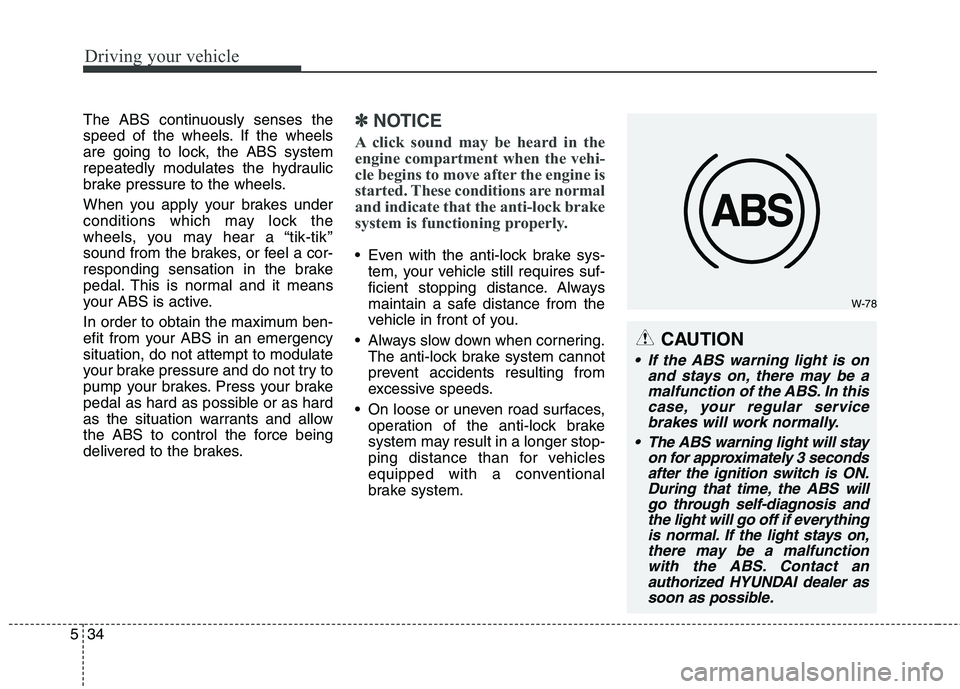
W-78
CAUTION
If the ABS warning light is on
and stays on, there may be a
malfunction of the ABS. In this
case, your regular service
brakes will work normally.
The ABS warning light will stay
on for approximately 3 seconds
after the ignition switch is ON.
During that time, the ABS will
go through self-diagnosis and
the light will go off if everything
is normal. If the light stays on,
there may be a malfunction
with the ABS. Contact an
authorized HYUNDAI dealer as
soon as possible.
Page 319 of 476
547
Driving your vehicle
Your vehicle's fuel economy depends
mainly on your style of driving, where
you drive and when you drive.
Each of these factors affects how
many miles (kilometers) you can get
from a gallon (liter) of fuel. To operate
your vehicle as economically as pos-
sible, use the following driving sug-
gestions to help save money in both
fuel and repairs:
Drive smoothly. Accelerate at a
moderate rate. Don't make "jack-
rabbit" starts or full-throttle shifts
and maintain a steady cruising
speed. Don't race between stop-
lights. Try to adjust your speed to
that of the other traffic so you don't
have to change speeds unneces-
sarily. Avoid heavy traffic whenever
possible. Always maintain a safe
distance from other vehicles so
you can avoid unnecessary brak-
ing. This also reduces brake wear.
Drive at a moderate speed. The
faster you drive, the more fuel your
car uses. Driving at a moderate
speed, especially on the highway,
is one of the most effective ways to
reduce fuel consumption. Don't "ride" the brake pedal. This
can increase fuel consumption and
also increase wear on these com-
ponents. In addition, driving with
your foot resting on the brake pedal
may cause the brakes to overheat,
which reduces their effectiveness
and may lead to more serious con-
sequences.
Take care of your tires. Keep them
inflated to the recommended pres-
sure. Incorrect inflation, either too
much or too little, results in unnec-
essary tire wear. Check the tire
pressures at least once a month.
Be sure that the wheels are
aligned correctly. Improper align-
ment can result from hitting curbs
or driving too fast over irregular
surfaces. Poor alignment causes
faster tire wear and may also result
in other problems as well as
greater fuel consumption. Keep your car in good condition. For
better fuel economy and reduced
maintenance costs, maintain your
car in accordance with the mainte-
nance schedule in section 7. If you
drive your car in severe conditions,
more frequent maintenance is
required (see section 7 for details).
Keep your car clean. For maximum
service, your vehicle should be kept
clean and free of corrosive materi-
als. It is especially important that
mud, dirt, ice, etc. not be allowed to
accumulate on the underside of the
car. This extra weight can result in
increased fuel consumption and
also contribute to corrosion.
Travel lightly. Don't carry unneces-
sary weight in your car. Weight
reduces fuel economy.
Don't let the engine idle longer
than necessary. If you are waiting
(and not in traffic), turn off your
engine and restart only when
you're ready to go.
ECONOMICAL OPERATION
Page 325 of 476
553
Driving your vehicle
Fuel, engine coolant and engine
oil
High speed travel consumes more
fuel than urban motoring. Do not for-
get to check both engine coolant and
engine oil.
Drive belt
CAUTION
A loose or damaged drive belt
may result in overheating of the
engine. Inspect your drive belt
for proper tension, or have your
Hyundai dealer inspect this at
the normal service intervals list-
ed in section 7.