audio HYUNDAI ELANTRA GT 2014 Owner's Manual
[x] Cancel search | Manufacturer: HYUNDAI, Model Year: 2014, Model line: ELANTRA GT, Model: HYUNDAI ELANTRA GT 2014Pages: 476, PDF Size: 31.71 MB
Page 241 of 476
Features of your vehicle
156 4
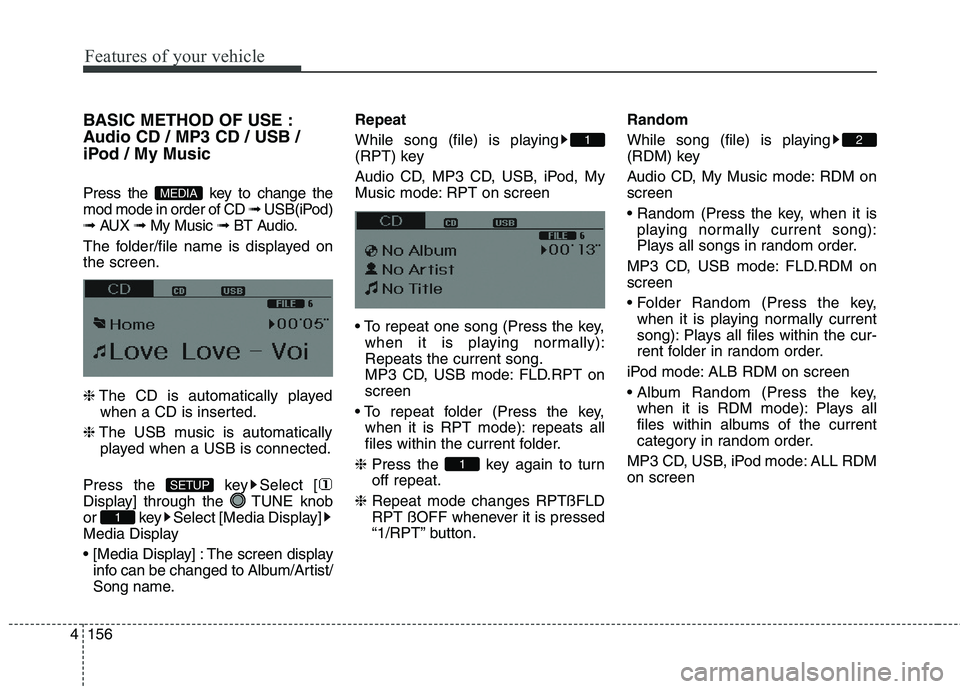
BASIC METHOD OF USE :
Audio CD / MP3 CD / USB /
iPod / My Music
Press the key to change the
mod mode in order of CD ➟ USB(iPod)
➟ AUX ➟ My Music ➟ BT Audio.
The folder/file name is displayed on
the screen.
❈The CD is automatically played
when a CD is inserted.
❈The USB music is automatically
played when a USB is connected.
Press the key Select [
Display] through the TUNE knob
or key Select [Media Display]
Media Display
The screen display
info can be changed to Album/Artist/
Song name.Repeat
While song (file) is playing
(RPT) key
Audio CD, MP3 CD, USB, iPod, My
Music mode: RPT on screen
when it is playing normally):
Repeats the current song.
MP3 CD, USB mode: FLD.RPT on
screen
when it is RPT mode): repeats all
files within the current folder.
❈Press the key again to turn
off repeat.
❈Repeat mode changes RPTßFLD
RPT ßOFF whenever it is pressed
“1/RPT” button.Random
While song (file) is playing
(RDM) key
Audio CD, My Music mode: RDM on
screen
playing normally current song):
Plays all songs in random order.
MP3 CD, USB mode: FLD.RDM on
screen
when it is playing normally current
song): Plays all files within the cur-
rent folder in random order.
iPod mode: ALB RDM on screen
when it is RDM mode): Plays all
files within albums of the current
category in random order.
MP3 CD, USB, iPod mode: ALL RDM
on screen
2
1
1
1
SETUP
MEDIA
Page 243 of 476
Features of your vehicle
158 4
Folder Search : MP3 CD, USB
Mode
While file is playing (Folder
Up) key
While file is playing (Folder
Down) key
❈If a folder is selected by pressing
the TUNE knob, the first file
within the selected folder will be
played.
❈In iPod mode, moves to the Parent
Folder.Searching Songs (File)
TUNE knob : Searches
for songs (files)
TUNE knob : Plays
selected song (file).
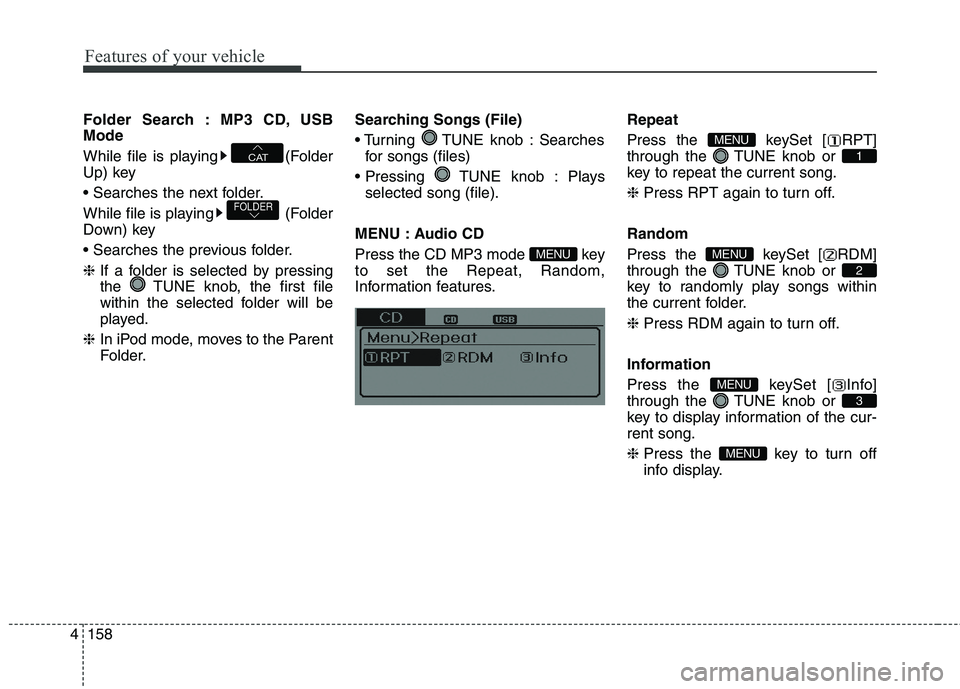
MENU : Audio CD
Press the CD MP3 mode key
to set the Repeat, Random,
Information features.Repeat
Press the keySet [ RPT]
through the TUNE knob or
key to repeat the current song.
❈Press RPT again to turn off.
Random
Press the keySet [ RDM]
through the TUNE knob or
key to randomly play songs within
the current folder.
❈Press RDM again to turn off.
Information
Press the keySet [ Info]
through the TUNE knob or
key to display information of the cur-
rent song.
❈Press the key to turn off
info display.
MENU
3
MENU
2
MENU
1
MENU
MENU
FOLDER
CAT
Page 248 of 476
4163
Features of your vehicle
Care of disc
If the temperature inside the car is
too high, open the car windows to
ventilate before using the system.
It is illegal to copy and use
MP3/WMA files without permis-
sion. Use CDs that are created
only by lawful means.
Do not apply volatile agents, such
as benzene and thinner, normal
cleaners and magnetic sprays
made for analogue disc onto CDs.
To prevent the disc surface from
getting damaged, hold CDs by the
edges or the center hole only.
Clean the disc surface with a piece
of soft cloth before playback (wipe
it from the center to the outside
edge).
Do not damage the disc surface or
attach pieces of sticky tape or
paper.
Make certain only CDs are insert-
ed into the CD player (Do not insert
more than one CD at a time). Keep CDs in their cases after use
to protect them from scratches or
dirt.
Depending on the type of CD-
R/CD-RW CDs, certain CDs may
not operate normally according to
manufacturing companies or mak-
ing and recording methods. In such
circumstances, continued use may
cause malfunctions to your audio
system.
✽ ✽
NOTICE - Playing an
Incompatible Copy
Protected Audio CD
Some copy protected CDs, which do
not comply with international audio
CD standards (Red Book, for exam-
ple), may not play on your car audio.
Please note that inabilities to prop-
erly play a copy protected CD may
indicate that the CD is defective, not
the CD player.
Page 250 of 476
4165
Features of your vehicle
CAUTION IN USING
USB DEVICE
To use an external USB
device, make sure the device
is not connected when start-
ing up the vehicle. Connect
the device after starting up.
If you start the engine when
the USB device is connected, it
may damage the USB device.
(USB flashdrives are very sen-
sitive to electric shock.)
If the engine is started up or
turned off while the external
USB device is connected, the
external USB device may not
work.
The System may not play
inauthentic MP3 or WMA files.
1) It can only play MP3 files with
the compression rate
between 8Kbps~320Kbps.
2) It can only play WMA music
files with the compression
rate between
8Kbps~320Kbps.
(Continued)
(Continued)
Take precautions for static
electricity when connecting or
disconnecting the external
USB device.
An encrypted MP3 PLAYER is
not recognizable.
Depending on the condition of
the external USB device, the
connected external USB
device can be unrecognizable.
When the formatted byte/sec-
tor setting of External USB
device is not either 512BYTE
or 2048BYTE, then the device
will not be recognized.
Use only a USB device format-
ted to FAT 12/16/32.
USB devices without USB I/F
authentication may not be rec-
ognizable.
Make sure the USB connec-
tion terminal does not come in
contact with the human body
or other objects.
(Continued)(Continued)
If you repeatedly connect or
disconnect the USB device in
a short period of time, it may
break the device.
You may hear a strange noise
when connecting or discon-
necting a USB device.
If you disconnect the external
USB device during playback in
USB mode, the external USB
device can be damaged or
may malfunction. Therefore,
disconnect the external USB
device when the audio is
turned off or in another mode.
(e.g, Radio, XM or CD)
Depending on the type and
capacity of the external USB
device or the type of the files
stored in the device, there is a
difference in the time taken for
recognition of the device.
Do not use the USB device for
purposes other than playing
music files.
(Continued)
Page 251 of 476
Features of your vehicle
166 4
(Continued)
Playing videos through the
USB is not supported.
Use of USB accessories such
as rechargers or heaters
using USB I/F may lower per-
formance or cause trouble.
If you use devices such as a
USB hub purchased separate-
ly, the vehicle’s audio system
may not recognize the USB
device. In that case, connect
the USB device directly to the
multimedia terminal of the
vehicle.
If the USB device is divided by
logical drives, only the music
files on the highest-priority
drive are recognized by car
audio.
Devices such as MP3 Player/
Cellular phone/Digital camera
can be unrecognizable by
standard USB I/F can be
unrecognizable.
(Continued)(Continued)
Charging through the USB
may not be supported in some
mobile devices.
USB HDD or USB types liable
to connection failures due to
vehicle vibrations are not sup-
ported. (i-stick type)
Some non-standard USB
devices (METAL COVER TYPE
USB) can be unrecognizable.
Some USB flash memory read-
ers (such as CF, SD, micro SD,
etc.) or external-HDD type
devices can be unrecognizable.
Music files protected by DRM
(DIGITAL RIGHTS MANAGE-
MENT) are not recognizable.
The data in the USB memory
may be lost while using this
audio. Always back up impor-
tant data on a personal stor-
age device.
(Continued)(Continued)
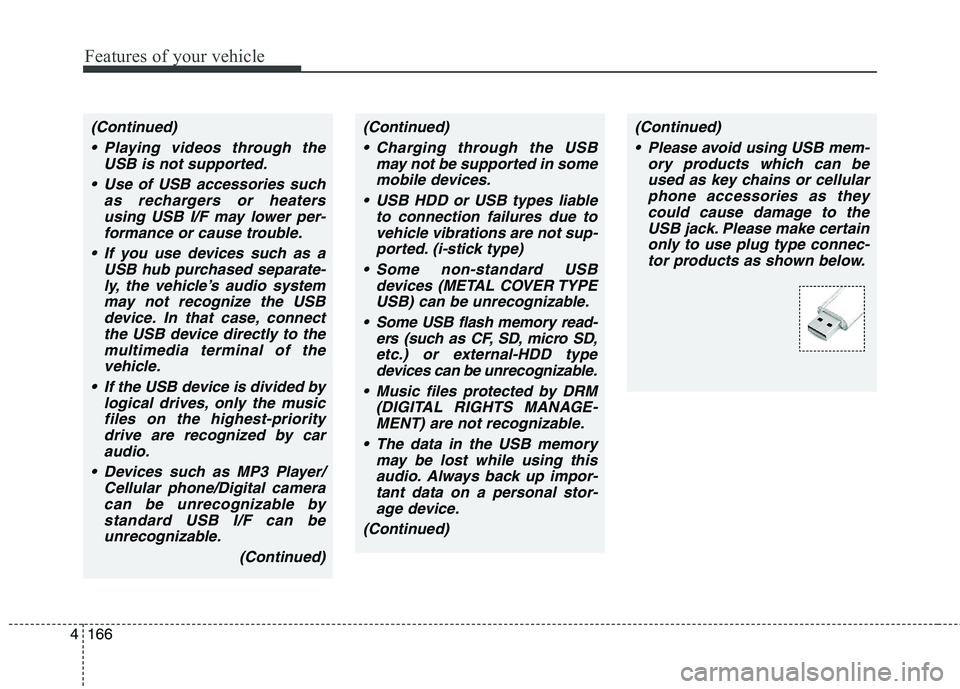
Please avoid using USB mem-
ory products which can be
used as key chains or cellular
phone accessories as they
could cause damage to the
USB jack. Please make certain
only to use plug type connec-
tor products as shown below.
Page 252 of 476
4167
Features of your vehicle
✽ ✽
NOTICE FOR USING THE
iPod®DEVICE
• Some iPod models may not sup-
port communication protocol and
files may not properly play.
Supported iPod models:
- iPod Mini
- iPod 4th(Photo) ~ 6th(Classic)
generation
- iPod Nano 1st~4th generation
- iPod Touch 1st~2nd generation
• The order of search or playback of
songs in the iPod can be different
from the order searched in the
audio system.
• If the iPod disabled due to its own
malfunction, reset the iPod.
(Reset: Refer to iPod manual)
• An iPod may not operate normal-
ly on low battery.
(Continued)(Continued)
• Some iPod devices, such as the
iPhone, can be connected through
the Bluetooth®Wireless
Technology interface. The device
must have audio Bluetooth
®
Wireless Technology capability
(such as for stereo headphone
Bluetooth
®Wireless Technology).
The device can play, but it will not
be controlled by the audio system.
• To use iPod features within the
audio, use the cable provided upon
purchasing an iPod device.
• Skipping or improper operation
may occur depending on the char-
acteristics of your iPod/Phone
device.
• If your iPhone is connected to both
the Bluetooth
®Wireless
Technology and USB, the sound
may not be properly played. In
your iPhone, select the Dock con-
nector orBluetooth
®Wireless
Technology to change the sound
output (source).
CAUTION IN USING
THE iPod®DEVICE
When connecting iPod with
the iPod Power Cable, insert
the connector to the multime-
dia socket completely. If not
inserted completely, commu-
nications between iPod and
audio may be interrupted.
When adjusting the sound
effects of the iPod and the
audio system, the sound
effects of both devices will
overlap and might reduce or
distort the quality of the sound.
Deactivate (turn off) the equal-
izer function of an iPod when
adjusting the audio system’s
volume, and turn off the equal-
izer of the audio system when
using the equalizer of an iPod.
When not using iPod with car
audio, detach the iPod cable
from iPod. Otherwise, iPod may
remain in accessory mode,
and may not work properly.
Page 254 of 476
4169
Features of your vehicle
Bluetooth®Wireless Technology
AUDIO (if equipped)
NOTE:
Bluetooth®Wireless Technology
phone compatibility can be
checked by visiting
www.hyundaiusa.com and under
the SERVICE & PARTS - BLUE-
TOOTH COMPATIBILITY menu.
The website provides informa-
tion, including information on
Pairing, Connection, Handsfree
Calling, Streaming, and more.
What is Bluetooth®Wireless
Technology?
Bluetooth®Wireless Technology is a
wireless technology that allows mul-
tiple devices to be connected in a
short range, low-powered devices
like hands-free, stereo headset, wire-
less remote controller, etc. For more
information, visit the
Bluetooth®
Wireless Technology website at
www.Bluetooth.com
Before using Bluetooth®
Wireless Technology audio
features
Bluetooth®Wireless Technology
audio may not be supported
depending on the compatibility of
your
Bluetooth®Wireless
Technology mobile phone.
Bluetooth®Wireless
Technology audio, you must first
pair and connect the
Bluetooth®
Wireless Technology mobile phone.
Bluetooth®Wireless Technology
audio can be used only when the
[Audio Streaming] of Phone is
turned .
❈Setting
Bluetooth®Wireless
Technology Audio Streaming : Press
the key Select [Phone]
through the tune knob or key
Select [Audio Streaming] through
the TUNE knob Set /
OffOn
3
SETUP
On
Page 255 of 476
Features of your vehicle
170 4
Starting Bluetooth®Wireless
Technology Audio
key to change the
mode in order of CD ➟ USB ➟ AUX
➟ My Music ➟ BT Audio.
Bluetooth®
Wireless Technology audio will start
playing.
❈Audio may not automatically start
playing in some mobile phones.
Using the Bluetooth®Wireless
Technology audio features
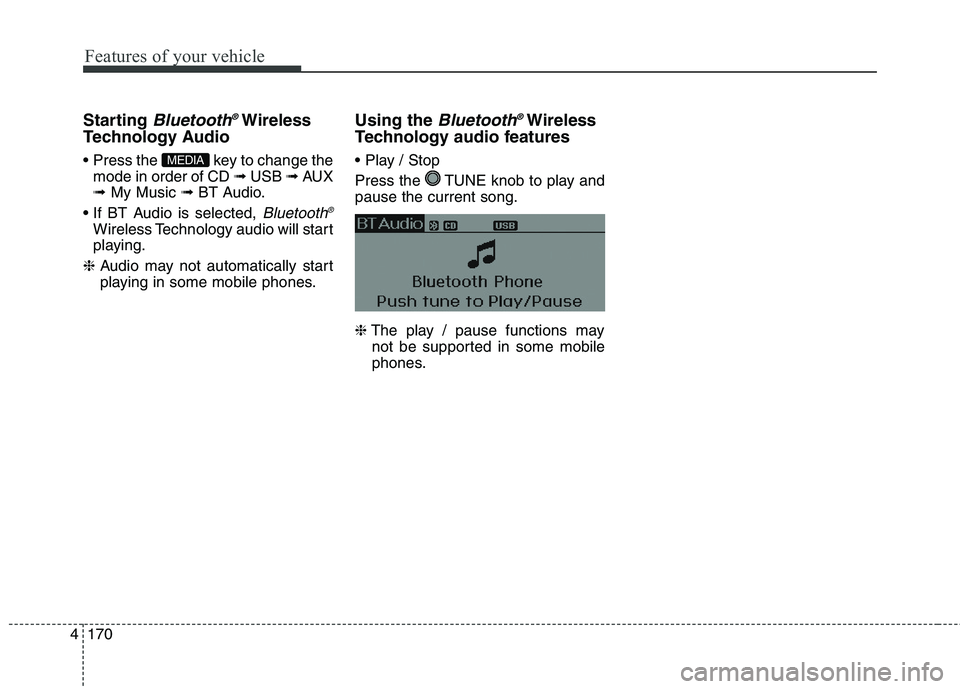
Press the TUNE knob to play and
pause the current song.
❈The play / pause functions may
not be supported in some mobile
phones.MEDIA
Page 258 of 476
4173
Features of your vehicle
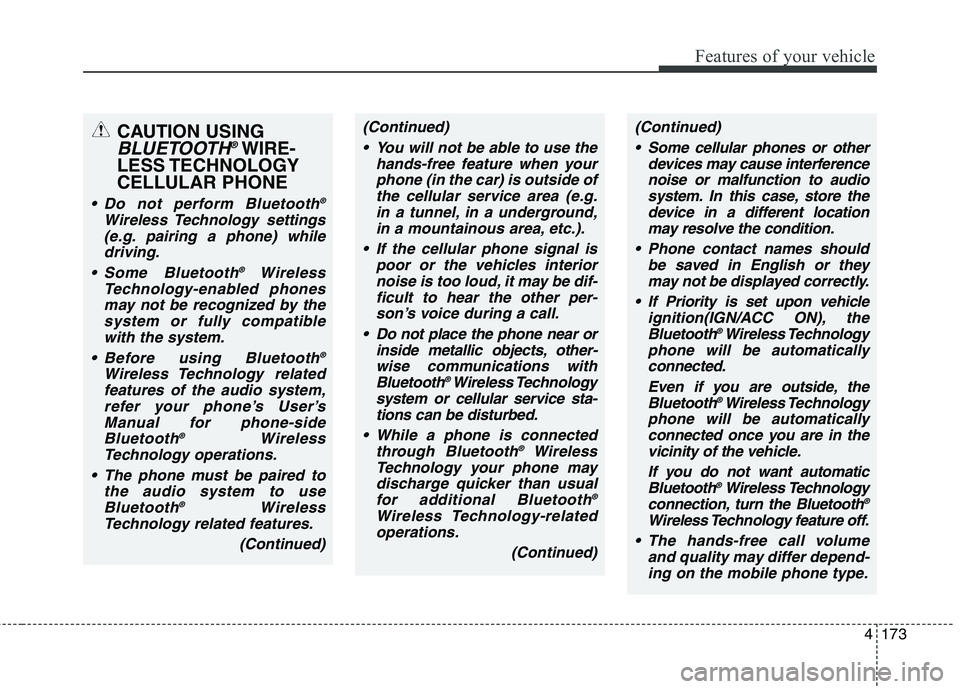
CAUTION USING
BLUETOOTH®WIRE-
LESS TECHNOLOGY
CELLULAR PHONE
Do not perform Bluetooth®
Wireless Technology settings
(e.g. pairing a phone) while
driving.
Some Bluetooth
®Wireless
Technology-enabled phones
may not be recognized by the
system or fully compatible
with the system.
Before using Bluetooth
®
Wireless Technology related
features of the audio system,
refer your phone’s User’s
Manual for phone-side
Bluetooth
®Wireless
Technology operations.
The phone must be paired to
the audio system to use
Bluetooth
®Wireless
Technology related features.
(Continued)
(Continued)
You will not be able to use the
hands-free feature when your
phone (in the car) is outside of
the cellular service area (e.g.
in a tunnel, in a underground,
in a mountainous area, etc.).
If the cellular phone signal is
poor or the vehicles interior
noise is too loud, it may be dif-
ficult to hear the other per-
son’s voice during a call.
Do not place the phone near or
inside metallic objects, other-
wise communications with
Bluetooth
®Wireless Technology
system or cellular service sta-
tions can be disturbed.
While a phone is connected
through Bluetooth
®Wireless
Technology your phone may
discharge quicker than usual
for additional Bluetooth
®
Wireless Technology-related
operations.
(Continued)
(Continued)
Some cellular phones or other
devices may cause interference
noise or malfunction to audio
system. In this case, store the
device in a different location
may resolve the condition.
Phone contact names should
be saved in English or they
may not be displayed correctly.
If Priority is set upon vehicle
ignition(IGN/ACC ON), the
Bluetooth
®Wireless Technology
phone will be automatically
connected.
Even if you are outside, the
Bluetooth
®Wireless Technology
phone will be automatically
connected once you are in the
vicinity of the vehicle.
If you do not want automatic
Bluetooth
®Wireless Technology
connection, turn the Bluetooth®
Wireless Technology feature off.
The hands-free call volume
and quality may differ depend-
ing on the mobile phone type.
Page 259 of 476
Features of your vehicle
174 4
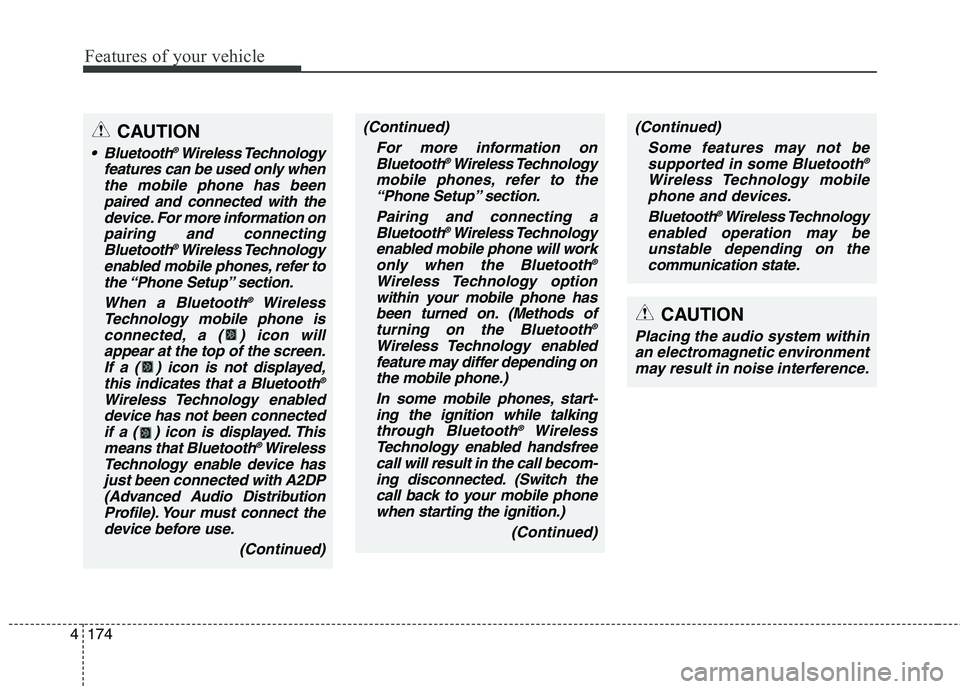
CAUTION
Bluetooth®Wireless Technology
features can be used only when
the mobile phone has been
paired and connected with the
device. For more information on
pairing and connecting
Bluetooth
®Wireless Technology
enabled mobile phones, refer to
the “Phone Setup” section.
When a Bluetooth
®Wireless
Technology mobile phone is
connected, a ( ) icon will
appear at the top of the screen.
If a ( ) icon is not displayed,
this indicates that a Bluetooth
®
Wireless Technology enabled
device has not been connected
if a ( ) icon is displayed. This
means that Bluetooth
®Wireless
Technology enable device has
just been connected with A2DP
(Advanced Audio Distribution
Profile). Your must connect the
device before use.
(Continued)
(Continued)
For more information on
Bluetooth
®Wireless Technology
mobile phones, refer to the
“Phone Setup” section.
Pairing and connecting a
Bluetooth
®Wireless Technology
enabled mobile phone will work
only when the Bluetooth
®
Wireless Technology option
within your mobile phone has
been turned on. (Methods of
turning on the Bluetooth
®
Wireless Technology enabled
feature may differ depending on
the mobile phone.)
In some mobile phones, start-
ing the ignition while talking
through Bluetooth
®Wireless
Technology enabled handsfree
call will result in the call becom-
ing disconnected. (Switch the
call back to your mobile phone
when starting the ignition.)
(Continued)
(Continued)
Some features may not be
supported in some Bluetooth
®
Wireless Technology mobile
phone and devices.
Bluetooth
®Wireless Technology
enabled operation may be
unstable depending on the
communication state.
CAUTION
Placing the audio system within
an electromagnetic environment
may result in noise interference.