warning HYUNDAI ELANTRA GT 2014 Workshop Manual
[x] Cancel search | Manufacturer: HYUNDAI, Model Year: 2014, Model line: ELANTRA GT, Model: HYUNDAI ELANTRA GT 2014Pages: 476, PDF Size: 31.71 MB
Page 85 of 476
366
Safety features of your vehicle
Never hold an infant or child on
your lap.The infant or child could
be seriously injured or killed in the
event of a crash. All infants and chil-
dren should be properly restrained
in appropriate child safety seats or
seat belts in the rear seat.Adding equipment to or modi-
fying your air bag-equipped
vehicle
If you modify your vehicle by chang-
ing your vehicle's frame, bumper sys-
tem, front end or side sheet metal or
ride height, this may affect the oper-
ation of your vehicle's air bag sys-
tem.
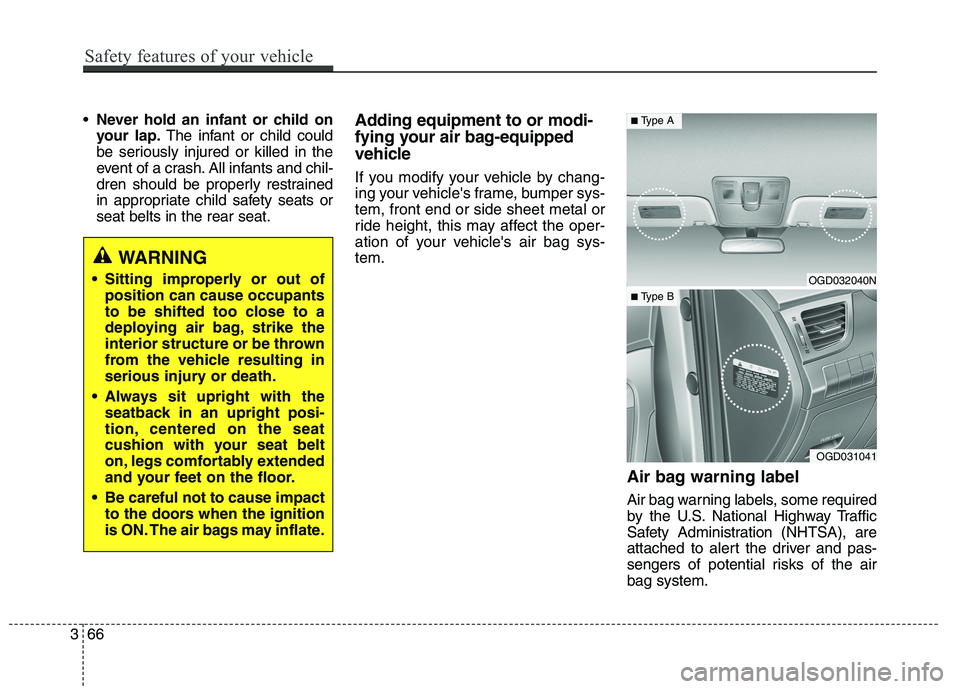
Air bag warning label
Air bag warning labels, some required
by the U.S. National Highway Traffic
Safety Administration (NHTSA), are
attached to alert the driver and pas-
sengers of potential risks of the air
bag system.
WARNING
Sitting improperly or out of
position can cause occupants
to be shifted too close to a
deploying air bag, strike the
interior structure or be thrown
from the vehicle resulting in
serious injury or death.
Always sit upright with the
seatback in an upright posi-
tion, centered on the seat
cushion with your seat belt
on, legs comfortably extended
and your feet on the floor.
Be careful not to cause impact
to the doors when the ignition
is ON. The air bags may inflate.OGD032040N
OGD031041
■Type A
■ Type B
Page 89 of 476
Features of your vehicle
4 4
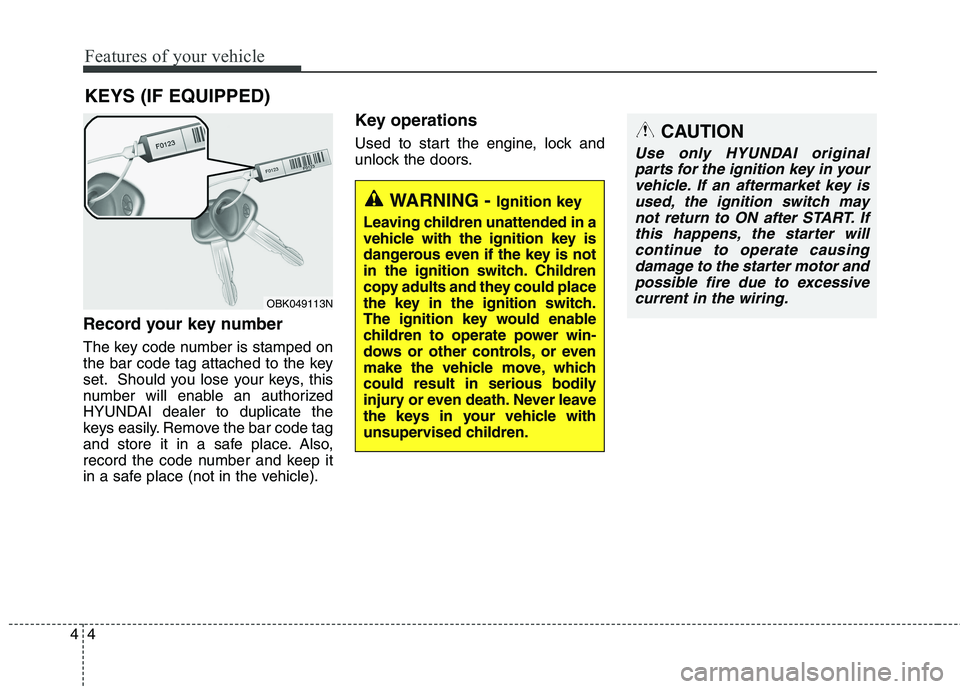
Record your key number
The key code number is stamped on
the bar code tag attached to the key
set. Should you lose your keys, this
number will enable an authorized
HYUNDAI dealer to duplicate the
keys easily. Remove the bar code tag
and store it in a safe place. Also,
record the code number and keep it
in a safe place (not in the vehicle).
Key operations
Used to start the engine, lock and
unlock the doors.
KEYS (IF EQUIPPED)
WARNING - Ignition key
Leaving children unattended in a
vehicle with the ignition key is
dangerous even if the key is not
in the ignition switch. Children
copy adults and they could place
the key in the ignition switch.
The ignition key would enable
children to operate power win-
dows or other controls, or even
make the vehicle move, which
could result in serious bodily
injury or even death. Never leave
the keys in your vehicle with
unsupervised children.
OBK049113N
CAUTION
Use only HYUNDAI original
parts for the ignition key in your
vehicle. If an aftermarket key is
used, the ignition switch may
not return to ON after START. If
this happens, the starter will
continue to operate causing
damage to the starter motor and
possible fire due to excessive
current in the wiring.
Page 90 of 476
45
Features of your vehicle
Immobilizer system
(if equipped)
Your vehicle is equipped with an
electronic engine immobilizer system
to reduce the risk of unauthorized
vehicle use.
Your immobilizer system is com-
prised of a small transponder in the
ignition key and electronic devices
inside the vehicle.
With the immobilizer system, when-
ever you insert your ignition key into
the ignition switch and turn it to ON,
it checks and determines and verifies
if the ignition key is valid.
If the key is determined to be valid,
the engine will start.
If the key is determined to be invalid,
the engine will not start.
To activate the immobilizer sys-
tem:
Turn the ignition key to the OFF posi-
tion. The immobilizer system acti-
vates automatically. Without a valid
ignition key for your vehicle, the
engine will not start.
To deactivate the immobilizer
system:
Insert the ignition key into the key
cylinder and turn it to the ON position.
✽ ✽
NOTICE
When starting the engine, do not use
the key with other immobilizer keys
around. Otherwise the engine may
not start or may stop soon after it
starts. Keep each key separate in
order to avoid a starting malfunction.
✽ ✽
NOTICE
If you need additional keys or lose
your keys, consult an authorized
HYUNDAI dealer.
WARNING
In order to prevent theft of your
vehicle, do not leave spare keys
anywhere in your vehicle. Your
Immobilizer password is a cus-
tomer unique password and
should be kept confidential. Do
not leave this number anywhere
in your vehicle.
CAUTION
Do not put metal accessories
near the ignition switch.
Metal accessories may interrupt
the transponder signal and may
prevent the engine from being
started.
Page 92 of 476
47
Features of your vehicle
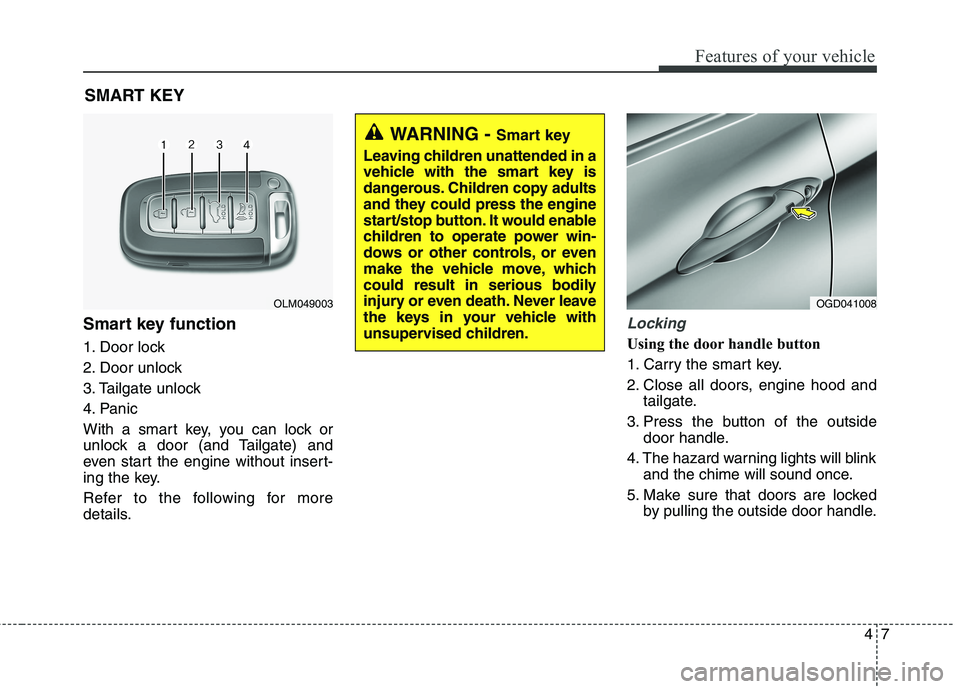
Smart key function
1. Door lock
2. Door unlock
3. Tailgate unlock
4. Panic
With a smart key, you can lock or
unlock a door (and Tailgate) and
even start the engine without insert-
ing the key.
Refer to the following for more
details.
Locking
Using the door handle button
1. Carry the smart key.
2. Close all doors, engine hood and
tailgate.
3. Press the button of the outside
door handle.
4. The hazard warning lights will blink
and the chime will sound once.
5. Make sure that doors are locked
by pulling the outside door handle.
SMART KEY
OLM049003OGD041008
WARNING - Smart key
Leaving children unattended in a
vehicle with the smart key is
dangerous. Children copy adults
and they could press the engine
start/stop button. It would enable
children to operate power win-
dows or other controls, or even
make the vehicle move, which
could result in serious bodily
injury or even death. Never leave
the keys in your vehicle with
unsupervised children.
Page 93 of 476
Features of your vehicle
8 4
✽
✽
NOTICE
• The button will only operate when
the smart key is within 28~40in.
(0.7~1m) from the outside door
handle.
• Even though you press the outside
door handle button, the doors will
not lock and the chime will sound
for 3 seconds if any of following
occur:
- The smart key is in the vehicle.
- The engine start/stop button is
in ACC or ON position.
- Any door except the tailgate is
open.
Using the button on the smart key
1 Close all doors, engine hood and
tailgate.
2. Press the lock button(1).
3. The hazard warning lights will blink
and the chime will sound once.
4. Make sure that doors are locked
by pulling the outside door handle.
Unlocking
Using the door handle button
1. Carry the smart key.
2. Press the button of the driver's
outside door handle.
3. The driver’s door will unlock. The
hazard warning lights will blink and
the chime will sound two times.
4. Press the button once more within
4 seconds.
5. All doors and the tailgate will
unlock and the hazard warning
lights will blink and the chime will
sound two times.
❈If you press the button of the front
passenger’s outside door handle
while carrying the smart key, all
doors will unlock.
✽ ✽
NOTICE
• The button will only operate when
the smart key is within 28~40in.
(0.7~1m) from the outside door
handle.
• When the smart key is recognized
in the area of 28~40in. (0.7~1m)
from the front outside door han-
dle, other people can also open the
doors.
• After unlocking the driver’s door
or all doors, the door(s) will lock
automatically unless the door is
opened.
Page 94 of 476
49
Features of your vehicle
Using the button on the smart key
1. Press the unlock button (2) of the
smart key.
2. The driver’s door will unlock. The
hazard warning lights will blink and
the chime will sound two times.
3. Press the unlock button (2) once
more within 4 seconds.
4. All doors and the tailgate will
unlock. The hazard warning lights
will blink and the chime will sound
two times.
✽ ✽
NOTICE
After pressing the button, the doors
will lock automatically unless any
door is opened within 30 seconds.
✽ ✽
NOTICE
You can activate or deactivate the
Two Turn Unlock function. Refer to
"User settings" in this section.
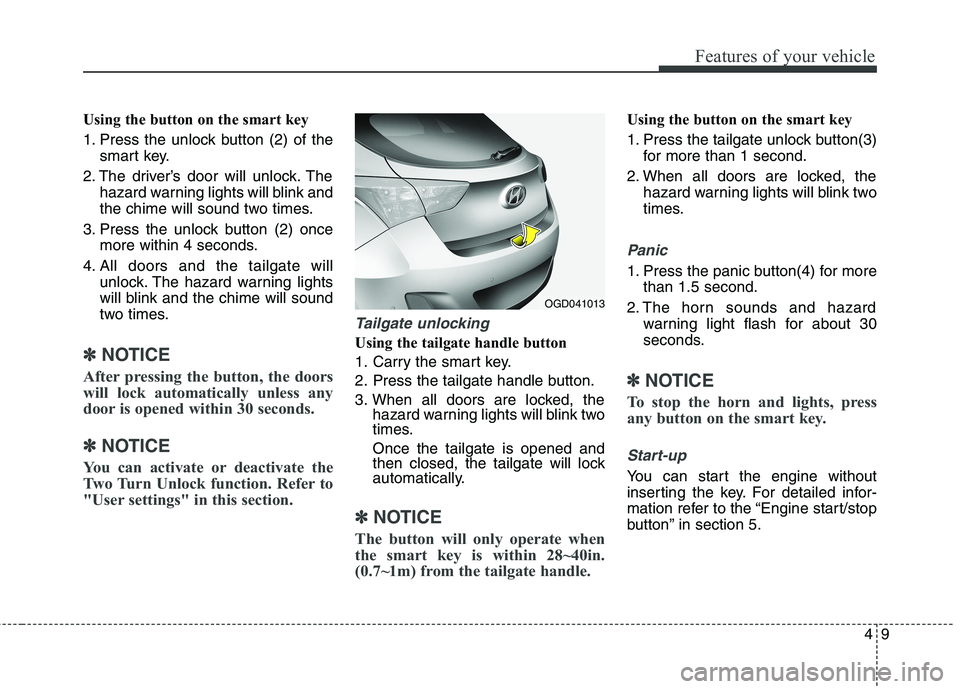
Tailgate unlocking
Using the tailgate handle button
1. Carry the smart key.
2. Press the tailgate handle button.
3. When all doors are locked, the
hazard warning lights will blink two
times.
Once the tailgate is opened and
then closed, the tailgate will lock
automatically.
✽ ✽
NOTICE
The button will only operate when
the smart key is within 28~40in.
(0.7~1m) from the tailgate handle.
Using the button on the smart key
1. Press the tailgate unlock button(3)
for more than 1 second.
2. When all doors are locked, the
hazard warning lights will blink two
times.
Panic
1. Press the panic button(4) for more
than 1.5 second.
2. The horn sounds and hazard
warning light flash for about 30
seconds.
✽ ✽
NOTICE
To stop the horn and lights, press
any button on the smart key.
Start-up
You can start the engine without
inserting the key. For detailed infor-
mation refer to the “Engine start/stop
button” in section 5.
OGD041013
Page 99 of 476
Features of your vehicle
14 4
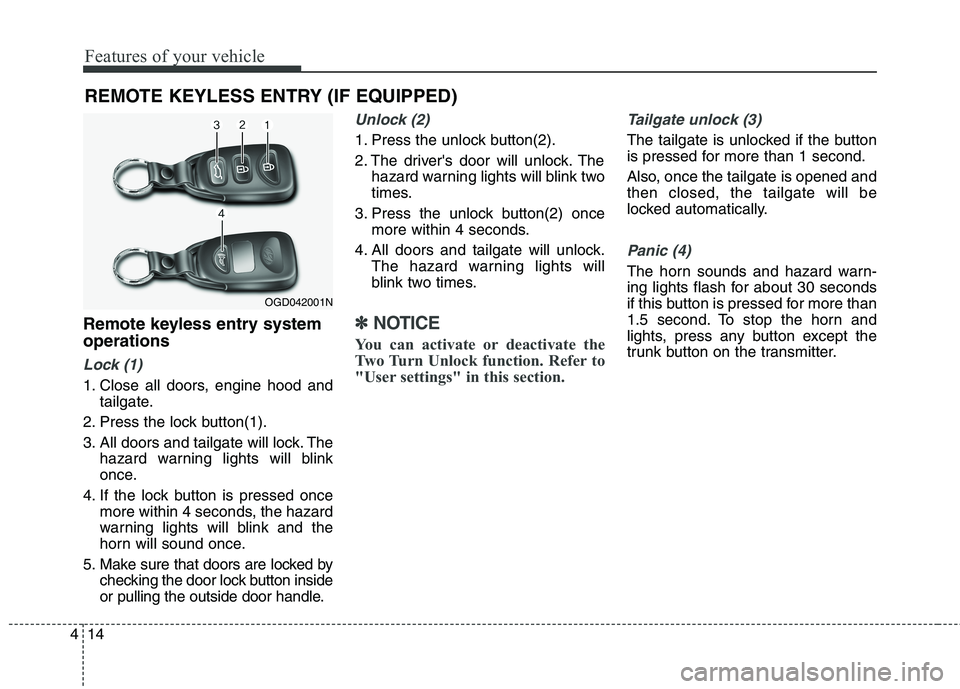
Remote keyless entry system
operations
Lock (1)
1. Close all doors, engine hood and
tailgate.
2. Press the lock button(1).
3. All doors and tailgate will lock. The
hazard warning lights will blink
once.
4. If the lock button is pressed once
more within 4 seconds, the hazard
warning lights will blink and the
horn will sound once.
5. Make sure that doors are locked by
checking the door lock button inside
or pulling the outside door handle.
Unlock (2)
1. Press the unlock button(2).
2. The driver's door will unlock. The
hazard warning lights will blink two
times.
3. Press the unlock button(2) once
more within 4 seconds.
4. All doors and tailgate will unlock.
The hazard warning lights will
blink two times.
✽ ✽
NOTICE
You can activate or deactivate the
Two Turn Unlock function. Refer to
"User settings" in this section.
Tailgate unlock (3)
The tailgate is unlocked if the button
is pressed for more than 1 second.
Also, once the tailgate is opened and
then closed, the tailgate will be
locked automatically.
Panic (4)
The horn sounds and hazard warn-
ing lights flash for about 30 seconds
if this button is pressed for more than
1.5 second. To stop the horn and
lights, press any button except the
trunk button on the transmitter.
REMOTE KEYLESS ENTRY (IF EQUIPPED)
OGD042001N
Page 102 of 476
417
Features of your vehicle
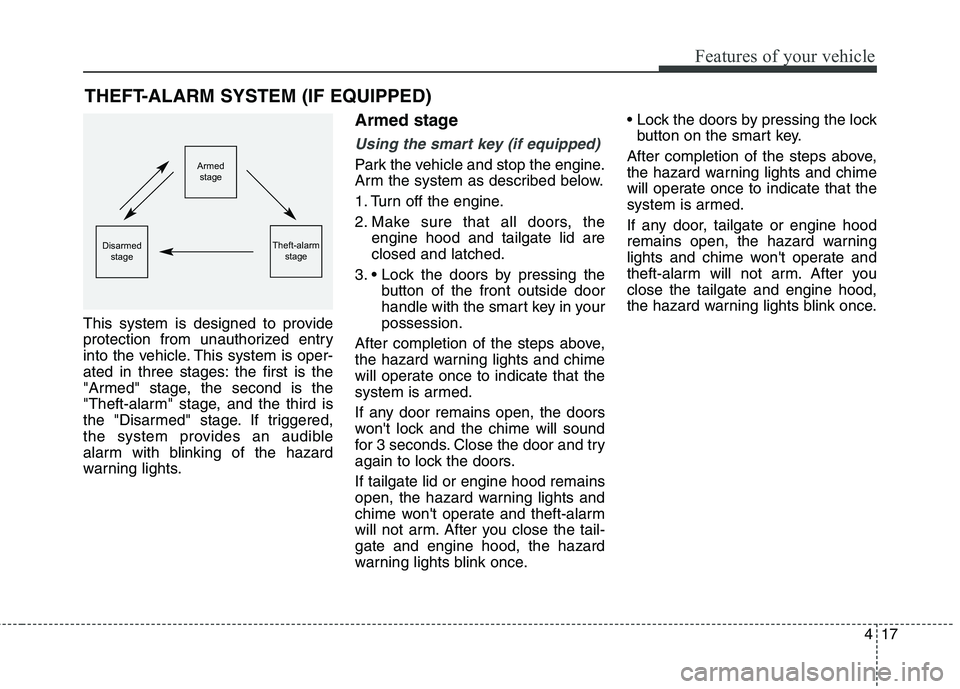
This system is designed to provide
protection from unauthorized entry
into the vehicle. This system is oper-
ated in three stages: the first is the
"Armed" stage, the second is the
"Theft-alarm" stage, and the third is
the "Disarmed" stage. If triggered,
the system provides an audible
alarm with blinking of the hazard
warning lights.
Armed stage
Using the smart key (if equipped)
Park the vehicle and stop the engine.
Arm the system as described below.
1. Turn off the engine.
2. Make sure that all doors, the
engine hood and tailgate lid are
closed and latched.
3.
button of the front outside door
handle with the smart key in your
possession.
After completion of the steps above,
the hazard warning lights and chime
will operate once to indicate that the
system is armed.
If any door remains open, the doors
won't lock and the chime will sound
for 3 seconds. Close the door and try
again to lock the doors.
If tailgate lid or engine hood remains
open, the hazard warning lights and
chime won't operate and theft-alarm
will not arm. After you close the tail-
gate and engine hood, the hazard
warning lights blink once.
button on the smart key.
After completion of the steps above,
the hazard warning lights and chime
will operate once to indicate that the
system is armed.
If any door, tailgate or engine hood
remains open, the hazard warning
lights and chime won't operate and
theft-alarm will not arm. After you
close the tailgate and engine hood,
the hazard warning lights blink once.
THEFT-ALARM SYSTEM (IF EQUIPPED)
Armed
stage
Theft-alarm
stageDisarmed
stage
Page 103 of 476
Features of your vehicle
18 4
Using the transmitter (if equipped)
Park the vehicle and stop the engine.
Arm the system as described below.
1. Turn off the engine and remove
the ignition key from the ignition
switch.
2. Make sure that all doors, the
engine hood and tailgate are
closed and latched.
3. Lock the doors by pressing the
lock button on the transmitter.
After completion of the steps above,
the hazard warning lights will blink
once to indicate that the system is
armed.
If any door, tailgate or engine hood
remains open, the hazard warning
lights won't operate and theft-alarm
will not arm. After you close all doors,
tailgate and engine hood, the hazard
warning lights blink once.
Using the mechanical key
Park the vehicle and stop the engine.
Arm the system as described below.
1. Turn off the engine and remove
the key from the ignition switch(if
equipped).
2. Make sure that all doors, the
engine hood and tailgate are
closed and latched.
3. Lock the doors by inserting the key
into the key hole on the front out-
side door handle and turning the
key toward the front of the vehicle.
If any door, tailgate or engine hood
remains open, the theft-alarm will not
arm.
✽ ✽
NOTICE
If you lock or unlock the doors by
using the mechanical key, the haz-
ard warning light won't operate.
Do not arm the system until all
passengers have left the vehicle. If
the system is armed while a pas-
senger(s) remains in the vehicle,
the alarm may be activated when
the remaining passenger(s) leave
the vehicle. If any door (or trunk)
or engine hood is opened within
30 seconds after the system
enters the armed stage, the sys-
tem is disarmed to prevent an
unnecessary alarm.
Page 104 of 476
419
Features of your vehicle
Theft-alarm stage
The alarm will be activated if any of
the following occurs while the system
is armed.
transmitter, smart key or mechanical
key.
using the transmitter, smart key.
The horn will sound and the hazard
warning lights will blink continuously
for approximately 30 seconds. The
alarm will repeat once more unless
the system is disarmed. To turn off
the system, unlock the doors with the
mechanical key or transmitter or
smart key.
Disarmed stage
Using the smart key (if equipped)
The system will be disarmed when
the doors are unlocked by pressing
the unlock button on the smart key or
pressing the lock/unlock button of the
front outside door handle with the
smart key in your possession.
After unlocking the doors, the hazard
warning lights and chime will operate
twice to indicate that the system is
disarmed.
After unlocking the doors, if any door
is not opened within 30 seconds, the
system will be rearmed.
Using the transmitter (if equipped)
The system will be disarmed when
the doors are unlocked by pressing
the unlock button on the transmitter.
After unlocking the doors, the hazard
warning lights will blink twice to indi-
cate that the system is disarmed.
After unlocking the doors, if any door
is not opened within 30 seconds, the
system will be rearmed.
Using the mechanical key
The system will be disarmed when
the doors are unlocked with the
mechanical key.
✽ ✽
NOTICE
If you lock or unlock the doors by
using the mechanical key, the haz-
ard warning light and chime sound
won't operate.