door lock Hyundai Elantra GT 2016 Owner's Guide
[x] Cancel search | Manufacturer: HYUNDAI, Model Year: 2016, Model line: Elantra GT, Model: Hyundai Elantra GT 2016Pages: 546, PDF Size: 14.04 MB
Page 168 of 546
481
Features of your vehicle
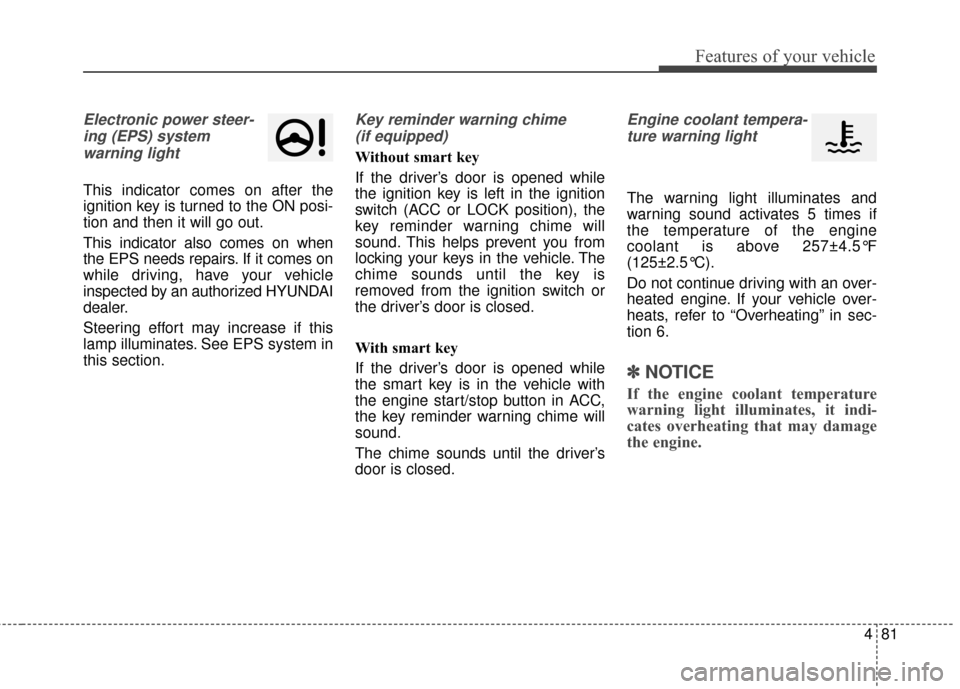
Electronic power steer-ing (EPS) system warning light
This indicator comes on after the
ignition key is turned to the ON posi-
tion and then it will go out.
This indicator also comes on when
the EPS needs repairs. If it comes on
while driving, have your vehicle
inspected by an authorized HYUNDAI
dealer.
Steering effort may increase if this
lamp illuminates. See EPS system in
this section.
Key reminder warning chime (if equipped)
Without smart key
If the driver’s door is opened while
the ignition key is left in the ignition
switch (ACC or LOCK position), the
key reminder warning chime will
sound. This helps prevent you from
locking your keys in the vehicle. The
chime sounds until the key is
removed from the ignition switch or
the driver’s door is closed.
With smart key
If the driver’s door is opened while
the smart key is in the vehicle with
the engine start/stop button in ACC,
the key reminder warning chime will
sound.
The chime sounds until the driver’s
door is closed.
Engine coolant tempera-ture warning light
The warning light illuminates and
warning sound activates 5 times if
the temperature of the engine
coolant is above 257±4.5°F
(125±2.5°C).
Do not continue driving with an over-
heated engine. If your vehicle over-
heats, refer to “Overheating” in sec-
tion 6.
✽ ✽ NOTICE
If the engine coolant temperature
warning light illuminates, it indi-
cates overheating that may damage
the engine.
Page 175 of 546
Features of your vehicle
88
4
Battery saver function
The purpose of this feature is to
prevent the battery from being dis-
charged. The system automatically
turns off the parking lights when
the driver removes the ignition key
(smart key : turns off the engine)
and opens the driver-side door.
With this feature, the parking lights will be turned off automatically if
the driver parks on the side of road
at night.
If necessary, to keep the lights on
when the ignition key is removed
(smart key : turns off the engine),
perform the following:
1) Open the driver-side door.
2) Turn the parking lights OFF and ON again using the light switch
on the steering column.
Headlamp delay (if equipped)
If you turn the ignition switch to the
ACC or OFF position with the head-
lights ON, the headlights remain on
for about 5 minutes. However, if the
driver’s door is opened and closed,
the headlights are turned off after 15
seconds.
The headlights can be turned off by
pressing the lock button on the trans-
mitter (or smart key) twice or turning
the light switch to the OFF or Auto
position.
However, if you turn the light switch
to the Auto position when it is dark
outside, the headlights will not be
turned off.
You can activate or deactivate this
feature. Refer to “User Settings” in
this section.
Headlamp welcome function
(if equipped)
When the headlight switch is in the
ON or AUTO position and all doors
(and trunk) are closed and locked, if
you press the door unlock button on
the transmitter (or the smart key), the
headlights will come on for about 15
seconds. At this time, if you press the
door lock button on the transmitter
(or smart key) the headlights will turn
off immediately.
You can activate or deactivate this
feature. Refer to “User Settings” in
this section.
LIGHTING
CAUTION
If the driver gets out of the vehi-cle through other doors (otherthan the driver's door), the bat-tery saver function does notoperate and the headlamp delaydoes not turn off automatically.This will cause the battery to bedischarged. In this case, makesure to turn off the lamp beforegetting out of the vehicle.
Page 184 of 546
497
Features of your vehicle
Automatic turn off function
(if equipped)
The interior lights automatically turn
off approximately 20 minutes after
the ignition switch is turned off.
If your vehicle is equipped with the
theft alarm system, the interior lights
automatically turn off approximately
5 seconds after the system is in the
armed stage.
Map lamp (if equipped)
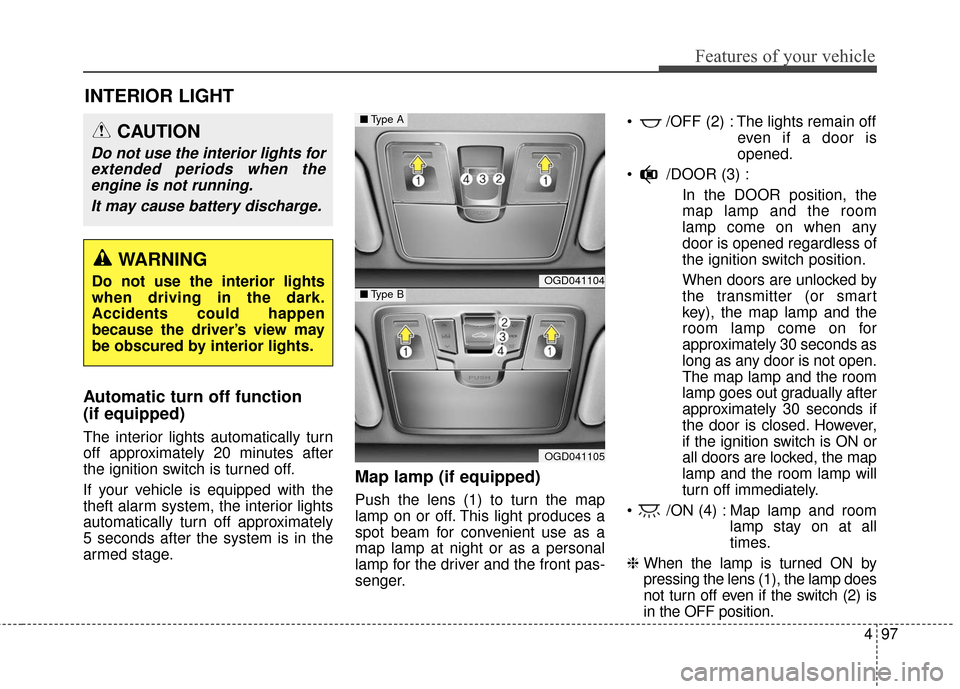
Push the lens (1) to turn the map
lamp on or off. This light produces a
spot beam for convenient use as a
map lamp at night or as a personal
lamp for the driver and the front pas-
senger. /OFF (2) : The lights remain off
even if a door is
opened.
/DOOR (3) : In the DOOR position, the
map lamp and the room
lamp come on when any
door is opened regardless of
the ignition switch position.
When doors are unlocked by
the transmitter (or smart
key), the map lamp and the
room lamp come on for
approximately 30 seconds as
long as any door is not open.
The map lamp and the room
lamp goes out gradually after
approximately 30 seconds if
the door is closed. However,
if the ignition switch is ON or
all doors are locked, the map
lamp and the room lamp will
turn off immediately.
/ON (4) : Map lamp and room lamp stay on at all
times.
❈ When the lamp is turned ON by
pressing the lens (1), the lamp does
not turn off even if the switch (2) is
in the OFF position.
INTERIOR LIGHT
CAUTION
Do not use the interior lights for
extended periods when theengine is not running.
It may cause battery discharge.
WARNING
Do not use the interior lights
when driving in the dark.
Accidents could happen
because the driver’s view may
be obscured by interior lights.OGD041104
OGD041105
■ Type A
■Type B
Page 186 of 546
499
Features of your vehicle
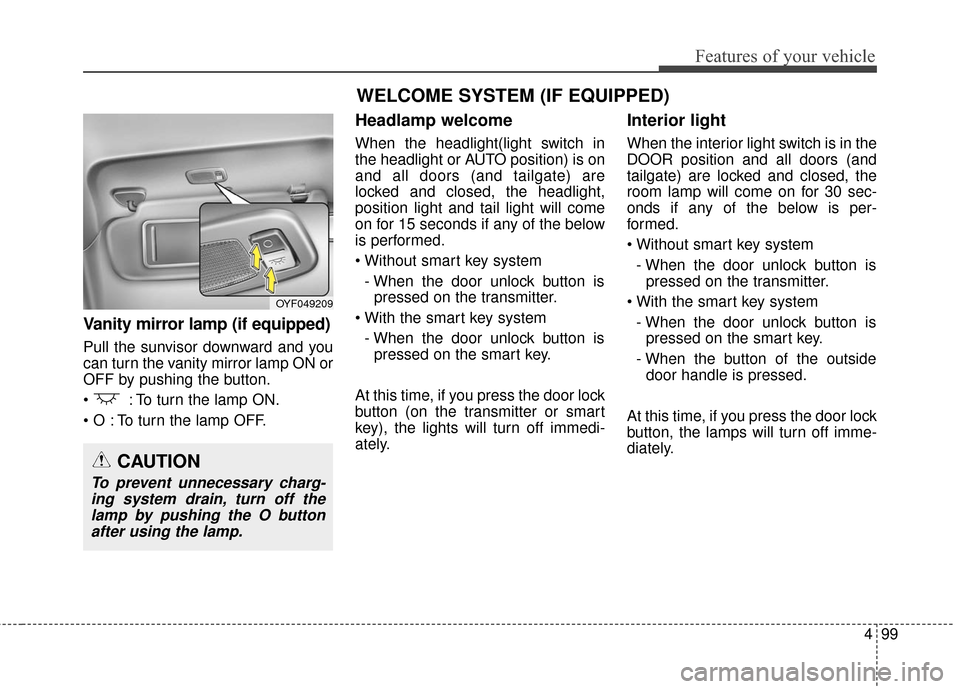
Vanity mirror lamp (if equipped)
Pull the sunvisor downward and you
can turn the vanity mirror lamp ON or
OFF by pushing the button.
: To turn the lamp ON.
To turn the lamp OFF.
Headlamp welcome
When the headlight(light switch in
the headlight or AUTO position) is on
and all doors (and tailgate) are
locked and closed, the headlight,
position light and tail light will come
on for 15 seconds if any of the below
is performed.
- When the door unlock button is pressed on the transmitter.
- When the door unlock button is pressed on the smart key.
At this time, if you press the door lock
button (on the transmitter or smart
key), the lights will turn off immedi-
ately.
Interior light
When the interior light switch is in the
DOOR position and all doors (and
tailgate) are locked and closed, the
room lamp will come on for 30 sec-
onds if any of the below is per-
formed.
- When the door unlock button is pressed on the transmitter.
- When the door unlock button is pressed on the smart key.
- When the button of the outside door handle is pressed.
At this time, if you press the door lock
button, the lamps will turn off imme-
diately.
OYF049209
CAUTION
To prevent unnecessary charg- ing system drain, turn off thelamp by pushing the O buttonafter using the lamp.
WELCOME SYSTEM (IF EQUIPPED)
Page 210 of 546
4123
Features of your vehicle
Glove box
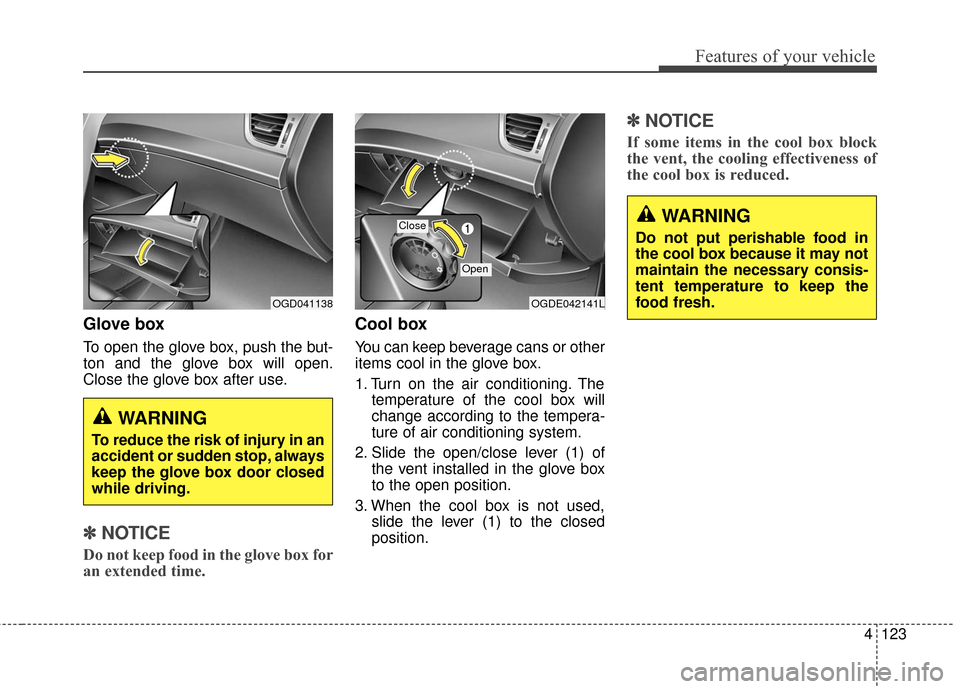
To open the glove box, push the but-
ton and the glove box will open.
Close the glove box after use.
✽ ✽NOTICE
Do not keep food in the glove box for
an extended time.
Cool box
You can keep beverage cans or other
items cool in the glove box.
1. Turn on the air conditioning. The
temperature of the cool box will
change according to the tempera-
ture of air conditioning system.
2. Slide the open/close lever (1) of the vent installed in the glove box
to the open position.
3. When the cool box is not used, slide the lever (1) to the closed
position.
✽ ✽NOTICE
If some items in the cool box block
the vent, the cooling effectiveness of
the cool box is reduced.
WARNING
To reduce the risk of injury in an
accident or sudden stop, always
keep the glove box door closed
while driving.
OGDE042141LOGD041138
Close
Open
WARNING
Do not put perishable food in
the cool box because it may not
maintain the necessary consis-
tent temperature to keep the
food fresh.
Page 211 of 546
Features of your vehicle
124
4
Sunglass holder
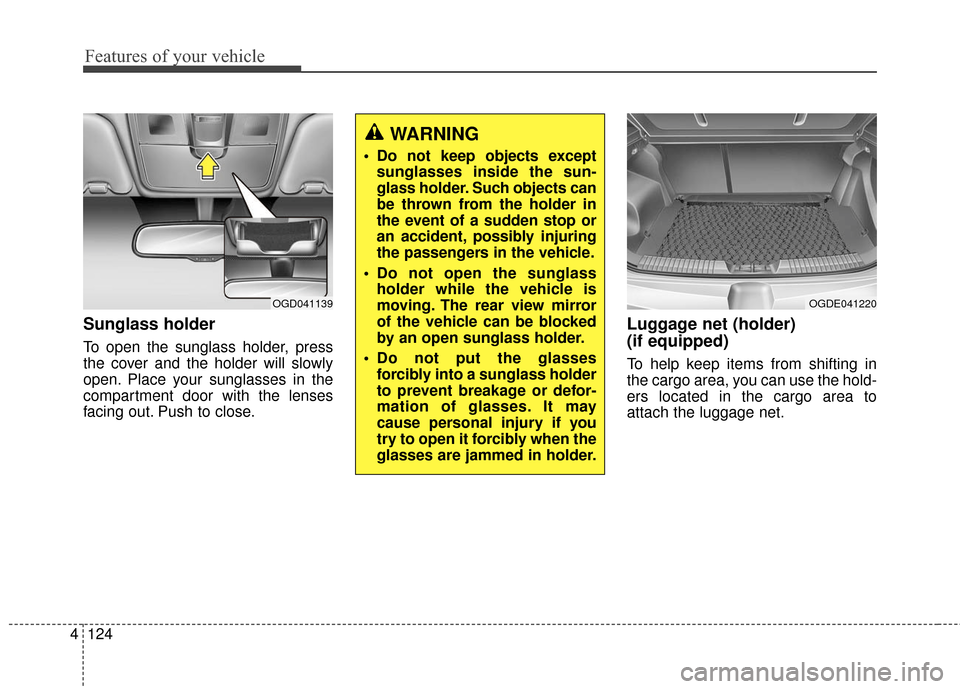
To open the sunglass holder, press
the cover and the holder will slowly
open. Place your sunglasses in the
compartment door with the lenses
facing out. Push to close.
Luggage net (holder)
(if equipped)
To help keep items from shifting in
the cargo area, you can use the hold-
ers located in the cargo area to
attach the luggage net.
WARNING
Do not keep objects except
sunglasses inside the sun-
glass holder. Such objects can
be thrown from the holder in
the event of a sudden stop or
an accident, possibly injuring
the passengers in the vehicle.
Do not open the sunglass holder while the vehicle is
moving. The rear view mirror
of the vehicle can be blocked
by an open sunglass holder.
Do not put the glasses forcibly into a sunglass holder
to prevent breakage or defor-
mation of glasses. It may
cause personal injury if you
try to open it forcibly when the
glasses are jammed in holder.
OGD041139OGDE041220
Page 350 of 546
55
Driving your vehicle
Before starting
Close and lock all doors.
Position the seat so that all con-trols are easily reached.
Adjust the inside and outside rearview mirrors.
Be sure that all lights work.
Check all gauges.
Check the operation of warning lights when the ignition switch is
turned to the ON position.
Release the parking brake and make sure the brake warning light
goes out.
For safe operation, be sure you are
familiar with your vehicle and its
equipment.WARNING
Always check the surrounding
areas near your vehicle for peo-
ple, especially children, before
putting a car into D (Drive) or R
(Reverse).
WARNING -
Driving under the influence
of alcohol or drugs
Drinking and driving is danger-
ous. Impaired driving is the
number one contributor to the
highway death toll each year.
Even a small amount of alcohol
will affect your reflexes, percep-
tions and judgment. Driving
while under the influence of
drugs is as dangerous or more
dangerous than driving drunk.
You are much more likely to
have a serious accident if you
drink or take drugs and drive.
If you are drinking or taking
drugs, don’t drive. Do not ride
with a driver who has been drink-
ing or taking drugs. Choose a
designated driver or call a cab.
WARNING
All passengers must be proper-
ly belted whenever the vehicle
is moving. Refer to “Seat belts”
in section 3 for more informa-
tion on their proper use.
WARNING
When you intend to park or stop the vehicle with the
engine on, be careful not to
depress the accelerator pedal
for a long period of time. It may
overheat the engine or exhaust
system and cause fire.
When you make a sudden stop or turn the steering
wheel rapidly, loose objects
may drop on the floor and it
could interfere with the opera-
tion of the foot pedals, possi-
bly causing an accident. Keep
all things in the vehicle safely
stored.
If you do not focus on driving, it may cause an accident. Be
careful when operating
devices that may disturb driv-
ing such as the audio system
or the heater. It is the respon-
sibility of the driver to always
drive safely.
Page 351 of 546
Driving your vehicle
65
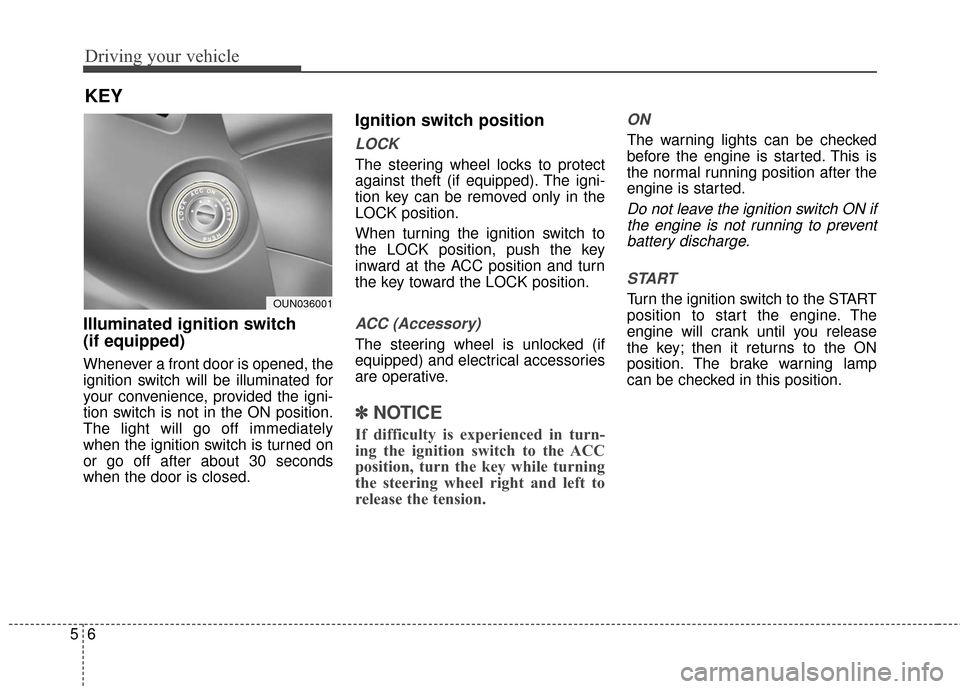
Illuminated ignition switch
(if equipped)
Whenever a front door is opened, the
ignition switch will be illuminated for
your convenience, provided the igni-
tion switch is not in the ON position.
The light will go off immediately
when the ignition switch is turned on
or go off after about 30 seconds
when the door is closed.
Ignition switch position
LOCK
The steering wheel locks to protect
against theft (if equipped). The igni-
tion key can be removed only in the
LOCK position.
When turning the ignition switch to
the LOCK position, push the key
inward at the ACC position and turn
the key toward the LOCK position.
ACC (Accessory)
The steering wheel is unlocked (if
equipped) and electrical accessories
are operative.
✽ ✽NOTICE
If difficulty is experienced in turn-
ing the ignition switch to the ACC
position, turn the key while turning
the steering wheel right and left to
release the tension.
ON
The warning lights can be checked
before the engine is started. This is
the normal running position after the
engine is started.
Do not leave the ignition switch ON if
the engine is not running to preventbattery discharge.
START
Turn the ignition switch to the START
position to start the engine. The
engine will crank until you release
the key; then it returns to the ON
position. The brake warning lamp
can be checked in this position.
KEY
OUN036001
Page 436 of 546
77
Maintenance
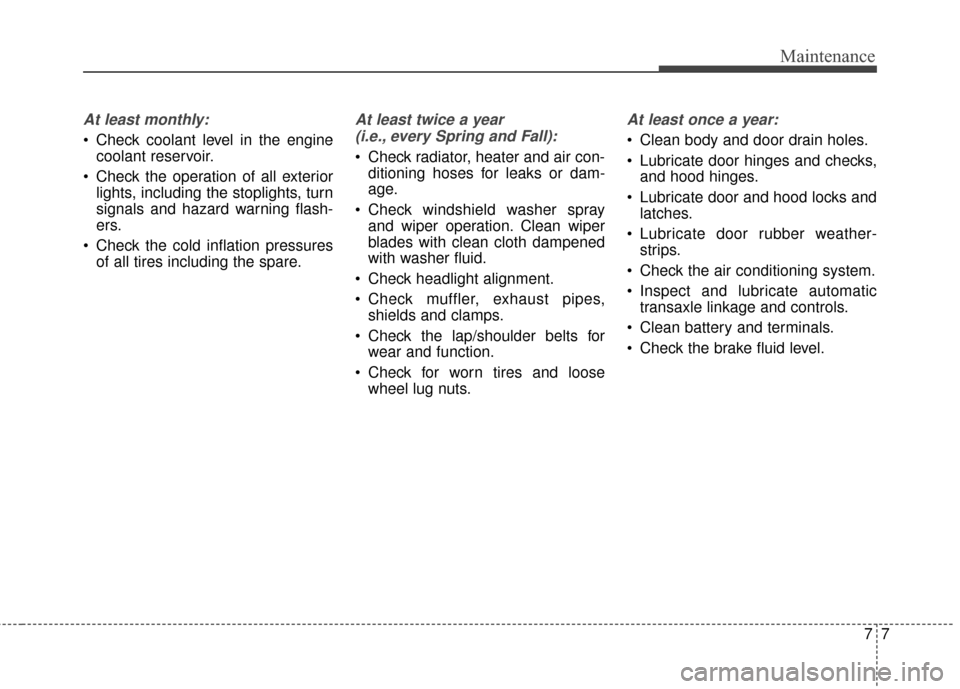
At least monthly:
Check coolant level in the enginecoolant reservoir.
Check the operation of all exterior lights, including the stoplights, turn
signals and hazard warning flash-
ers.
Check the cold inflation pressures of all tires including the spare.
At least twice a year
(i.e., every Spring and Fall):
Check radiator, heater and air con- ditioning hoses for leaks or dam-
age.
Check windshield washer spray and wiper operation. Clean wiper
blades with clean cloth dampened
with washer fluid.
Check headlight alignment.
Check muffler, exhaust pipes, shields and clamps.
Check the lap/shoulder belts for wear and function.
Check for worn tires and loose wheel lug nuts.
At least once a year:
Clean body and door drain holes.
Lubricate door hinges and checks,and hood hinges.
Lubricate door and hood locks and latches.
Lubricate door rubber weather- strips.
Check the air conditioning system.
Inspect and lubricate automatic transaxle linkage and controls.
Clean battery and terminals.
Check the brake fluid level.
Page 494 of 546
765
Maintenance
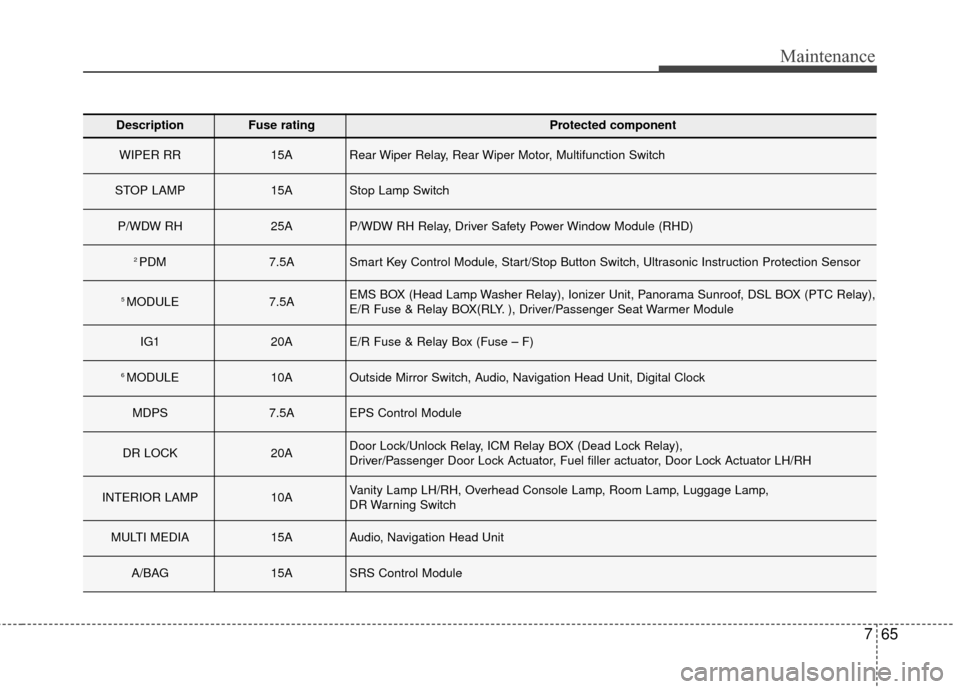
DescriptionFuse ratingProtected component
WIPER RR15ARear Wiper Relay, Rear Wiper Motor, Multifunction Switch
STOP LAMP15AStop Lamp Switch
P/WDW RH25AP/WDW RH Relay, Driver Safety Power Window Module (RHD)
2 PDM7.5ASmart Key Control Module, Start/Stop Button Switch, Ultrasonic Instruction Protection Sensor
5 MODULE7.5AEMS BOX (Head Lamp Washer Relay), Ionizer Unit, Panorama Sunroof, DSL BOX (PTC Relay),
E/R Fuse & Relay BOX(RLY. ), Driver/Passenger Seat Warmer Module
IG120AE/R Fuse & Relay Box (Fuse – F)
6 MODULE10AOutside Mirror Switch, Audio, Navigation Head Unit, Digital Clock
MDPS7.5AEPS Control Module
DR LOCK20ADoor Lock/Unlock Relay, ICM Relay BOX (Dead Lock Relay),
Driver/Passenger Door Lock Actuator, Fuel filler actuator, Door Lock Actuator LH/RH
INTERIOR LAMP10AVanity Lamp LH/RH, Overhead Console Lamp, Room Lamp, Luggage Lamp,
DR Warning Switch
MULTI MEDIA15AAudio, Navigation Head Unit
A/BAG15ASRS Control Module