Front Hyundai Elantra GT 2016 Manual Online
[x] Cancel search | Manufacturer: HYUNDAI, Model Year: 2016, Model line: Elantra GT, Model: Hyundai Elantra GT 2016Pages: 546, PDF Size: 14.04 MB
Page 214 of 546
4127
Features of your vehicle
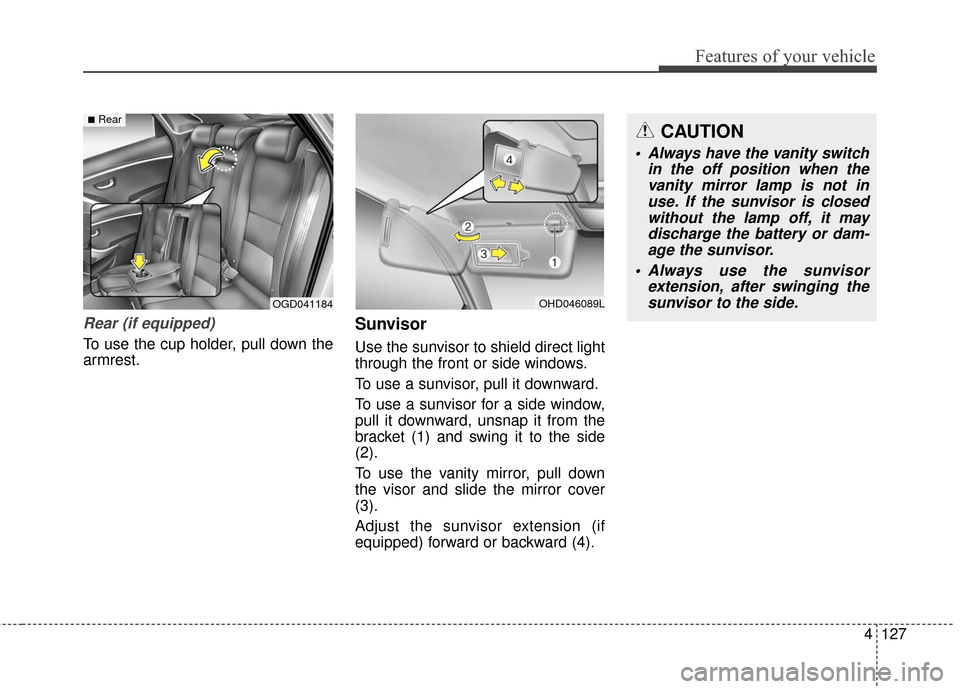
Rear (if equipped)
To use the cup holder, pull down the
armrest.
Sunvisor
Use the sunvisor to shield direct light
through the front or side windows.
To use a sunvisor, pull it downward.
To use a sunvisor for a side window,
pull it downward, unsnap it from the
bracket (1) and swing it to the side
(2).
To use the vanity mirror, pull down
the visor and slide the mirror cover
(3).
Adjust the sunvisor extension (if
equipped) forward or backward (4).
OHD046089LOGD041184
■RearCAUTION
Always have the vanity switchin the off position when thevanity mirror lamp is not inuse. If the sunvisor is closedwithout the lamp off, it maydischarge the battery or dam-age the sunvisor.
Always use the sunvisor extension, after swinging thesunvisor to the side.
Page 215 of 546
Features of your vehicle
128
4
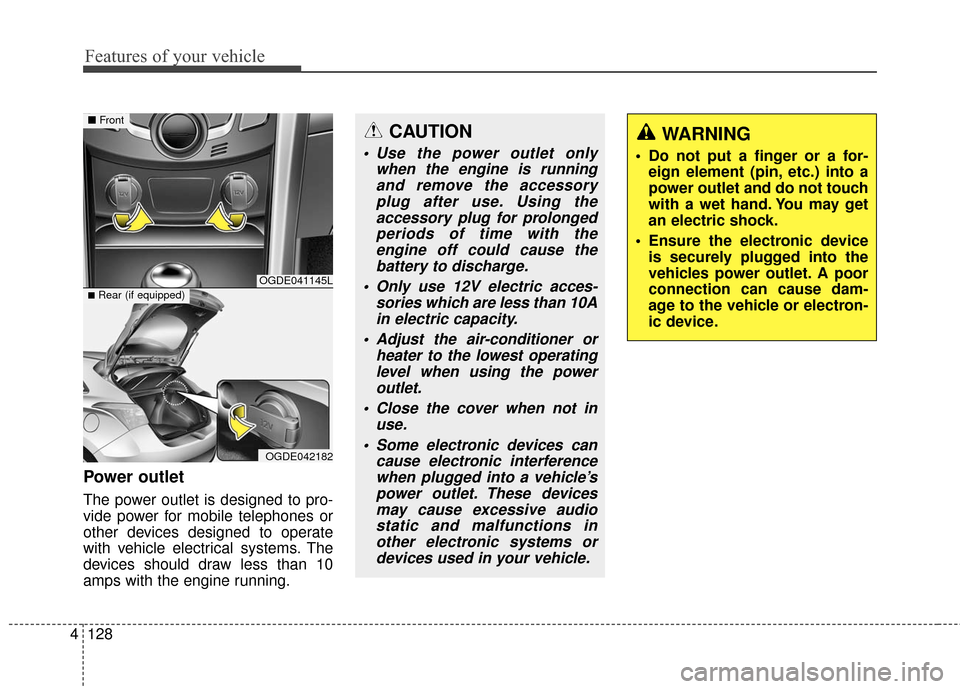
Power outlet
The power outlet is designed to pro-
vide power for mobile telephones or
other devices designed to operate
with vehicle electrical systems. The
devices should draw less than 10
amps with the engine running.
CAUTION
Use the power outlet only
when the engine is runningand remove the accessoryplug after use. Using theaccessory plug for prolongedperiods of time with theengine off could cause thebattery to discharge.
Only use 12V electric acces- sories which are less than 10Ain electric capacity.
Adjust the air-conditioner or heater to the lowest operatinglevel when using the poweroutlet.
Close the cover when not in use.
Some electronic devices can cause electronic interferencewhen plugged into a vehicle’spower outlet. These devicesmay cause excessive audiostatic and malfunctions inother electronic systems ordevices used in your vehicle.
WARNING
Do not put a finger or a for- eign element (pin, etc.) into a
power outlet and do not touch
with a wet hand. You may get
an electric shock.
Ensure the electronic device is securely plugged into the
vehicles power outlet. A poor
connection can cause dam-
age to the vehicle or electron-
ic device.
OGDE041145L
OGDE042182
■ Front
■Rear (if equipped)
Page 216 of 546
4129
Features of your vehicle
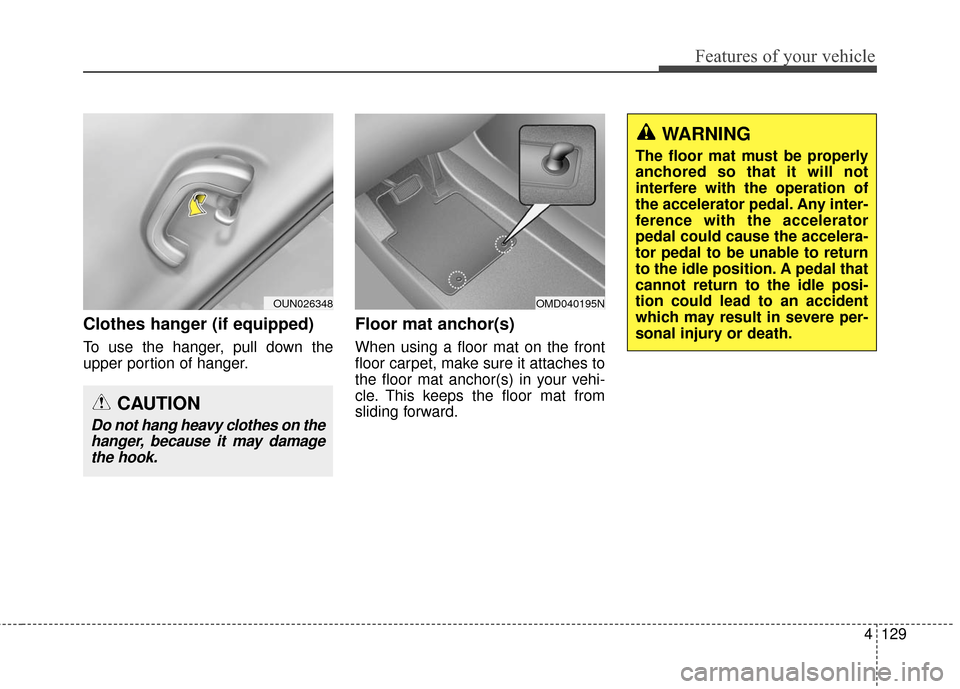
Clothes hanger (if equipped)
To use the hanger, pull down the
upper portion of hanger.
Floor mat anchor(s)
When using a floor mat on the front
floor carpet, make sure it attaches to
the floor mat anchor(s) in your vehi-
cle. This keeps the floor mat from
sliding forward.
WARNING
The floor mat must be properly
anchored so that it will not
interfere with the operation of
the accelerator pedal. Any inter-
ference with the accelerator
pedal could cause the accelera-
tor pedal to be unable to return
to the idle position. A pedal that
cannot return to the idle posi-
tion could lead to an accident
which may result in severe per-
sonal injury or death.
OMD040195NOUN026348
CAUTION
Do not hang heavy clothes on thehanger, because it may damagethe hook.
Page 229 of 546
Features of your vehicle
142
4
(Continued)
Turn on the car ignition before using this device. Do not oper-ate the audio system for longperiods of time with the igni-tion turned off as such opera-tions may lead to battery dis-charge.
Do not subject the device to severe shock or impact. Directpressure onto the front side ofthe monitor may cause dam-age to the LCD or touchscreen.
When cleaning the device, make sure to turn off thedevice and use a dry andsmooth cloth. Never usetough materials, chemicalcloths, or solvents (alcohol,benzene, thinners, etc.) assuch materials may damagethe device panel or causecolor/quality deterioration.
(Continued)(Continued) Do not place beverages close to the audio system. Spillingbeverages may lead to systemmalfunction.
In case of product malfunc- tion, please contact your placeof purchase or After Servicecenter.
Placing the audio system within an electromagneticenvironment may result innoise interference.
Prevent caustic solutions such as perfume and cosmet-ic oil from contacting thedashboard because they maycause damage or discol-oration.
Page 348 of 546
53
Driving your vehicle
WARNING- ENGINE EXHAUST CAN BE DANGEROUS!
Engine exhaust fumes can be extremely dangerous. If, at any time, you smell exhaust fumes inside the vehicle,
open the windows immediately.
• Do not inhale exhaust fumes. Exhaust fumes contain carbon monoxide, a colorless, odorless gas that can cause unconsciousness and death
by asphyxiation.
The exhaust system should be checked whenever the vehicle is raised to change the oil or for any other purpose.
If you hear a change in the sound of the exhaust or if you drive over something that strikes the under side of the
car, have the exhaust system checked as soon as possible by an authorized HYUNDAI dealer.
Letting the engine idle in your garage, even with the garage door open, is a hazardous practice. Never run the
engine in your garage any longer than it takes to start the engine and back the car out.
If it is necessary to idle the engine for a prolonged period with people inside the car, be sure to do so only in an
open area with the air intake set at "Fresh" and fan operating at one of the higher speeds so fresh air is drawn
into the interior.
If you must drive with the tailgate open because you are carrying objects that make this necessary:
1. Close all windows.
2. Open side vents.
3. Set the air intake control at "Fresh", the air flow control at "Floor" or "Face" and the fan at one of the higher speeds.
To assure proper operation of the ventilation system, be sure the ventilation air intakes located just in front of the
windshield are kept clear of snow, ice, leaves or other obstructions.
Page 351 of 546
Driving your vehicle
65
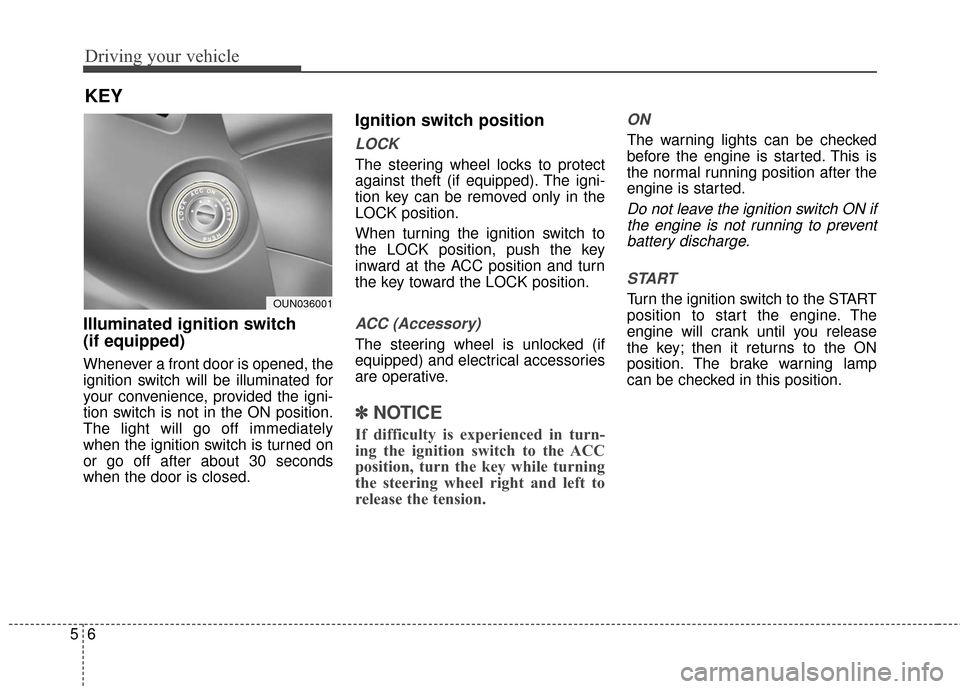
Illuminated ignition switch
(if equipped)
Whenever a front door is opened, the
ignition switch will be illuminated for
your convenience, provided the igni-
tion switch is not in the ON position.
The light will go off immediately
when the ignition switch is turned on
or go off after about 30 seconds
when the door is closed.
Ignition switch position
LOCK
The steering wheel locks to protect
against theft (if equipped). The igni-
tion key can be removed only in the
LOCK position.
When turning the ignition switch to
the LOCK position, push the key
inward at the ACC position and turn
the key toward the LOCK position.
ACC (Accessory)
The steering wheel is unlocked (if
equipped) and electrical accessories
are operative.
✽ ✽NOTICE
If difficulty is experienced in turn-
ing the ignition switch to the ACC
position, turn the key while turning
the steering wheel right and left to
release the tension.
ON
The warning lights can be checked
before the engine is started. This is
the normal running position after the
engine is started.
Do not leave the ignition switch ON if
the engine is not running to preventbattery discharge.
START
Turn the ignition switch to the START
position to start the engine. The
engine will crank until you release
the key; then it returns to the ON
position. The brake warning lamp
can be checked in this position.
KEY
OUN036001
Page 354 of 546
59
Driving your vehicle
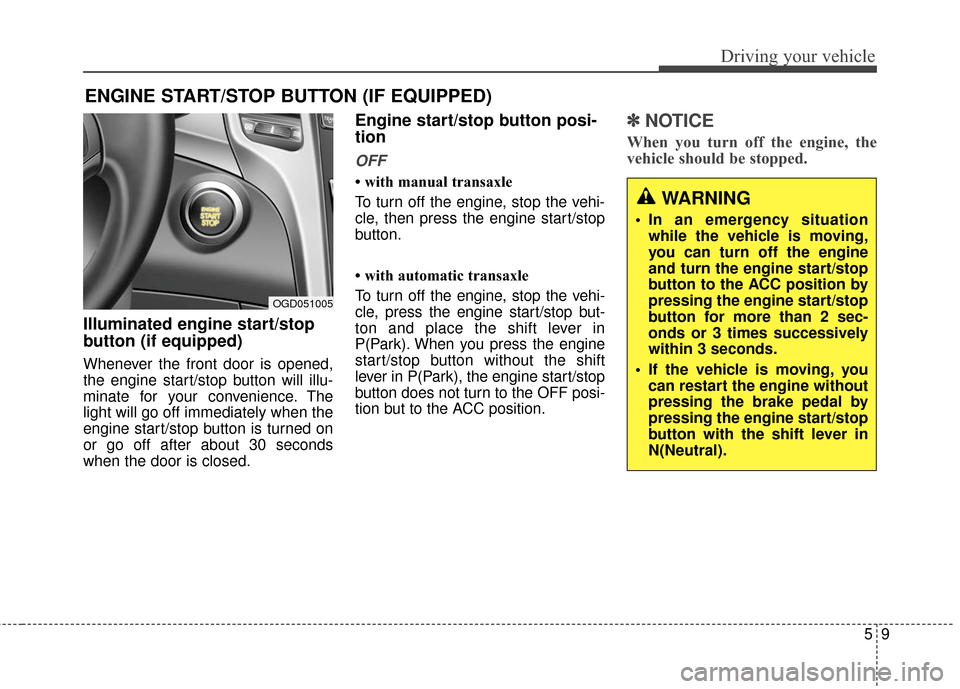
Illuminated engine start/stop
button (if equipped)
Whenever the front door is opened,
the engine start/stop button will illu-
minate for your convenience. The
light will go off immediately when the
engine start/stop button is turned on
or go off after about 30 seconds
when the door is closed.
Engine start/stop button posi-
tion
OFF
• with manual transaxle
To turn off the engine, stop the vehi-
cle, then press the engine start/stop
button.
• with automatic transaxle
To turn off the engine, stop the vehi-
cle, press the engine start/stop but-
ton and place the shift lever in
P(Park). When you press the engine
start/stop button without the shift
lever in P(Park), the engine start/stop
button does not turn to the OFF posi-
tion but to the ACC position.
✽ ✽NOTICE
When you turn off the engine, the
vehicle should be stopped.
ENGINE START/STOP BUTTON (IF EQUIPPED)
OGD051005
WARNING
In an emergency situation
while the vehicle is moving,
you can turn off the engine
and turn the engine start/stop
button to the ACC position by
pressing the engine start/stop
button for more than 2 sec-
onds or 3 times successively
within 3 seconds.
If the vehicle is moving, you can restart the engine without
pressing the brake pedal by
pressing the engine start/stop
button with the shift lever in
N(Neutral).
Page 359 of 546
Driving your vehicle
14
5
Manual transaxle operation
The manual transaxle has 6 forward
gears.
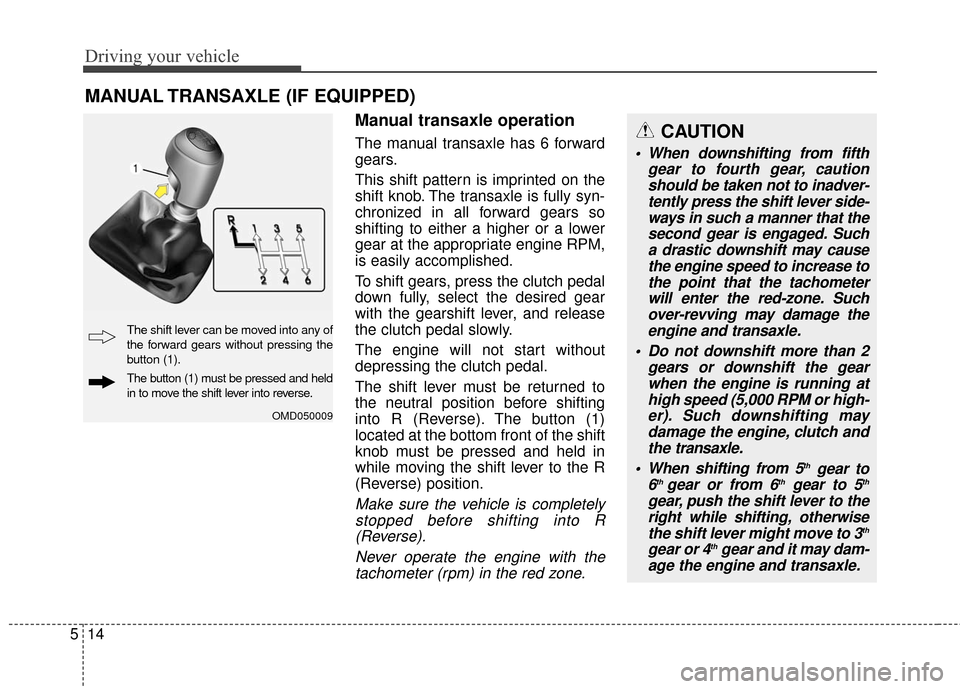
This shift pattern is imprinted on the
shift knob. The transaxle is fully syn-
chronized in all forward gears so
shifting to either a higher or a lower
gear at the appropriate engine RPM,
is easily accomplished.
To shift gears, press the clutch pedal
down fully, select the desired gear
with the gearshift lever, and release
the clutch pedal slowly.
The engine will not start without
depressing the clutch pedal.
The shift lever must be returned to
the neutral position before shifting
into R (Reverse). The button (1)
located at the bottom front of the shift
knob must be pressed and held in
while moving the shift lever to the R
(Reverse) position.
Make sure the vehicle is completely
stopped before shifting into R(Reverse).
Never operate the engine with thetachometer (rpm) in the red zone.
MANUAL TRANSAXLE (IF EQUIPPED)
OMD050009
The shift lever can be moved into any of
the forward gears without pressing the
button (1).
The button (1) must be pressed and held
in to move the shift lever into reverse.
CAUTION
When downshifting from fifth gear to fourth gear, cautionshould be taken not to inadver-tently press the shift lever side-ways in such a manner that thesecond gear is engaged. Sucha drastic downshift may causethe engine speed to increase tothe point that the tachometerwill enter the red-zone. Suchover-revving may damage theengine and transaxle.
Do not downshift more than 2 gears or downshift the gearwhen the engine is running athigh speed (5,000 RPM or high-er). Such downshifting maydamage the engine, clutch andthe transaxle.
When shifting from 5
thgear to
6th gear or from 6thgear to 5th
gear, push the shift lever to the right while shifti ng, otherwise
the shift lever might move to 3
th
gear or 4thgear and it may dam-
age the engine and transaxle.
Page 370 of 546
525
Driving your vehicle
In the event of brake failure
If service brakes fail to operate while
the vehicle is in motion, you can
make an emergency stop with the
parking brake. The stopping dis-
tance, however, will be greater than
normal.
Disc brakes wear indicator
Your vehicle has disc brakes.
When your brake pads are worn and
new pads are required, you will hear
a high-pitched warning sound from
your front brakes or rear brakes. You
may hear this sound come and go or
it may occur whenever you depress
the brake pedal.
Please remember that some driving
conditions or climates may cause a
brake squeal when you first apply (or
lightly apply) the brakes. This is nor-
mal and does not indicate a problem
with your brakes.
WARNING- Parking brake
Applying the parking brake
while the vehicle is moving at
normal speeds can cause a
sudden loss of control of the
vehicle. If you must use the
parking brake to stop the vehi-
cle, use great caution in apply-
ing the brake.WARNING- Brake wear
This brake wear warning sound
means your vehicle needs serv-
ice. If you ignore this audible
warning, you will eventually
lose braking performance,
which could lead to a serious
accident.
CAUTION
To avoid costly brake repairs, do not continue to drive withworn brake pads.
Always replace the front or rear brake pads in pairs.
Page 374 of 546
529
Driving your vehicle
✽
✽NOTICE
A click sound may be heard in the
engine compartment when the vehi-
cle begins to move after the engine is
started. These conditions are normal
and indicate that the anti-lock brake
system is functioning properly.
Even with the anti-lock brake sys-
tem, your vehicle still requires suf-
ficient stopping distance. Always
maintain a safe distance from the
vehicle in front of you.
Always slow down when cornering. The anti-lock brake system cannot
prevent accidents resulting from
excessive speeds.
On loose or uneven road surfaces, operation of the anti-lock brake
system may result in a longer stop-
ping distance than for vehicles
equipped with a conventional
brake system.
✽ ✽ NOTICE
When you jump start your vehicle
because of a drained battery, the
engine may not run as smoothly and
the ABS warning light may turn on at
the same time. This happens because
of the low battery voltage. It does not
mean your ABS is malfunctioning.
• Do not pump your brakes!
• Have the battery recharged before
driving the vehicle.
W-78
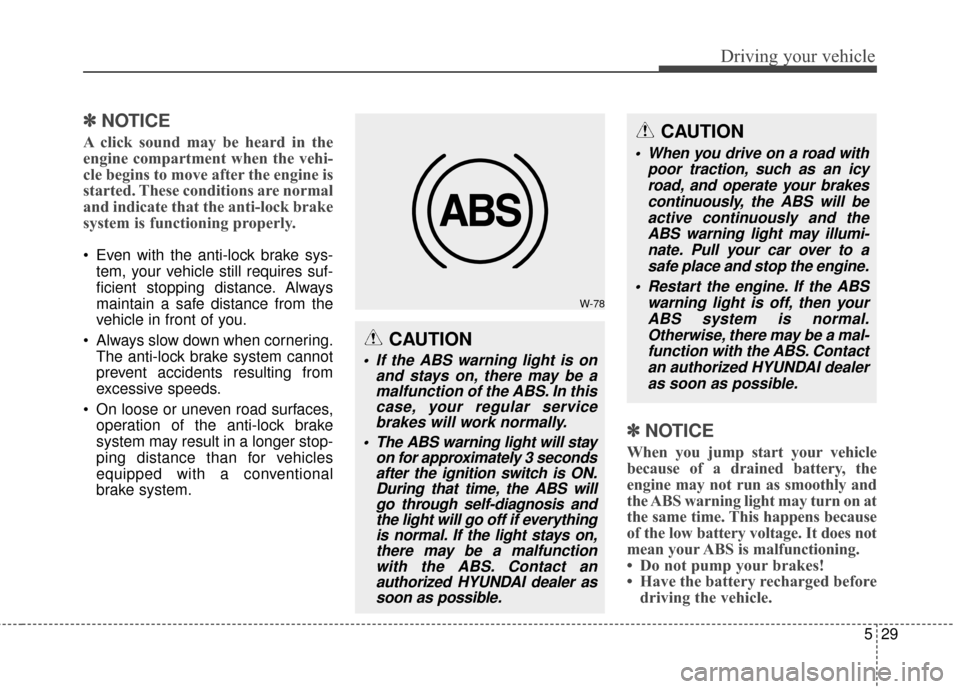
CAUTION
If the ABS warning light is on
and stays on, there may be amalfunction of the ABS. In thiscase, your regular servicebrakes will work normally.
The ABS warning light will stay on for approximately 3 secondsafter the ignition switch is ON.During that time, the ABS willgo through self-diagnosis andthe light will go off if everythingis normal. If the light stays on,there may be a malfunctionwith the ABS. Contact anauthorized HYUNDAI dealer assoon as possible.
CAUTION
When you drive on a road with
poor traction, such as an icyroad, and operate your brakescontinuously, the ABS will beactive continuously and theABS warning light may illumi-nate. Pull your car over to asafe place and stop the engine.
Restart the engine. If the ABS warning light is off, then yourABS system is normal.Otherwise, there may be a mal-function with the ABS. Contactan authorized HYUNDAI dealeras soon as possible.