service Hyundai Elantra GT 2017 User Guide
[x] Cancel search | Manufacturer: HYUNDAI, Model Year: 2017, Model line: Elantra GT, Model: Hyundai Elantra GT 2017Pages: 493, PDF Size: 11.53 MB
Page 151 of 493
Features of your vehicle
64
4
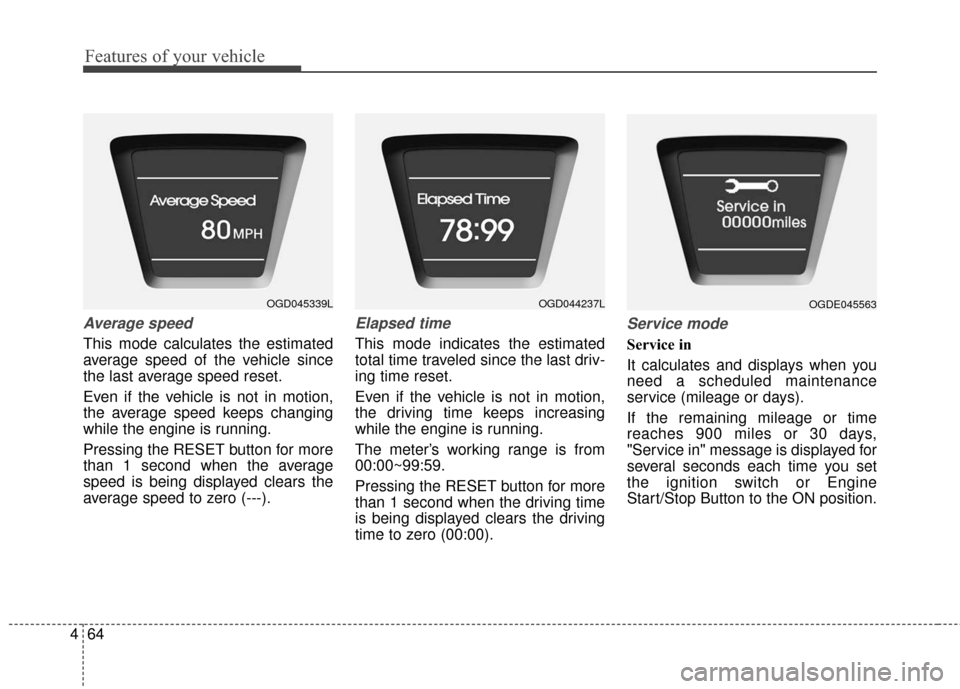
Average speed
This mode calculates the estimated
average speed of the vehicle since
the last average speed reset.
Even if the vehicle is not in motion,
the average speed keeps changing
while the engine is running.
Pressing the RESET button for more
than 1 second when the average
speed is being displayed clears the
average speed to zero (---).
Elapsed time
This mode indicates the estimated
total time traveled since the last driv-
ing time reset.
Even if the vehicle is not in motion,
the driving time keeps increasing
while the engine is running.
The meter’s working range is from
00:00~99:59.
Pressing the RESET button for more
than 1 second when the driving time
is being displayed clears the driving
time to zero (00:00).
Service mode
Service in
It calculates and displays when you
need a scheduled maintenance
service (mileage or days).
If the remaining mileage or time
reaches 900 miles or 30 days,
"Service in" message is displayed for
several seconds each time you set
the ignition switch or Engine
Start/Stop Button to the ON position.
OGD045339LOGD044237LOGDE045563
Page 152 of 493
465
Features of your vehicle
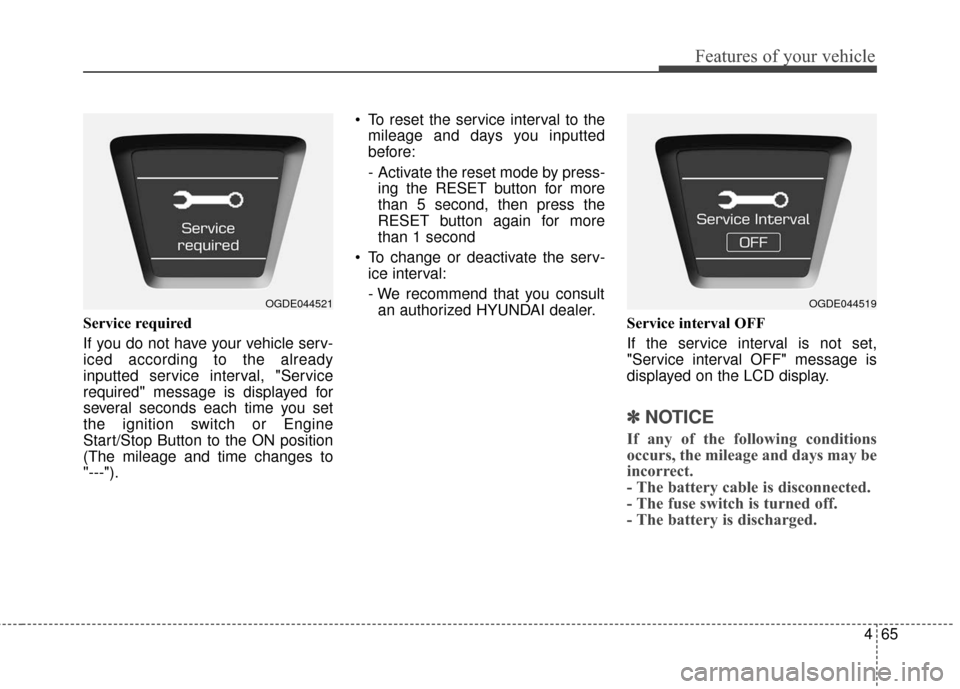
Service required
If you do not have your vehicle serv-
iced according to the already
inputted service interval, "Service
required" message is displayed for
several seconds each time you set
the ignition switch or Engine
Start/Stop Button to the ON position
(The mileage and time changes to
"---"). To reset the service interval to the
mileage and days you inputted
before:
- Activate the reset mode by press-ing the RESET button for more
than 5 second, then press the
RESET button again for more
than 1 second
To change or deactivate the serv- ice interval:
- We recommend that you consultan authorized HYUNDAI dealer. Service interval OFF
If the service interval is not set,
"Service interval OFF" message is
displayed on the LCD display.
✽ ✽NOTICE
If any of the following conditions
occurs, the mileage and days may be
incorrect.
- The battery cable is disconnected.
- The fuse switch is turned off.
- The battery is discharged.
OGDE044521OGDE044519
Page 157 of 493
Features of your vehicle
70
4
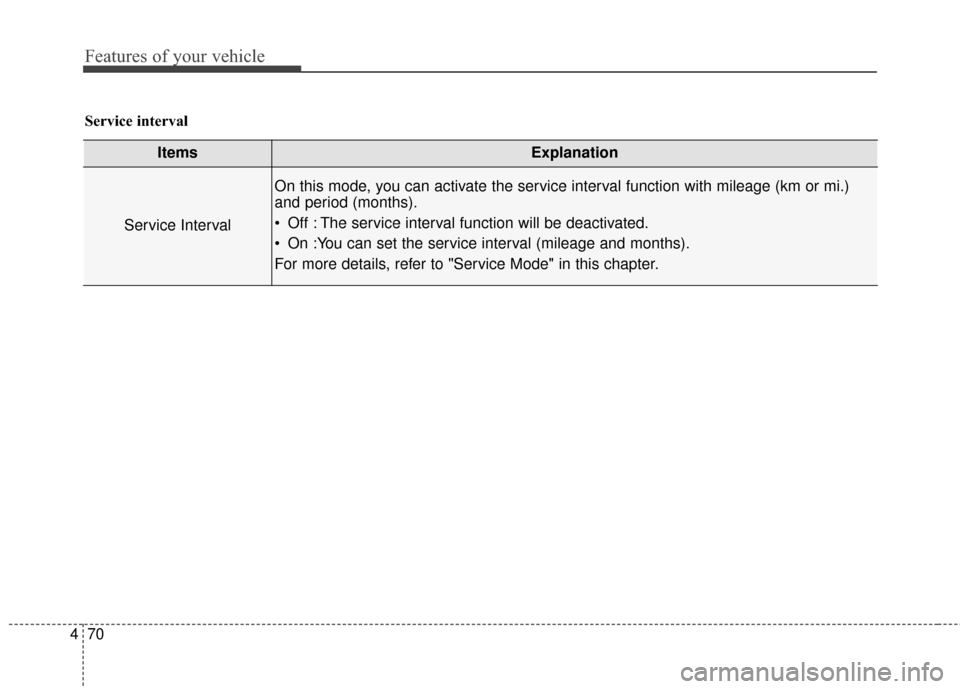
ItemsExplanation
Service Interval
On this mode, you can activate the service interval function with mileage (km or mi.)
and period (months).
Off : The service interval function will be deactivated.
On :You can set the service interval (mileage and months).
For more details, refer to "Service Mode" in this chapter.
Service interval
Page 230 of 493
4143
Features of your vehicle
(Continued) Turn on the car ignition before using this device. Do not oper-ate the audio system for longperiods of time with the igni-tion turned off as such opera-tions may lead to battery dis-charge.
Do not subject the device to severe shock or impact. Directpressure onto the front side ofthe monitor may cause dam-age to the LCD or touchscreen.
When cleaning the device, make sure to turn off thedevice and use a dry andsmooth cloth. Never usetough materials, chemicalcloths, or solvents (alcohol,benzene, thinners, etc.) assuch materials may damagethe device panel or causecolor/quality deterioration.
(Continued)(Continued) Do not place beverages close to the audio system. Spillingbeverages may lead to systemmalfunction.
In case of product malfunc- tion, please contact your placeof purchase or After Servicecenter.
Placing the audio system within an electromagneticenvironment may result innoise interference.
Prevent caustic solutions such as perfume and cosmet-ic oil from contacting thedashboard because they maycause damage or discol-oration.
Page 234 of 493
4147
Features of your vehicle
✽
✽NOTICE - Bluetooth®
Wireless Technology
• The Bluetooth®word mark and
logos are registered trademarks
owned by Bluetooth SIG, lnc. and
any use of such marks is under
license.
A Bluetooth
®enabled call phone is
required to use Bluetooth®wire-
less technology.
• Bluetooth
®Wirelss Technology
phone compatibility can be
checked by visiting www
.
hyundaiusa.comand under the
SERVICE & PARTS - BLUE-
TOOTH COMPATIBILITY
menu.
✽ ✽ NOTICE - BEFORE USING
THE
Bluetooth®
HANDSFREE
What is Bluetooth®?
• Bluetooth®refers to a short-dis-
tance wireless networking technol-
ogy which uses a 2.4GHz ~
2.48GHz frequency to connect
various devices within a certain
distance.
• Supported within PCs, external devices, Bluetooth
®phones, PDAs,
various electronic devices, and
automotive environments,
Bluetooth
®allows data to be trans-
mitted at high speeds without hav-
ing to use a connector cable.
• Bluetooth
®Handsfree refers to a
device which allows the user to
conveniently make phone calls
with Bluetooth
®mobile phones
through the audio system.
• Bluetooth
®Handsfree may not be
supported in some mobile phones.
To learn more about mobile device
compatibility, visit www
.
hyundaiusa.com.
Page 254 of 493
4167
Features of your vehicle
Satellite Radio channels:
Enjoy SiriusXM Satellite Radio with a 3-
month trial subscription to the Sirius
Select package. You'll get over 140
channels, including commercial-free
music, plus all your favorite sports,
exclusive talk, entertainment, and a
selection of premium programming.
For more information and a complete
list of SiriusXM channels, visit
siriusxm.com in the United States,
siriusxm.ca in Canada, or call SiriusXM
at 1-888-539-7474.
Satellite Radio reception factors:
To receive the satellite signal, your vehi-
cle has been equipped with a satellite
radio antenna located on the roof of
your vehicle. The vehicle roof provides
the best location for an unobstructed,
open view of the sky, a requirement of
a satellite radio system. Like AM/FM,
there are several factors that can affect
satellite radio reception performance:
Antenna obstructions: For optimalreception performance, keep the
antenna clear of snow and ice build-
up and keep luggage and other
material as far away from the anten-
na as possible. Terrain: Hills, mountains, tall build-
ings, bridges, tunnels, freeway
overpasses, parking garages,
dense tree foliage and thunder-
storms can interfere with your
reception.
SiriusXM Satellite Radio service:
SiriusXM is a subscription-based satel-
lite radio service that broad-casts
music, sports, news and entertainment
programming to radio receivers, which
are available for installation in motor
vehicles or factory installed, as well as
for the home, portable and wireless
devices, and through an Internet con-
nection on personal computer. Vehicles
that are equipped with a factory
installed SiriusXM Satellite Radio sys-
tem include:
Hardware and an introductory trial subscription term, which begins on
the date of sale or lease of the
vehicle.
For a small upgrade fee, access to SiriusXM music channels, and other
select channels over the Internet using
any computer connected to the
Internet (U.S. customers only). For information on extended sub-
scription terms, contact SiriusXM
at 1-888-539-7474.
NOTE:
SiriusXM services require a sub-
scription sold separately, or as a
package, by Sirius XM Radio Inc. If
you decide to continue service
after your trial, the subscription
plan you choose will automatical-
ly renew thereafter and you will be
charged according to your chosen
payment method at then-current
rates. Fees and taxes apply. To
cancel you must call SiriusXM at
1-866-635-2349. See SiriusXM
Customer Agreement for com-
plete terms at www.siriusxm.
com. SiriusXM U.S. satellite and
data services are available only in
the 48 contiguous USA, DC and
PR (with coverage limitations).
SiriusXM satellite service is also
available in Canada; see www.sir-
iusxm.ca. All fees and program-
ming subject to change. Sirius,
XM and all related marks and
logos are trademarks of Sirius XM
Radio Inc.
SiriusXM®Satellite Radio information
Page 287 of 493
Features of your vehicle
200
4
Blue Link®
Hyundai aims to offer differentiated
customer values through a
‘Connected Car Life,’ which is to pro-
vide consumers with fast and reliable
IT technology. As consumers’
lifestyles become more and more
mobile in thanks to remarkable
advances in smart phones, tablet
PCs and overall wireless telecommu-
nication, new lifestyle patterns
demand seamless connection
between one’s office, home, out-
doors and automobiles.
Automobile companies are now
faced with the task of shifting their
paradigm from vehicle-centered
services to customer value-centered
services, with the ultimate goal of
securing global leadership in the
field of vehicle IT and telematics. Hyundai Motor plans to achieve this
by realizing a terminal platform flexi-
ble to changes in IT technology,
cooperating with global IT compa-
nies, creating an eco-system and
providing the latest contents & serv-
ices based on an open environment.
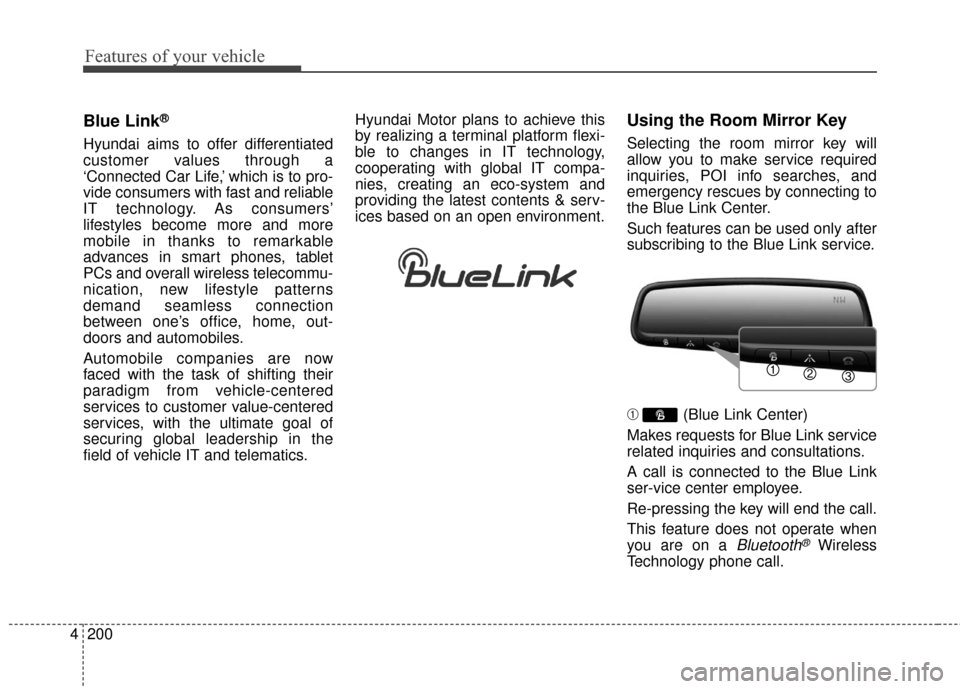
Using the Room Mirror Key
Selecting the room mirror key will
allow you to make service required
inquiries, POI info searches, and
emergency rescues by connecting to
the Blue Link Center.
Such features can be used only after
subscribing to the Blue Link service.
➀
(Blue Link Center)
Makes requests for Blue Link service
related inquiries and consultations.
A call is connected to the Blue Link
ser-vice center employee.
Re-pressing the key will end the call.
This feature does not operate when
you are on a
Bluetooth®Wireless
Technology phone call.
Page 290 of 493
4203
Features of your vehicle
iPod®is a registered trademark of
Apple Inc. iPod®mobile digital
device sold separately. The
Bluetooth
®word mark and logos
are registered trademarks owned
by Bluetooth SIG, Inc. and any use
of such marks by Hyundai is
under license. SiriusXM services
require a subscription sold sepa-
rately, or as a package, by Sirius
XM Radio Inc. If you decide to con-
tinue service after your trial, the
subscription plan you choose will
automatically renew thereafter
and you will be charged according
to your chosen payment method
at then-current rates. Fees and
taxes apply. To cancel you must
call SiriusXM at 1-866-635-2349.
See SiriusXM Customer
Agreement for complete terms at
www.siriusxm.com. SiriusXM U.S.
satellite and data services are
available only in the 48 contigu-
ous USA, DC and PR (with cover-
age limitations). SiriusXM satellite
service is also available in
Canada; see www.siriusxm.ca. All
fees and programming subject to
change. Sirius, XM and all related marks
and logos are trademarks of Sirius
XM Radio Inc. Android™ is a
trademark of Google, Inc.
BlackBerry is a registered trade-
mark of Research In Motion
Limited (RIM). All other marks,
channel names and logos are the
property of their respective own-
ers. All rights reserved.
Page 310 of 493
Driving your vehicle
18
5
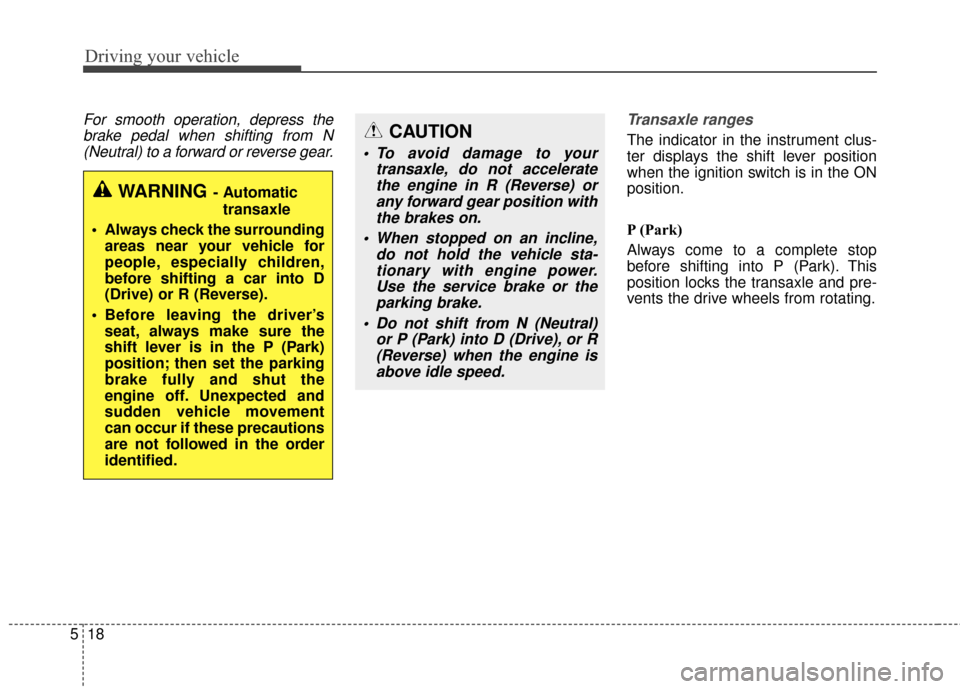
For smooth operation, depress the
brake pedal when shifting from N(Neutral) to a forward or reverse gear. Transaxle ranges
The indicator in the instrument clus-
ter displays the shift lever position
when the ignition switch is in the ON
position.
P (Park)
Always come to a complete stop
before shifting into P (Park). This
position locks the transaxle and pre-
vents the drive wheels from rotating.
WARNING- Automatic
transaxle
Always check the surrounding areas near your vehicle for
people, especially children,
before shifting a car into D
(Drive) or R (Reverse).
Before leaving the driver’s seat, always make sure the
shift lever is in the P (Park)
position; then set the parking
brake fully and shut the
engine off. Unexpected and
sudden vehicle movement
can occur if these precautions
are not followed in the order
identified.
CAUTION
To avoid damage to your transaxle, do not acceleratethe engine in R (Reverse) orany forward gear position withthe brakes on.
When stopped on an incline, do not hold the vehicle sta-tionary with engine power.Use the service brake or theparking brake.
Do not shift from N (Neutral) or P (Park) into D (Drive), or R(Reverse) when the engine isabove idle speed.
Page 311 of 493
519
Driving your vehicle
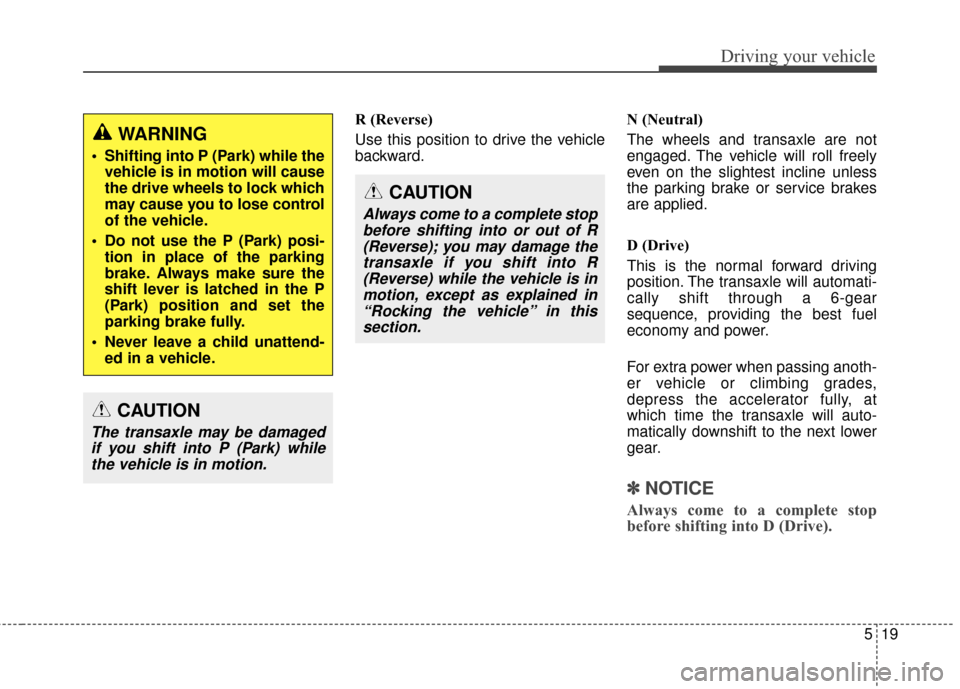
R (Reverse)
Use this position to drive the vehicle
backward.N (Neutral)
The wheels and transaxle are not
engaged. The vehicle will roll freely
even on the slightest incline unless
the parking brake or service brakes
are applied.
D (Drive)
This is the normal forward driving
position. The transaxle will automati-
cally shift through a 6-gear
sequence, providing the best fuel
economy and power.
For extra power when passing anoth-
er vehicle or climbing grades,
depress the accelerator fully, at
which time the transaxle will auto-
matically downshift to the next lower
gear.
✽ ✽
NOTICE
Always come to a complete stop
before shifting into D (Drive).
CAUTION
Always come to a complete stop
before shifting into or out of R(Reverse); you may damage thetransaxle if you shift into R(Reverse) while the vehicle is inmotion, except as explained in“Rocking the vehicle” in thissection.
WARNING
Shifting into P (Park) while the vehicle is in motion will cause
the drive wheels to lock which
may cause you to lose control
of the vehicle.
Do not use the P (Park) posi- tion in place of the parking
brake. Always make sure the
shift lever is latched in the P
(Park) position and set the
parking brake fully.
Never leave a child unattend- ed in a vehicle.
CAUTION
The transaxle may be damagedif you shift into P (Park) whilethe vehicle is in motion.