phone Hyundai Elantra GT 2018 User Guide
[x] Cancel search | Manufacturer: HYUNDAI, Model Year: 2018, Model line: Elantra GT, Model: Hyundai Elantra GT 2018Pages: 478, PDF Size: 13.64 MB
Page 211 of 478
3-126
Convenient features of your vehicle
To prevent damage to the Power
Outlets :
Use the power outlet only when the engine is running and
remove the accessory plug after
use. Using the accessory plug
for prolonged periods of time
with the engine off could cause
the battery to discharge.
Only use 12V electric acces- sories which are less than 180 W
(Watts) in electric capacity.
Adjust the air-conditioner or heater to the lowest operating
level when using the power outlet.
Close the cover when not in use. (Continued)(Continued)
Some electronic devices can
cause electronic interference
when plugged into a vehicle’s
power outlet. These devices may
cause excessive audio static
and malfunctions in other elec-
tronic systems or devices used
in your vehicle.
Push the plug in as far as it will go. If good contact is not made,
the plug may overheat and the
fuse may open.
Plug in battery equipped electri- cal/electronic devices with
reverse current protection. The
current from the battery may
flow into the vehicle’s electri-
cal/electronic system and cause
system malfunction.
Wireless Cellular Phone
Charging System (if equipped)
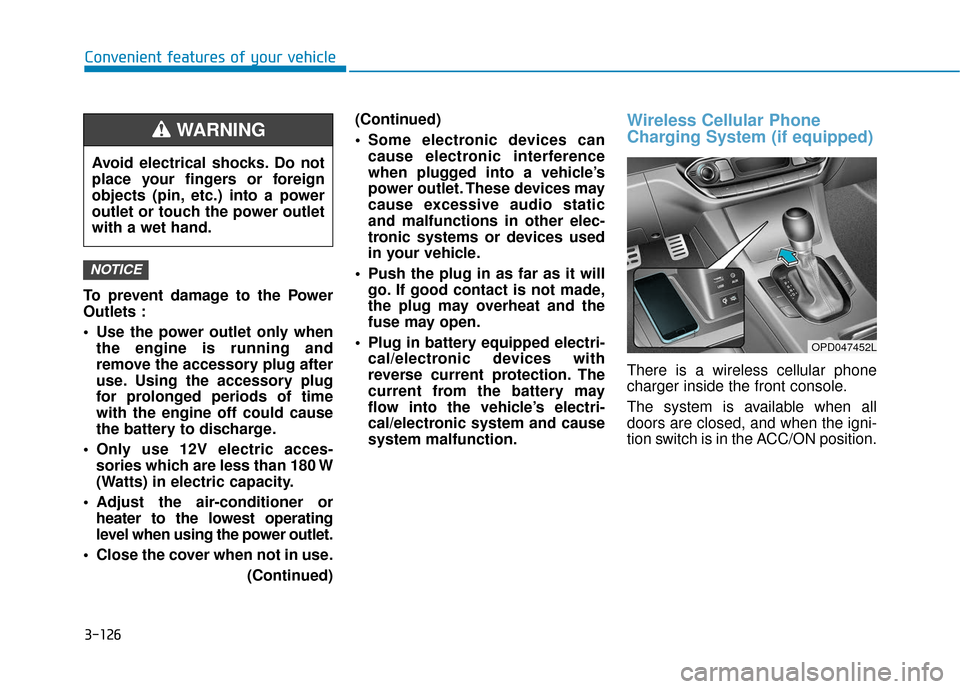
There is a wireless cellular phone
charger inside the front console.
The system is available when all
doors are closed, and when the igni-
tion switch is in the ACC/ON position.
NOTICE
Avoid electrical shocks. Do not
place your fingers or foreign
objects (pin, etc.) into a power
outlet or touch the power outlet
with a wet hand.
WARNING
OPD047452L
Page 212 of 478
3-127
Convenient features of your vehicle
3
To charge a cellular phone
The wireless cellular phone charging
system charges only the Qi-enabled
cellular phones ( ). Read the label
on the cellular phone accessory
cover or visit your cellular phone
manufacturer’s website to check
whether your cellular phone supports
the Qi technology.
The wireless charging process starts
when you put a Qi-enabled cellular
phone on the wireless charging unit.
1. Remove other items, including thesmart key, from the wireless charg-
ing unit. If not, the wireless charg-
ing process may be interrupted.
2. The indicator light is orange when the phone is charging. The indica-
tor light turns green when phone
charging is complete.
3. You can turn ON or OFF the wire- less charging function in the user
settings mode on the instrument
cluster. For further information,
refer to the "LCD Display Modes"
in this chapter. If your phone is not charging:
- Slightly change the position of the
cellular phone on the charging pad.
- Make sure the indicator light is orange.
Depending on the cellular phone
type, the indicator light may not turn
green even though the charging is
complete.
The indicator light will blink orange
for 10 seconds if there is a malfunc-
tion in the wireless charging system.
In this case, temporarily stop the
charging process, and re-attempt to
wirelessly charge your cellular phone
again.
The system warns you with a mes-
sage on the LCD display if the cellular
phone is still on the wireless charging
unit after the engine is turned OFF
and the front door is opened. The wireless cellular phone
charging system may not sup-
port certain cellular phones,
which are not verified for the Qi
specification ( ).
Locate your cell phone well in the middle of the wireless cellu-
lar phone charging system.
Even when your cell phone
locates slightly to one side, the
charging speed may decrease.
The wireless charging process may temporarily stop, when a
smart key function operates (i.e.
starting the vehicle, opening the
doors, closing the doors).
For certain cell phones, the indi- cator color may not change to
green, even when the wireless
charging process is properly
completed.
(Continued)
NOTICE
Page 213 of 478
3-128
Convenient features of your vehicle
(Continued)
The wireless charging process may temporarily stop, when tem-
perature abnormally increases
inside the wireless cellular
phone charging system. The
wireless charging process
restarts, when temperature falls
to a certain level.
The wireless charging process may temporarily stop when
there is any metallic item, such
as a coin, between the wireless
cellular phone charging system
and a cellular phone.
Clock
Vehicles with Audio system
Select the [SETUP] button on the
audio system ➟ Select [Date/Time].
Set time: Set the time displayed on the audio screen.
Time format: Choose between 12- hour and 24-hour time formats.
Vehicles with Navigation system
Select the Settings menu on the
Navigation system ➟Select
[Date/Time].
GPS time: Displays time according to the received GNSS time.
24-hour: Switches to 12 hour or 24 hour.
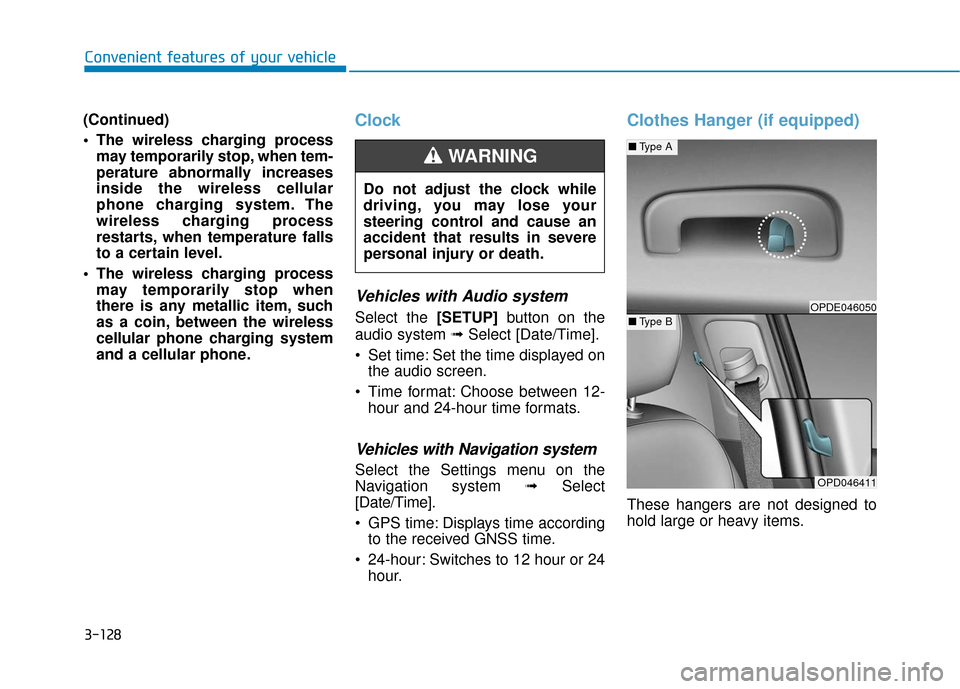
Clothes Hanger (if equipped)
These hangers are not designed to
hold large or heavy items.
Do not adjust the clock while
driving, you may lose your
steering control and cause an
accident that results in severe
personal injury or death.
WARNING
OPD046411
■
Type A
■Type BOPDE046050
Page 219 of 478
4-4
Multimedia System
MODE (3)
Press the MODE button to toggle
through Radio, SXM, or AUX modes.
MUTE ( ) (4)
Press the MUTE button to mute thesound.
Press the MUTE button again to activate the sound.
Information
Detailed information for audio control
buttons are described in the separately
supplied manual with the vehicle.
Bluetooth®Wireless
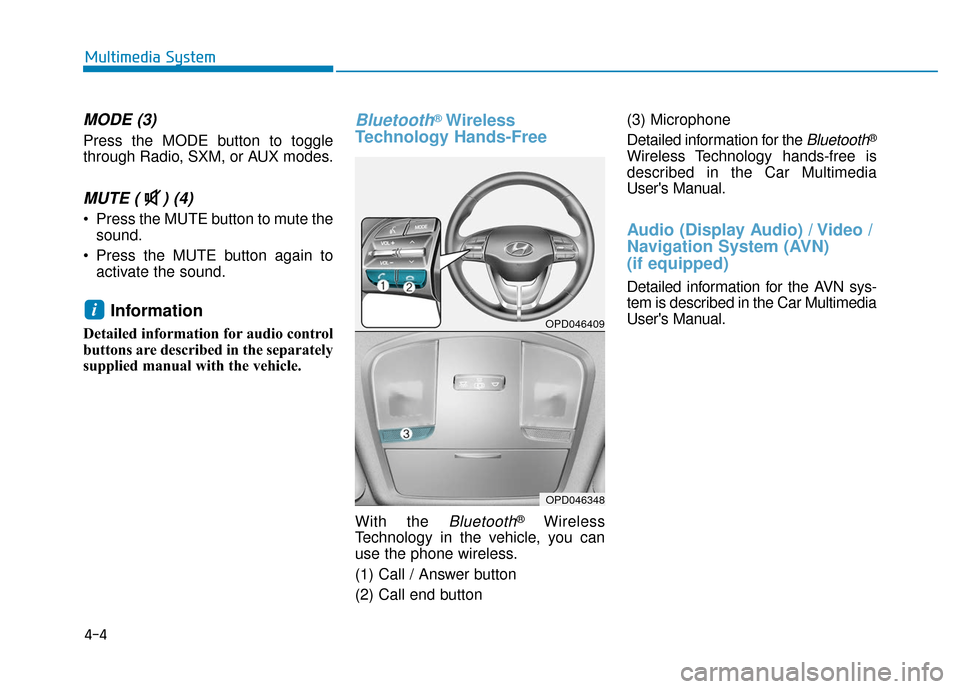
Technology Hands-Free
With the Bluetooth®Wireless
Technology in the vehicle, you can
use the phone wireless.
(1) Call / Answer button
(2) Call end button (3) Microphone
Detailed information for the
Bluetooth®
Wireless Technology hands-free is
described in the Car Multimedia
User's Manual.
Audio (Display Audio) / Video /
Navigation System (AVN)
(if equipped)
Detailed information for the AVN sys-
tem is described in the Car Multimedia
User's Manual.
iOPD046409
OPD046348
Page 467 of 478
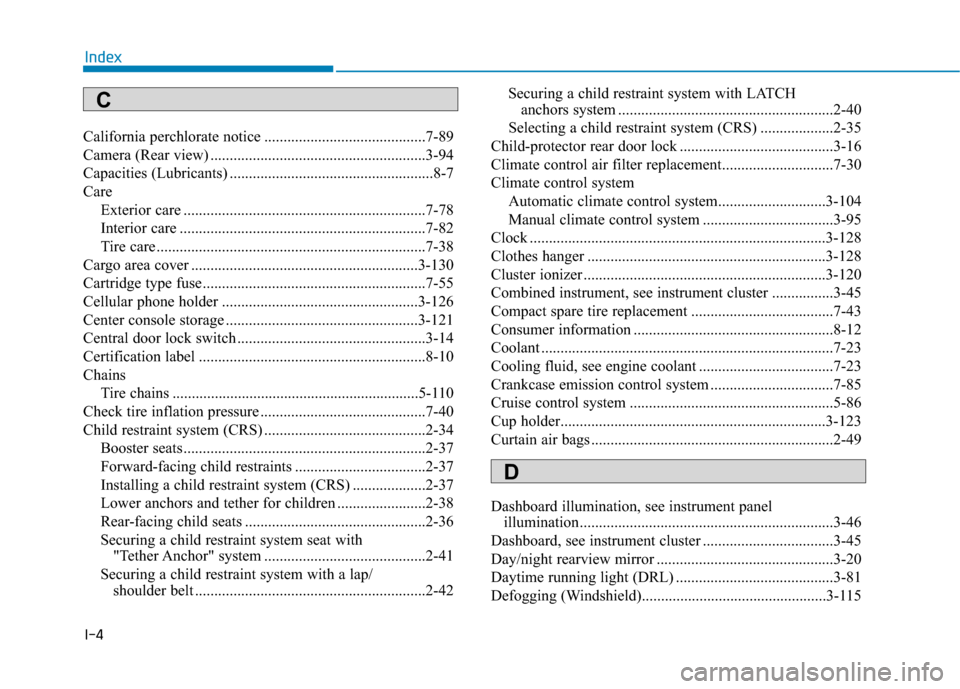
I-4
California perchlorate notice ..........................................7-89
Camera (Rear view) ........................................................3-94
Capacities (Lubricants) .....................................................8-7
CareExterior care ...............................................................7-78
Interior care ................................................................7-82
Tire care ......................................................................7-\
38
Cargo area cover ...........................................................3-130
Cartridge type fuse..........................................................7-55
Cellular phone holder ...................................................3-126
Center console storage ..................................................3-121
Central door lock switch .................................................3-14
Certification label ...........................................................8-10
Chains Tire chains ................................................................5-110
Check tire inflation pressure ...........................................7-40
Child restraint system (CRS) ..........................................2-34 Booster seats...............................................................2-37
Forward-facing child restraints ..................................2-37
Installing a child restraint system (CRS) ...................2-37
Lower anchors and tether for children .......................2-38
Rear-facing child seats ...............................................2-36
Securing a child restraint system seat with "Tether Anchor" system ..........................................2-41
Securing a child restraint system with a lap/ shoulder belt ............................................................2-42 Securing a child restraint system with LATCH
anchors system ........................................................2-40
Selecting a child restraint system (CRS) ...................2-35
Child-protector rear door lock ........................................3-16
Climate control air filter replacement.............................7-30
Climate control system Automatic climate control system............................3-104
Manual climate control system ..................................3-95
Clock ........................................................................\
.....3-128
Clothes hanger ..............................................................3-128
Cluster ionizer ...............................................................3-120
Combined instrument, see instrument cluster ................3-45
Compact spare tire replacement .....................................7-43
Consumer information ....................................................8-12
Coolant ........................................................................\
....7-23
Cooling fluid, see engine coolant ...................................7-23
Crankcase emission control system ................................7-85
Cruise control system .....................................................5-86
Cup holder.....................................................................3-1\
23
Curtain air bags ...............................................................2-49
Dashboard illumination, see instrument panel illumination..................................................................3-46
Dashboard, see instrument cluster ..................................3-45
Day/night rearview mirror ..............................................3-20
Daytime running light (DRL) .........................................3-81
Defogging (Windshield)................................................3-115
Index
D
C
Page 470 of 478

I-7
Horn ........................................................................\
........3-18
How to use this manual ....................................................F-6
If the engine doesn't turn over or turns over slowly.........6-3
If the engine overheats ......................................................6-6
If the engine stalls at a crossroad or crossing...................6-2
If the engine stalls while driving ......................................6-2
If the engine turns over normally but doesn't start ...........6-3
If the engine will not start.................................................6-3
If you have a flat tire while driving ..................................6-3
Ignition switch ..................................................................5-6Engine Start/Stop button ..............................................5-9
Key ignition switch ......................................................5-6
Impact sensing door unlock ............................................3-15
Improtant safety precautions.............................................2-2 Air bag hazards ............................................................2-2
Always wear your seat belt ..........................................2-2
Control your speed .......................................................2-2
Driver distraction..........................................................2-2
Keep your vehicle in safe condition.............................2-2
Restrain all children .....................................................2-2
In case of emergency while driving..................................6-2
Indicator light..................................................................3-52
Inside rearview mirror ....................................................3-19 Instrument cluster ...........................................................3-45
Assist mode ................................................................3-72
Gauges and meters .....................................................3-47
Instrument cluster illumination ..................................3-46
LCD display control ...................................................3-69
LCD display messages ...............................................3-63
LCD display modes ....................................................3-70
Shift indicator pop-up ................................................3-51
Transmission shift indicator .......................................3-50
Trip computer mode ...................................................3-71
User settings mode .....................................................3-73
Warning and indicator lights ......................................3-52
Instrument panel fuse replacement .................................7-54
Instrument panel overview ...............................................1-5
Interior care .....................................................................7-8\
2
Interior features Bottle holder .............................................................3-123
Cargo area cover.......................................................3-130
Cellular phone holder ...............................................3-126
Clock ........................................................................\
3-128
Clothes hanger ..........................................................3-128
Cup holder ................................................................3-123
Floor mat anchor(s) ..................................................3-129
Luggage net (holder) ................................................3-130
Power outlet..............................................................3-125
Sliding armrest .........................................................3-124
Sunvisor ....................................................................3-12\
4
Wireless cellular phone charging system .................3-126
I
Index
I
Page 478 of 478
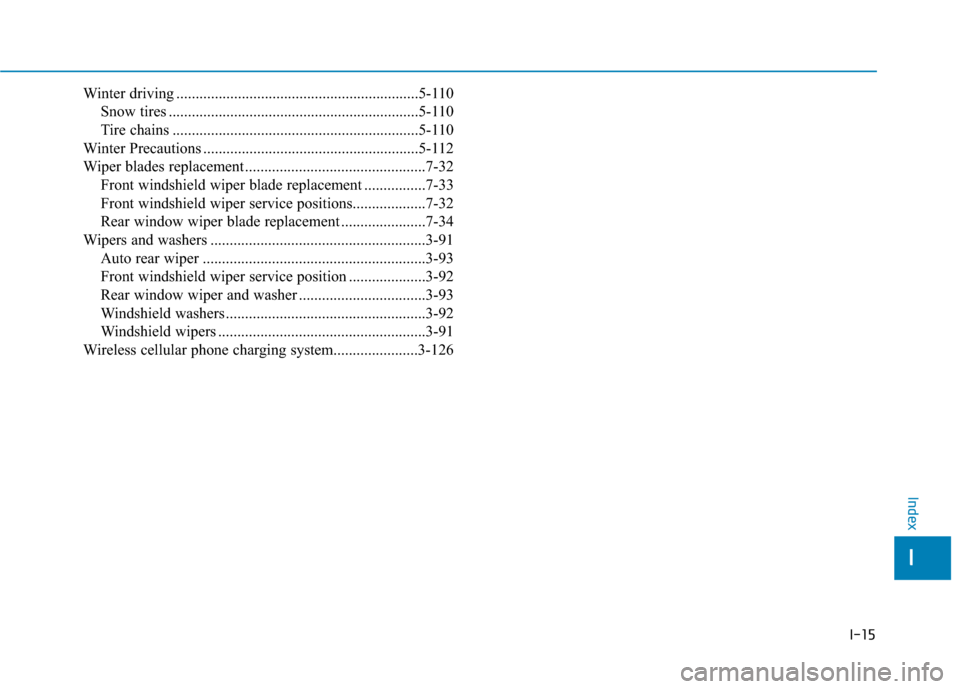
I-15
Winter driving ...............................................................5-110Snow tires .................................................................5-110
Tire chains ................................................................5-110
Winter Precautions ........................................................5-112
Wiper blades replacement ...............................................7-32 Front windshield wiper blade replacement ................7-33
Front windshield wiper service positions...................7-32
Rear window wiper blade replacement ......................7-34
Wipers and washers ........................................................3-91 Auto rear wiper ..........................................................3-93
Front windshield wiper service position ....................3-92
Rear window wiper and washer .................................3-93
Windshield washers ....................................................3-92
Windshield wipers ......................................................3-91
Wireless cellular phone charging system......................3-126
I
Index