lane assist Hyundai Elantra GT 2018 Owner's Manual
[x] Cancel search | Manufacturer: HYUNDAI, Model Year: 2018, Model line: Elantra GT, Model: Hyundai Elantra GT 2018Pages: 478, PDF Size: 13.64 MB
Page 15 of 478
1-4
Your vehicle at a glance
I
IN
N T
TE
ER
R I
IO
O R
R
O
O V
VE
ER
R V
V I
IE
E W
W
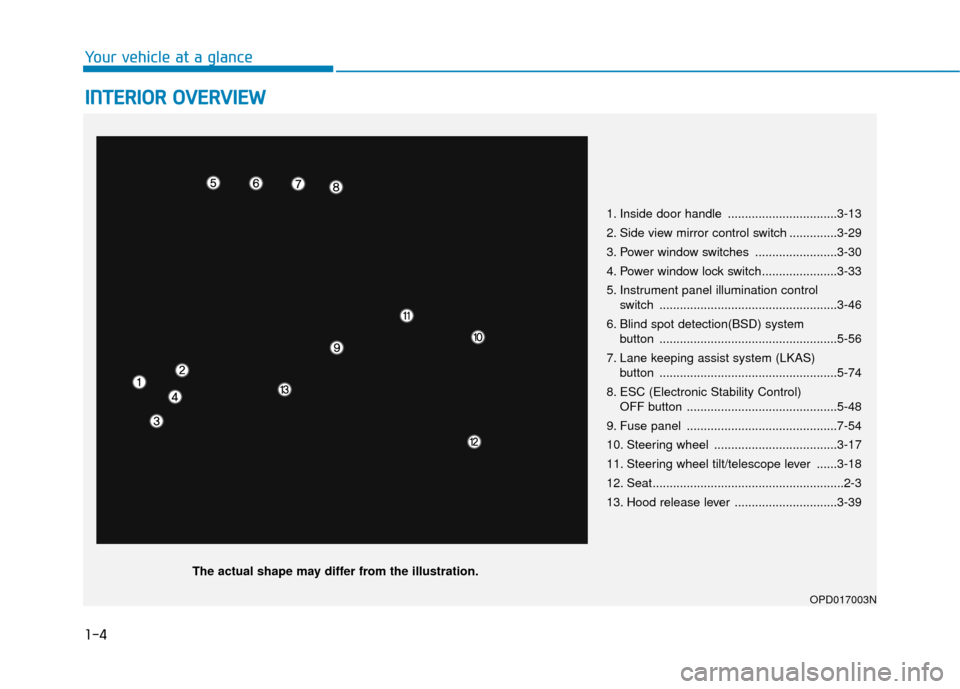
1. Inside door handle ................................3-13
2. Side view mirror control switch ..............3-29
3. Power window switches ........................3-30
4. Power window lock switch......................3-33
5. Instrument panel illumination control
switch ....................................................3-46
6. Blind spot detection(BSD) system button ....................................................5-56
7. Lane keeping assist system (LKAS) button ....................................................5-74
8. ESC (Electronic Stability Control) OFF button ............................................5-48
9. Fuse panel ............................................7-54
10. Steering wheel ....................................3-17
11. Steering wheel tilt/telescope lever ......3-18
12. Seat........................................................2-3
13. Hood release lever ..............................3-39
OPD017003N
The actual shape may differ from the illustration.
Page 148 of 478
3-63
Convenient features of your vehicle
3
AutomaticEmergency Braking(AEB) Warning light (if equipped)
This warning light illuminates :
When the AEB system is turned
off.
When the radar sensor or cover is blocked with dirt or snow. Check
the sensor and cover and clean
them by using a soft cloth.
When there is a malfunction with AEB. In this case, have your vehicle
inspected by an authorized dealer of
HYUNDAI.
For more information, refer to
"Automatic (Autonomous) Emergency
Braking (AEB)" in chapter 5.
Lane Keeping AssistSystem (LKAS)Indicator Light (if equipped)
This indicator light illuminates:
[Green] When you activate the lane
departure warning system by
pressing the LKAS button and all
of the system operating conditions
are satisfied.
[White] When system operating conditions are not satisfied or
when the sensor does not detect
the lane line.
[Yellow] When there is a malfunc- tion with the lane keeping assist
system.
In this case, have your vehicle
inspected by an authorized HYUNDAI
dealer.
For more information, refer to "Lane
Keeping Assist System (LKAS)" in
chapter 5.
LCD Display Messages
Shift to to P or N to start engine (for smart key system)
This warning message is displayed if
you try to start the engine with the
shift lever not in the P (Park) or N
(Neutral) position.
Information
You can start the engine with the shift
lever in the N (Neutral) position. But,
for your safety, we recommend that
you start the engine with the shift
lever in the P (Park) position.
i
Page 153 of 478
3-68
Convenient features of your vehicle
Check headlamp LED(if equipped)
This warning message is displayed if
there is a problem with the LED head-
lamp. Have the vehicle inspected by
an authorized HYUNDAI dealer.
Check headlamp FAN(if equipped)
This warning message is displayed if
there is a problem with headlamp
fan. Have the vehicle inspected by an
authorized HYUNDAI dealer.
Check Smart High BeamSystem (if equipped)
This warning message is displayed if
there is a problem with the Smart
High Beam System. Have the vehicle
inspected by an authorized HYUNDAI
dealer.
For more information, refer to
"Smart High Beam System" in
chapter 3.
Check AEB system (if equipped)
This warning message is displayed if
there is a malfunction with the
Automatic Emergency Braking (AEB)
system. Have the vehicle inspected by
an authorized HYUNDAI dealer.
For more details, refer to "Automatic
(Autonomous) Emergency Braking
(AEB) system" in chapter 5.
Check Driver Attention Alertsystem (if equipped)
This warning message is displayed if
there is a problem with the Driver
Attention Alert System. Have the vehi-
cle inspected by an authorized
HYUNDAI dealer.
For more information, refer to
"Driver Attention Alert (DAA)" in
chapter 5.
Check BSD System (if equipped)
This warning message is displayed if
there is a problem with the Blind Spot
Detection (BSD) system. Have the
vehicle inspected by an authorized
HYUNDAI dealer.
For more information, refer to "Blind
Spot Detection (BSD) System" in
chapter 5.
Check LKAS (if equipped)
This warning message is displayed if
there is a problem with the Lane
Keeping Assist System (LKAS). Have
the vehicle inspected by an author-
ized HYUNDAI dealer.
For more information, refer to
"Lane Keeping Assist System
(LKAS)" in chapter 5.
Page 155 of 478
3-70
Convenient features of your vehicle
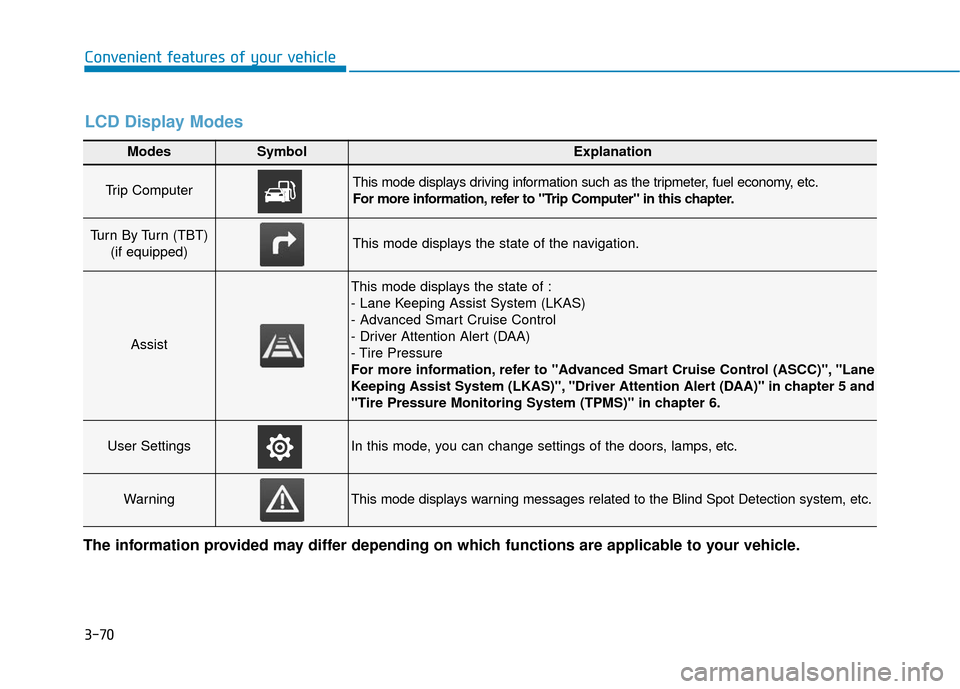
Modes SymbolExplanation
Trip Computer This mode displays driving information such as the tripmeter, fuel economy, etc.
For more information, refer to "Trip Computer" in this chapter.
Turn By Turn (TBT) (if equipped)This mode displays the state of the navigation.
Assist
This mode displays the state of :
- Lane Keeping Assist System (LKAS)
- Advanced Smart Cruise Control
- Driver Attention Alert (DAA)
- Tire Pressure
For more information, refer to "Advanced Smart Cruise Control (ASCC)", "Lane
Keeping Assist System (LKAS)", "Driver Attention Alert (DAA)" in chapter 5 and
"Tire Pressure Monitoring System (TPMS)" in chapter 6.
User SettingsIn this mode, you can change settings of the doors, lamps, etc.
WarningThis mode displays warning messages related to the Blind Spot Detection system, etc.
The information provided may differ depending on which functions are applicable to your vehicle.
LCD Display Modes
Page 157 of 478
3-72
Convenient features of your vehicle
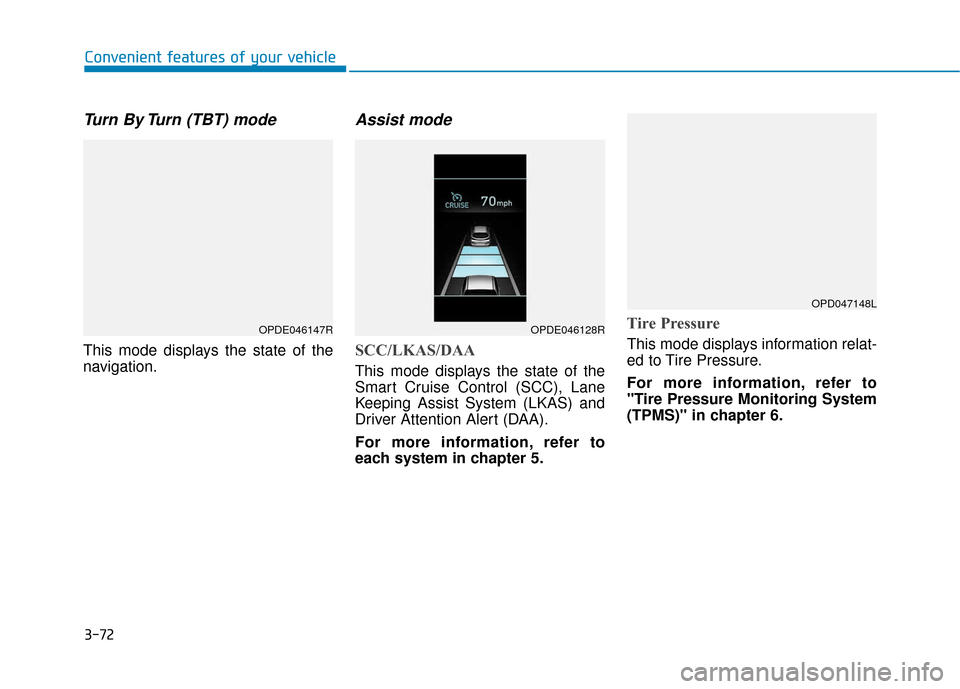
Turn By Turn (TBT) mode
This mode displays the state of the
navigation.
Assist mode
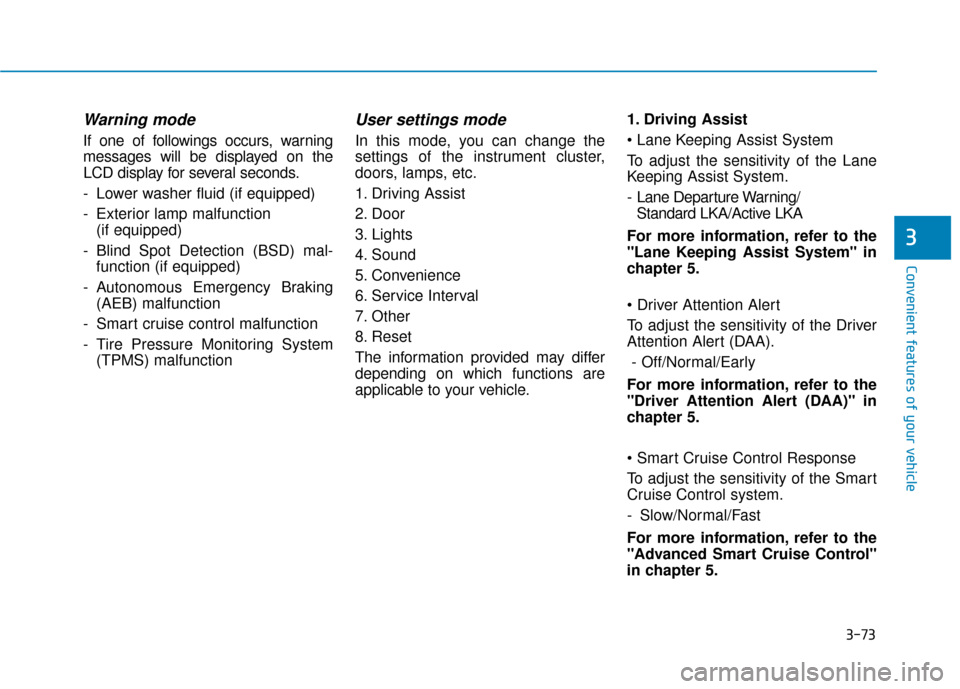
SCC/LKAS/DAA
This mode displays the state of the
Smart Cruise Control (SCC), Lane
Keeping Assist System (LKAS) and
Driver Attention Alert (DAA).
For more information, refer to
each system in chapter 5.
Tire Pressure
This mode displays information relat-
ed to Tire Pressure.
For more information, refer to
"Tire Pressure Monitoring System
(TPMS)" in chapter 6.
OPDE046147ROPDE046128R
OPD047148L
Page 158 of 478
3-73
Convenient features of your vehicle
3
Warning mode
If one of followings occurs, warning
messages will be displayed on the
LCD display for several seconds.
- Lower washer fluid (if equipped)
- Exterior lamp malfunction (if equipped)
- Blind Spot Detection (BSD) mal- function (if equipped)
- Autonomous Emergency Braking (AEB) malfunction
- Smart cruise control malfunction
- Tire Pressure Monitoring System (TPMS) malfunction
User settings mode
In this mode, you can change the
settings of the instrument cluster,
doors, lamps, etc.
1. Driving Assist
2. Door
3. Lights
4. Sound
5. Convenience
6. Service Interval
7. Other
8. Reset
The information provided may differ
depending on which functions are
applicable to your vehicle. 1. Driving Assist
To adjust the sensitivity of the Lane
Keeping Assist System.
- Lane Departure Warning/
Standard LKA/Active LKA
For more information, refer to the
"Lane Keeping Assist System" in
chapter 5.
To adjust the sensitivity of the Driver
Attention Alert (DAA). - Off/Normal/Early
For more information, refer to the
"Driver Attention Alert (DAA)" in
chapter 5.
To adjust the sensitivity of the Smart
Cruise Control system.
- Slow/Normal/Fast
For more information, refer to the
"Advanced Smart Cruise Control"
in chapter 5.
Page 170 of 478
3-85
Convenient features of your vehicle
Information
When you replace or reinstall the wind-
shield glass/LKAS camera (if equipped),
take your vehicle to an authorized
HYUNDAI dealer and have the system
checked.
i
3
(Continued)
When the lamp of the on-com-
ing or front vehicle is covered
with dust, snow or water.
When the light from the on-
coming or front vehicle is not
detected because of exhaust
fume, smoke, fog, snow, etc.
When the front window is cov-
ered with foreign matters such
as ice, dust, fog, or is damaged.
When there is a similar shape
lamp with the front vehicle’s
lamps.
When it is hard to see because
of fog, heavy rain or snow.
When the headlamp is not
repaired or replaced at an
authorized dealer.
When headlamp aiming is not
properly adjusted.
When driving on a narrow
curved road or rough road.
When driving downhill or uphill.
When only part of the vehicle in
front is visible on a crossroad
or curved road.(Continued)
(Continued)
When there is a traffic light,
reflecting sign, flashing sign or
mirror.
When the road conditions are
bad such as being wet or cov-
ered with snow.
When the front vehicle's head-
lamps are off but the fog lamps
on.
When a vehicle suddenly
appears from a curve.
When the vehicle is tilted from
a flat tire or being towed.
When the LKAS (Lane Keeping
Assist System) warning light
illuminates.
Do not place any accessories,
stickers or tint on the wind-
shield.
Have the windshield glass
replaced from an authorized
dealer.
Be careful that water doesn't
get into the Smart High Beam
unit.
Do not remove or impact relat-
ed parts of the Smart High
Beam system.
Do not place objects on the
dashboard that reflects light
such as mirrors, white paper,
etc. The system may malfunc-
tion if sunlight is reflected.
At times, the Smart High
Beam system may not work
properly, always check the
road conditions for your safe-
ty. When the system does not
operate normally, manually
change between the high
beam and low beam.
WARNING
Page 220 of 478
Driving your vehicle
5
Before Driving ........................................................5-4
Before Entering the Vehicle ...........................................5-4
Before Starting ..................................................................5-4
Ignition Switch ........................................................5-6
Key Ignition Switch ...........................................................5-6
Engine Start/Stop Button................................................5-9
Manual Transmission ...........................................5-16
Manual Transmission Operation ..................................5-16
Good Driving Practices ..................................................5-18
Automatic Transmission ......................................5-19
Automatic Transmission Operation .............................5-19
Good Driving Practices ..................................................5-23
Dual Clutch Transmission ....................................5-25
Dual Clutch Transmission Operation ..........................5-25
Good Driving Practices ..................................................5-33
Braking System ....................................................5-35
Power Brakes ...................................................................5-35
Disc Brakes Wear Indicator ..........................................5-36
Parking Brake (Hand type) ...........................................5-36
Electronic Parking Brake (EPB)...................................5-38
Auto Hold ........................................................................\
..5-43
Anti-lock Brake System (ABS) ....................................5-47Electronic Stability Control (ESC)................................5-48
Vehicle Stability Management (VSM).........................5-51
Hill-Start Assist Control (HAC) ....................................5-53
Good Braking Practices .................................................5-53
Drive Mode Integrated Control System ............5-54
Blind Spot Detection System (BSD) ..................5-55
BSD (Blind Spot Detection) /
LCA (Lane Change Assist) .............................................5-56
RCTA (Rear Cross Traffic Alert) ..................................5-59
Limitations of the System .............................................5-61
Automatic Emergency Braking (AEB) ...............5-62
System Setting and Activation.....................................5-62
AEB Warning Message and System Control ............5-64
AEB Front Radar Sensor ...............................................5-66
System Malfunction .......................................................5-68
Limitations of the System .............................................5-69
Lane Keeping Assist System (LKAS) .................5-74
LKAS Operation ...............................................................5-75
Warning Light and Message.........................................5-79
Limitations of the System .............................................5-80
LKAS Function Change ..................................................5-81
Page 274 of 478
5-55
Driving your vehicle
5
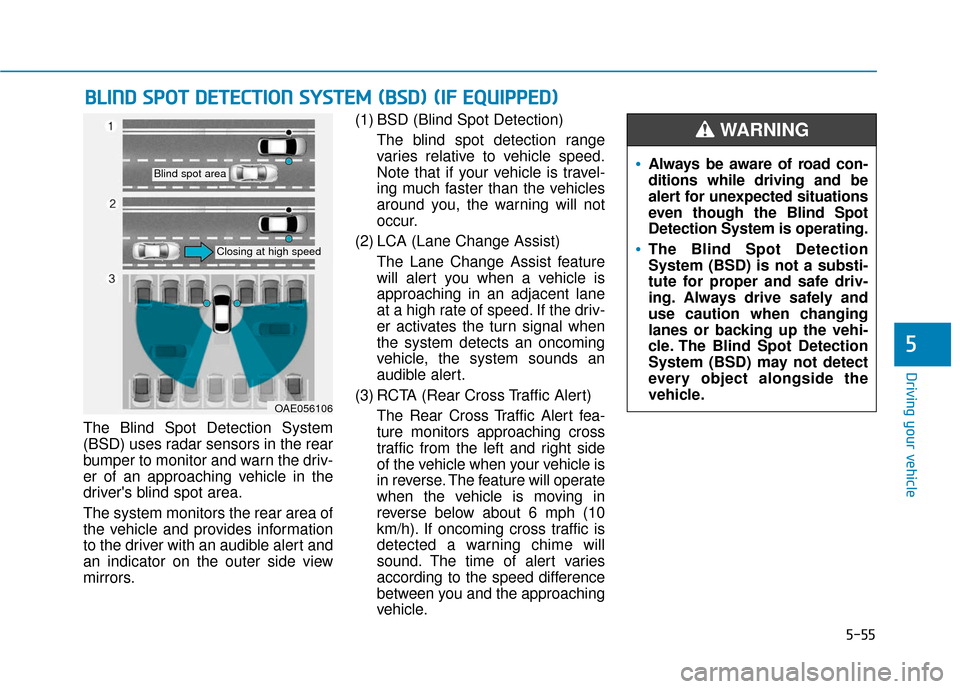
The Blind Spot Detection System
(BSD) uses radar sensors in the rear
bumper to monitor and warn the driv-
er of an approaching vehicle in the
driver's blind spot area.
The system monitors the rear area of
the vehicle and provides information
to the driver with an audible alert and
an indicator on the outer side view
mirrors.(1) BSD (Blind Spot Detection)
The blind spot detection range
varies relative to vehicle speed.
Note that if your vehicle is travel-
ing much faster than the vehicles
around you, the warning will not
occur.
(2) LCA (Lane Change Assist) The Lane Change Assist feature
will alert you when a vehicle is
approaching in an adjacent lane
at a high rate of speed. If the driv-
er activates the turn signal when
the system detects an oncoming
vehicle, the system sounds an
audible alert.
(3) RCTA (Rear Cross Traffic Alert) The Rear Cross Traffic Alert fea-
ture monitors approaching cross
traffic from the left and right side
of the vehicle when your vehicle is
in reverse. The feature will operate
when the vehicle is moving in
reverse below about 6 mph (10
km/h). If oncoming cross traffic is
detected a warning chime will
sound. The time of alert varies
according to the speed difference
between you and the approaching
vehicle.
B BL
LI
IN
N D
D
S
S P
P O
O T
T
D
D E
ET
T E
EC
CT
T I
IO
O N
N
S
S Y
Y S
ST
T E
EM
M
(
( B
B S
SD
D )
)
(
( I
IF
F
E
E Q
Q U
UI
IP
P P
PE
ED
D )
)
OAE056106
Blind spot area
Closing at high speed
Always be aware of road con-
ditions while driving and be
alert for unexpected situations
even though the Blind Spot
Detection System is operating.
The Blind Spot Detection
System (BSD) is not a substi-
tute for proper and safe driv-
ing. Always drive safely and
use caution when changing
lanes or backing up the vehi-
cle. The Blind Spot Detection
System (BSD) may not detect
every object alongside the
vehicle.
WARNING
Page 275 of 478
5-56
Driving your vehicle
BSD (Blind Spot Detection) /
LCA (Lane Change Assist)
Operating conditions
To operate:
Press the BSD switch with the igni-
tion switch in the ON position.
The indicator on the BSD switch will
illuminate.To cancel:
Press the BSD switch again. The
indicator on the switch will go off.
When the system is not used, turn
the system off by turning off the
switch.
Information
• If the ignition switch is turned OFF
and then ON again, the BSD system
returns to the previous state.
• When the system is turned on, the warning light will illuminate for 3
seconds on the outer side view mir-
ror.
The system will activate when:
1. The system is on.
2. The vehicle speed is above approximately 20 mph (30 km/h).
3. An oncoming vehicle is detected in the blind spot area.
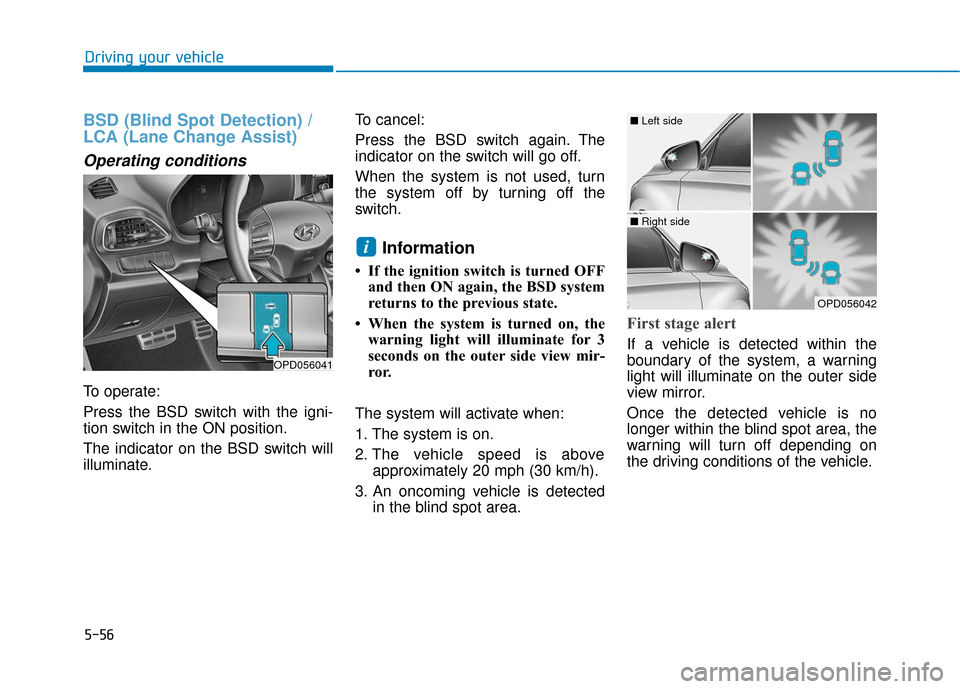
First stage alert
If a vehicle is detected within the
boundary of the system, a warning
light will illuminate on the outer side
view mirror.
Once the detected vehicle is no
longer within the blind spot area, the
warning will turn off depending on
the driving conditions of the vehicle.
i
OPD056041
OPD056042
■ Left side
■ Right side