start stop button HYUNDAI ELANTRA GT 2020 Owners Manual
[x] Cancel search | Manufacturer: HYUNDAI, Model Year: 2020, Model line: ELANTRA GT, Model: HYUNDAI ELANTRA GT 2020Pages: 495, PDF Size: 15.22 MB
Page 16 of 495
1-5
Your vehicle at a glance
1
I
IN
N S
ST
T R
R U
U M
M E
EN
N T
T
P
P A
A N
N E
EL
L
O
O V
VE
ER
R V
V I
IE
E W
W
(
( I
I)
)
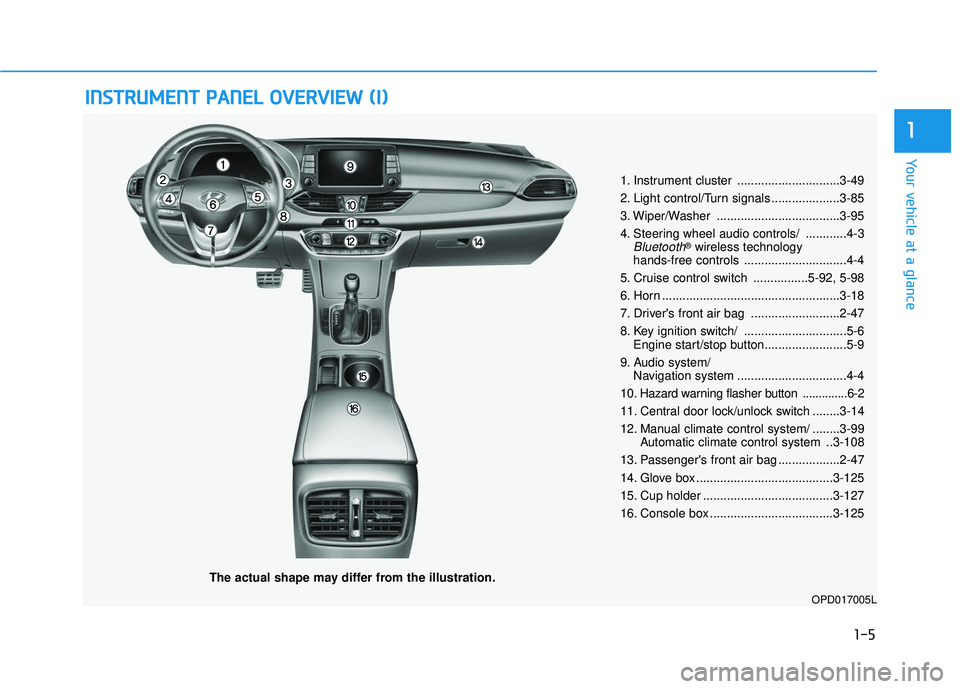
The actual shape may differ from the illustration.
1. Instrument cluster ..............................3-49
2. Light control/Turn signals ....................3-85
3. Wiper/Washer ....................................3-95
4. Steering wheel audio controls/ ............4-3
Bluetooth®wireless technology
hands-free controls ..............................4-4
5. Cruise control switch ................5-92, 5-98
6. Horn ....................................................3-18
7. Driver's front air bag ..........................2-47
8. Key ignition switch/ ..............................5-6 Engine start/stop button........................5-9
9. Audio system/ Navigation system ................................4-4
10
. Hazard warning flasher button ..............6-2
11. Central door lock/unlock switch ........3-14
12. Manual climate control system/ ........3-99 Automatic climate control system ..3-108
13. Passenger's front air bag ..................2-47
14. Glove box ........................................3-125
15. Cup holder ......................................3-127
16. Console box ....................................3-125
OPD017005L
Page 92 of 495
3-7
Convenient features of your vehicle
Locking
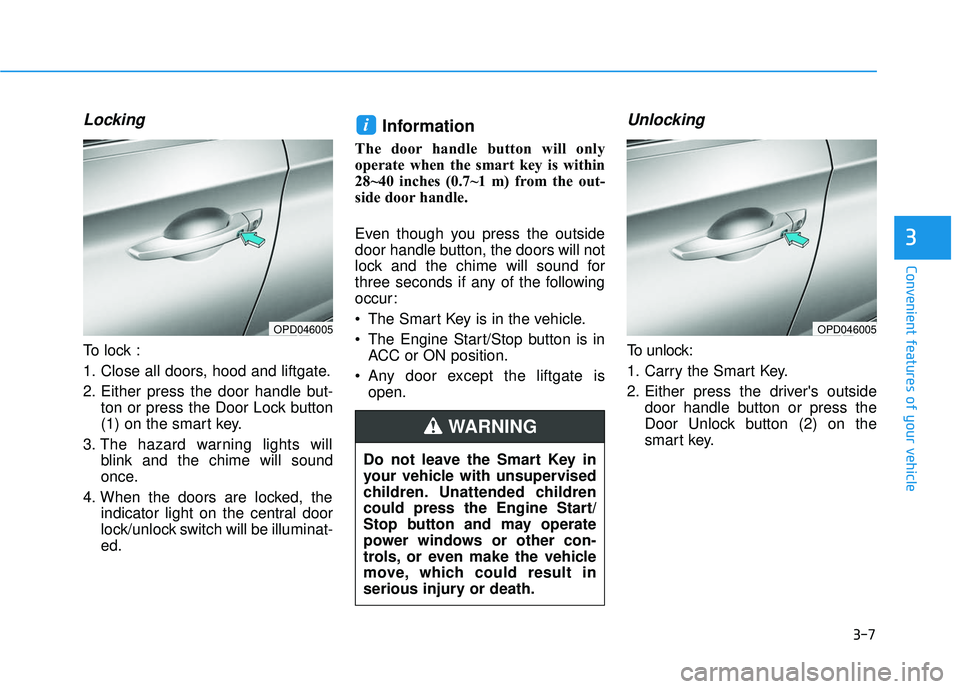
To lock :
1. Close all doors, hood and liftgate.
2. Either press the door handle but-ton or press the Door Lock button
(1) on the smart key.
3. The hazard warning lights will blink and the chime will sound
once.
4. When the doors are locked, the indicator light on the central door
lock/unlock switch will be illuminat-
ed.
Information
The door handle button will only
operate when the smart key is within
28~40 inches (0.7~1 m) from the out-
side door handle.
Even though you press the outside
door handle button, the doors will not
lock and the chime will sound for
three seconds if any of the following
occur:
The Smart Key is in the vehicle.
The Engine Start/Stop button is inACC or ON position.
Any door except the liftgate is open.
Unlocking
To unlock:
1. Carry the Smart Key.
2. Either press the driver's outside door handle button or press the
Door Unlock button (2) on the
smart key.
i
3
OPD046005OPD046005
Do not leave the Smart Key in
your vehicle with unsupervised
children. Unattended children
could press the Engine Start/
Stop button and may operate
power windows or other con-
trols, or even make the vehicle
move, which could result in
serious injury or death.
WARNING
Page 94 of 495
3-9
Convenient features of your vehicle
Panic button
Press and hold the Panic button (4)
for more than one second. The horn
sounds and hazard warning lights
blink for about 30 seconds. To cancel
the panic mode, press any button on
the Smart Key.
Start-up
You can start the vehicle without
inserting the key.
For information, refer to the
"Engine Start/Stop Button" sec-
tion in chapter 5.
To prevent damaging the smart key:
Keep the smart key away fromany liquid or fire. Internal circuits
may malfunction if the inside of
the smart key gets damp (from
liquids or moisture) or if it is heat-
ed. This can exclude the smart
key from warranty coverage.
Avoid dropping or throwing the smart key.
Protect the smart key from extreme temperatures.
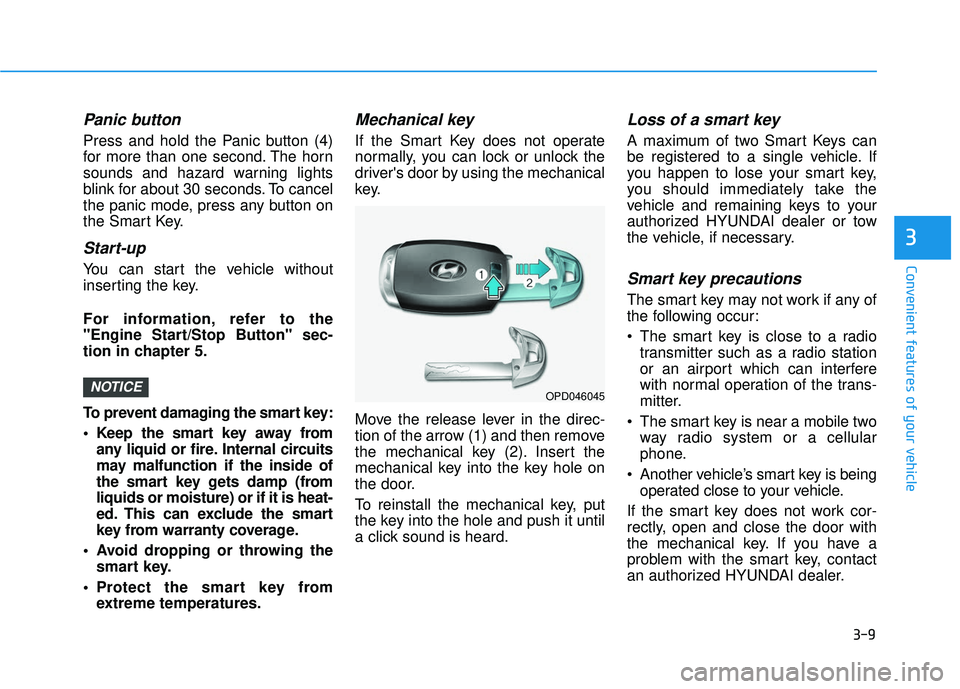
Mechanical key
If the Smart Key does not operate
normally, you can lock or unlock the
driver's door by using the mechanical
key.
Move the release lever in the direc-
tion of the arrow (1) and then remove
the mechanical key (2). Insert the
mechanical key into the key hole on
the door.
To reinstall the mechanical key, put
the key into the hole and push it until
a click sound is heard.
Loss of a smart key
A maximum of two Smart Keys can
be registered to a single vehicle. If
you happen to lose your smart key,
you should immediately take the
vehicle and remaining keys to your
authorized HYUNDAI dealer or tow
the vehicle, if necessary.
Smart key precautions
The smart key may not work if any of
the following occur:
The smart key is close to a radiotransmitter such as a radio station
or an airport which can interfere
with normal operation of the trans-
mitter.
The smart key is near a mobile two way radio system or a cellular
phone.
Another vehicle’s smart key is being operated close to your vehicle.
If the smart key does not work cor-
rectly, open and close the door with
the mechanical key. If you have a
problem with the smart key, contact
an authorized HYUNDAI dealer.
NOTICE
3
OPD046045
Page 100 of 495

3-15
Convenient features of your vehicle
3
Auto Door Lock/Unlock Features
Impact sensing door unlock
All doors will be automatically
unlocked when an impact causes the
air bags to deploy.
Speed sensing door lock
All doors will be automatically locked
(when set on cluster) when vehicle
speed exceeds 9 mph (15 km/h).
All of the doors will be automatically
unlocked after the vehicle is turned off.
You can activate or deactivate the
Auto Door Lock/Unlock features from
the User Settings mode on the LCD
display.
For more information, refer to the
"LCD Display" section in this
chapter.
Do not leave children or animals
unattended in your vehicle. An
enclosed vehicle can become
extremely hot, causing death or
serious injury to unattended
children or animals who cannot
escape the vehicle. Children
might operate features of the
vehicle that could injure them,
or they could encounter other
harm, possibly from someone
gaining entry to the vehicle.
WARNING
Always secure your vehicle.
Leaving your vehicle unlocked
can allow theft or entry into the
vehicle.
To secure your vehicle, while
depressing the brake, move the
shift lever to the P (Park) posi-
tion, engage the parking brake,
and place the Engine Start/Stop
button in the OFF position, close
all windows, lock all doors, and
always take the key with you.
WARNING
Opening a door when something
is approaching may cause dam-
age or injury. Be careful when
opening doors and watch for
vehicles, motorcycles, bicycles
or pedestrians approaching the
vehicle in the path of the door.
CAUTION
If you stay in the vehicle for a
long time while the weather is
very hot or cold, there are risks
of injuries or danger to life. Do
not lock the vehicle from the
outside when someone is in the
vehicle.
WARNING
Page 149 of 495

3-64
Immobilizer IndicatorLight (with smart key(if equipped)
This indicator light illuminates for
up to 30 seconds:
When the vehicle detects the
smart key in the vehicle with the
Engine Start/Stop button in the
ACC or ON position.
- At this time, you can start theengine.
- The indicator light goes off after starting the engine.
This indicator light blinks for a few
seconds:
When the smart key is not in the vehicle.
- At this time, you cannot start theengine.
This indicator light illuminates for
2 seconds and goes off:
If the smart key is in the vehicle and the Engine Start/Stop button is
ON, but the vehicle cannot detect
the smart key.
In this case, have the vehicle inspect-
ed by an authorized HYUNDAI deal-
er.
This indicator light blinks:
When the battery voltage of thesmart key is low.
- At this time, you can not start theengine. However, you can start
the engine if you press the
Engine Start/Stop button with the
smart key. (For more details,
refer to "Starting the Engine"
in chapter 5).
When there is a malfunction with the immobilizer system.
In this case, have the vehicle inspect-
ed by an authorized HYUNDAI deal-
er.
Turn Signal IndicatorLight
This indicator light blinks:
When you operate the turn signal
indicator light.
If any of the following occur, there may
be a malfunction with the turn signal
system.
- The turn signal indicator light illumi- nates but does not blink
- The turn signal indicator light blinks rapidly
- The turn signal indicator light does not illuminate at all
If any of these conditions occur, have
your vehicle inspected by an author-
ized HYUNDAI dealer.
Convenient features of your vehicle
Page 150 of 495

3-65
Convenient features of your vehicle
High Beam IndicatorLight
This indicator light illuminates:
When the headlights are on and in
the high beam position
When the turn signal lever is pulled into the Flash-to-Pass position.
Light ON IndicatorLight
This indicator light illuminates:
When the tail lights or headlights
are on.
LED Headlight WarningLight (if equipped)
This warning light illuminates:
When you place the ignition switch
or the Engine Start/Stop button to
the ON position.
When there is a malfunction with the LED headlight.
In this case, have the vehicle
inspected by an authorized
HYUNDAI dealer.
This warning light blinks:
When there is a malfunction with a
LED headlight related part.
In this case, have the vehicle inspect-
ed by an authorized HYUNDAI dealer.
Continuous driving with the LED
Headlight Warning Light on or
blinking can reduce LED headlight
life.
High Beam Assist(HBA) indicator (if equipped)
This warning light illuminates :
When the high-beam is on with the
light switch in the AUTO light posi-
tion.
If your vehicle detects oncoming or preceding vehicles, the High Beam
Assist (HBA) system will switch the
high beam to low beam automati-
cally.
For more information, refer to
"High Beam Assist (HBA)" in this
chapter.
NOTICE
3
Page 153 of 495
3-68
Convenient features of your vehicle
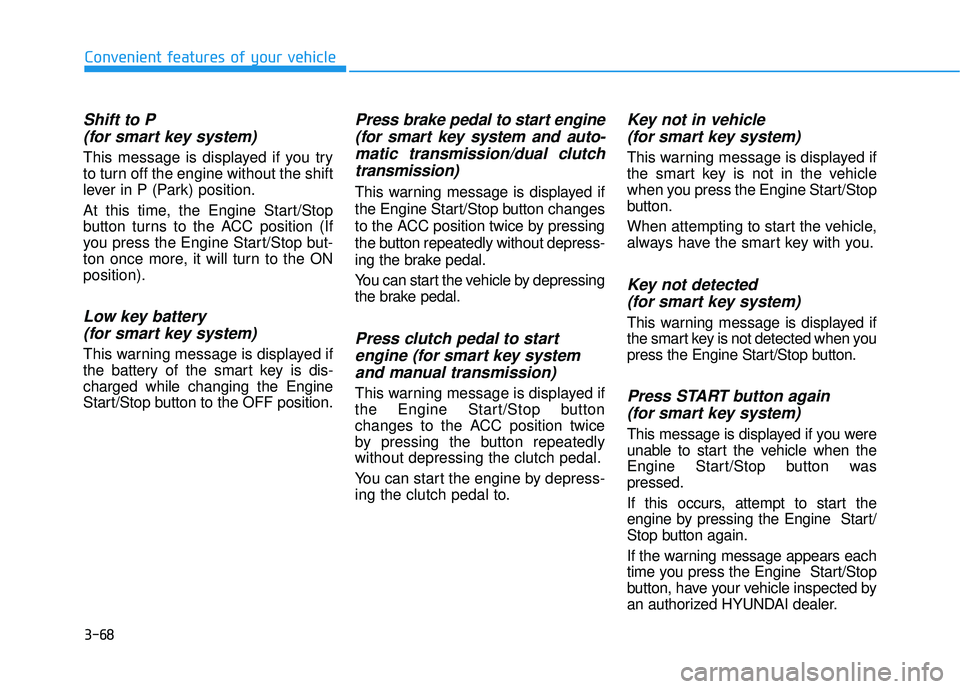
Shift to P (for smart key system)
This message is displayed if you try
to turn off the engine without the shift
lever in P (Park) position.
At this time, the Engine Start/Stop
button turns to the ACC position (If
you press the Engine Start/Stop but-
ton once more, it will turn to the ON
position).
Low key battery (for smart key system)
This warning message is displayed if
the battery of the smart key is dis-
charged while changing the Engine
Start/Stop button to the OFF position.
Press brake pedal to start engine(for smart key system and auto-matic transmission/dual clutchtransmission)
This warning message is displayed if
the Engine Start/Stop button changes
to the ACC position twice by pressing
the button repeatedly without depress-
ing the brake pedal.
You can start the vehicle by depressing
the brake pedal.
Press clutch pedal to startengine (for smart key systemand manual transmission)
This warning message is displayed if
the Engine Start/Stop button
changes to the ACC position twice
by pressing the button repeatedly
without depressing the clutch pedal.
You can start the engine by depress-
ing the clutch pedal to.
Key not in vehicle(for smart key system)
This warning message is displayed if
the smart key is not in the vehicle
when you press the Engine Start/Stop
button.
When attempting to start the vehicle,
always have the smart key with you.
Key not detected (for smart key system)
This warning message is displayed if
the smart key is not detected when you
press the Engine Start/Stop button.
Press START button again(for smart key system)
This message is displayed if you were
unable to start the vehicle when the
Engine Start/Stop button was
pressed.
If this occurs, attempt to start the
engine by pressing the Engine Start/
Stop button again.
If the warning message appears each
time you press the Engine Start/Stop
button, have your vehicle inspected by
an authorized HYUNDAI dealer.
Page 154 of 495
3-69
Convenient features of your vehicle
3
Press START button with key(for smart key system)
This warning message is displayed if
you press the Engine Start/Stop but-
ton while the warning message "Key
not detected" is displayed.
At this time, the immobilizer indicator
light blinks.
Check BRAKE SWITCH fuse (for smart key system)
This warning message is displayed if
the brake switch fuse is disconnected.
You need to replace the fuse with a
new one before starting the engine.
If that is not possible, you can start the
engine by pressing the Engine
Start/Stop button for 10 seconds in the
ACC position.
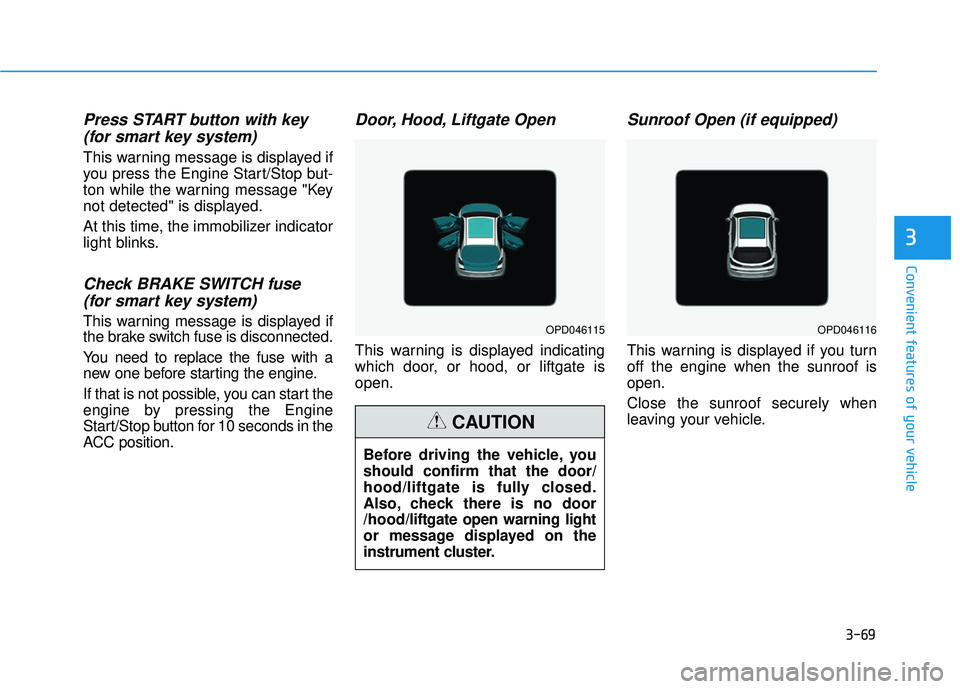
Door, Hood, Liftgate Open
This warning is displayed indicating
which door, or hood, or liftgate is
open.
Sunroof Open (if equipped)
This warning is displayed if you turn
off the engine when the sunroof is
open.
Close the sunroof securely when
leaving your vehicle.
OPD046115OPD046116
Before driving the vehicle, you
should confirm that the door/
hood/liftgate is fully closed.
Also, check there is no door
/hood/liftgate open warning light
or message displayed on the
instrument cluster.
CAUTION
Page 163 of 495
3-78
Convenient features of your vehicle
Forward Collision-Avoidance Assist (FCA) system
To activate or deactivate the Forward
Collision-Avoidance Assist (FCA)
system.
For more information, refer to
"Forward Collision-Avoidance
Assist (FCA) system" in chapter 5.
Forward Collision Warning
- Late/Normal/Early To adjust the initial warning alert
time for Automatic Emergency
Braking system.
For more information, refer to
"Forward Collision-Avoidance
Assist (FCA) system" in chapter 5.
Rear Cross Traffic Collision Warning (RCCW)
To activate or deactivate the Rear
Cross Traffic Collision Warning
(RCCW) function.
For more information, refer to
"Blind-spot Collision Warning
(BCW) system" in chapter 5. 2. Door
Auto Lock
- Disable: The auto door lock opera-
tion will be canceled.
- Enable on Speed: All doors will be automatically locked when the
vehicle speed exceeds 9.3 mph
(15 km/h).
- Enable on Shift: All doors will be automatically locked if the auto-
matic transmission shift lever is
shifted from the P (Park) position to
the R (Reverse), N (Neutral), or D
(Drive) position.
Auto Unlock
- Disable: The auto door unlock operation will be canceled.
- On Key Out: All doors will be auto- matically unlocked when the igni-
tion key is removed from the key
ignition switch (if equipped with
remote key).
- Vehicle Off: All doors will be auto- matically unlocked when the
Engine Start/Stop button is set to
the OFF position (if equipped with
smart key). - On Shift to P: All doors will be auto-
matically unlocked if the automatic
transmission/dual clutch transmis-
sion shift lever is shifted to the P
(Park) position.
Two Press Unlock
- Off: The two press unlock function will be deactivated. Therefore, all
doors will unlock if the door unlock
button is pressed.
- On: Only the driver's door will unlock if the door unlock button is
pressed. When the door unlock
button is pressed again within 4
seconds, the remaining doors will
unlock.
Horn Feedback
To activate or deactivate the horn
feedback.
If the horn feedback is activated,
after locking the door by pressing the
lock button on the remote key, and
pressing it again within 4 seconds,
the horn feedback sound will operate
once to indicate that all doors are
locked (if equipped with remote key).
Page 168 of 495
3-83
Convenient features of your vehicle
3
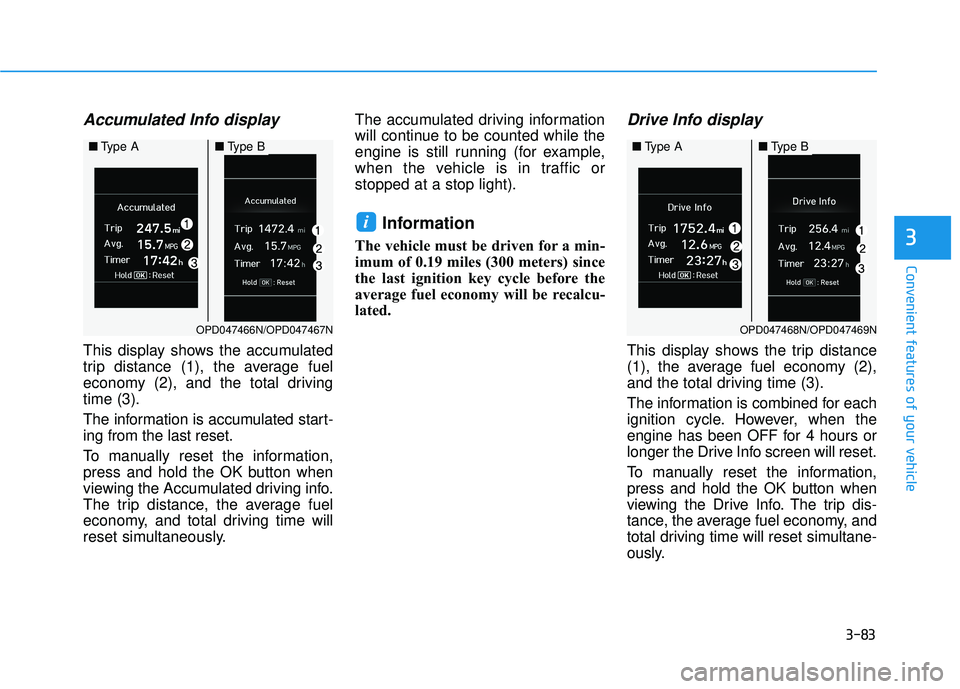
Accumulated Info display
This display shows the accumulated
trip distance (1), the average fuel
economy (2), and the total driving
time (3).
The information is accumulated start-
ing from the last reset.
To manually reset the information,
press and hold the OK button when
viewing the Accumulated driving info.
The trip distance, the average fuel
economy, and total driving time will
reset simultaneously.The accumulated driving information
will continue to be counted while the
engine is still running (for example,
when the vehicle is in traffic or
stopped at a stop light).
Information
The vehicle must be driven for a min-
imum of 0.19 miles (300 meters) since
the last ignition key cycle before the
average fuel economy will be recalcu-
lated.
Drive Info display
This display shows the trip distance
(1), the average fuel economy (2),
and the total driving time (3).
The information is combined for each
ignition cycle. However, when the
engine has been OFF for 4 hours or
longer the Drive Info screen will reset.
To manually reset the information,
press and hold the OK button when
viewing the Drive Info. The trip dis-
tance, the average fuel economy, and
total driving time will reset simultane-
ously.
i
OPD047468N/OPD047469N
■
Type A■Type B
OPD047466N/OPD047467N
■Type A■Type B