tire pressure HYUNDAI ELANTRA GT 2020 Owners Manual
[x] Cancel search | Manufacturer: HYUNDAI, Model Year: 2020, Model line: ELANTRA GT, Model: HYUNDAI ELANTRA GT 2020Pages: 495, PDF Size: 15.22 MB
Page 20 of 495
2-2
You will find many safety precautions
and recommendations throughout
this section, and throughout this man-
ual. The safety precautions in this sec-
tion are among the most important.
Always Wear Your Seat Belt
A seat belt is your best protection in
all types of accidents. Air bags are
designed to supplement seat belts,
not replace them. So even though
your vehicle is equipped with air bags,
ALWAYS make sure you and your
passengers wear your seat belts, and
wear them properly.
Restrain All Children
All children under age 13 should ride
in your vehicle properly restrained in
a rear seat, not the front seat. Infants
and small children should be
restrained in an appropriate child
restraint. Larger children should use
a booster seat with the lap/shoulder
belt until they can use the seat belt
properly without a booster seat.
Air Bag Hazards
While air bags can save lives, they can
also cause serious or fatal injuries to
occupants who sit too close to them, or
who are not properly restrained. Infants,
young children, and shorter adults are
at the greatest risk of being injured by
an inflating air bag. Follow all instruc-
tions and warnings in this manual.
Driver Distraction
Driver distraction presents a serious
and potentially deadly danger, espe-
cially for inexperienced drivers. Safety
should be the first concern when
behind the wheel and drivers need to
be aware of the wide array of potential
distractions, such as drowsiness,
reaching for objects, eating, personal
grooming, other passengers, and
using cellular phones.
Drivers can become distracted when
they take their eyes and attention off
the road or their hands off the wheel to
focus on activities other than driving. To
reduce your risk of distraction or get-
ting into an accident:
• ALWAYS set up your mobile devices(i.e., MP3 players, phones, naviga-
tion units, etc.) when your vehicle is
parked or safely stopped. ONLY use your mobile device when
allowed by laws and when conditions
permit safe use. NEVER text or
email while driving. Most states have
laws prohibiting drivers from texting.
Some states and cities also prohibit
drivers from using handheld phones.
NEVER let the use of a mobile device distract you from driving. You
have a responsibility to your passen-
gers and others on the road to
always drive safely, with your hands
on the wheel as well as your eyes
and attention on the road.
Control Your Speed
Excessive speed is a major factor in
crash injuries and deaths. Generally,
the higher the speed, the greater the
risk, but serious injuries can also occur
at lower speeds. Never drive faster than
is safe for current conditions, regard-
less of the maximum speed posted.
Keep Your Vehicle in Safe
Condition
Having a tire blowout or a mechanical
failure can be extremely hazardous. To
reduce the possibility of such prob-
lems, check your tire pressures and
condition frequently, and perform all
regularly scheduled maintenance.
I IM
M P
PO
O R
RT
TA
A N
N T
T
S
S A
A F
FE
E T
T Y
Y
P
P R
R E
EC
CA
A U
U T
TI
IO
O N
NS
S
Safety system of your vehicle
Page 146 of 495
3-61
Convenient features of your vehicle
3
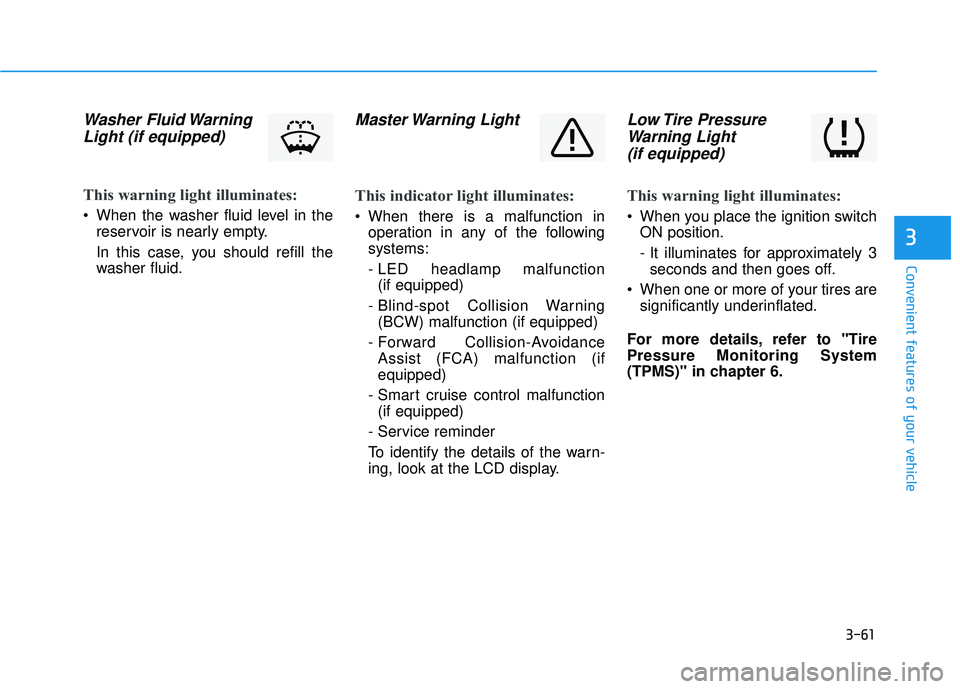
Washer Fluid WarningLight (if equipped)
This warning light illuminates:
When the washer fluid level in the
reservoir is nearly empty.
In this case, you should refill the
washer fluid.
Master Warning Light
This indicator light illuminates:
When there is a malfunction inoperation in any of the following
systems:
- LED headlamp malfunction (if equipped)
- Blind-spot Collision Warning (BCW) malfunction (if equipped)
- Forward Collision-Avoidance Assist (FCA) malfunction (if
equipped)
- Smart cruise control malfunction (if equipped)
- Service reminder
To identify the details of the warn-
ing, look at the LCD display.
Low Tire Pressure Warning Light (if equipped)
This warning light illuminates:
When you place the ignition switch
ON position.
- It illuminates for approximately 3seconds and then goes off.
When one or more of your tires are significantly underinflated.
For more details, refer to "Tire
Pressure Monitoring System
(TPMS)" in chapter 6.
Page 147 of 495
3-62
Convenient features of your vehicle
This warning light remains ON
after blinking for approximately 60
seconds, or repeatedly blinks ON
and OFF in 3 second intervals:
When there is a malfunction withthe TPMS.
In this case, have the vehicle inspect-
ed by an authorized HYUNDAI deal-
er as soon as possible.
For more details, refer to "Tire
Pressure Monitoring System
(TPMS)" in chapter 6.
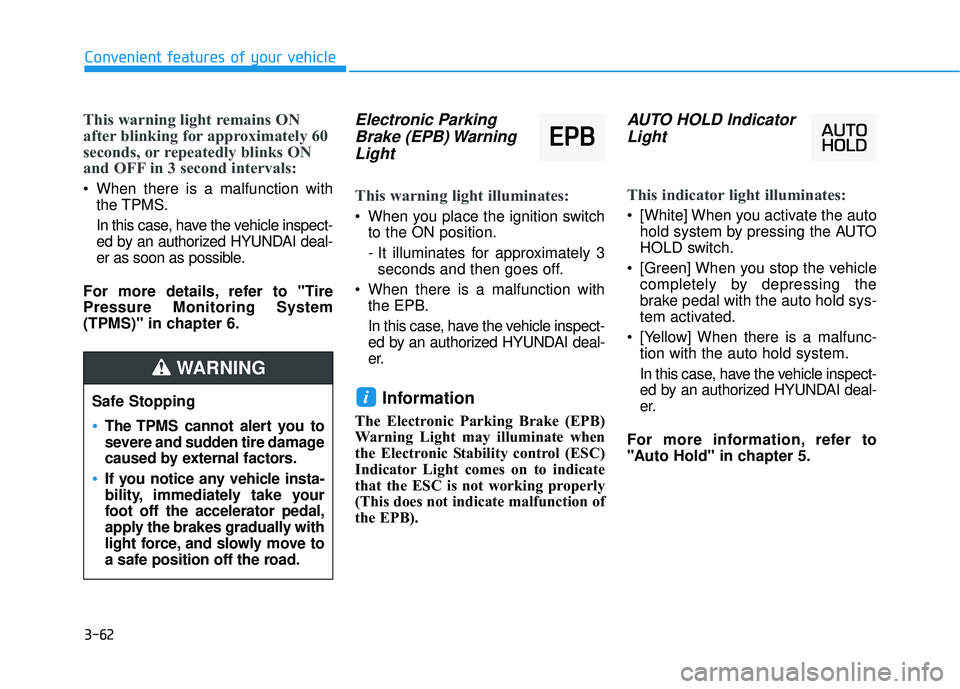
Electronic Parking Brake (EPB) WarningLight
This warning light illuminates:
When you place the ignition switch
to the ON position.
- It illuminates for approximately 3seconds and then goes off.
When there is a malfunction with the EPB.
In this case, have the vehicle inspect-
ed by an authorized HYUNDAI deal-
er.
Information
The Electronic Parking Brake (EPB)
Warning Light may illuminate when
the Electronic Stability control (ESC)
Indicator Light comes on to indicate
that the ESC is not working properly
(This does not indicate malfunction of
the EPB).
AUTO HOLD IndicatorLight
This indicator light illuminates:
[White] When you activate the auto
hold system by pressing the AUTO
HOLD switch.
[Green] When you stop the vehicle completely by depressing the
brake pedal with the auto hold sys-
tem activated.
[Yellow] When there is a malfunc- tion with the auto hold system.
In this case, have the vehicle inspect-
ed by an authorized HYUNDAI deal-
er.
For more information, refer to
"Auto Hold" in chapter 5.
i
E E P
P B
B
Safe Stopping
The TPMS cannot alert you to
severe and sudden tire damage
caused by external factors.
If you notice any vehicle insta-
bility, immediately take your
foot off the accelerator pedal,
apply the brakes gradually with
light force, and slowly move to
a safe position off the road.
WARNING
Page 155 of 495
3-70
Convenient features of your vehicle
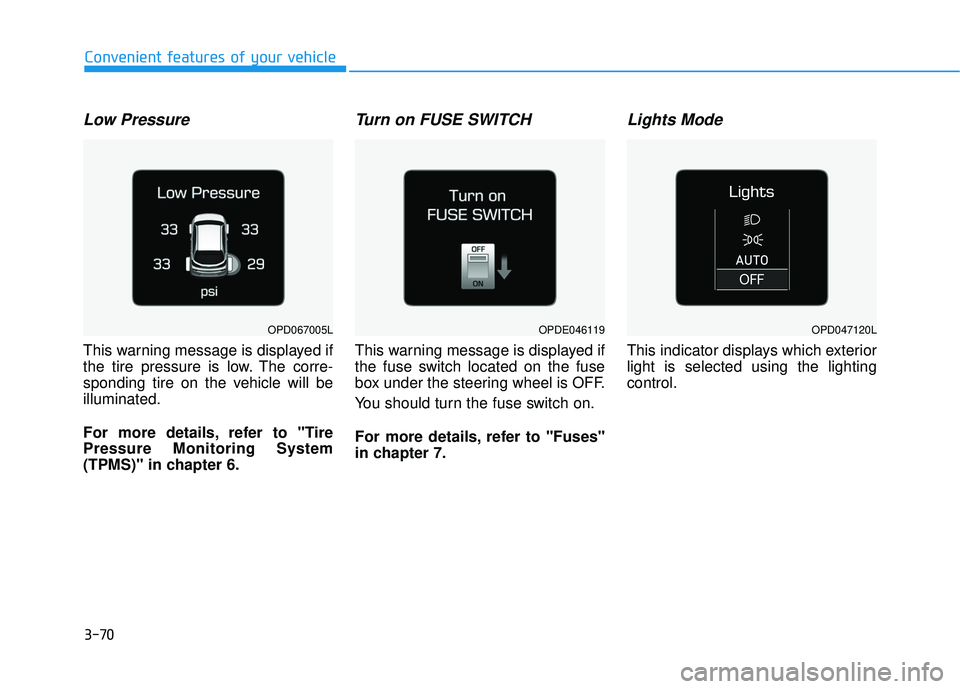
Low Pressure
This warning message is displayed if
the tire pressure is low. The corre-
sponding tire on the vehicle will be
illuminated.
For more details, refer to "Tire
Pressure Monitoring System
(TPMS)" in chapter 6.
Turn on FUSE SWITCH
This warning message is displayed if
the fuse switch located on the fuse
box under the steering wheel is OFF.
You should turn the fuse switch on.
For more details, refer to "Fuses"
in chapter 7.
Lights Mode
This indicator displays which exterior
light is selected using the lighting
control.
OPDE046119OPD047120LOPD067005L
Page 159 of 495
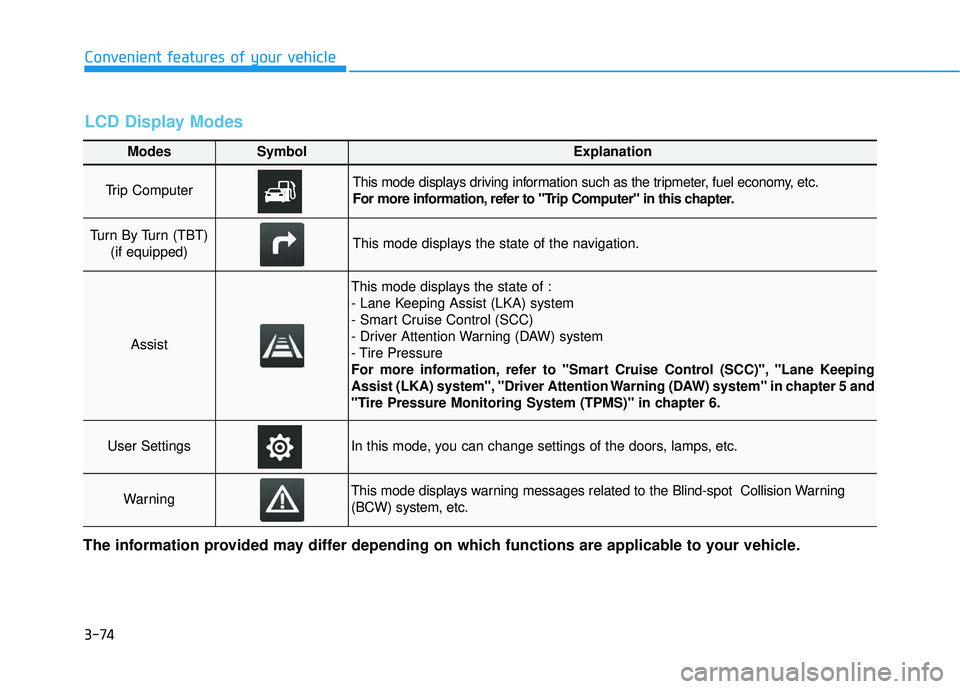
3-74
Convenient features of your vehicle
Modes SymbolExplanation
Trip Computer This mode displays driving information such as the tripmeter, fuel economy, etc.
For more information, refer to "Trip Computer" in this chapter.
Turn By Turn (TBT) (if equipped)This mode displays the state of the navigation.
Assist
This mode displays the state of :
- Lane Keeping Assist (LKA) system
- Smart Cruise Control (SCC)
- Driver Attention Warning (DAW) system
- Tire Pressure
For more information, refer to "Smart Cruise Control (SCC)", "Lane Keeping
Assist (LKA) system", "Driver Attention Warning (DAW) system" in chapter 5 and
"Tire Pressure Monitoring System (TPMS)" in chapter 6.
User SettingsIn this mode, you can change settings of the doors, lamps, etc.
WarningThis mode displays warning messages related to the Blind-spot Collision Warning
(BCW) system, etc.
The information provided may differ depending on which functions are applicable to your vehicle.
LCD Display Modes
Page 161 of 495
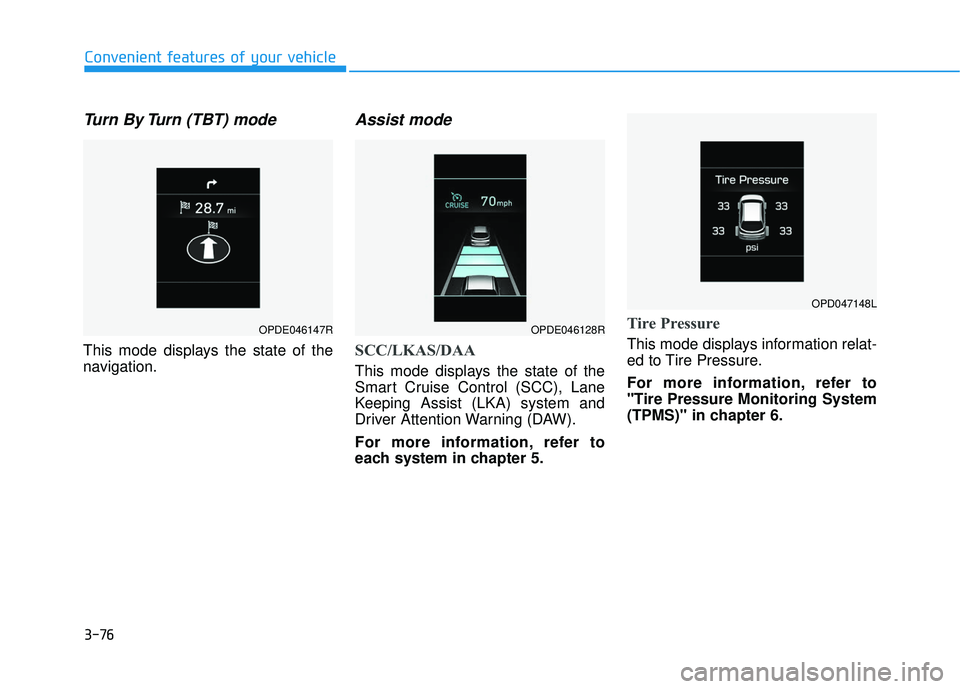
3-76
Convenient features of your vehicle
Turn By Turn (TBT) mode
This mode displays the state of the
navigation.
Assist mode
SCC/LKAS/DAA
This mode displays the state of the
Smart Cruise Control (SCC), Lane
Keeping Assist (LKA) system and
Driver Attention Warning (DAW).
For more information, refer to
each system in chapter 5.
Tire Pressure
This mode displays information relat-
ed to Tire Pressure.
For more information, refer to
"Tire Pressure Monitoring System
(TPMS)" in chapter 6.
OPDE046147ROPDE046128R
OPD047148L
Page 165 of 495
3-80
Convenient features of your vehicle
If the service interval is activated and
the time and distance is adjusted,
messages are displayed in the fol-
lowing situations each time the vehi-
cle is turned on.
- Service in : Displayed to inform the driver theremaining mileage and days to
service.
- Service required : Displayed when the mileage anddays to service has been reached
or passed.
Information
If any of the following conditions
occur, the mileage and number of days
to service may be incorrect.
- The battery cable is disconnected.
- The fuse switch is turned off.
- The battery is discharged. 7. Other
Fuel Economy Auto Reset
- Off: The average fuel economy will
not reset automatically whenever
refueling.
- After Ignition: When the engine has been OFF for 4 hours or longer the
average fuel economy will reset
automatically.
- After Refueling: The average fuel economy will reset automatically
after adding 1.6 gallons (6 liters) of
fuel or more and after driving
speed exceeds 1 mph (1 km/h).
For more information, refer to
"Trip Computer" in this chapter.
Fuel Economy Unit
To select the fuel economy unit.
(US gallon, UK gallon)
Temperature Unit
To select the temperature unit.
(°C,°F)
Tire Pressure Unit
To select the tire pressure unit.
(psi, kPa, bar) Language
To select language.
8. Reset
You can reset the menus in the User
Settings Mode. All menus in the User
Settings Mode are reset to factory
settings, except language and serv-
ice interval.
i
Page 270 of 495
5-47
Driving your vehicle
5
Anti-lock Brake System (ABS)
ABS is an electronic braking system
that helps prevent a braking skid.
ABS allows the driver to steer and
brake at the same time.
Using ABS
To obtain the maximum benefit from
your ABS in an emergency situation,
do not attempt to modulate your
brake pressure and do not try to
pump your brakes. Depress your
brake pedal as hard as possible.
When you apply your brakes under
conditions which may lock the wheels,
you may hear sounds from the
brakes, or feel a corresponding sen-
sation in the brake pedal. This is nor-
mal and it means your ABS is active.
ABS does not reduce the time or dis-
tance it takes to stop the vehicle.
Always maintain a safe distance from
the vehicle in front of you.
ABS will not prevent a skid that
results from sudden changes in
direction, such as trying to take a cor-
ner too fast or making a sudden lane
change. Always drive at a safe speed
for the road and weather conditions.
ABS cannot prevent a loss of stabili-
ty. Always steer moderately when
braking hard. Severe or sharp steer-
ing wheel movement can still cause
your vehicle to veer into oncoming
traffic or off the road.
(Continued)
Drive your vehicle at reduced
speeds during the following
conditions:
Rough, gravel or snow-cov-
ered roads.
On roads where the road sur-
face is pitted or has different
surface height.
Tire chains are installed on
your vehicle.
The safety features of an ABS
or ESC equipped vehicle should
not be tested by high speed
driving or cornering. This could
endanger the safety of yourself
or others.
An Anti-Lock Braking System
(ABS) or an Electronic Stability
Control (ESC) system will not
prevent accidents due to
improper or dangerous driving
maneuvers. Even though vehi-
cle control is improved during
emergency braking, always
maintain a safe distance
between you and objects ahead
of you. Vehicle speeds should
always be reduced during
extreme road conditions. The
braking distance for cars
equipped with ABS or ESC may
be longer than for those without
these systems in the following
road conditions. (Continued)
WARNING
Page 276 of 495
5-53
Driving your vehicle
5
Hill-Start Assist Control (HAC)
The Hill-Start Assist Control (HAC)
helps prevent the vehicle from rolling
backwards when starting a vehicle
from a stop on a hill. The system
operates the brakes automatically for
approximately 2 seconds and releas-
es the brake after 2 seconds or when
the accelerator pedal is depressed.
The HAC does not operate whenthe shift lever is in P (Park) or N
(Neutral)
The HAC activates even though the ESC (Electronic Stability
Control) is off but does not acti-
vate when the ESC has malfunc-
tioned.
Good Braking Practices
Wet brakes can be dangerous! The
brakes may get wet if the vehicle is
driven through standing water or if it
is washed. Your vehicle will not stop
as quickly if the brakes are wet. Wet
brakes may cause the vehicle to pull
to one side. To dry the brakes, apply the brakes
lightly until the braking action returns
to normal, taking care to keep the
vehicle under control at all times. If
the braking action does not return to
normal, stop as soon as it is safe to
do so and call an authorized
HYUNDAI dealer for assistance.
DO NOT drive with your foot resting
on the brake pedal. Even light, but
constant pedal pressure can result in
the brakes overheating, brake wear,
and possibly even brake failure.
If a tire goes flat while you are driv-
ing, apply the brakes gently and
keep the vehicle pointed straight
ahead while you slow down. When
you are moving slowly enough for it
to be safe to do so, pull off the road
and stop in a safe location.
Keep your foot firmly on the brake
pedal when the vehicle is stopped to
prevent the vehicle from rolling for-
ward.
NOTICE
Always be ready to depress the
accelerator pedal when starting
off on a incline. The HAC activates
only for approximately 2 seconds.
WARNING
Whenever leaving the vehicle or
parking, always come to a com-
plete stop and continue to
depress the brake pedal. Move
the shift lever into the 1
stgear
(for manual transmission vehi-
cle) or P (Park, for automatic
transmission vehicle) position,
then apply the parking brake,
and place the ignition switch in
the LOCK/OFF position.
Vehicles parked with the park-
ing brake not applied or not
fully engaged may roll inadver-
tently and may cause injury to
the driver and others. ALWAYS
apply the parking brake before
exiting the vehicle.
WARNING
Page 284 of 495
5-61
Driving your vehicle
5
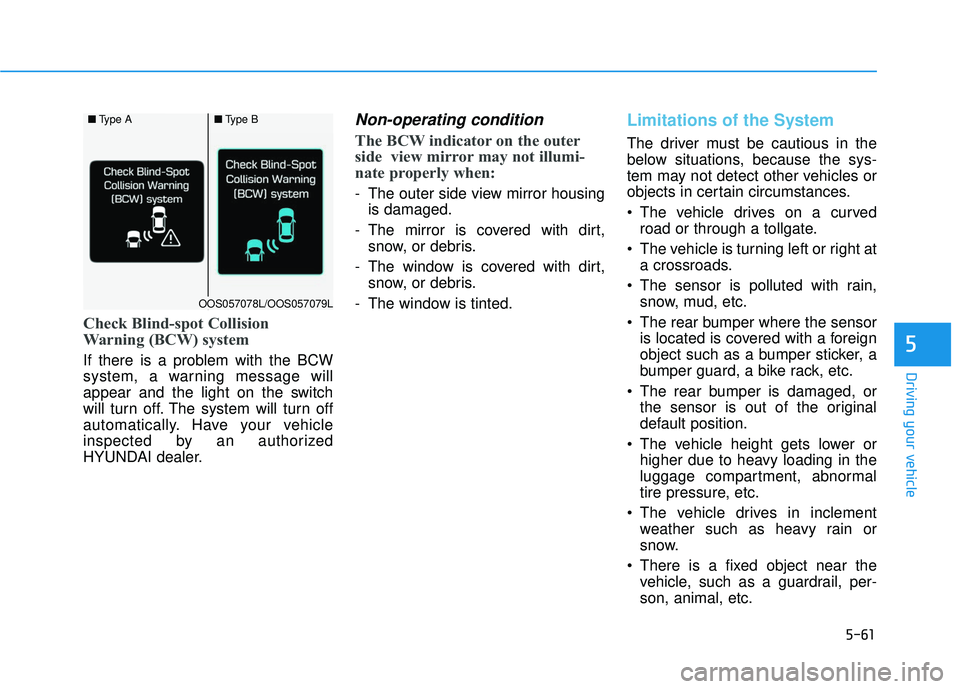
Check Blind-spot Collision
Warning (BCW) system
If there is a problem with the BCW
system, a warning message will
appear and the light on the switch
will turn off. The system will turn off
automatically. Have your vehicle
inspected by an authorized
HYUNDAI dealer.
Non-operating condition
The BCW indicator on the outer
side view mirror may not illumi-
nate properly when:
- The outer side view mirror housingis damaged.
- The mirror is covered with dirt, snow, or debris.
- The window is covered with dirt, snow, or debris.
- The window is tinted.
Limitations of the System
The driver must be cautious in the
below situations, because the sys-
tem may not detect other vehicles or
objects in certain circumstances.
The vehicle drives on a curved road or through a tollgate.
The vehicle is turning left or right at a crossroads.
The sensor is polluted with rain, snow, mud, etc.
The rear bumper where the sensor is located is covered with a foreign
object such as a bumper sticker, a
bumper guard, a bike rack, etc.
The rear bumper is damaged, or the sensor is out of the original
default position.
The vehicle height gets lower or higher due to heavy loading in the
luggage compartment, abnormal
tire pressure, etc.
The vehicle drives in inclement weather such as heavy rain or
snow.
There is a fixed object near the vehicle, such as a guardrail, per-
son, animal, etc.
■ Type A■Type B
OOS057078L/OOS057079L