warning light HYUNDAI ELANTRA HYBRID 2022 Manual PDF
[x] Cancel search | Manufacturer: HYUNDAI, Model Year: 2022, Model line: ELANTRA HYBRID, Model: HYUNDAI ELANTRA HYBRID 2022Pages: 529, PDF Size: 38.79 MB
Page 278 of 529
06
6-33
WARNING
If the ABS warning light (
) is on and
stays on, you may have a problem with
the ABS. Your power brakes will work
normally. To reduce the risk of serious
injury or death, contact your HYUNDAI dealer as soon as possible.
CAUTION
When you drive on a road having poor
traction, such as an icy road, and apply
your brakes continuously, the ABS will
be active continuously and the ABS
warning light (
) may illuminate. Pull
your car over to a safe place and turn
the engine off.
Restart the engine. If the ABS warning
light is off, then your ABS system is normal.
Otherwise, you may have a problem
with your ABS system. Contact an
authorized HYUNDAI dealer as soon as possible.
Information
When you jump start your vehicle because
of a drained battery, the ABS warning light (
) may turn on at the same
time. This happens because of the low
battery voltage. It does not mean your ABS is malfunctioning. Have the battery
recharged before driving the vehicle.
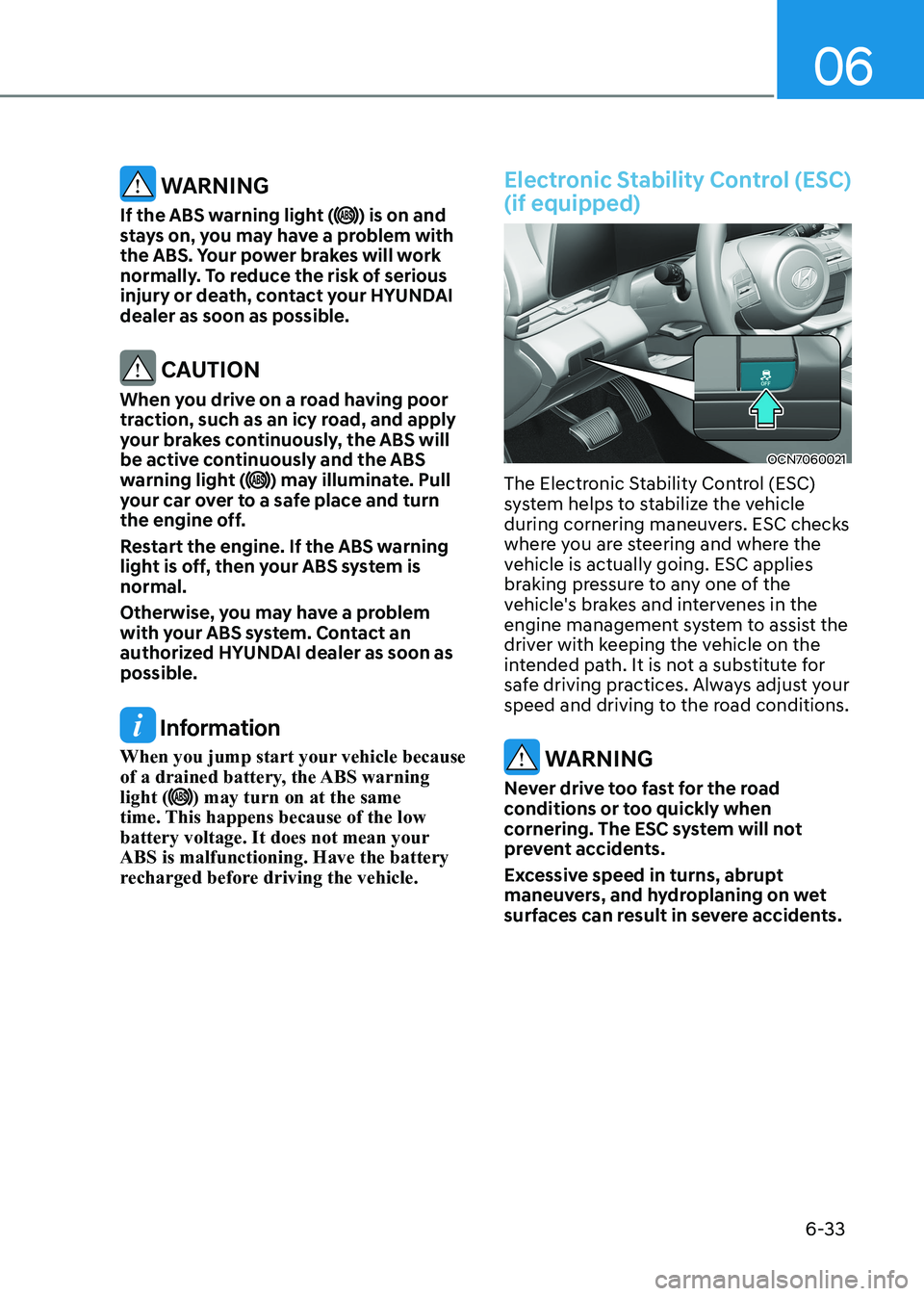
Electronic Stability Control (ESC) (if equipped)
OCN7060021
The Electronic Stability Control (ESC)
system helps to stabilize the vehicle
during cornering maneuvers. ESC checks
where you are steering and where the
vehicle is actually going. ESC applies
braking pressure to any one of the
vehicle's brakes and intervenes in the
engine management system to assist the
driver with keeping the vehicle on the
intended path. It is not a substitute for
safe driving practices. Always adjust your
speed and driving to the road conditions.
WARNING
Never drive too fast for the road
conditions or too quickly when
cornering. The ESC system will not
prevent accidents.
Excessive speed in turns, abrupt
maneuvers, and hydroplaning on wet
surfaces can result in severe accidents.
Page 279 of 529
Driving your vehicle
6-34
ESC operation
ESC ON condition
When the ignition switch is in the ON position, the ESC and the ESC
OFF indicator lights illuminate for
approximately three seconds. After both
lights go off, the ESC is enabled.
When operating
When the ESC is in operation,
the ESC indicator light blinks:
• When you apply your brakes under
conditions which may lock the wheels,
you may hear sounds from the brakes,
or feel a corresponding sensation in
the brake pedal. This is normal and it
means your ESC is active.
• When the ESC activates, the engine
may not respond to the accelerator as
it does under routine conditions.
• If the Cruise Control was in use when
the ESC activates, the Cruise Control
automatically disengages. The Cruise
Control can be reengaged when the
road conditions allow. See "Cruise
Control System" later in this chapter. (if equipped)
• When moving out of the mud or
driving on a slippery road, the engine
RPM (revolutions per minute) may
not increase even if you press the
accelerator pedal deeply. This is to
maintain the stability and traction of
the vehicle and does not indicate a
problem.
ESC OFF condition
To cancel ESC operation: • State 1
Press the ESC OFF button briefly. The
ESC OFF indicator light and message
"Traction Control disabled" will
illuminate. In this state, the traction
control function of ESC (engine
management) is disabled, but the
brake control function of ESC (braking
management) still operates. • State 2
Press and hold the ESC OFF button
continuously for more than 3 seconds.
The ESC OFF indicator light and message
"Traction and Stability Control disabled"
illuminates and a warning chime sounds.
In this state, both the traction control
function of ESC (engine management)
and the brake control function of ESC
(braking management) are disabled.
If the ignition switch is placed to the
LOCK/OFF position when ESC is off, ESC
remains off. Upon restarting the engine,
the ESC will automatically turn on again.
Page 280 of 529
06
6-35
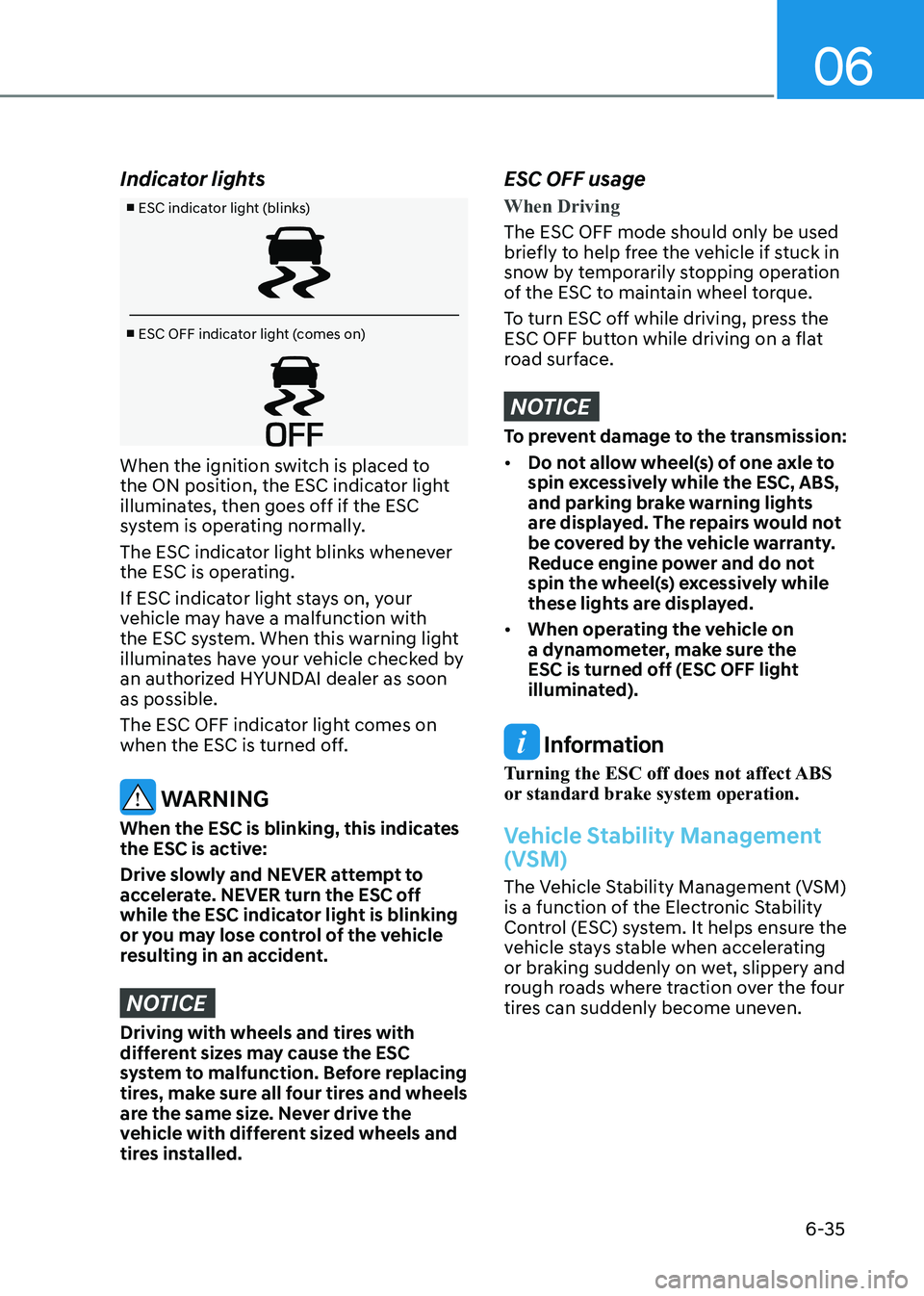
Indicator lights
■ ESC indicator light (blinks)
■ ESC OFF indicator light (comes on)
When the ignition switch is placed to
the ON position, the ESC indicator light
illuminates, then goes off if the ESC
system is operating normally.
The ESC indicator light blinks whenever
the ESC is operating.
If ESC indicator light stays on, your
vehicle may have a malfunction with
the ESC system. When this warning light
illuminates have your vehicle checked by
an authorized HYUNDAI dealer as soon as possible.
The ESC OFF indicator light comes on
when the ESC is turned off.
WARNING
When the ESC is blinking, this indicates
the ESC is active:
Drive slowly and NEVER attempt to
accelerate. NEVER turn the ESC off
while the ESC indicator light is blinking
or you may lose control of the vehicle
resulting in an accident.
NOTICE
Driving with wheels and tires with
different sizes may cause the ESC
system to malfunction. Before replacing
tires, make sure all four tires and wheels
are the same size. Never drive the
vehicle with different sized wheels and
tires installed.
ESC OFF usage
When Driving
The ESC OFF mode should only be used
briefly to help free the vehicle if stuck in
snow by temporarily stopping operation
of the ESC to maintain wheel torque.
To turn ESC off while driving, press the
ESC OFF button while driving on a flat
road surface.
NOTICE
To prevent damage to the transmission: • Do not allow wheel(s) of one axle to
spin excessively while the ESC, ABS,
and parking brake warning lights
are displayed. The repairs would not
be covered by the vehicle warranty.
Reduce engine power and do not
spin the wheel(s) excessively while
these lights are displayed.
• When operating the vehicle on
a dynamometer, make sure the
ESC is turned off (ESC OFF light
illuminated).
Information
Turning the ESC off does not affect ABS
or standard brake system operation.
Vehicle Stability Management
(VSM)
The Vehicle Stability Management (VSM)
is a function of the Electronic Stability
Control (ESC) system. It helps ensure the
vehicle stays stable when accelerating
or braking suddenly on wet, slippery and
rough roads where traction over the four
tires can suddenly become uneven.
Page 281 of 529
Driving your vehicle
6-36
WARNING
Take the following precautions when
using the Vehicle Stability Management
(VSM): • ALWAYS check the speed and the
distance to the vehicle ahead. The
VSM is not a substitute for safe
driving practices.
• Never drive too fast for the road
conditions. The VSM system will not
prevent accidents. Excessive speed
in bad weather, slippery and uneven
roads can result in severe accidents.
VSM operation
VSM ON condition
The VSM operates when:
The Electronic Stability Control (ESC) is on.
When operating
When you apply your brakes under
conditions which may activate the ESC,
you may hear sounds from the brakes,
or feel a corresponding sensation in the
brake pedal. This is normal and it means
your VSM is active.
NOTICE
The VSM does not operate when: • Driving on a banked road such as
gradient or incline.
• Driving rearward.
• ESC OFF indicator light is on.
• EPS (Electric Power Steering)
warning light (
) is on or blinks.
WARNING
If ESC indicator light (
) or EPS
warning light () stays on or blinks,
your vehicle may have a malfunction
with the VSM system. When the
warning light illuminates, have your
vehicle checked by an authorized
HYUNDAI dealer as soon as possible.
Driving with wheels and tires with
different sizes may cause the ESC system
to malfunction. Before replacing tires,
make sure all four tires and wheels are
the same size. Never drive the vehicle
with different sized tires and wheels
installed.
Hill-Start Assist Control (HAC)
The Hill-Start Assist Control (HAC)
helps prevent the vehicle from rolling
backwards when starting a vehicle from
a stop on a hill. The system operates the
brakes automatically for approximately
2 seconds and releases the brake after 2
seconds or when the accelerator pedal is
depressed.
WARNING
Always be ready to depress the
accelerator pedal when starting off on
a incline. The HAC activates only for
approximately 2 seconds.
NOTICE
• The HAC does not operate when
the shift button is in P (Park) or N
(Neutral)
• The HAC activates even though the
ESC (Electronic Stability Control) is
off but does not activate when the ESC has malfunctioned.
Page 282 of 529
06
6-37
Good Braking Practices
WARNING
Whenever leaving the vehicle or
parking, always come to a complete
stop and continue to depress the brake
pedal. Move the shift button into P
(Park) position, then apply the parking
brake, and place the ignition switch in
the LOCK/OFF position.
Vehicles parked with the parking brake
not applied or not fully engaged may
roll inadvertently and may cause injury
to the driver and others. ALWAYS apply
the parking brake before exiting the
vehicle. Wet brakes can be dangerous! The
brakes may get wet if the vehicle is
driven through standing water or if it
is washed. Your vehicle will not stop as
quickly if the brakes are wet. Wet brakes
may cause the vehicle to pull to one side.
To dry the brakes, apply the brakes
lightly until the braking action returns to
normal, taking care to keep the vehicle
under control at all times. If the braking
action does not return to normal, stop
as soon as it is safe to do so and call
an authorized HYUNDAI dealer for
assistance.
DO NOT drive with your foot resting on
the brake pedal. Even light, but constant
pedal pressure can result in the brakes
overheating, brake wear, and possibly
even brake failure.
If a tire goes flat while you are driving,
apply the brakes gently and keep the
vehicle pointed straight ahead while you
slow down. When you are moving slowly
enough for it to be safe to do so, pull off
the road and stop in a safe location.
Keep your foot firmly on the brake pedal
when the vehicle is stopped to prevent
the vehicle from rolling forward.
Page 287 of 529
Driving your vehicle
6-42
Hazardous Driving Conditions
When hazardous driving elements
are encountered such as water, snow,
ice, mud and sand, take the below
suggestions: • Drive cautiously and keep a longer
braking distance.
• Avoid abrupt braking or steering.
• When your vehicle is stuck in
snow, mud, or sand, use second
gear. Accelerate slowly to avoid unnecessary wheel spin.
• Put sand, rock salt or other non-slip
materials under the wheels to provide
additional traction while the vehicle
becomes stuck in ice, snow, or mud.
WARNING
Downshifting with dual clutch
transmission while driving on slippery
surfaces can cause an accident. The
sudden change in tire speed could
cause the tires to skid. Be careful when
downshifting on slippery surfaces.
Rocking the Vehicle
If it is necessary to rock the vehicle to
free it from snow, sand, or mud, first turn
the steering wheel right and left to clear
the area around your front wheels. Then,
shift back and forth between R (Reverse)
and a forward gear.
Try to avoid spinning the wheels, and do
not race the engine.
To prevent transmission wear, wait until
the wheels stop spinning before shifting
gears. Release the accelerator pedal
while shifting, and press lightly on the
accelerator pedal while the transmission
is in gear. Slowly spinning the wheels in
forward and reverse directions causes a
rocking motion that may free the vehicle.
WARNING
If the vehicle is stuck and excessive
wheel spin occurs, the temperature
of the tires can increase very quickly.
If the tires become damaged, a tire
blow out or tire explosion can occur.
This condition is dangerous - you and
others may be injured. Do not attempt
this procedure if people or objects are
anywhere near the vehicle.
If you attempt to free the vehicle, the
vehicle can overheat quickly, possibly
causing an engine compartment fire
or other damage. Try to avoid spinning
the wheels as much as possible to
prevent overheating of either the tires
or the engine. DO NOT allow the vehicle
to spin the wheels above 56 km/h (35
mph).
Information
The ESC system must be turned OFF
before rocking the vehicle.
NOTICE
If you are still stuck after rocking the
vehicle a few times, have the vehicle
pulled out by a tow vehicle to avoid
engine overheating, possible damage to
the transmission, and tire damage. See
"Towing" in chapter 8.
special Driving conDitions
Page 290 of 529
06
6-45
The severe weather conditions of winter
quickly wear out tires and cause other
problems. To minimize winter driving
problems, you should take the following
suggestions:
Snow or Icy Conditions
You need to keep sufficient distance
between your vehicle and the vehicle in
front of you.
Apply the brakes gently. Speeding, rapid
acceleration, sudden brake applications,
and sharp turns are potentially
very hazardous practices. During
deceleration, use engine braking to the
fullest extent. Sudden brake applications
on snowy or icy roads may cause the
vehicle to skid.
To drive your vehicle in deep snow, it
may be necessary to use snow tires.
Always carry emergency equipment.
Some of the items you may want to carry
include tow straps or chains, a flashlight,
emergency flares, sand, a shovel, jumper
cables, a window scraper, gloves, ground
cloth, coveralls, a blanket, etc.
Snow tires
WARNING
Snow tires should be equivalent in size
and type to the vehicle’s standard tires.
Otherwise, the safety and handling of
your vehicle may be adversely affected.
If you mount snow tires on your vehicle,
make sure to use radial tires of the same
size and load range as the original tires.
Mount snow tires on all four wheels
to balance your vehicle’s handling in
all weather conditions. The traction
provided by snow tires on dry roads
may not be as high as your vehicle's
original equipment tires. Check with
the tire dealer for maximum speed
recommendations.
Information
Do not install studded tires without first checking local, country and municipal
regulations for possible restrictions against
their use.
winter Driving
Page 300 of 529
07
7-3
forward Collision-Avoidance
Assist Settings
Setting features
OTM070090N
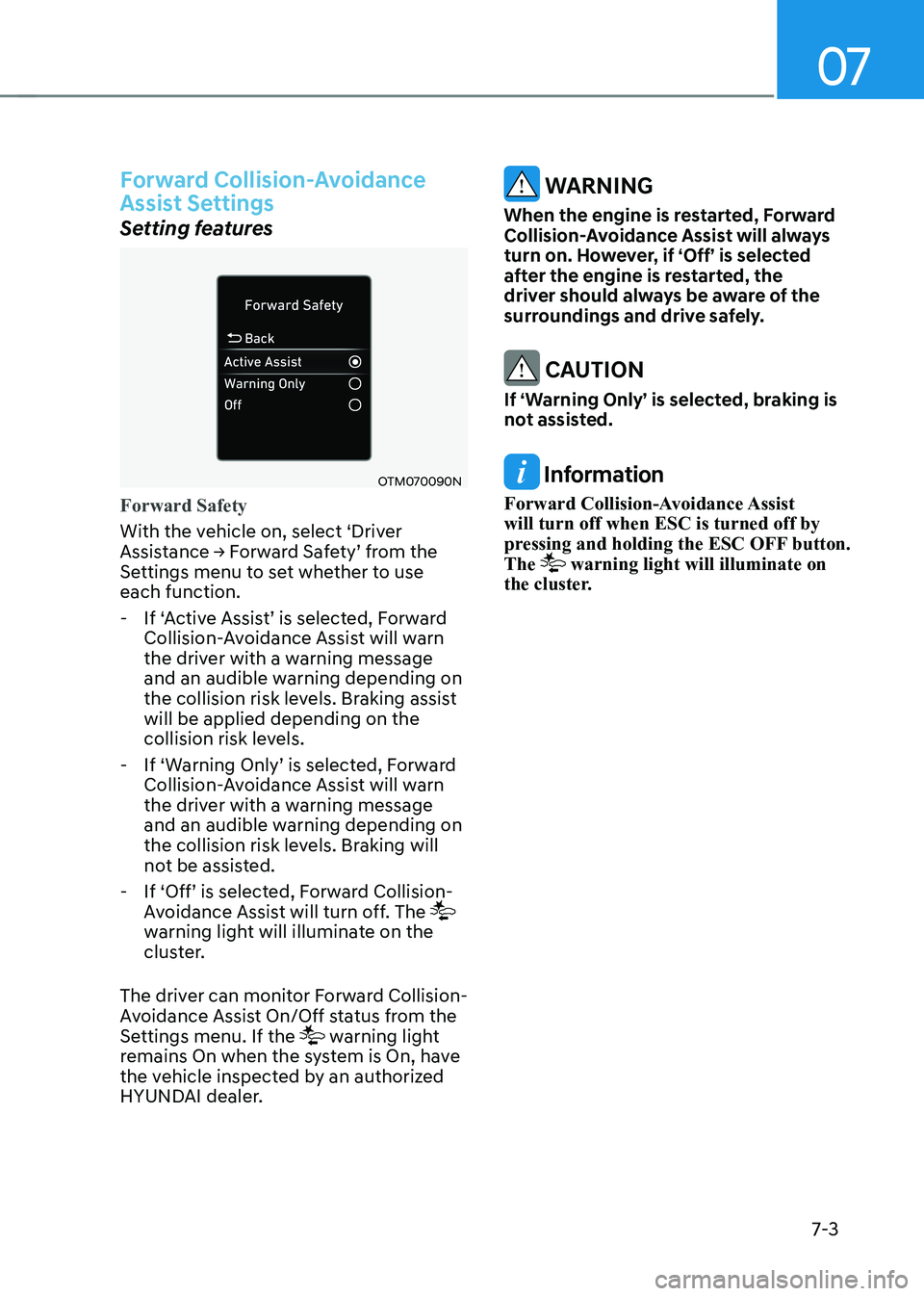
Forward Safety
With the vehicle on, select ‘Driver
Assistance → Forward Safety’ from the
Settings menu to set whether to use each function. - If ‘Active Assist’ is selected, Forward
Collision-Avoidance Assist will warn
the driver with a warning message
and an audible warning depending on
the collision risk levels. Braking assist will be applied depending on the
collision risk levels.
- If ‘Warning Only’ is selected, Forward
Collision-Avoidance Assist will warn
the driver with a warning message
and an audible warning depending on
the collision risk levels. Braking will
not be assisted.
- If ‘Off’ is selected, Forward Collision-
Avoidance Assist will turn off. The
warning light will illuminate on the
cluster.
The driver can monitor Forward Collision-
Avoidance Assist On/Off status from the
Settings menu. If the
warning light
remains On when the system is On, have
the vehicle inspected by an authorized
HYUNDAI dealer.
WARNINg
When the engine is restarted, forward
Collision-Avoidance Assist will always
turn on. However, if ‘Off’ is selected
after the engine is restarted, the
driver should always be aware of the
surroundings and drive safely.
CAUTION
If ‘Warning Only’ is selected, braking is
not assisted.
Information
Forward Collision-Avoidance Assist will turn off when ESC is turned off by
pressing and holding the ESC OFF button. The
warning light will illuminate on
the cluster.
Page 301 of 529
Driver Assistance System
7-4
OTM070140N
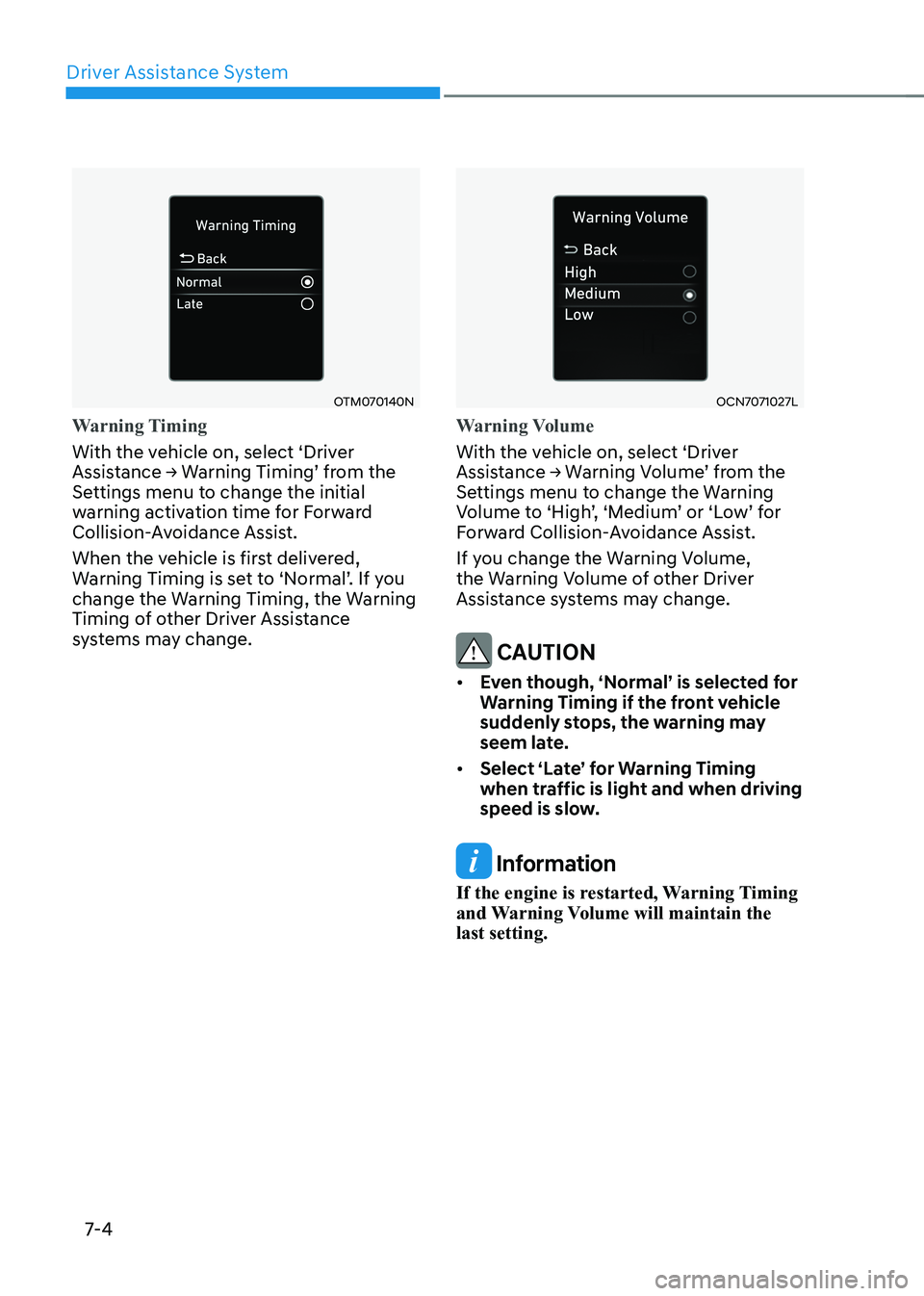
Warning Timing
With the vehicle on, select ‘Driver
Assistance → Warning Timing’ from the
Settings menu to change the initial
warning activation time for Forward
Collision-Avoidance Assist.
When the vehicle is first delivered,
Warning Timing is set to ‘Normal’. If you
change the Warning Timing, the Warning
Timing of other Driver Assistance
systems may change.
OCN7071027L
Warning Volume
With the vehicle on, select ‘Driver
Assistance → Warning Volume’ from the
Settings menu to change the Warning
Volume to ‘High’, ‘Medium’ or ‘Low’ for
Forward Collision-Avoidance Assist.
If you change the Warning Volume,
the Warning Volume of other Driver
Assistance systems may change.
CAUTION
• Even though, ‘Normal’ is selected for
Warning Timing if the front vehicle
suddenly stops, the warning may
seem late.
• Select ‘Late’ for Warning Timing
when traffic is light and when driving
speed is slow.
Information
If the engine is restarted, Warning Timing
and Warning Volume will maintain the last setting.
Page 303 of 529
Driver Assistance System
7-6
OCN7070030L
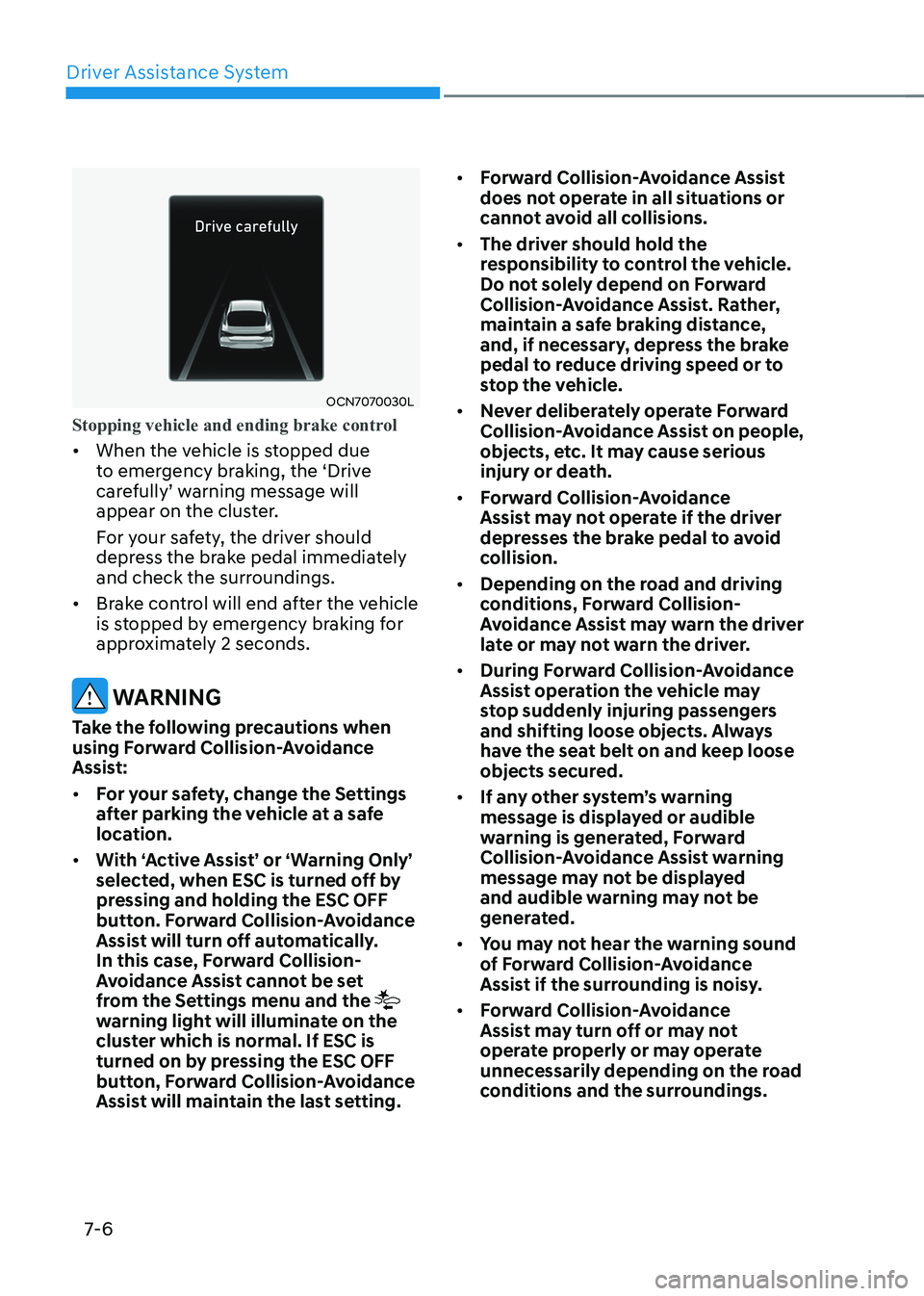
Stopping vehicle and ending brake control
• When the vehicle is stopped due
to emergency braking, the ‘Drive
carefully’ warning message will
appear on the cluster.
For your safety, the driver should
depress the brake pedal immediately
and check the surroundings.
• Brake control will end after the vehicle
is stopped by emergency braking for
approximately 2 seconds.
WARNINg
Take the following precautions when
using forward Collision-Avoidance
Assist: • for your safety, change the Settings
after parking the vehicle at a safe
location.
• With ‘Active Assist’ or ‘Warning Only’
selected, when ESC is turned off by
pressing and holding the ESC Off
button. forward Collision-Avoidance
Assist will turn off automatically.
In this case, forward Collision-
Avoidance Assist cannot be set
from the Settings menu and the
warning light will illuminate on the
cluster which is normal. If ESC is
turned on by pressing the ESC Off
button, forward Collision-Avoidance
Assist will maintain the last setting. •
forward Collision-Avoidance Assist
does not operate in all situations or
cannot avoid all collisions.
• The driver should hold the
responsibility to control the vehicle.
Do not solely depend on forward
Collision-Avoidance Assist. Rather,
maintain a safe braking distance,
and, if necessary, depress the brake
pedal to reduce driving speed or to
stop the vehicle.
• Never deliberately operate forward
Collision-Avoidance Assist on people,
objects, etc. It may cause serious
injury or death.
• forward Collision-Avoidance
Assist may not operate if the driver
depresses the brake pedal to avoid
collision.
• Depending on the road and driving
conditions, forward Collision-
Avoidance Assist may warn the driver
late or may not warn the driver.
• During forward Collision-Avoidance
Assist operation the vehicle may
stop suddenly injuring passengers
and shifting loose objects. Always
have the seat belt on and keep loose
objects secured.
• If any other system’s warning
message is displayed or audible
warning is generated, forward
Collision-Avoidance Assist warning
message may not be displayed
and audible warning may not be
generated.
• You may not hear the warning sound
of forward Collision-Avoidance
Assist if the surrounding is noisy.
• forward Collision-Avoidance
Assist may turn off or may not
operate properly or may operate
unnecessarily depending on the road
conditions and the surroundings.