warning light HYUNDAI ELANTRA HYBRID 2022 Owners Manual
[x] Cancel search | Manufacturer: HYUNDAI, Model Year: 2022, Model line: ELANTRA HYBRID, Model: HYUNDAI ELANTRA HYBRID 2022Pages: 529, PDF Size: 38.79 MB
Page 329 of 529
Driver Assistance System
7-32
Lane Keeping Assist Operation
Warning and control
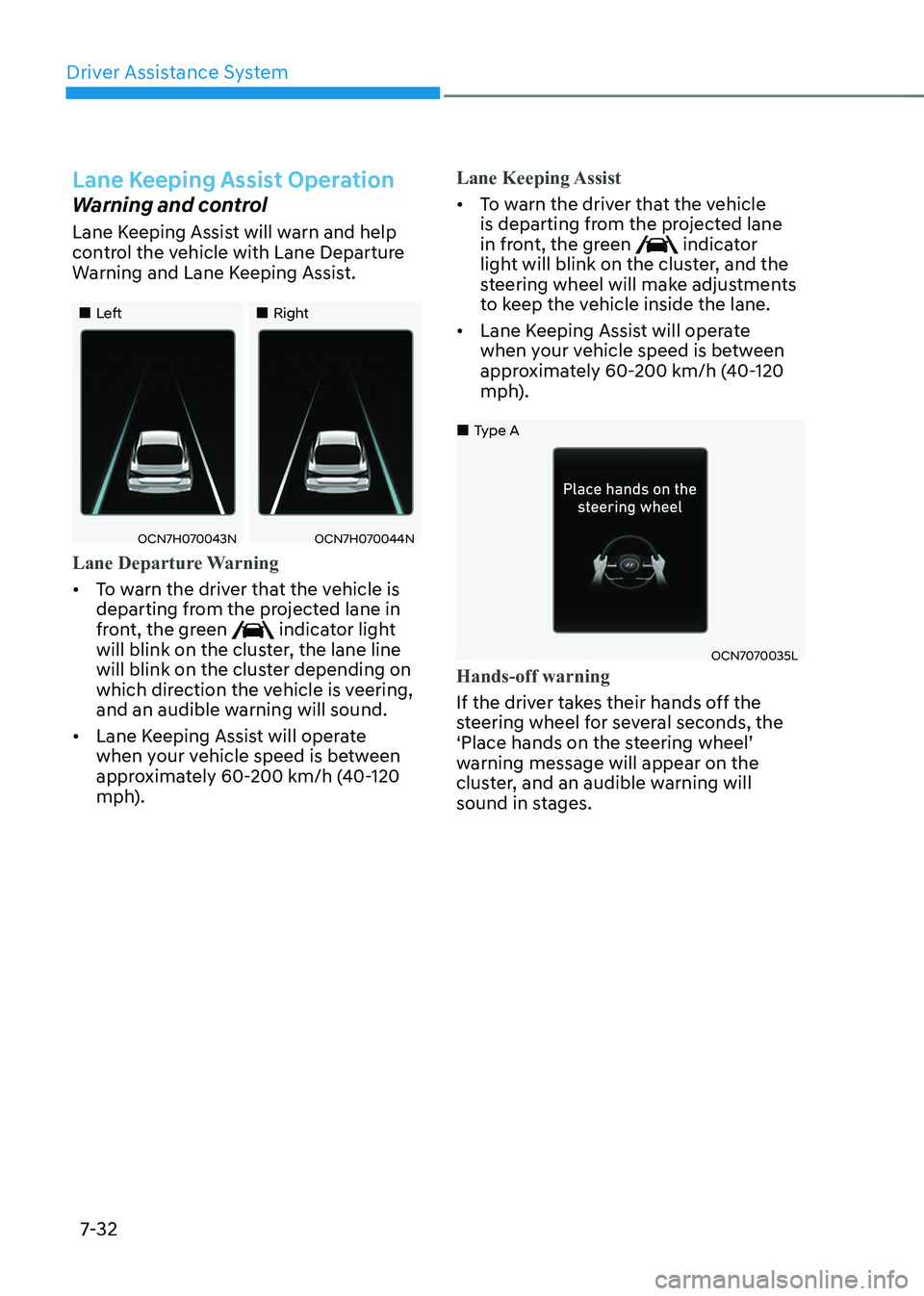
Lane Keeping Assist will warn and help
control the vehicle with Lane Departure
Warning and Lane Keeping Assist.
„„Left„„Right
OCN7H070043NOCN7H070044N
Lane Departure Warning
• To warn the driver that the vehicle is
departing from the projected lane in
front, the green
indicator light
will blink on the cluster, the lane line
will blink on the cluster depending on
which direction the vehicle is veering,
and an audible warning will sound.
• Lane Keeping Assist will operate
when your vehicle speed is between
approximately 60-200 km/h (40-120
mph).
Lane Keeping Assist
• To warn the driver that the vehicle
is departing from the projected lane
in front, the green
indicator
light will blink on the cluster, and the
steering wheel will make adjustments
to keep the vehicle inside the lane.
• Lane Keeping Assist will operate
when your vehicle speed is between
approximately 60-200 km/h (40-120
mph).
OCN7070035L
„
„Type A
Hands-off warning
If the driver takes their hands off the
steering wheel for several seconds, the
‘Place hands on the steering wheel’
warning message will appear on the
cluster, and an audible warning will
sound in stages.
Page 330 of 529
07
7-33
WARNINg
• The steering wheel may not be
assisted if the steering wheel is held
very tight or the steering wheel is
steered over a certain degree.
• Lane Keeping Assist does not operate
at all times. It is the responsibility of
the driver to safely steer the vehicle
and to maintain the vehicle in its lane.
• The hands–off warning message
may appear late depending on road
conditions. Always have your hands
on the steering wheel while driving.
• If the steering wheel is held very
lightly, the hands–off warning
message may appear because the
system may not recognize that the
driver has their hands on the steering wheel.
• If you attach objects to the steering
wheel, the hands-off warning may
not work properly. Information
• For more details on setting the functions in the infotainment system,
refer to “Vehicle Settings” section in
chapter 4.
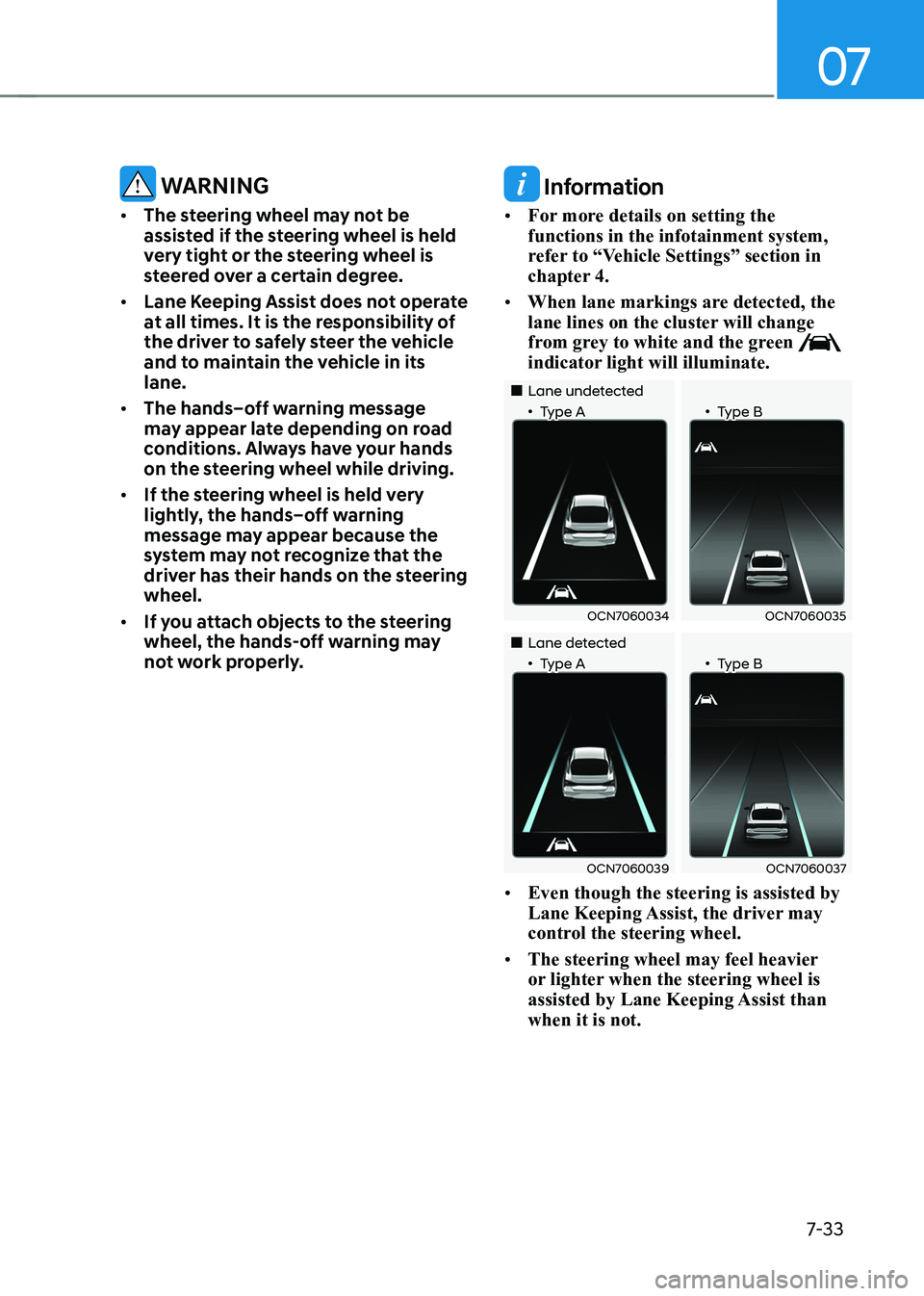
• When lane markings are detected, the
lane lines on the cluster will change
from grey to white and the green
indicator light will illuminate.
„„Lane undetected
„•Type A „•Type B
OCN7060034OCN7060035
„„Lane detected
„•Type A „•Type B
OCN7060039OCN7060037
• Even though the steering is assisted by
Lane Keeping Assist, the driver may
control the steering wheel.
• The steering wheel may feel heavier
or lighter when the steering wheel is
assisted by Lane Keeping Assist than when it is not.
Page 331 of 529
Driver Assistance System
7-34
Lane Keeping Assist Malfunction
and Limitations
Lane Keeping Assist malfunction
OCN7070036L
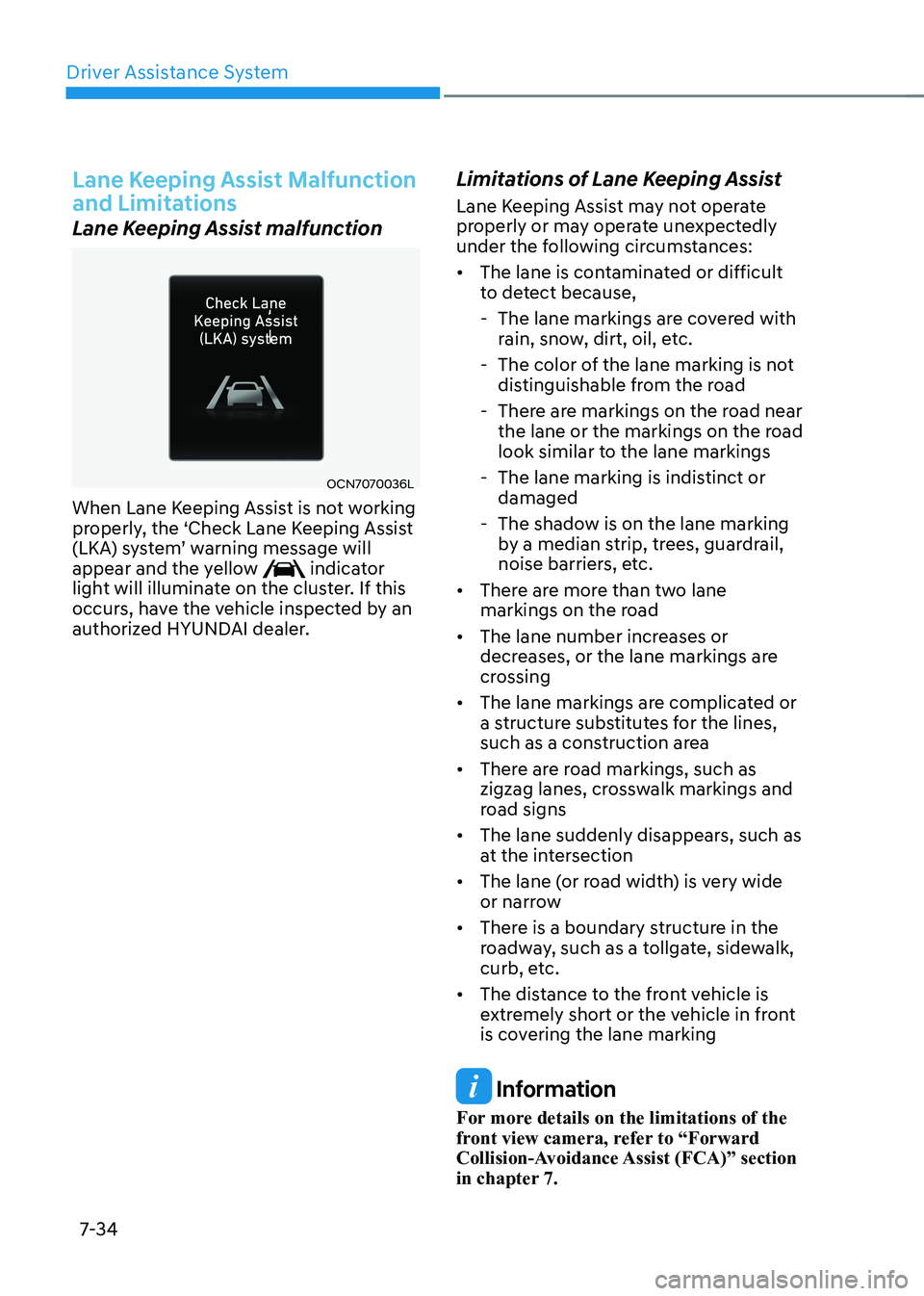
When Lane Keeping Assist is not working
properly, the ‘Check Lane Keeping Assist
(LKA) system’ warning message will
appear and the yellow
indicator
light will illuminate on the cluster. If this
occurs, have the vehicle inspected by an
authorized HYUNDAI dealer. Limitations of Lane Keeping Assist
Lane Keeping Assist may not operate
properly or may operate unexpectedly
under the following circumstances: •
The lane is contaminated or difficult
to detect because,
- The lane markings are covered with rain, snow, dirt, oil, etc.
- The color of the lane marking is not distinguishable from the road
- There are markings on the road near the lane or the markings on the road
look similar to the lane markings
- The lane marking is indistinct or damaged
- The shadow is on the lane marking by a median strip, trees, guardrail,
noise barriers, etc.
• There are more than two lane
markings on the road
• The lane number increases or
decreases, or the lane markings are
crossing
• The lane markings are complicated or
a structure substitutes for the lines,
such as a construction area
• There are road markings, such as
zigzag lanes, crosswalk markings and
road signs
• The lane suddenly disappears, such as
at the intersection
• The lane (or road width) is very wide
or narrow
• There is a boundary structure in the
roadway, such as a tollgate, sidewalk,
curb, etc.
• The distance to the front vehicle is
extremely short or the vehicle in front
is covering the lane marking
Information
For more details on the limitations of the
front view camera, refer to “Forward
Collision-Avoidance Assist (FCA)” section
in chapter 7.
Page 336 of 529
07
7-39
OTM070097N
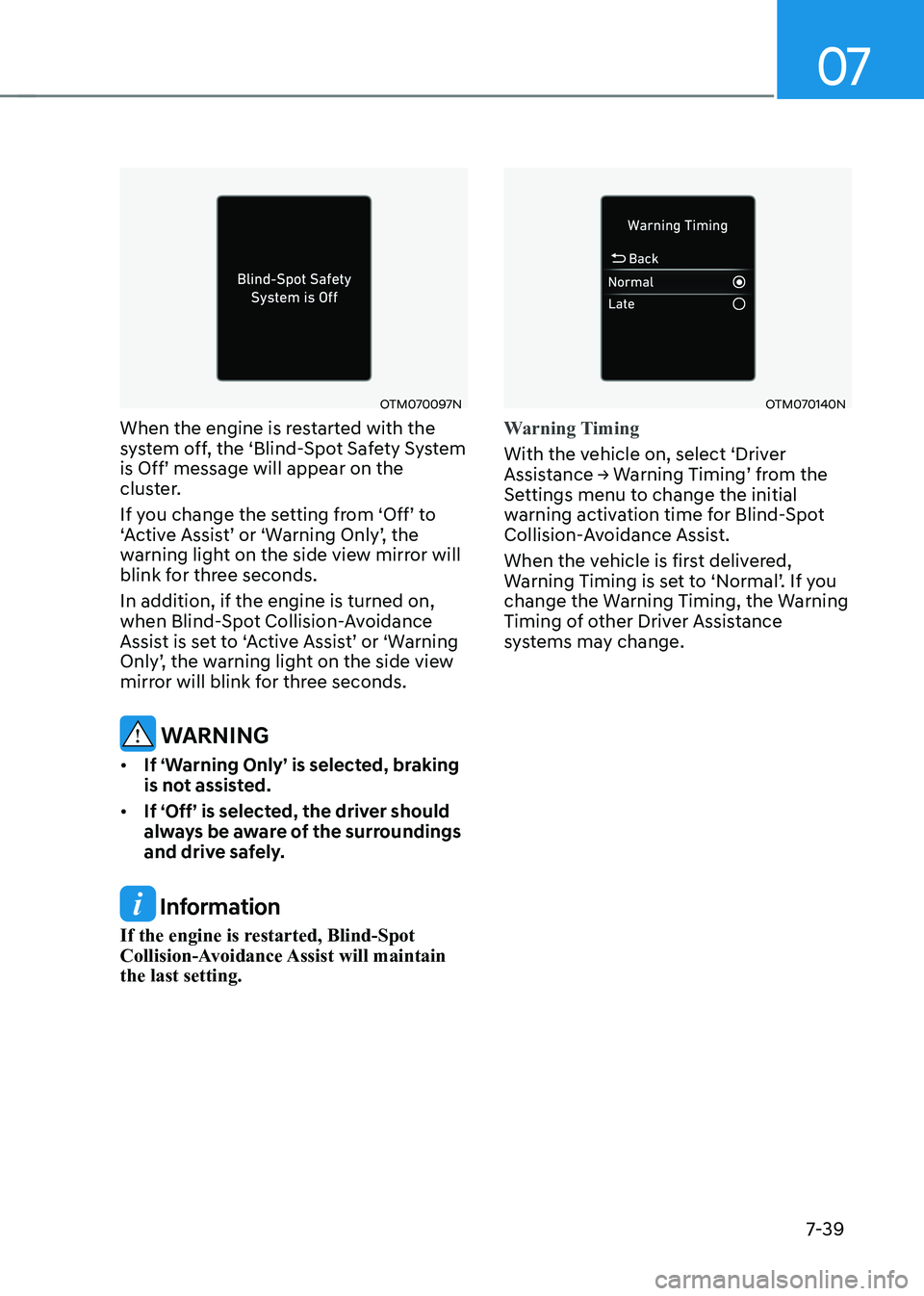
When the engine is restarted with the
system off, the ‘Blind-Spot Safety System is Off’ message will appear on the
cluster.
If you change the setting from ‘Off’ to
‘Active Assist’ or ‘Warning Only’, the
warning light on the side view mirror will
blink for three seconds. In addition, if the engine is turned on,
when Blind-Spot Collision-Avoidance
Assist is set to ‘Active Assist’ or ‘Warning
Only’, the warning light on the side view
mirror will blink for three seconds.
WARNINg
• If ‘Warning Only’ is selected, braking
is not assisted.
• If ‘Off’ is selected, the driver should
always be aware of the surroundings
and drive safely.
Information
If the engine is restarted, Blind-Spot
Collision-Avoidance Assist will maintain the last setting.
OTM070140N
Warning Timing
With the vehicle on, select ‘Driver
Assistance → Warning Timing’ from the
Settings menu to change the initial
warning activation time for Blind-Spot
Collision-Avoidance Assist.
When the vehicle is first delivered,
Warning Timing is set to ‘Normal’. If you
change the Warning Timing, the Warning
Timing of other Driver Assistance
systems may change.
Page 337 of 529
Driver Assistance System
7-40
OCN7071027L
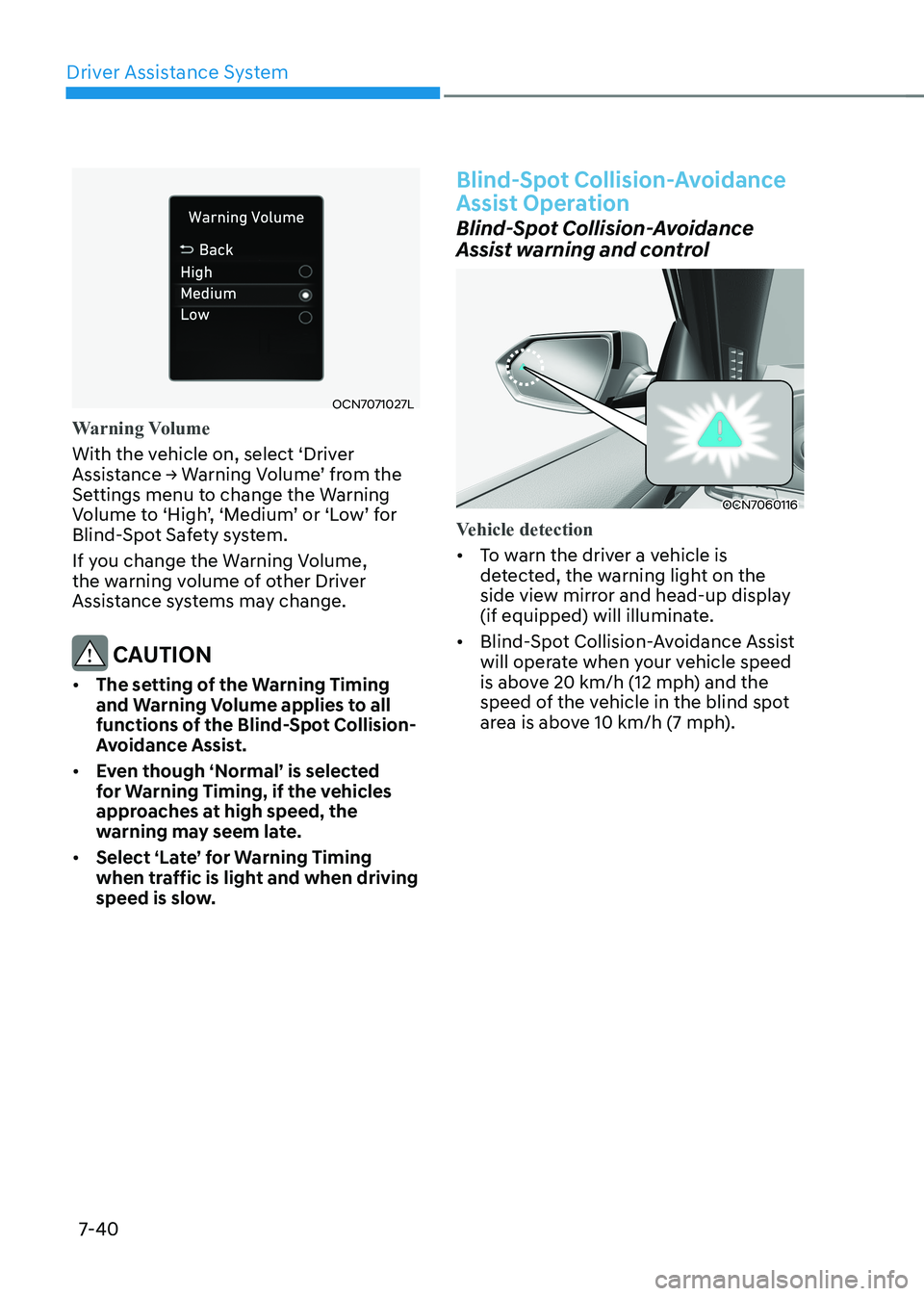
Warning Volume
With the vehicle on, select ‘Driver
Assistance → Warning Volume’ from the
Settings menu to change the Warning
Volume to ‘High’, ‘Medium’ or ‘Low’ for
Blind-Spot Safety system.
If you change the Warning Volume,
the warning volume of other Driver
Assistance systems may change.
CAUTION
• The setting of the Warning Timing
and Warning Volume applies to all
functions of the Blind-Spot Collision-
Avoidance Assist.
• Even though ‘Normal’ is selected
for Warning Timing, if the vehicles
approaches at high speed, the
warning may seem late.
• Select ‘Late’ for Warning Timing
when traffic is light and when driving
speed is slow.
Blind-Spot Collision-Avoidance
Assist Operation
Blind-Spot Collision-Avoidance
Assist warning and control
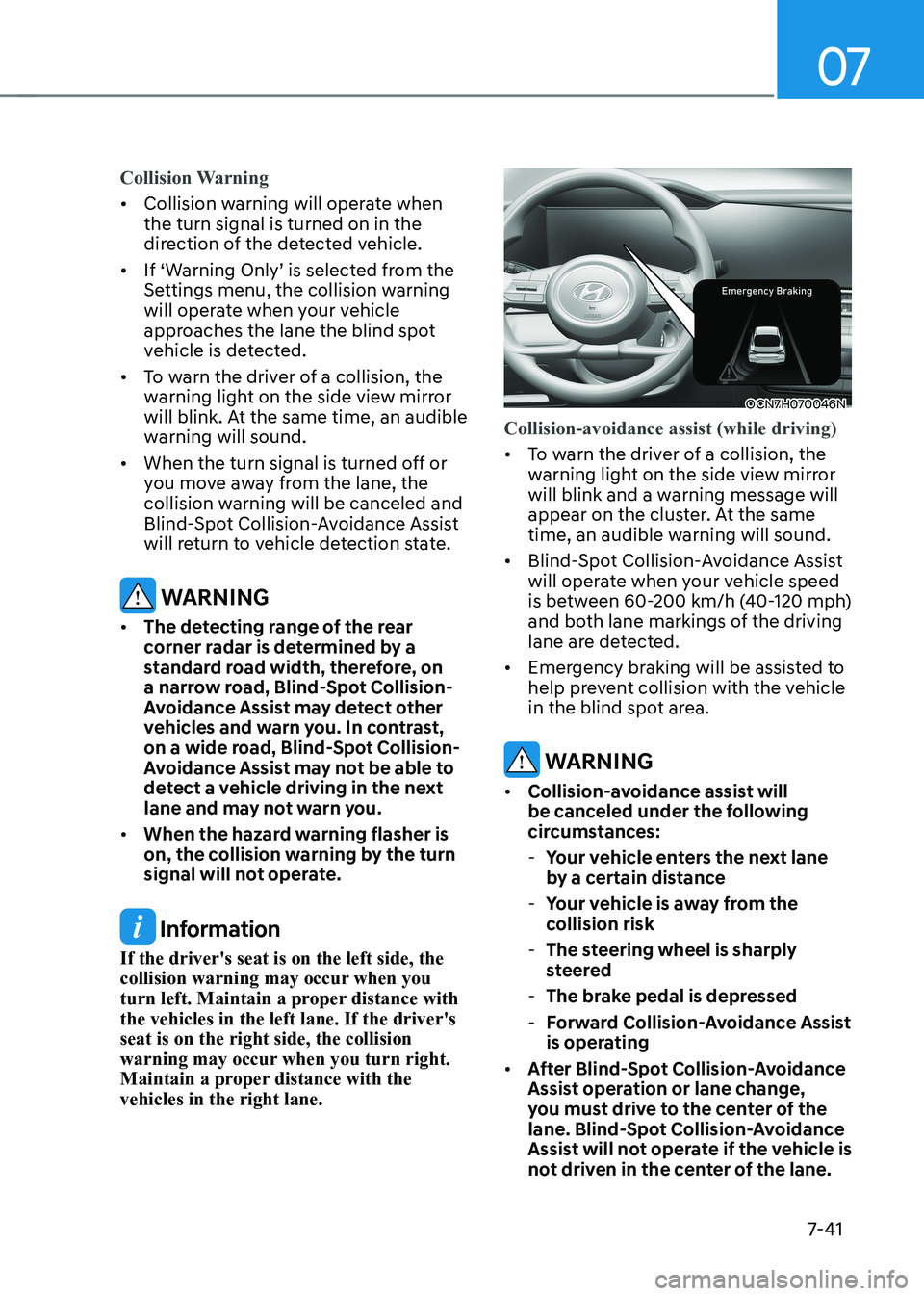
OCN7060116
Vehicle detection
• To warn the driver a vehicle is
detected, the warning light on the
side view mirror and head-up display
(if equipped) will illuminate.
• Blind-Spot Collision-Avoidance Assist
will operate when your vehicle speed
is above 20 km/h (12 mph) and the
speed of the vehicle in the blind spot
area is above 10 km/h (7 mph).
Page 338 of 529
07
7-41
Collision Warning
• Collision warning will operate when the turn signal is turned on in the
direction of the detected vehicle.
• If ‘Warning Only’ is selected from the Settings menu, the collision warning
will operate when your vehicle
approaches the lane the blind spot
vehicle is detected.
• To warn the driver of a collision, the
warning light on the side view mirror
will blink. At the same time, an audible
warning will sound.
• When the turn signal is turned off or
you move away from the lane, the
collision warning will be canceled and
Blind-Spot Collision-Avoidance Assist
will return to vehicle detection state.
WARNINg
• The detecting range of the rear
corner radar is determined by a
standard road width, therefore, on
a narrow road, Blind-Spot Collision-
Avoidance Assist may detect other
vehicles and warn you. In contrast,
on a wide road, Blind-Spot Collision-
Avoidance Assist may not be able to
detect a vehicle driving in the next
lane and may not warn you.
• When the hazard warning flasher is
on, the collision warning by the turn
signal will not operate.
Information
If the driver's seat is on the left side, the
collision warning may occur when you
turn left. Maintain a proper distance with the vehicles in the left lane. If the driver's seat is on the right side, the collision
warning may occur when you turn right.
Maintain a proper distance with the vehicles in the right lane.
OCN7H070046N
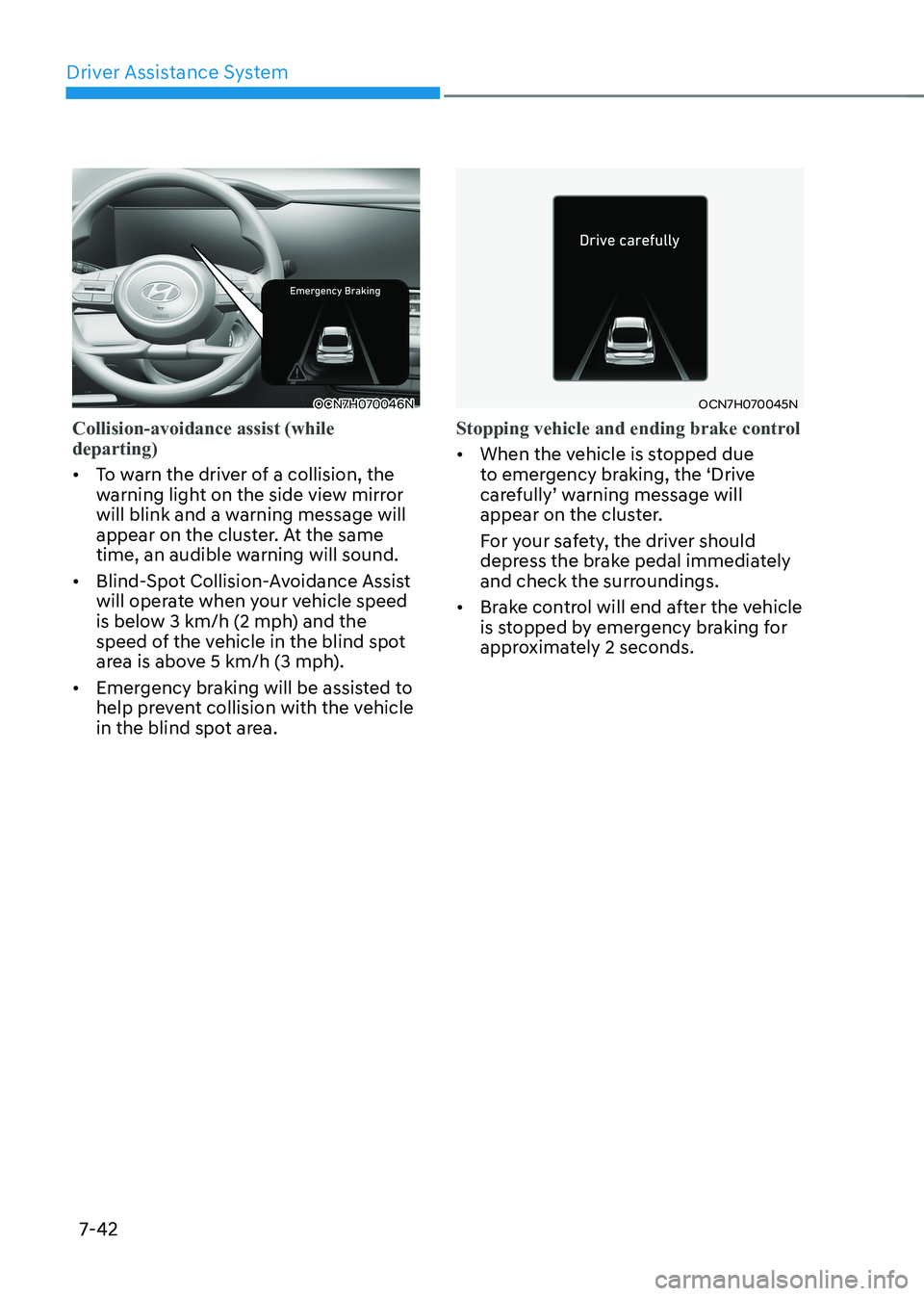
Collision-avoidance assist (while driving)
• To warn the driver of a collision, the
warning light on the side view mirror
will blink and a warning message will
appear on the cluster. At the same
time, an audible warning will sound.
• Blind-Spot Collision-Avoidance Assist
will operate when your vehicle speed
is between 60-200 km/h (40-120 mph)
and both lane markings of the driving
lane are detected.
• Emergency braking will be assisted to
help prevent collision with the vehicle
in the blind spot area.
WARNINg
• Collision-avoidance assist will
be canceled under the following
circumstances:
- Your vehicle enters the next lane
by a certain distance
- Your vehicle is away from the
collision risk
- The steering wheel is sharply
steered
- The brake pedal is depressed
- forward Collision-Avoidance Assist
is operating
• After Blind-Spot Collision-Avoidance
Assist operation or lane change,
you must drive to the center of the
lane. Blind-Spot Collision-Avoidance
Assist will not operate if the vehicle is
not driven in the center of the lane.
Page 339 of 529
Driver Assistance System
7-42
OCN7H070046N
Collision-avoidance assist (while departing)
• To warn the driver of a collision, the
warning light on the side view mirror
will blink and a warning message will
appear on the cluster. At the same
time, an audible warning will sound.
• Blind-Spot Collision-Avoidance Assist
will operate when your vehicle speed
is below 3 km/h (2 mph) and the
speed of the vehicle in the blind spot
area is above 5 km/h (3 mph).
• Emergency braking will be assisted to
help prevent collision with the vehicle
in the blind spot area.
OCN7H070045N
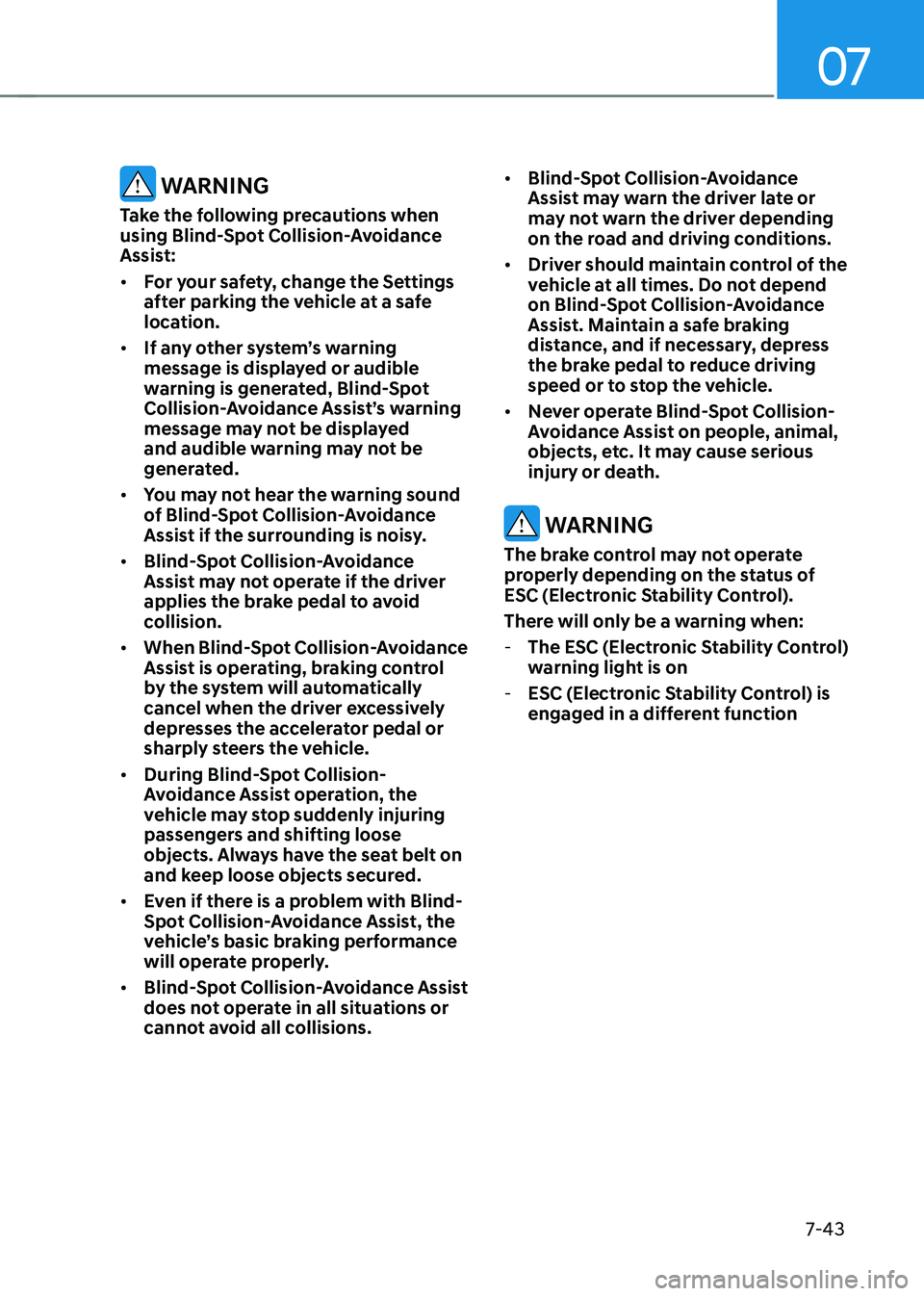
Stopping vehicle and ending brake control
• When the vehicle is stopped due
to emergency braking, the ‘Drive
carefully’ warning message will
appear on the cluster.
For your safety, the driver should
depress the brake pedal immediately
and check the surroundings.
• Brake control will end after the vehicle
is stopped by emergency braking for
approximately 2 seconds.
Page 340 of 529
07
7-43
WARNINg
Take the following precautions when
using Blind-Spot Collision-Avoidance
Assist: • for your safety, change the Settings
after parking the vehicle at a safe
location.
• If any other system’s warning
message is displayed or audible
warning is generated, Blind-Spot
Collision-Avoidance Assist’s warning
message may not be displayed
and audible warning may not be
generated.
• You may not hear the warning sound
of Blind-Spot Collision-Avoidance
Assist if the surrounding is noisy.
• Blind-Spot Collision-Avoidance
Assist may not operate if the driver
applies the brake pedal to avoid
collision.
• When Blind-Spot Collision-Avoidance
Assist is operating, braking control
by the system will automatically
cancel when the driver excessively
depresses the accelerator pedal or
sharply steers the vehicle.
• During Blind-Spot Collision-
Avoidance Assist operation, the
vehicle may stop suddenly injuring
passengers and shifting loose
objects. Always have the seat belt on
and keep loose objects secured.
• Even if there is a problem with Blind-
Spot Collision-Avoidance Assist, the
vehicle’s basic braking performance
will operate properly.
• Blind-Spot Collision-Avoidance Assist
does not operate in all situations or
cannot avoid all collisions. •
Blind-Spot Collision-Avoidance
Assist may warn the driver late or
may not warn the driver depending
on the road and driving conditions.
• Driver should maintain control of the
vehicle at all times. Do not depend
on Blind-Spot Collision-Avoidance
Assist. Maintain a safe braking
distance, and if necessary, depress
the brake pedal to reduce driving
speed or to stop the vehicle.
• Never operate Blind-Spot Collision-
Avoidance Assist on people, animal,
objects, etc. It may cause serious
injury or death.
WARNINg
The brake control may not operate
properly depending on the status of
ESC (Electronic Stability Control).
There will only be a warning when: - The ESC (Electronic Stability Control)
warning light is on
- ESC (Electronic Stability Control) is
engaged in a different function
Page 341 of 529

Driver Assistance System
7-44
Blind-Spot Collision-Avoidance
Assist Malfunction and
Limitations
Blind-Spot Collision-Avoidance
Assist malfunction
OTM070099N
When Blind-Spot Safety system is not
working properly, the ‘Check Blind-
Spot Safety system’ warning message
will appear on the cluster for several
seconds, and the master (
) warning
light will illuminate on the cluster. If this
occurs, have the vehicle inspected by an
authorized HYUNDAI dealer.
OTM070100N
„
„Type A
When the side view mirror warning light
is not working properly, the ‘Check side
view mirror warning light’ (or 'Check
outside mirror warning icon') warning
message will appear on the cluster for
several seconds, and the master (
)
warning light will illuminate on the
cluster. If this occurs, have the vehicle
inspected by an authorized HYUNDAI
dealer. Blind-Spot Collision-Avoidance
Assist disabled
OTM070098N
When the rear bumper around the rear
corner radar or sensor is covered with
foreign material, such as snow or rain,
or installing a trailer or carrier, it can
reduce the detecting performance and
temporarily limit or disable Blind-Spot
Collision-Avoidance Assist.
If this occurs, the ‘Blind-Spot Safety
system disabled. Radar blocked’ warning
message will appear on the cluster.
Blind-Spot Collision-Avoidance Assist
will operate properly when such foreign
material or trailer, etc., is removed, and
then the engine is restarted.
If Blind-Spot Collision-Avoidance Assist
does not operate properly after it is
removed, have the vehicle inspected by
an authorized HYUNDAI dealer.
WARNINg
• Even though the warning message
does not appear on the cluster, Blind-
Spot Collision-Avoidance Assist may
not properly operate.
• Blind-Spot Collision-Avoidance
Assist may not properly operate in
an area (for example, open terrain)
where any objects are not detected
right after the engine is turned on, or
when the detecting sensor is blocked
with foreign material right after the engine is turned on.
Page 348 of 529
07
7-51
OCN7071027L
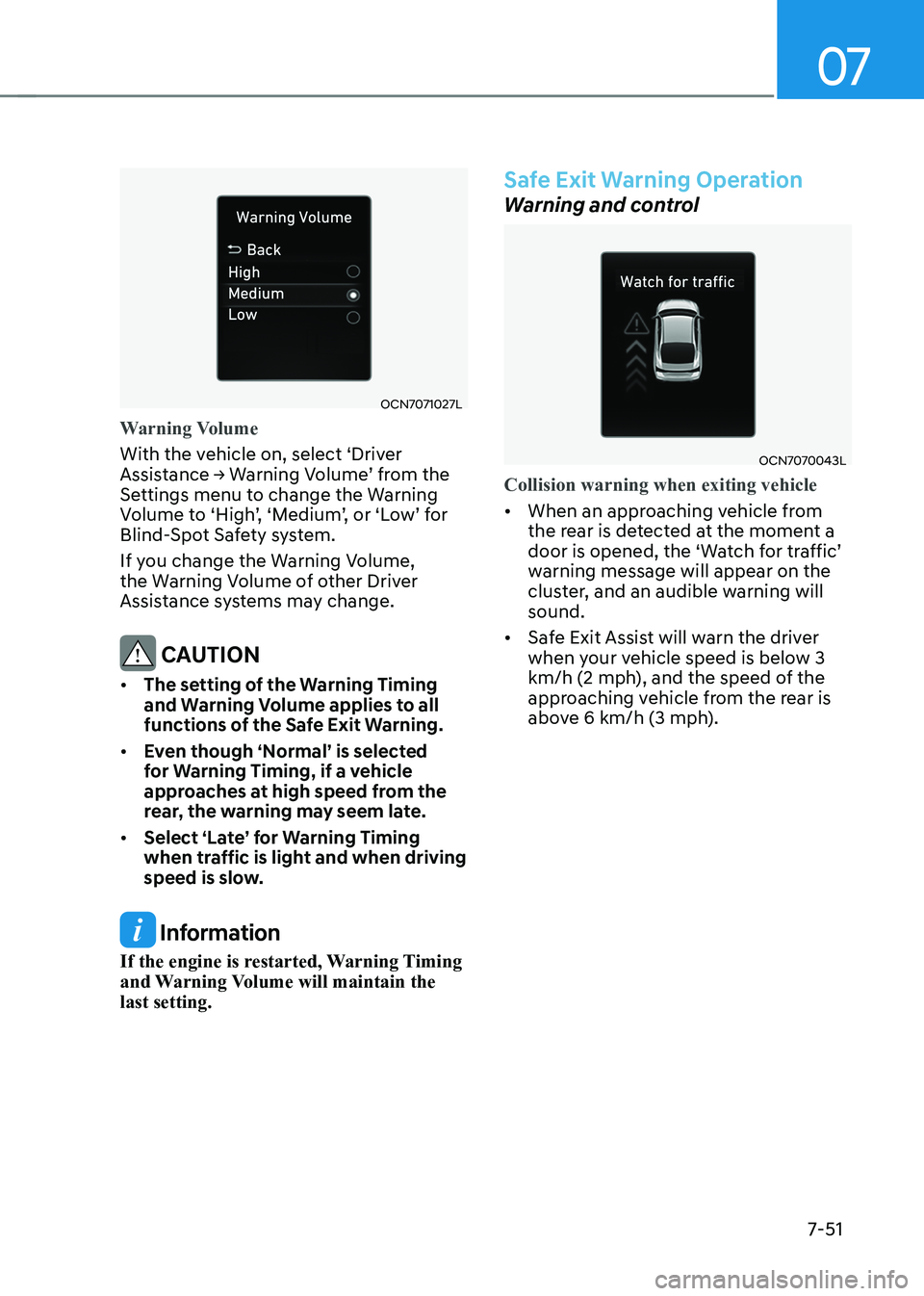
Warning Volume
With the vehicle on, select ‘Driver
Assistance → Warning Volume’ from the
Settings menu to change the Warning
Volume to ‘High’, ‘Medium’, or ‘Low’ for
Blind-Spot Safety system.
If you change the Warning Volume,
the Warning Volume of other Driver
Assistance systems may change.
CAUTION
• The setting of the Warning Timing
and Warning Volume applies to all
functions of the Safe Exit Warning.
• Even though ‘Normal’ is selected
for Warning Timing, if a vehicle
approaches at high speed from the
rear, the warning may seem late.
• Select ‘Late’ for Warning Timing
when traffic is light and when driving
speed is slow.
Information
If the engine is restarted, Warning Timing
and Warning Volume will maintain the last setting.
Safe Exit Warning Operation
Warning and control
OCN7070043L
Collision warning when exiting vehicle
• When an approaching vehicle from
the rear is detected at the moment a
door is opened, the ‘Watch for traffic’
warning message will appear on the
cluster, and an audible warning will sound.
• Safe Exit Assist will warn the driver
when your vehicle speed is below 3
km/h (2 mph), and the speed of the
approaching vehicle from the rear is
above 6 km/h (3 mph).