lock HYUNDAI ELANTRA LIMITED 2017 Owners Manual
[x] Cancel search | Manufacturer: HYUNDAI, Model Year: 2017, Model line: ELANTRA LIMITED, Model: HYUNDAI ELANTRA LIMITED 2017Pages: 586, PDF Size: 15.29 MB
Page 368 of 586
5-48
Driving your vehicle
Limitations of the System
The driver must be cautious in the
below situations, because the sys-
tem may not detect other vehicles or
objects in certain circumstances.
- The vehicle drives on a curved roador through a tollgate.
- The sensor is polluted with rain, snow, mud, etc.
- The rear bumper where the sensor is located is covered with a foreign
object such as a bumper sticker, a
bumper guard, a bike stand, etc.
- The rear bumper is damaged, or the sensor is out of the original
default position.
- The vehicle height gets lower or higher due to heavy loading in a
trunk, abnormal tire pressure, etc.
- The vehicle drives in inclement weather such as heavy rain or
snow.
- There is a fixed object near the vehicle, such as a guardrail.
- A big vehicle is near such as a bus or truck. - A motorcycle or bicycle is near.
- A flat trailer is near.
- If the vehicle has started at the
same time as the vehicle next to
you and has accelerated.
- When the other vehicle passes at a very fast speed.
- While changing lanes.
- While going down or up a steep road where the height of the lane is
different.
- When the other vehicle approaches very close.
- When a trailer or carrier is installed.
- When the temperature of the rear bumper is high.
- When the sensors are blocked by the other vehicles, walls or parking-
lot pillars.
- When the detected vehicle also moves back, as your vehicle drives
back.
- If there are small objects in the detecting area such as a shopping
cart or a baby carriage.
- If there is a low height vehicle such as a sports car. - When other vehicles are close to
your vehicle.
- When the vehicle in the next lane moves two lanes away from you
OR when the vehicle two lanes
away moves to the next lane from
you.
- When driving through a narrow road with many trees or bushes.
Information
This device complies with Part 15 of
the FCC rules.
Operation is subject to the following
two conditions:
1. This device may not cause harmful interference, and
2. This device must accept any inter- ference received, including interfer-
ence that may cause undesired
operation.
i
Page 374 of 586
5-54
Driving your vehicle
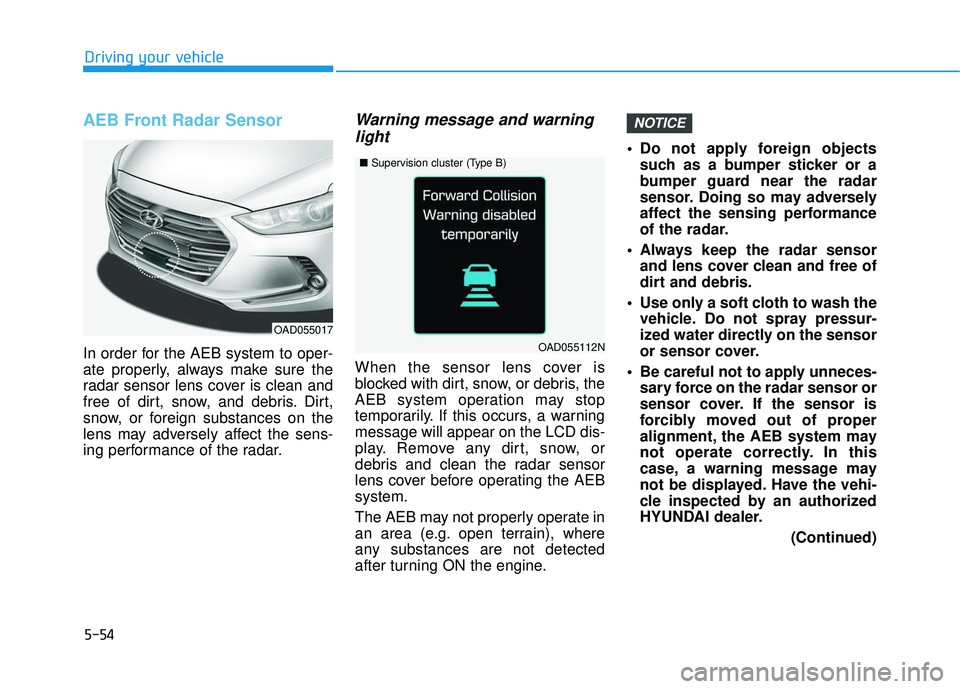
AEB Front Radar Sensor
In order for the AEB system to oper-
ate properly, always make sure the
radar sensor lens cover is clean and
free of dirt, snow, and debris. Dirt,
snow, or foreign substances on the
lens may adversely affect the sens-
ing performance of the radar.
Warning message and warninglight
When the sensor lens cover is
blocked with dirt, snow, or debris, the
AEB system operation may stop
temporarily. If this occurs, a warning
message will appear on the LCD dis-
play. Remove any dirt, snow, or
debris and clean the radar sensor
lens cover before operating the AEB
system.
The AEB may not properly operate in
an area (e.g. open terrain), where
any substances are not detected
after turning ON the engine. Do not apply foreign objects
such as a bumper sticker or a
bumper guard near the radar
sensor. Doing so may adversely
affect the sensing performance
of the radar.
Always keep the radar sensor and lens cover clean and free of
dirt and debris.
Use only a soft cloth to wash the vehicle. Do not spray pressur-
ized water directly on the sensor
or sensor cover.
Be careful not to apply unneces- sary force on the radar sensor or
sensor cover. If the sensor is
forcibly moved out of proper
alignment, the AEB system may
not operate correctly. In this
case, a warning message may
not be displayed. Have the vehi-
cle inspected by an authorized
HYUNDAI dealer.
(Continued)
NOTICE
OAD055017
■Supervision cluster (Type B)
OAD055112N
Page 377 of 586
5-57
Driving your vehicle
5
Detecting vehicles
The sensor may be limited when:
- The radar sensor or camera isblocked with a foreign object or
debris.
- Inclement weather such as heavy rain or snow obscures the field of
view of the radar sensor or cam-
era.
- There is interference by electro- magnetic waves.
- There is severe irregular reflection from the radar sensor.
- The vehicle in front is too small to be detected by the camera recog-
nition system (for example a motor-
cycle or a bicycle, etc.).
- The vehicle in front is an oversize vehicle or trailer that is too big to
be detected by the camera recog-
nition system (for example a tractor
trailer, etc.).
- The driver's field of view is not well illuminated (either too dark or too
much reflection or too much back-
light that obscures the field of
view). - The vehicle in front does not have
their rear lights properly turned
ON.
- The outside brightness changes suddenly, for example when enter-
ing or exiting a tunnel.
- The vehicle in front is driving errat- ically.
- The vehicle drives through a con- struction area, on an unpaved
road, or above metal materials,
such as a railway.
- The vehicle drives inside a build- ing, such as a basement parking
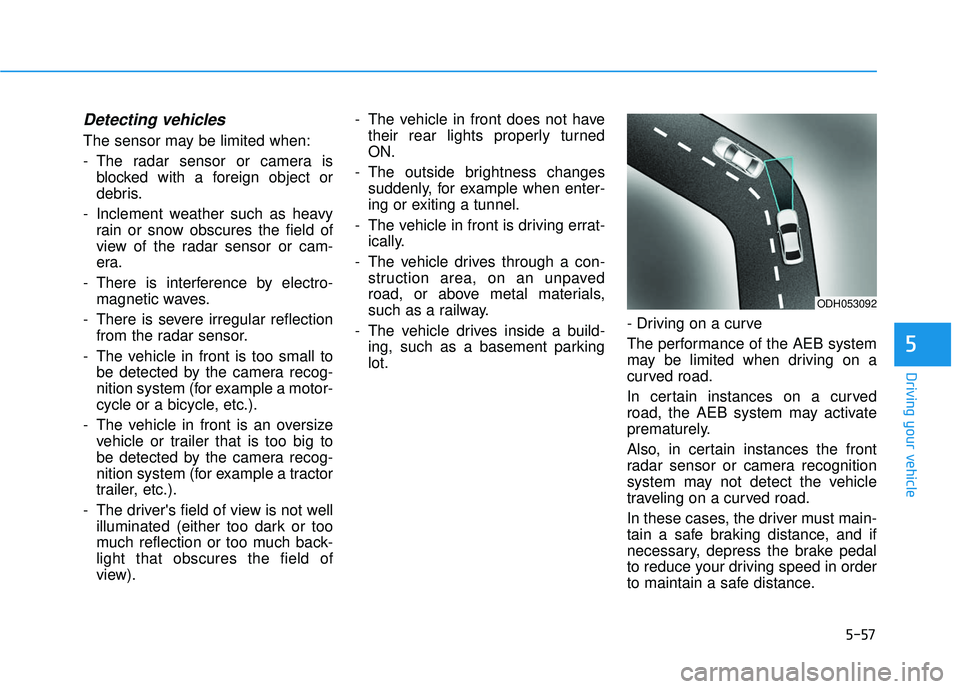
lot. - Driving on a curve
The performance of the AEB system
may be limited when driving on a
curved road.
In certain instances on a curved
road, the AEB system may activate
prematurely.
Also, in certain instances the front
radar sensor or camera recognition
system may not detect the vehicle
traveling on a curved road.
In these cases, the driver must main-
tain a safe braking distance, and if
necessary, depress the brake pedal
to reduce your driving speed in order
to maintain a safe distance.
ODH053092
Page 386 of 586
5-66
Limitations of the System
The LDWS may operate prematurely
even if the vehicle does not depart
from the intended lane, OR, the
LDWS may not warn you if the vehi-
cle leaves the intended lane under
the following circumstances:
The lanes ahead are not visibledue to rain, snow, water on the
road, damaged or stained road
surface, or other factors.
The brightness outside changes suddenly such as when entering or
exiting a tunnel.
The brightness outside is too low such as when the headlamps are
not on at night or the vehicle is
going through a tunnel.
It is difficult to distinguish the lane marking from the road surface or
the lane marking is faded or not
clearly marked.
Driving on a steep grade, over a hill, or when driving on a curved
road. When light coming from a street
light or an oncoming vehicle is
reflected on a wet road surface
such as a puddle in the road.
The windshield or the LDWS cam- era lens is blocked with dirt or
debris.
The field of view in front is obstructed by sun glare.
The lanes are incomplete or the area is in a construction zone.
There are more than two lane lines on the road in front of you.
The lane markings are not clearly visible from the road.
The lane width is too wide or too narrow. See previous page.
The windshield glass is fogged up; a clear view of the road is obstruct-
ed.
There are markings on the road surface that look like a lane line
that is inadvertently being detected
by the camera. There is a boundary structure in
the roadway such as a concrete
barrier that is inadvertently being
detected by the camera.
There is not enough distance between you and the vehicle in
front to be able to detect the lane
line or the vehicle ahead is driving
on the lane line.
The adverse road conditions cause excessive vehicle vibrations while
driving.
Driving your vehicle
Page 400 of 586
5-80
Driving your vehicle
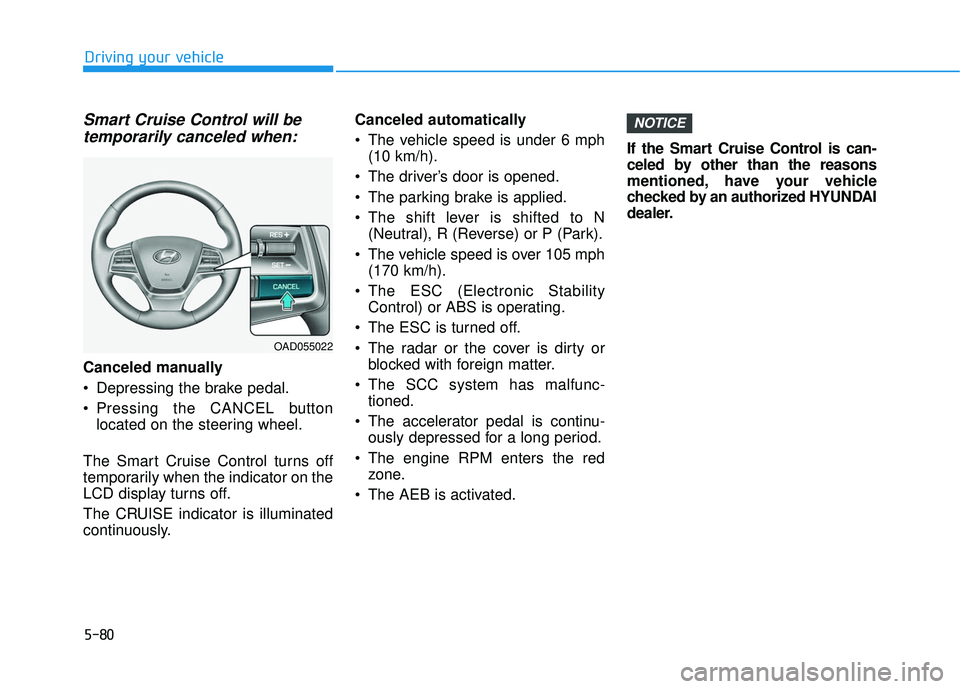
Smart Cruise Control will betemporarily canceled when:
Canceled manually
Depressing the brake pedal.
Pressing the CANCEL button
located on the steering wheel.
The Smart Cruise Control turns off
temporarily when the indicator on the
LCD display turns off.
The CRUISE indicator is illuminated
continuously. Canceled automatically
The vehicle speed is under 6 mph
(10 km/h).
The driver’s door is opened.
The parking brake is applied.
The shift lever is shifted to N (Neutral), R (Reverse) or P (Park).
The vehicle speed is over 105 mph (170 km/h).
The ESC (Electronic Stability Control) or ABS is operating.
The ESC is turned off.
The radar or the cover is dirty or blocked with foreign matter.
The SCC system has malfunc- tioned.
The accelerator pedal is continu- ously depressed for a long period.
The engine RPM enters the red zone.
The AEB is activated. If the Smart Cruise Control is can-
celed by other than the reasons
mentioned, have your vehicle
checked by an authorized HYUNDAI
dealer.
NOTICE
OAD055022
Page 405 of 586
5-85
Driving your vehicle
5
Warning message
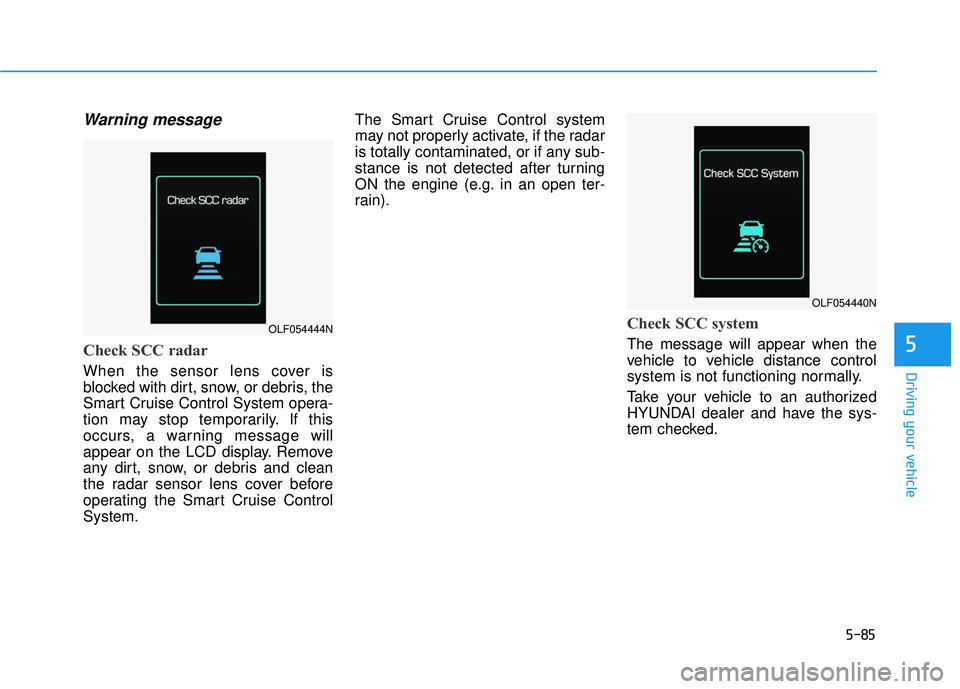
Check SCC radar
When the sensor lens cover is
blocked with dirt, snow, or debris, the
Smart Cruise Control System opera-
tion may stop temporarily. If this
occurs, a warning message will
appear on the LCD display. Remove
any dirt, snow, or debris and clean
the radar sensor lens cover before
operating the Smart Cruise Control
System.The Smart Cruise Control system
may not properly activate, if the radar
is totally contaminated, or if any sub-
stance is not detected after turning
ON the engine (e.g. in an open ter-
rain).
Check SCC system
The message will appear when the
vehicle to vehicle distance control
system is not functioning normally.
Take your vehicle to an authorized
HYUNDAI dealer and have the sys-
tem checked.
OLF054440N
OLF054444N
Page 417 of 586
5-97
Driving your vehicle
5
Information
• Install tire chains on the front tires.It should be noted that installing tire
chains on the tires will provide a
greater driving force, but will not
prevent side skids.
• Do not install studded tires without first checking local, state and
municipal regulations for possible
restrictions against their use.
Chain installation
When installing tire chains, follow the
manufacturer’s instructions and
mount them as tightly possible. Drive
slowly (less than 20 mph (30 km/h))
with chains installed. If you hear the
chains contacting the body or chas-
sis, stop and tighten them. If they still
make contact, slow down until the
noise stops. Remove the tire chains
as soon as you begin driving on
cleared roads.
When mounting snow chains, park
the vehicle on level ground away
from traffic. Turn on the vehicle
Hazard Warning Flasher and place a
triangular emergency warning device
behind the vehicle (if available).
Always place the vehicle in P (Park),
apply the parking brake and turn off
the engine before installing snow
chains.i
The use of tire chains may
adversely affect vehicle han-
dling:
Drive less than 20 mph
(30 km/h) or the chain manu-
facturer's recommended speed
limit, whichever is lower.
Drive carefully and avoid
bumps, holes, sharp turns,
and other road hazards, which
may cause the vehicle to
bounce.
Avoid sharp turns or locked
wheel braking.
WARNING
Page 419 of 586
5-99
Driving your vehicle
5
Check spark plugs and ignitionsystem
Inspect your spark plugs as
described in chapter 7 and replace
them if necessary. Also check all
ignition wiring and components to be
sure they are not cracked, worn or
damaged in any way.
Use approved window washeranti-freeze in system
To keep the water in the window
washer system from freezing, add an
approved window washer anti-freeze
solution in accordance with instruc-
tions on the container. Window wash-
er anti-freeze is available from an
authorized HYUNDAI dealer and
most auto parts outlets. Do not use
engine coolant or other types of anti-
freeze as these may damage the
paint finish.
Do not let your parking brakefreeze
Under some conditions your parking
brake can freeze in the engaged
position. This is most likely to happen
when there is an accumulation of
snow or ice around or near the rear
brakes or if the brakes are wet. If
there is a risk the parking brake may
freeze, apply it only temporarily while
you put the gear selector lever in P
and block the rear wheels so the car
cannot roll. Then release the parking
brake.
Do not let ice and snow accu-mulate underneath
Under some conditions, snow and
ice can build up under the fenders
and interfere with the steering. When
driving in severe winter conditions
where this may happen, you should
periodically check underneath the
car to be sure the movement of the
front wheels and the steering com-
ponents is not obstructed.
Don't place foreign objects ormaterials in the engine com-partment
Placement of foreign object or mate-
rials which prevent cooling of the
engine, in the engine compartment,
may cause a failure or combustion.
The manufacturer is not responsible
for the damage caused by such
placement.
To keep locks from freezing
To keep the locks from freezing,
squirt an approved de-icer fluid or
glycerine into the key opening. If a
lock is covered with ice, squirt it with
an approved de-icing fluid to remove
the ice. If the lock is frozen internally,
you may be able to thaw it out by
using a heated key. Handle the heat-
ed key with care to avoid injury.
Page 428 of 586
6-3
What to do in an emergency
If you Have a Flat Tire While
Driving
If a tire goes flat while you are driving:
Take your foot off the acceleratorpedal and let the vehicle slow down
while driving straight ahead. Do not
apply the brakes immediately or
attempt to pull off the road as this
may cause loss of vehicle control
resulting in an accident. When the
vehicle has slowed to such a speed
that it is safe to do so, brake care-
fully and pull off the road. Drive off
the road as far as possible and park
on firm, level ground. If you are on
a divided highway, do not park in
the median area between the two
traffic lanes.
When the vehicle is stopped, press the hazard warning flasher button,
move the shift lever into P(Park),
and apply the parking brake, and
place the ignition switch in the
LOCK/OFF position.
Have all passengers get out of the vehicle. Be sure they all get out on
the side of the vehicle that is away
from traffic.
When changing a flat tire, follow the instructions provided later in
this chapter.
If the Engine Doesn't Turn
Over or Turns Over Slowly
Be sure the shift lever is in N
(Neutral) or P (Park). The engine
starts only when the shift lever is in
N (Neutral) or P (Park).
Check the battery connections to be sure they are clean and tight.
Turn on the interior light. If the light dims or goes out when you operate
the starter, the battery is drained.
Do not push or pull the vehicle to
start it. This could cause damage to
your vehicle. See instructions for
"Jump Starting" provided in this
chapter.
If the Engine Turns Over
Normally but Doesn't Start
Check the fuel level and add fuel if
necessary.
If the engine still does not start, have
your vehicle checked by an author-
ized HYUNDAI dealer.
6
I I F
F
T
T H
H E
E
E
E N
N G
GI
IN
N E
E
W
W I
IL
L L
L
N
N O
O T
T
S
S T
T A
A R
RT
T
Push or pull starting the vehicle
may cause the catalytic con-
verter to overload which can
lead to damage to the emission
control system.
CAUTION
Page 433 of 586
6-8
What to do in an emergency6. If you cannot find the cause of theoverheating, wait until the engine
temperature has returned to nor-
mal. Then, if coolant has been
lost, carefully add coolant to the
reservoir to bring the fluid level in
the reservoir up to the halfway
mark.
7. Proceed with caution, keeping alert for further signs of overheat-
ing. If overheating happens again,
call an authorized HYUNDAI deal-
er for assistance.
Serious loss of coolant indi-
cates a leak in the cooling sys-
tem and should be checked as
soon as possible by an author-
ized HYUNDAI dealer.
CAUTION
Your vehicle is
equipped with a pres-
surized coolant
reserve tank. NEVER
remove the coolant
reserve tank cap or the radiator
drain plug while the engine and
radiator are HOT. Hot coolant
and steam may blow out under
pressure, causing serious
injury.
Turn the engine off and wait
until the engine cools down.
Use extreme care when remov-
ing the coolant reserve tank
cap. Wrap a towel or thick rag
around it, and turn it counter-
clockwise slowly to release
some of the pressure from the
system. Step back while the
pressure is released.
When you are sure all the pres-
sure has been released, contin-
ue turning the cap counter-
clockwise to remove it.
WARNING