display HYUNDAI ELANTRA SE 2017 Owners Manual
[x] Cancel search | Manufacturer: HYUNDAI, Model Year: 2017, Model line: ELANTRA SE, Model: HYUNDAI ELANTRA SE 2017Pages: 586, PDF Size: 15.29 MB
Page 364 of 586
5-44
Driving your vehicle
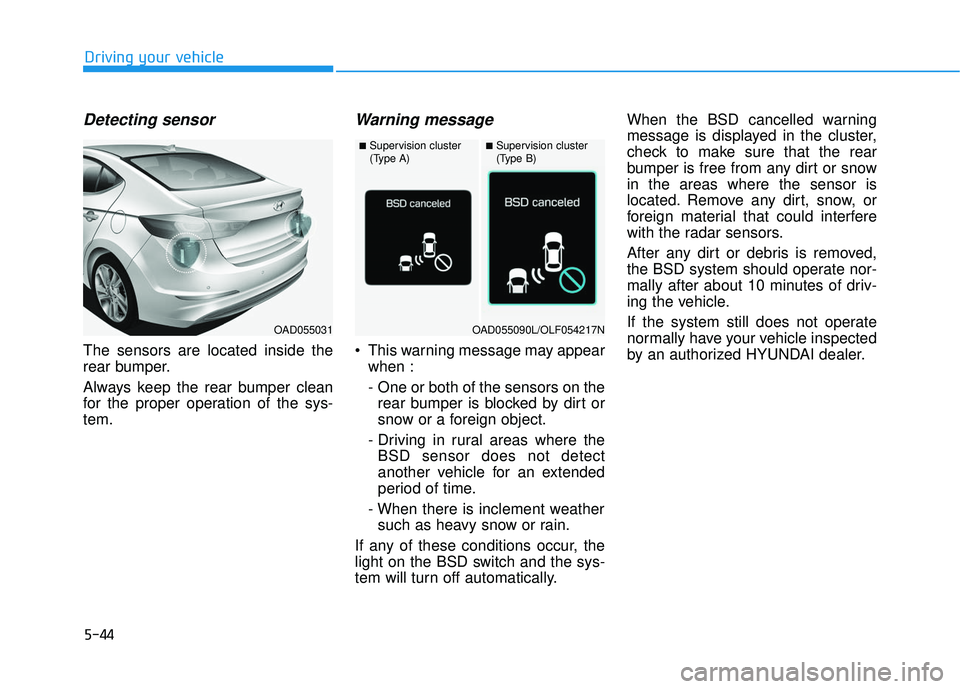
Detecting sensor
The sensors are located inside the
rear bumper.
Always keep the rear bumper clean
for the proper operation of the sys-
tem.
Warning message
This warning message may appearwhen :
- One or both of the sensors on therear bumper is blocked by dirt or
snow or a foreign object.
- Driving in rural areas where the BSD sensor does not detect
another vehicle for an extended
period of time.
- When there is inclement weather such as heavy snow or rain.
If any of these conditions occur, the
light on the BSD switch and the sys-
tem will turn off automatically. When the BSD cancelled warning
message is displayed in the cluster,
check to make sure that the rear
bumper is free from any dirt or snow
in the areas where the sensor is
located. Remove any dirt, snow, or
foreign material that could interfere
with the radar sensors.
After any dirt or debris is removed,
the BSD system should operate nor-
mally after about 10 minutes of driv-
ing the vehicle.
If the system still does not operate
normally have your vehicle inspected
by an authorized HYUNDAI dealer.
OAD055031
■Supervision cluster
(Type A)■Supervision cluster
(Type B)
OAD055090L/OLF054217N
Page 365 of 586
5-45
Driving your vehicle
5
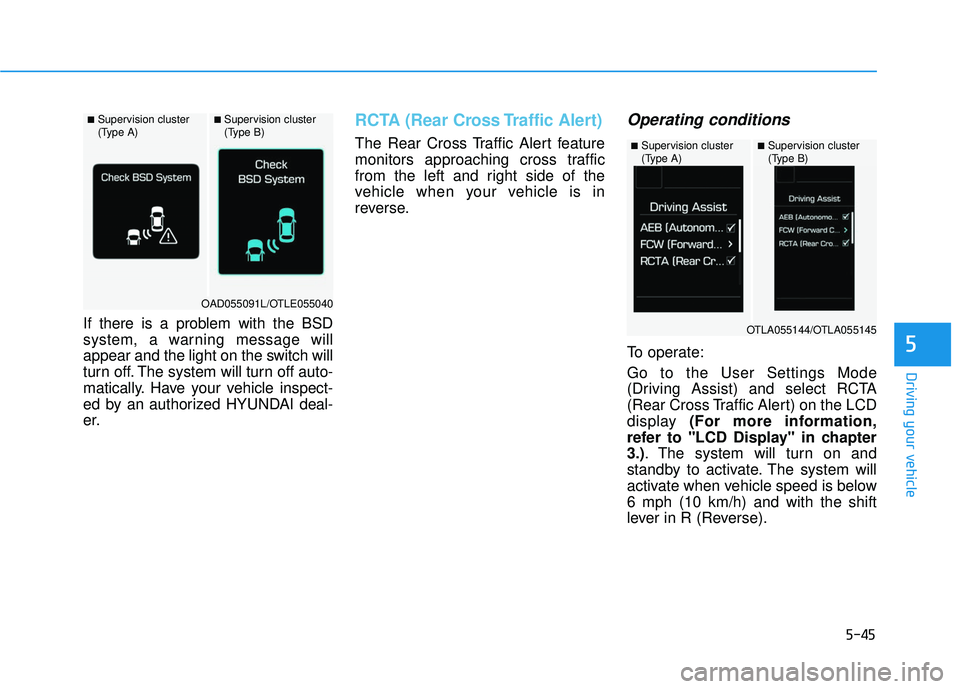
If there is a problem with the BSD
system, a warning message will
appear and the light on the switch will
turn off. The system will turn off auto-
matically. Have your vehicle inspect-
ed by an authorized HYUNDAI deal-
er.
RCTA (Rear Cross Traffic Alert)
The Rear Cross Traffic Alert feature
monitors approaching cross traffic
from the left and right side of the
vehicle when your vehicle is in
reverse.
Operating conditions
To operate:
Go to the User Settings Mode
(Driving Assist) and select RCTA
(Rear Cross Traffic Alert) on the LCD
display (For more information,
refer to "LCD Display" in chapter
3.). The system will turn on and
standby to activate. The system will
activate when vehicle speed is below
6 mph (10 km/h) and with the shift
lever in R (Reverse).
■Supervision cluster
(Type A)■Supervision cluster
(Type B)
OAD055091L/OTLE055040
■Supervision cluster
(Type A)■Supervision cluster
(Type B)
OTLA055144/OTLA055145
Page 366 of 586
5-46
Driving your vehicle
Information
The Rear Cross Traffic Alert (RCTA)
detecting range is approximately 1 -
65 ft (0.5 – 20 m). An approaching
vehicle will be detected if their vehicle
speed is within 2.5 - 22.5 mph (4 - 36
km/h).
Note that the detecting range may
vary under certain conditions. As
always, use caution and pay close
attention to your surroundings when
backing up your vehicle.
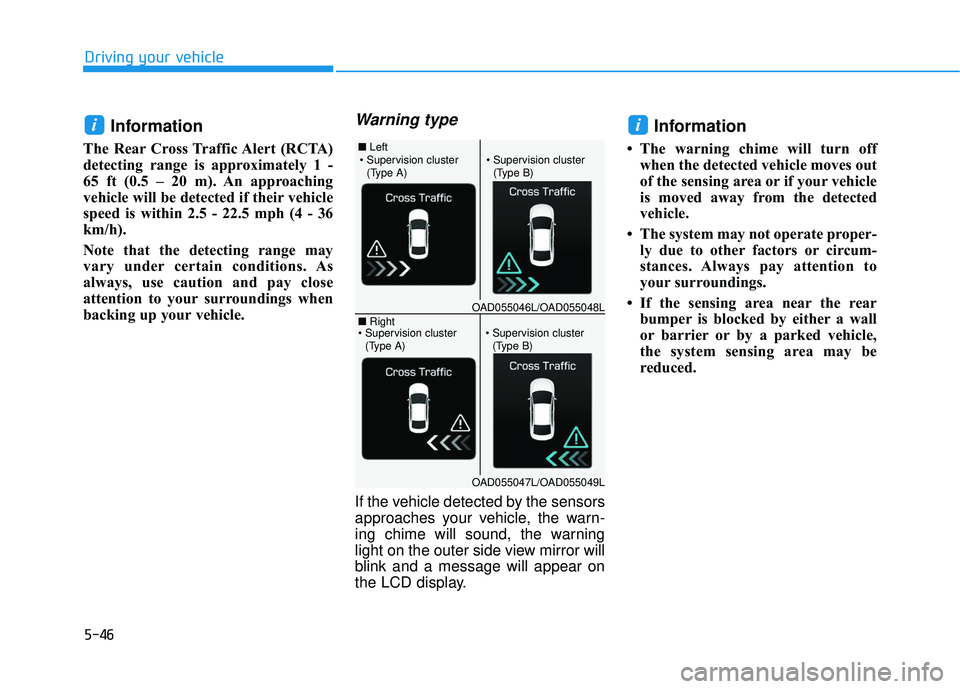
Warning type
If the vehicle detected by the sensors
approaches your vehicle, the warn-
ing chime will sound, the warning
light on the outer side view mirror will
blink and a message will appear on
the LCD display.
Information
• The warning chime will turn offwhen the detected vehicle moves out
of the sensing area or if your vehicle
is moved away from the detected
vehicle.
• The system may not operate proper- ly due to other factors or circum-
stances. Always pay attention to
your surroundings.
• If the sensing area near the rear bumper is blocked by either a wall
or barrier or by a parked vehicle,
the system sensing area may be
reduced.
ii
■ Left
■ Right
(Type A)(Type B)
OAD055046L/OAD055048L
OAD055047L/OAD055049L
(Type A)(Type B)
Page 370 of 586
5-50
Driving your vehicleThe warning light illumi-
nates on the LCD display,
when you cancel the AEB
system. The driver can
monitor the AEB ON/OFF status on
the LCD display. If the warning light
remains ON when the AEB is acti-
vated, have the system checked by
an authorized HYUNDAI dealer.
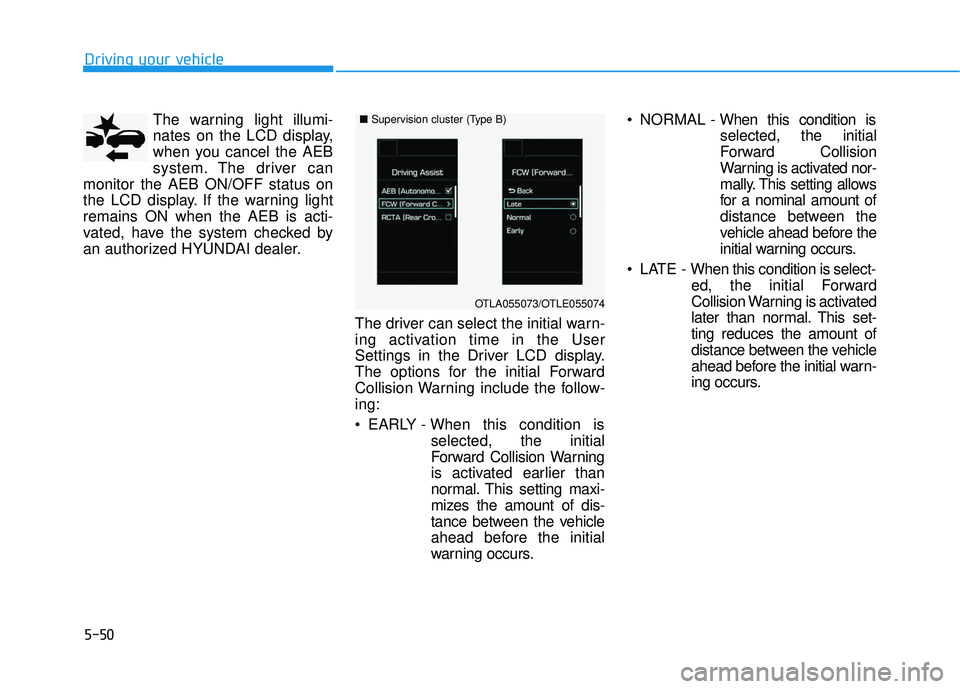
The driver can select the initial warn-
ing activation time in the User
Settings in the Driver LCD display.
The options for the initial Forward
Collision Warning include the follow-
ing:
EARLY - When this condition isselected, the initial
Forward Collision Warning
is activated earlier than
normal. This setting maxi-
mizes the amount of dis-
tance between the vehicle
ahead before the initial
warning occurs. NORMAL -
When this condition is
selected, the initial
Forward Collision
Warning is activated nor-
mally. This setting allows
for a nominal amount of
distance between the
vehicle ahead before the
initial warning occurs.
LATE - When this condition is select- ed, the initial Forward
Collision Warning is activated
later than normal. This set-
ting reduces the amount of
distance between the vehicle
ahead before the initial warn-
ing occurs.
■Supervision cluster (Type B)
OTLA055073/OTLE055074
Page 371 of 586
5-51
Driving your vehicle
5
Prerequisite for activation
The AEB system is on and ready
when AEB is selected on the LCD
display and when the following pre-
requisites are satisfied:
- The ESC (Electronic StabilityControl) or TCS (Traction Control
System) is activated.
- Driving speed exceeds approxi- mately 6mph (10km/h). (The AEB
is only activated within a certain
speed range.)
- The system detects a pedestrian or a vehicle in front, which may collide
with your vehicle. (The AEB may
not be activated or may sound a
warning alarm in accordance with
the driving situation or vehicle con-
dition.)
AEB Warning Message and
System Control
The AEB produces warning mes-
sages and warning alarms in accor-
dance with the collision risk levels,
such as abrupt stopping of the vehi-
cle in front, insufficient braking dis-
tance, or pedestrian detection. Also,
it controls the brakes in accordance
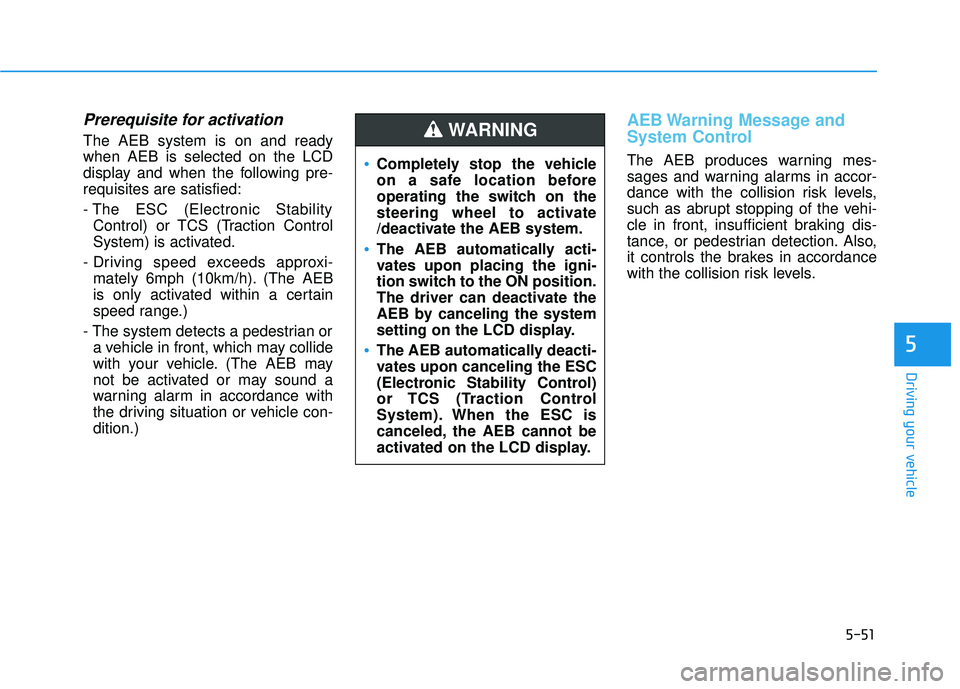
with the collision risk levels.Completely stop the vehicle
on a safe location before
operating the switch on the
steering wheel to activate
/deactivate the AEB system.
The AEB automatically acti-
vates upon placing the igni-
tion switch to the ON position.
The driver can deactivate the
AEB by canceling the system
setting on the LCD display.
The AEB automatically deacti-
vates upon canceling the ESC
(Electronic Stability Control)
or TCS (Traction Control
System). When the ESC is
canceled, the AEB cannot be
activated on the LCD display.
WARNING
Page 372 of 586
5-52
Driving your vehicle
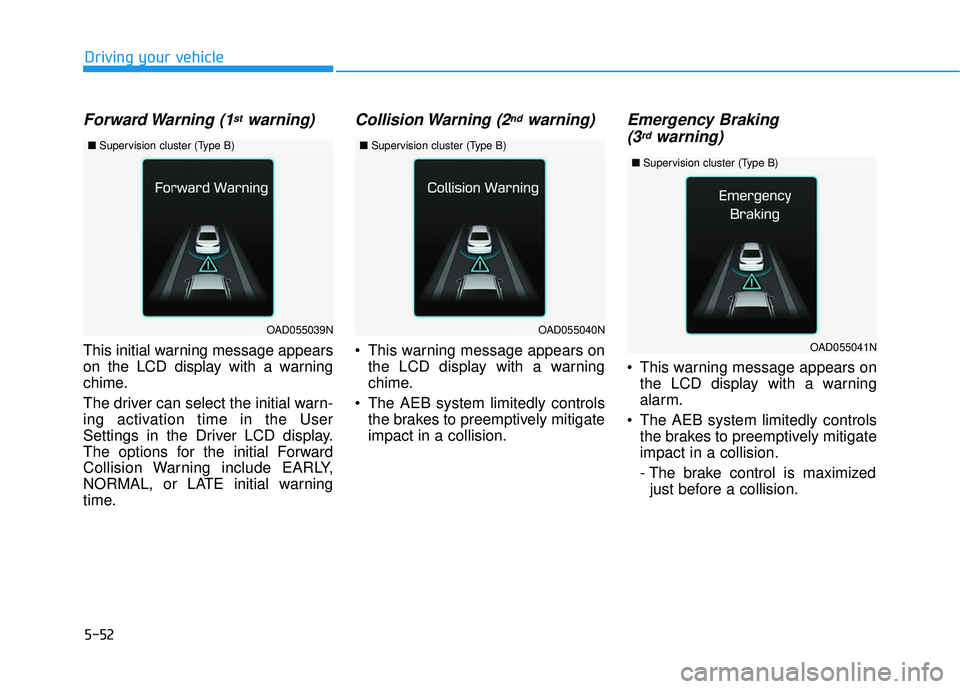
Forward Warning (1stwarning)
This initial warning message appears
on the LCD display with a warning
chime.
The driver can select the initial warn-
ing activation time in the User
Settings in the Driver LCD display.
The options for the initial Forward
Collision Warning include EARLY,
NORMAL, or LATE initial warning
time.
Collision Warning (2ndwarning)
This warning message appears onthe LCD display with a warning
chime.
The AEB system limitedly controls the brakes to preemptively mitigate
impact in a collision.
Emergency Braking(3rdwarning)
This warning message appears on
the LCD display with a warning
alarm.
The AEB system limitedly controls the brakes to preemptively mitigate
impact in a collision.
- The brake control is maximizedjust before a collision.
OAD055039NOAD055040N
■ Supervision cluster (Type B)■Supervision cluster (Type B)
OAD055041N
■Supervision cluster (Type B)
Page 374 of 586
5-54
Driving your vehicle
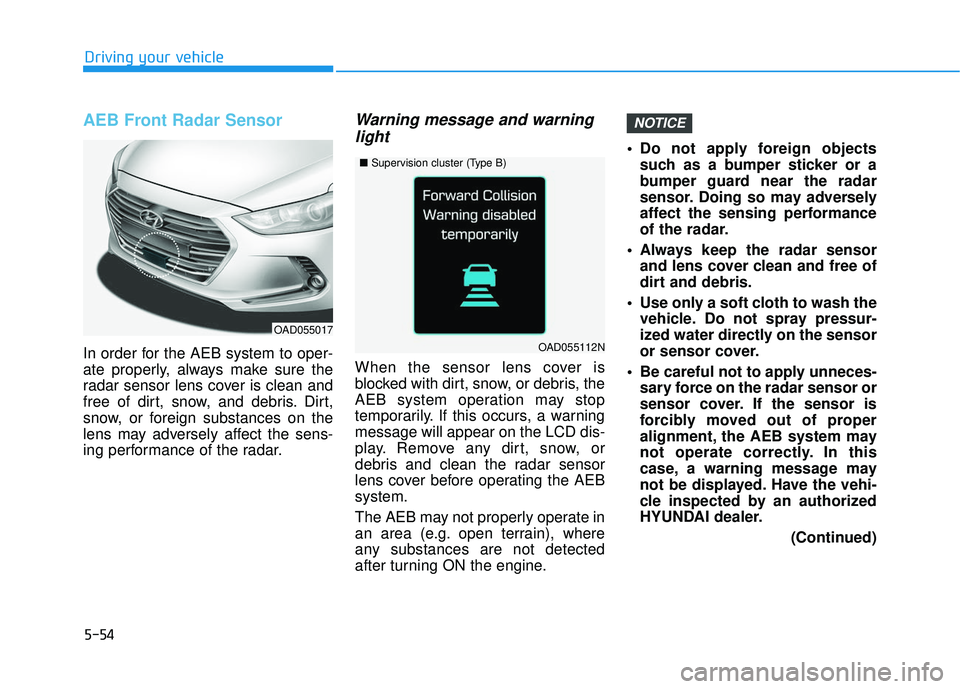
AEB Front Radar Sensor
In order for the AEB system to oper-
ate properly, always make sure the
radar sensor lens cover is clean and
free of dirt, snow, and debris. Dirt,
snow, or foreign substances on the
lens may adversely affect the sens-
ing performance of the radar.
Warning message and warninglight
When the sensor lens cover is
blocked with dirt, snow, or debris, the
AEB system operation may stop
temporarily. If this occurs, a warning
message will appear on the LCD dis-
play. Remove any dirt, snow, or
debris and clean the radar sensor
lens cover before operating the AEB
system.
The AEB may not properly operate in
an area (e.g. open terrain), where
any substances are not detected
after turning ON the engine. Do not apply foreign objects
such as a bumper sticker or a
bumper guard near the radar
sensor. Doing so may adversely
affect the sensing performance
of the radar.
Always keep the radar sensor and lens cover clean and free of
dirt and debris.
Use only a soft cloth to wash the vehicle. Do not spray pressur-
ized water directly on the sensor
or sensor cover.
Be careful not to apply unneces- sary force on the radar sensor or
sensor cover. If the sensor is
forcibly moved out of proper
alignment, the AEB system may
not operate correctly. In this
case, a warning message may
not be displayed. Have the vehi-
cle inspected by an authorized
HYUNDAI dealer.
(Continued)
NOTICE
OAD055017
■Supervision cluster (Type B)
OAD055112N
Page 375 of 586
5-55
Driving your vehicle
5
(Continued)
If the front bumper becomesdamaged in the area around the
radar sensor, the AEB system
may not operate properly. Have
the vehicle inspected by an
authorized HYUNDAI dealer.
Use only genuine HYUNDAI parts to repair or replace a dam-
aged sensor or sensor cover. Do
not apply paint to the sensor
cover.System Malfunction
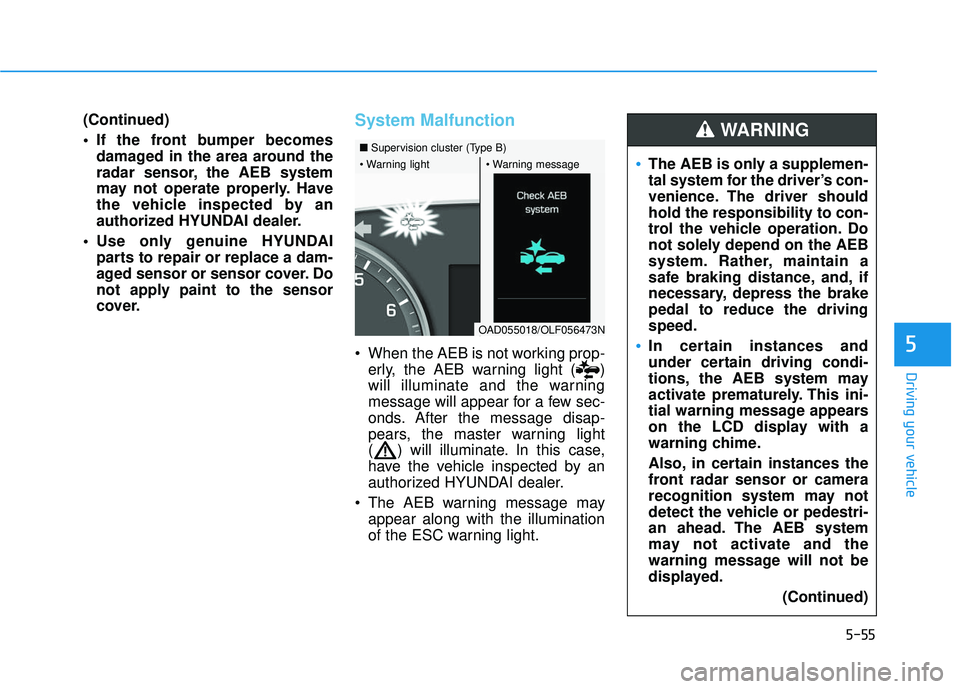
When the AEB is not working prop-erly, the AEB warning light ( )
will illuminate and the warning
message will appear for a few sec-
onds. After the message disap-
pears, the master warning light
( ) will illuminate. In this case,
have the vehicle inspected by an
authorized HYUNDAI dealer.
The AEB warning message may appear along with the illumination
of the ESC warning light.
■ Supervision cluster (Type B)
OAD055018/OLF056473N
The AEB is only a supplemen-
tal system for the driver’s con-
venience. The driver should
hold the responsibility to con-
trol the vehicle operation. Do
not solely depend on the AEB
system. Rather, maintain a
safe braking distance, and, if
necessary, depress the brake
pedal to reduce the driving
speed.
In certain instances and
under certain driving condi-
tions, the AEB system may
activate prematurely. This ini-
tial warning message appears
on the LCD display with a
warning chime.
Also, in certain instances the
front radar sensor or camera
recognition system may not
detect the vehicle or pedestri-
an ahead. The AEB system
may not activate and the
warning message will not be
displayed.
(Continued)
WARNING
Page 382 of 586
5-62
LKAS Operation
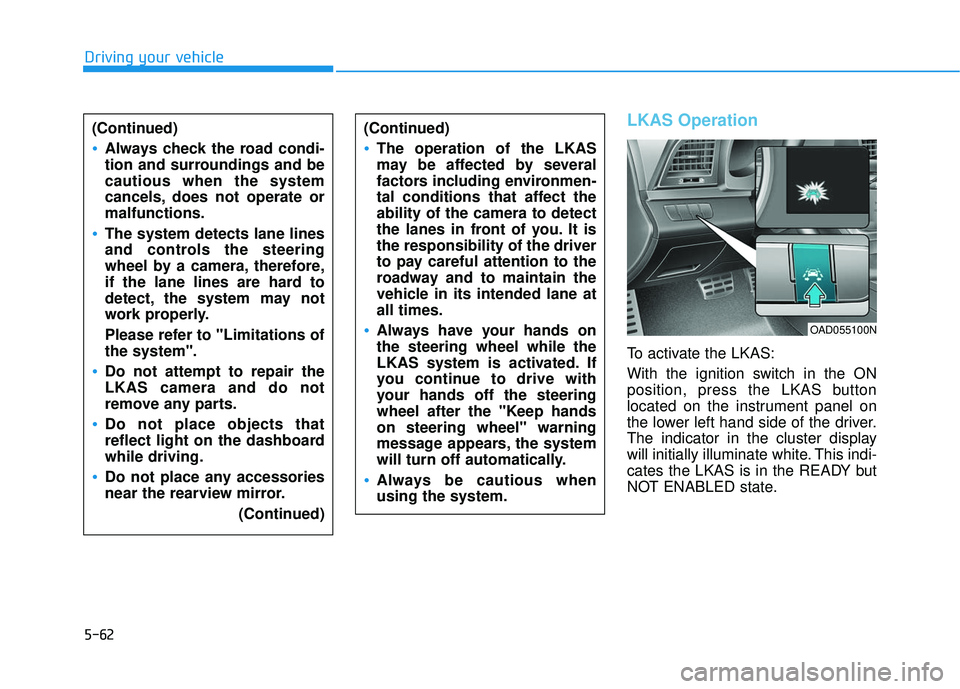
To activate the LKAS:
With the ignition switch in the ON
position, press the LKAS button
located on the instrument panel on
the lower left hand side of the driver.
The indicator in the cluster display
will initially illuminate white. This indi-
cates the LKAS is in the READY but
NOT ENABLED state.
Driving your vehicle(Continued)
Always check the road condi-
tion and surroundings and be
cautious when the system
cancels, does not operate or
malfunctions.
The system detects lane lines
and controls the steering
wheel by a camera, therefore,
if the lane lines are hard to
detect, the system may not
work properly.
Please refer to "Limitations of
the system".
Do not attempt to repair the
LKAS camera and do not
remove any parts.
Do not place objects that
reflect light on the dashboard
while driving.
Do not place any accessories
near the rearview mirror. (Continued)
(Continued)
The operation of the LKAS
may be affected by several
factors including environmen-
tal conditions that affect the
ability of the camera to detect
the lanes in front of you. It is
the responsibility of the driver
to pay careful attention to the
roadway and to maintain the
vehicle in its intended lane at
all times.
Always have your hands on
the steering wheel while the
LKAS system is activated. If
you continue to drive with
your hands off the steering
wheel after the "Keep hands
on steering wheel" warning
message appears, the system
will turn off automatically.
Always be cautious when
using the system.
OAD055100N
Page 383 of 586
5-63
Driving your vehicle
LKAS activation
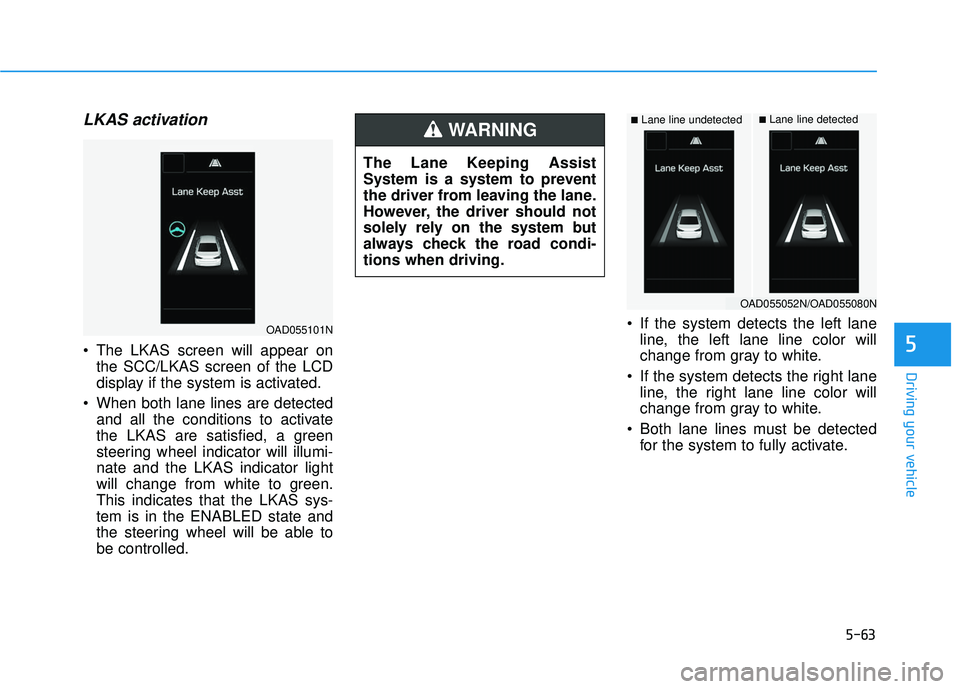
The LKAS screen will appear onthe SCC/LKAS screen of the LCD
display if the system is activated.
When both lane lines are detected and all the conditions to activate
the LKAS are satisfied, a green
steering wheel indicator will illumi-
nate and the LKAS indicator light
will change from white to green.
This indicates that the LKAS sys-
tem is in the ENABLED state and
the steering wheel will be able to
be controlled. If the system detects the left lane
line, the left lane line color will
change from gray to white.
If the system detects the right lane line, the right lane line color will
change from gray to white.
Both lane lines must be detected for the system to fully activate.5
■Lane line undetected■Lane line detected
OAD055101N
OAD055052N/OAD055080N
The Lane Keeping Assist
System is a system to prevent
the driver from leaving the lane.
However, the driver should not
solely rely on the system but
always check the road condi-
tions when driving.
WARNING