Tor HYUNDAI ELANTRA SEL 2021 Owners Manual
[x] Cancel search | Manufacturer: HYUNDAI, Model Year: 2021, Model line: ELANTRA SEL, Model: HYUNDAI ELANTRA SEL 2021Pages: 570, PDF Size: 52.21 MB
Page 425 of 570
Driver assistance system
7-112
• Restarting after stopping
OCN7070054L
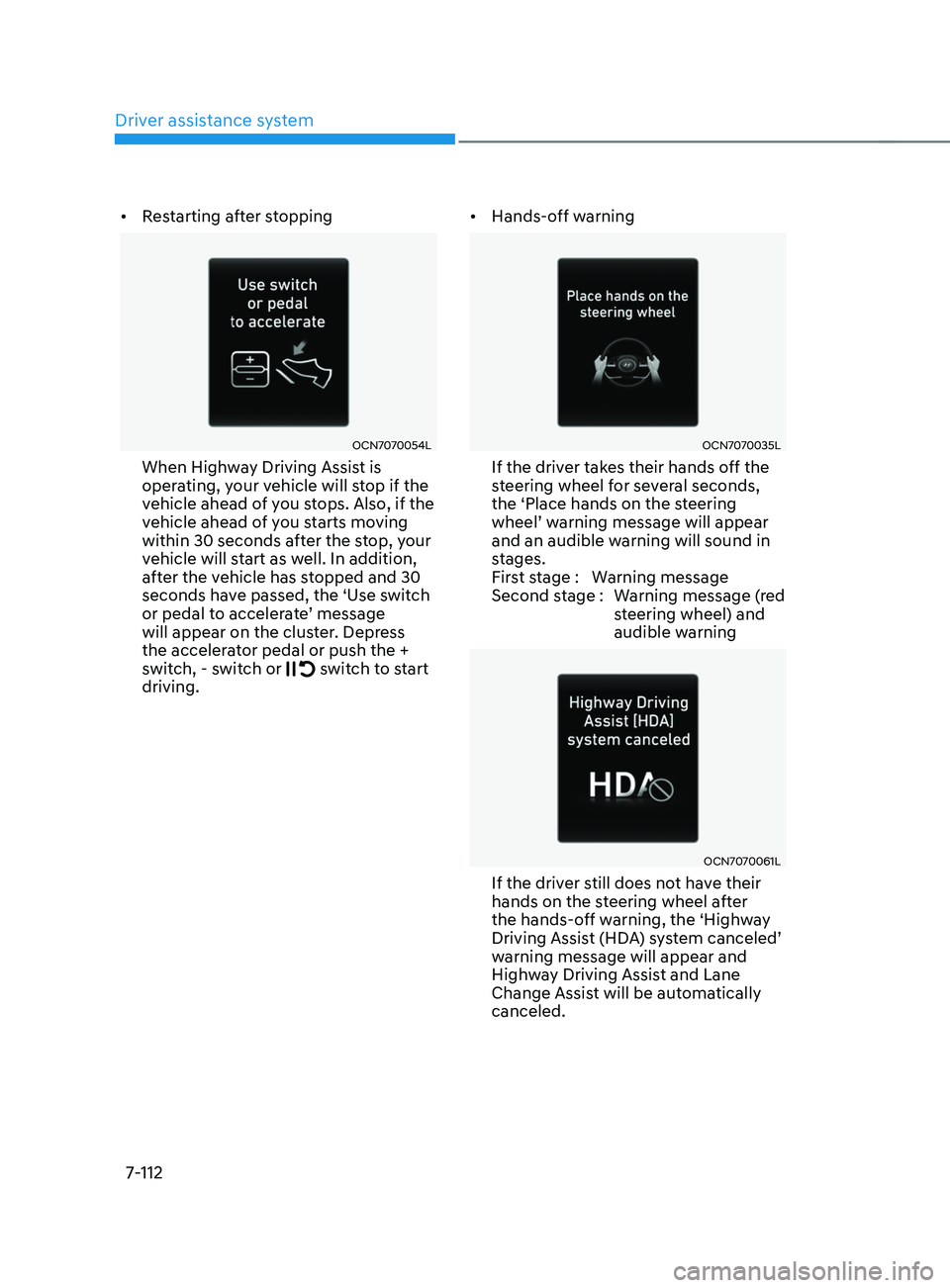
When Highway Driving Assist is
operating, your vehicle will stop if the
vehicle ahead of you stops. Also, if the
vehicle ahead of you starts moving
within 30 seconds after the stop, your
vehicle will start as well. In addition,
after the vehicle has stopped and 30
seconds have passed, the ‘Use switch
or
pedal t
o
acceler
ate’
message will appear on the clust
er. Depress
the accelerator pedal or push the +
switch, - switch or
switch to start
driving. •
Hands-off warning
OCN7070035L
If the driver takes their hands off the
steering wheel for several seconds,
the ‘Place hands on the steering
wheel’
w
arning
message will appear and an audible warning will sound in
s
tages.
First stage : Warning message
Second stage : Warning message (red steering wheel) and
audible warning
OCN7070061L
If the driver still does not have their
hands on the steering wheel after
the hands-off warning, the ‘Highway
Driving
Assis
t
(HD
A)
s
ystem
canceled’ warning message will appear and
High
way Driving Assist and Lane
Change Assist will be automatically
canceled.
Page 426 of 570
07
7-113
Function standby
When Smart Cruise Control is
temporarily canceled while Highway
Driving Assist is operating, Highway
Driving Assist will be in the standby state.
At this time, Lane Following Assist will
operate normally.
Function malfunction and
limitations
System malfunction
OTM070120N
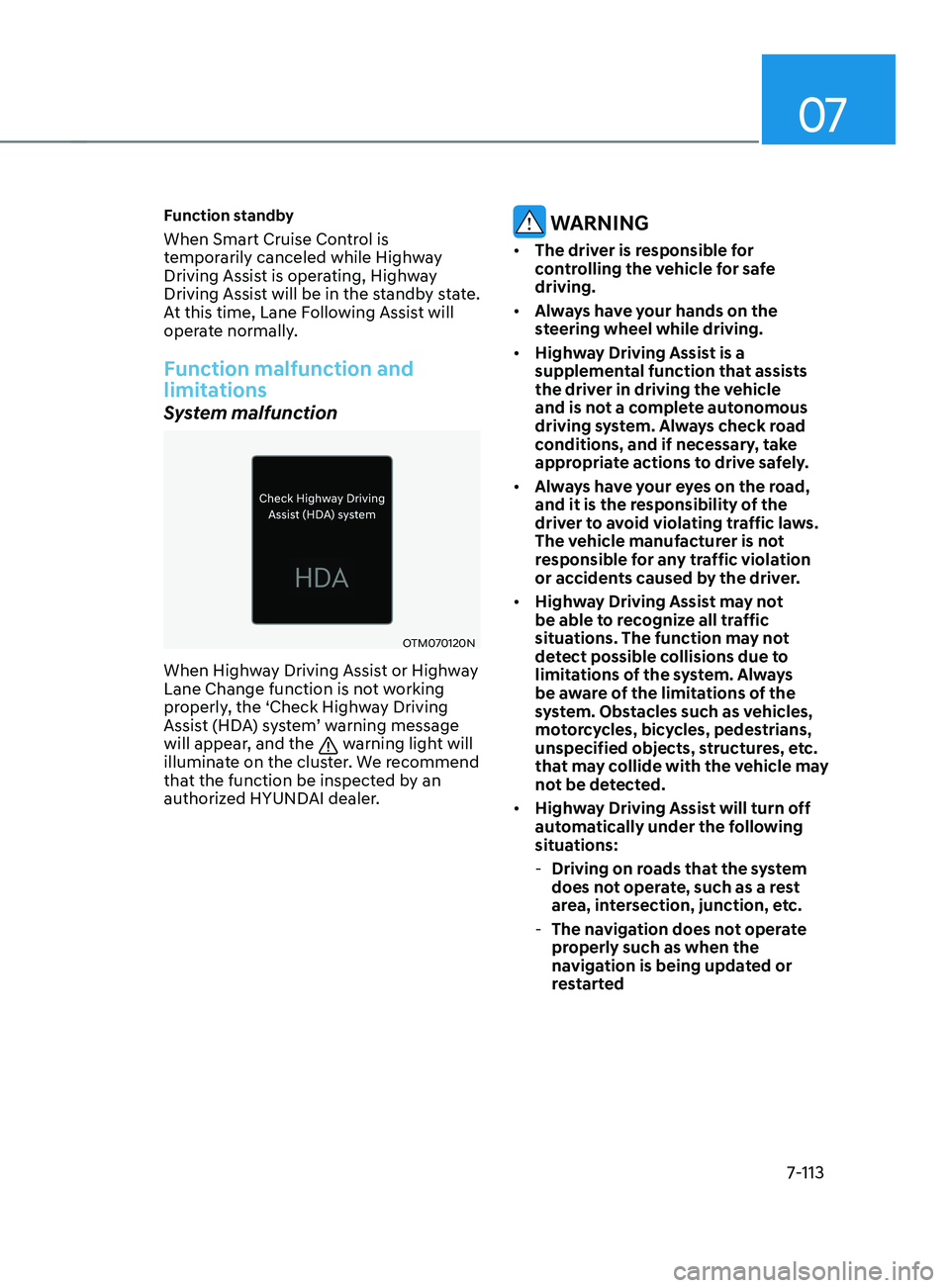
When Highway Driving Assist or Highway
Lane Change function is not working
properly, the ‘Check Highway Driving
Assist (HDA) system’ warning message
will appear, and the
warning light will
illuminate on the cluster. We recommend
that the function be inspected by an
authorized HYUNDAI dealer.
WARNING
• The driver is responsible for
controlling the vehicle for safe
driving.
• Always have your hands on the
steering wheel while driving.
• Highway Driving Assist is a
supplemental function that assists
the driver in driving the vehicle
and is not a complete autonomous
driving system. Always check road
conditions, and if necessary, take
appropriate actions to drive safely.
• Always have your eyes on the road,
and it is the responsibility of the
driver to avoid violating traffic laws.
The vehicle manufacturer is not
responsible for any traffic violation
or accidents caused by the driver.
• Highway Driving Assist may not
be able to recognize all traffic
situations. The function may not
detect possible collisions due to
limitations of the system. Always
be aware of the limitations of the
system. Obstacles such as vehicles,
motorcycles, bicycles, pedestrians,
unspecified objects, structures, etc.
that may collide with the vehicle may
not be detected.
• Highway Driving Assist will turn off
automatically under the following
situations:
- Driving on roads that the system
does not operate, such as a rest
area, intersection, junction, etc.
- The navigation does not operate
properly such as when the
navigation is being updated or
restarted
Page 428 of 570
07
7-115
Information
This device complies with Part 15 of the
FCC rules.
Operation is subject to the following three
conditions:
1.
This device may not cause harmful
interference, and
2.
This device must accept any
interference r
eceived, including
interference that may cause undesired
operation.
3.
Changes or modifications not expr
essly
approved by the party responsible
for compliance could void the user's
authority to operate the device.
Information
Radio frequency radiation exposure
information:
This equipment complies with FCC
radiation exposure limits set forth for an
uncontrolled environment.
This equipment should be installed and
operated with minimum distance of 8 in.
(20 cm) between the radiator (antenna)
and your body.
This transmitter must not be co-located or
operating in conjunction with any other
antenna or transmitter.
Page 429 of 570
![HYUNDAI ELANTRA SEL 2021 Owners Manual Driver assistance system
7-116
OCN7050046
OCN7050047
Rear View Monitor will show the area
behind the vehicle to assist you when
parking or backing up.
Detecting sensor
OCN7050046L[1] : Rear view cam](/img/35/56089/w960_56089-428.png "HYUNDAI ELANTRA SEL 2021 Owners Manual Driver assistance system
7-116
OCN7050046
OCN7050047
Rear View Monitor will show the area
behind the vehicle to assist you when
parking or backing up.
Detecting sensor
OCN7050046L[1] : Rear view cam")
Driver assistance system
7-116
OCN7050046
OCN7050047
Rear View Monitor will show the area
behind the vehicle to assist you when
parking or backing up.
Detecting sensor
OCN7050046L[1] : Rear view camera
Refer to the picture above for the
detailed location of the detecting sensor.
rear view Monitor (rvM)
Page 430 of 570
07
7-117
Function settings
Camera settings
You can change Rear View Monitor
settings by pressing the setup icon
(
) on the screen while the system is
operating, or select ‘Driver Assistance →
Parking Safety → Camera Settings’ from
the Settings menu while the Engine
Start/Stop button is in the ON position.
Operating button
OCN7050048
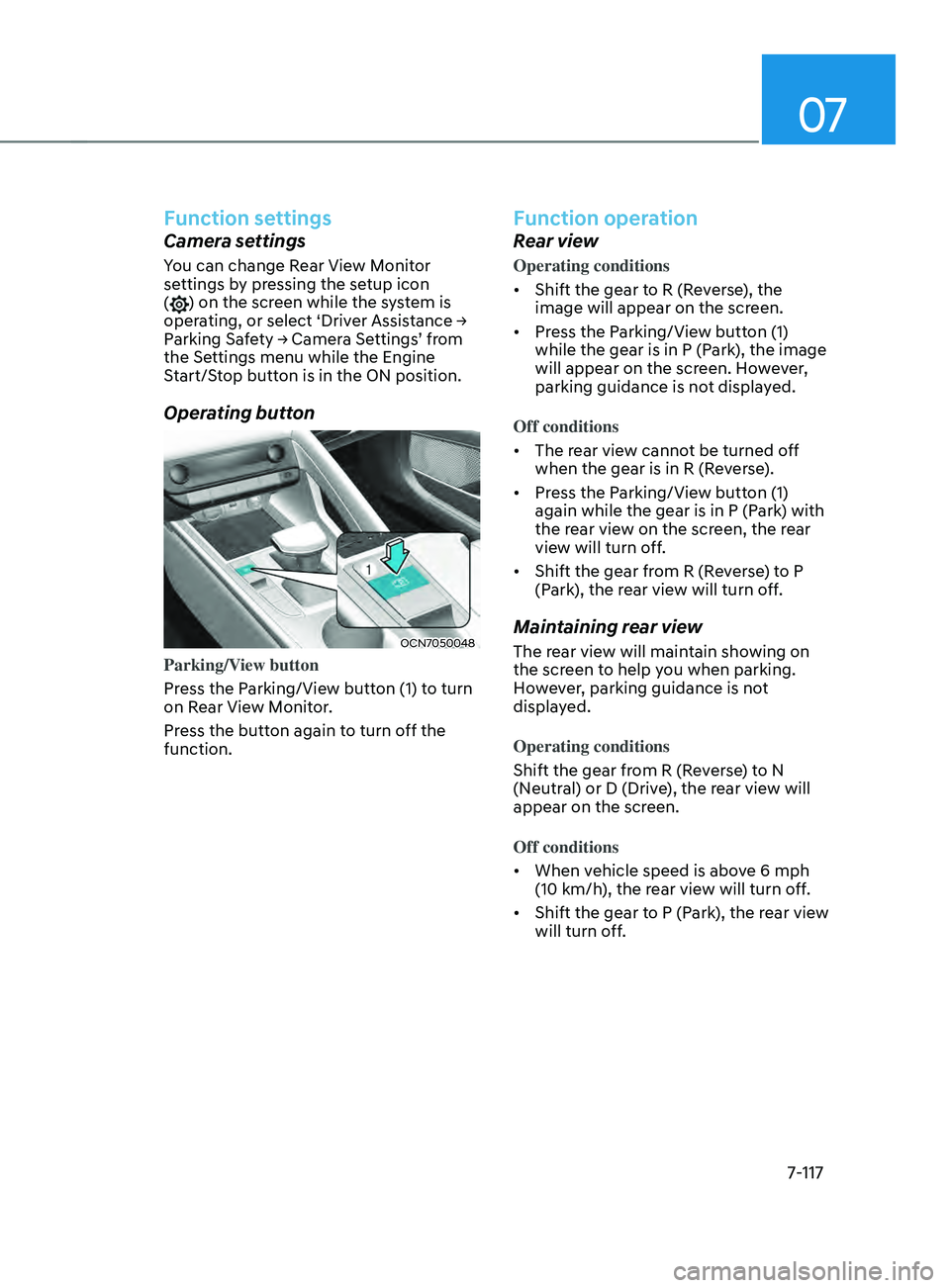
Parking/View button
Press the Parking/View button (1) to turn
on Rear View Monitor.
Press the button again to turn off the
function.
Function operation
Rear view
Operating conditions
• Shift the gear to R (Reverse), the
image will appear on the screen.
• Press the Parking/View button (1)
while the gear is in P (Park), the image
will appear on the screen. However,
parking guidance is not displayed.
Off conditions
• The rear view cannot be turned off
when the gear is in R (Reverse).
• Press the Parking/View button (1)
again while the gear is in P (Park) with
the rear view on the screen, the rear
view will turn off.
• Shift the gear from R (Reverse) to P
(Park), the rear view will turn off.
Maintaining rear view
The rear view will maintain showing on
the screen to help you when parking.
However, parking guidance is not
displayed.
Operating conditions
Shift the gear from R (Reverse) to N
(Neutral) or D (Drive), the rear view will
appear on the screen.
Off conditions
• When vehicle speed is above 6 mph
(10 km/h), the rear view will turn off.
• Shift the gear to P (Park), the rear view
will turn off.
Page 432 of 570
07
7-119
Rear top view
OCN7060147L
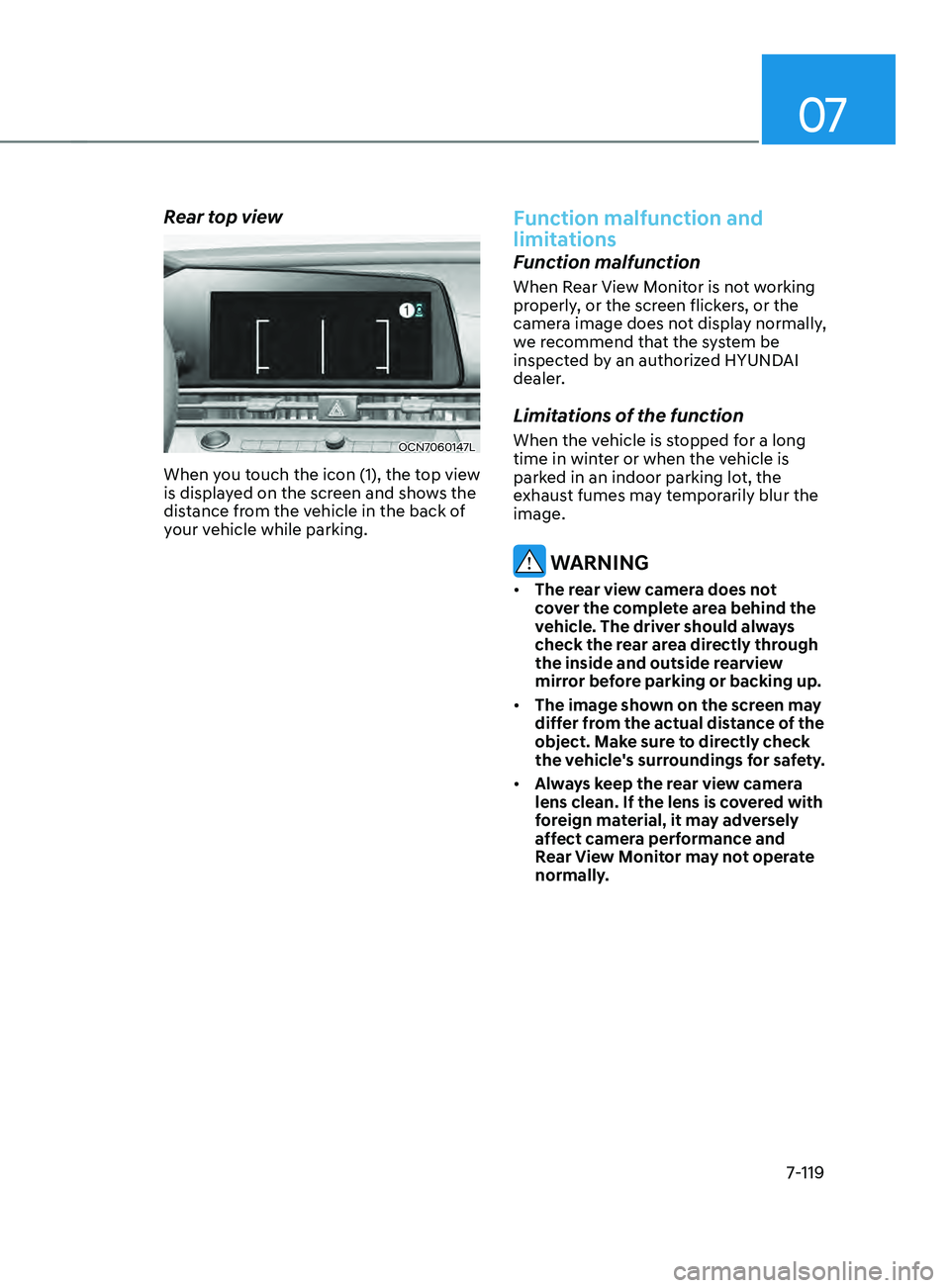
When you touch the icon (1), the top view
is displayed on the screen and shows the
distance from the vehicle in the back of
your vehicle while parking.
Function malfunction and
limitations
Function malfunction
When Rear View Monitor is not working
properly, or the screen flickers, or the
camera image does not display normally,
we recommend that the system be
inspected by an authorized HYUNDAI
dealer.
Limitations of the function
When the vehicle is stopped for a long
time in winter or when the vehicle is
parked in an indoor parking lot, the
exhaust fumes may temporarily blur the
image.
WARNING
• The rear view camera does not
cover the complete area behind the
vehicle. The driver should always
check the rear area directly through
the inside and outside rearview
mirror before parking or backing up.
• The image shown on the screen may
differ from the actual distance of the
object. Make sure to directly check
the vehicle's surroundings for safety.
• Always keep the rear view camera
lens clean. If the lens is covered with
foreign material, it may adversely
affect camera performance and
Rear View Monitor may not operate
normally.
Page 435 of 570
Driver assistance system
7-122
OTM070141N
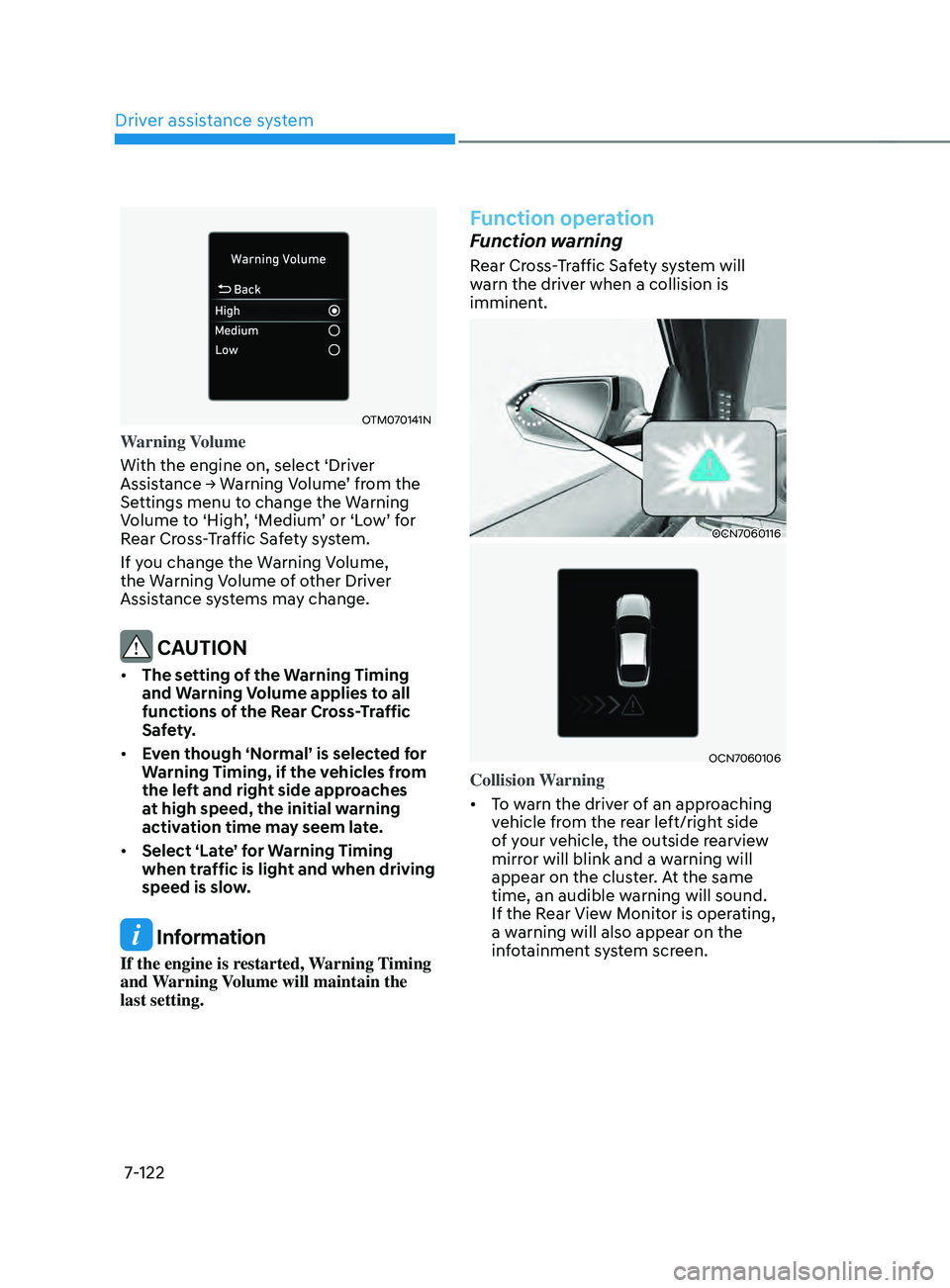
Warning Volume
With the engine on, select ‘Driver
Assistance
→ W
arning
V
olume’
fr
om
the Settings menu t
o change the Warning
Volume
t
o
‘High
’,
‘M
edium’
or ‘L
ow’
f
or
Rear Cr
oss-Traffic Safety system.
If you change the Warning Volume,
the Warning Volume of other Driver
Assistance systems may change.
CAUTION
• The setting of the Warning Timing
and Warning Volume applies to all
functions of the Rear Cross-Traffic
Safety.
• Even though ‘Normal’ is selected for
Warning Timing, if the vehicles from
the left and right side approaches
at high speed, the initial warning
activation time may seem late.
• Select ‘Late’ for Warning Timing
when traffic is light and when driving
speed is slow.
Information
If the engine is restarted, Warning Timing
and Warning Volume will maintain the
last setting.
Function operation
Function warning
Rear Cross-Traffic Safety system will
warn the driver when a collision is
imminent.
OCN7060116
OCN7060106
Collision Warning
• To warn the driver of an approaching
vehicle from the rear left/right side
of your vehicle, the outside rearview
mirror will blink and a warning will
appear on the cluster. At the same
time, an audible warning will sound.
If the Rear View Monitor is operating,
a warning will also appear on the
infotainment system screen.
Page 443 of 570
Driver assistance system
7-130
OTM070141N
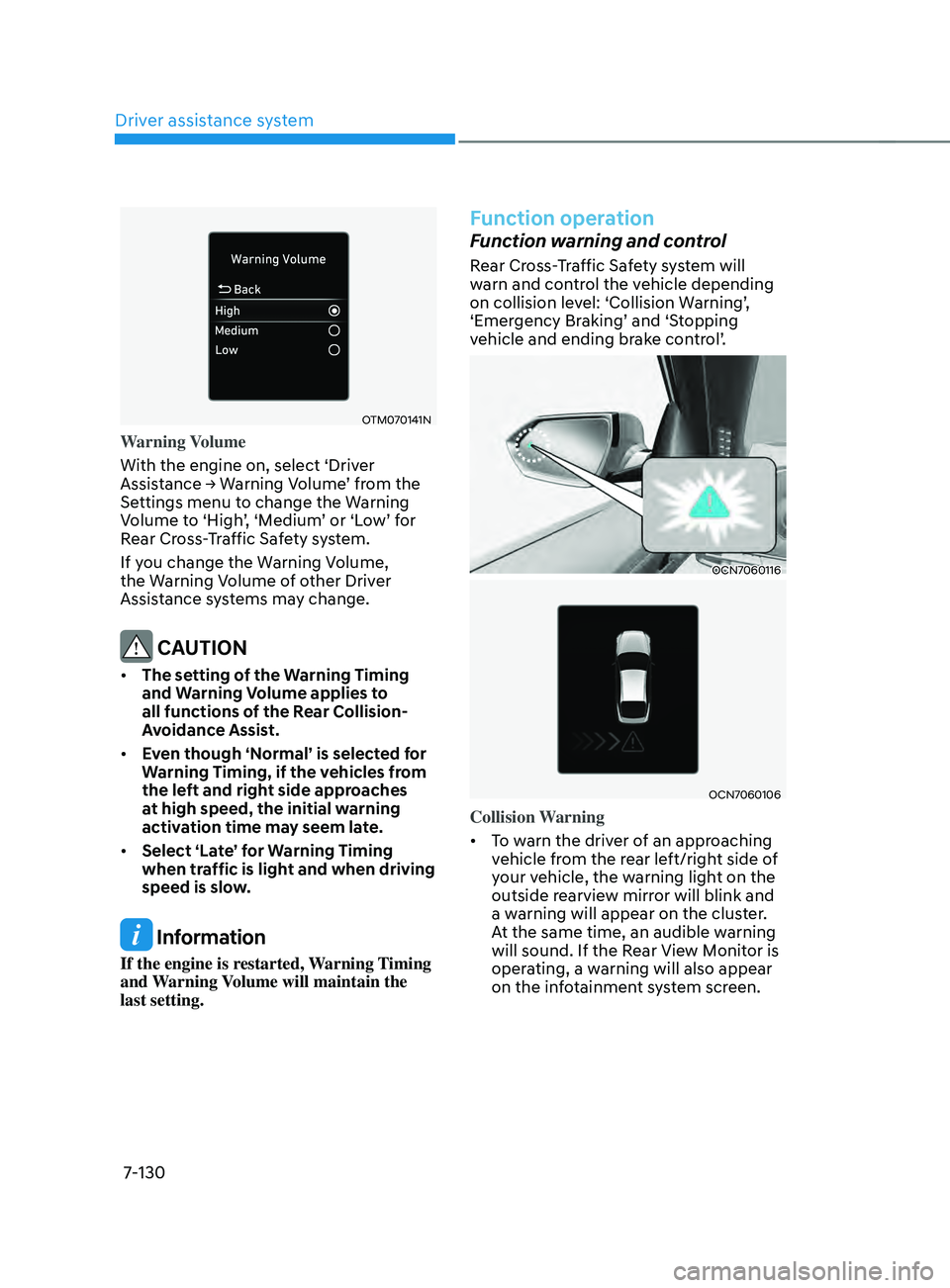
Warning Volume
With the engine on, select ‘Driver
Assistance
→ W
arning
V
olume’
fr
om
the Settings menu t
o change the Warning
Volume
t
o
‘High
’,
‘M
edium’
or ‘L
ow’
f
or
Rear Cr
oss-Traffic Safety system.
If you change the Warning Volume,
the Warning Volume of other Driver
Assistance systems may change.
CAUTION
• The setting of the Warning Timing
and Warning Volume applies to
all functions of the Rear Collision-
Avoidance Assist.
• Even though ‘Normal’ is selected for
Warning Timing, if the vehicles from
the left and right side approaches
at high speed, the initial warning
activation time may seem late.
• Select ‘Late’ for Warning Timing
when traffic is light and when driving
speed is slow.
Information
If the engine is restarted, Warning Timing
and Warning Volume will maintain the
last setting.
Function operation
Function warning and control
Rear Cross-Traffic Safety system will
warn and control the vehicle depending
on
collision le
vel:
‘Collision W
arning’,
‘Emer
gency
Br
aking’
and ‘S
topping
vehicle and ending br
ake
con
trol’.
OCN7060116
OCN7060106
Collision Warning
• To warn the driver of an approaching
vehicle from the rear left/right side of
your vehicle, the warning light on the
outside rearview mirror will blink and
a warning will appear on the cluster.
At the same time, an audible warning
will sound. If the Rear View Monitor is
operating, a warning will also appear
on the infotainment system screen.
Page 444 of 570
07
7-131
• The function will operate when all the
following conditions are satisfied:
- The gear is shifted t
o R (Reverse)
- Vehicle speed is belo
w 5 mph (8
km/h)
- The approaching v
ehicle is within
approximately 82 ft. (25 m) from the
left and right side of your vehicle
- The speed of the v
ehicle
approaching from the left and right
is above 3 mph (5 km/h)
Information
If the operating conditions are satisfied,
there will be a warning whenever the
vehicle approaches from the left or right
side even though your vehicle speed is 0
mph (0
km/h).
OCN7060116
OCN7060106
OCN7060148L
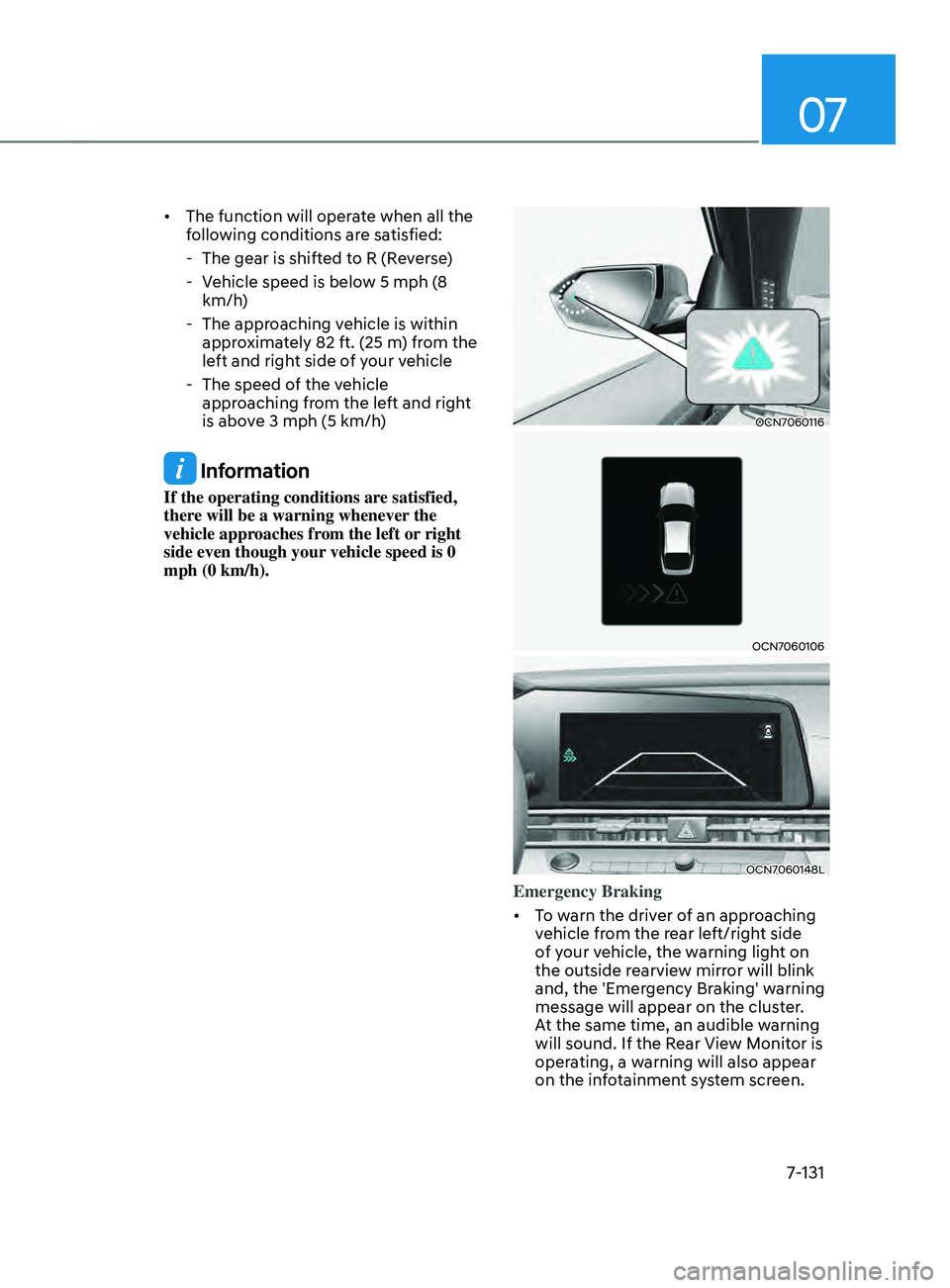
Emergency Braking
• To warn the driver of an approaching
vehicle from the rear left/right side
of your vehicle, the warning light on
the outside rearview mirror will blink
and, the 'Emergency Braking' warning
message will appear on the cluster.
At the same time, an audible warning
will sound. If the Rear View Monitor is
operating, a warning will also appear
on the infotainment system screen.
Page 446 of 570
07
7-133
WARNING
Take the following precautions when
using Rear Cross-Traffic Safety system:
• For your safety, change the Settings
after parking the vehicle at a safe
location.
• If any other system’s warning
message is displayed or audible
warning is generated, Rear Cross-
Traffic Safety system’s warning
message may not be displayed
and audible warning may not be
generated.
• You may not hear the warning sound
of Rear Cross-Traffic Safety system if
the surrounding is noisy.
• Rear Cross-Traffic Safety system may
not operate if the driver applies the
brake pedal to avoid collision.
• During Rear Cross-Traffic Safety
system operation, the vehicle may
stop suddenly injuring passengers
and shifting loose objects. Always
have the seat belt on and keep loose
objects secured.
• Even if there is a problem with Rear
Cross-Traffic Safety system, the
vehicle’s basic braking performance
will operate normally.
• Rear Cross-Traffic Safety system does
not operate in all situations or cannot
avoid all collisions.
• During emergency braking,
braking control by the function
will automatically cancel when the
driver excessively depresses the
accelerator pedal. •
The driver should hold the
responsibility to control the vehicle.
Do not solely depend on Rear
Cross-Traffic Safety system. Rather,
maintain a safe braking distance, and
if necessary, depress the brake pedal
to reduce driving speed or to stop
the vehicle.
• Never deliberately operate Rear
Cross-Traffic Safety system on
people, animal, objects, etc. It may
cause serious injury or death.
CAUTION
The brake control may not operate
properly depending on the status of
ESC (Electronic Stability Control).
There will only be a warning when:
-The ESC (Electronic S
tability Control)
warning light is on
- ESC (Electronic S
tability Control) is
engaged in a different function
Information
• If the system assists you with braking,
the driver needs to pay attention as the
brake assist will end within 2 seconds.
The driver must immediately depress
the brake pedal and check vehicle
surroundings.
• Brake control will end when the
driver depresses the brake pedal with
sufficient power.
• After shifting the gear to R (Reverse),
braking control will operate once for
left and right vehicle approach.