ignition HYUNDAI ELANTRA SEL 2021 User Guide
[x] Cancel search | Manufacturer: HYUNDAI, Model Year: 2021, Model line: ELANTRA SEL, Model: HYUNDAI ELANTRA SEL 2021Pages: 570, PDF Size: 52.21 MB
Page 92 of 570
Instrument Cluster
4-6
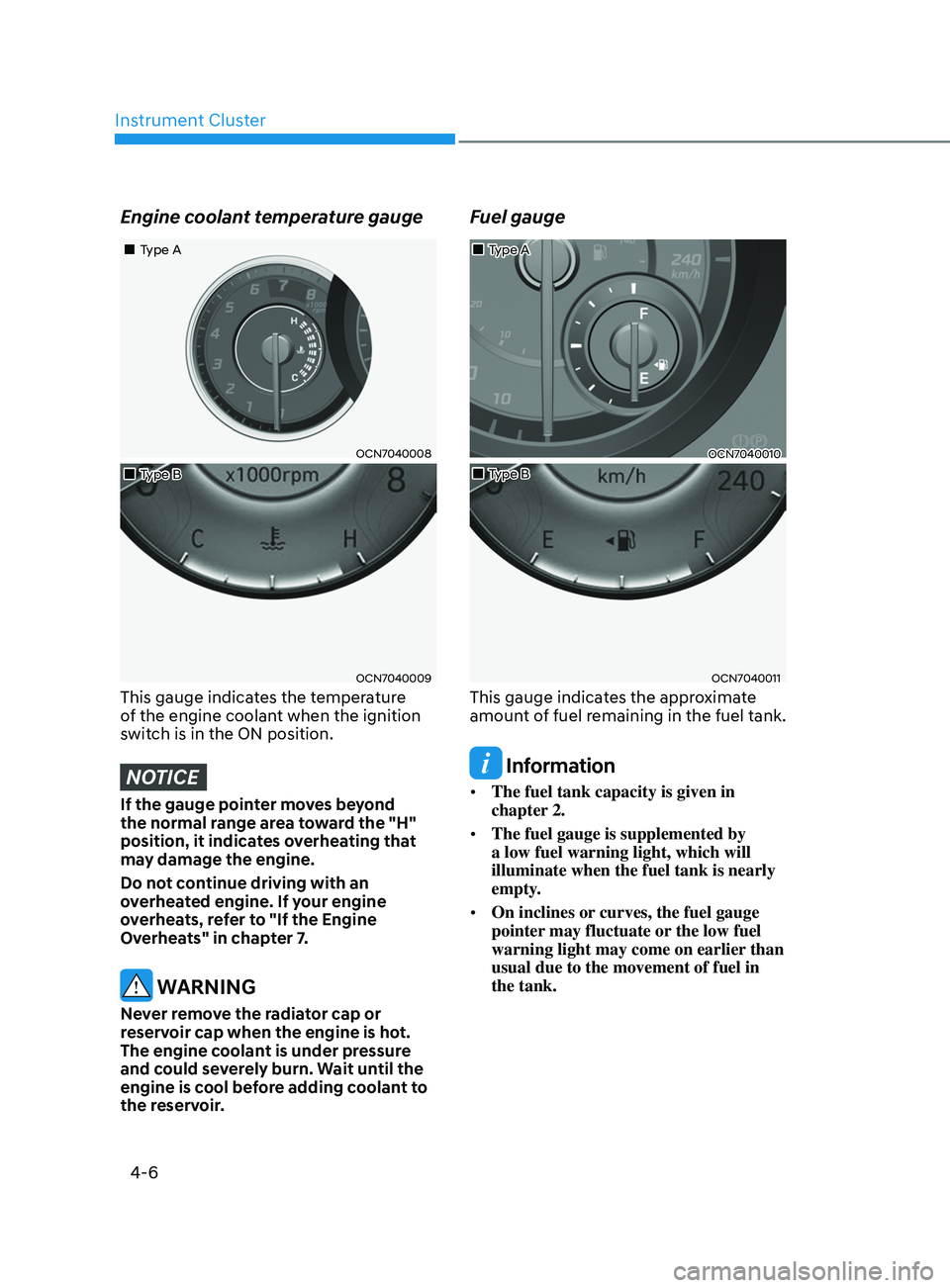
Engine coolant temperature gauge
OCN7040008
OCN7040009
„„Type A
„
„Type B
This gauge indicates the temperature
of the engine coolant when the ignition
switch is in the ON position.
NOTICE
If the gauge pointer moves beyond
the normal range area toward the "H"
position, it indicates overheating that
may damage the engine.
Do not continue driving with an
overheated engine. If your engine
overheats, refer to "If the Engine
Overheats" in chapter 7.
WARNING
Never remove the radiator cap or
reservoir cap when the engine is hot.
The engine coolant is under pressure
and could severely burn. Wait until the
engine is cool before adding coolant to
the reservoir.
Fuel gauge
OCN7040010
OCN7040011
„„Type B
„
„Type A
This gauge indicates the approximate
amount of fuel remaining in the fuel tank.
Information
•
The fuel tank capacity is given in
chapter 2.
• The fuel gauge is supplemented by
a low fuel warning light, which will
illuminate when the fuel tank is nearly
empty.
• On inclines or curves, the fuel gauge
pointer may fluctuate or the low fuel
warning light may come on earlier than
usual due to the movement of fuel in
the tank.
Page 95 of 570
04
4-9
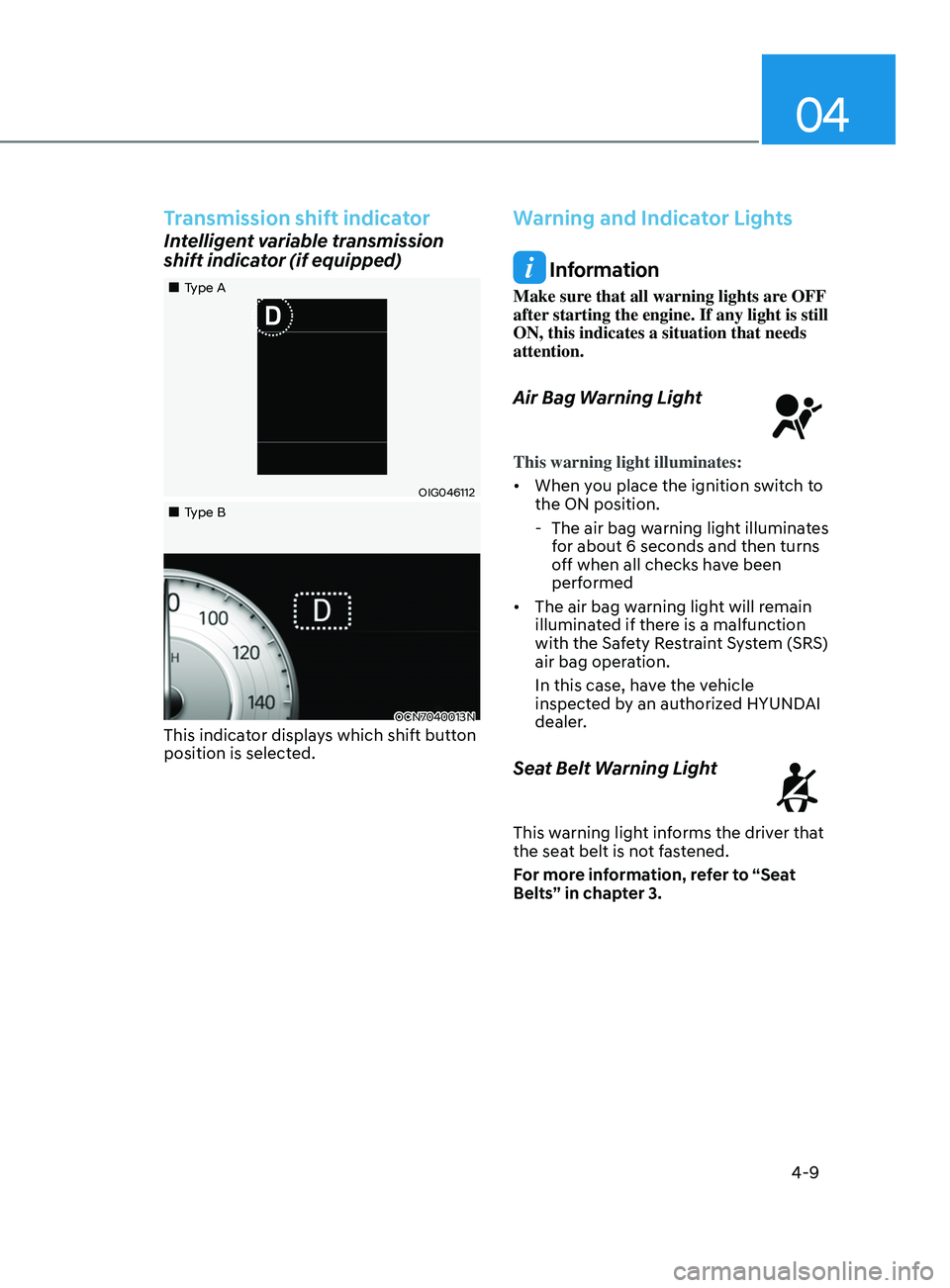
Transmission shift indicator
Intelligent variable transmission
shift indicator (if equipped)
OIG046112
OCN7040013N
„„Type A
„
„Type B
This indicator displays which shift button
position is selected.
Warning and Indicator Lights
Information
Make sure that all warning lights are OFF
after starting the engine. If any light is still
ON, this indicates a situation that needs
attention.
Air Bag Warning Light
This warning light illuminates:
• When you place the ignition switch to
the ON position.
- The air bag warning ligh
t illuminates
for about 6 seconds and then turns
off when all checks have been
performed
• The air bag warning light will remain
illuminated if there is a malfunction
with the Safety Restraint System (SRS)
air bag operation.
In this case, have the vehicle
inspected by an authorized HYUNDAI
dealer.
Seat Belt Warning Light
This warning light informs the driver that
the seat belt is not fastened.
For more information, refer to “Seat
Belts” in chapter 3.
Page 96 of 570
Instrument Cluster
4-10
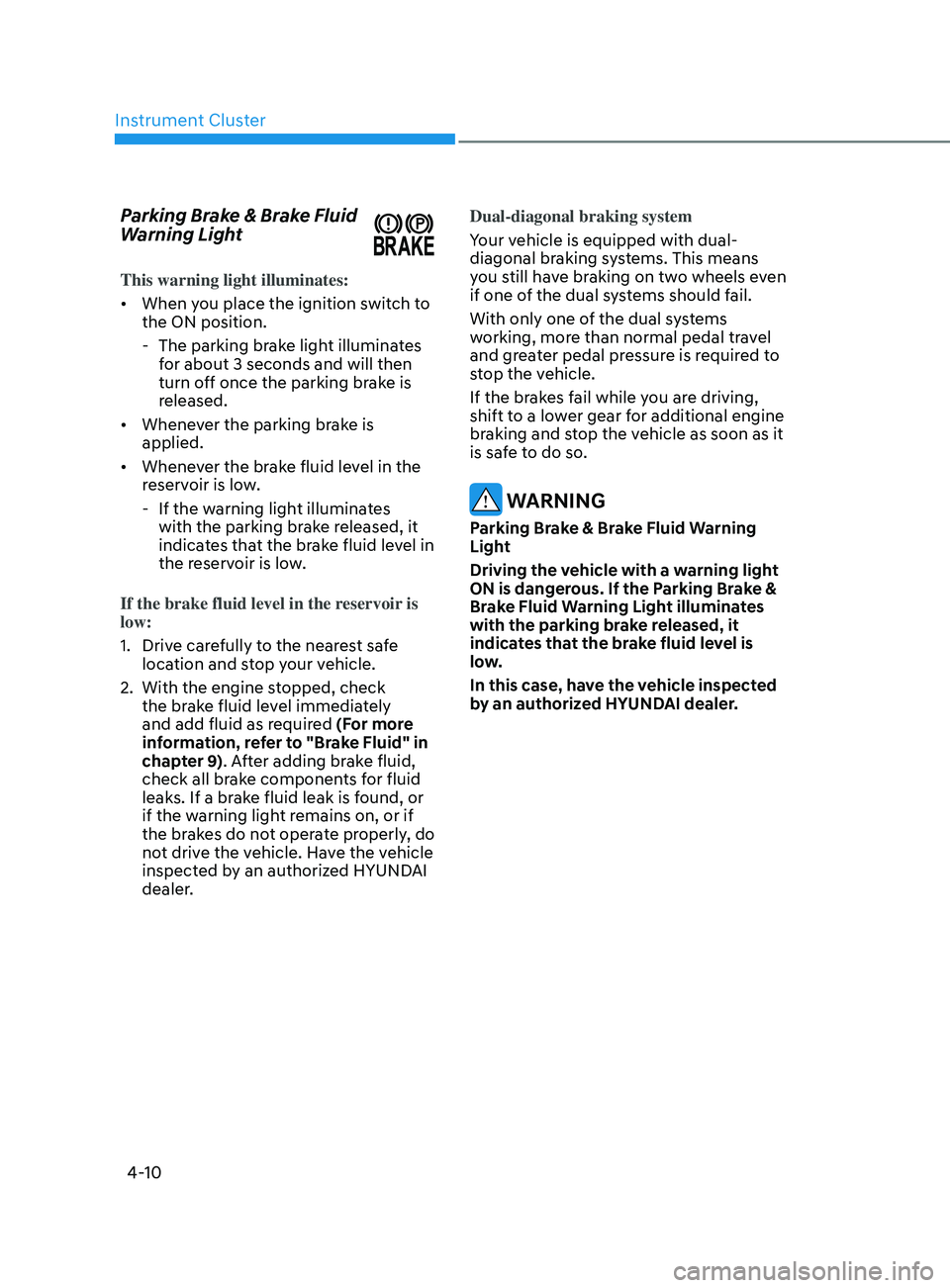
Parking Brake & Brake Fluid
Warning Light
This warning light illuminates:
• When you place the ignition switch to
the ON position.
- The parking brak
e light illuminates
for about 3 seconds and will then
turn off once the parking brake is
released.
• Whenever the parking brake is
applied.
• Whenever the brake fluid level in the
reservoir is low.
- If the warning ligh
t illuminates
with the parking brake released, it
indicates that the brake fluid level in
the reservoir is low.
If the brake fluid level in the reservoir is
low:
1.
Drive car
efully to the nearest safe
location and stop your vehicle.
2.
With the engine st
opped, check
the brake fluid level immediately
and add fluid as required (For more
information, refer to "Brake Fluid" in
chapter 9). After adding brake fluid,
check all brake components for fluid
leaks. If a brake fluid leak is found, or
if the warning light remains on, or if
the brakes do not operate properly, do
not drive the vehicle. Have the vehicle
inspected by an authorized HYUNDAI
dealer. Dual-diagonal braking system
Your vehicle is equipped with dual-
diagonal braking systems. This means
you still have braking on two wheels even
if one of the dual systems should fail.
With only one of the dual systems
working, more than normal pedal travel
and greater pedal pressure is required to
stop the vehicle.
If the brakes fail while you are driving,
shift to a lower gear for additional engine
braking and stop the vehicle as soon as it
is safe to do so.
WARNING
Parking Brake & Brake Fluid Warning
Light
Driving the vehicle with a warning light
ON is dangerous. If the Parking Brake &
Brake Fluid Warning Light illuminates
with the parking brake released, it
indicates that the brake fluid level is
low.
In this case, have the vehicle inspected
by an authorized HYUNDAI dealer.
Page 97 of 570
04
4-11
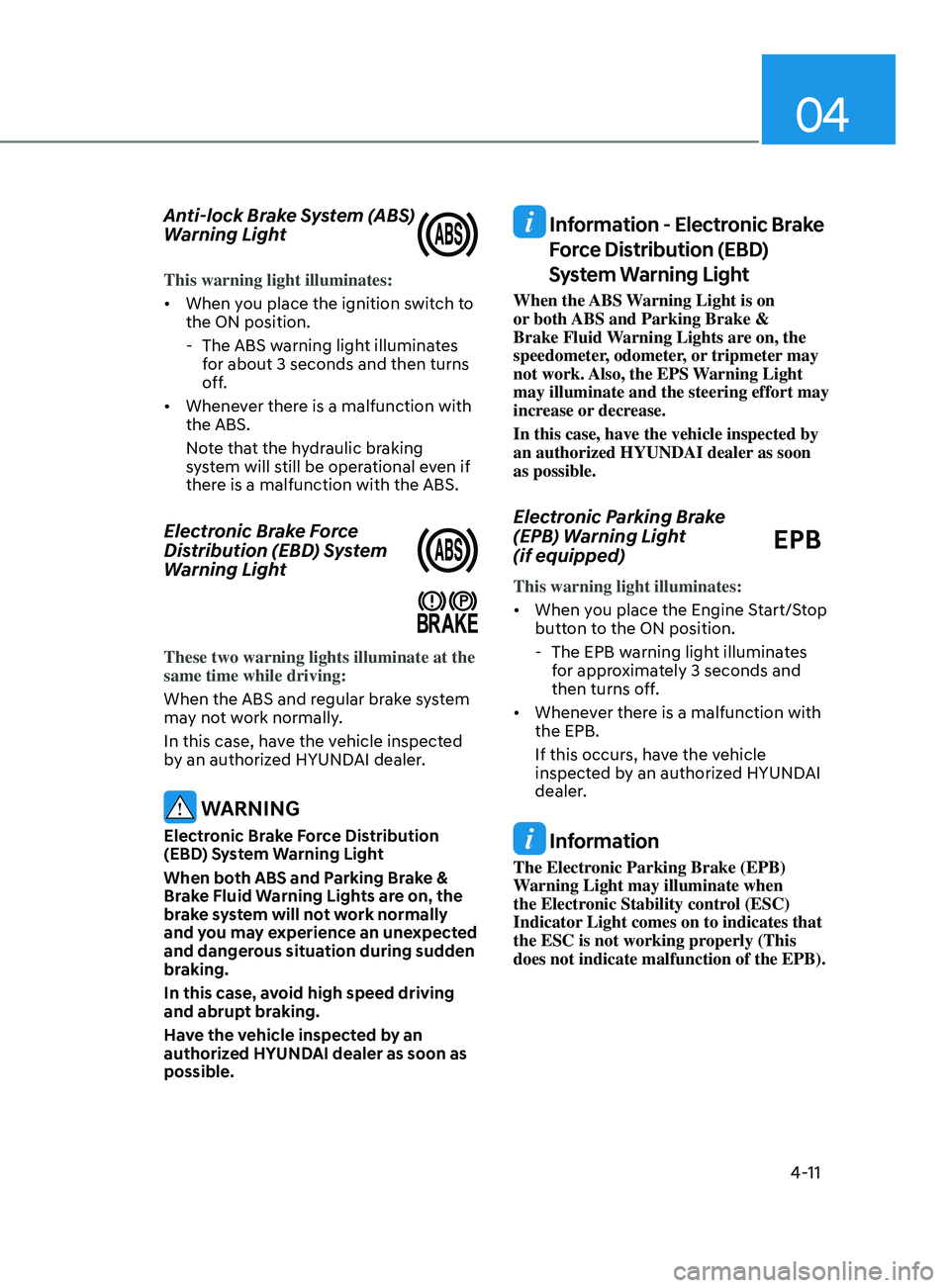
Anti-lock Brake System (ABS)
Warning Light
This warning light illuminates:
• When you place the ignition switch to
the ON position.
- The ABS warning ligh
t illuminates
for about 3 seconds and then turns
off.
• Whenever there is a malfunction with
the ABS.
Note that the hydraulic braking
system will still be operational even if
there is a malfunction with the ABS.
Electronic Brake Force
Distribution (EBD) System
Warning Light
These two warning lights illuminate at the
same time while driving:
When the ABS and regular brake system
may not work normally.
In this case, have the vehicle inspected
by an authorized HYUNDAI dealer.
WARNING
Electronic Brake Force Distribution
(EBD) System Warning Light
When both ABS and Parking Brake &
Brake Fluid Warning Lights are on, the
brake system will not work normally
and you may experience an unexpected
and dangerous situation during sudden
braking.
In this case, avoid high speed driving
and abrupt braking.
Have the vehicle inspected by an
authorized HYUNDAI dealer as soon as
possible.
Information - Electronic Brake
Force Distribution (EBD)
System Warning Light
When the ABS Warning Light is on
or both ABS and Parking Brake &
Brake Fluid Warning Lights are on, the
speedometer, odometer, or tripmeter may
not work. Also, the EPS Warning Light
may illuminate and the steering effort may
increase or decrease.
In this case, have the vehicle inspected by
an authorized HYUNDAI dealer as soon
as possible.
Electronic Parking Brake
(EPB) Warning Light
(if equipped)
EPB
This warning light illuminates:
• When you place the Engine Start/Stop
button to the ON position.
- The EPB warning ligh
t illuminates
for approximately 3 seconds and
then turns off.
• Whenever there is a malfunction with
the EPB.
If this occurs, have the vehicle
inspected by an authorized HYUNDAI
dealer.
Information
The Electronic Parking Brake (EPB)
Warning Light may illuminate when
the Electronic Stability control (ESC)
Indicator Light comes on to indicates that
the ESC is not working properly (This
does not indicate malfunction of the EPB).
Page 98 of 570
![HYUNDAI ELANTRA SEL 2021 User Guide Instrument Cluster
4-12
AUTO HOLD Indicator Light
(if equipped)
This indicator light illuminates:
• [White] When you activate the auto
hold system by pressing the AUTO
HOLD button.
• [Green] W](/img/35/56089/w960_56089-97.png "HYUNDAI ELANTRA SEL 2021 User Guide Instrument Cluster
4-12
AUTO HOLD Indicator Light
(if equipped)
This indicator light illuminates:
• [White] When you activate the auto
hold system by pressing the AUTO
HOLD button.
• [Green] W")
Instrument Cluster
4-12
AUTO HOLD Indicator Light
(if equipped)
This indicator light illuminates:
• [White] When you activate the auto
hold system by pressing the AUTO
HOLD button.
• [Green] When you stop the vehicle
completely by depressing the brake
pedal with the auto hold system
activated.
• [Yellow] When there is a malfunction
with the auto hold system.
In this case, have the vehicle
inspected by an authorized HYUNDAI
dealer.
For more information, refer to “Auto
Hold” in chapter 6.
Electric Power Steering (EPS)
Warning Light
This warning light illuminates:
• When you place the ignition switch to
the ON position.
-The Electric
Power Steering Warning
light illuminates for about 3 seconds
and then goes off.
• Whenever there is a malfunction with
the EPS.
If this occurs, have the vehicle
inspected by an authorized HYUNDAI
dealer.
Malfunction Indicator Lamp
(MIL)
This warning light illuminates:
• When you place the ignition switch to
the ON position.
- The malfunction indicat
or light
illuminates for about 3 seconds and
then goes off.
• Whenever there is a malfunction with
either the emission control system or
the engine or the vehicle powertrain.
If this occurs, have the vehicle
inspected by an authorized HYUNDAI
dealer.
NOTICE
Driving with the Malfunction Indicator
Lamp (MIL) on may cause damage to
the emission control system which
could affect drivability and/or fuel
economy.
NOTICE
If the Malfunction Indicator Lamp
(MIL) illuminates, potential catalytic
converter damage is possible which
could result in loss of engine power.
In this case, have the vehicle inspected
by an authorized HYUNDAI dealer as
soon as possible.
Page 100 of 570
Instrument Cluster
4-14
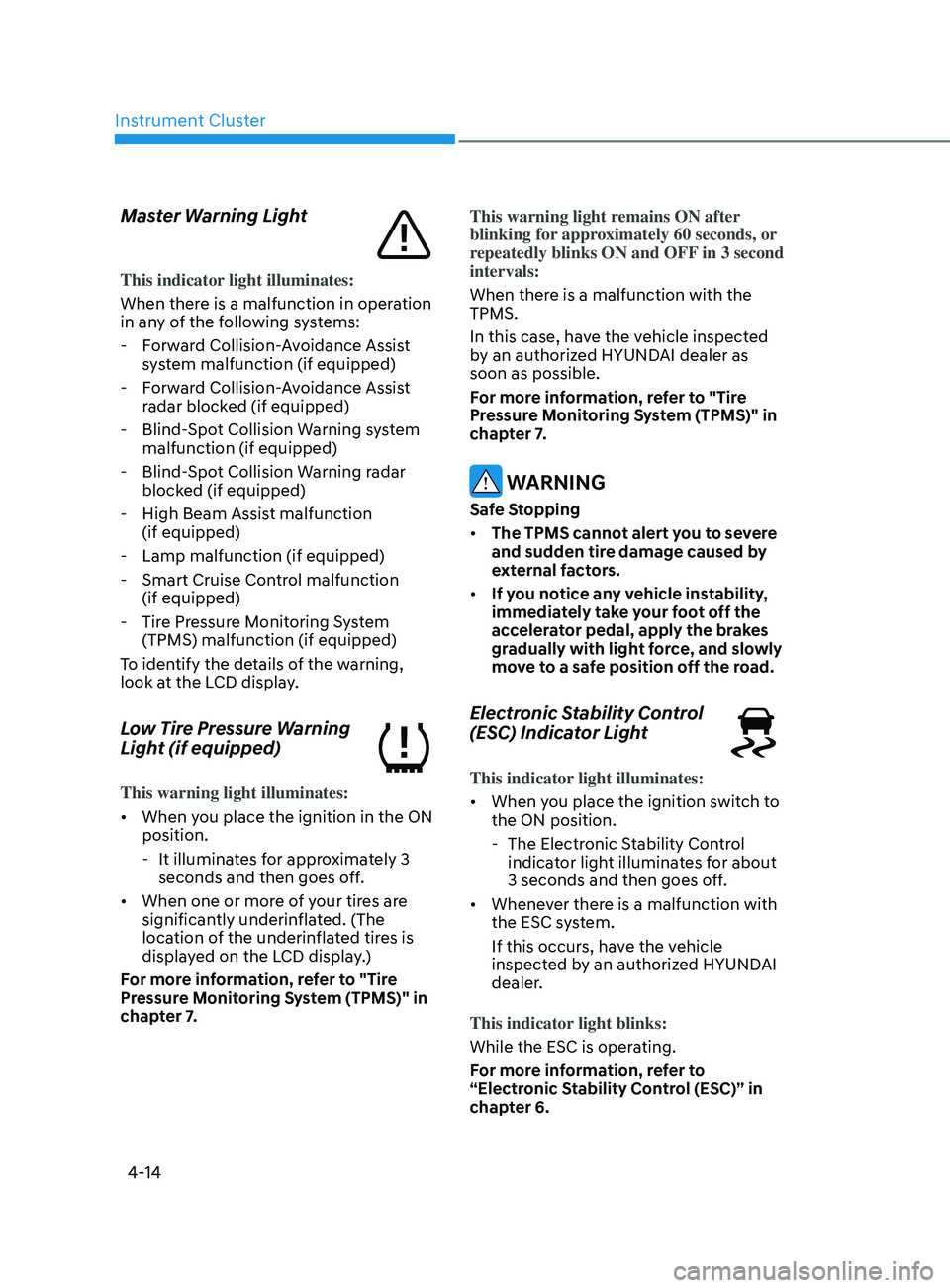
Master Warning Light
This indicator light illuminates:
When there is a malfunction in operation
in any of the following systems:
- Forw
ard Collision-Avoidance Assist
system malfunction (if equipped)
- Forw
ard Collision-Avoidance Assist
radar blocked (if equipped)
- Blind-Spo
t Collision Warning system
malfunction (if equipped)
- Blind-Spo
t Collision Warning radar
blocked (if equipped)
- High Beam Assist malfunction (if equipped)
- Lamp malfunction (if equipped)
- Smart Cruise Contr
ol malfunction
(if equipped)
- Tire Pr
essure Monitoring System
(TPMS) malfunction (if equipped)
To identify the details of the warning,
look at the LCD display.
Low Tire Pressure Warning
Light (if equipped)
This warning light illuminates:
• When you place the ignition in the ON
position.
- It illuminat
es for approximately 3
seconds and then goes off.
• When one or more of your tires are
significantly underinflated. (The
location of the underinflated tires is
displayed on the LCD display.)
For more information, refer to "Tire
Pressure Monitoring System (TPMS)" in
chapter 7. This warning light remains ON after
blinking for approximately 60 seconds, or
repeatedly blinks ON and OFF in 3 second
intervals:
When there is a malfunction with the
TPMS.
In this case, have the vehicle inspected
by an authorized HYUNDAI dealer as
soon as possible.
For more information, refer to "Tire
Pressure Monitoring System (TPMS)" in
chapter 7.
WARNING
Safe Stopping
•
The TPMS cannot alert you to severe
and sudden tire damage caused by
external factors.
• If you notice any vehicle instability,
immediately take your foot off the
accelerator pedal, apply the brakes
gradually with light force, and slowly
move to a safe position off the road.
Electronic Stability Control
(ESC) Indicator Light
This indicator light illuminates:
• When you place the ignition switch to
the ON position.
- The Electronic S
tability Control
indicator light illuminates for about
3 seconds and then goes off.
• Whenever there is a malfunction with
the ESC system.
If this occurs, have the vehicle
inspected by an authorized HYUNDAI
dealer.
This indicator light blinks:
While the ESC is operating.
For more information, refer to
“Electronic Stability Control (ESC)” in
chapter 6.
Page 101 of 570
04
4-15
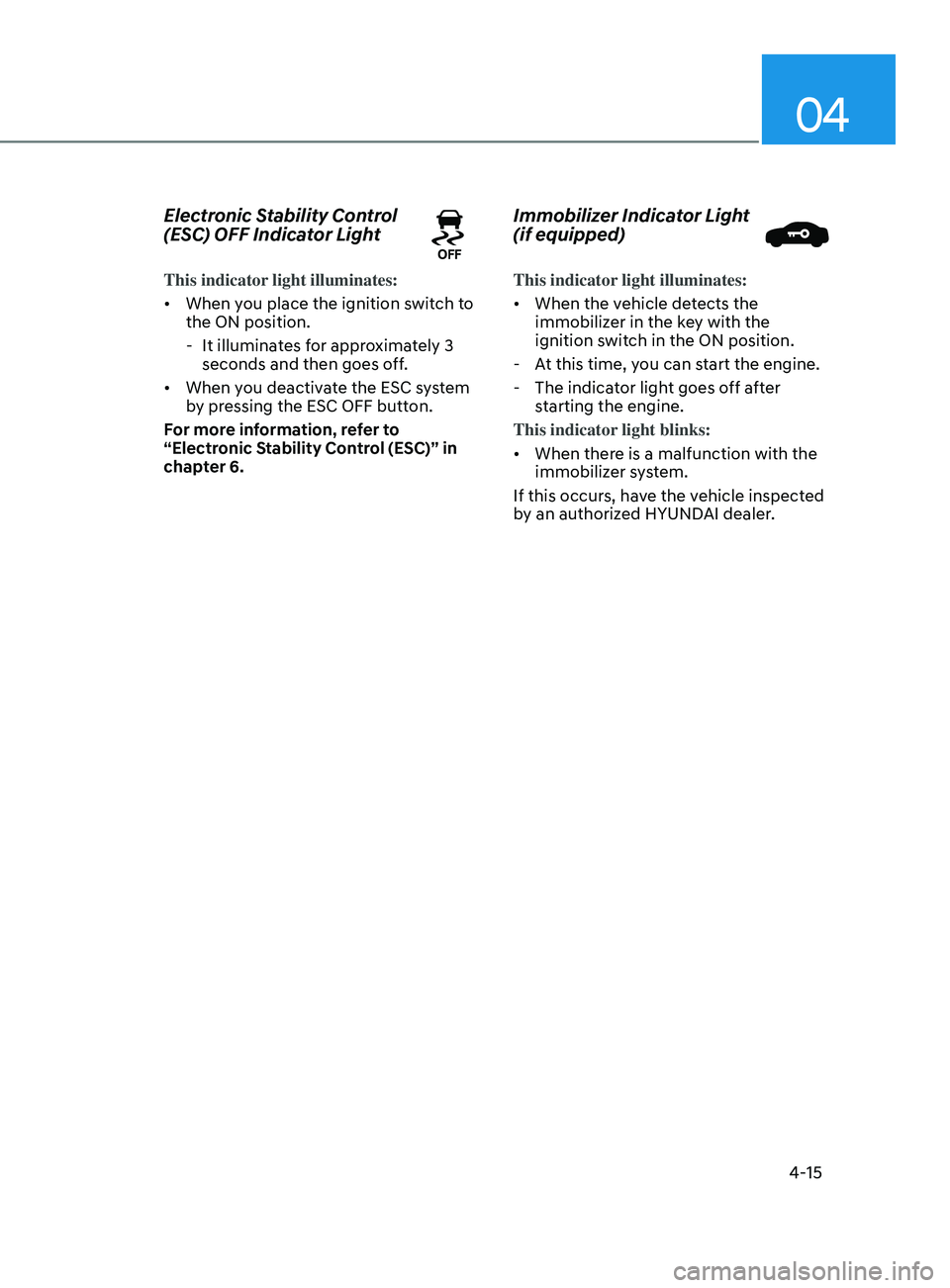
Electronic Stability Control
(ESC) OFF Indicator Light
This indicator light illuminates:
• When you place the ignition switch to
the ON position.
- It illuminat
es for approximately 3
seconds and then goes off.
• When you deactivate the ESC system
by pressing the ESC OFF button.
For more information, refer to
“Electronic Stability Control (ESC)” in
chapter 6.
Immobilizer Indicator Light
(if equipped)
This indicator light illuminates:
• When the vehicle detects the
immobilizer in the key with the
ignition switch in the ON position.
- At this time, y
ou can start the engine.
- The indicat
or light goes off after
starting the engine.
This indicator light blinks:
• When there is a malfunction with the
immobilizer system.
If this occurs, have the vehicle inspected
by an authorized HYUNDAI dealer.
Page 104 of 570
Instrument Cluster
4-18
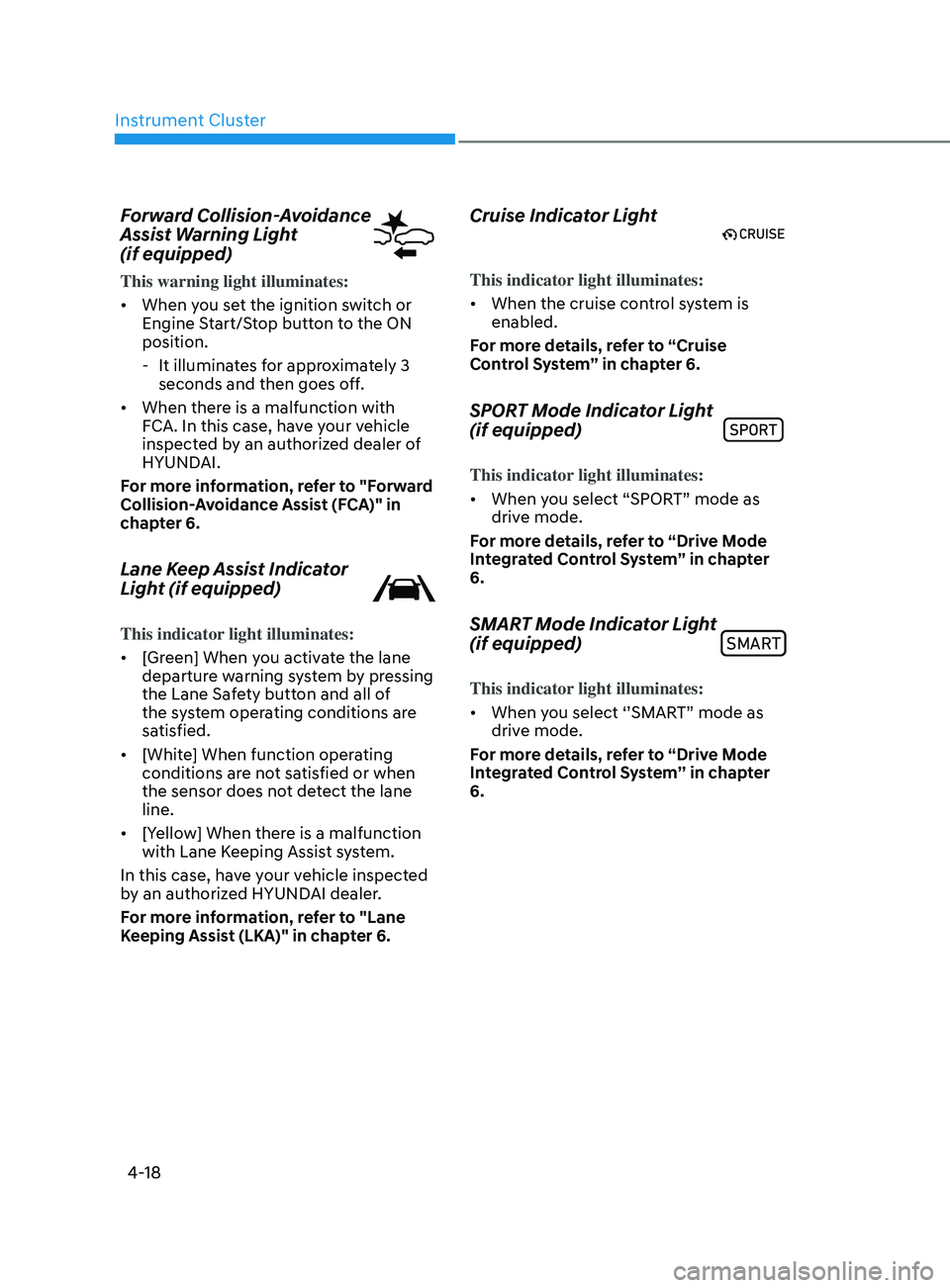
Forward Collision-Avoidance
Assist Warning Light
(if equipped)
This warning light illuminates:
• When you set the ignition switch or
Engine Start/Stop button to the ON
position.
- It illuminat
es for approximately 3
seconds and then goes off.
• When there is a malfunction with
FCA. In this case, have your vehicle
inspected by an authorized dealer of
HYUNDAI.
For more information, refer to "Forward
Collision-Avoidance Assist (FCA)" in
chapter 6.
Lane Keep Assist Indicator
Light (if equipped)
This indicator light illuminates:
• [Green] When you activate the lane
departure warning system by pressing
the Lane Safety button and all of
the system operating conditions are
satisfied.
• [White] When function operating
conditions are not satisfied or when
the sensor does not detect the lane
line.
• [Yellow] When there is a malfunction
with Lane Keeping Assist system.
In this case, have your vehicle inspected
by an authorized HYUNDAI dealer.
For more information, refer to "Lane
Keeping Assist (LKA)" in chapter 6.
Cruise Indicator Light
This indicator light illuminates:
• When the cruise control system is
enabled.
For more details, refer to “Cruise
Control System” in chapter 6.
SPORT Mode Indicator Light
(if equipped)
This indicator light illuminates:
• When you select “SPORT” mode as
drive mode.
For more details, refer to “Drive Mode
Integrated Control System” in chapter
6.
SMART Mode Indicator Light
(if equipped)SMART
This indicator light illuminates:
• When you select ‘’SMART” mode as
drive mode.
For more details, refer to “Drive Mode
Integrated Control System’’ in chapter
6.
Page 118 of 570
Instrument Cluster
4-32
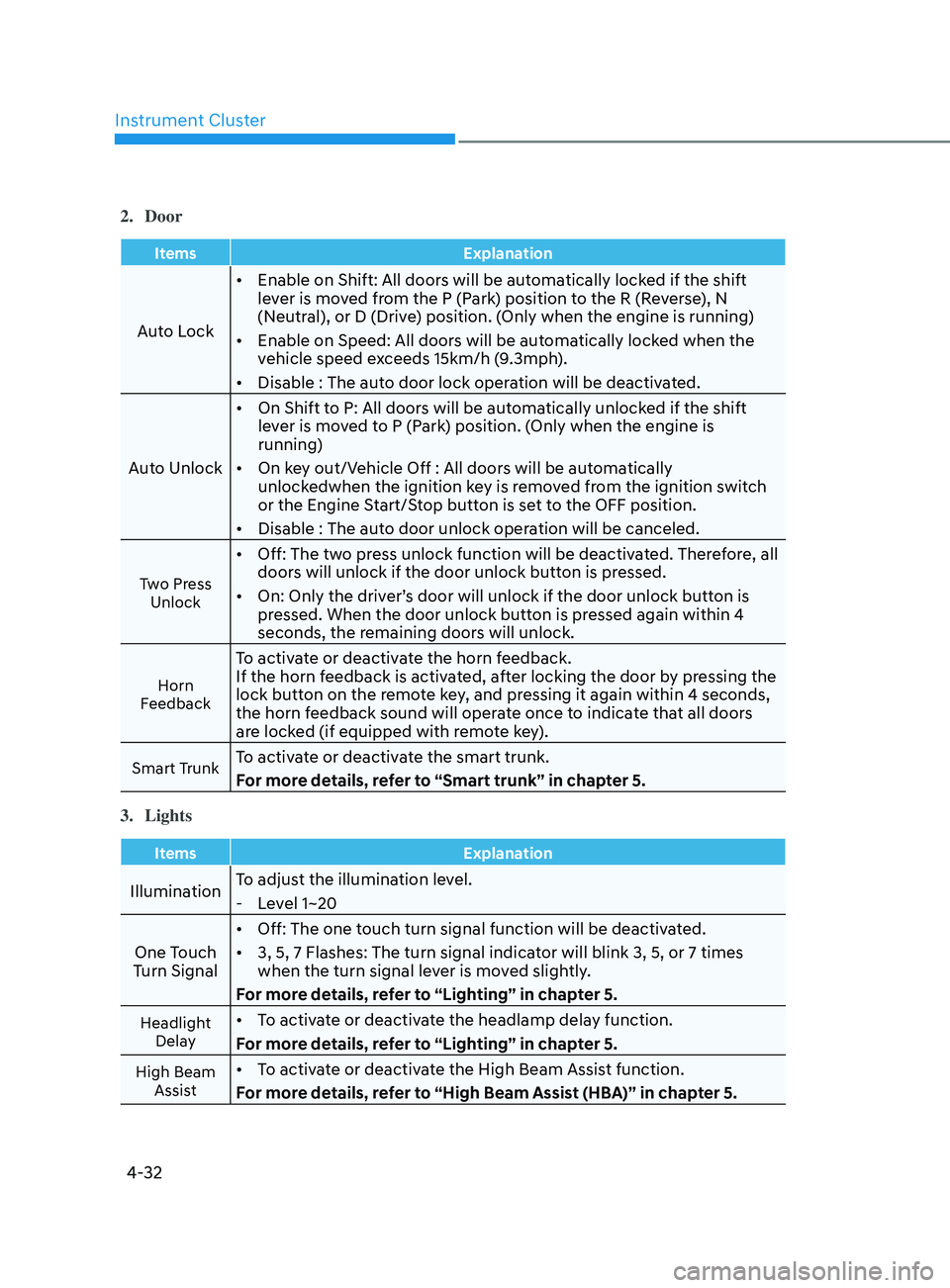
2. Door
ItemsExplanation
Auto Lock•
Enable on Shift: All doors will be automatically locked if the shift
lever is moved from the P (Park) position to the R (Reverse), N
(Neutral), or D (Drive) position. (Only when the engine is running)
• Enable on Speed: All doors will be automatically locked when the
vehicle speed exceeds 15km/h (9.3mph).
• Disable : The auto door lock operation will be deactivated.
Auto Unlock •
On Shift to P: All doors will be automatically unlocked if the shift
lever is moved to P (Park) position. (Only when the engine is
running)
• On key out/Vehicle Off : All doors will be automatically
unlockedwhen the ignition key is removed from the ignition switch
or the Engine Start/Stop button is set to the OFF position.
• Disable : The auto door unlock operation will be canceled.
Two Press
Unlock
• Off: The two press unlock function will be deactivated. Therefore, all
doors will unlock if the door unlock button is pressed.
• On: Only the driver’s door will unlock if the door unlock button is
pressed. When the door unlock button is pressed again within 4
seconds, the remaining doors will unlock.
Horn
Feedback
To activate or deactivate the horn feedback.
If the horn feedback is activated, after locking the door by pressing the
lock button on the remote key, and pressing it again within 4 seconds,
the horn feedback sound will operate once to indicate that all doors
are locked (if equipped with remote key).
Smart TrunkTo activate or deactivate the smart trunk.
For more details, refer to “Smart trunk” in chapter 5.
3.
Lights
Items Explanation
IlluminationTo adjust the illumination level. - Le
vel 1~20
One Touch
Turn Signal •
Off: The one touch turn signal function will be deactivated.
• 3, 5, 7 Flashes: The turn signal indicator will blink 3, 5, or 7 times
when the turn signal lever is moved slightly.
For more details, refer to “Lighting” in chapter 5.
Headlight Delay• To activate or deactivate the headlamp delay function.
For more details, refer to “Lighting” in chapter 5.
High Beam Assist• To activate or deactivate the High Beam Assist function.
For more details, refer to “High Beam Assist (HBA)” in chapter 5.
Page 121 of 570
04
4-35
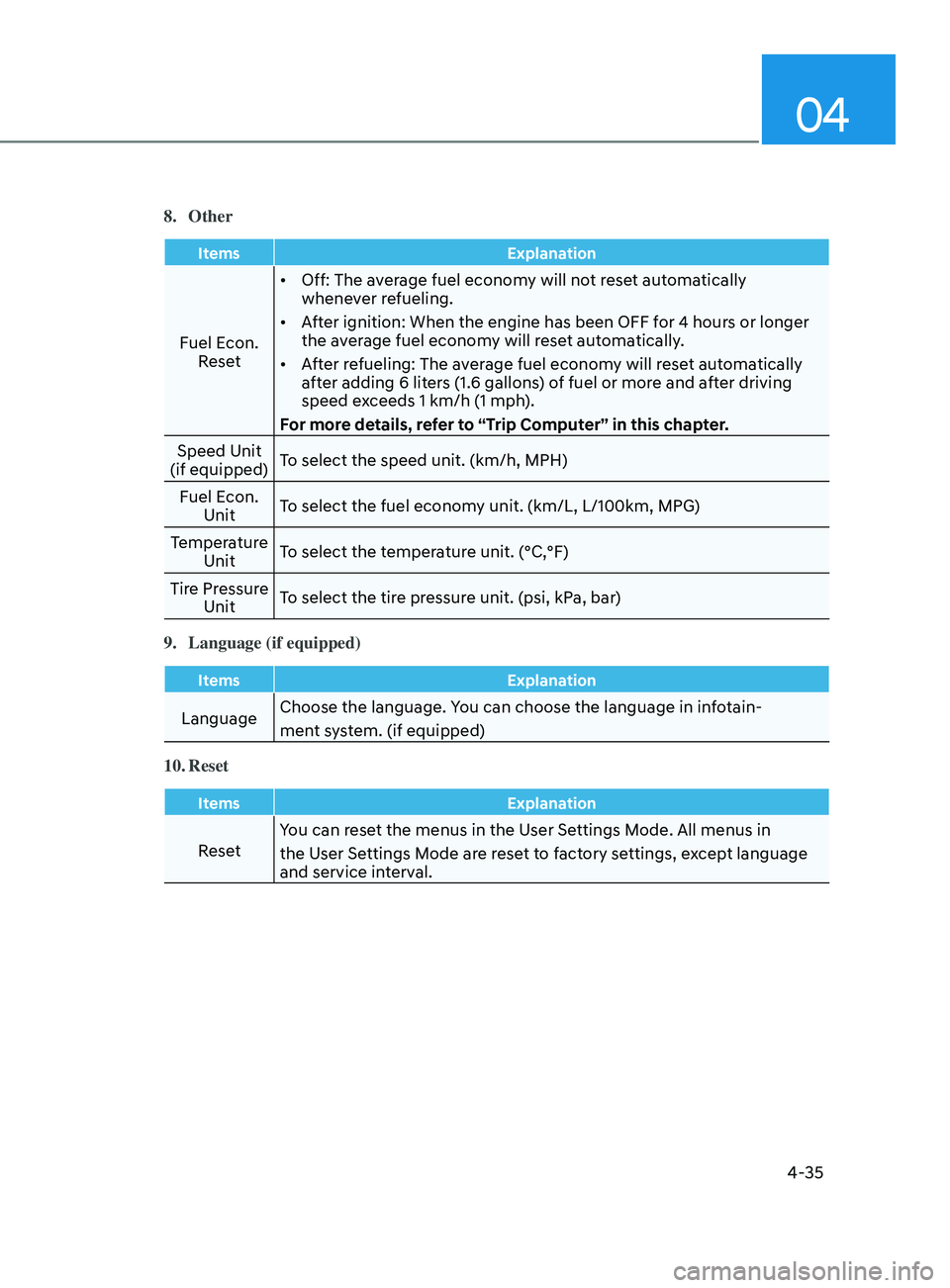
8. Other
ItemsExplanation
Fuel Econ.
Reset •
Off: The average fuel economy will not reset automatically
whenever refueling.
• After ignition: When the engine has been OFF for 4 hours or longer
the average fuel economy will reset automatically.
• After refueling: The average fuel economy will reset automatically
after adding 6 liters (1.6 gallons) of fuel or more and after driving
speed exceeds 1 km/h (1 mph).
For more details, refer to “Trip Computer” in this chapter.
Speed Unit
(if equipped) To select the speed unit. (km/h, MPH)
Fuel Econ. Unit To select the fuel economy unit. (km/L, L/100km, MPG)
Temperature Unit To select the temperature unit. (°C,°F)
Tire Pressure Unit To select the tire pressure unit. (psi, kPa, bar)
9.
Language (if equipped)
Items Explanation
LanguageChoose the language. You can choose the language in infotain-
ment system. (if equipped)
10.
Reset
Items Explanation
ResetYou can reset the menus in the User Settings Mode. All menus in
the User Settings Mode are reset to factory settings, except language
and service interval.