warning HYUNDAI ELANTRA SEL 2021 Owners Manual
[x] Cancel search | Manufacturer: HYUNDAI, Model Year: 2021, Model line: ELANTRA SEL, Model: HYUNDAI ELANTRA SEL 2021Pages: 570, PDF Size: 52.21 MB
Page 374 of 570
07
7-61
WARNING
Take the following precautions when
using Safe Exit Warning:
• For your safety, change the Settings
after parking the vehicle at a safe
location.
• If any other function’s warning
message is displayed or audible
warning is generated, Safe Exit
Warning warning message may not
be displayed and audible warning
may not be generated.
• You may not hear the warning
sound of Safe Exit Warning if the
surrounding is noisy.
• Safe Exit Warning does not operate
in all situations or cannot prevent all
collisions.
• Safe Exit Warning may warn the
driver late or may not warn the driver
depending on the road and driving
conditions. Always check vehicle
surroundings.
• The driver and passengers are
responsible for accidents that occurs
while exiting the vehicle. Always
check the surroundings before you
exit the vehicle.
• Never deliberately operate Safe
Exit Warning. Doing so may lead to
serious injury or death. •
Safe Exit Warning does not operate
if there is a problem with Blind-Spot
Safety system. The warning message
of Blind-Spot Safety system will
appear when:
-Blind-Spo
t Safety system sensor or
the sensor surrounding is polluted
or covered
- Blind-Spo
t Safety system fails to
warn passengers or falsely warn
passengers
Information
After the engine is turned off, Safe Exit
Warning operates approximately for 10
minutes, but turns off immediately if the
doors are locked.
Function malfunction and
limitations
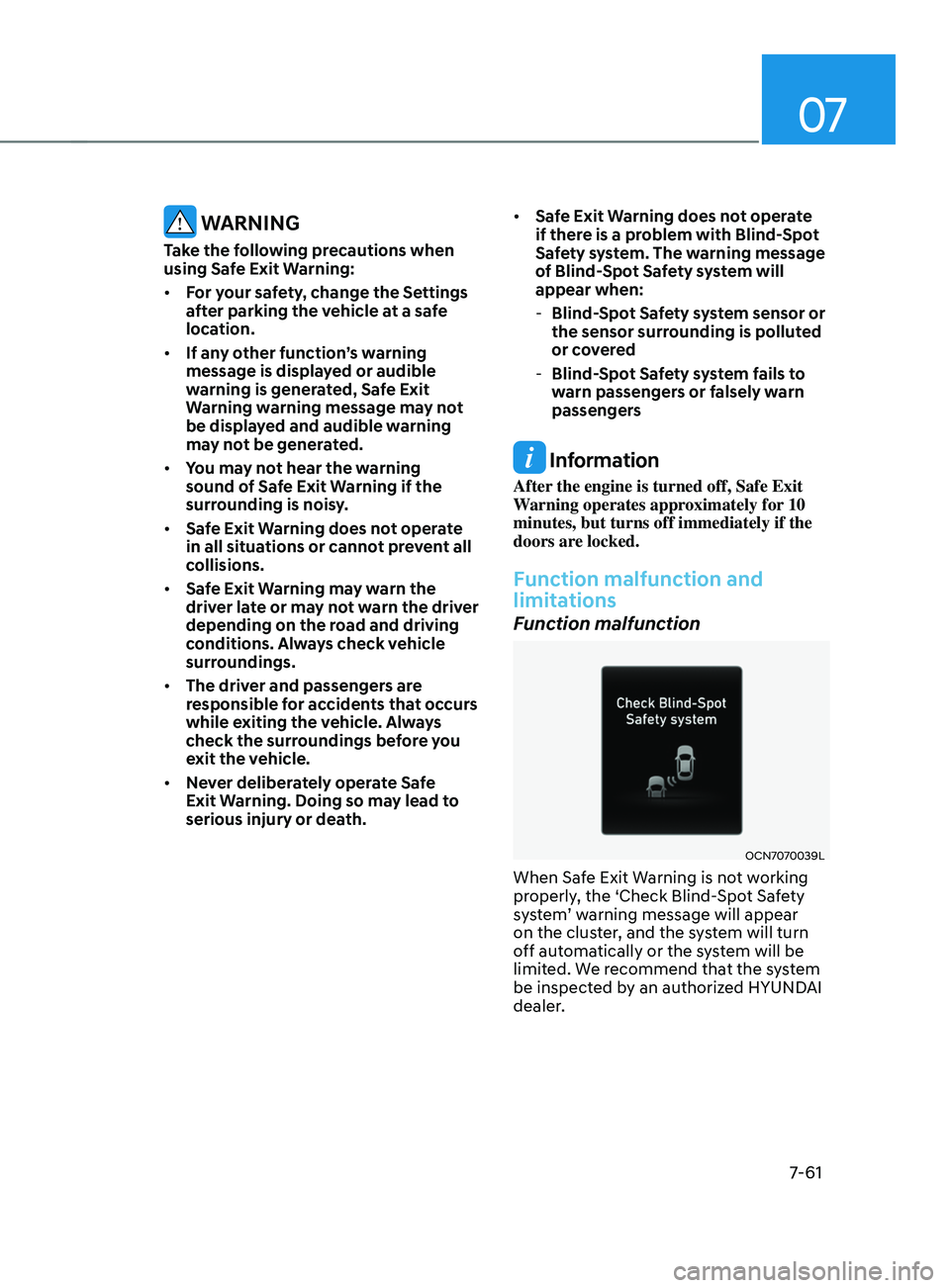
Function malfunction
OCN7070039L
When Safe Exit Warning is not working
properly, the ‘Check Blind-Spot Safety
system’
w
arning
message will appear on the clust
er, and the system will turn
off automatically or the system will be
limited. We recommend that the system
be inspected by an authorized HYUNDAI
dealer.
Page 375 of 570
Driver assistance system
7-62
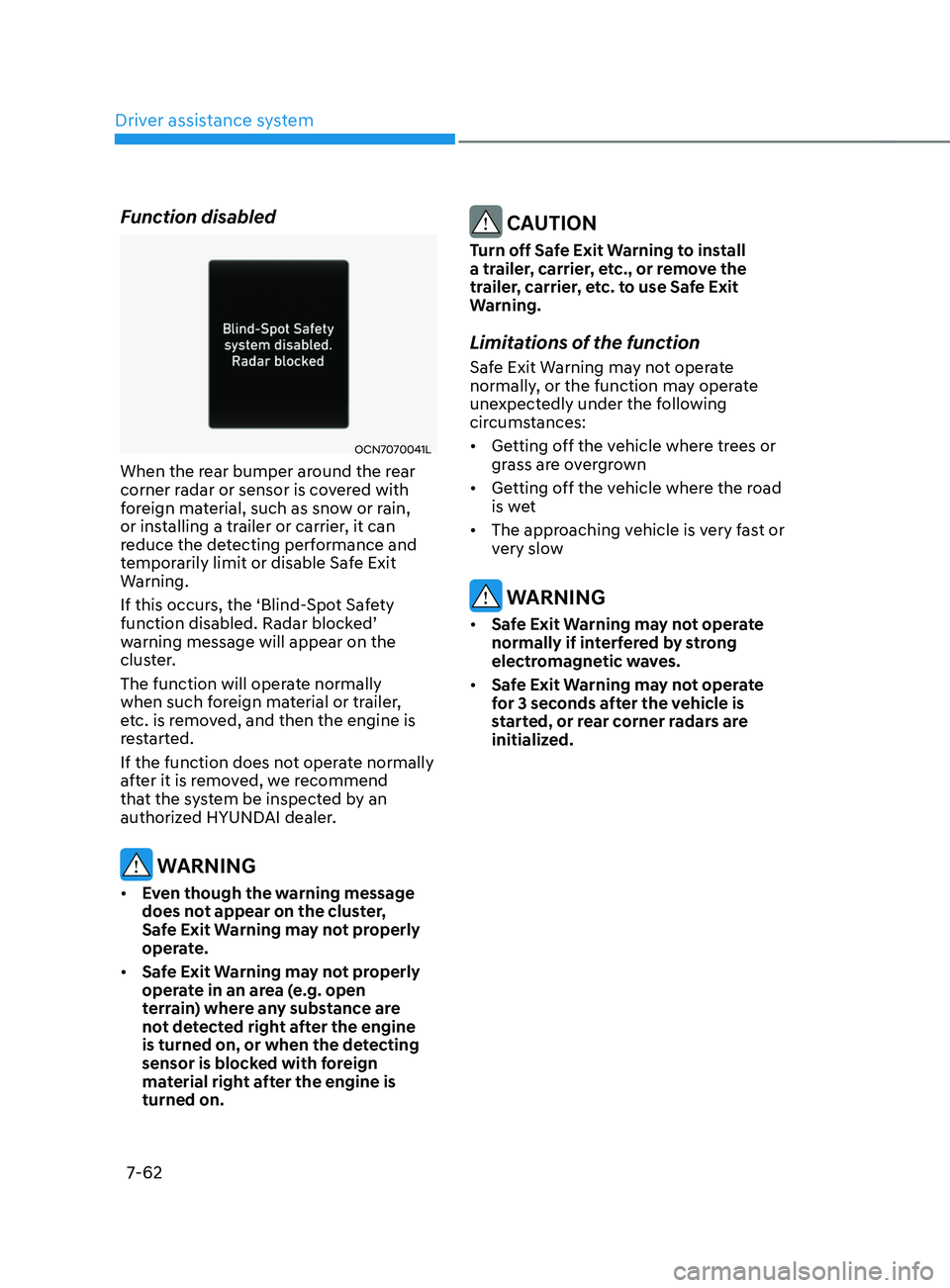
Function disabled
OCN7070041L
When the rear bumper around the rear
corner radar or sensor is covered with
foreign material, such as snow or rain,
or installing a trailer or carrier, it can
reduce the detecting performance and
temporarily limit or disable Safe Exit
Warning.
If this occurs, the ‘Blind-Spot Safety
function
disabled. Radar block
ed’
warning message will appear on the
clus
ter.
The function will operate normally
when such foreign material or trailer,
etc. is removed, and then the engine is
restarted.
If the function does not operate normally
after it is removed, we recommend
that the system be inspected by an
authorized HYUNDAI dealer.
WARNING
• Even though the warning message
does not appear on the cluster,
Safe Exit Warning may not properly
operate.
• Safe Exit Warning may not properly
operate in an area (e.g. open
terrain) where any substance are
not detected right after the engine
is turned on, or when the detecting
sensor is blocked with foreign
material right after the engine is
turned on.
CAUTION
Turn off Safe Exit Warning to install
a trailer, carrier, etc., or remove the
trailer, carrier, etc. to use Safe Exit
Warning.
Limitations of the function
Safe Exit Warning may not operate
normally, or the function may operate
unexpectedly under the following
circumstances:
• Getting off the vehicle where trees or
grass are overgrown
• Getting off the vehicle where the road
is wet
• The approaching vehicle is very fast or
very slow
WARNING
• Safe Exit Warning may not operate
normally if interfered by strong
electromagnetic waves.
• Safe Exit Warning may not operate
for 3 seconds after the vehicle is
started, or rear corner radars are
initialized.
Page 378 of 570
![HYUNDAI ELANTRA SEL 2021 Owners Manual 07
7-65
To temporarily pause the system
OCN7060063[A] : Type A, [B] : Type B
Push the switch to temporarily
pause the set speed limit. The set speed
limit will turn off but the Manual Speed
Limit](/img/35/56089/w960_56089-377.png "HYUNDAI ELANTRA SEL 2021 Owners Manual 07
7-65
To temporarily pause the system
OCN7060063[A] : Type A, [B] : Type B
Push the switch to temporarily
pause the set speed limit. The set speed
limit will turn off but the Manual Speed
Limit")
07
7-65
To temporarily pause the system
OCN7060063[A] : Type A, [B] : Type B
Push the switch to temporarily
pause the set speed limit. The set speed
limit will turn off but the Manual Speed
Limit Assist enabled (
) indicator
will stay on.
To resume the system
OCN7060145
To resume Manual Speed Limit Assist
after the system was paused, push the +,
-,
switch.
If you push the + switch up or – switch
down, vehicle speed will be set to the
current speed on the cluster.
If you push the
switch, vehicle speed
will resume to the preset speed.
To turn off the system
OCN7060060
Press the Driving Assist () button
to turn Manual Speed Limit Assist off.
The Manual Speed Limit Assist enabled
(
) indicator will go off.
Always press the Driving Assist (
)
button to turn Manual Speed Limit Assist
off when not in use.
WARNING
Take the following precautions when
using Manual Speed Limit Assist:
• Always set the vehicle speed to the
speed limit in your country.
• Keep Manual Speed Limit Assist off
when the system is not in use, to
avoid inadvertently setting a speed.
Check that the Manual Speed Limit
Assist enabled (
) indicator is
off.
• Manual Speed Limit Assist does
not substitute for proper and safe
driving. It is the responsibility of
the driver to always drive safely
and should always be aware of
unexpected and sudden situations
from occurring. Pay attention to the
road conditions at all times.
Page 379 of 570
Driver assistance system
7-66
intelligent speed liMit assist (isla) (iF equipped)
Intelligent Speed Limit Assist uses
information from the detected road sign
and navigation system to inform the
driver of the speed limit and additional
information of the current road. Also,
the function helps the driver to maintain
within the speed limit of the road.
CAUTION
Intelligent Speed Limit Assist may not
operate properly if the system is used in
other countries.
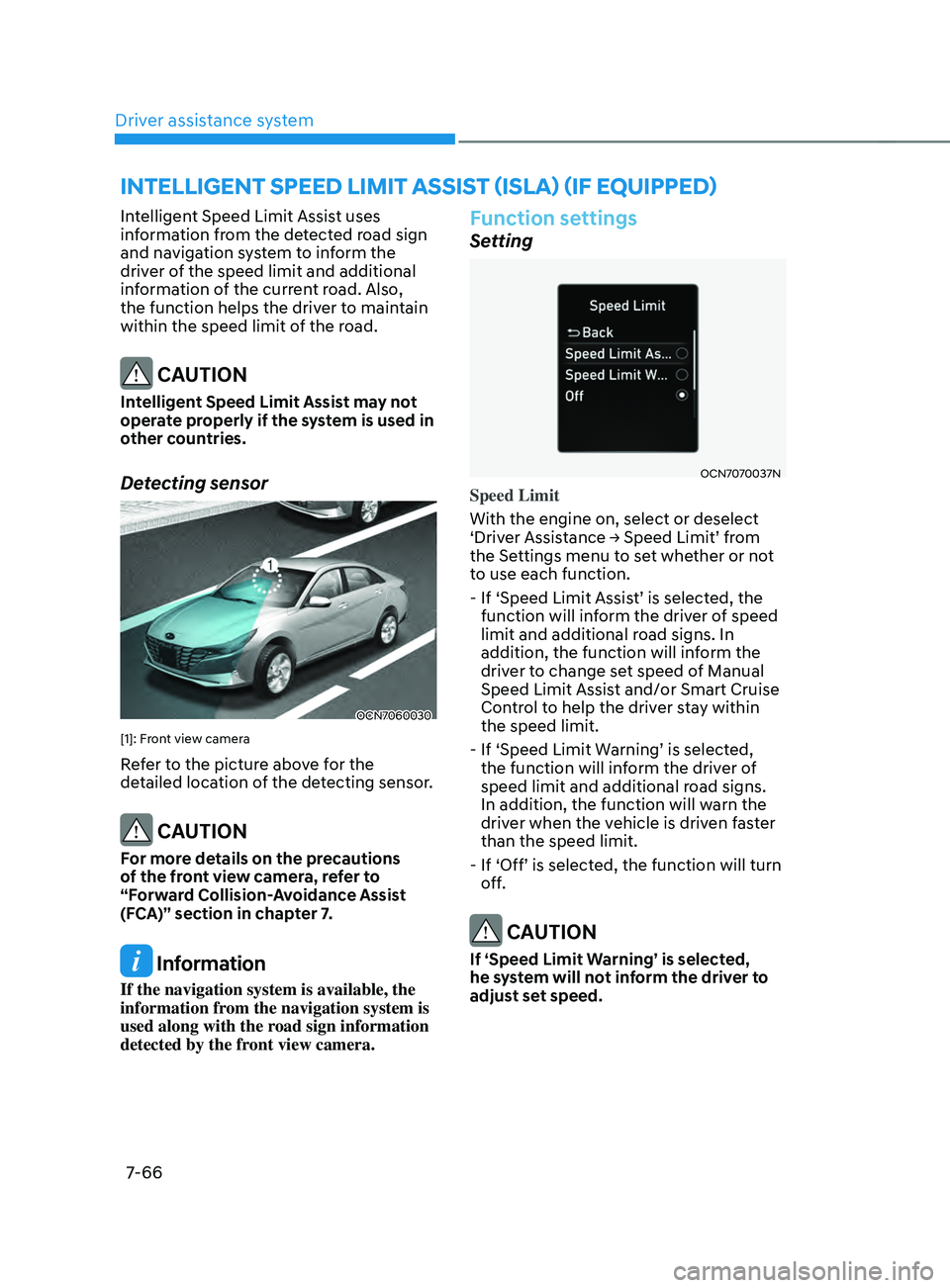
Detecting sensor
OCN7060030
[1]: Front view camera
Refer to the picture above for the
detailed location of the detecting sensor.
CAUTION
For more details on the precautions
of the front view camera, refer to
“Forward Collision-Avoidance Assist
(FCA)” section in chapter 7.
Information
If the navigation system is available, the
information from the navigation system is
used along with the road sign information
detected by the front view camera.
Function settings
Setting
OCN7070037N
Speed Limit
With the engine on, select or deselect
‘Driver
Assis
tance
→ Speed Limit’ fr
om
the Settings menu t
o set whether or not
to use each function.
-
If ‘Speed Limit Assis
t’
is select
ed,
the function will inf
orm the driver of speed
limit and additional road signs. In
addition, the function will inform the
driver to change set speed of Manual
Speed Limit Assist and/or Smart Cruise
Control to help the driver stay within
the speed limit.
-
If ‘Speed Limit W
arning’
is select
ed,
the function will inf
orm the driver of
speed limit and additional road signs.
In addition, the function will warn the
driver when the vehicle is driven faster
than the speed limit.
-
If ‘Off’ is select
ed,
the function will turn of
f.
CAUTION
If ‘Speed Limit Warning’ is selected,
he system will not inform the driver to
adjust set speed.
Page 380 of 570
07
7-67
Speed Limit Offset
With the engine on, when ‘Driver
Assistance
→ Speed Limit → Speed Limit Offse
t’
is selected, the Speed Limit Offse
t
can be changed. Speed Limit Warning
and Speed Limit Assis
t will operate by
applying the Speed Limit Offset setting
to the detected speed limit.
WARNING
• For your safety, change the Settings
after parking the vehicle at a safe
location.
• Speed Limit Assist function operates
based on the Offset setting added
to the speed limit. If you want to
change the set speed according to
the speed limit, set the offset to ‘0’.
• Speed Limit Warning function warns
the driver when driving speed
exceeds the speed at which the set
Offset is added to speed limit. If you
want Speed Limit Warning to warn
you immediately when the driving
speed exceeds the speed limit, set
the offset to ‘0’.
Function operation
Function warning and control
Intelligent Speed Limit Assist will warn
and control the vehicle by ‘Displaying
speed
limit’
,
‘W
arning
o
verspeed’
and ‘Changing se
t
speed’
.
Information
Function warning and control are
described based on the Offset set to '0'.
For details on Offset setting, refer to the
“System Settings”.
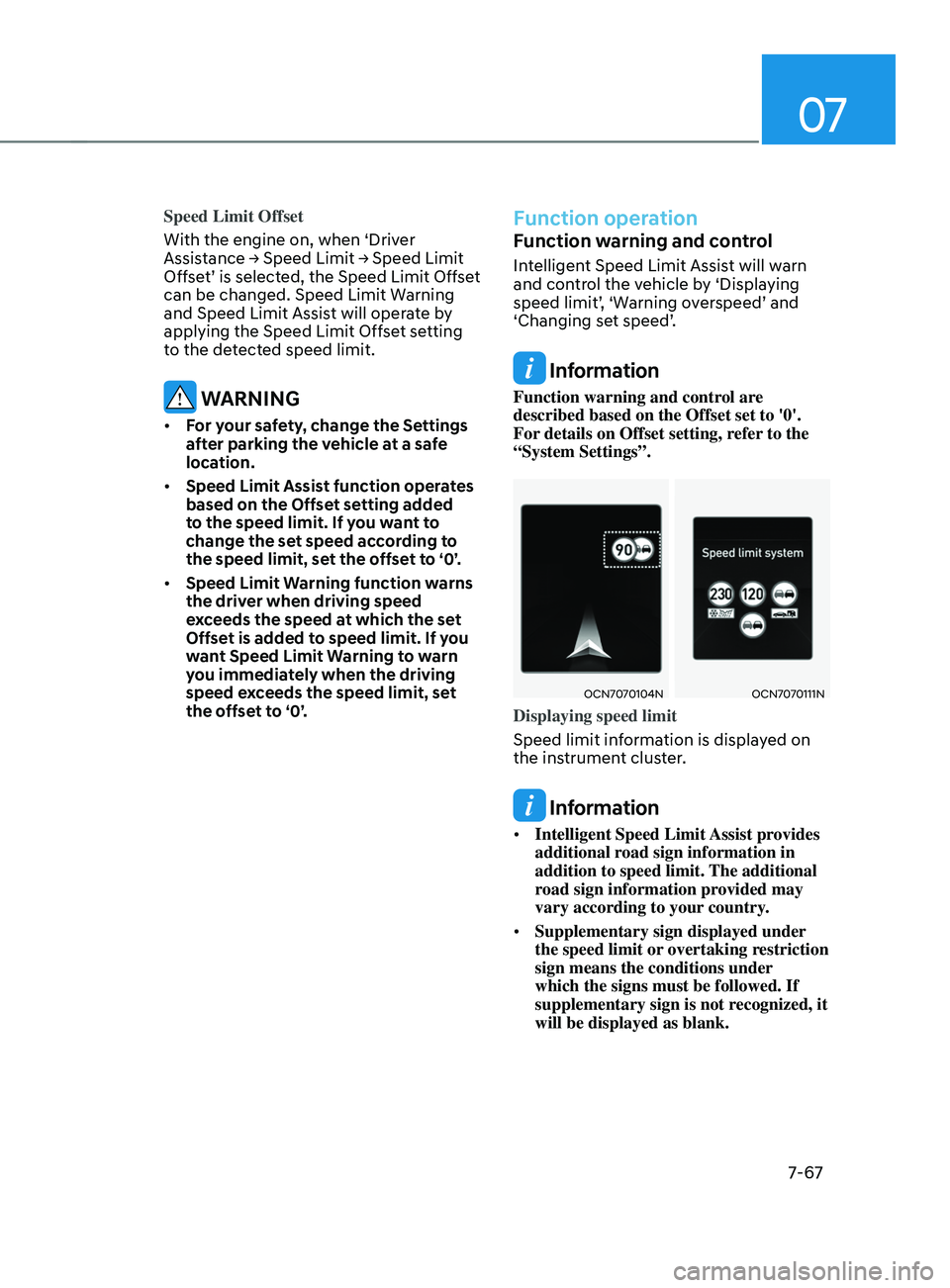
OCN7070104NOCN7070111N
Displaying speed limit
Speed limit information is displayed on
the instrument cluster.
Information
• Intelligent Speed Limit Assist provides
additional road sign information in
addition to speed limit. The additional
road sign information provided may
vary according to your country.
• Supplementary sign displayed under
the speed limit or overtaking restriction
sign means the conditions under
which the signs must be followed. If
supplementary sign is not recognized, it
will be displayed as blank.
Page 381 of 570
Driver assistance system
7-68
OCN7070105N
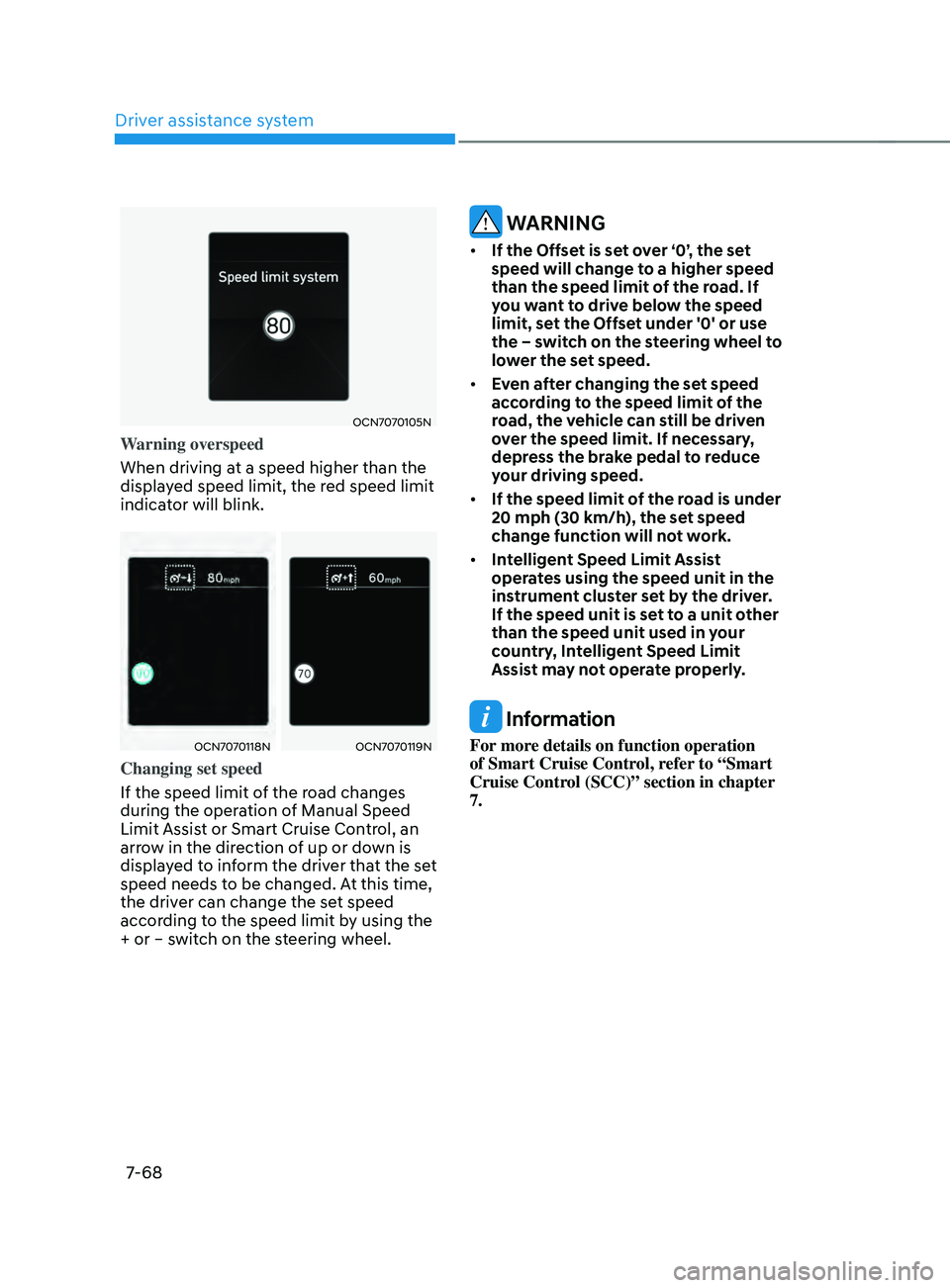
Warning overspeed
When driving at a speed higher than the
displayed speed limit, the red speed limit
indicator will blink.
OCN7070118NOCN7070119N
Changing set speed
If the speed limit of the road changes
during the operation of Manual Speed
Limit Assist or Smart Cruise Control, an
arrow in the direction of up or down is
displayed to inform the driver that the set
speed needs to be changed. At this time,
the driver can change the set speed
according to the speed limit by using the
+ or – switch on the steering wheel.
WARNING
• If the Offset is set over ‘0’, the set
speed will change to a higher speed
than the speed limit of the road. If
you want to drive below the speed
limit, set the Offset under '0' or use
the – switch on the steering wheel to
lower the set speed.
• Even after changing the set speed
according to the speed limit of the
road, the vehicle can still be driven
over the speed limit. If necessary,
depress the brake pedal to reduce
your driving speed.
• If the speed limit of the road is under
20 mph (30 km/h), the set speed
change function will not work.
• Intelligent Speed Limit Assist
operates using the speed unit in the
instrument cluster set by the driver.
If the speed unit is set to a unit other
than the speed unit used in your
country, Intelligent Speed Limit
Assist may not operate properly.
Information
For more details on function operation
of Smart Cruise Control, refer to “Smart
Cruise Control (SCC)” section in chapter
7.
Page 382 of 570
07
7-69
Function malfunction and
limitations
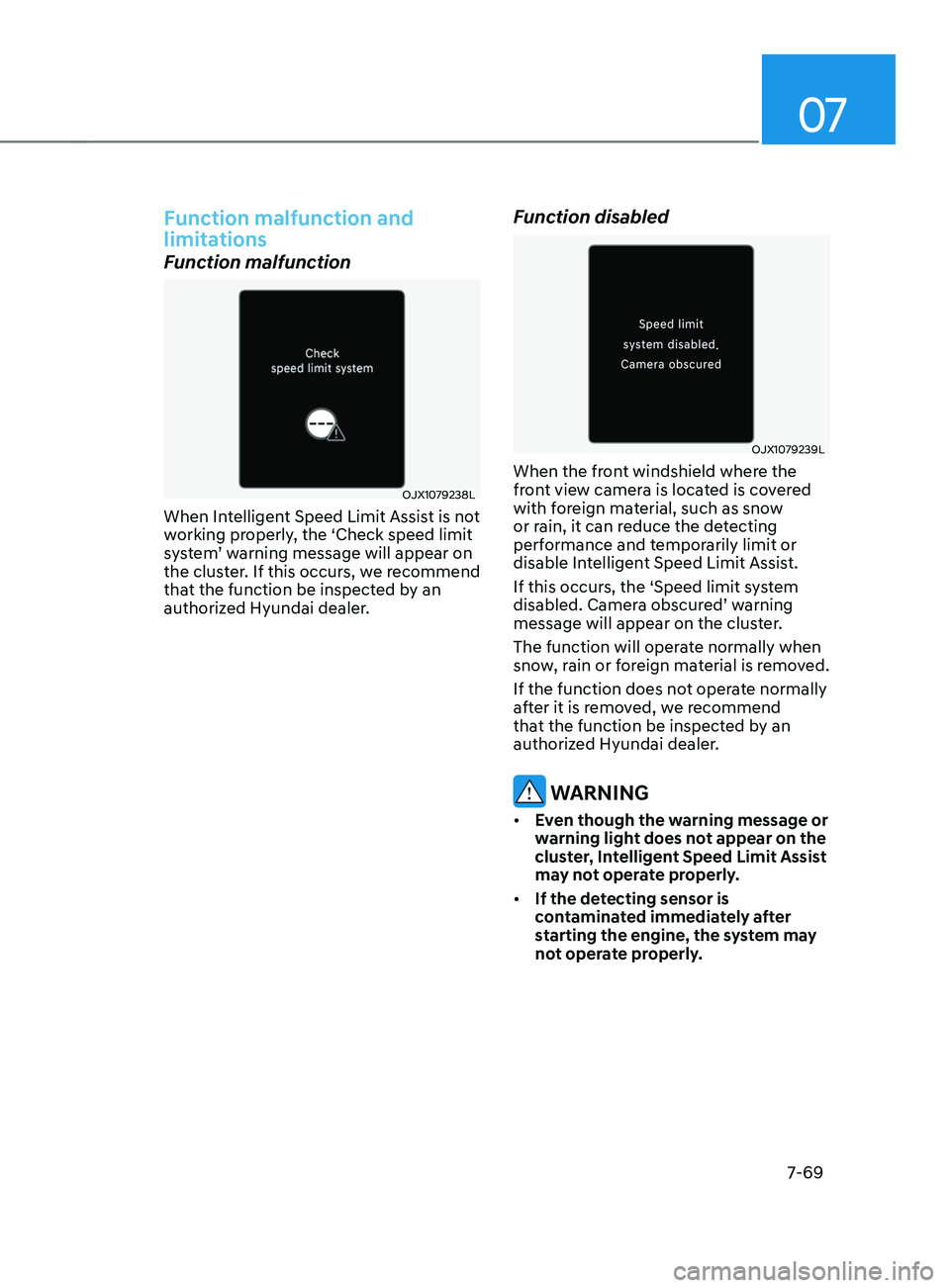
Function malfunction
OJX1079238L
When Intelligent Speed Limit Assist is not
working properly, the ‘Check speed limit
system’
w
arning
message will appear on the clust
er. If this occurs, we recommend
that the function be inspected by an
authorized Hyundai dealer.
Function disabled
OJX1079239L
When the front windshield where the
front view camera is located is covered
with foreign material, such as snow
or rain, it can reduce the detecting
performance and temporarily limit or
disable Intelligent Speed Limit Assist.
If this occurs, the ‘Speed limit system
disabled.
Camer
a
obscur
ed’
w
arning
message will appear on the clust
er.
The function will operate normally when
snow, rain or foreign material is removed.
If the function does not operate normally
after it is removed, we recommend
that the function be inspected by an
authorized Hyundai dealer.
WARNING
• Even though the warning message or
warning light does not appear on the
cluster, Intelligent Speed Limit Assist
may not operate properly.
• If the detecting sensor is
contaminated immediately after
starting the engine, the system may
not operate properly.
Page 383 of 570
Driver assistance system
7-7 0
Limitations of the function
Intelligent Speed Limit Assist may
not operate normally, or the system
may operate unexpectedly under the
following circumstances:
• The road sign is contaminated or
indistinguishable
- The road sign is difficult t
o see due
to bad weather, such as rain, snow,
fog, etc.
- The road sign is no
t clear or
damaged
- The road sign is partially obscur
ed
by surrounding objects or shadow
• The road signs do not conform to the
standard
- The te
xt or picture on the road sign
is different from the standard -
The road sign is installed between
the main line and the exit road or
between diverging roads
- An conditional road sign is no
t
installed with a sign located on the
road to enter or exit
- A sign is attached t
o another vehicle
• The brightness changes suddenly, for
example when entering or exiting a
tunnel or passing under a bridge
• Headlamps are not used or the
brightness of the headlamps are weak
at night or in the tunnel
• Road signs are difficult to recognize
due to the reflection of sunlight, street
lights, or oncoming vehicles
• The field of view of the front view
camera is obstructed by sun glare
• Driving on a road that is sharply
curved or continuously curved
• Driving through speed bumps, or
driving up and down or left to right on
steep inclines
• The vehicle is shaking heavily WARNING
• Intelligent Speed Limit Assist is a
supplemental system that helps the
driver to comply with the speed limit
on the road, and may not display the
correct speed limit or control the
driving speed properly.
• Always set the vehicle speed to the
speed limit in the region you are
driving.
Information
For more details on the limitations of the
front view camera, refer to “Forward
Collision-Avoidance Assist (FCA)” section
in chapter 7.
Page 384 of 570
07
7-7 1
Basic function
Driver Attention Warning can help
determine the driver's attention level by
analyzing driving pattern, driving time,
etc. while vehicle is being driven. The
system can recommend a break when
the
driv
er’s
a
ttention
le
vel
f
alls
belo
w
a certain lev
el.
Leading Vehicle Departure Alert
function
Leading Vehicle Departure Alert function
can inform the driver when the front
vehicle departs from a stop.
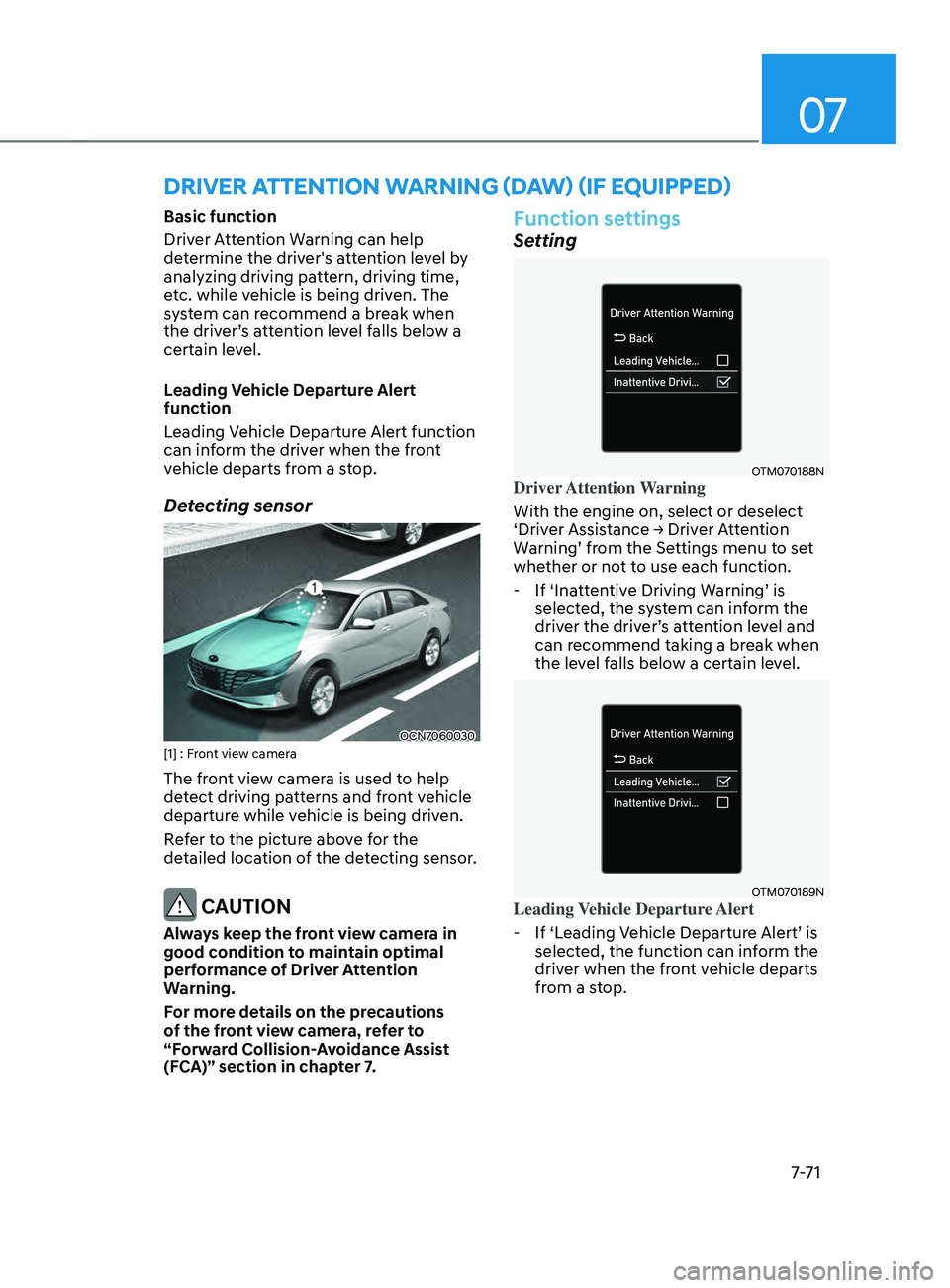
Detecting sensor
OCN7060030[1] : Front view camera
The front view camera is used to help
detect driving patterns and front vehicle
departure while vehicle is being driven.
Refer to the picture above for the
detailed location of the detecting sensor.
CAUTION
Always keep the front view camera in
good condition to maintain optimal
performance of Driver Attention
Warning.
For more details on the precautions
of the front view camera, refer to
“Forward Collision-Avoidance Assist
(FCA)” section in chapter 7.
Function settings
Setting
OTM070188NDriver Attention Warning
With the engine on, select or deselect
‘Driver
Assis
tance
→ Driv
er
A
ttention
Warning’ fr
om
the Se
ttings
menu t
o
se
t
whether or no
t to use each function.
-If ‘Ina
ttentive
Driving W
arning’
is selected, the s
ystem can inform the
driver
the driv
er’s
a
ttention
le
vel
and can recommend taking a br
eak when
the level falls below a certain level.
OTM070189NLeading Vehicle Departure Alert
- If ‘L
eading
V
ehicle
Departur
e
Alert’ is selected, the function can in
form the
driver when the front vehicle departs
from a stop.
driver attention warning (d aw) (iF e quipped)
Page 385 of 570
Driver assistance system
7-7 2
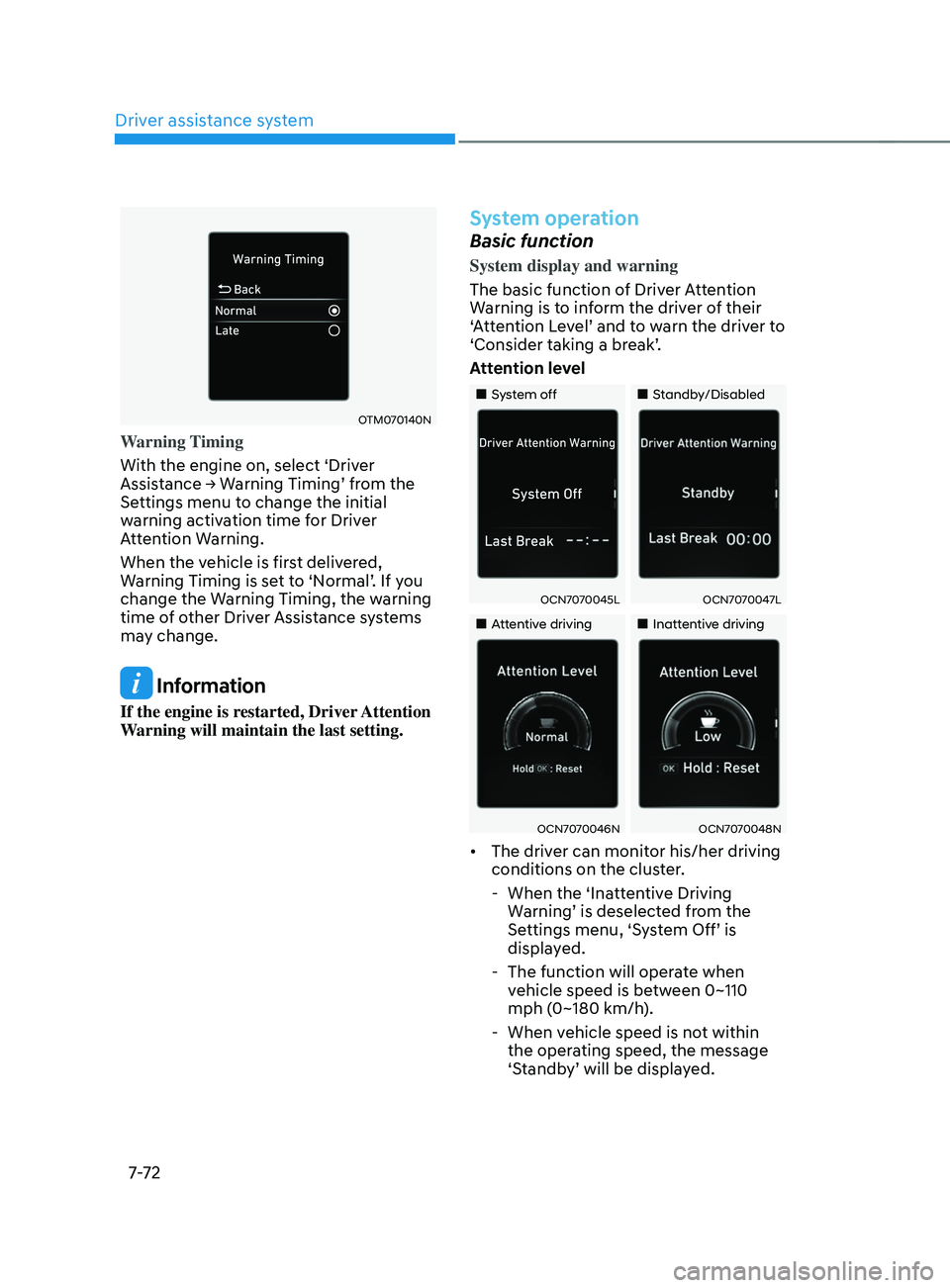
OTM070140N
Warning Timing
With the engine on, select ‘Driver
Assistance
→ W
arning
Timing’ fr
om
the Settings menu t
o change the initial
warning activation time for Driver
Attention Warning.
When the vehicle is first delivered,
Warning
Timing is se
t
t
o
‘N
ormal’.
If y
ou
change the Warning Timing, the w
arning
time of other Driver Assistance systems
may change.
Information
If the engine is restarted, Driver Attention
Warning will maintain the last setting.
System operation
Basic function
System display and warning
The basic function of Driver Attention
Warning is to inform the driver of their
‘Attention
L
evel’
and t
o
w
arn
the driv
er
t
o
‘Consider taking a br
eak’.
Attention level
„„System off „„Standby/Disabled
OCN7070045LOCN7070047L
„„Attentive driving„„Inattentive driving
OCN7070046NOCN7070048N
• The driver can monitor his/her driving
conditions on the cluster.
- When the ‘Inatt
entive Driving
Warning’
is deselect
ed
fr
om
the Settings menu, ‘S
ystem
Off’ is display
ed.
- The function will opera
te when
vehicle speed is between 0~110
mph (0~180 km/h).
- When vehicle speed is no
t within
the operating speed, the message
‘Standby’
will be displa
yed.