stop start HYUNDAI ELANTRA SEL 2021 Workshop Manual
[x] Cancel search | Manufacturer: HYUNDAI, Model Year: 2021, Model line: ELANTRA SEL, Model: HYUNDAI ELANTRA SEL 2021Pages: 570, PDF Size: 52.21 MB
Page 343 of 570
Driver assistance system7-30
lane Keeping assist (lKa)
Lane Keeping Assist is designed to help
detect lane markings (or road edges)
while driving over a certain speed. The
system will warn the driver if the vehicle
leaves the lane without using the turn
signal, or will automatically assist the
driver’s
s
teering
t
o
help pr
event
the vehicle fr
om departing the lane.
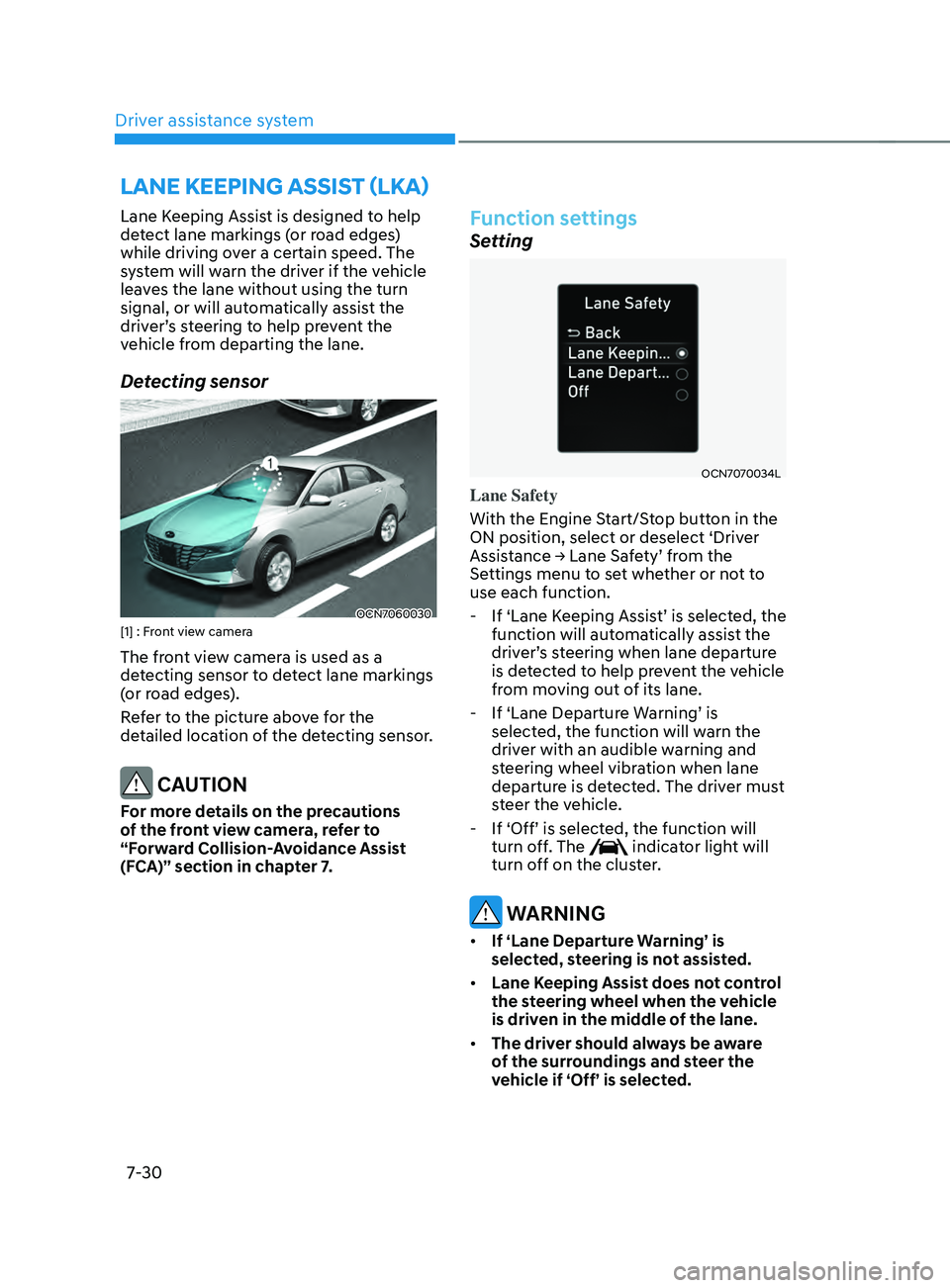
Detecting sensor
OCN7060030[1] : Front view camera
The front view camera is used as a
detecting sensor to detect lane markings
(or road edges).
Refer to the picture above for the
detailed location of the detecting sensor.
CAUTION
For more details on the precautions
of the front view camera, refer to
“Forward Collision-Avoidance Assist
(FCA)” section in chapter 7.
Function settings
Setting
OCN7070034L
Lane Safety
With the Engine Start/Stop button in the
ON position, select or deselect ‘Driver
Assistance
→ Lane Sa
fety’
fr
om
the Settings menu t
o set whether or not to
use each function.
- If ‘Lane K
eeping
Assis
t’
is select
ed,
the function will automa
tically assist the
driver’s
s
teering
when lane departur
e
is det
ected to help prevent the vehicle
from moving out of its lane.
- If ‘Lane Departur
e
W
arning’
is selected, the function will w
arn the
driver with an audible warning and
steering wheel vibration when lane
departure is detected. The driver must
steer the vehicle.
- If ‘Off’ is select
ed,
the function will turn off
. The
indicator light will
turn off on the cluster.
WARNING
• If ‘Lane Departure Warning’ is
selected, steering is not assisted.
• Lane Keeping Assist does not control
the steering wheel when the vehicle
is driven in the middle of the lane.
• The driver should always be aware
of the surroundings and steer the
vehicle if ‘Off’ is selected.
Page 398 of 570
07
7-85
OTM070142N
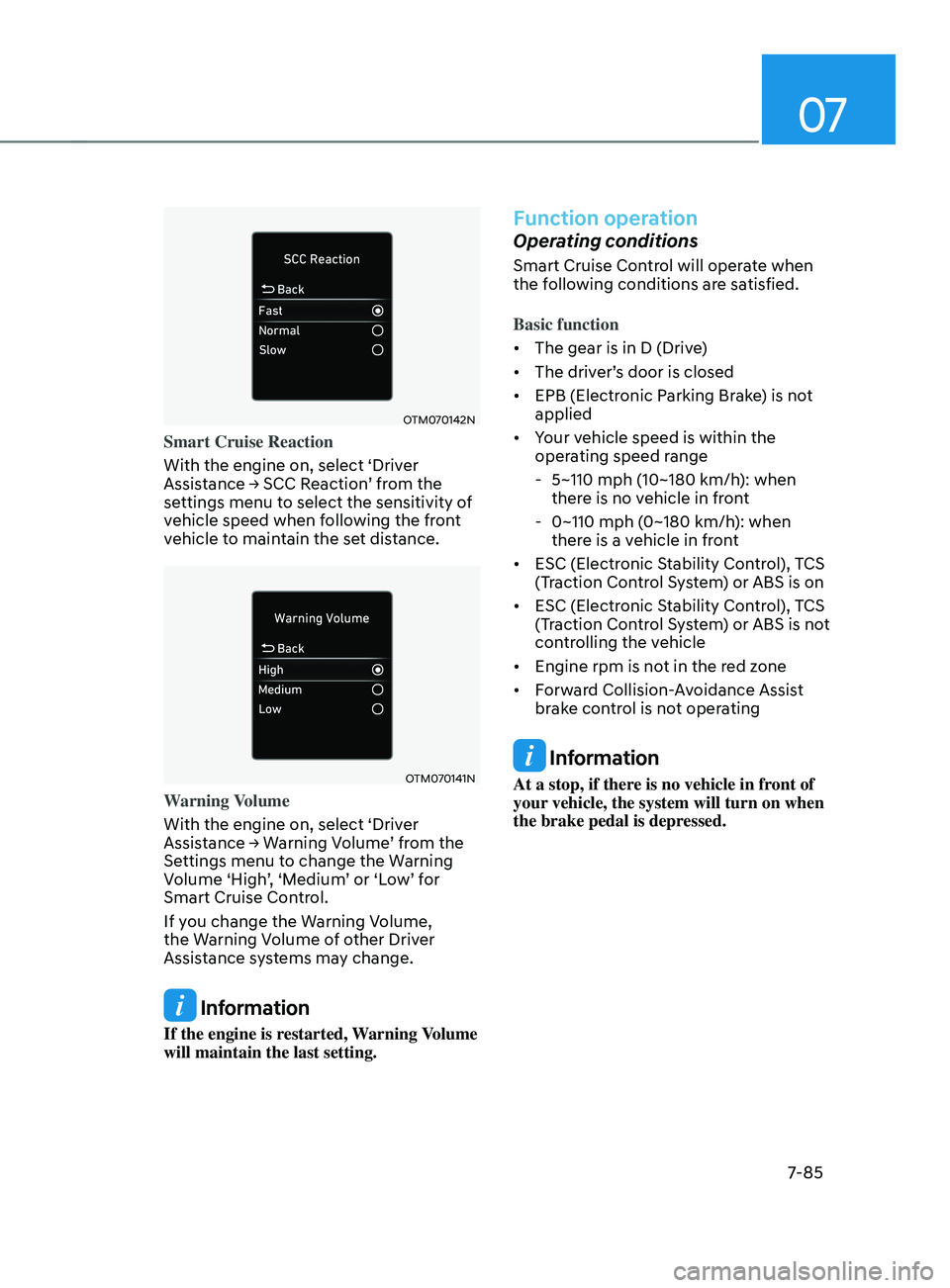
Smart Cruise Reaction
With the engine on, select ‘Driver
Assistance
→ SCC R
eaction’
fr
om
the settings menu t
o select the sensitivity of
vehicle speed when following the front
vehicle to maintain the set distance.
OTM070141N
Warning Volume
With the engine on, select ‘Driver
Assistance
→ W
arning
V
olume’
fr
om
the Settings menu t
o change the Warning
Volume
‘High
’,
‘M
edium’
or ‘L
ow’
f
or
Smart Cruise Contr
ol.
If you change the Warning Volume,
the Warning Volume of other Driver
Assistance systems may change.
Information
If the engine is restarted, Warning Volume
will maintain the last setting.
Function operation
Operating conditions
Smart Cruise Control will operate when
the following conditions are satisfied.
Basic function
• The gear is in D (Drive)
• The
driv
er’s
door is closed
• EPB (Electr
onic Parking Brake) is not
applied
• Your vehicle speed is within the
operating speed range
- 5~110 mph (10~180 km/h): when
ther
e is no vehicle in front
- 0~110 mph (0~180 km/h
): when
there is a vehicle in front
• ESC (Electronic Stability Control), TCS
(Traction Control System) or ABS is on
• ESC (Electronic Stability Control), TCS
(Traction Control System) or ABS is not
controlling the vehicle
• Engine rpm is not in the red zone
• Forward Collision-Avoidance Assist
brake control is not operating
Information
At a stop, if there is no vehicle in front of
your vehicle, the system will turn on when
the brake pedal is depressed.
Page 402 of 570
07
7-89
In traffic situation
OCN7070054L
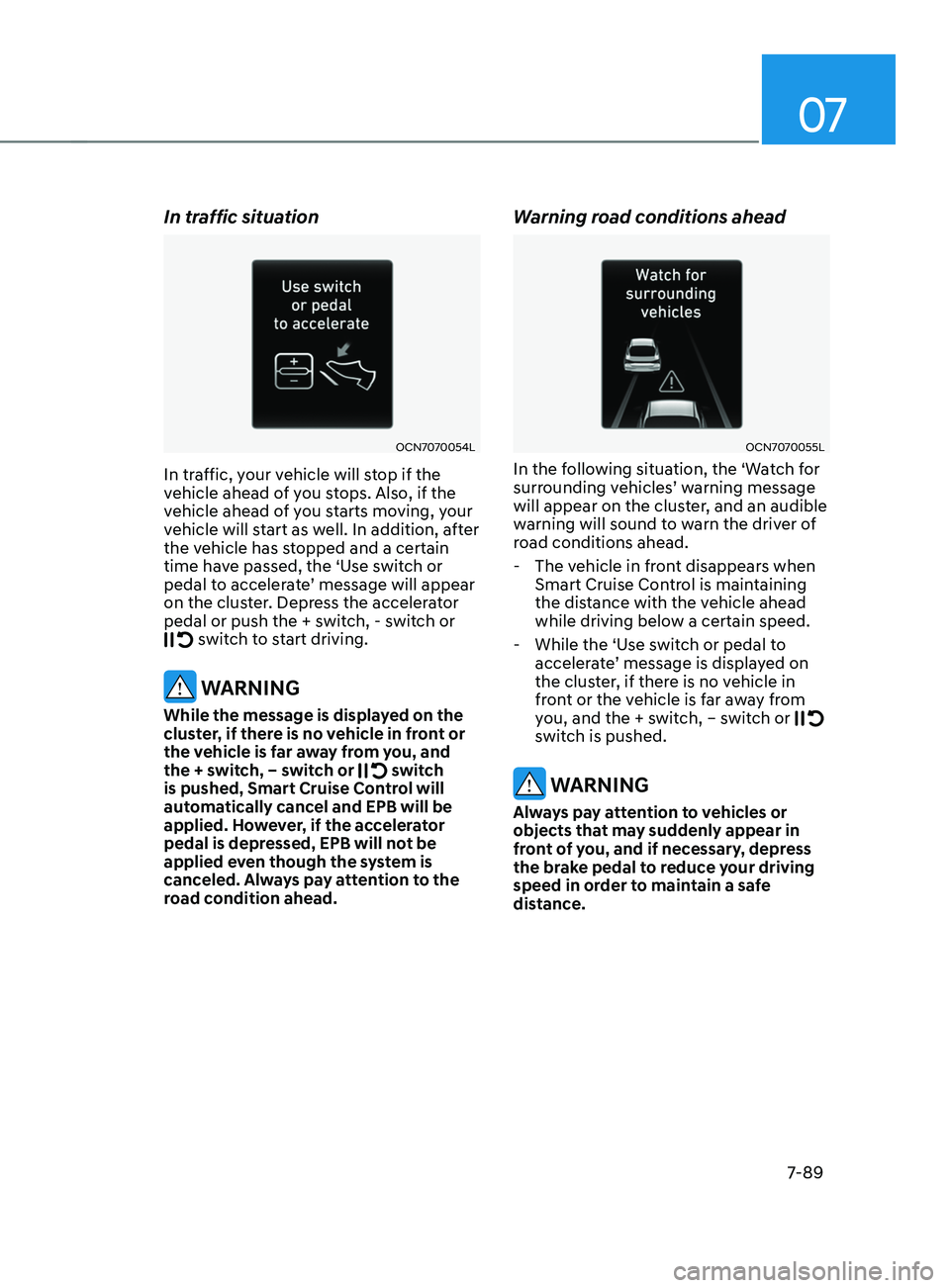
In traffic, your vehicle will stop if the
vehicle ahead of you stops. Also, if the
vehicle ahead of you starts moving, your
vehicle will start as well. In addition, after
the vehicle has stopped and a certain
time have passed, the ‘Use switch or
pedal
t
o
acceler
ate’
message will appear on the clust
er. Depress the accelerator
pedal or push the + switch, - switch or
switch to start driving.
WARNING
While the message is displayed on the
cluster, if there is no vehicle in front or
the vehicle is far away from you, and
the + switch, – switch or
switch
is pushed, Smart Cruise Control will
automatically cancel and EPB will be
applied. However, if the accelerator
pedal is depressed, EPB will not be
applied even though the system is
canceled. Always pay attention to the
road condition ahead.
Warning road conditions ahead
OCN7070055L
In the following situation, the ‘Watch for
surrounding v ehicles’ w arning message will appear on the clust
er, and an audible
warning will sound to warn the driver of
road conditions ahead.
- The vehicle in fr
ont disappears when
Smart Cruise Control is maintaining
the distance with the vehicle ahead
while driving below a certain speed.
- While the ‘Use s
witch or pedal to
accelerate’
message is displa
yed
on the clust
er, if there is no vehicle in
front or the vehicle is far away from
you, and the + switch, – switch or
switch is pushed.
WARNING
Always pay attention to vehicles or
objects that may suddenly appear in
front of you, and if necessary, depress
the brake pedal to reduce your driving
speed in order to maintain a safe
distance.
Page 425 of 570
Driver assistance system
7-112
• Restarting after stopping
OCN7070054L
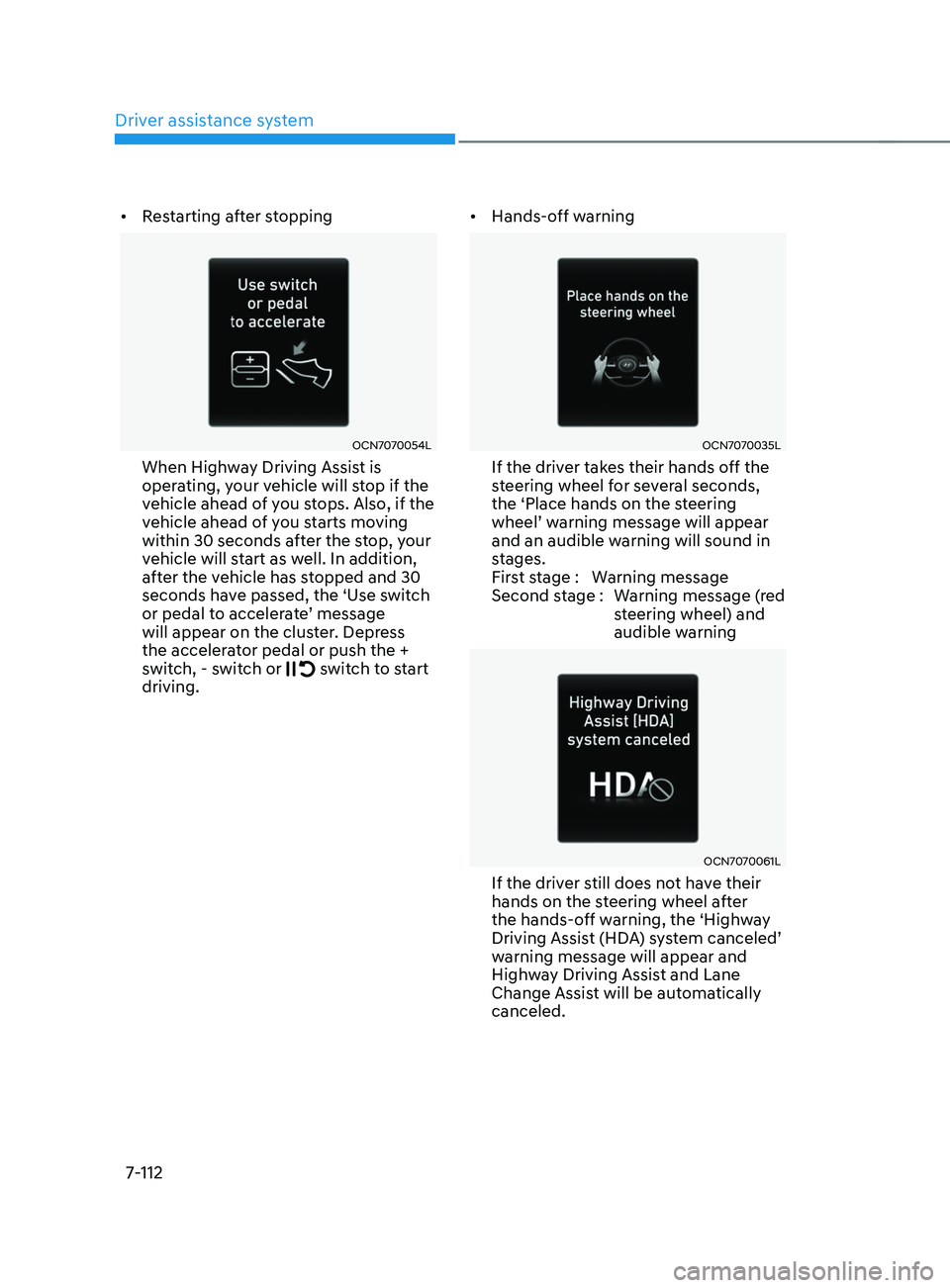
When Highway Driving Assist is
operating, your vehicle will stop if the
vehicle ahead of you stops. Also, if the
vehicle ahead of you starts moving
within 30 seconds after the stop, your
vehicle will start as well. In addition,
after the vehicle has stopped and 30
seconds have passed, the ‘Use switch
or
pedal t
o
acceler
ate’
message will appear on the clust
er. Depress
the accelerator pedal or push the +
switch, - switch or
switch to start
driving. •
Hands-off warning
OCN7070035L
If the driver takes their hands off the
steering wheel for several seconds,
the ‘Place hands on the steering
wheel’
w
arning
message will appear and an audible warning will sound in
s
tages.
First stage : Warning message
Second stage : Warning message (red steering wheel) and
audible warning
OCN7070061L
If the driver still does not have their
hands on the steering wheel after
the hands-off warning, the ‘Highway
Driving
Assis
t
(HD
A)
s
ystem
canceled’ warning message will appear and
High
way Driving Assist and Lane
Change Assist will be automatically
canceled.
Page 430 of 570
07
7-117
Function settings
Camera settings
You can change Rear View Monitor
settings by pressing the setup icon
(
) on the screen while the system is
operating, or select ‘Driver Assistance →
Parking Safety → Camera Settings’ from
the Settings menu while the Engine
Start/Stop button is in the ON position.
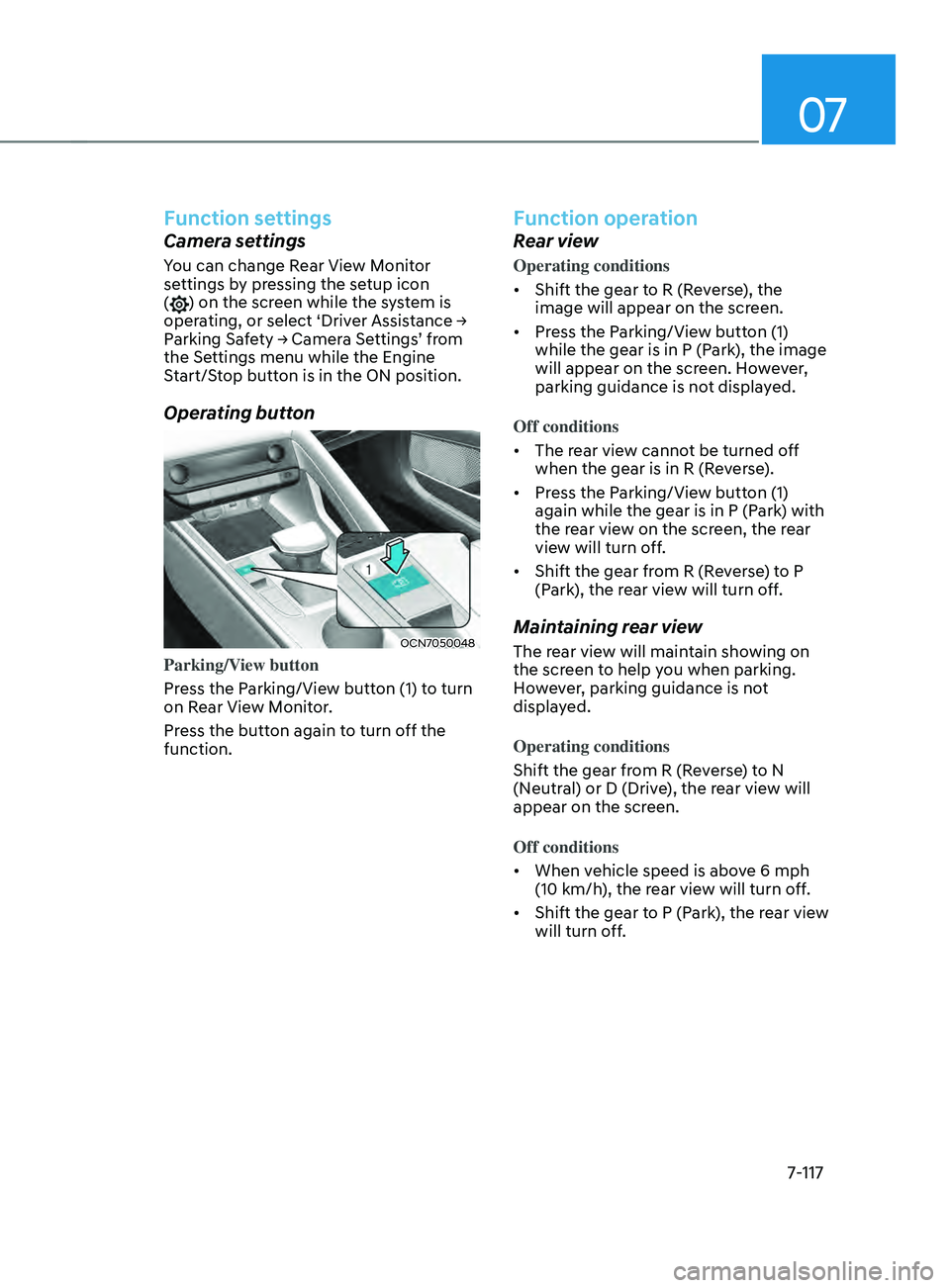
Operating button
OCN7050048
Parking/View button
Press the Parking/View button (1) to turn
on Rear View Monitor.
Press the button again to turn off the
function.
Function operation
Rear view
Operating conditions
• Shift the gear to R (Reverse), the
image will appear on the screen.
• Press the Parking/View button (1)
while the gear is in P (Park), the image
will appear on the screen. However,
parking guidance is not displayed.
Off conditions
• The rear view cannot be turned off
when the gear is in R (Reverse).
• Press the Parking/View button (1)
again while the gear is in P (Park) with
the rear view on the screen, the rear
view will turn off.
• Shift the gear from R (Reverse) to P
(Park), the rear view will turn off.
Maintaining rear view
The rear view will maintain showing on
the screen to help you when parking.
However, parking guidance is not
displayed.
Operating conditions
Shift the gear from R (Reverse) to N
(Neutral) or D (Drive), the rear view will
appear on the screen.
Off conditions
• When vehicle speed is above 6 mph
(10 km/h), the rear view will turn off.
• Shift the gear to P (Park), the rear view
will turn off.
Page 452 of 570
![HYUNDAI ELANTRA SEL 2021 Workshop Manual 07
7-139
Reverse Parking Distance Warning can
warn the driver if an obstacle is detected
when the vehicle is moving forward or
backward at low speeds.
Detecting sensor
OCN7050051N
[2] : Rear ultras](/img/35/56089/w960_56089-451.png "HYUNDAI ELANTRA SEL 2021 Workshop Manual 07
7-139
Reverse Parking Distance Warning can
warn the driver if an obstacle is detected
when the vehicle is moving forward or
backward at low speeds.
Detecting sensor
OCN7050051N
[2] : Rear ultras")
07
7-139
Reverse Parking Distance Warning can
warn the driver if an obstacle is detected
when the vehicle is moving forward or
backward at low speeds.
Detecting sensor
OCN7050051N
[2] : Rear ultrasonic sensors
Refer to the picture above for the
detailed location of the detecting
sensors.
System settings
Warning Volume
With the Engine Start/Stop button in the
ON
position, select ‘Driv
er
Assis
tance
→ Warning V
olume’
fr
om
the Se
ttings
menu to change the W
arning
V
olume
t
o
‘High
’,
‘Medium
’
or ‘L
ow’
f
or
R
everse
P
arking
Distance W
arning.
If you change the Warning Volume,
the Warning Volume of other Driver
Assistance systems may change.
reverse parKing dis tanCe warning (pd w)
(i
F e
quipped)
Page 456 of 570
07
7-143
CAUTION
Take the following precautions to
maintain optimal performance of the
detecting sensors:
• Always keep the rear view camera
and rear ultrasonic sensors clean.
• Do not use any cleanser containing
acid or alkaline detergents when
cleaning the rear view camera lens.
Use only a mild soap or neutral
detergent, and rinse thoroughly with
water.
• Never disassemble or apply impact
on the rear view camera or the rear
ultrasonic sensors components.
• Do not apply unnecessary force on
the rear view camera or the rear
ultrasonic sensors. The system may
not operate properly if the rear
view camera or the rear ultrasonic
sensor(s) is forcibly moved out of
proper alignment. We recommend
that the vehicle be inspected by an
authorized HYUNDAI dealer.
• Do not spray the rear view camera or
the rear ultrasonic sensors or their
surrounding area directly with a
high pressure washer. It may cause
the rear view camera or the rear
ultrasonic sensors to malfunction.
• The function may not work properly
if the bumper has been damaged,
replaced or repaired.
• Do not apply objects, such as a
bumper sticker or a bumper guard,
near the rear view camera or rear
ultrasonic sensors or apply paint to
the bumper. Doing so may adversely
affect the performance of the
function.
• Reverse Parking Collision-Avoidance
Assist may not operate normally if
interfered by strong electromagnetic
waves.
Function settings
Setting
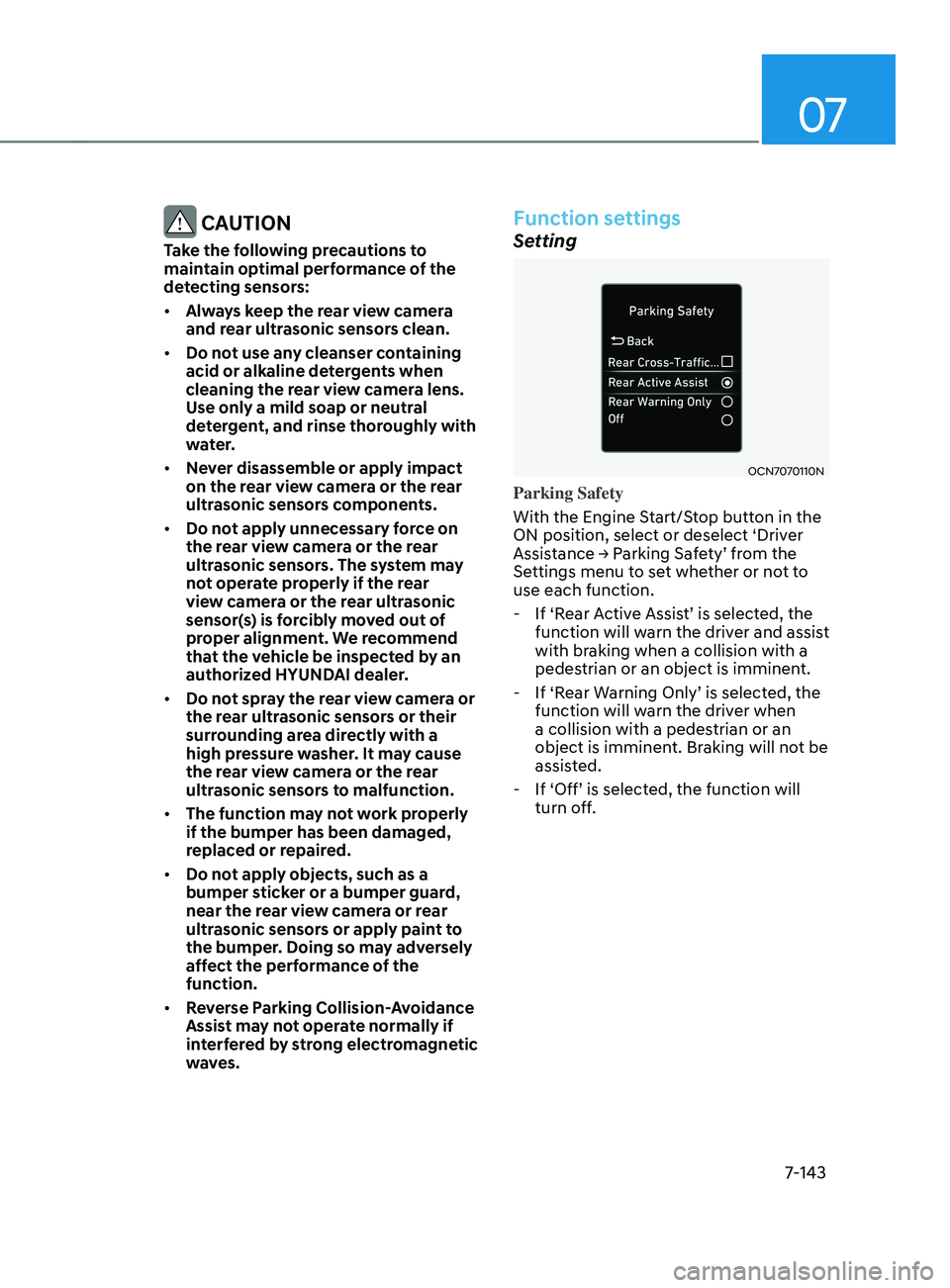
OCN7070110N
Parking Safety
With the Engine Start/Stop button in the
ON position, select or deselect ‘Driver
Assistance
→ P
arking
Sa
fety’
fr
om
the Settings menu t
o set whether or not to
use each function.
- If ‘R
ear
A
ctive
Assis
t’
is select
ed,
the function will warn the driv
er and assist
with braking when a collision with a
pedestrian or an object is imminent.
- If ‘R
ear
W
arning
Only’ is select
ed,
the function will warn the driv
er when
a collision with a pedestrian or an
object is imminent. Braking will not be
assisted.
- If ‘Off’ is select
ed,
the function will turn off
.
Page 457 of 570
Driver assistance system
7-144
OTM070140N
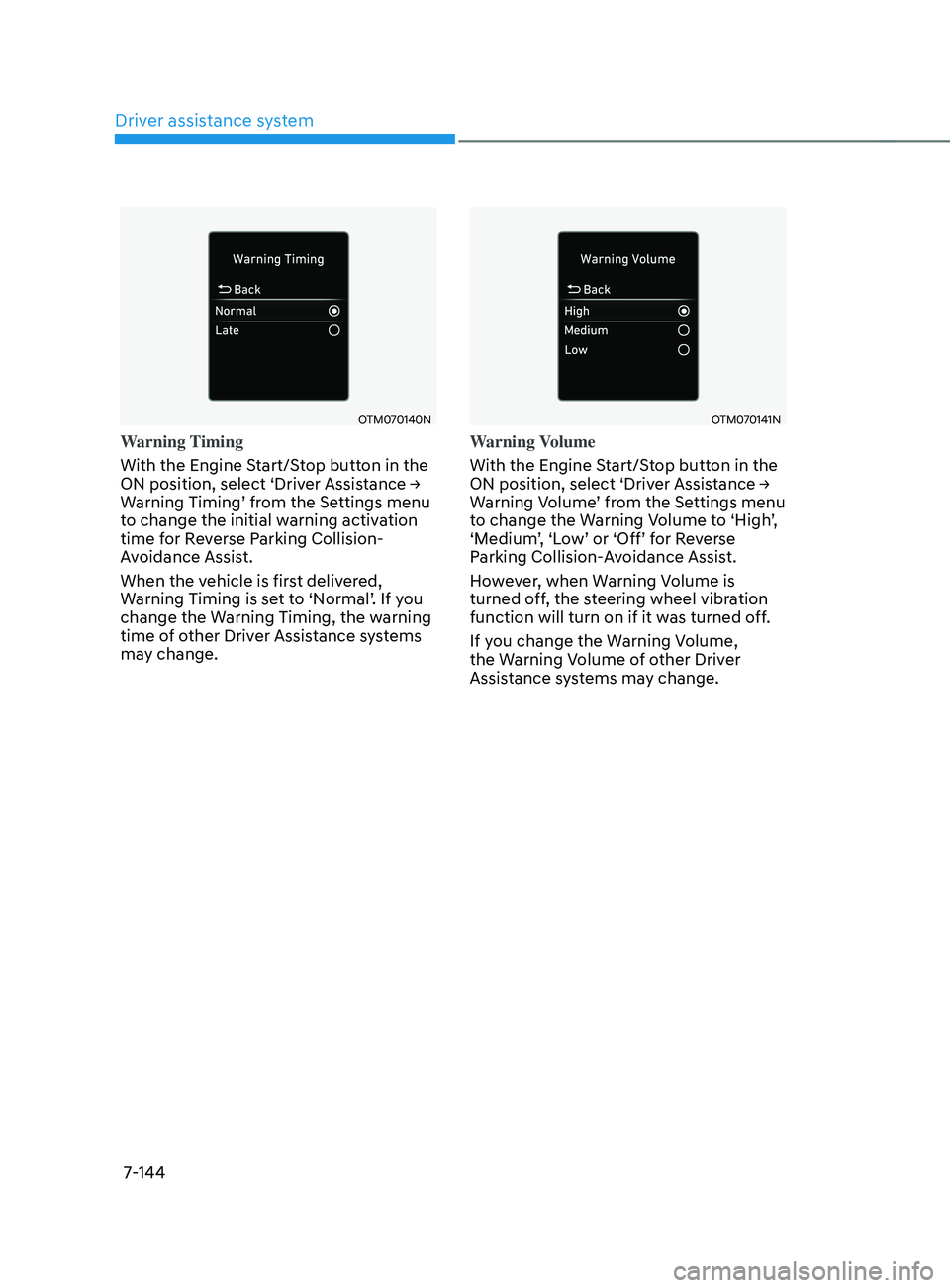
Warning Timing
With the Engine Start/Stop button in the
ON
position, select ‘Driv
er
Assis
tance
→ Warning Timing’ fr
om
the Se
ttings
menu to change the initial w
arning activation
time for Reverse Parking Collision-
Avoidance Assist.
When the vehicle is first delivered,
Warning
Timing is se
t
t
o
‘N
ormal’.
If y
ou
change the Warning Timing, the w
arning
time of other Driver Assistance systems
may change.
OTM070141N
Warning Volume
With the Engine Start/Stop button in the
ON
position, select ‘Driv
er
Assis
tance
→ Warning V
olume’
fr
om
the Se
ttings
menu to change the W
arning
V
olume
t
o
‘High
’,
‘Medium
’,
‘L
ow’
or ‘Off’ f
or
R
everse
Parking Collision-
Avoidance Assist.
However, when Warning Volume is
turned off, the steering wheel vibration
function will turn on if it was turned off.
If you change the Warning Volume,
the Warning Volume of other Driver
Assistance systems may change.
Page 465 of 570
Emergency Situations
8-2
If the Engine Stalls While Driving
• Reduce your speed gradually, keeping
a straight line. Move cautiously off the
road to a safe place.
• Turn on your hazard warning flasher.
• Try to start the engine again. If your
vehicle will not start, contact an
authorized HYUNDAI dealer or seek
other qualified assistance.
If the Engine Stalls at a Crossroad
or Crossing
If the engine stalls at a crossroads or
crossing, if safe to do so, move the shift
button to the N (Neutral) position and
then push the vehicle to a safe location.
In Case of an emergenCy
Wh
Ile DrIvIng
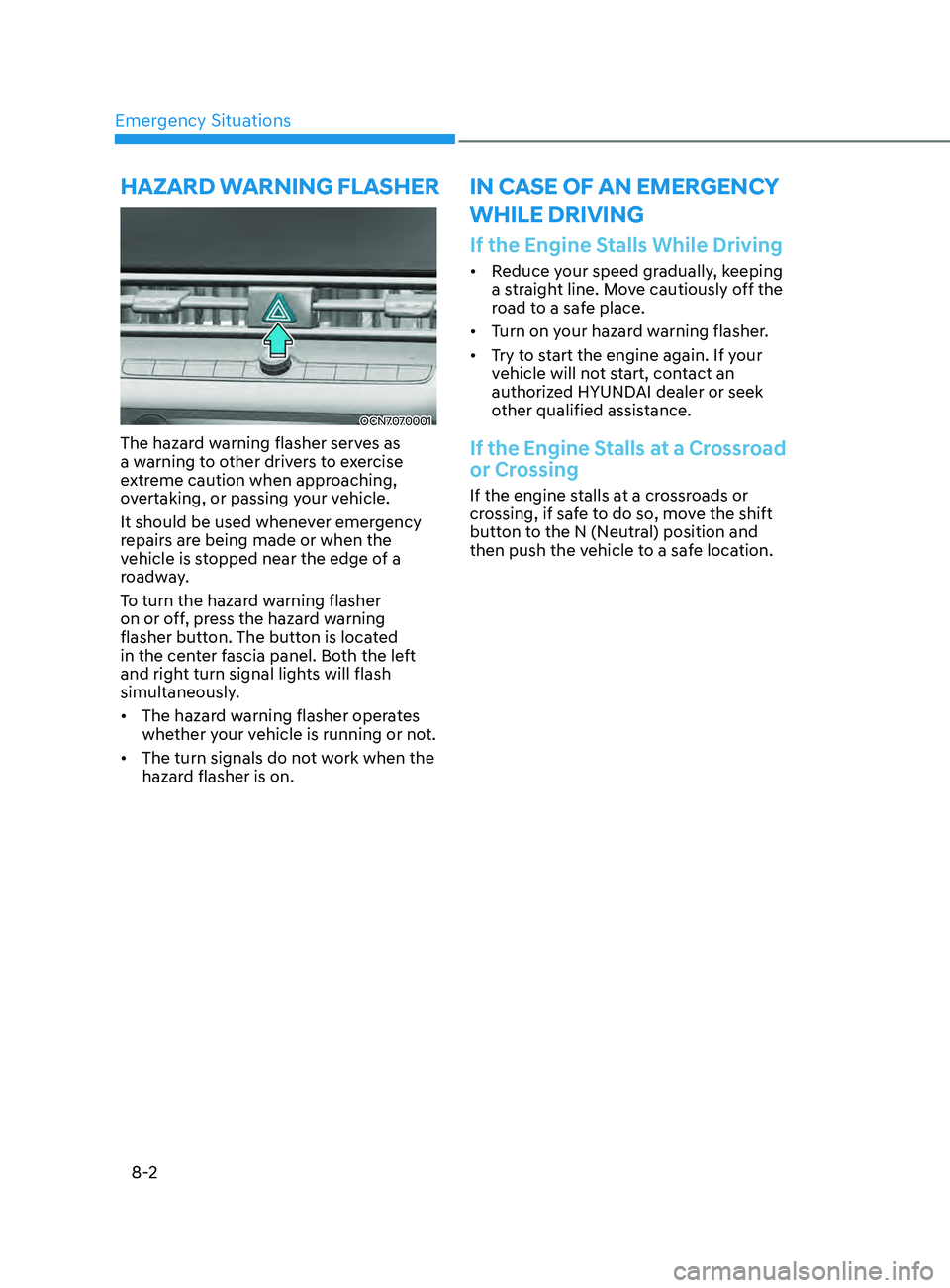
OCN7070001
The hazard warning flasher serves as
a warning to other drivers to exercise
extreme caution when approaching,
overtaking, or passing your vehicle.
It should be used whenever emergency
repairs are being made or when the
vehicle is stopped near the edge of a
roadway.
To turn the hazard warning flasher
on or off, press the hazard warning
flasher button. The button is located
in the center fascia panel. Both the left
and right turn signal lights will flash
simultaneously.
• The hazard warning flasher operates
whether your vehicle is running or not.
• The turn signals do not work when the
hazard flasher is on.
hazarD WarnIng flasher
Page 466 of 570
08
8-3
If you Have a Flat Tire While
Driving
If a tire goes flat while you are driving:
• Take your foot off the accelerator
pedal and let the vehicle slow down
while driving straight ahead. Do not
apply the brakes immediately or
attempt to pull off the road as this
may cause loss of vehicle control
resulting in an accident. When the
vehicle has slowed to such a speed
that it is safe to do so, brake carefully
and pull off the road. Drive off the
road as far as possible and park on
firm, level ground. If you are on a
divided highway, do not park in the
median area between the two traffic
lanes.
• When the vehicle is stopped, press the
hazard warning flasher button, move
the shift button into P (Park), and
apply the parking brake, and place
the ignition switch in the LOCK/OFF
position.
• Have all passengers get out of the
vehicle. Be sure they all get out on the
side of the vehicle that is away from
traffic.
• When changing a flat tire, follow the
instructions provided later in this
chapter.
If the engIne WIll not
sta r
t
If the Engine Doesn’t Turn Over
or Turns Over Slowly
• Be sure the shift button is in N
(Neutral) or P (Park). The engine starts
only when the shift button is in N
(Neutral) or P (Park).
• Check the battery connections to be
sure they are clean and tight.
• Turn on the interior light. If the light
dims or goes out when you operate
the starter, the battery is drained.
Do not push or pull the vehicle to start it.
This could cause damage to your vehicle.
See instructions for “Jump Starting”
provided in this chapter.
CAUTION
Push or pull starting the vehicle may
cause the catalytic converter to
overload which can lead to damage to
the emission control system.
If the Engine Turns Over
Normally but Doesn’t Start
Check the fuel level and add fuel if
necessary.
If the engine still does not start, have
your vehicle checked by an authorized
HYUNDAI dealer.