check engine light HYUNDAI ELANTRA SPORT 2018 User Guide
[x] Cancel search | Manufacturer: HYUNDAI, Model Year: 2018, Model line: ELANTRA SPORT, Model: HYUNDAI ELANTRA SPORT 2018Pages: 534, PDF Size: 51.51 MB
Page 161 of 534
3-76
Convenient features of your vehicle
Key not detected (for smart key system)
This warning message is displayed if
the smart key is not detected when
you press the Engine Start/Stop but-ton.
Key not in vehicle (for smart key system)
This warning message is displayed if
the smart key is not in the vehicle
when you press the Engine
Start/Stop button.
When attempting to start the vehicle,
always have the smart key with you.
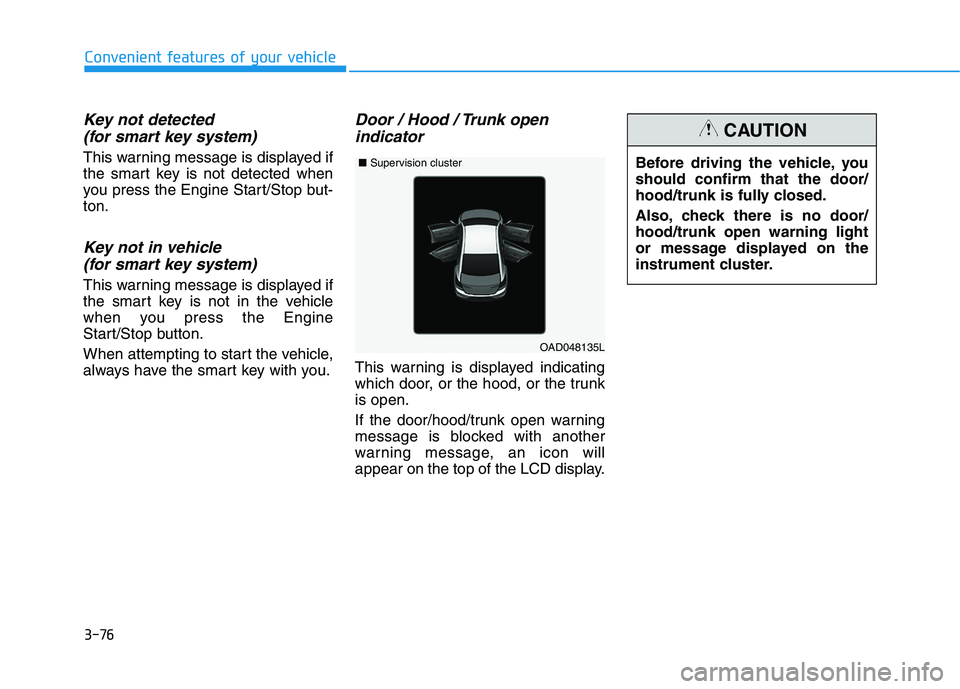
Door / Hood / Trunk open indicator
This warning is displayed indicating
which door, or the hood, or the trunkis open.
If the door/hood/trunk open warning
message is blocked with another
warning message, an icon will
appear on the top of the LCD display. Before driving the vehicle, youshould confirm that the door/
hood/trunk is fully closed.
Also, check there is no door/ hood/trunk open warning light
or message displayed on the
instrument cluster.
CAUTION
OAD048135L
■
Supervision cluster
Page 163 of 534
3-78
Convenient features of your vehicle
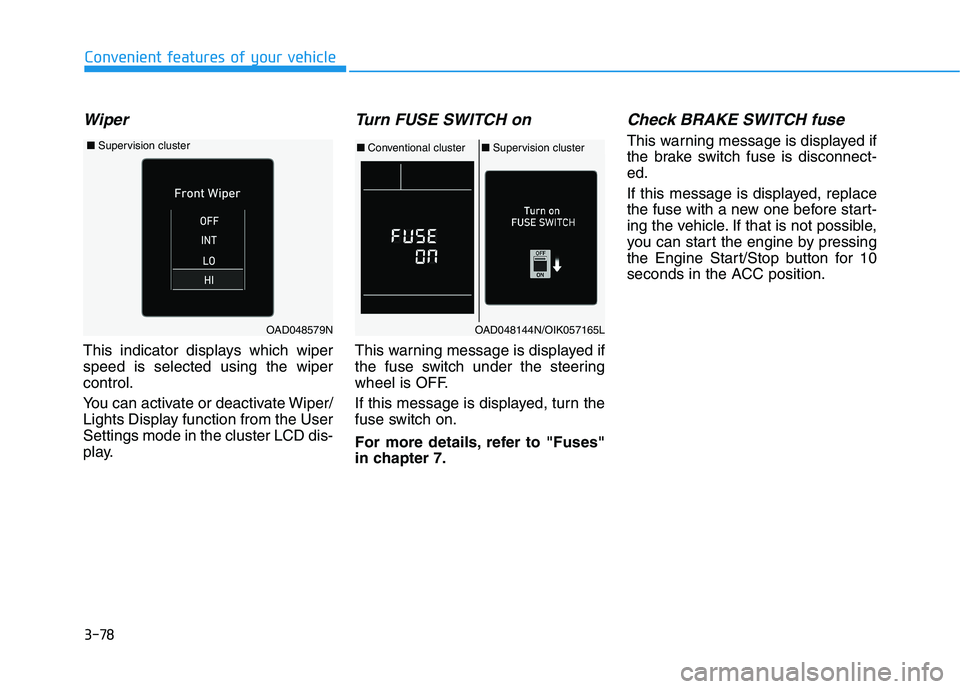
Wiper
This indicator displays which wiper speed is selected using the wipercontrol.
You can activate or deactivate Wiper/
Lights Display function from the UserSettings mode in the cluster LCD dis-
play.
Turn FUSE SWITCH on
This warning message is displayed if
the fuse switch under the steering
wheel is OFF.
If this message is displayed, turn the
fuse switch on.
For more details, refer to "Fuses"
in chapter 7.
Check BRAKE SWITCH fuse
This warning message is displayed if
the brake switch fuse is disconnect-ed.
If this message is displayed, replace
the fuse with a new one before start-
ing the vehicle. If that is not possible,
you can start the engine by pressing
the Engine Start/Stop button for 10
seconds in the ACC position.
OAD048144N/OIK057165L
■Conventional cluster ■Supervision cluster
OAD048579N
■ Supervision cluster
Page 164 of 534
3-79
Convenient features of your vehicle
3
Low Washer Fluid (if equipped)
This warning message is displayedon the service reminder mode if
the washer fluid level in the reser-
voir is nearly empty.
If this warning message is dis- played, have the washer fluid
reservoir refilled.
Low Fuel
This warning message is displayed ifthe fuel tank is almost out of fuel.
When this message is displayed, the
vehicle range is approximately 30
miles.
When this message is displayed, the
low fuel level warning light in thecluster will come on.
It is recommended to look for the nearest fueling station and refuel as
soon as possible.
Engine has overheated
This warning message is displayed
when the engine coolant tempera-
ture is above 120°C (248°F). This
means that the engine is overheated
and may be damaged.
If your vehicle is overheated, refer
to "Overheating" in chapter 6.
Check headlight
This warning message is displayed if
the headlamps are not operating
properly. The headlamp bulb mayneed to be replaced.
In addition, if a specific lamp(turn
signal lamp etc.) is not operating
properly, the warning message
according to a specific lamp (turn
signal lamp etc.) is displayed. A cor-
responding bulb may need to bereplaced.
When replacing the bulb, use the
same wattage bulb.
For more details, refer to "BULB
WATTAGE" in chapter 8.
NOTICE
Page 234 of 534
![HYUNDAI ELANTRA SPORT 2018 User Guide 3-149
Convenient features of your vehicle
3
Wireless Cellular Phone
Charging System (if equipped)
[A]: Indicator light, [B]: Charging pad
On certain models, the vehicle comes equipped with a wireles](/img/35/56087/w960_56087-233.png "HYUNDAI ELANTRA SPORT 2018 User Guide 3-149
Convenient features of your vehicle
3
Wireless Cellular Phone
Charging System (if equipped)
[A]: Indicator light, [B]: Charging pad
On certain models, the vehicle comes equipped with a wireles")
3-149
Convenient features of your vehicle
3
Wireless Cellular Phone
Charging System (if equipped)
[A]: Indicator light, [B]: Charging pad
On certain models, the vehicle comes equipped with a wireless cel-
lular phone charger.
The system is available when all doors are closed, and when the igni-
tion switch is ON.
To charge a cellular phone
The wireless cellular phone charging
system charges only the Qi-enabled
cellular phones ( ). Read the label
on the cellular phone accessory
cover or visit your cellular phone
manufacturer's website to check
whether your cellular phone supports
the Qi technology.
The wireless charging process starts
when you put a Qi-enabled cellularphone on the wireless charging unit.
1. Remove other items, including thesmart key, from the wireless charg-
ing unit. If not, the wireless charg-
ing process may be interrupted.Place the cellular phone on the
center of the charging pad ( ).
2. The indicator light is orange when the cellular phone is charging. The
indicator light turns green when
phone charging is complete.
3. You can turn ON or OFF the wire- less charging function in the user
settings mode on the instrument
cluster. For further information,
refer to the "LCD Display Modes"
in this chapter. If your cellular phone is not charging:
- Slightly change the position of the
cellular phone on the charging pad.
- Make sure the indicator light is orange.
The indicator light will blink orange for10 seconds if there is a malfunction inthe wireless charging system.
In this case, temporarily stop the
charging process, and re-attempt to
charge your cellular phone again.
The system warns you with a mes-
sage on the LCD display if the cellularphone is still on the wireless charging
unit after the engine is turned OFFand the front door is opened.
Information
For some manufacturer's cellular
phones, the system may not warn you
even though the cellular phone is left
on the wireless charging unit. This is
due to the particular characteristic of
the cellular phone and not a malfunc-
tion of the wireless charging.
i
OAD048575L
Page 248 of 534
5-7
Driving your vehicle
5
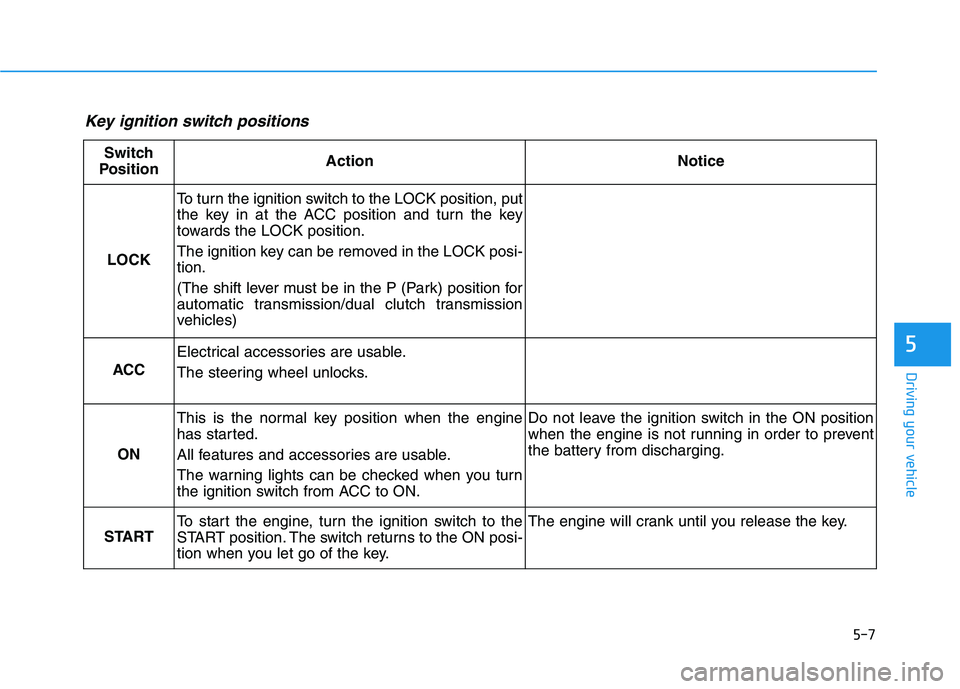
Key ignition switch positions
Switch
PositionActionNotice
LOCK
To turn the ignition switch to the LOCK position, put
the key in at the ACC position and turn the key
towards the LOCK position.
The ignition key can be removed in the LOCK posi- tion.
(The shift lever must be in the P (Park) position for
automatic transmission/dual clutch transmission
vehicles)
ACC
Electrical accessories are usable.
The steering wheel unlocks.
ON
This is the normal key position when the engine
has started.
All features and accessories are usable.
The warning lights can be checked when you turn
the ignition switch from ACC to ON.Do not leave the ignition switch in the ON position
when the engine is not running in order to prevent
the battery from discharging.
START
To start the engine, turn the ignition switch to the
START position. The switch returns to the ON posi-
tion when you let go of the key.The engine will crank until you release the key.
Page 252 of 534
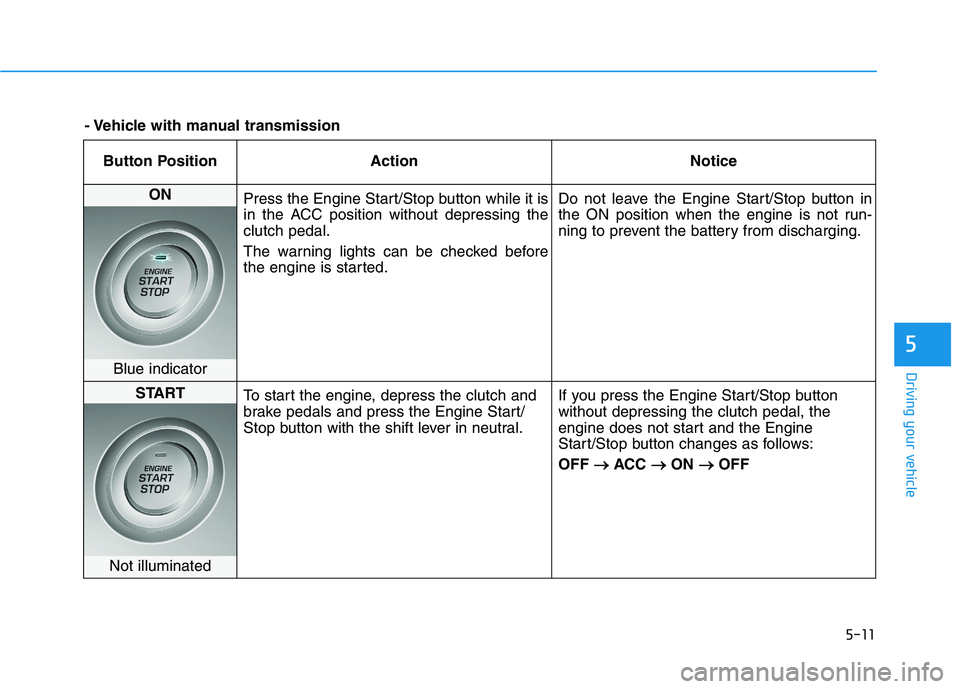
5-11
Driving your vehicle
5
Button Position ActionNotice
ON
Press the Engine Start/Stop button while it is
in the ACC position without depressing theclutch pedal.
The warning lights can be checked before
the engine is started. Do not leave the Engine Start/Stop button in
the ON position when the engine is not run-
ning to prevent the battery from discharging.
Blue indicator
START
To start the engine, depress the clutch and
brake pedals and press the Engine Start/
Stop button with the shift lever in neutral. If you press the Engine Start/Stop buttonwithout depressing the clutch pedal, the
engine does not start and the Engine
Start/Stop button changes as follows: OFF
ACC
ON
OFF
Not illuminated
- Vehicle with manual transmission
Page 254 of 534
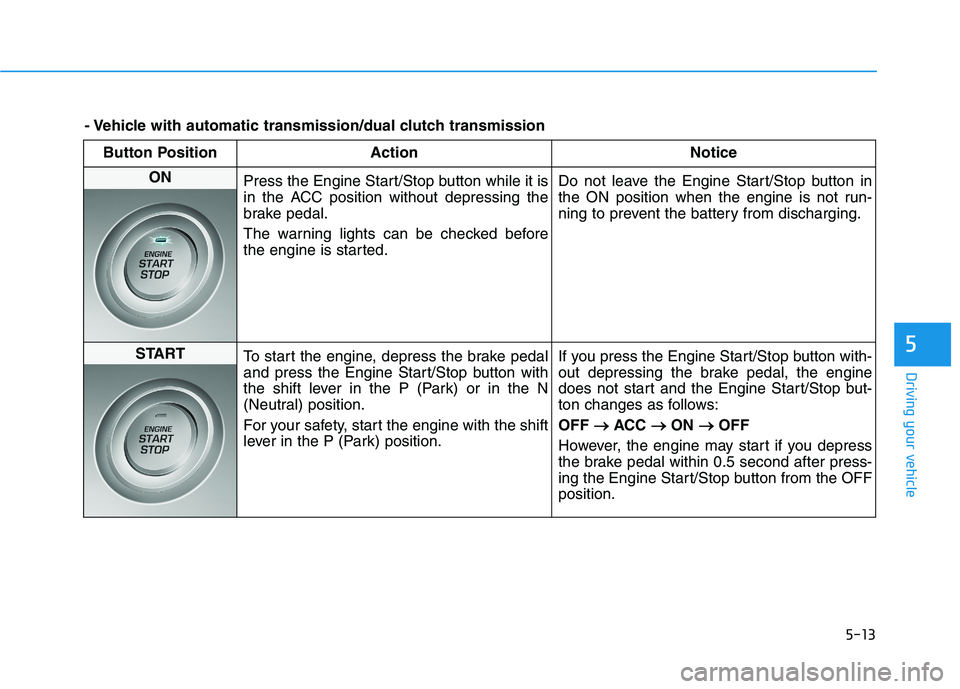
5-13
Driving your vehicle
5
Button Position ActionNotice
ON
Press the Engine Start/Stop button while it is
in the ACC position without depressing the
brake pedal.
The warning lights can be checked before
the engine is started. Do not leave the Engine Start/Stop button in
the ON position when the engine is not run-
ning to prevent the battery from discharging.
START
To start the engine, depress the brake pedal
and press the Engine Start/Stop button with
the shift lever in the P (Park) or in the N
(Neutral) position.
For your safety, start the engine with the shift
lever in the P (Park) position. If you press the Engine Start/Stop button with-
out depressing the brake pedal, the engine
does not start and the Engine Start/Stop but-
ton changes as follows: OFF
ACC
ON
OFF
However, the engine may start if you depress
the brake pedal within 0.5 second after press-
ing the Engine Start/Stop button from the OFFposition.
- Vehicle with automatic transmission/dual clutch transmission
Page 268 of 534
5-27
Driving your vehicle
5
As a result, shifts are sometimes
more noticeable, and a light vibra-
tion can be felt as the transmissionshaft speed is matched with the
engine shaft speed. This is a nor-mal condition of the dual clutch
transmission.
The dry-type clutch transfers torque more directly and provides
a direct-drive feeling which may
feel different from a conventional
automatic transmission. This may
be more noticeable when launch-
ing the vehicle from a stop or when
traveling at low, stop-and-go vehi-
cle speeds.
When rapidly accelerating from a lower vehicle speed, the engine
rpm may increase dramatically asa result of clutch slip as the dual
clutch transmission selects the cor-
rect gear. This is a normal condi-tion.
When accelerating from a stop on an incline, press the accelerator
smoothly and gradually to avoid
any shudder feeling or jerkiness. When traveling at a lower vehicle
speed, if you release the accelera-
tor pedal quickly, you may feel
engine braking before the trans-
mission changes gears. This
engine braking feeling is similar to
operating a manual transmission at
low speed.
When driving downhill, you may wish to move the gear shift lever to
Manual Shift mode and downshift
to a lower gear in order to control
your speed without using the brake
pedal excessively.
When you turn the engine on and off, you may hear clicking soundsas the system goes through a self-
test. This is a normal sound for the
dual clutch transmission.
During the first 1,600 km (1,000 miles), you may feel that the vehi-
cle may not be smooth when accel-
erating at low speed. During this
break-in period, the shift quality
and performance of your new vehi-
cle is continuously optimized. To reduce the risk of serious
injury or death:
ALWAYS check the surround-
ing areas near your vehicle for
people, especially children,
before shifting a vehicle into
D (Drive) or R (Reverse).
Before leaving the driver's
seat, always make sure the
shift lever is in the P (Park)
position, then set the parking
brake, and place the ignition
switch in the LOCK/OFF posi-
tion. Unexpected and sudden
vehicle movement can occurif these precautions are not
followed.
Do not use aggressive engine
braking (shifting from a high-
er gear to a lower gear) on
slippery roads. This could
cause the tires to slip and mayresult in an accident.
WARNING
Page 284 of 534
5-43
Driving your vehicle
5
Do not apply the acceleratorpedal while the parking brake is
engaged. If you depress theaccelerator pedal with the park-
ing brake engaged, warning will
sound. Damage to the parking
brake may occur.
Driving with the parking brake on can overheat the braking sys-tem and cause premature wear
or damage to brake parts. Makesure the parking brake is
released and the Brake Warning
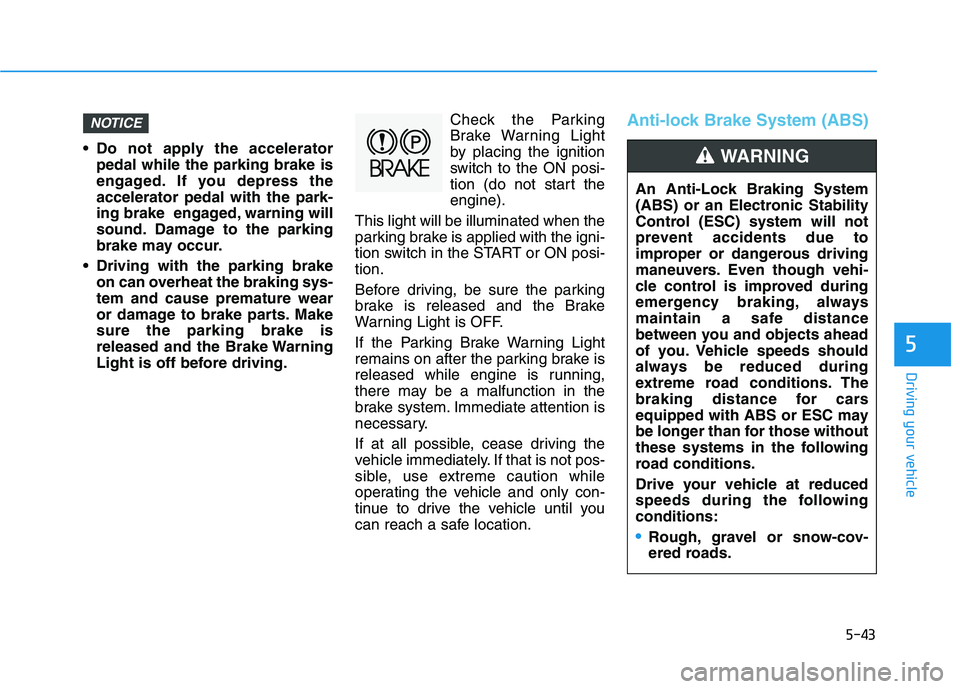
Light is off before driving. Check the Parking
Brake Warning Light
by placing the ignition
switch to the ON posi-
tion (do not start theengine).
This light will be illuminated when the
parking brake is applied with the igni-
tion switch in the START or ON posi-tion.
Before driving, be sure the parking
brake is released and the Brake
Warning Light is OFF.
If the Parking Brake Warning Light
remains on after the parking brake is
released while engine is running,
there may be a malfunction in the
brake system. Immediate attention is
necessary.
If at all possible, cease driving the
vehicle immediately. If that is not pos-
sible, use extreme caution while
operating the vehicle and only con-
tinue to drive the vehicle until you
can reach a safe location.
Anti-lock Brake System (ABS)NOTICE
An Anti-Lock Braking System
(ABS) or an Electronic Stability
Control (ESC) system will not
prevent accidents due to
improper or dangerous driving
maneuvers. Even though vehi-
cle control is improved during
emergency braking, always
maintain a safe distance
between you and objects ahead
of you. Vehicle speeds should
always be reduced during
extreme road conditions. The
braking distance for cars
equipped with ABS or ESC may
be longer than for those without
these systems in the following
road conditions.
Drive your vehicle at reduced
speeds during the followingconditions:
Rough, gravel or snow-cov-
ered roads.
WARNING
Page 286 of 534
5-45
Driving your vehicle
5
Information
When you jump start your vehicle
because of a drained battery, the ABS
warning light ( ) may turn on at the
same time. This happens because of
the low battery voltage. It does not
mean your ABS is malfunctioning.
Have the battery recharged before
driving the vehicle.
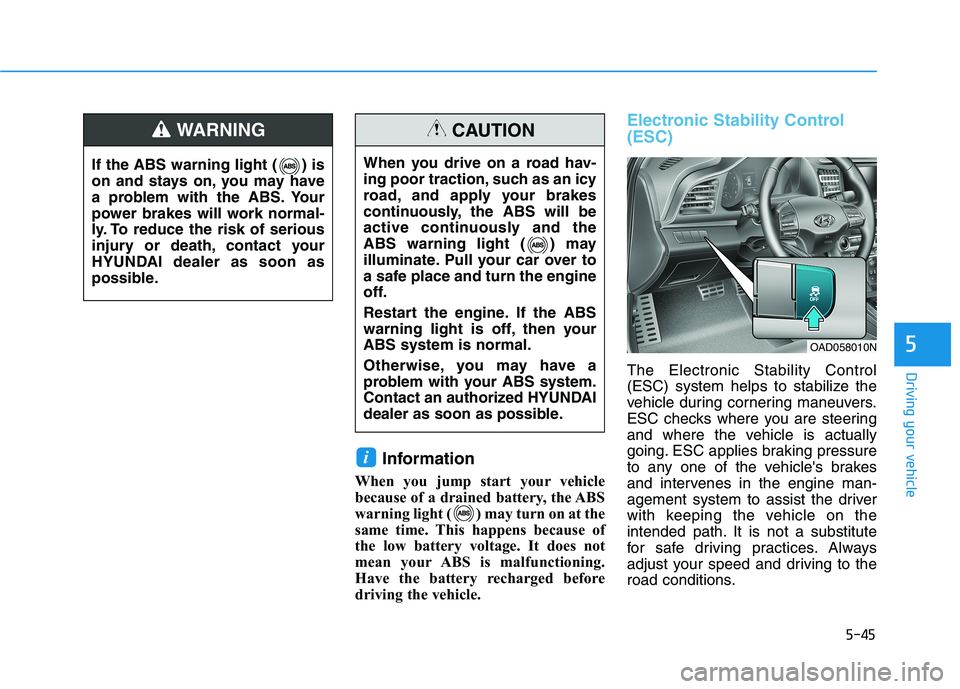
Electronic Stability Control (ESC)
The Electronic Stability Control
(ESC) system helps to stabilize the
vehicle during cornering maneuvers.
ESC checks where you are steering
and where the vehicle is actually
going. ESC applies braking pressure
to any one of the vehicle's brakes
and intervenes in the engine man-
agement system to assist the driver
with keeping the vehicle on the
intended path. It is not a substitute
for safe driving practices. Always
adjust your speed and driving to the
road conditions.
i
If the ABS warning light ( ) is
on and stays on, you may have
a problem with the ABS. Your
power brakes will work normal-
ly. To reduce the risk of serious
injury or death, contact your
HYUNDAI dealer as soon as
possible.
WARNING
When you drive on a road hav-
ing poor traction, such as an icy
road, and apply your brakes
continuously, the ABS will be
active continuously and the
ABS warning light ( ) may
illuminate. Pull your car over to
a safe place and turn the engine
off.
Restart the engine. If the ABS
warning light is off, then yourABS system is normal.
Otherwise, you may have a
problem with your ABS system.
Contact an authorized HYUNDAI
dealer as soon as possible.
CAUTION
OAD058010N