display HYUNDAI ELANTRA SPORT 2019 User Guide
[x] Cancel search | Manufacturer: HYUNDAI, Model Year: 2019, Model line: ELANTRA SPORT, Model: HYUNDAI ELANTRA SPORT 2019Pages: 534, PDF Size: 51.51 MB
Page 134 of 534
3-49
Convenient features of your vehicle
3
Smart Trunk (if equipped)
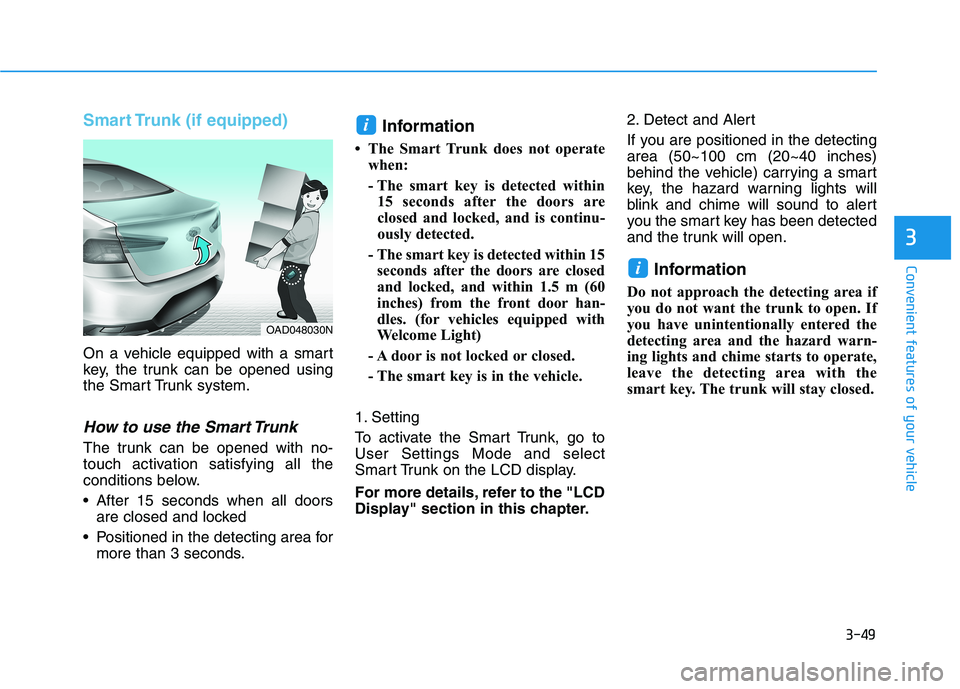
On a vehicle equipped with a smart
key, the trunk can be opened using
the Smart Trunk system.
How to use the Smart Trunk
The trunk can be opened with no-
touch activation satisfying all the
conditions below.
After 15 seconds when all doorsare closed and locked
Positioned in the detecting area for more than 3 seconds. Information
The Smart Trunk does not operate when:
- The smart key is detected within15 seconds after the doors are
closed and locked, and is continu-
ously detected.
- The smart key is detected within 15 seconds after the doors are closed
and locked, and within 1.5 m (60
inches) from the front door han-
dles. (for vehicles equipped with
Welcome Light)
- A door is not locked or closed.
- The smart key is in the vehicle.
1. Setting
To activate the Smart Trunk, go to User Settings Mode and select
Smart Trunk on the LCD display.
For more details, refer to the "LCD
Display" section in this chapter. 2. Detect and Alert
If you are positioned in the detecting area (50~100 cm (20~40 inches)
behind the vehicle) carrying a smart
key, the hazard warning lights will
blink and chime will sound to alert
you the smart key has been detected
and the trunk will open.
Information
Do not approach the detecting area if
you do not want the trunk to open. If
you have unintentionally entered the
detecting area and the hazard warn-
ing lights and chime starts to operate,
leave the detecting area with the
smart key. The trunk will stay closed.
i
i
OAD048030N
Page 140 of 534
3-55
Convenient features of your vehicle
3
IINN SSTT RR UU MM EENN TT CC LLUU SSTT EERR
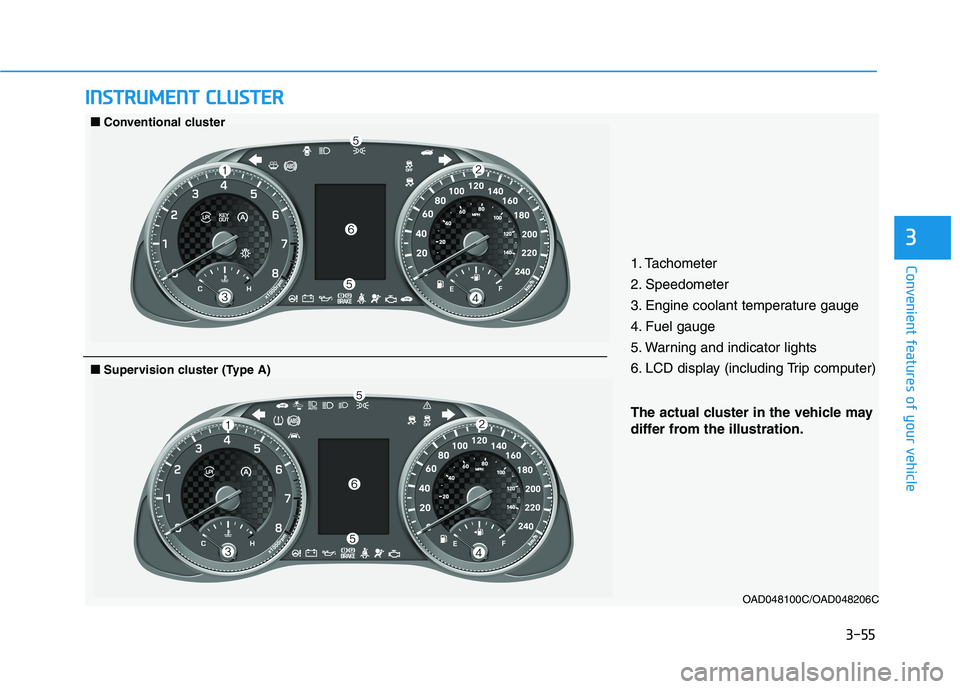
1. Tachometer
2. Speedometer
3. Engine coolant temperature gauge
4. Fuel gauge
5. Warning and indicator lights
6. LCD display (including Trip computer)
OAD048100C/OAD048206C
■■Conventional cluster
The actual cluster in the vehicle may
differ from the illustration.
■■Supervision cluster (Type A)
Page 141 of 534
3-56
Convenient features of your vehicle
OAD048103C/OAD048102C
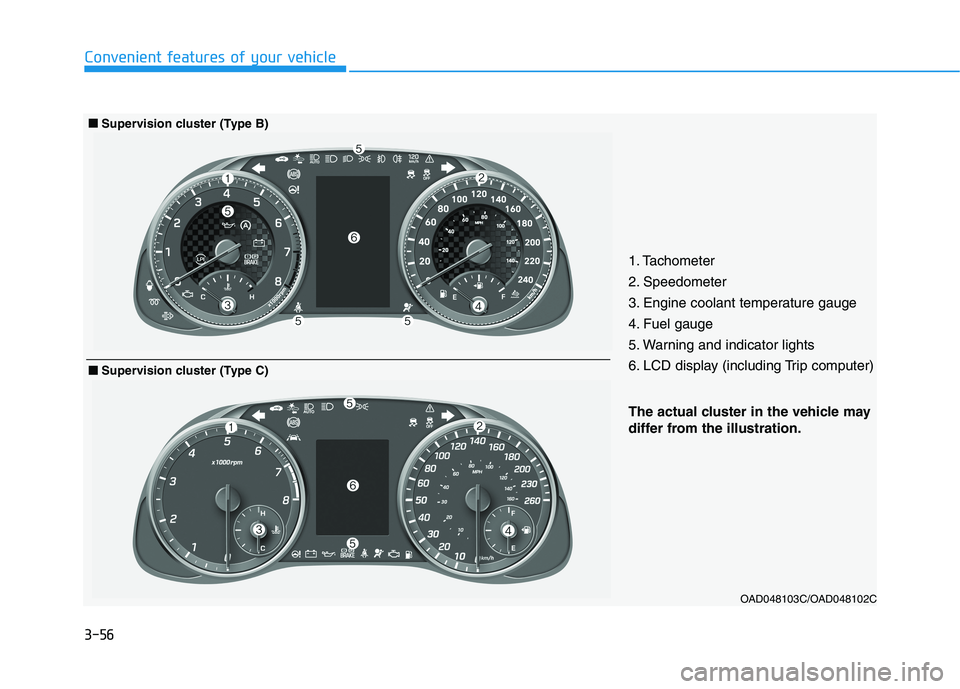
The actual cluster in the vehicle may
differ from the illustration.
■■Supervision cluster (Type B)
1. Tachometer
2. Speedometer
3. Engine coolant temperature gauge
4. Fuel gauge
5. Warning and indicator lights
6. LCD display (including Trip computer)
■■Supervision cluster (Type C)
Page 142 of 534
3-57
Convenient features of your vehicle
3
Instrument Cluster Control
Adjusting instrument clusterillumination
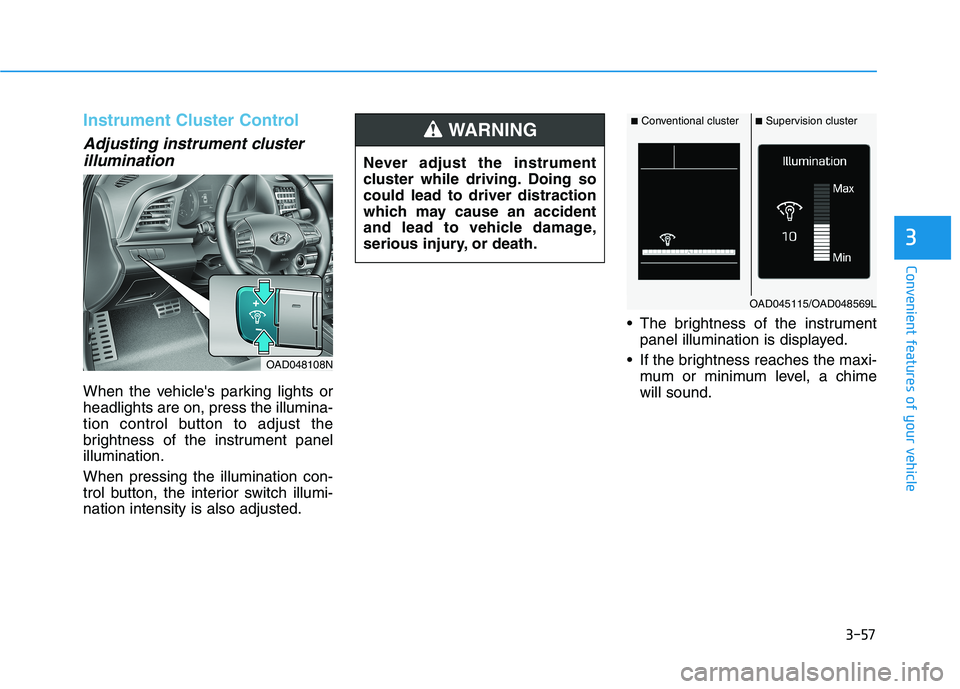
When the vehicle's parking lights or headlights are on, press the illumina-
tion control button to adjust the
brightness of the instrument panelillumination. When pressing the illumination con-
trol button, the interior switch illumi-nation intensity is also adjusted. The brightness of the instrument
panel illumination is displayed.
If the brightness reaches the maxi- mum or minimum level, a chimewill sound.
OAD048108N Never adjust the instrument
cluster while driving. Doing socould lead to driver distraction
which may cause an accident
and lead to vehicle damage,
serious injury, or death.
WARNING■
Conventional cluster ■Supervision cluster
OAD045115/OAD048569L
Page 146 of 534
3-61
Convenient features of your vehicle
3
Range
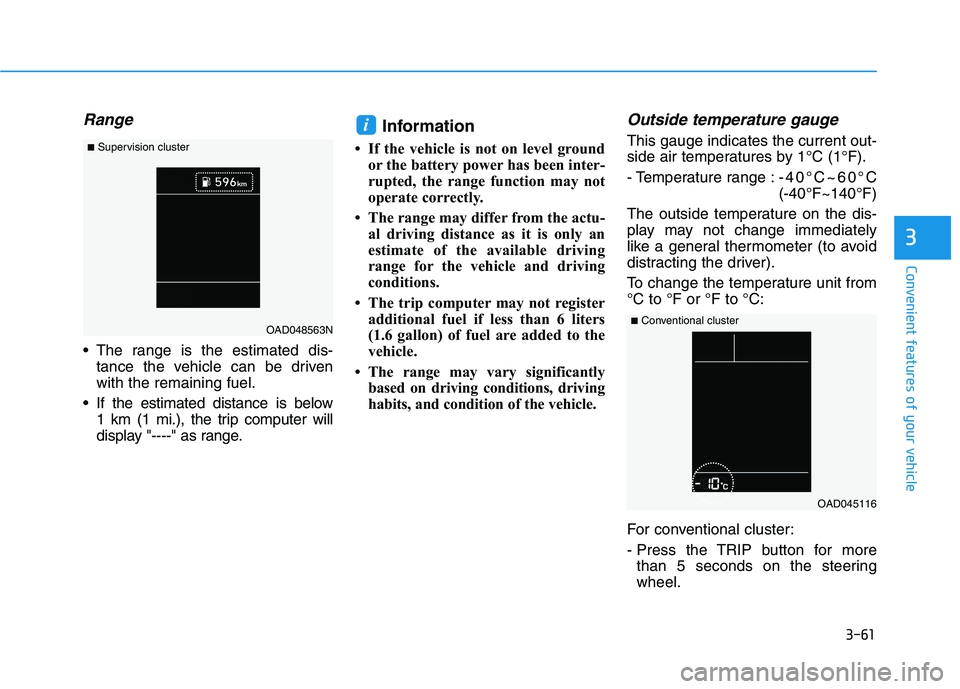
The range is the estimated dis-tance the vehicle can be driven with the remaining fuel.
If the estimated distance is below 1 km (1 mi.), the trip computer will
display "----" as range. Information
If the vehicle is not on level ground or the battery power has been inter-
rupted, the range function may not
operate correctly.
The range may differ from the actu- al driving distance as it is only an
estimate of the available driving
range for the vehicle and driving
conditions.
The trip computer may not register additional fuel if less than 6 liters
(1.6 gallon) of fuel are added to the
vehicle.
The range may vary significantly based on driving conditions, driving
habits, and condition of the vehicle.
Outside temperature gauge
This gauge indicates the current out-
side air temperatures by 1°C (1°F).
- Temperature range : -40°C~60°C (-40°F~140°F)
The outside temperature on the dis-
play may not change immediately
like a general thermometer (to avoid
distracting the driver).
To change the temperature unit from °C to °F or °F to °C:
For conventional cluster:
- Press the TRIP button for more than 5 seconds on the steering wheel.i
OAD045116
■
Conventional cluster
OAD048563N
■
Supervision cluster
Page 147 of 534
3-62
Convenient features of your vehicle
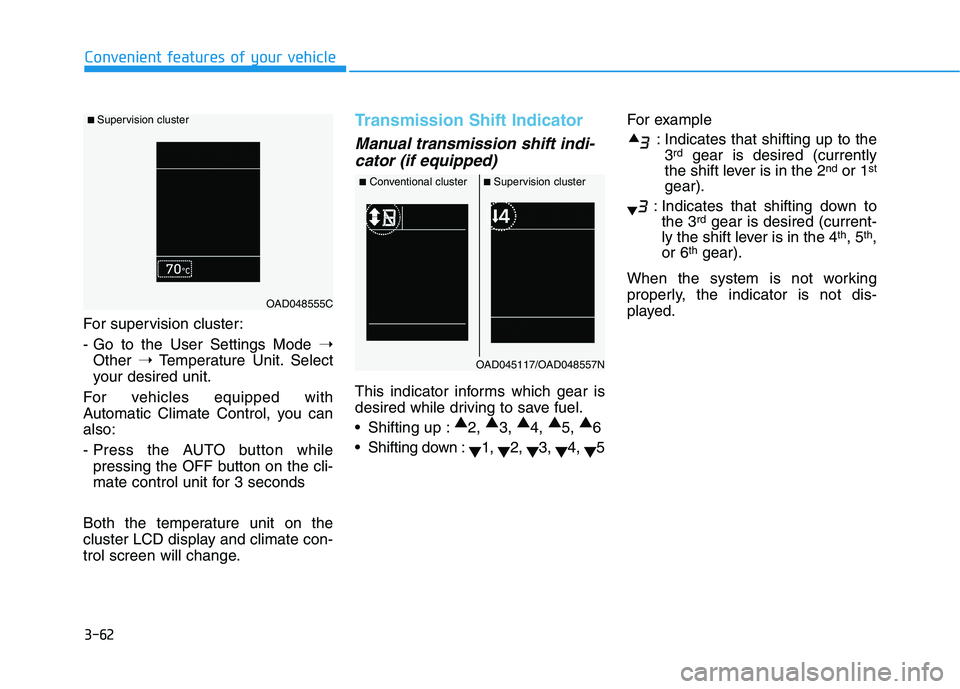
For supervision cluster:
- Go to the User Settings Mode ➝
Other ➝Temperature Unit. Select
your desired unit.
For vehicles equipped with
Automatic Climate Control, you canalso:
- Press the AUTO button while pressing the OFF button on the cli-
mate control unit for 3 seconds
Both the temperature unit on the
cluster LCD display and climate con-
trol screen will change.
Transmission Shift Indicator
Manual transmission shift indi- cator (if equipped)
This indicator informs which gear is
desired while driving to save fuel.
Shifting up : ▲
2, ▲
3, ▲
4, ▲
5, ▲
6
Shifting down : ▼1,
▼2,
▼3,
▼4,
▼5 For example
: Indicates that shifting up to the3 rd
gear is desired (currently
the shift lever is in the 2 nd
or 1 st
gear).
: Indicates that shifting down to the 3 rd
gear is desired (current-
ly the shift lever is in the 4 th
, 5 th
,
or 6 th
gear).
When the system is not working
properly, the indicator is not dis-
played.
■ Supervision cluster
OAD048555C
■ Conventional cluster ■Supervision cluster
OAD045117/OAD048557N
Page 148 of 534
3-63
Convenient features of your vehicle
3
Automatic transmission anddual clutch transmission shift
indicator (if equipped)
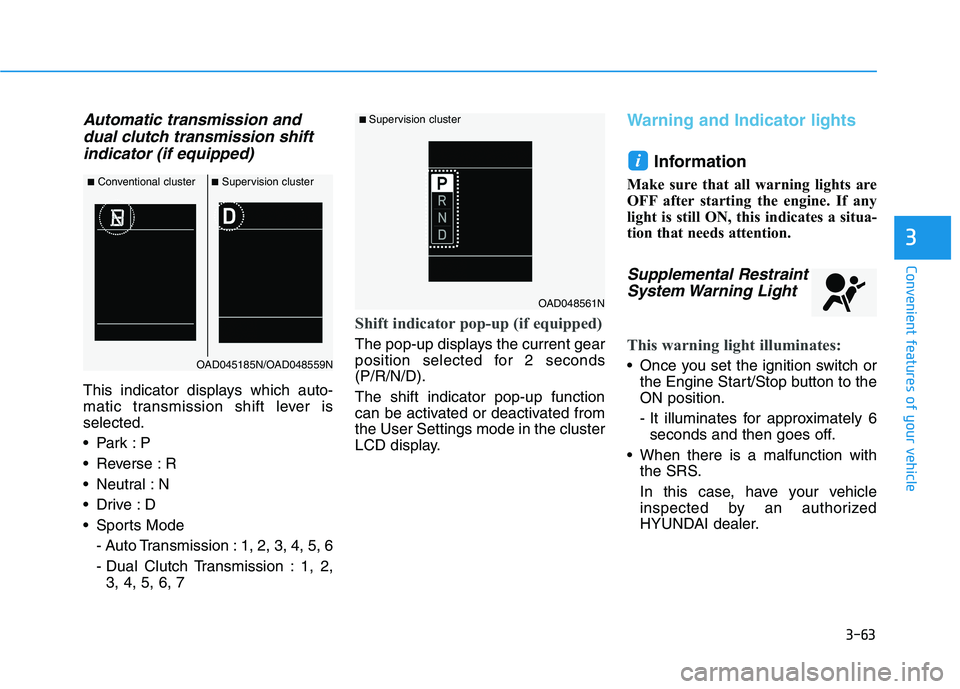
This indicator displays which auto-
matic transmission shift lever isselected.
Reverse : R
Neutral : N
Sports Mode
- Auto Transmission : 1, 2, 3, 4, 5, 6
- Dual Clutch Transmission : 1, 2,3, 4, 5, 6, 7
Shift indicator pop-up (if equipped)
The pop-up displays the current gear
position selected for 2 seconds(P/R/N/D). The shift indicator pop-up function
can be activated or deactivated fromthe User Settings mode in the cluster
LCD display.
Warning and Indicator lights
Information
Make sure that all warning lights are
OFF after starting the engine. If any
light is still ON, this indicates a situa-
tion that needs attention.
Supplemental Restraint System Warning Light
This warning light illuminates:
Once you set the ignition switch or the Engine Start/Stop button to the ON position.
- It illuminates for approximately 6seconds and then goes off.
When there is a malfunction with the SRS.
In this case, have your vehicle
inspected by an authorized
HYUNDAI dealer.
i
■Conventional cluster ■Supervision cluster
OAD045185N/OAD048559N
■ Supervision cluster
OAD048561N
Page 155 of 534
3-70
Convenient features of your vehicle
LED Headlight WarningLight (if equipped)
This warning light illuminates:
When you set the ignition switch or the Engine Start/Stop button to the ON position.
When there is a malfunction with the LED headlight.
If this occurs, have the vehicle
inspected by an authorized
HYUNDAI dealer.
This warning light blinks:
When there is a malfunction with a
LED headlight related part.
If this occurs, have the vehicle
inspected by an authorized HYUNDAI
dealer.
Continuous driving with the LED
Headlight Warning Light on or
blinking can reduce LED headlight
life.
Master Warning Light
This indicator light illuminates
When there is a malfunction inoperation in any of the following systems:
- Low washer fluid (if equipped)
- Exterior lamp malfunction
- Blind-Spot Collision Warning(BCW) malfunction (if equipped)
- Lane Keeping Assist (LKA) System malfunction (if equipped)
- Service reminder
To identify the details of the warning,
look at the LCD display.
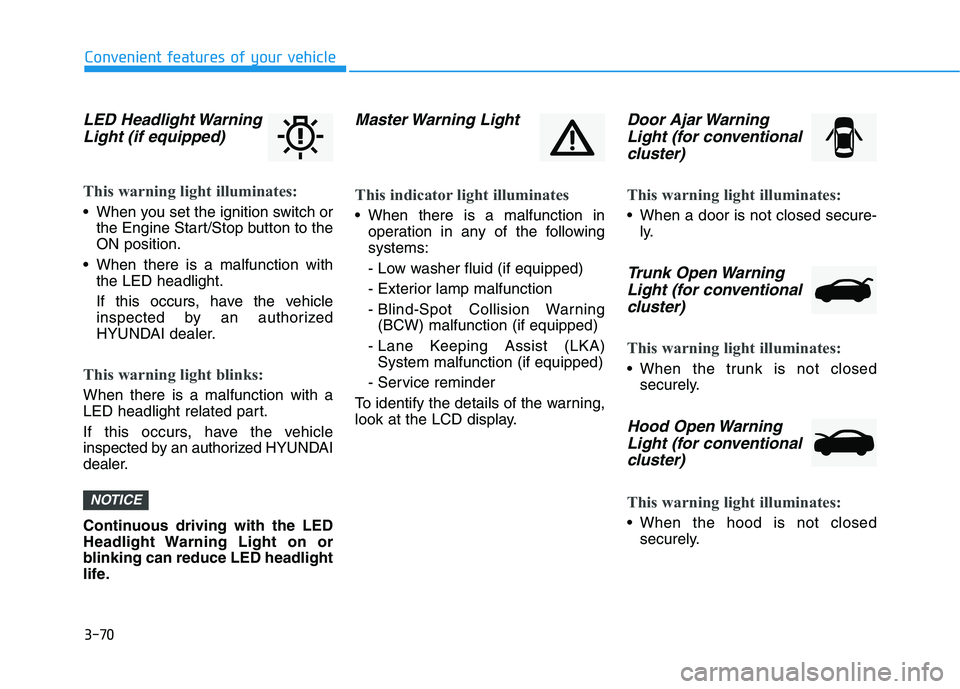
Door Ajar Warning Light (for conventional
cluster)
This warning light illuminates:
When a door is not closed secure- ly.
Trunk Open Warning
Light (for conventional cluster)
This warning light illuminates:
When the trunk is not closed securely.
Hood Open Warning
Light (for conventional
cluster)
This warning light illuminates:
When the hood is not closed securely.
NOTICE
Page 160 of 534
3-75
Convenient features of your vehicle
3
LCD Display Messages (if equipped)
Shift to P or N to start engine(for smart key system and auto-
matic transmission/dual clutch transmission)
This warning message is displayed if
you try to start the engine with the
shift lever not in the P (Park) or N
(Neutral) position.
Information
You can start the engine with the shift
lever in the N (Neutral) position. But,
for your safety, we recommend that
you start the engine with the shift
lever in the P (Park) position.
Shift to P (for smart key system)
This message is displayed if you try
to turn off the engine without the shift
lever in P (Park) position.
At this time, the Engine Start/Stop
button turns to the ACC position (If
you press the Engine Start/Stop but-
ton once more, it will turn to the ONposition).
Press START button again (for smart key system)
This message is displayed if you
were unable to start the vehicle when
the Start/Stop button was pressed.
If this occurs, attempt to start the
engine by pressing the Start/Stop
button again.
If the warning message appears
each time you press the Start/Stop
button, have your vehicle inspected
by an authorized Hyundai dealer.
Press brake pedal to start engine
(for smart key systemand auto-matic transmission/dual clutch
transmission)
This warning message is displayed if
the Engine Start/Stop button
changes to the ACC position twice
by pressing the button repeatedly
without depressing the brake pedal.
In order to start the vehicle, press the
brake pedal to start the engine.
Press clutch pedal to startengine (for smart key system
and manual transmission)
This warning message is displayed if
the Engine Start/Stop button is in the
ACC position twice by pressing the
button repeatedly without depressingthe clutch pedal.
Depress the clutch pedal to start the
engine.
Press START button with key(for smart key system)
This warning message is displayed if
you press the Engine Start/Stop but-
ton while the warning message "Key
not detected" is shown.
At this time, the immobilizer indicator
light blinks.
Low Key Battery
(for smart key system)
This warning message is displayed if
the battery of the smart key is dis-
charged when the Engine Start/Stop
button changes to the OFF position.
i
Page 161 of 534
3-76
Convenient features of your vehicle
Key not detected (for smart key system)
This warning message is displayed if
the smart key is not detected when
you press the Engine Start/Stop but-ton.
Key not in vehicle (for smart key system)
This warning message is displayed if
the smart key is not in the vehicle
when you press the Engine
Start/Stop button.
When attempting to start the vehicle,
always have the smart key with you.
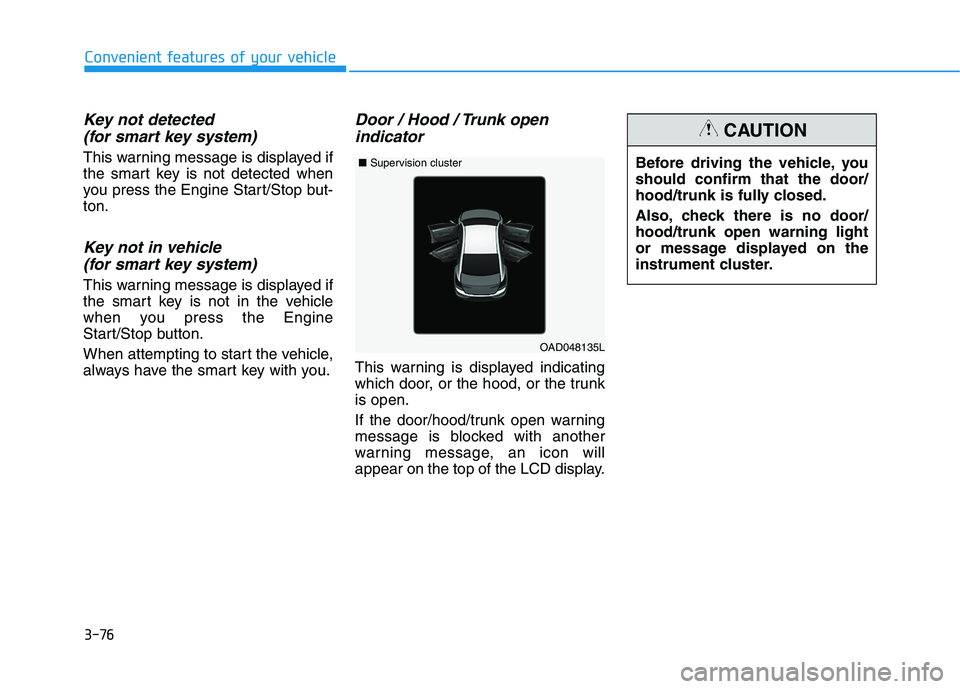
Door / Hood / Trunk open indicator
This warning is displayed indicating
which door, or the hood, or the trunkis open.
If the door/hood/trunk open warning
message is blocked with another
warning message, an icon will
appear on the top of the LCD display. Before driving the vehicle, youshould confirm that the door/
hood/trunk is fully closed.
Also, check there is no door/ hood/trunk open warning light
or message displayed on the
instrument cluster.
CAUTION
OAD048135L
■
Supervision cluster