display HYUNDAI ELANTRA SPORT 2019 Manual PDF
[x] Cancel search | Manufacturer: HYUNDAI, Model Year: 2019, Model line: ELANTRA SPORT, Model: HYUNDAI ELANTRA SPORT 2019Pages: 534, PDF Size: 51.51 MB
Page 331 of 534
5-90
Driving your vehicle
FCA Warning Message and
System Control
The FCA produces warning mes-
sages and warning alarms in accor-
dance with the collision risk levels,
such as abrupt stopping of the vehi-
cle in front, insufficient braking dis-
tance, or pedestrian detection. Also,
it controls the brakes in accordance
with the collision risk levels.
The driver can select the initial warn-
ing activation time in the User
Settings in the LCD display. The
options for the initial Forward Collision
Warning include Early or Later initial
warning time.
Collision Warning (First warning)
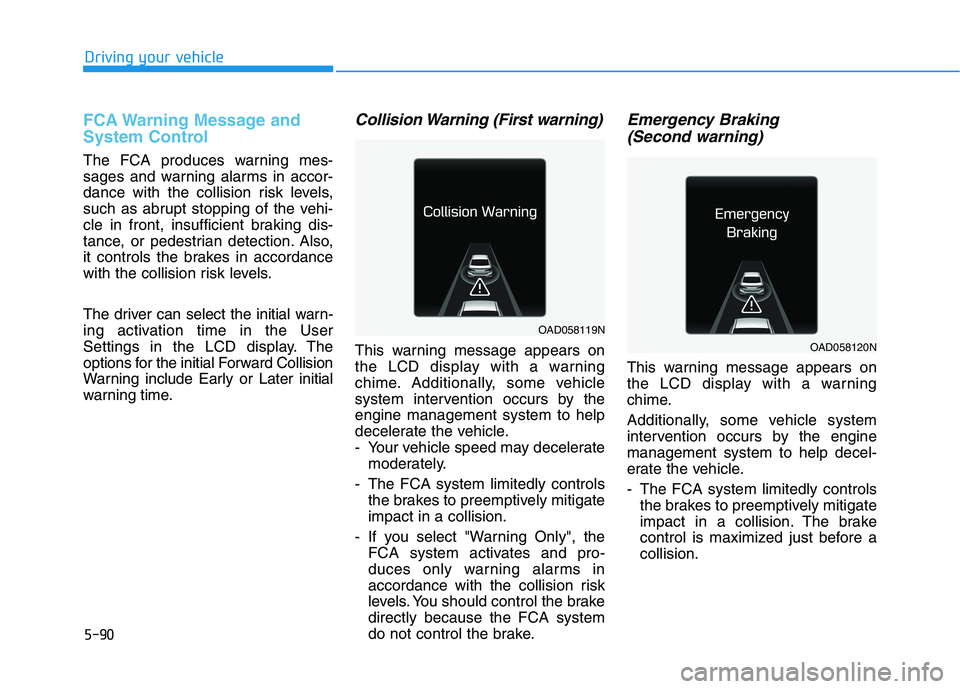
This warning message appears on
the LCD display with a warning
chime. Additionally, some vehicle
system intervention occurs by theengine management system to help
decelerate the vehicle.
- Your vehicle speed may deceleratemoderately.
- The FCA system limitedly controls the brakes to preemptively mitigateimpact in a collision.
- If you select "Warning Only", the FCA system activates and pro-
duces only warning alarms in
accordance with the collision risk
levels. You should control the brakedirectly because the FCA system
do not control the brake.
Emergency Braking
(Second warning)
This warning message appears on
the LCD display with a warning
chime.
Additionally, some vehicle system
intervention occurs by the enginemanagement system to help decel-
erate the vehicle.
- The FCA system limitedly controls the brakes to preemptively mitigate
impact in a collision. The brake
control is maximized just before acollision.
OAD058119N
OAD058120N
Page 333 of 534
5-92
Driving your vehicle
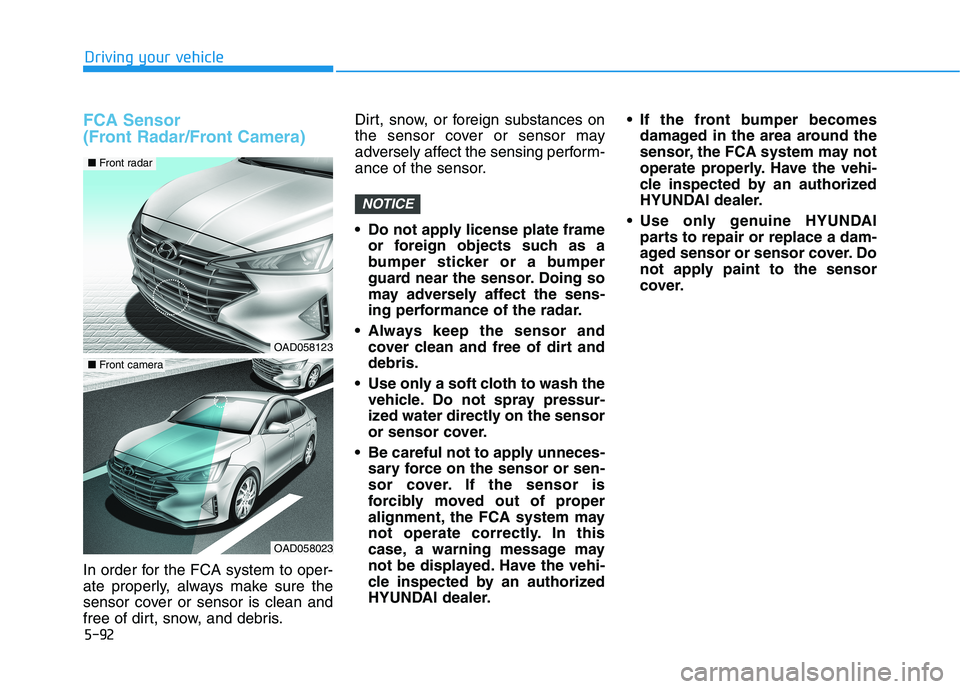
FCA Sensor
(Front Radar/Front Camera)
In order for the FCA system to oper-
ate properly, always make sure the
sensor cover or sensor is clean and
free of dirt, snow, and debris.Dirt, snow, or foreign substances on
the sensor cover or sensor may
adversely affect the sensing perform-
ance of the sensor.
Do not apply license plate frame
or foreign objects such as a
bumper sticker or a bumper
guard near the sensor. Doing so
may adversely affect the sens-
ing performance of the radar.
Always keep the sensor and cover clean and free of dirt anddebris.
Use only a soft cloth to wash the vehicle. Do not spray pressur-
ized water directly on the sensor
or sensor cover.
Be careful not to apply unneces- sary force on the sensor or sen-
sor cover. If the sensor is
forcibly moved out of proper
alignment, the FCA system may
not operate correctly. In this
case, a warning message may
not be displayed. Have the vehi-
cle inspected by an authorized
HYUNDAI dealer. If the front bumper becomes
damaged in the area around the
sensor, the FCA system may not
operate properly. Have the vehi-
cle inspected by an authorized
HYUNDAI dealer.
Use only genuine HYUNDAI parts to repair or replace a dam-
aged sensor or sensor cover. Do
not apply paint to the sensor
cover.
NOTICE
OAD058123
OAD058023
■ Front camera
■ Front radar
Page 334 of 534
5-93
Driving your vehicle
5
NEVER install any accessoriesor stickers on the front wind-
shield, nor tint the front wind-shield.
NEVER locate any reflective objects (i.e. white paper, mirror)
over the dashboard. Any light
reflection may cause a malfunc-tion of the system.
Pay extreme caution to keep the camera out of water.
NEVER disassemble the camera assembly, nor apply any impact
on the camera assembly.
Playing the vehicle audio sys- tem at high volume may offsetthe system warning sounds.
Information
Have the system checked by an
authorized HYUNDAI dealer when:
The windshield glass is replaced.
The radar sensor or cover gets dam- aged or replaced.
Warning message and warning
light
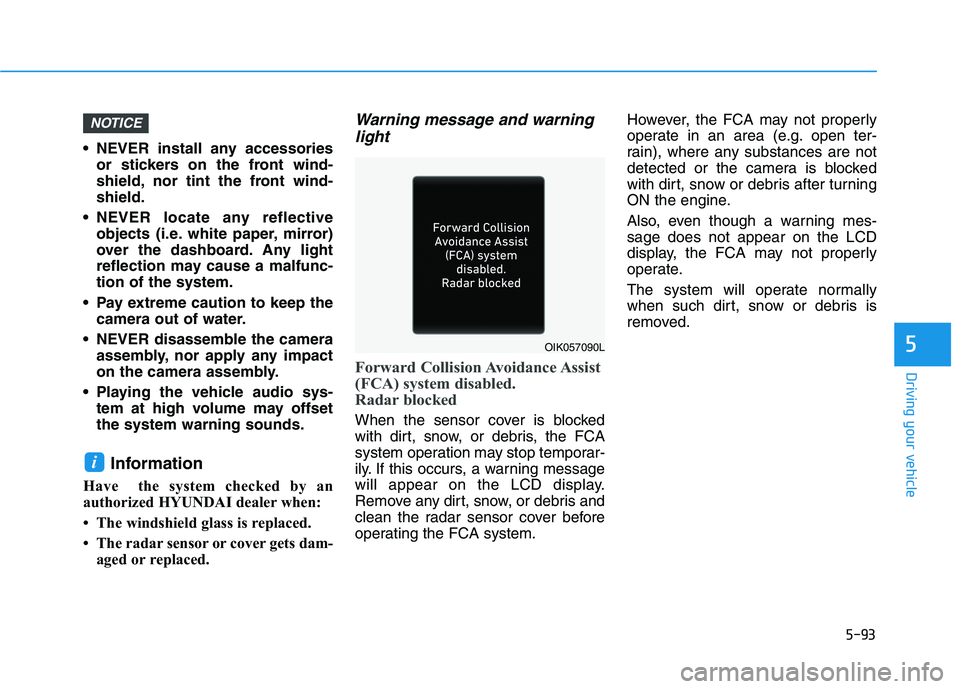
Forward Collision Avoidance Assist
(FCA) system disabled.
Radar blocked
When the sensor cover is blocked
with dirt, snow, or debris, the FCA
system operation may stop temporar-
ily. If this occurs, a warning message
will appear on the LCD display.
Remove any dirt, snow, or debris and
clean the radar sensor cover before
operating the FCA system. However, the FCA may not properly
operate in an area (e.g. open ter-
rain), where any substances are not
detected or the camera is blocked
with dirt, snow or debris after turning
ON the engine.
Also, even though a warning mes- sage does not appear on the LCD
display, the FCA may not properly
operate.
The system will operate normally
when such dirt, snow or debris is
removed.
i
NOTICE
OIK057090L
Page 335 of 534
5-94
Driving your vehicle
System Malfunction
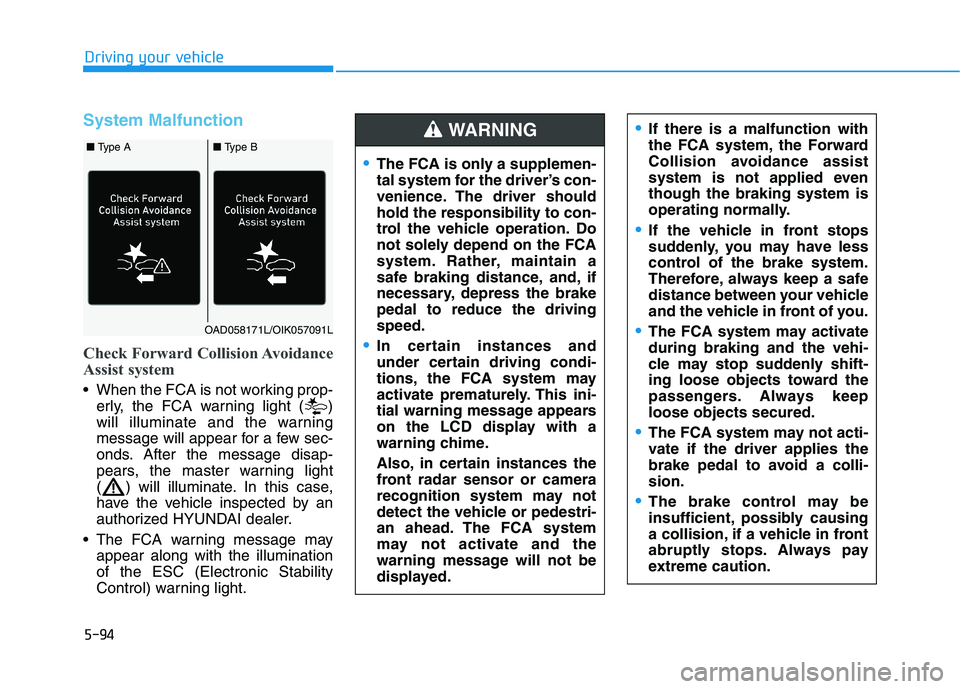
Check Forward Collision Avoidance
Assist system
When the FCA is not working prop-erly, the FCA warning light ( )
will illuminate and the warning
message will appear for a few sec-
onds. After the message disap-
pears, the master warning light
( ) will illuminate. In this case,
have the vehicle inspected by an
authorized HYUNDAI dealer.
The FCA warning message may appear along with the illuminationof the ESC (Electronic Stability
Control) warning light.
The FCA is only a supplemen-
tal system for the driver’s con-
venience. The driver shouldhold the responsibility to con-
trol the vehicle operation. Do
not solely depend on the FCA
system. Rather, maintain a
safe braking distance, and, if
necessary, depress the brakepedal to reduce the drivingspeed.
In certain instances and
under certain driving condi-
tions, the FCA system may
activate prematurely. This ini-
tial warning message appears
on the LCD display with a
warning chime.
Also, in certain instances the
front radar sensor or camera
recognition system may not
detect the vehicle or pedestri-
an ahead. The FCA system
may not activate and the
warning message will not be
displayed.
WARNING If there is a malfunction with
the FCA system, the Forward
Collision avoidance assist
system is not applied eventhough the braking system is
operating normally.
If the vehicle in front stops
suddenly, you may have less
control of the brake system.
Therefore, always keep a safe
distance between your vehicle
and the vehicle in front of you.
The FCA system may activate during braking and the vehi-
cle may stop suddenly shift-
ing loose objects toward the
passengers. Always keeploose objects secured.
The FCA system may not acti-
vate if the driver applies the
brake pedal to avoid a colli-sion.
The brake control may be
insufficient, possibly causing
a collision, if a vehicle in front
abruptly stops. Always pay
extreme caution.
OAD058171L/OIK057091L
■ Type A■ Type B
Page 343 of 534
5-102
Driving your vehicle
LKA System Operation
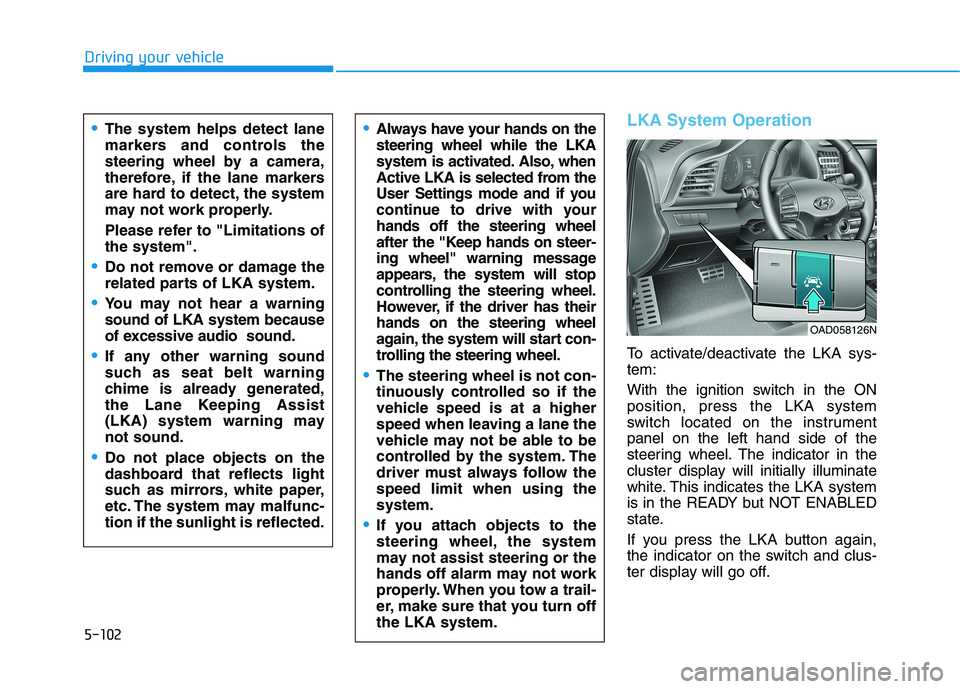
To activate/deactivate the LKA sys- tem:
With the ignition switch in the ON position, press the LKA system
switch located on the instrumentpanel on the left hand side of the
steering wheel. The indicator in the
cluster display will initially illuminate
white. This indicates the LKA system
is in the READY but NOT ENABLED
state.
If you press the LKA button again,
the indicator on the switch and clus-
ter display will go off.
Always have your hands on the steering wheel while the LKA
system is activated. Also, when
Active LKA is selected from the
User Settings mode and if you
continue to drive with yourhands off the steering wheel
after the "Keep hands on steer-
ing wheel" warning message
appears, the system will stop
controlling the steering wheel.
However, if the driver has theirhands on the steering wheel
again, the system will start con-
trolling the steering wheel.
The steering wheel is not con-
tinuously controlled so if the
vehicle speed is at a higher
speed when leaving a lane the
vehicle may not be able to be
controlled by the system. The
driver must always follow thespeed limit when using thesystem.
If you attach objects to the
steering wheel, the system
may not assist steering or the
hands off alarm may not work
properly. When you tow a trail-
er, make sure that you turn offthe LKA system.
The system helps detect lane
markers and controls the
steering wheel by a camera,
therefore, if the lane markers
are hard to detect, the system
may not work properly.
Please refer to "Limitations of the system".
Do not remove or damage the
related parts of LKA system.
You may not hear a warning sound of LKA system because
of excessive audio sound.
If any other warning sound
such as seat belt warning
chime is already generated,
the Lane Keeping Assist
(LKA) system warning maynot sound.
Do not place objects on the
dashboard that reflects light
such as mirrors, white paper,
etc. The system may malfunc-tion if the sunlight is reflected.
OAD058126N
Page 344 of 534
5-103
Driving your vehicle
5
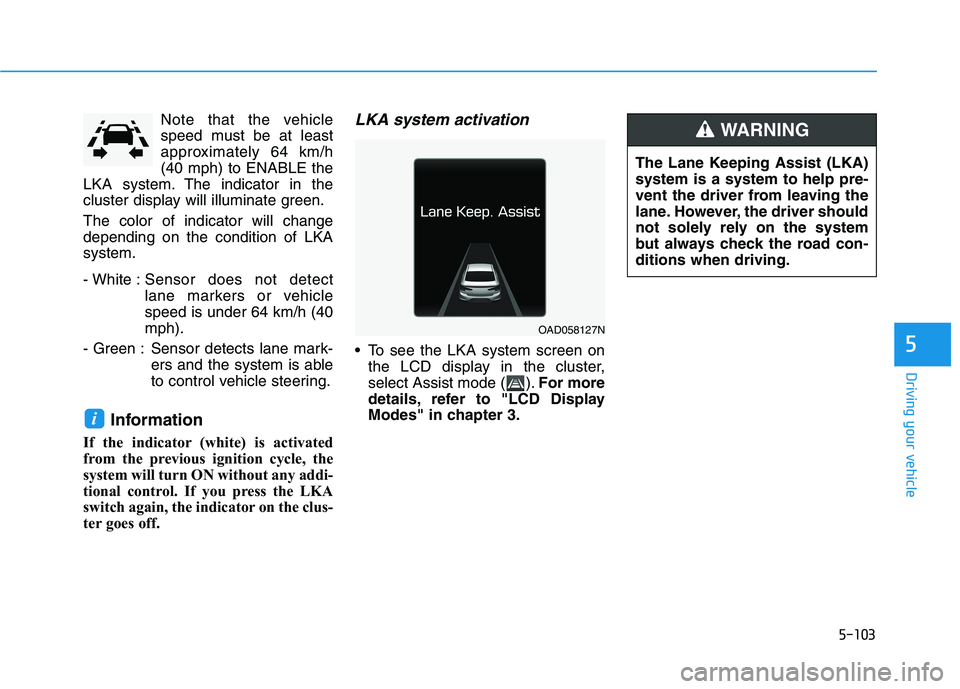
Note that the vehicle
speed must be at least
approximately 64 km/h(40 mph) to ENABLE the
LKA system. The indicator in the
cluster display will illuminate green. The color of indicator will change depending on the condition of LKAsystem.
- White : Sensor does not detect
lane markers or vehiclespeed is under 64 km/h (40mph).
- Green : Sensor detects lane mark- ers and the system is able
to control vehicle steering.
Information
If the indicator (white) is activated
from the previous ignition cycle, the
system will turn ON without any addi-
tional control. If you press the LKA
switch again, the indicator on the clus-
ter goes off.LKA system activation
To see the LKA system screen on the LCD display in the cluster,
select Assist mode ( ). For more
details, refer to "LCD Display
Modes" in chapter 3.
i
OAD058127N The Lane Keeping Assist (LKA) system is a system to help pre-
vent the driver from leaving the
lane. However, the driver should
not solely rely on the system
but always check the road con-ditions when driving.
WARNING
Page 345 of 534
5-104
Driving your vehicle
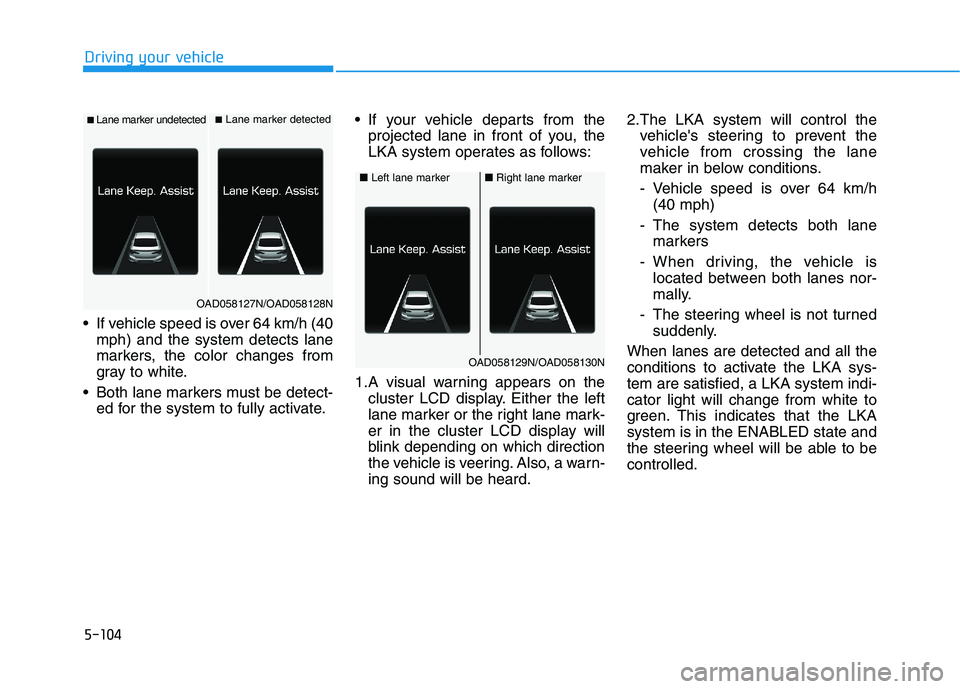
If vehicle speed is over 64 km/h (40mph) and the system detects lane
markers, the color changes from
gray to white.
Both lane markers must be detect- ed for the system to fully activate. If your vehicle departs from the
projected lane in front of you, the
LKA system operates as follows:
1.A visual warning appears on the cluster LCD display. Either the left
lane marker or the right lane mark-
er in the cluster LCD display will
blink depending on which direction
the vehicle is veering. Also, a warn-ing sound will be heard. 2.The LKA system will control the
vehicle's steering to prevent the
vehicle from crossing the lane
maker in below conditions.
- Vehicle speed is over 64 km/h(40 mph)
- The system detects both lane markers
- When driving, the vehicle is located between both lanes nor-
mally.
- The steering wheel is not turned suddenly.
When lanes are detected and all the
conditions to activate the LKA sys-tem are satisfied, a LKA system indi-cator light will change from white to
green. This indicates that the LKAsystem is in the ENABLED state and
the steering wheel will be able to becontrolled.
■ Lane marker undetected■ Lane marker detected
OAD058127N/OAD058128N
■ Left lane marker■Right lane marker
OAD058129N/OAD058130N
Page 350 of 534
5-109
Driving your vehicle
5
When front visibility is poor
The windshield or the camera lensis blocked with dirt or debris.
The windshield glass is fogged up; a clear view of the road is obstruct- ed.
Placing objects on the dashboard, etc.
The sensor cannot detect the lane because of fog, heavy rain or snow.LKA System Function Change
The driver can change LKA to Lane
Departure Warning from the LCD
display. Go to the 'User Settings
Driver Assistance Lane Safety
Active LKA/Lane Keeping Assist
/Lane Departure Warning/Off'.
Active LKA
The Active LKA mode provides more
frequent steering wheel control in
comparison with the Standard LKA
mode. Active LKA can reduce the dri-
ver's fatigue to assist the steering for
maintaining the vehicle in the middle
of the lane.
Standard LKA
This mode guides the driver to help
keep the vehicle within the lanes. It
rarely controls the steering wheel,
when the vehicle drives well inside
the lanes. However, it starts to con-
trol the steering wheel, when the
vehicle is about to deviate out of the
lane.
Lane Departure Warning
LDW system alerts the driver with a
visual warning and a warning alarm
when the system detects the vehicle
departing the lane. The steeringwheel will not be controlled.
Off
If you select "Off", the LKA system is
deactivated.
The Lane Keeping Assist (LKA)system is a system to help pre-
vent the driver from leaving the
lane. However, the driver should
not solely rely on the system
but always take the necessary
actions for safe driving prac-tices.
WARNING
Page 351 of 534
5-110
Driving your vehicle
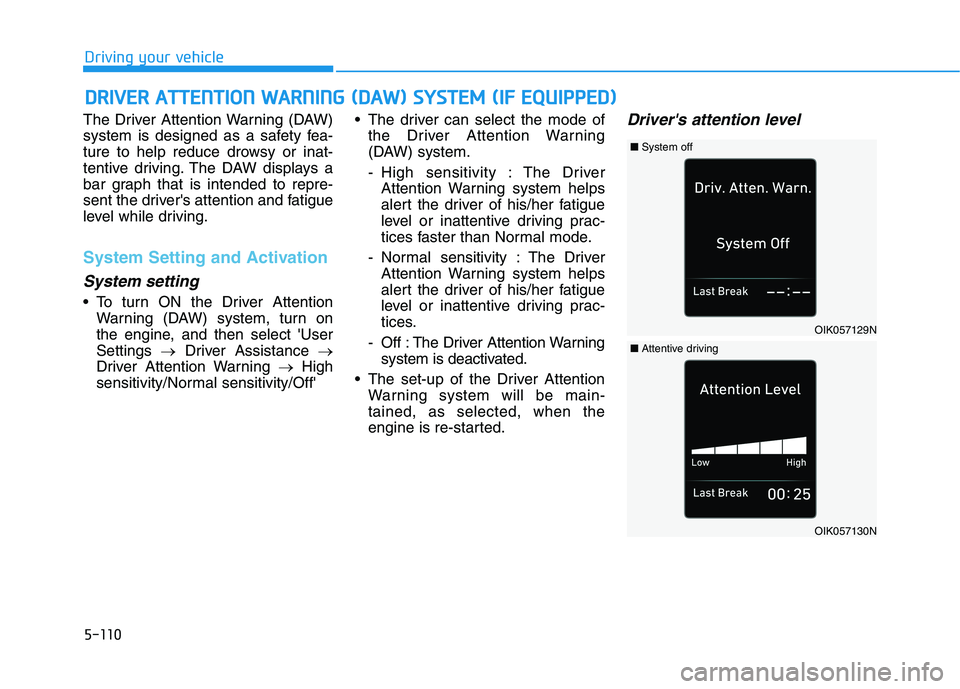
The Driver Attention Warning (DAW)
system is designed as a safety fea-
ture to help reduce drowsy or inat-
tentive driving. The DAW displays a
bar graph that is intended to repre-
sent the driver's attention and fatigue
level while driving.
System Setting and Activation
System setting
To turn ON the Driver AttentionWarning (DAW) system, turn on
the engine, and then select 'UserSettings Driver Assistance
Driver Attention Warning High
sensitivity/Normal sensitivity/Off' The driver can select the mode of
the Driver Attention Warning
(DAW) system.
- High sensitivity : The DriverAttention Warning system helps
alert the driver of his/her fatigue
level or inattentive driving prac-
tices faster than Normal mode.
- Normal sensitivity : The Driver Attention Warning system helps
alert the driver of his/her fatigue
level or inattentive driving prac-
tices.
- Off : The Driver Attention Warning system is deactivated.
The set-up of the Driver Attention Warning system will be main-tained, as selected, when the
engine is re-started.
Driver's attention level
DDRRIIVV EERR AA TTTTEENN TTIIOO NN WW AARRNN IINN GG (( DD AA WW )) SS YY SSTT EEMM (( IIFF EE QQ UUIIPP PP EEDD ))
OIK057129N
■System off
OIK057130N
■Attentive driving
Page 352 of 534
5-111
Driving your vehicle
5
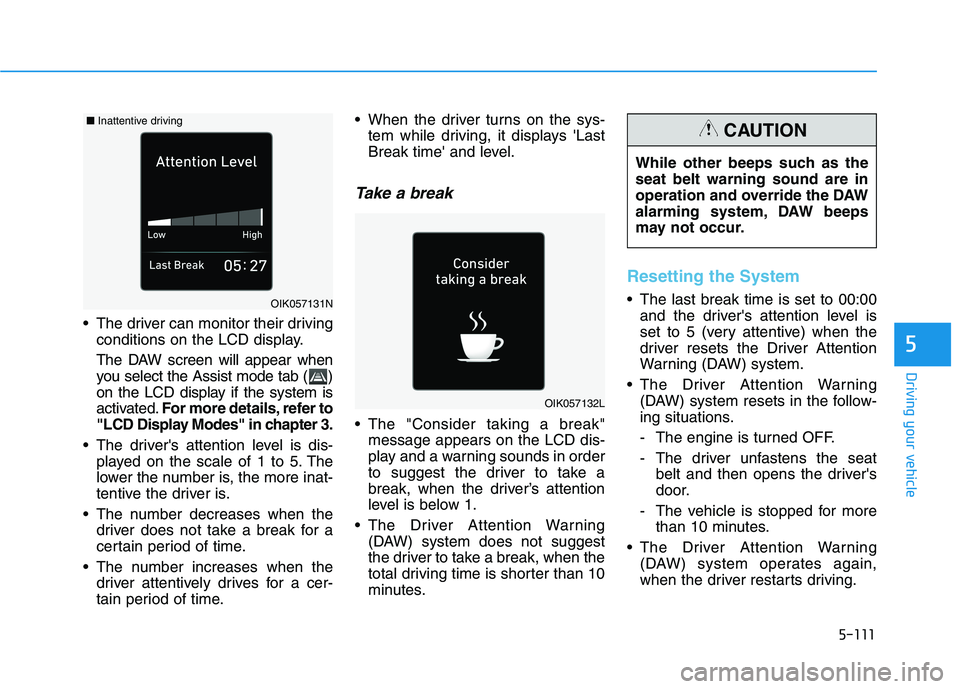
The driver can monitor their drivingconditions on the LCD display.
The DAW screen will appear when
you select the Assist mode tab ( )
on the LCD display if the system is
activated. For more details, refer to
"LCD Display Modes" in chapter 3.
The driver's attention level is dis- played on the scale of 1 to 5. The
lower the number is, the more inat-
tentive the driver is.
The number decreases when the driver does not take a break for a
certain period of time.
The number increases when the driver attentively drives for a cer-
tain period of time. When the driver turns on the sys-
tem while driving, it displays 'Last
Break time' and level.
Take a break
The "Consider taking a break"message appears on the LCD dis-
play and a warning sounds in order
to suggest the driver to take a
break, when the driver’s attention
level is below 1.
The Driver Attention Warning (DAW) system does not suggest
the driver to take a break, when the
total driving time is shorter than 10
minutes.
Resetting the System
The last break time is set to 00:00and the driver's attention level is
set to 5 (very attentive) when the
driver resets the Driver Attention
Warning (DAW) system.
The Driver Attention Warning (DAW) system resets in the follow-
ing situations.
- The engine is turned OFF.
- The driver unfastens the seat belt and then opens the driver's
door.
- The vehicle is stopped for more than 10 minutes.
The Driver Attention Warning (DAW) system operates again,
when the driver restarts driving.
OIK057132L
OIK057131N While other beeps such as the seat belt warning sound are in
operation and override the DAW
alarming system, DAW beeps
may not occur.
CAUTION■
Inattentive driving