light Hyundai Elantra Touring 2012 Repair Manual
[x] Cancel search | Manufacturer: HYUNDAI, Model Year: 2012, Model line: Elantra Touring, Model: Hyundai Elantra Touring 2012Pages: 402, PDF Size: 5.49 MB
Page 156 of 402
Features of your vehicle
80
4
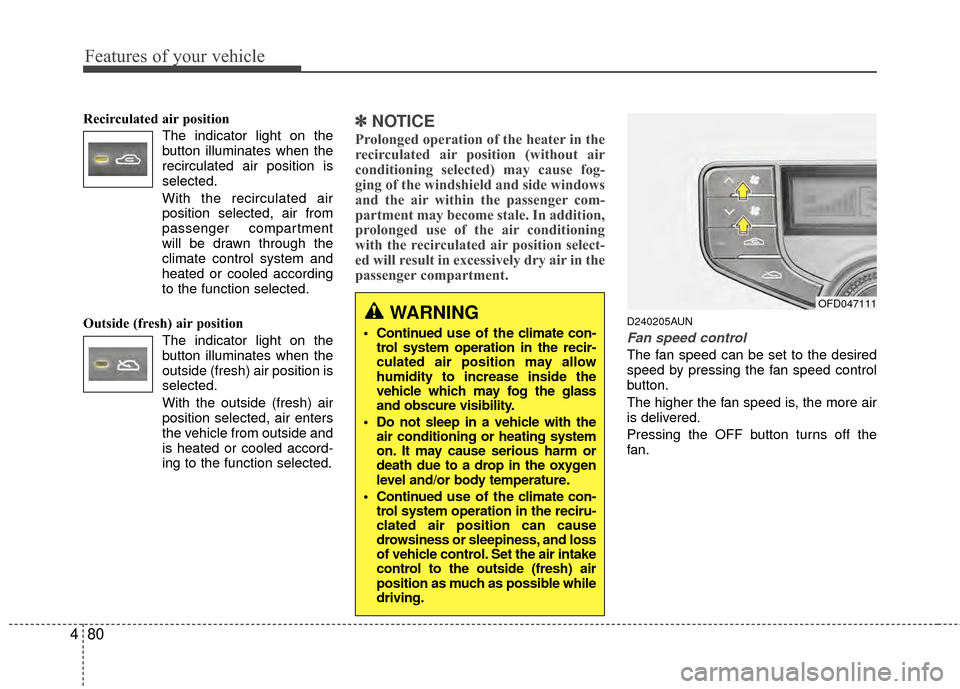
Recirculated air position
The indicator light on the
button illuminates when the
recirculated air position is
selected.
With the recirculated air position selected, air from
passenger compartment
will be drawn through the
climate control system and
heated or cooled according
to the function selected.
Outside (fresh) air position The indicator light on the
button illuminates when the
outside (fresh) air position is
selected.
With the outside (fresh) air
position selected, air enters
the vehicle from outside and
is heated or cooled accord-
ing to the function selected.✽ ✽NOTICE
Prolonged operation of the heater in the
recirculated air position (without air
conditioning selected) may cause fog-
ging of the windshield and side windows
and the air within the passenger com-
partment may become stale. In addition,
prolonged use of the air conditioning
with the recirculated air position select-
ed will result in excessively dry air in the
passenger compartment.
D240205AUN
Fan speed control
The fan speed can be set to the desired
speed by pressing the fan speed control
button.
The higher the fan speed is, the more air
is delivered.
Pressing the OFF button turns off the
fan.
WARNING
Continued use of the climate con-
trol system operation in the recir-
culated air position may allow
humidity to increase inside the
vehicle which may fog the glass
and obscure visibility.
Do not sleep in a vehicle with the air conditioning or heating system
on. It may cause serious harm or
death due to a drop in the oxygen
level and/or body temperature.
Continued use of the climate con-
trol system operation in the reciru-
clated air position can cause
drowsiness or sleepiness, and loss
of vehicle control. Set the air intake
control to the outside (fresh) air
position as much as possible while
driving.
OFD047111
Page 157 of 402
481
Features of your vehicle
D240206AUN
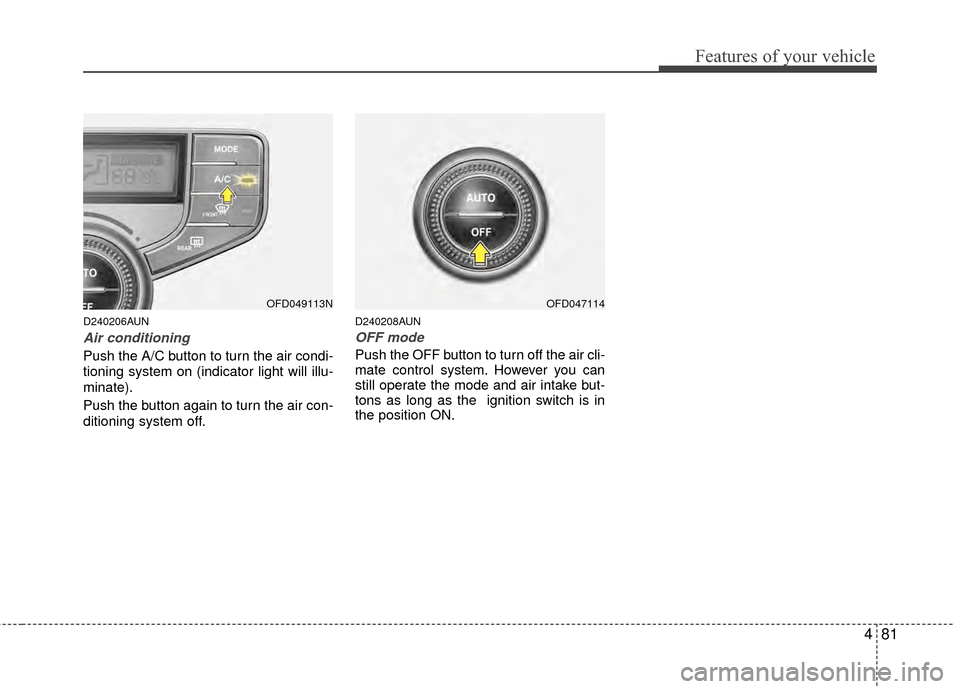
Air conditioning
Push the A/C button to turn the air condi-
tioning system on (indicator light will illu-
minate).
Push the button again to turn the air con-
ditioning system off.
D240208AUN
OFF mode
Push the OFF button to turn off the air cli-
mate control system. However you can
still operate the mode and air intake but-
tons as long as the ignition switch is in
the position ON.
OFD049113NOFD047114
Page 160 of 402
Features of your vehicle
84
4
D250301AFD
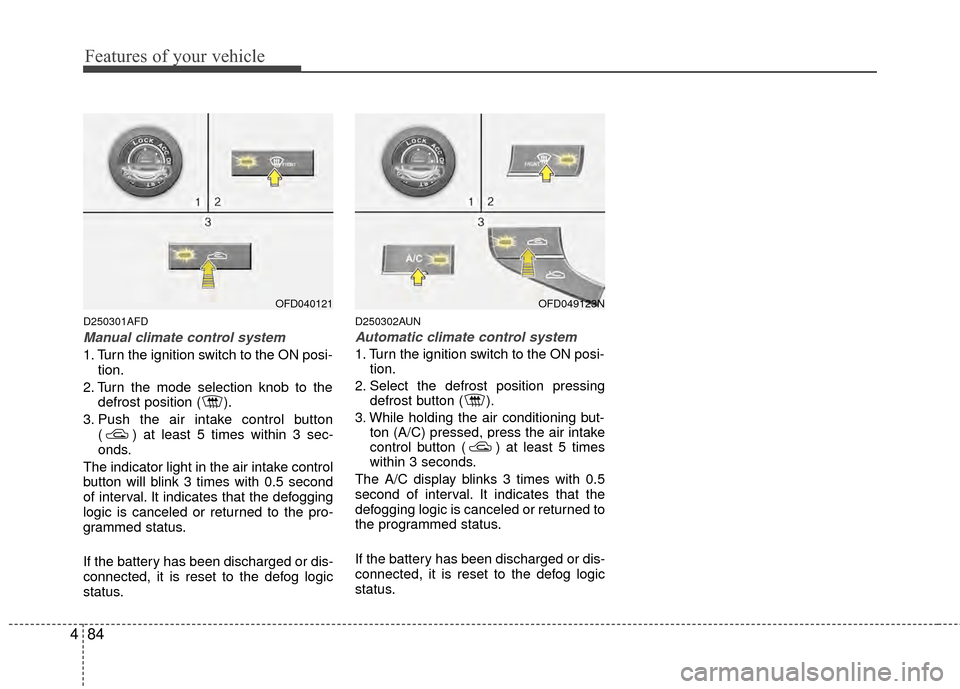
Manual climate control system
1. Turn the ignition switch to the ON posi-
tion.
2. Turn the mode selection knob to the defrost position ( ).
3. Push the air intake control button ( ) at least 5 times within 3 sec-
onds.
The indicator light in the air intake control
button will blink 3 times with 0.5 second
of interval. It indicates that the defogging
logic is canceled or returned to the pro-
grammed status.
If the battery has been discharged or dis-
connected, it is reset to the defog logic
status.
D250302AUN
Automatic climate control system
1. Turn the ignition switch to the ON posi- tion.
2. Select the defrost position pressing defrost button ( ).
3. While holding the air conditioning but- ton (A/C) pressed, press the air intake
control button ( ) at least 5 times
within 3 seconds.
The A/C display blinks 3 times with 0.5
second of interval. It indicates that the
defogging logic is canceled or returned to
the programmed status.
If the battery has been discharged or dis-
connected, it is reset to the defog logic
status.
OFD040121OFD049123N
Page 161 of 402
485
Features of your vehicle
D270000AUN
These compartments can be used to
store small items required by the driver
or passengers.
D270100AFD
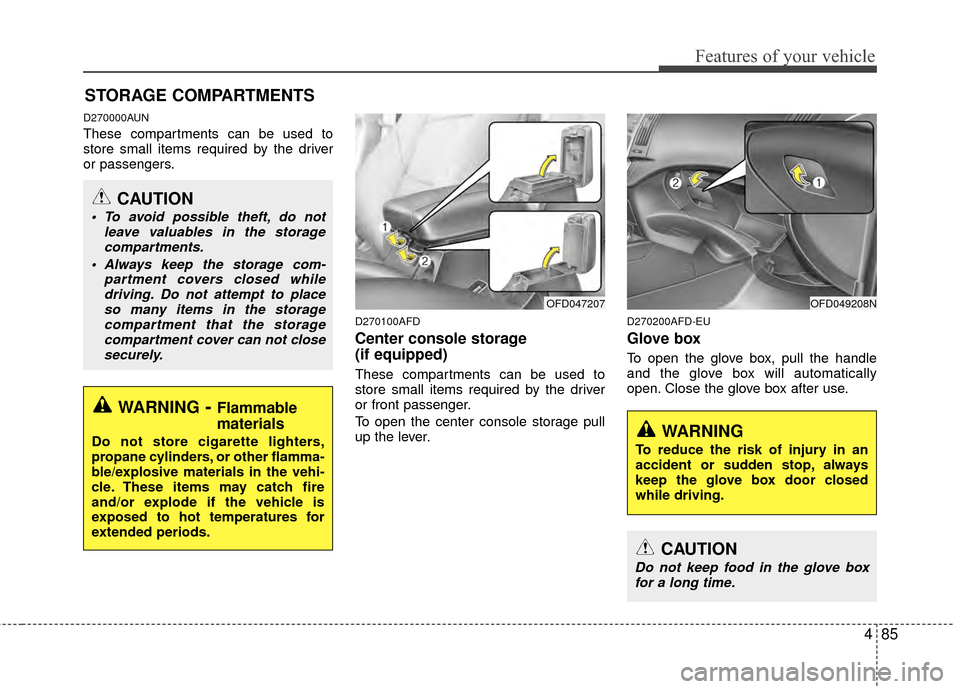
Center console storage
(if equipped)
These compartments can be used to
store small items required by the driver
or front passenger.
To open the center console storage pull
up the lever.
D270200AFD-EU
Glove box
To open the glove box, pull the handle
and the glove box will automatically
open. Close the glove box after use.
STORAGE COMPARTMENTS
WARNING- Flammable
materials
Do not store cigarette lighters,
propane cylinders, or other flamma-
ble/explosive materials in the vehi-
cle. These items may catch fire
and/or explode if the vehicle is
exposed to hot temperatures for
extended periods.
CAUTION
To avoid possible theft, do not
leave valuables in the storagecompartments.
Always keep the storage com- partment covers closed whiledriving. Do not attempt to placeso many items in the storagecompartment that the storagecompartment cover can not closesecurely.
OFD047207OFD049208N
WARNING
To reduce the risk of injury in an
accident or sudden stop, always
keep the glove box door closed
while driving.
CAUTION
Do not keep food in the glove boxfor a long time.
Page 165 of 402
489
Features of your vehicle
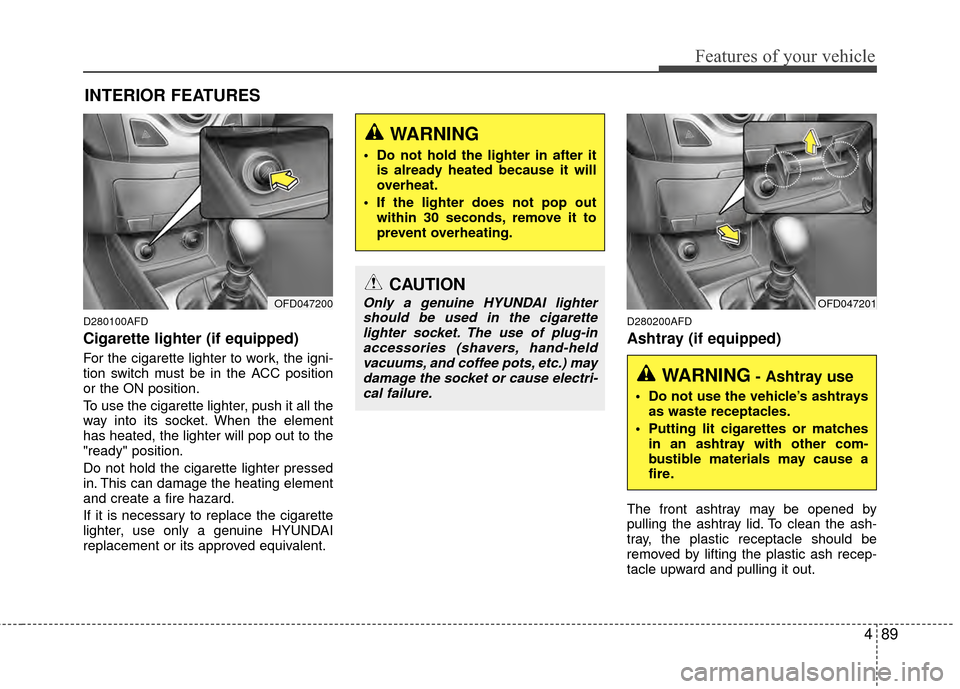
D280100AFD
Cigarette lighter (if equipped)
For the cigarette lighter to work, the igni-
tion switch must be in the ACC position
or the ON position.
To use the cigarette lighter, push it all the
way into its socket. When the element
has heated, the lighter will pop out to the
"ready" position.
Do not hold the cigarette lighter pressed
in. This can damage the heating element
and create a fire hazard.
If it is necessary to replace the cigarette
lighter, use only a genuine HYUNDAI
replacement or its approved equivalent.
D280200AFD
Ashtray (if equipped)
The front ashtray may be opened by
pulling the ashtray lid. To clean the ash-
tray, the plastic receptacle should be
removed by lifting the plastic ash recep-
tacle upward and pulling it out.
INTERIOR FEATURES
OFD047200
CAUTION
Only a genuine HYUNDAI lightershould be used in the cigarettelighter socket. The use of plug-inaccessories (shavers, hand-heldvacuums, and coffee pots, etc.) may damage the socket or cause electri-cal failure.OFD047201
WARNING- Ashtray use
Do not use the vehicle’s ashtrays as waste receptacles.
Putting lit cigarettes or matches in an ashtray with other com-
bustible materials may cause a
fire.
WARNING
Do not hold the lighter in after itis already heated because it will
overheat.
If the lighter does not pop out within 30 seconds, remove it to
prevent overheating.
Page 166 of 402
Features of your vehicle
90
4
D280300AUN
Cup holder
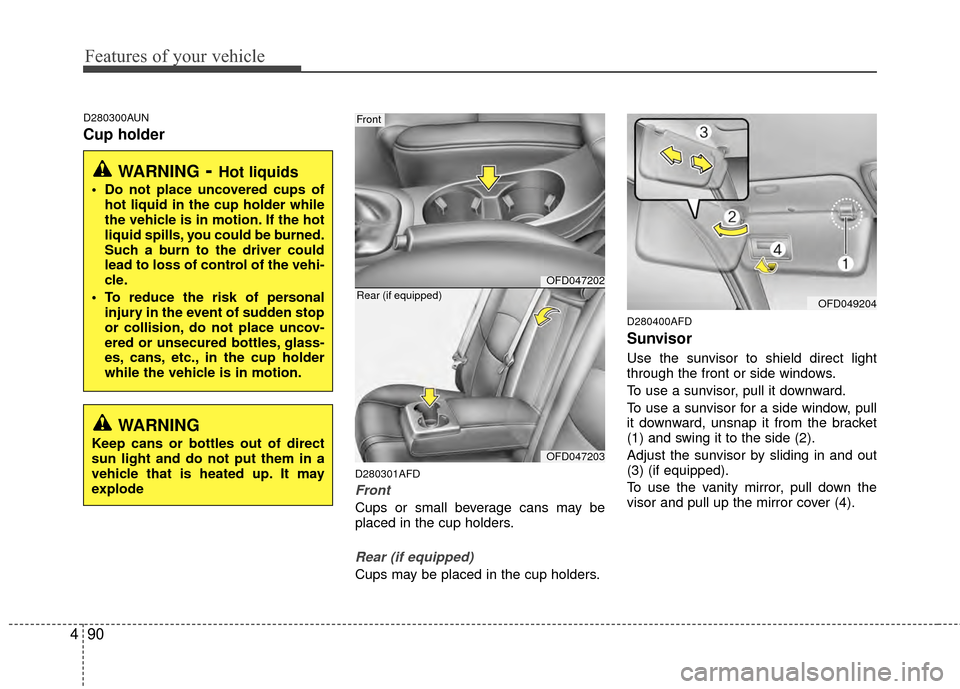
D280301AFD
Front
Cups or small beverage cans may be
placed in the cup holders.
Rear (if equipped)
Cups may be placed in the cup holders.
D280400AFD
Sunvisor
Use the sunvisor to shield direct light
through the front or side windows.
To use a sunvisor, pull it downward.
To use a sunvisor for a side window, pull
it downward, unsnap it from the bracket
(1) and swing it to the side (2).
Adjust the sunvisor by sliding in and out
(3) (if equipped).
To use the vanity mirror, pull down the
visor and pull up the mirror cover (4).
WARNING- Hot liquids
Do not place uncovered cups of
hot liquid in the cup holder while
the vehicle is in motion. If the hot
liquid spills, you could be burned.
Such a burn to the driver could
lead to loss of control of the vehi-
cle.
To reduce the risk of personal injury in the event of sudden stop
or collision, do not place uncov-
ered or unsecured bottles, glass-
es, cans, etc., in the cup holder
while the vehicle is in motion.
OFD047202
Front
OFD047203
Rear (if equipped)OFD049204
WARNING
Keep cans or bottles out of direct
sun light and do not put them in a
vehicle that is heated up. It may
explode
Page 183 of 402
4107
Features of your vehicle
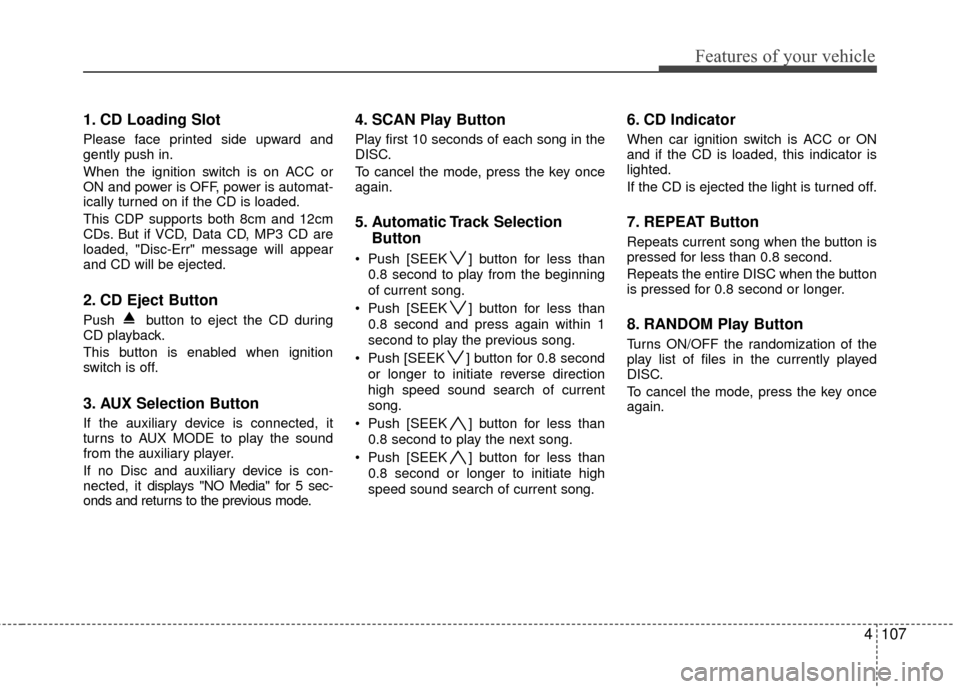
1. CD Loading Slot
Please face printed side upward and
gently push in.
When the ignition switch is on ACC or
ON and power is OFF, power is automat-
ically turned on if the CD is loaded.
This CDP supports both 8cm and 12cm
CDs. But if VCD, Data CD, MP3 CD are
loaded, "Disc-Err" message will appear
and CD will be ejected.
2. CD Eject Button
Push button to eject the CD during
CD playback.
This button is enabled when ignition
switch is off.
3. AUX Selection Button
If the auxiliary device is connected, it
turns to AUX MODE to play the sound
from the auxiliary player.
If no Disc and auxiliary device is con-
nected, it displays "NO Media" for 5 sec-
onds and returns to the previous mode.
4. SCAN Play Button
Play first 10 seconds of each song in the
DISC.
To cancel the mode, press the key once
again.
5. Automatic Track SelectionButton
Push [SEEK ] button for less than
0.8 second to play from the beginning
of current song.
Push [SEEK ] button for less than 0.8 second and press again within 1
second to play the previous song.
Push [SEEK ] button for 0.8 second or longer to initiate reverse direction
high speed sound search of current
song.
Push [SEEK ] button for less than 0.8 second to play the next song.
Push [SEEK ] button for less than 0.8 second or longer to initiate high
speed sound search of current song.
6. CD Indicator
When car ignition switch is ACC or ON
and if the CD is loaded, this indicator is
lighted.
If the CD is ejected the light is turned off.
7. REPEAT Button
Repeats current song when the button is
pressed for less than 0.8 second.
Repeats the entire DISC when the button
is pressed for 0.8 second or longer.
8. RANDOM Play Button
Turns ON/OFF the randomization of the
play list of files in the currently played
DISC.
To cancel the mode, press the key once
again.
Page 185 of 402
4109
Features of your vehicle
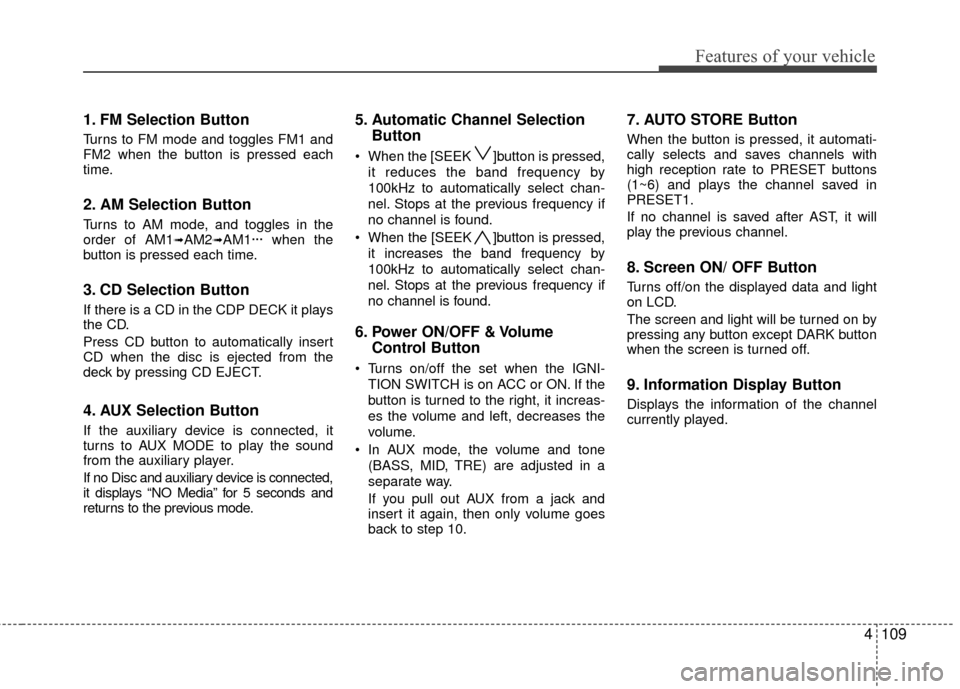
1. FM Selection Button
Turns to FM mode and toggles FM1 and
FM2 when the button is pressed each
time.
2. AM Selection Button
Turns to AM mode, and toggles in the
order of AM1➟AM2➟AM1··· when the
button is pressed each time.
3. CD Selection Button
If there is a CD in the CDP DECK it plays
the CD.
Press CD button to automatically insert
CD when the disc is ejected from the
deck by pressing CD EJECT.
4. AUX Selection Button
If the auxiliary device is connected, it
turns to AUX MODE to play the sound
from the auxiliary player.
If no Disc and auxiliary device is connected,
it displays “NO Media” for 5 seconds and
returns to the previous mode.
5. Automatic Channel Selection Button
When the [SEEK ]button is pressed,
it reduces the band frequency by
100kHz to automatically select chan-
nel. Stops at the previous frequency if
no channel is found.
When the [SEEK ]button is pressed, it increases the band frequency by
100kHz to automatically select chan-
nel. Stops at the previous frequency if
no channel is found.
6. Power ON/OFF & Volume Control Button
Turns on/off the set when the IGNI-
TION SWITCH is on ACC or ON. If the
button is turned to the right, it increas-
es the volume and left, decreases the
volume.
In AUX mode, the volume and tone (BASS, MID, TRE) are adjusted in a
separate way.
If you pull out AUX from a jack and
insert it again, then only volume goes
back to step 10.
7. AUTO STORE Button
When the button is pressed, it automati-
cally selects and saves channels with
high reception rate to PRESET buttons
(1~6) and plays the channel saved in
PRESET1.
If no channel is saved after AST, it will
play the previous channel.
8. Screen ON/ OFF Button
Turns off/on the displayed data and light
on LCD.
The screen and light will be turned on by
pressing any button except DARK button
when the screen is turned off.
9. Information Display Button
Displays the information of the channel
currently played.
Page 188 of 402
Features of your vehicle
112
4
1. CD Loading Slot
Please face printed side upward and
gently push in. When the ignition switch
is on ACC or ON and power is off, power
is automatically turned on if the CD is
loaded. This CDP supports both 8cm and
12 cm CDs. But if VCD, Data CD, MP3
CD are loaded, "Er-6" message will
appear and CD will be ejected.
2. CD Indicator
When car ignition switch is ACC or ON
and if the CD is loaded, this indicator is
lighted. If the CD is ejected the light is
turned off.
3. CD Eject Button
Push button to eject the CD during CD
playback. This button is enabled when
ignition switch is off.
4. AUX Selection Button
If the auxiliary device is connected, it
turns to AUX MODE to play the sound
from the auxiliary player.
If no Disc and auxiliary device is connected,
it displays "NO Media" for 5 seconds and
returns to the previous mode.
5. Automatic Track Selection
Button
Push [SEEK ] button for less than
0.8 second to play from the beginning
of current song.
Push [SEEK ] button for less than 0.8 second and press again within 1
second to play the previous song.
Push [SEEK ] button for 0.8 second or longer to initiate reverse direction
high speed sound search of current
song.
Push [SEEK ] button for less than 0.8 second to play the next song.
Push [SEEK ] button for 0.8 second or longer to initiate high speed sound
search of current song.
6. INFO Button
Displays the information of the current CD
TRACK in the order of DISC TITLE➟DISC ARTIST➟TRACK TITLE➟TRACK
ARTIST➟TOTAL TRACK➟Play Screen➟DISC TITLE➟···.(not displayed if the infor-
mation is not available on the DISC.)
(If MP3 is displayed FILE NAME
➟TITLE➟ARTIST➟ALBUM➟FOLDER➟TOTAL
FILE➟FILE NAME➟···)
7. TUNE/ENTER Button
Turn this button clockwise to display
songs after current song.
Also, turn this button counterclockwise to
display songs before current song.
To listen to the displayed song, press the
button to skip to the song and play.
8. REPEAT Button
Repeats current song when the button is
pressed for less than 0.8 second.
Repeats the entire DISC when the button
is pressed for 0.8 second or longer.
9. RANDOM Play Button
Turns on/off the randomization of the
play list of files in the currently played
DISC.
To cancel the mode, press the key once
again.
10. SCAN Play Button
Plays first 10 seconds of each song in
the DISC.
To cancel the mode, press the key once
again.
Page 198 of 402
Features of your vehicle
122
4
1. FM Selection Button
Turns to FM mode and toggles FM1 and
FM2 when the button is pressed each
time.
2. AM Selection Button
Turns to AM mode, and toggles in the
order of AM1➟AM2➟AM1··· when the
button is pressed each time.
3. CD Selection Button
If there is a CD in the CDP DECK it plays
the CD.
Press CD button to automatically insert
CD when the disc is ejected from the
deck by pressing CD EJECT.
4. AUX Selection Button
If the auxiliary device is connected, it
turns to AUX MODE to play the sound
from the auxiliary player.
If no Disc and auxiliary device is connected,
it displays “NO Media” for 5 seconds and
returns to the previous mode.
5. Automatic Channel Selection Button
When the [SEEK ]button is pressed,
it reduces the band frequency by
100kHz to automatically select chan-
nel. Stops at the previous frequency if
no channel is found.
When the [SEEK ]button is pressed, it increases the band frequency by
100kHz to automatically select chan-
nel. Stops at the previous frequency if
no channel is found.
6. Power ON/OFF & Volume Control Button
Turns on/off the set when the IGNI-
TION SWITCH is on ACC or ON. If the
button is turned to the right, it increas-
es the volume and left, decreases the
volume.
In AUX mode, the volume and tone (BASS, MID, TRE) are adjusted in a
separate way.
If you pull out AUX from a jack and
insert it again, then only volume goes
back to step 10.
7. AUTO STORE Button
When the button is pressed, it automati-
cally selects and saves channels with
high reception rate to PRESET buttons
(1~6) and plays the channel saved in
PRESET1.
If no channel is saved after AST, it will
play the previous channel.
8. Screen ON/ OFF Button
Turns off/on the displayed data and light
on LCD.
The screen and light will be turned on by
pressing any button except DARK button
when the screen is turned off.
9. Information Display Button
Displays the information of the channel
currently played.