ECO mode HYUNDAI ENTOURAGE 2008 User Guide
[x] Cancel search | Manufacturer: HYUNDAI, Model Year: 2008, Model line: ENTOURAGE, Model: HYUNDAI ENTOURAGE 2008Pages: 393, PDF Size: 8.78 MB
Page 180 of 393
Features of your vehicle164 3Defogging logicManual climate control systemTo reduce the probability of fogging up
the inside of the windshield, the air intake
control is set to the outside (fresh) air
position automatically if any of following
occur.
The mode is selected to the , or
while the system is activated.
The ignition switch is turned on while
the mode is selected to the , or
.
The ignition switch is turned off.
The fan is off.
The fan begins to be operated.
Press the air intake control button to
select the recirculated air position while
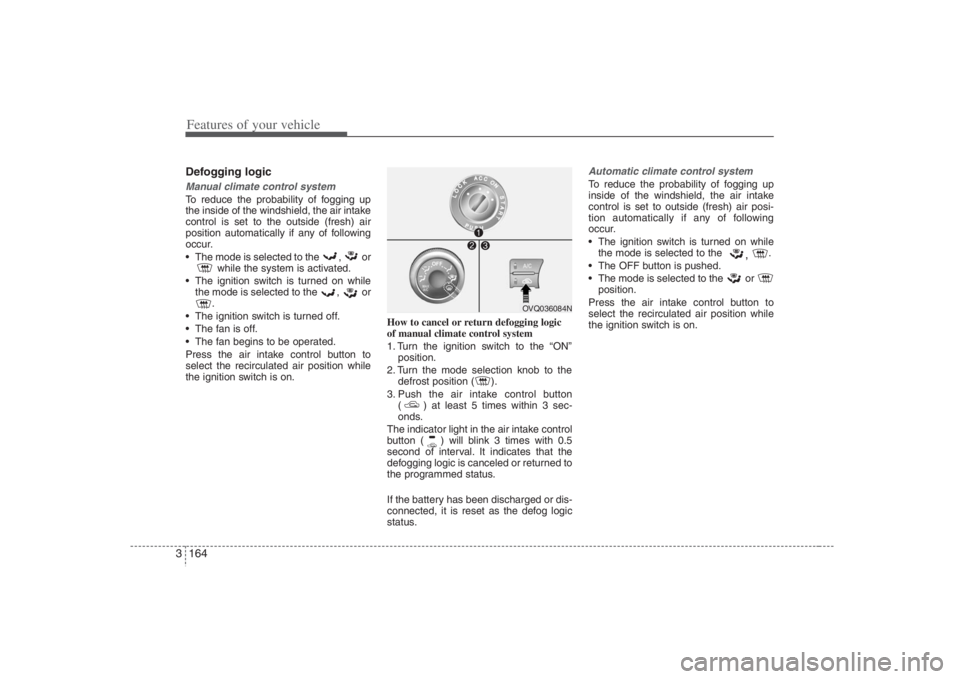
the ignition switch is on.How to cancel or return defogging logic
of manual climate control system
1. Turn the ignition switch to the “ON”
position.
2. Turn the mode selection knob to the
defrost position ( ).
3. Push the air intake control button
( ) at least 5 times within 3 sec-
onds.
The indicator light in the air intake control
button ( ) will blink 3 times with 0.5
second of interval. It indicates that the
defogging logic is canceled or returned to
the programmed status.
If the battery has been discharged or dis-
connected, it is reset as the defog logic
status.
Automatic climate control systemTo reduce the probability of fogging up
inside of the windshield, the air intake
control is set to outside (fresh) air posi-
tion automatically if any of following
occur.
The ignition switch is turned on while
the mode is selected to the
,
.
The OFF button is pushed.
The mode is selected to the or
position.
Press the air intake control button to
select the recirculated air position while
the ignition switch is on.
OVQ036084N
Page 183 of 393
3 167
Features of your vehicle
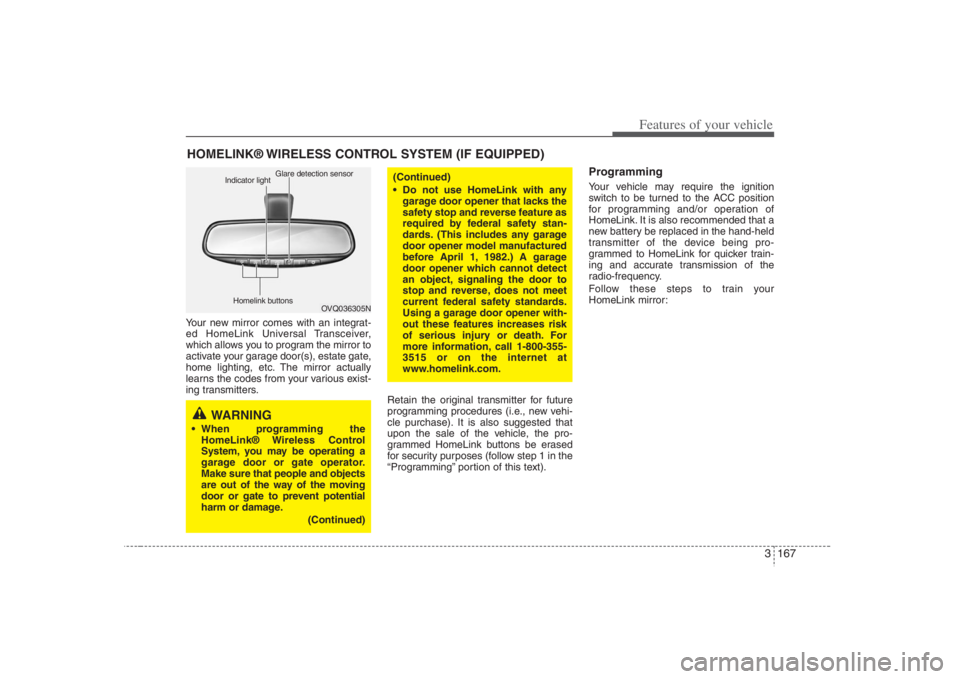
Your new mirror comes with an integrat-
ed HomeLink Universal Transceiver,
which allows you to program the mirror to
activate your garage door(s), estate gate,
home lighting, etc. The mirror actually
learns the codes from your various exist-
ing transmitters.
Retain the original transmitter for future
programming procedures (i.e., new vehi-
cle purchase). It is also suggested that
upon the sale of the vehicle, the pro-
grammed HomeLink buttons be erased
for security purposes (follow step 1 in the
“Programming” portion of this text).
ProgrammingYour vehicle may require the ignition
switch to be turned to the ACC position
for programming and/or operation of
HomeLink. It is also recommended that a
new battery be replaced in the hand-held
transmitter of the device being pro-
grammed to HomeLink for quicker train-
ing and accurate transmission of the
radio-frequency.
Follow these steps to train your
HomeLink mirror:
HOMELINK® WIRELESS CONTROL SYSTEM (IF EQUIPPED)
WARNING
When programming the
HomeLink® Wireless Control
System, you may be operating a
garage door or gate operator.
Make sure that people and objects
are out of the way of the moving
door or gate to prevent potential
harm or damage.
(Continued)
(Continued)
Do not use HomeLink with any
garage door opener that lacks the
safety stop and reverse feature as
required by federal safety stan-
dards. (This includes any garage
door opener model manufactured
before April 1, 1982.) A garage
door opener which cannot detect
an object, signaling the door to
stop and reverse, does not meet
current federal safety standards.
Using a garage door opener with-
out these features increases risk
of serious injury or death. For
more information, call 1-800-355-
3515 or on the internet at
www.homelink.com.
OVQ036305N Glare detection sensor
Indicator light
Homelink buttons
Page 185 of 393
3 169
Features of your vehicle
Rolling code programmingTo train a garage door opener (or other
rolling code equipped devices) with the
rolling code feature, follow these instruc-
tions after completing the “Programming”
portion of this text. (A second person
may make the following training proce-
dures quicker & easier.)
4. Locate the “learn” or “smart” button on
the device’s motor head unit. Exact
location and color of the button may
vary by product brand. If there is diffi-
culty locating the “learn” or “smart” but-
ton, reference the device’s owner’s
manual or contact HomeLink at 1-800-
355-3515 or on the internet at
www.homelink.com.
5. Press and release the “learn” or
“smart” button on the device’s motor
head unit. You have 30 seconds to
complete step number 6.
6. Return to the vehicle and firmly press
and release the programmed
HomeLink button up to three times.
The rolling code equipped device
should now recognize the HomeLink
signal and activate when the
HomeLink button is pressed. The
remaining two buttons may now be
programmed if this has not previously
been done. Refer to the
“Programming” portion of this text.
Operating HomeLink To operate, simply press the pro-
grammed HomeLink button. Activation
will now occur for the trained product
(garage door, security system, entry door
lock, estate gate, or home or office light-
ing). For convenience, the hand-held
transmitter of the device may also be
used at any time. The HomeLink
Wireless Controls System (once pro-
grammed) or the original hand-held
transmitter may be used to activate the
device (e.g. garage door, entry door lock,
etc.). In the event that there are still pro-
gramming difficulties, contact HomeLink
at 1-800-355-3515 or on the internet at
www.homelink.com.
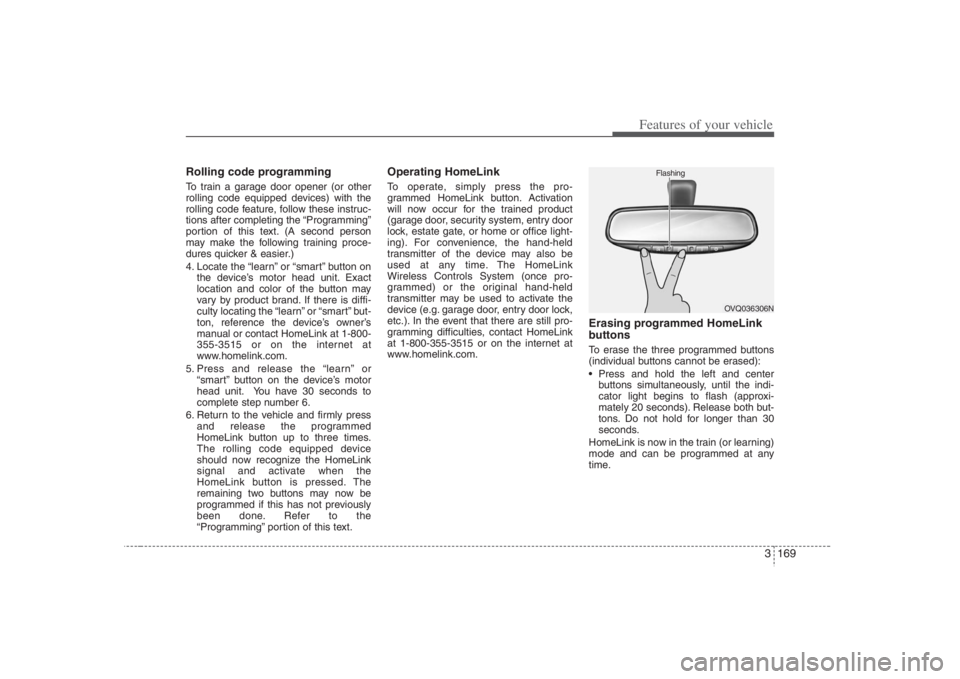
Erasing programmed HomeLink
buttonsTo erase the three programmed buttons
(individual buttons cannot be erased):
Press and hold the left and center
buttons simultaneously, until the indi-
cator light begins to flash (approxi-
mately 20 seconds). Release both but-
tons. Do not hold for longer than 30
seconds.
HomeLink is now in the train (or learning)
mode and can be programmed at any
time.
OVQ036306N Flashing
Page 186 of 393

Features of your vehicle170 3Reprogramming a single
HomeLink buttonTo program a device to HomeLink using
a HomeLink button previously trained,
follow these steps:
1. Press and hold the desired HomeLink
button. Do NOT release until step 4
has been completed.
2. When the indicator light begins to flash
slowly (after 20 seconds), position the
hand-held transmitter 1 to 3 inches
away from the HomeLink surface.
3. Press and hold the hand-held trans-
mitter button (or press and “cycle” - as
described in “Canadian Programming”
above).
4. The HomeLink indicator light will flash,
first slowly and then rapidly. When the
indicator light begins to flash rapidly,
release both buttons.
The previous device has now been
erased and the new device can be acti-
vated by pushing the HomeLink button
that has just been programmed. This pro-
cedure will not affect any other pro-
grammed HomeLink buttons.
Gate operator programming &
canadian programmingDuring programming, your hand-held
transmitter may automatically stop trans-
mitting. Continue to press and hold the
HomeLink button (note steps 2 through 4
in the “Programming” portion of this text)
while you press and re-press (“cycle”)
your handheld transmitter every two sec-
onds until the frequency signal has been
learned. The indicator light will flash
slowly and then rapidly after several sec-
onds upon successful training.
AccessoriesIf you would like additional information on
the HomeLink Wireless Control System,
HomeLink compatible products, or to
purchase other accessories such as the
HomeLink® Lighting Package, please
contact HomeLink at 1-800-355-3515 or
on the internet at www.homelink.com.
This device complies with Part 15 of
the FCC rules.Operation is subject to
the following two conditions:
1. This device may not cause harmful
interference, and
2. This device must accept any interfer-
ence received, including interference
that may cause undesired operation.
CAUTION
If programming a garage door
opener or gate, it is advised to
unplug the device during the
“cycling” process to prevent possi-
ble motor burn-up.
WARNING
The HomeLink transmitter has been
tested and complies with FCC and
DOC/MDC rules. Changes or modifi-
cations not expressly approved by
the party responsible for compli-
ance could void the user’s authority
to operate the equipment.
IC: 4112104541A Gentex
MODEL/FCC ID: NZLSTDHL3
Page 201 of 393
3185
Knowing your vehicle
5. RADIO SCAN ButtonWhen you Press the button, frequency is
changed and the next channel is
received automatically.
To stay on a station, press the CD SCAN
button again.6. EQ ButtonPress the EQ button to select the CLAS-
SIC, POP, ROCK, JAZZ and OFF MODE
for the desired tone quality. Each press of
the button changes the display as fol-
lows;7. PRESET STATION Select
ButtonsSix stations for AM, FM1 and FM2
respectively can be preset in the elec-
tronic memory circuit.HOW TO PRESET STATIONSSix AM and twelve FM stations may be
programmed into the memory of the radio.
Then, by simply pressing the AM/ FM
band select buttons and/or one of the six
station select buttons, you may recall any
of these stations instantly.To program the stations, follow these
steps:
Press AM/FM selector to set the band
for AM, FM1 and FM2.
Select the desired station to be stored
by seek or manual tuning.
Determine the preset station select
button you wish to use to access that
station.
Press and hold the station select but-
ton for more than 0.8 seconds. A select
button indicator will show in the display
indicating which select button you have
depressed. The frequency display will
flash after it has been stored into the
memory. You should then release the
button, and proceed to program the
next desired station. A total of 18 sta-
tions can be programmed by selecting
one AM and two FM station per button.
When completed, any preset station
may be recalled by selecting AM, FM1
or FM2 band and the appropriate sta-
tion button.
CLASSIC➟POP➟ROCK➟JAZZ➟OFF
Page 203 of 393
3187
Knowing your vehicle
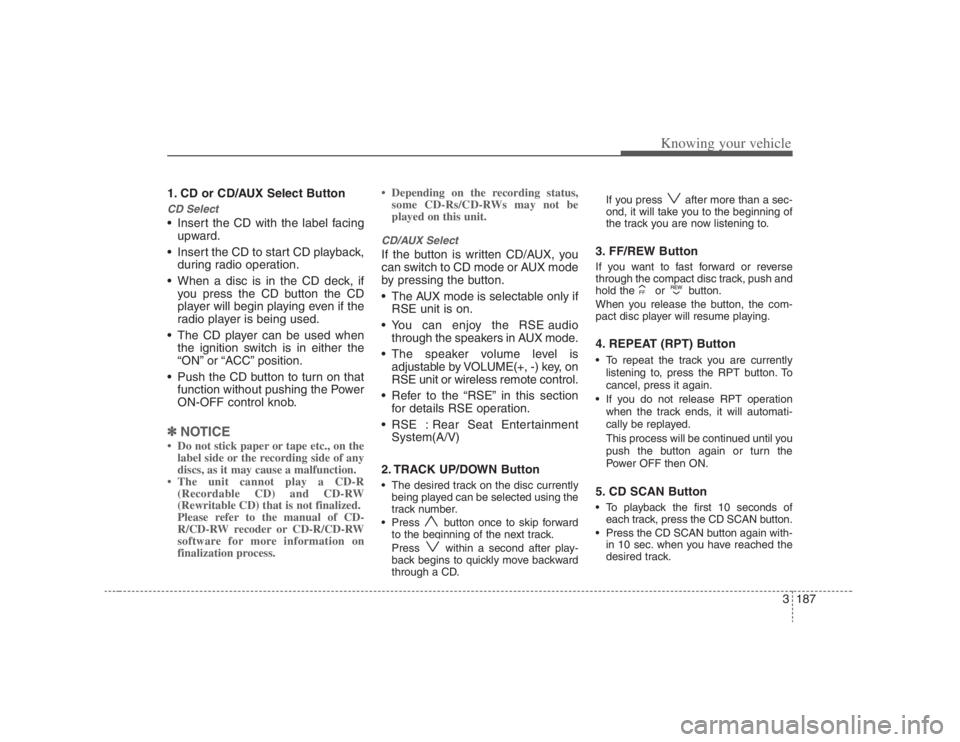
1. CD or CD/AUX Select ButtonCD Select Insert the CD with the label facing
upward.
Insert the CD to start CD playback,
during radio operation.
When a disc is in the CD deck, if
you press the CD button the CD
player will begin playing even if the
radio player is being used.
The CD player can be used when
the ignition switch is in either the
“ON” or “ACC” position.
Push the CD button to turn on that
function without pushing the Power
ON-OFF control knob.✽ ✽
NOTICE• Do not stick paper or tape etc., on the
label side or the recording side of any
discs, as it may cause a malfunction.
• The unit cannot play a CD-R
(Recordable CD) and CD-RW
(Rewritable CD) that is not finalized.
Please refer to the manual of CD-
R/CD-RW recoder or CD-R/CD-RW
software for more information on
finalization process.• Depending on the recording status,
some CD-Rs/CD-RWs may not be
played on this unit.
CD/AUX SelectIf the button is written CD/AUX, you
can switch to CD mode or AUX mode
by pressing the button.
The AUX mode is selectable only if
RSE unit is on.
You can enjoy the RSE audio
through the speakers in AUX mode.
The speaker volume level is
adjustable by VOLUME(+, -) key, on
RSE unit or wireless remote control.
Refer to the “RSE” in this section
for details RSE operation.
RSE : Rear Seat Entertainment
System(A/V)
2. TRACK UP/DOWN Button The desired track on the disc currently
being played can be selected using the
track number.
Press button once to skip forward
to the beginning of the next track.
Press within a second after play-
back begins to quickly move backward
through a CD.If you press after more than a sec-
ond, it will take you to the beginning of
the track you are now listening to.
3. FF/REW Button If you want to fast forward or reverse
through the compact disc track, push and
hold the or button.
When you release the button, the com-
pact disc player will resume playing.4. REPEAT (RPT) Button To repeat the track you are currently
listening to, press the RPT button. To
cancel, press it again.
If you do not release RPT operation
when the track ends, it will automati-
cally be replayed.
This process will be continued until you
push the button again or turn the
Power OFF then ON.5. CD SCAN Button To playback the first 10 seconds of
each track, press the CD SCAN button.
Press the CD SCAN button again with-
in 10 sec. when you have reached the
desired track.
Page 206 of 393
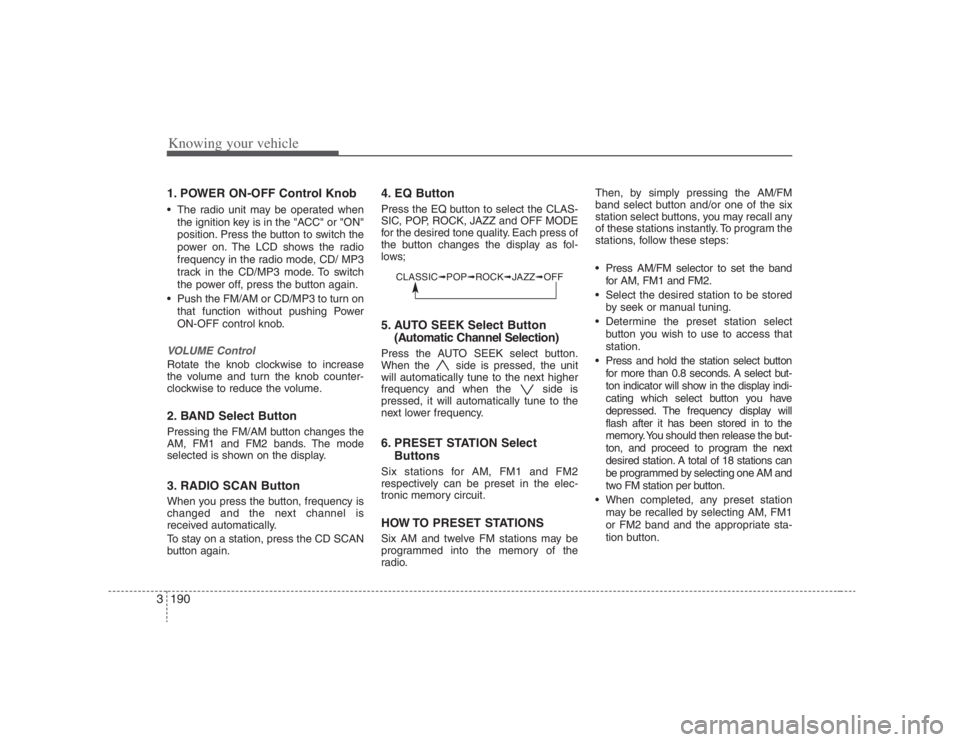
Knowing your vehicle190 31. POWER ON-OFF Control Knob The radio unit may be operated when
the ignition key is in the "ACC" or "ON"
position. Press the button to switch the
power on. The LCD shows the radio
frequency in the radio mode, CD/ MP3
track in the CD/MP3 mode. To switch
the power off, press the button again.
Push the FM/AM or CD/MP3 to turn on
that function without pushing Power
ON-OFF control knob.VOLUME Control Rotate the knob clockwise to increase
the volume and turn the knob counter-
clockwise to reduce the volume.2. BAND Select ButtonPressing the FM/AM button changes the
AM, FM1 and FM2 bands. The mode
selected is shown on the display.3. RADIO SCAN ButtonWhen you press the button, frequency is
changed and the next channel is
received automatically.
To stay on a station, press the CD SCAN
button again.
4. EQ ButtonPress the EQ button to select the CLAS-
SIC, POP, ROCK, JAZZ and OFF MODE
for the desired tone quality. Each press of
the button changes the display as fol-
lows;5. AUTO SEEK Select Button
(Automatic Channel Selection)Press the AUTO SEEK select button.
When the side is pressed, the unit
will automatically tune to the next higher
frequency and when the side is
pressed, it will automatically tune to the
next lower frequency.6. PRESET STATION Select
ButtonsSix stations for AM, FM1 and FM2
respectively can be preset in the elec-
tronic memory circuit.HOW TO PRESET STATIONSSix AM and twelve FM stations may be
programmed into the memory of the
radio.Then, by simply pressing the AM/FM
band select button and/or one of the six
station select buttons, you may recall any
of these stations instantly. To program the
stations, follow these steps:
Press AM/FM selector to set the band
for AM, FM1 and FM2.
Select the desired station to be stored
by seek or manual tuning.
Determine the preset station select
button you wish to use to access that
station.
Press and hold the station select button
for more than 0.8 seconds. A select but-
ton indicator will show in the display indi-
cating which select button you have
depressed. The frequency display will
flash after it has been stored in to the
memory. You should then release the but-
ton, and proceed to program the next
desired station. A total of 18 stations can
be programmed by selecting one AM and
two FM station per button.
When completed, any preset station
may be recalled by selecting AM, FM1
or FM2 band and the appropriate sta-
tion button.
CLASSIC➟POP➟ROCK➟JAZZ➟OFF
Page 209 of 393
3193
Knowing your vehicle
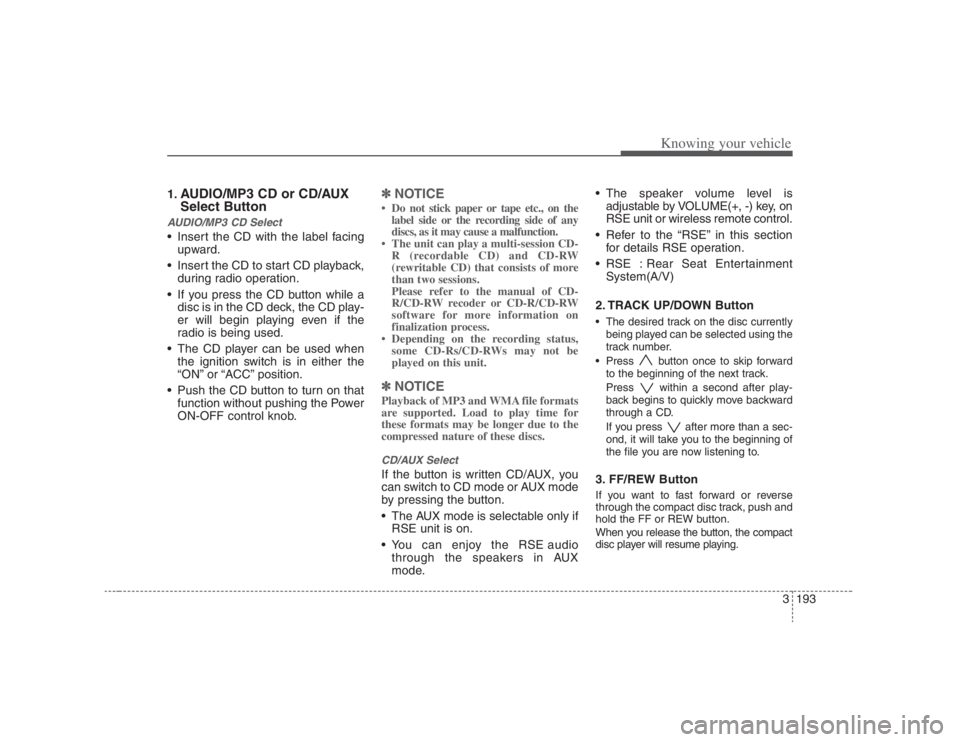
1.
AUDIO/MP3 CD or CD/AUX
Select Button
AUDIO/MP3 CD Select Insert the CD with the label facing
upward.
Insert the CD to start CD playback,
during radio operation.
If you press the CD button while a
disc is in the CD deck, the CD play-
er will begin playing even if the
radio is being used.
The CD player can be used when
the ignition switch is in either the
“ON” or “ACC” position.
Push the CD button to turn on that
function without pushing the Power
ON-OFF control knob.
✽ ✽
NOTICE• Do not stick paper or tape etc., on the
label side or the recording side of any
discs, as it may cause a malfunction.
• The unit can play a multi-session CD-
R (recordable CD) and CD-RW
(rewritable CD) that consists of more
than two sessions.
Please refer to the manual of CD-
R/CD-RW recoder or CD-R/CD-RW
software for more information on
finalization process.
• Depending on the recording status,
some CD-Rs/CD-RWs may not be
played on this unit.✽ ✽
NOTICEPlayback of MP3 and WMA file formats
are supported. Load to play time for
these formats may be longer due to the
compressed nature of these discs.CD/AUX SelectIf the button is written CD/AUX, you
can switch to CD mode or AUX mode
by pressing the button.
The AUX mode is selectable only if
RSE unit is on.
You can enjoy the RSE audio
through the speakers in AUX
mode. The speaker volume level is
adjustable by VOLUME(+, -) key, on
RSE unit or wireless remote control.
Refer to the “RSE” in this section
for details RSE operation.
RSE : Rear Seat Entertainment
System(A/V)
2. TRACK UP/DOWN Button
The desired track on the disc currently
being played can be selected using the
track number.
Press button once to skip forward
to the beginning of the next track.
Press within a second after play-
back begins to quickly move backward
through a CD.
If you press after more than a sec-
ond, it will take you to the beginning of
the file you are now listening to.3. FF/REW Button If you want to fast forward or reverse
through the compact disc track, push and
hold the FF or REW button.
When you release the button, the compact
disc player will resume playing.
Page 210 of 393
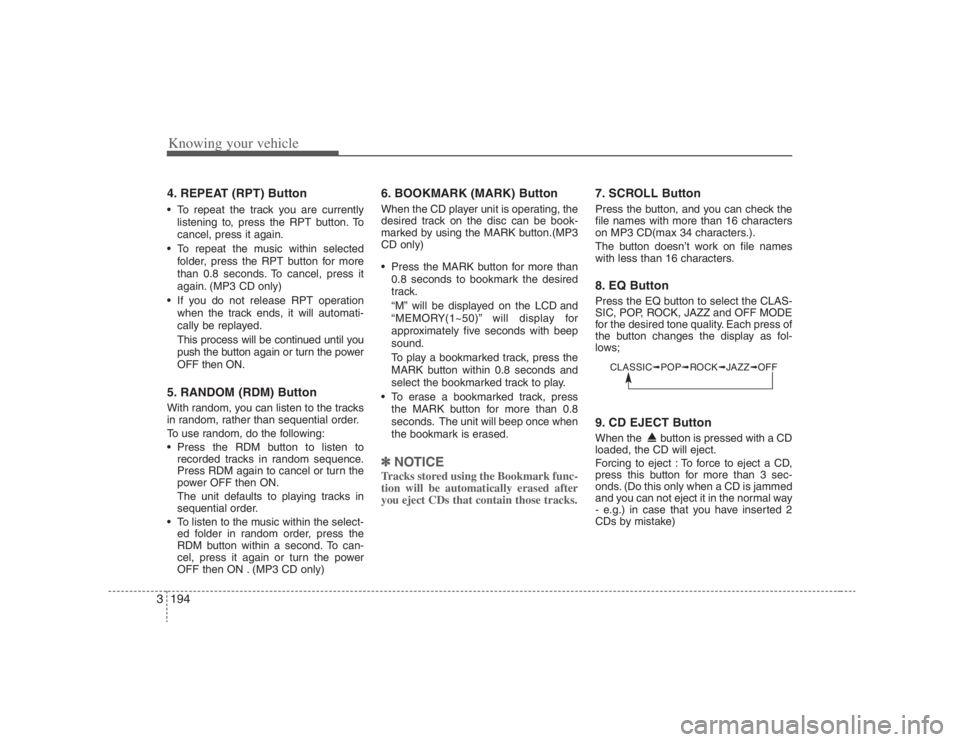
Knowing your vehicle194 34. REPEAT (RPT) Button To repeat the track you are currently
listening to, press the RPT button. To
cancel, press it again.
To repeat the music within selected
folder, press the RPT button for more
than 0.8 seconds. To cancel, press it
again. (MP3 CD only)
If you do not release RPT operation
when the track ends, it will automati-
cally be replayed.
This process will be continued until you
push the button again or turn the power
OFF then ON.5. RANDOM (RDM) ButtonWith random, you can listen to the tracks
in random, rather than sequential order.
To use random, do the following:
Press the RDM button to listen to
recorded tracks in random sequence.
Press RDM again to cancel or turn the
power OFF then ON.
The unit defaults to playing tracks in
sequential order.
To listen to the music within the select-
ed folder in random order, press the
RDM button within a second. To can-
cel, press it again or turn the power
OFF then ON . (MP3 CD only)
6. BOOKMARK (MARK) ButtonWhen the CD player unit is operating, the
desired track on the disc can be book-
marked by using the MARK button.(MP3
CD only)
Press the MARK button for more than
0.8 seconds to bookmark the desired
track.
“M” will be displayed on the LCD and
“MEMORY(1~50)” will display for
approximately five seconds with beep
sound.
To play a bookmarked track, press the
MARK button within 0.8 seconds and
select the bookmarked track to play.
To erase a bookmarked track, press
the MARK button for more than 0.8
seconds. The unit will beep once when
the bookmark is erased.✽ ✽
NOTICETracks stored using the Bookmark func-
tion will be automatically erased after
you eject CDs that contain those tracks.
7. SCROLL ButtonPress the button, and you can check the
file names with more than 16 characters
on MP3 CD(max 34 characters.).
The button doesn’t work on file names
with less than 16 characters.8. EQ ButtonPress the EQ button to select the CLAS-
SIC, POP, ROCK, JAZZ and OFF MODE
for the desired tone quality. Each press of
the button changes the display as fol-
lows;9. CD EJECT ButtonWhen the button is pressed with a CD
loaded, the CD will eject.
Forcing to eject : To force to eject a CD,
press this button for more than 3 sec-
onds. (Do this only when a CD is jammed
and you can not eject it in the normal way
- e.g.) in case that you have inserted 2
CDs by mistake)
CLASSIC➟POP➟ROCK➟JAZZ➟OFF
Page 214 of 393
Knowing your vehicle198 31. POWER ON-OFF Control Knob The radio unit may be operated when
the ignition key is in the "ACC" or “ON”
position. Press the knob to switch the
power on. The LCD shows the radio
frequency the radio mode or CD/MP3
track in the CD/MP3 mode or CD
AUTO CHANGER mode. To switch the
power off, press the knob again.
Push the FM/AM or CD/MP3 to turn on
that function without pushing Power
ON-OFF control knob.VOLUME ControlRotate the knob clockwise to increase
the volume and turn the knob counter-
clockwise to reduce the volume.2. BAND Select ButtonPressing the FM, AM button changes the
AM, FM1 and FM2 bands. The mode
selected is shown on the display.
3. AUTO SEEK Select Button
(Automatic Channel Selection)Press the AUTO SEEK select button.
When the side is pressed, the unit
will automatically tune to the next higher
frequency and when the side is
pressed, it will automatically tune to the
next lower frequency.3. CD SCAN ButtonWhen you press the button, frequency is
changed and the next channel is
received automatically.
To stay on a station, press the CD SCAN
button again.4. EQ ButtonPress the EQ button to select the CLAS-
SIC, POP, ROCK, JAZZ and OFF MODE
for the desired tone quality. Each press of
the button changes the display as fol-
lows;
5. PRESET STATION Select
ButtonsSix stations for AM, FM1 and FM2
respectively can be preset in the elec-
tronic memory circuit.HOW TO PRESET STATIONSSix AM and twelve FM stations may be
programmed into the memory of the
radio. Then, by simply pressing the AM/
FM band select button and/or one of the
six station select buttons, you may recall
any of these stations instantly. To pro-
gram the stations, follow these steps:
Press AM/FM selector to set the band
for AM, FM1 and FM2.
Select the desired station to be stored
by seek or manual tuning.
Determine the preset station select
button you wish to use to access that
station.
Press and hold the station select but-
ton for more than 0.8 seconds. A select
button indicator will show in the display
indicating which select button you have
depressed. The frequency display will
flash after it has been stored into the
memory. You should then release the
button, and proceed to program the
next desired station.
CLASSIC➟POP➟ROCK➟JAZZ➟OFF