ECO mode HYUNDAI ENTOURAGE 2008 Owner's Manual
[x] Cancel search | Manufacturer: HYUNDAI, Model Year: 2008, Model line: ENTOURAGE, Model: HYUNDAI ENTOURAGE 2008Pages: 393, PDF Size: 8.78 MB
Page 218 of 393
Knowing your vehicle202 3✽
✽
NOTICEPlayback of MP3 and WMA file formats
are supported. Load to play time for
these formats may be longer due to the
compressed nature of these discs.✽ ✽
NOTICE• Do not stick paper or tape etc., on the
label side or the recording side of any
discs, as it may cause a malfunction.
• The unit can play a multi-session CD-
R (recordable CD) and CD-RW
(rewritable CD) that consists of more
than two sessions.
Please refer to the manual of CD-
R/CD-RW recorder or CD-R/CD-RW
software for more information on
finalization process.
• Depending on the recording status,
some CD-Rs/CD-RWs may not play
on this unit.CD/AUX SelectIf the button is written CD/AUX, you
can switch to CD mode or AUX mode
by pressing the button.
The AUX mode is selectable only if
RSE unit is on.
You can enjoy the RSE audio
through the speakers in AUX mode. The speaker volume level is
adjustable by VOLUME(+, -) key, on
RSE unit or wireless remote control.
Refer to the “RSE” in this section
for details RSE operation.
RSE : Rear Seat Entertainment
System(A/V)
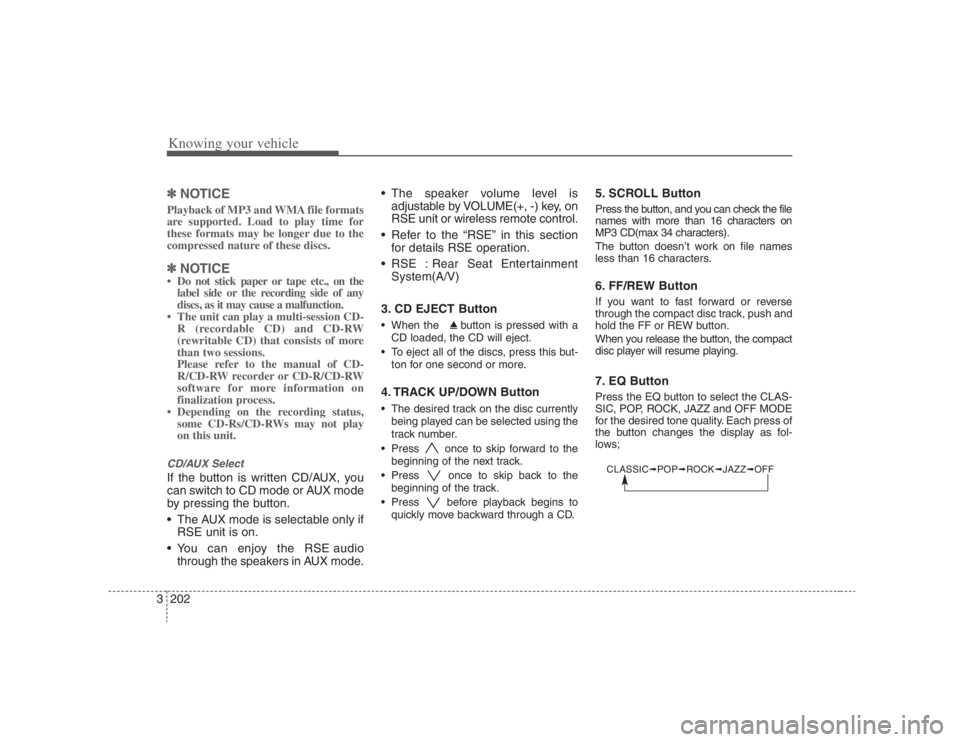
3. CD EJECT Button
When the button is pressed with a
CD loaded, the CD will eject.
To eject all of the discs, press this but-
ton for one second or more.4. TRACK UP/DOWN Button The desired track on the disc currently
being played can be selected using the
track number.
Press once to skip forward to the
beginning of the next track.
Press once to skip back to the
beginning of the track.
Press before playback begins to
quickly move backward through a CD.
5. SCROLL ButtonPress the button, and you can check the file
names with more than 16 characters on
MP3 CD(max 34 characters).
The button doesn’t work on file names
less than 16 characters.6. FF/REW ButtonIf you want to fast forward or reverse
through the compact disc track, push and
hold the FF or REW button.
When you release the button, the compact
disc player will resume playing.7. EQ ButtonPress the EQ button to select the CLAS-
SIC, POP, ROCK, JAZZ and OFF MODE
for the desired tone quality. Each press of
the button changes the display as fol-
lows;CLASSIC➟POP➟ROCK➟JAZZ➟OFF
Page 219 of 393
3203
Knowing your vehicle
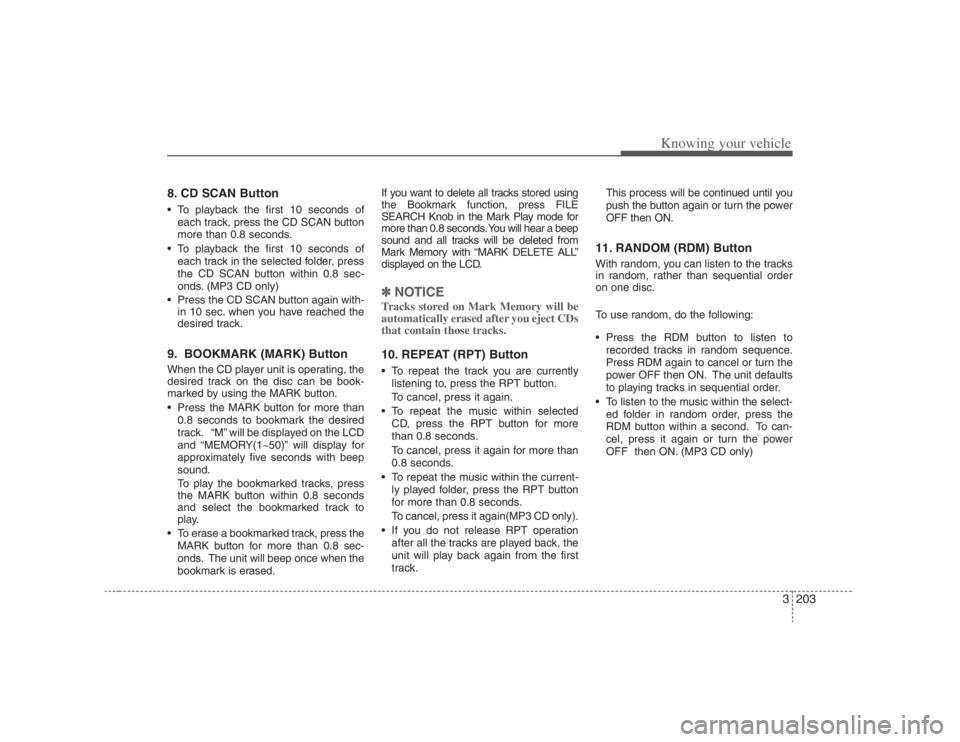
8. CD SCAN Button To playback the first 10 seconds of
each track, press the CD SCAN button
more than 0.8 seconds.
To playback the first 10 seconds of
each track in the selected folder, press
the CD SCAN button within 0.8 sec-
onds. (MP3 CD only)
Press the CD SCAN button again with-
in 10 sec. when you have reached the
desired track.9. BOOKMARK (MARK) ButtonWhen the CD player unit is operating, the
desired track on the disc can be book-
marked by using the MARK button.
Press the MARK button for more than
0.8 seconds to bookmark the desired
track. “M” will be displayed on the LCD
and “MEMORY(1~50)” will display for
approximately five seconds with beep
sound.
To play the bookmarked tracks, press
the MARK button within 0.8 seconds
and select the bookmarked track to
play.
To erase a bookmarked track, press the
MARK button for more than 0.8 sec-
onds. The unit will beep once when the
bookmark is erased.If you want to delete all tracks stored using
the Bookmark function, press FILE
SEARCH Knob in the Mark Play mode for
more than 0.8 seconds. You will hear a beep
sound and all tracks will be deleted from
Mark Memory with “MARK DELETE ALL”
displayed on the LCD.
✽ ✽
NOTICETracks stored on Mark Memory will be
automatically erased after you eject CDs
that contain those tracks. 10. REPEAT (RPT) Button To repeat the track you are currently
listening to, press the RPT button.
To cancel, press it again.
To repeat the music within selected
CD, press the RPT button for more
than 0.8 seconds.
To cancel, press it again for more than
0.8 seconds.
To repeat the music within the current-
ly played folder, press the RPT button
for more than 0.8 seconds.
To cancel, press it again(MP3 CD only).
If you do not release RPT operation
after all the tracks are played back, the
unit will play back again from the first
track.This process will be continued until you
push the button again or turn the power
OFF then ON.
11. RANDOM (RDM) ButtonWith random, you can listen to the tracks
in random, rather than sequential order
on one disc.
To use random, do the following:
Press the RDM button to listen to
recorded tracks in random sequence.
Press RDM again to cancel or turn the
power OFF then ON. The unit defaults
to playing tracks in sequential order.
To listen to the music within the select-
ed folder in random order, press the
RDM button within a second. To can-
cel, press it again or turn the power
OFF then ON. (MP3 CD only)
Page 222 of 393
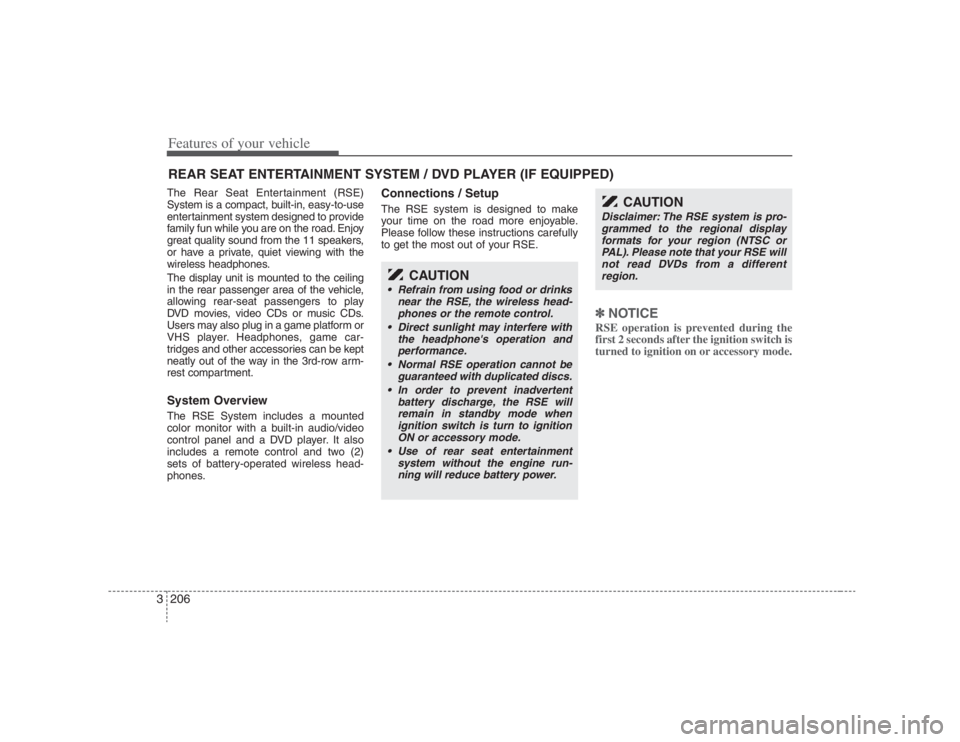
Features of your vehicle206 3The Rear Seat Entertainment (RSE)
System is a compact, built-in, easy-to-use
entertainment system designed to provide
family fun while you are on the road. Enjoy
great quality sound from the 11 speakers,
or have a private, quiet viewing with the
wireless headphones.
The display unit is mounted to the ceiling
in the rear passenger area of the vehicle,
allowing rear-seat passengers to play
DVD movies, video CDs or music CDs.
Users may also plug in a game platform or
VHS player. Headphones, game car-
tridges and other accessories can be kept
neatly out of the way in the 3rd-row arm-
rest compartment.System OverviewThe RSE System includes a mounted
color monitor with a built-in audio/video
control panel and a DVD player. It also
includes a remote control and two (2)
sets of battery-operated wireless head-
phones.
Connections / SetupThe RSE system is designed to make
your time on the road more enjoyable.
Please follow these instructions carefully
to get the most out of your RSE.
✽ ✽
NOTICERSE operation is prevented during the
first 2 seconds after the ignition switch is
turned to ignition on or accessory mode.
REAR SEAT ENTERTAINMENT SYSTEM / DVD PLAYER (IF EQUIPPED)
CAUTION
• Refrain from using food or drinks
near the RSE, the wireless head-
phones or the remote control.
Direct sunlight may interfere with
the headphone's operation and
performance.
Normal RSE operation cannot be
guaranteed with duplicated discs.
In order to prevent inadvertent
battery discharge, the RSE will
remain in standby mode when
ignition switch is turn to ignition
ON or accessory mode.
Use of rear seat entertainment
system without the engine run-
ning will reduce battery power.
CAUTION
Disclaimer: The RSE system is pro-
grammed to the regional display
formats for your region (NTSC or
PAL). Please note that your RSE will
not read DVDs from a different
region.
Page 225 of 393
3209
Features of your vehicle
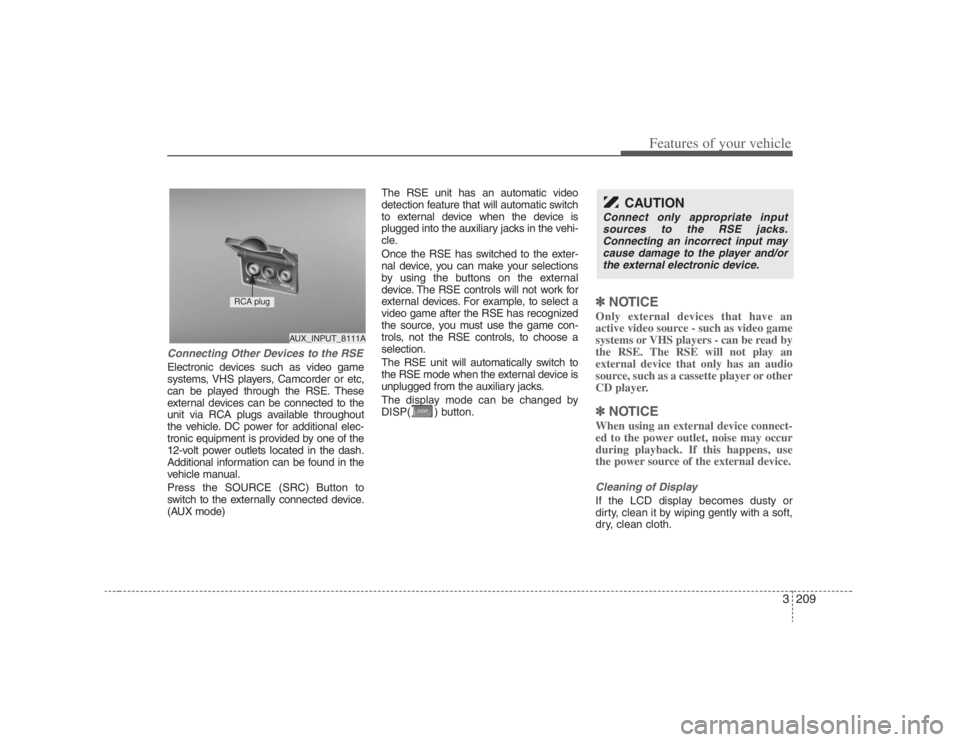
Connecting Other Devices to the RSEElectronic devices such as video game
systems, VHS players, Camcorder or etc,
can be played through the RSE. These
external devices can be connected to the
unit via RCA plugs available throughout
the vehicle. DC power for additional elec-
tronic equipment is provided by one of the
12-volt power outlets located in the dash.
Additional information can be found in the
vehicle manual.
Press the SOURCE (SRC) Button to
switch to the externally connected device.
(AUX mode)The RSE unit has an automatic video
detection feature that will automatic switch
to external device when the device is
plugged into the auxiliary jacks in the vehi-
cle.
Once the RSE has switched to the exter-
nal device, you can make your selections
by using the buttons on the external
device. The RSE controls will not work for
external devices. For example, to select a
video game after the RSE has recognized
the source, you must use the game con-
trols, not the RSE controls, to choose a
selection.
The RSE unit will automatically switch to
the RSE mode when the external device is
unplugged from the auxiliary jacks.
The display mode can be changed by
DISP( ) button.
✽ ✽
NOTICEOnly external devices that have an
active video source - such as video game
systems or VHS players - can be read by
the RSE. The RSE will not play an
external device that only has an audio
source, such as a cassette player or other
CD player.✽ ✽
NOTICEWhen using an external device connect-
ed to the power outlet, noise may occur
during playback. If this happens, use
the power source of the external device.Cleaning of DisplayIf the LCD display becomes dusty or
dirty, clean it by wiping gently with a soft,
dry, clean cloth.
CAUTION
Connect only appropriate input
sources to the RSE jacks.
Connecting an incorrect input may
cause damage to the player and/or
the external electronic device.
AUX_INPUT_8111A
RCA plug
Page 226 of 393
Features of your vehicle210 3Using the DVD playerDisc compatibilityYour RSE player accepts and plays all
DVDs in 4:3 (normal) and 16:9 (wide
screen) video formats. With DVDs that
offer multiple formats, the default format
is 16:9 and will stay that way unless the
user changes the format. (See “Display”
to learn how to adjust the format.)✽ ✽
NOTICE• The DVD player has the capability to
play DVD-Video, DVD-R, DVD-RW,
CD-DA, CD-R, CD-RW and Video-
CD.
• The DVD player has the capability to
play CD-DA, DVD, VCD, PCM,
Dolby Digital and DTS formats.
• Please refer to the appendix for the
error messages.Loading a DiscInsert the disc part way into the load slot.
The player will automatically grip the disc
and pull it in the rest of the way. The player
will display “reading” on the screen and
show the “Hyundai Motors” logo before
beginning the DVD.The player is only capable of reading the
bottom side of a disc. When inserting a
single-sided disc, the label side should be
up. When inserting a two-sided disc, the
desired play side should be down.
✽ ✽
NOTICE• Because there is no universal standard
for DVD programming, your disc may
behave differently than below. Some
DVDs may present warning messages
about unauthorized duplication, some
will go directly to a menu and others
may start playing the movie immedi-
ately.
• When the vehicle's ignition is active,
the loading of any playable disc will
cause the player to initialize and auto-
matically play the disc. If a disc was
playing prior to the ignition being
turned off, it will not automatically
replay once the ignition is turned on
again. Instead, it will go into standby
mode. Press the SRC or
PLAY/PAUSE( ) button to “wake
up” the unit and resume disc play.
Disc ProtectionThe player has an Auto-Reload Disc
Protection feature to protect discs from
accidental damage. If an ejected disc is
not removed within 25 seconds after being
ejected, it will be pulled back into the play-
er. The disc will not begin playing. Disc can
be played by the SRC or
PLAY/PAUSE( ) buttons.DVD ControlsYou can control your DVD by using the
buttons on the unit's control panel or by
using the remote control. Instructions for
the controls listed below are the same
whether you are using the control panel
or the remote control. However, there are
functions that are only available from the
remote control. These buttons and their
functionality are discussed in the
“REMOTE CONTROL” section begin-
ning.
Page 228 of 393
Features of your vehicle212 3✽
✽
NOTICEThe RSE will enter standby mode when
the vehicle ignition is turned off and
back on. Press the SRC or
PLAY/PAUSE( ) button to “wake
up” the unit and resume disc play.1. Stop/Eject While the disc is playing, press the
STOP/EJECT ( ) button to stop disc
play. When the disc has stopped, press
the button again to eject the disc.✽ ✽
NOTICEThe player has an Auto-Reload Disc
Protection feature to protect discs from
accidental damage. If an ejected disc is
not removed within 25 seconds after
being ejected, it will be pulled back into
the player. This is to protect the disc
from accidental damage.
2. Speaker Volume ControlYou can adjust the volume one of two
ways. First, if you are adjusting the vol-
ume for audio through the vehicle speak-
ers, you can use the VOLUME button on
the control panel or the remote control.
This button is reserved for sending a sig-
nal to the vehicle speakers only, and will
not adjust the headphone volume. Press
“+” to increase the volume and “-” to
decrease the volume.
Second, the volume on the wireless
headphones can be adjusted by turning
the VOL knob located on the left side of
the headphones.3. Play/Pause You do not need to press the play button
after first loading a DVD or VCD; it will
start automatically by playing the first
track or bringing up the disc menu.
If the disc does not automatically load,
press PLAY/PAUSE( ) to play the DVD.
While playing a DVD, press PLAY
/PAUSE( ) to pause the DVD. Press
the button again to resume play.
4. Display When the player is in DVD mode, press
the DISP button to view the DVD title,
chapter number and elapsed time and
other information about the DVD current-
ly playing.
It will also display brightness. There are
“Day Time” brightness with brightest level
and “Night Time” brightness which has
70% level of “Day Time” brightness.
Adjust the level of brightness by pressing
the REV(dimmer) or FWD(brighter) but-
tons.
The next time the player is turned on, it
will return to the brightness level it was
adjusted to when last used.
The RSE unit has two presets of display
brightness. When the headlamp is turned
on, the display brightness level will be
dimmed as the preset. However, when
the headlamp is turned off, the display
brightness will return to the daytime
brightness.
Press DISP to adjust the image format.
The image format, also known as the
aspect ratio, is a ratio of the height to
width of the image on the screen. For
example, a 4:3 ratio would mean an
image that is 4 units by 3 units.
Page 232 of 393
Features of your vehicle216 31. Stop/Eject While the disc is playing, press the
STOP/EJECT( ) button to stop disc
play.
While the disc is stopped, press the
STOP/EJECT( ) button again to eject
the disc.2. Volume Control You can adjust the volume one of two
ways. First, if you are adjusting the vol-
ume for audio through the vehicle speak-
ers, you can use the VOLUME (
)button on the control panel or the
remote control. Press “+” to increase the
volume and “-” to decrease the volume.
The volume level will be displayed on the
head-unit, when the RSE unit volume
level is adjusted from its control panel or
remote control. This button does not
affect headphone volume.
Second, you can adjust the volume on
the wireless headphones by locating the
VOL control wheel on the left side of the
headphones. Roll the control wheel to
adjust the volume.
3. Play/Pause When an audio CD is inserted, the RSE
will display the HYUNDAI logo, then
automatically begin playing the first track.
The track number and time elapsed for
the current track is displayed.
If a CD is loaded and playing, press the
PLAY/PAUSE( ) button to pause the
CD. Press the button again to resume
play.
If a CD is already loaded, stopping and
playing the CD by pressing
PLAY/PAUSE( ) button on the remote
control; cycling the ignition and pressing
play; or changing the source will cause the
CD to begin playing at the point where it
was stopped during the previous play. The
player will automatically play this previous
play position unless the
STOP/EJECT( ) button is pressed.
At the end of the CD, the player will auto-
matically return to the first track and con-
tinue playing.
4. Display When the player is in DVD mode, press
the DISP button to view the DVD title,
chapter number and elapsed time and
other information about the DVD current-
ly playing.
The next time the player is turned on, it
will return to the brightness level it was
adjusted to when last used.
The RSE unit has two presets of display
brightness. When the headlamp is turned
on, the display brightness level will be
dimmed as the preset. However, when
the headlamp is turned off, the display
brightness will return to the daytime
brightness.
Press DISP to adjust the image format.
The image format, also known as the
aspect ratio, is a ratio of the height to
width of the image on the screen. For
example, a 4:3 ratio would mean an
image that is 4 units by 3 units. You have
two options: 4:3 (normal) and 16:9
(widescreen). Press the display button to
select the preferred aspect ratio.When the RSE unit receives video sig-
nals from the AUX, the aspect ratio can
be changed to 16:9 or 4:3 by the DISP
button.The aspect ratio information will auto-
matically disappear if no button is
pressed for three seconds.
Page 233 of 393
3217
Features of your vehicle
5. ForwardThere are two CD fast forward speeds.
Press and hold the FWD button for up to
2 seconds and the player will fast forward
at 3 times the normal speed. Hold the
button for more than 2 seconds and the
player will fast forward at about 10 times
the normal speed. When the holding but-
ton is released, the RSE unit will auto-
matically return to a play mode.6. ReverseThere are two fast reverse speeds. The
RSE unit will fast reverse at 3 times the
normal speed, if the REV button is
pressed. Hold the button for more than 2
seconds and the RSE unit will fast
reverse at about 10 times the normal
speed. When the button is released, the
RSE unit will automatically return to a
play mode.
7. Next TrackPress the NEXT button to skip to the
beginning of the next track. The next
track number is displayed on the screen.
Press and hold the NEXT button for 2
seconds or more to move quickly through
the tracks.8. Previous TrackPress the PREV button to skip to the
beginning of the current track.
Press the PREV button during the first 8
seconds of the current track to skip to the
beginning of the previous track.
Press the PREV button during the first 8
seconds of the first track to skip to the
beginning of the last track on the CD.
Press and hold the PREV button for 2
seconds or more to move quickly through
the tracks.
Page 235 of 393
3219
Features of your vehicle
Using the Remote ControlIn addition to having all the buttons and
functionality listed in the DVD and CD
Controls section, the remote control has
several other buttons that offer additional
functions. It is an infrared remote control,
and must be pointed at the face of the
RSE at a 45° angle for best results. It
requires a CR2025 battery (included).
The remote control has the following
additional buttons:✽ ✽
NOTICEThe RSE system is always “awake”
when the vehicle's ignition is turned on
or when the vehicle is in “accessory”
power mode.1. StopPressing this button once will stop DVD
or CD play. To eject a disc, you must use
the eject button on the control panel.2. Speaker Volume “+” and “-”These buttons control the volume of the
audio of a DVD or CD through the vehicle
speakers, not the volume from head-
phones. Press “+” to turn the volume up
and “-” to turn the volume down.
3. Play/PauseWhen an audio CD(VCD/DVD) is insert-
ed, the RSE will display the HYUNDAI
logo, then automatically begin playing
the first track. The track number and time
elapsed for the current track is displayed.
If a CD(VCD/DVD) is loaded and playing,
press the PLAY/PAUSE( ) button to
pause the CD(VCD/DVD). Press the but-
ton again to resume play.
If a CD(VCD/DVD) is already loaded,
stopping and playing the CD(VCD/ DVD)
by pressing PLAY/PAUSE( ) button
on the remote control; cycling the ignition
and pressing play; or changing the
source will cause the CD(VCD/DVD) to
begin playing at the point where it was
stopped during the previous play. The
player will automatically play this previ-
ous play position unless the
STOP/EJECT( ) button is pressed.
At the end of the CD(VCD/DVD), the
player will automatically return to the first
track and continue playing.4. DisplayWhen the player is in DVD mode, press
the DISP button to view the DVD title,
chapter number and elapsed time and
other information about the DVD current-
ly playing.It will also display brightness. There are
“Day Time” brightness with brightest level
and “Night Time” brightness which has
70% level of “Day Time” brightness. Adjust
the level of brightness by pressing the
REV(dimmer) or FWD(brighter) buttons.
The next time the player is turned on, it
will return to the brightness level it was
adjusted to when last used.
The RSE unit has two presets of display
brightness. When the headlamp is turned
on, the display brightness level will be
dimmed as the preset. However, when
the headlamp is turned off, the display
brightness will return to the daytime
brightness.
Press DISP to adjust the image format.
The image format, also known as the
aspect ratio, is a ratio of the height to
width of the image on the screen. For
example, a 4:3 ratio would mean an
image that is 4 units by 3 units. You have
two options: 4:3 (normal) and 16:9
(widescreen). Press the display button to
select the preferred aspect ratio.
When the RSE unit receives video sig-
nals from the AUX, the aspect ratio can
be changed to 16:9 or 4:3 by the DISP
button.
The aspect ratio information will auto-
matically disappear if no button is
pressed for three seconds.
Page 238 of 393
Features of your vehicle222 315. Slow PlayThere are 3 slow forward and 3 slow
reverse speeds available when viewing
DVDs. To review a DVD in slow motion,
first press the PLAY/PAUSE ( ) button
to pause the DVD, then press either REV
or FWD ((W) or (X) on the remote con-
trol) to select slow playback in either
reverse or forward.
Pressing either the REV or FWD ((W) or
(X) on the remote control) button once
changes the player to 1/8 of normal
speed. Press the button again to return to
pause mode.
Press and hold either button for more
than 2 seconds but less than 4 seconds
and the player will switch to 1/4 of the
normal speed. Hold either button for
more than 4 seconds and the player will
switch to 1/2 of the normal speed.From the remote control for DVD, you can
immediately switch to 1/8 forward or
backward speed with the (,) but-
tons. Press either button again to return
to normal play.
While using the Slow Play feature, the
current play speed is displayed on the
screen.
Press PLAY again to resume normal
play.
16. On/OffThis button will only turn off the DVD or
CD and display, not the system itself. The
system will remain on standby.