door lock HYUNDAI ENTOURAGE 2009 Owner's Manual
[x] Cancel search | Manufacturer: HYUNDAI, Model Year: 2009, Model line: ENTOURAGE, Model: HYUNDAI ENTOURAGE 2009Pages: 402, PDF Size: 9.08 MB
Page 42 of 402
Features of your vehicle26 3
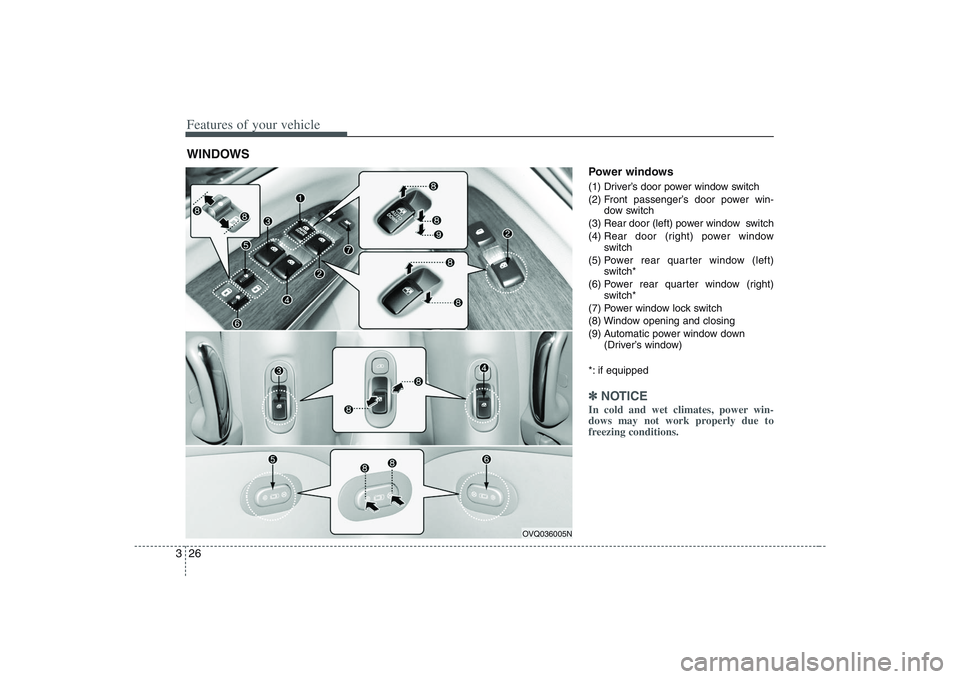
Power windows (1) Driver’s door power window switch
(2) Front passenger’s door power win-
dow switch
(3) Rear door (left) power window switch
(4) Rear door (right) power window
switch
(5) Power rear quarter window (left)
switch*
(6) Power rear quarter window (right)
switch*
(7) Power window lock switch
(8) Window opening and closing
(9) Automatic power window down
(Driver’s window)
*: if equipped✽ ✽
NOTICEIn cold and wet climates, power win-
dows may not work properly due to
freezing conditions.
WINDOWS
OVQ036005N
Page 43 of 402
327
Features of your vehicle
The ignition switch must be in the ON
position for power windows to operate.
Each door has a power window switch
that controls that door’s window. The driv-
er has a power window lock switch which
can block the operation of passenger
windows.
The power windows can be operated for
approximately 30 seconds after the igni-
tion key is removed or turned to the ACC
or LOCK position. However, if the front
doors are opened, the power windows
cannot be operated within the 30 sec-
onds after the ignition key removal.
While driving, if you notice wind buffeting
or pulsation (wind shock) with either side
window open, you should open the oppo-
site window slightly to reduce the condi-
tion.
Window opening and closingThe driver’s door has a master power
window switch that controls all the win-
dows in the vehicle.
To open or close a window, press down
(8) or pull up (8) the front portion of the
corresponding switch.
To open or close a rear quarter win-
dow, push (8) the corresponding
switch.
(Continued)
Never try to operate the main
switch on the driver's door and
the individual door window
switch in opposing directions at
the same time. If this is done, the
window will stop and cannot be
opened or closed.
WARNING -
Windows
Passengers can be injured if their
head, hands or other body parts
are trapped by a closing window.
Always check for obstructions
before raising any window.
NEVER leave the ignition key in
the vehicle.
NEVER leave any child unattend-
ed in the vehicle. Even very
young children may inadvertently
cause the vehicle to move, entan-
gle themselves in the windows, or
otherwise injure themselves or
others.
(Continued)
(Continued)
Do not attempt to operate the
main switch on the driver's door
and a switch on another door in
opposing directions at the same
time. If this is done, the window
will stop and cannot be opened or
closed.
Do not allow children to play with
the power windows. Keep the dri-
ver’s door power window lock
switch in the LOCK position
(depressed). Serious injury can
result from unintentional window
operation by the child.
Do not extend head, hands or
arms outside through the window
opening while driving.
CAUTION
To prevent the power window
system from the possibility of
damage, do not open or close two
windows at the same time. This
will also ensure the longevity of
the fuse.
(Continued)
Page 44 of 402
Features of your vehicle28 3Automatic power window down
(driver’s window)
Depressing the power window switch
momentarily to the second detent posi-
tion (9) completely lowers the driver’s
window even when the switch is
released. To stop the window at the
desired position while the window is in
operation, pull up the switch momentarily
to the opposite direction of the window
movement.
If the power window is not operating cor-
rectly, the automatic power window sys-
tem can be reset as follows:
1. Turn the ignition key to ON position.
2. Close driver’s window and continue
pulling up on driver’s power window
switch for at least 1 second after the
window is completely closed.Power window lock switch
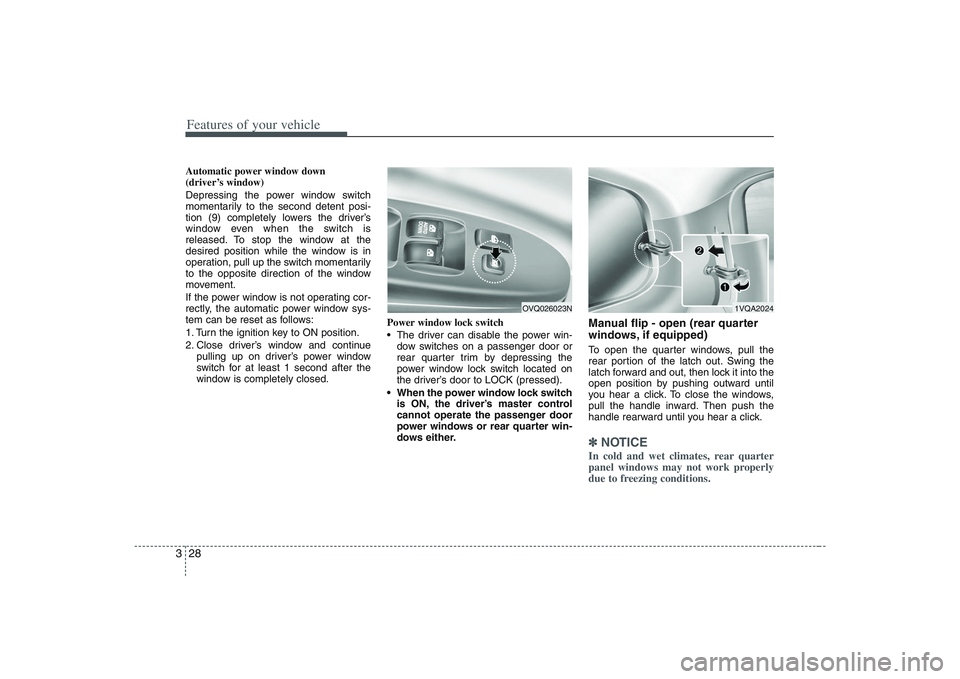
The driver can disable the power win-
dow switches on a passenger door or
rear quarter trim by depressing the
power window lock switch located on
the driver’s door to LOCK (pressed).
When the power window lock switch
is ON, the driver’s master control
cannot operate the passenger door
power windows or rear quarter win-
dows either.
Manual flip - open (rear quarter
windows, if equipped)To open the quarter windows, pull the
rear portion of the latch out. Swing the
latch forward and out, then lock it into the
open position by pushing outward until
you hear a click. To close the windows,
pull the handle inward. Then push the
handle rearward until you hear a click.✽ ✽
NOTICEIn cold and wet climates, rear quarter
panel windows may not work properly
due to freezing conditions.
1VQA2024
OVQ026023N
Page 46 of 402
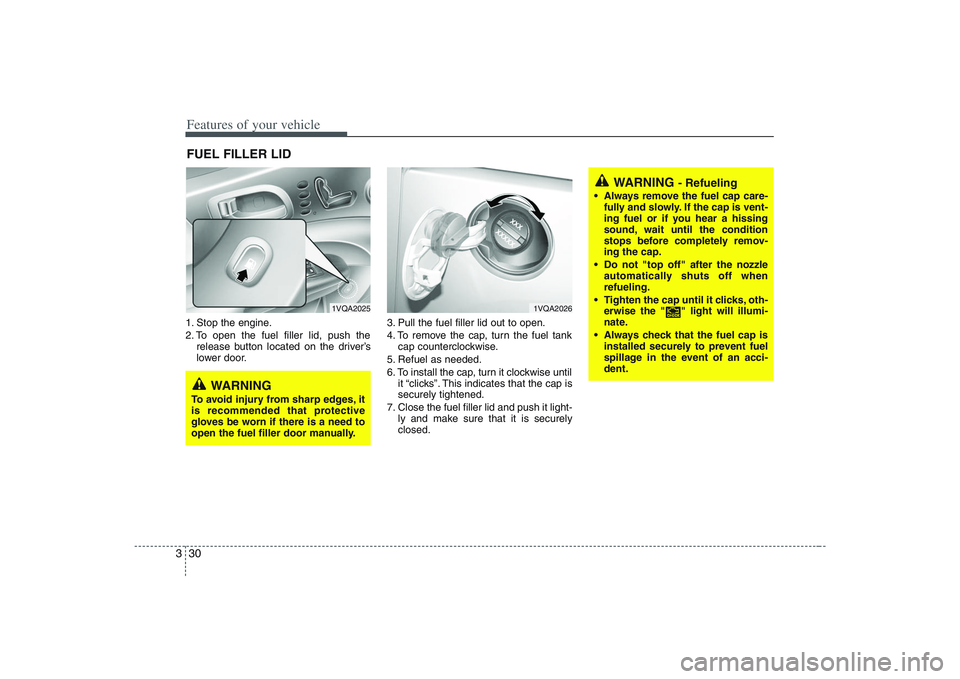
Features of your vehicle30 31. Stop the engine.
2. To open the fuel filler lid, push the
release button located on the driver’s
lower door.3. Pull the fuel filler lid out to open.
4. To remove the cap, turn the fuel tank
cap counterclockwise.
5. Refuel as needed.
6. To install the cap, turn it clockwise until
it “clicks”. This indicates that the cap is
securely tightened.
7. Close the fuel filler lid and push it light-
ly and make sure that it is securely
closed.FUEL FILLER LID
1VQA2025
1VQA2026
WARNING
To avoid injury from sharp edges, it
is recommended that protective
gloves be worn if there is a need to
open the fuel filler door manually.
WARNING
- Refueling
Always remove the fuel cap care-
fully and slowly. If the cap is vent-
ing fuel or if you hear a hissing
sound, wait until the condition
stops before completely remov-
ing the cap.
Do not "top off" after the nozzle
automatically shuts off when
refueling.
Tighten the cap until it clicks, oth-
erwise the " " light will illumi-
nate.
Always check that the fuel cap is
installed securely to prevent fuel
spillage in the event of an acci-
dent.
Page 49 of 402
333
Features of your vehicle
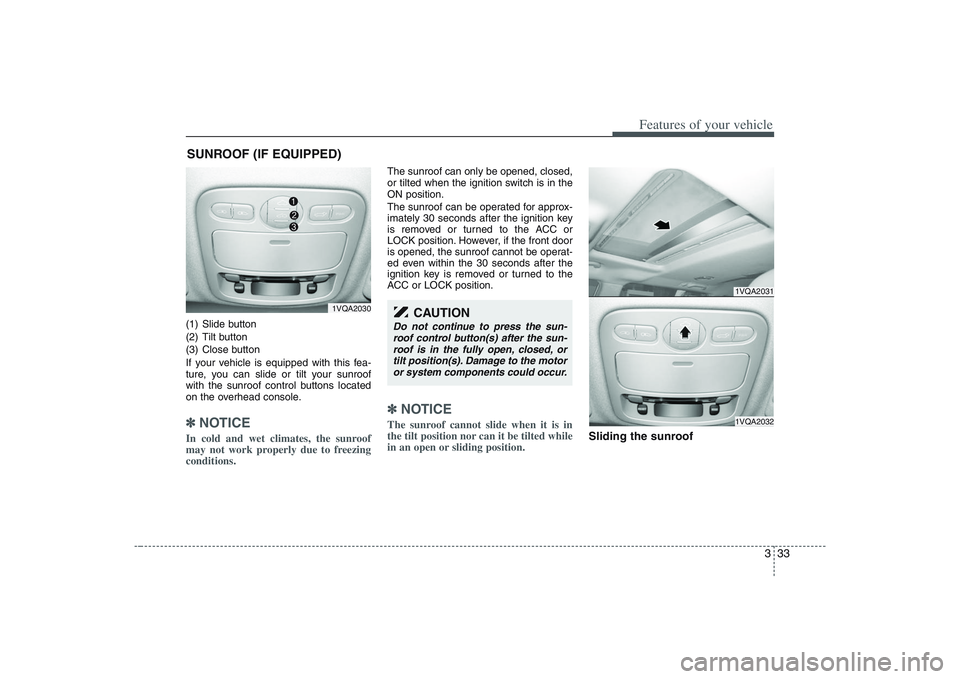
(1) Slide button
(2) Tilt button
(3) Close button
If your vehicle is equipped with this fea-
ture, you can slide or tilt your sunroof
with the sunroof control buttons located
on the overhead console.✽ ✽
NOTICEIn cold and wet climates, the sunroof
may not work properly due to freezing
conditions.
The sunroof can only be opened, closed,
or tilted when the ignition switch is in the
ON position.
The sunroof can be operated for approx-
imately 30 seconds after the ignition key
is removed or turned to the ACC or
LOCK position. However, if the front door
is opened, the sunroof cannot be operat-
ed even within the 30 seconds after the
ignition key is removed or turned to the
ACC or LOCK position.✽ ✽
NOTICEThe sunroof cannot slide when it is in
the tilt position nor can it be tilted while
in an open or sliding position.
Sliding the sunroof
SUNROOF (IF EQUIPPED)
1VQA2030
1VQA20311VQA2032
CAUTION
Do not continue to press the sun-
roof control button(s) after the sun-
roof is in the fully open, closed, or
tilt position(s). Damage to the motor
or system components could occur.
Page 74 of 402
Features of your vehicle58 3Recalling positions from memory1. Shift the transaxle lever into P while
the ignition switch is ON.
2. To recall the position in memory, press
the desired memory button (1 or 2).
The system will beep once, then the
driver seat, outside rearview mirror
and adjustable pedals will automatical-
ly adjust to the stored positions.
Adjusting one of the control knobs for the
driver seat, outside rearview mirror and
adjustable pedals while the system is
recalling the stored positions will cause
the movement for that component to stop
and move in the direction that the control
knob is moved. Other components will
continue position recalling.
Storing and recalling with trans-
mitterStoring with the transmitterRemove the key from the ignition switch
and lock all the doors using the transmit-
ter. The driver seat, outside rearview mir-
ror and adjustable pedal positions will be
stored in the system memory.Driver’s position recalling with trans-
mitterUnlock the door with the transmitter,
positions stored in the system memory
will be recalled automatically.✽ ✽
NOTICEThe buzzer sounds 10 times if there is a
malfunction of the memory system.
Have the driver position memory system
checked by an authorized Hyundai deal-
er.
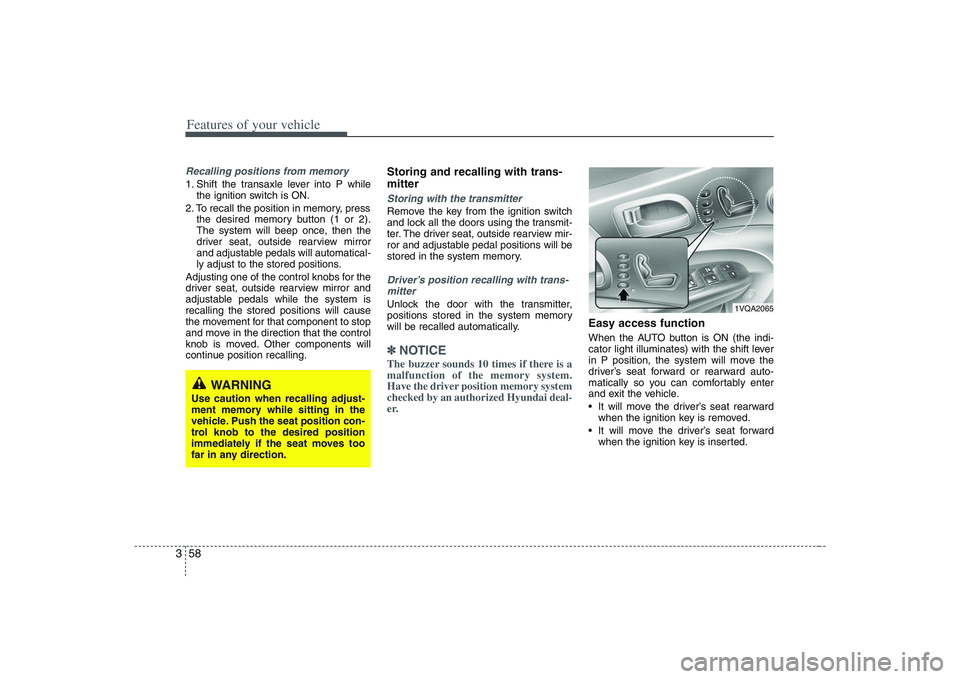
Easy access functionWhen the AUTO button is ON (the indi-
cator light illuminates) with the shift lever
in P position, the system will move the
driver’s seat forward or rearward auto-
matically so you can comfortably enter
and exit the vehicle.
It will move the driver’s seat rearward
when the ignition key is removed.
It will move the driver’s seat forward
when the ignition key is inserted.
WARNING
Use caution when recalling adjust-
ment memory while sitting in the
vehicle. Push the seat position con-
trol knob to the desired position
immediately if the seat moves too
far in any direction.
1VQA2065
Page 78 of 402
Features of your vehicle62 3Height adjustable shoulder belt
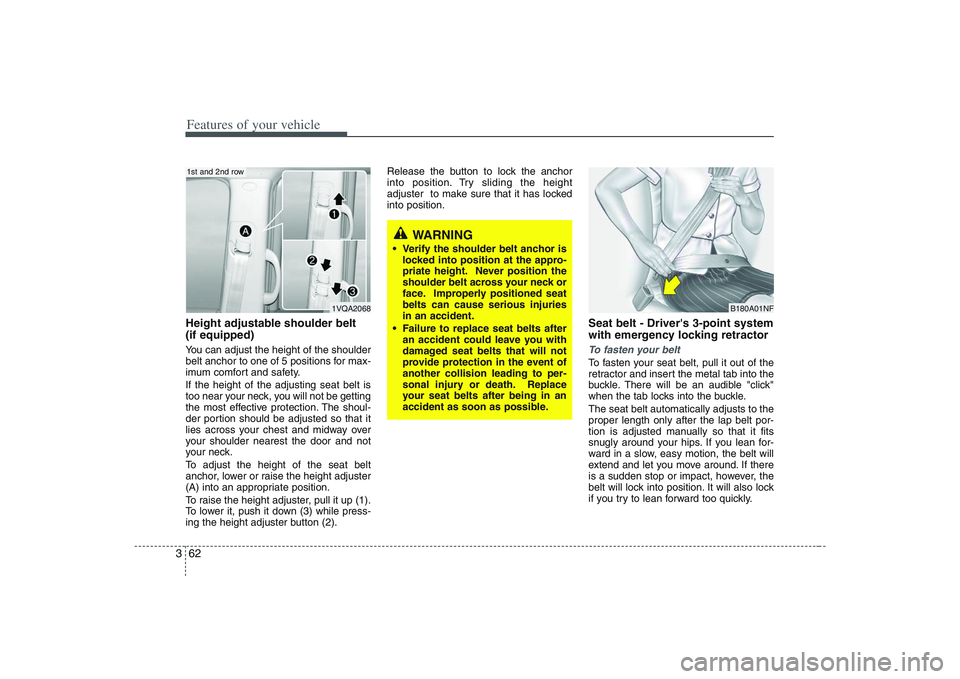
(if equipped)You can adjust the height of the shoulder
belt anchor to one of 5 positions for max-
imum comfort and safety.
If the height of the adjusting seat belt is
too near your neck, you will not be getting
the most effective protection. The shoul-
der portion should be adjusted so that it
lies across your chest and midway over
your shoulder nearest the door and not
your neck.
To adjust the height of the seat belt
anchor, lower or raise the height adjuster
(A) into an appropriate position.
To raise the height adjuster, pull it up (1).
To lower it, push it down (3) while press-
ing the height adjuster button (2).Release the button to lock the anchor
into position. Try sliding the height
adjuster to make sure that it has locked
into position.
Seat belt - Driver's 3-point system
with emergency locking retractorTo fasten your beltTo fasten your seat belt, pull it out of the
retractor and insert the metal tab into the
buckle. There will be an audible "click"
when the tab locks into the buckle.
The seat belt automatically adjusts to the
proper length only after the lap belt por-
tion is adjusted manually so that it fits
snugly around your hips. If you lean for-
ward in a slow, easy motion, the belt will
extend and let you move around. If there
is a sudden stop or impact, however, the
belt will lock into position. It will also lock
if you try to lean forward too quickly.
WARNING
Verify the shoulder belt anchor is
locked into position at the appro-
priate height. Never position the
shoulder belt across your neck or
face. Improperly positioned seat
belts can cause serious injuries
in an accident.
Failure to replace seat belts after
an accident could leave you with
damaged seat belts that will not
provide protection in the event of
another collision leading to per-
sonal injury or death. Replace
your seat belts after being in an
accident as soon as possible.
B180A01NF
1VQA2068
1st and 2nd row
Page 80 of 402
Features of your vehicle64 3
Adjusting your seat belt To release the seat belt
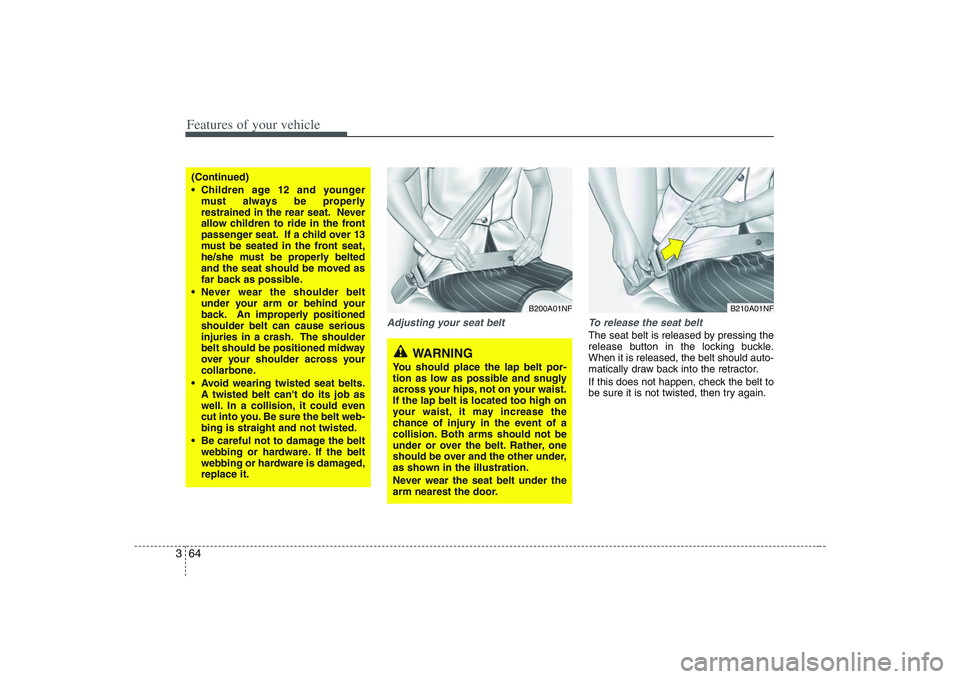
The seat belt is released by pressing the
release button in the locking buckle.
When it is released, the belt should auto-
matically draw back into the retractor.
If this does not happen, check the belt to
be sure it is not twisted, then try again.
B200A01NF
B210A01NF
(Continued)
Children age 12 and younger
must always be properly
restrained in the rear seat. Never
allow children to ride in the front
passenger seat. If a child over 13
must be seated in the front seat,
he/she must be properly belted
and the seat should be moved as
far back as possible.
Never wear the shoulder belt
under your arm or behind your
back. An improperly positioned
shoulder belt can cause serious
injuries in a crash. The shoulder
belt should be positioned midway
over your shoulder across your
collarbone.
Avoid wearing twisted seat belts.
A twisted belt can't do its job as
well. In a collision, it could even
cut into you. Be sure the belt web-
bing is straight and not twisted.
Be careful not to damage the belt
webbing or hardware. If the belt
webbing or hardware is damaged,
replace it.
WARNING
You should place the lap belt por-
tion as low as possible and snugly
across your hips, not on your waist.
If the lap belt is located too high on
your waist, it may increase the
chance of injury in the event of a
collision. Both arms should not be
under or over the belt. Rather, one
should be over and the other under,
as shown in the illustration.
Never wear the seat belt under the
arm nearest the door.
Page 109 of 402
393
Features of your vehicle
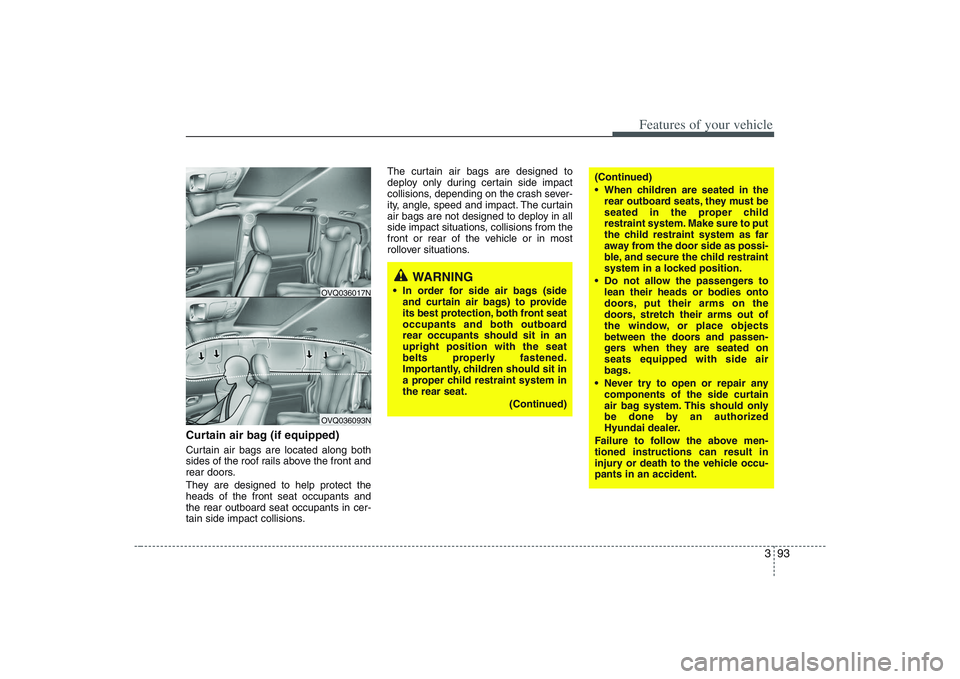
Curtain air bag (if equipped)Curtain air bags are located along both
sides of the roof rails above the front and
rear doors.
They are designed to help protect the
heads of the front seat occupants and
the rear outboard seat occupants in cer-
tain side impact collisions.The curtain air bags are designed to
deploy only during certain side impact
collisions, depending on the crash sever-
ity, angle, speed and impact. The curtain
air bags are not designed to deploy in all
side impact situations, collisions from the
front or rear of the vehicle or in most
rollover situations.
OVQ036093NOVQ036017N
WARNING
In order for side air bags (side
and curtain air bags) to provide
its best protection, both front seat
occupants and both outboard
rear occupants should sit in an
upright position with the seat
belts properly fastened.
Importantly, children should sit in
a proper child restraint system in
the rear seat.
(Continued)
(Continued)
When children are seated in the
rear outboard seats, they must be
seated in the proper child
restraint system. Make sure to put
the child restraint system as far
away from the door side as possi-
ble, and secure the child restraint
system in a locked position.
Do not allow the passengers to
lean their heads or bodies onto
doors, put their arms on the
doors, stretch their arms out of
the window, or place objects
between the doors and passen-
gers when they are seated on
seats equipped with side air
bags.
Never try to open or repair any
components of the side curtain
air bag system. This should only
be done by an authorized
Hyundai dealer.
Failure to follow the above men-
tioned instructions can result in
injury or death to the vehicle occu-
pants in an accident.
Page 139 of 402
3 123
Features of your vehicle
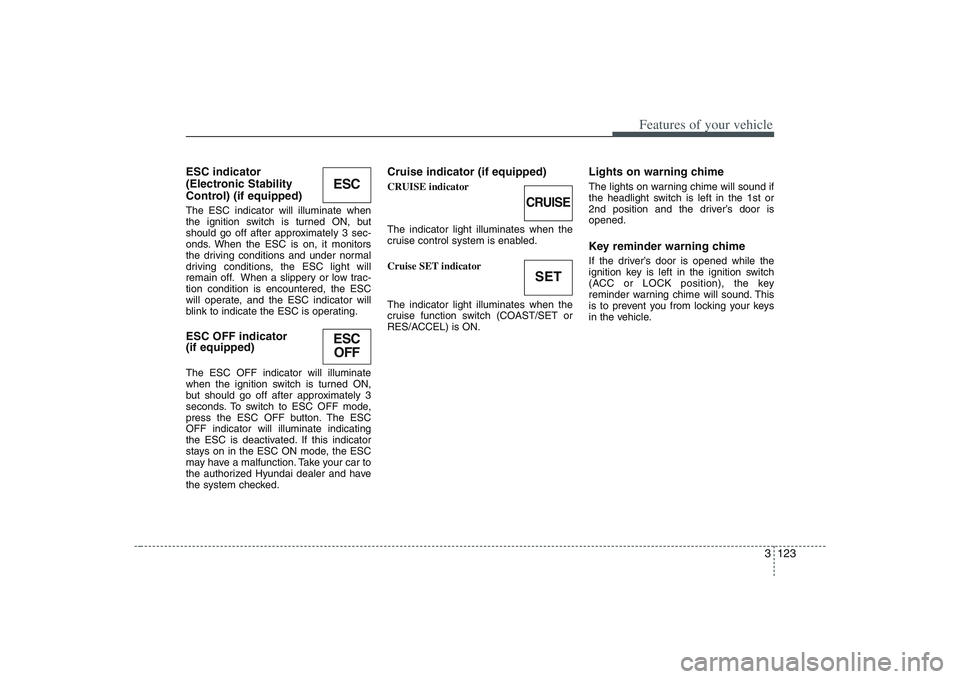
ESC indicator
(Electronic Stability
Control) (if equipped)The ESC indicator will illuminate when
the ignition switch is turned ON, but
should go off after approximately 3 sec-
onds. When the ESC is on, it monitors
the driving conditions and under normal
driving conditions, the ESC light will
remain off. When a slippery or low trac-
tion condition is encountered, the ESC
will operate, and the ESC indicator will
blink to indicate the ESC is operating.ESC OFF indicator
(if equipped)The ESC OFF indicator will illuminate
when the ignition switch is turned ON,
but should go off after approximately 3
seconds. To switch to ESC OFF mode,
press the ESC OFF button. The ESC
OFF indicator will illuminate indicating
the ESC is deactivated. If this indicator
stays on in the ESC ON mode, the ESC
may have a malfunction. Take your car to
the authorized Hyundai dealer and have
the system checked.
Cruise indicator (if equipped)CRUISE indicator
The indicator light illuminates when the
cruise control system is enabled.
Cruise SET indicator
The indicator light illuminates when the
cruise function switch (COAST/SET or
RES/ACCEL) is ON.
Lights on warning chimeThe lights on warning chime will sound if
the headlight switch is left in the 1st or
2nd position and the driver’s door is
opened.Key reminder warning chimeIf the driver’s door is opened while the
ignition key is left in the ignition switch
(ACC or LOCK position), the key
reminder warning chime will sound. This
is to prevent you from locking your keys
in the vehicle.
ESCESC
OFF
CRUISESET