warning Hyundai Equus 2010 Owner's Manual
[x] Cancel search | Manufacturer: HYUNDAI, Model Year: 2010, Model line: Equus, Model: Hyundai Equus 2010Pages: 374, PDF Size: 41.29 MB
Page 227 of 374
523
Driving your vehicle
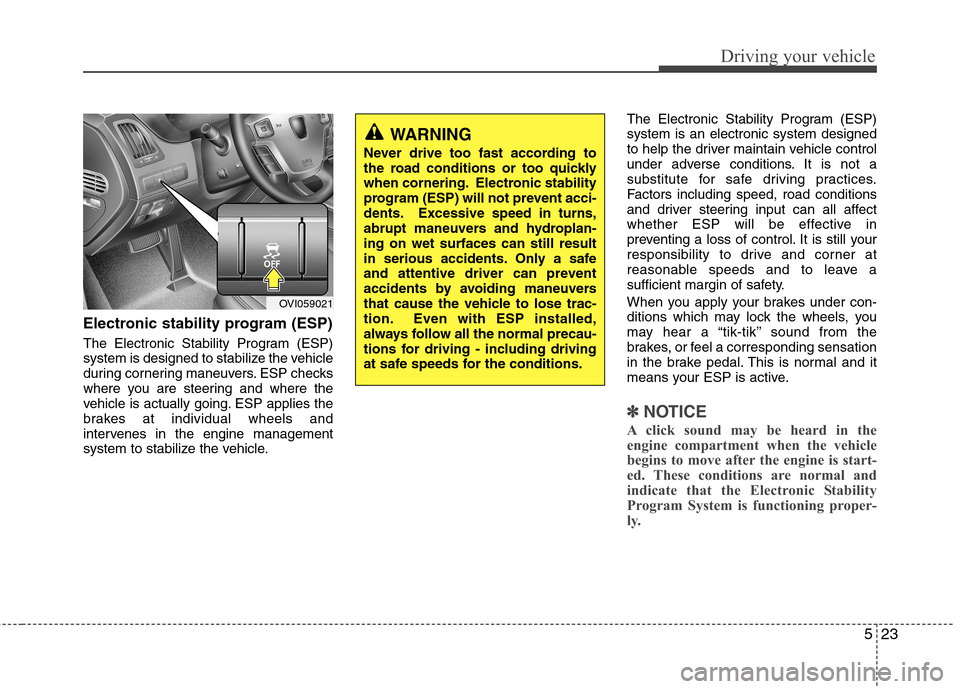
Electronic stability program (ESP)
The Electronic Stability Program (ESP)
system is designed to stabilize the vehicle
during cornering maneuvers. ESP checks
where you are steering and where the
vehicle is actually going. ESP applies the
brakes at individual wheels and
intervenes in the engine management
system to stabilize the vehicle.The Electronic Stability Program (ESP)system is an electronic system designed
to help the driver maintain vehicle control
under adverse conditions. It is not a
substitute for safe driving practices.
Factors including speed, road conditions
and driver steering input can all affect
whether ESP will be effective in
preventing a loss of control. It is still your
responsibility to drive and corner at
reasonable speeds and to leave a
sufficient margin of safety.
When you apply your brakes under con-
ditions which may lock the wheels, you
may hear a “tik-tik’’ sound from the
brakes, or feel a corresponding sensation
in the brake pedal. This is normal and it
means your ESP is active.
✽✽
NOTICE
A click sound may be heard in the
engine compartment when the vehicle
begins to move after the engine is start-
ed. These conditions are normal and
indicate that the Electronic Stability
Program System is functioning proper-
ly.
WARNING
Never drive too fast according to
the road conditions or too quickly
when cornering. Electronic stability
program (ESP) will not prevent acci-
dents. Excessive speed in turns,
abrupt maneuvers and hydroplan-ing on wet surfaces can still result
in serious accidents. Only a safe
and attentive driver can prevent
accidents by avoiding maneuvers
that cause the vehicle to lose trac-
tion. Even with ESP installed,
always follow all the normal precau-
tions for driving - including driving
at safe speeds for the conditions.
OVI059021
Page 229 of 374
525
Driving your vehicle
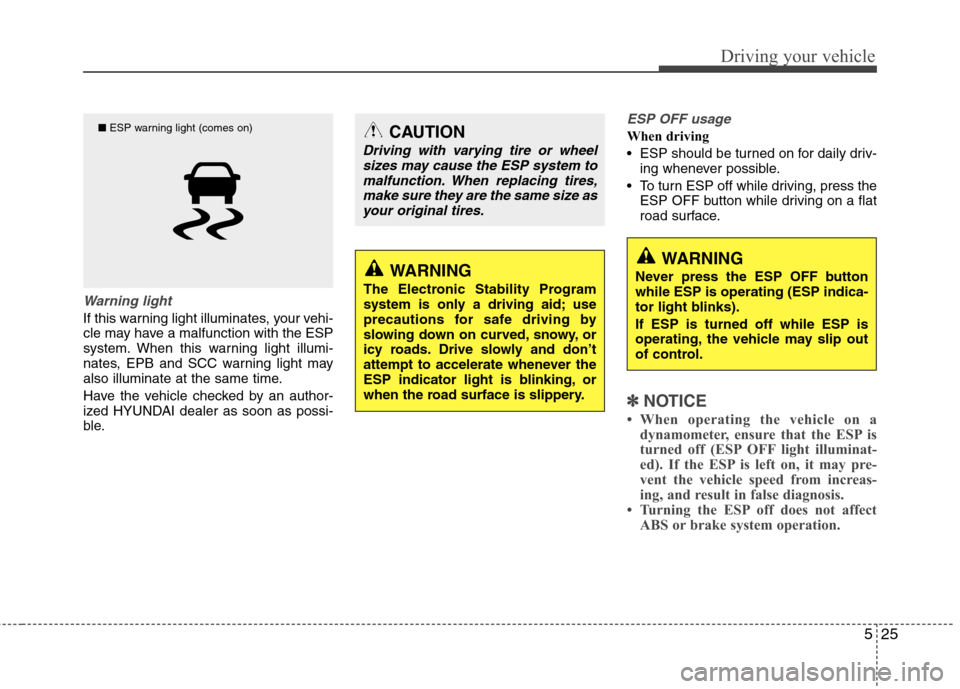
Warning light
If this warning light illuminates, your vehi-
cle may have a malfunction with the ESP
system. When this warning light illumi-
nates, EPB and SCC warning light may
also illuminate at the same time.
Have the vehicle checked by an author-
ized HYUNDAI dealer as soon as possi-
ble.
ESP OFF usage
When driving
ESP should be turned on for daily driv-ing whenever possible.
To turn ESP off while driving, press the ESP OFF button while driving on a flat
road surface.
✽✽ NOTICE
When operating the vehicle on a dynamometer, ensure that the ESP is
turned off (ESP OFF light illuminat-
ed). If the ESP is left on, it may pre-
vent the vehicle speed from increas-
ing, and result in false diagnosis.
Turning the ESP off does not affect
ABS or brake system operation.
CAUTION
Driving with varying tire or wheel
sizes may cause the ESP system to
malfunction. When replacing tires,make sure they are the same size asyour original tires.
WARNING
The Electronic Stability Program
system is only a driving aid; use
precautions for safe driving by
slowing down on curved, snowy, or
icy roads. Drive slowly and don’t
attempt to accelerate whenever the
ESP indicator light is blinking, or
when the road surface is slippery.WARNING
Never press the ESP OFF button while ESP is operating (ESP indica-
tor light blinks). If ESP is turned off while ESP is
operating, the vehicle may slip out
of control.
■ ESP warning light (comes on)
Page 230 of 374
Driving your vehicle
26
5
Good braking practices Check to be sure the parking brake is
not engaged and that the parking
brake indicator light is out before driv-
ing away.
Driving through water may get the brakes wet. They can also get wet
when the vehicle is washed. Wet
brakes can be dangerous! Your car will
not stop as quickly if the brakes are
wet. Wet brakes may cause the vehicle
to pull to one side.
To dry the brakes, apply the brakes
lightly until the braking action returns to
normal, taking care to keep the car
under control at all times. If the braking
action does not return to normal, stop
as soon as it is safe to do so and call
an authorized HYUNDAI dealer for
assistance.
WARNING
Never press the ESP OFF button while ESP is operating. If the ESP is turned off while ESP is
operating, the vehicle may go out of
control.
To turn ESP off while driving, press
the ESP OFF button while driving
on a flat road surface.
WARNING
Whenever leaving vehicle or parking, always set the parking
brake and fully engage the vehi-
cle's transmission into the P
(Park) position. Vehicles not fully
engaged in park with the parking
brake set are at risk for moving
inadvertently and injuring your-
self or others.
All vehicles should always have the parking brake fully engaged
when parking to avoid inadver-
tent movement of the vehicle
which can injure occupants orpedestrians.
Page 234 of 374
Driving your vehicle
30
5
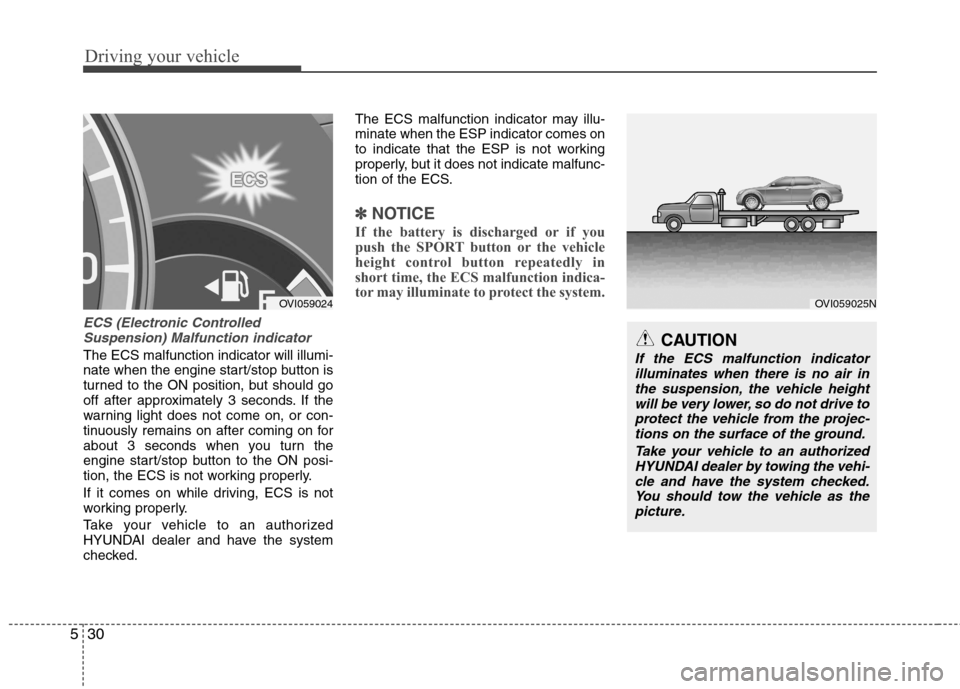
ECS (Electronic Controlled
Suspension) Malfunction indicator
The ECS malfunction indicator will illumi-
nate when the engine start/stop button is
turned to the ON position, but should go
off after approximately 3 seconds. If the
warning light does not come on, or con-
tinuously remains on after coming on for
about 3 seconds when you turn the
engine start/stop button to the ON posi-
tion, the ECS is not working properly.
If it comes on while driving, ECS is not
working properly.
Take your vehicle to an authorized
HYUNDAI dealer and have the system
checked. The ECS malfunction indicator may illu-minate when the ESP indicator comes on
to indicate that the ESP is not working
properly, but it does not indicate malfunc-
tion of the ECS.
✽✽
NOTICE
If the battery is discharged or if you
push the SPORT button or the vehicle
height control button repeatedly in
short time, the ECS malfunction indica-
tor may illuminate to protect the system.
CAUTION
If the ECS malfunction indicator illuminates when there is no air inthe suspension, the vehicle height
will be very lower, so do not drive toprotect the vehicle from the projec-tions on the surface of the ground.
Take your vehicle to an authorizedHYUNDAI dealer by towing the vehi-
cle and have the system checked.You should tow the vehicle as the picture.
OVI059025NOVI059024
Page 236 of 374
Driving your vehicle
32
5
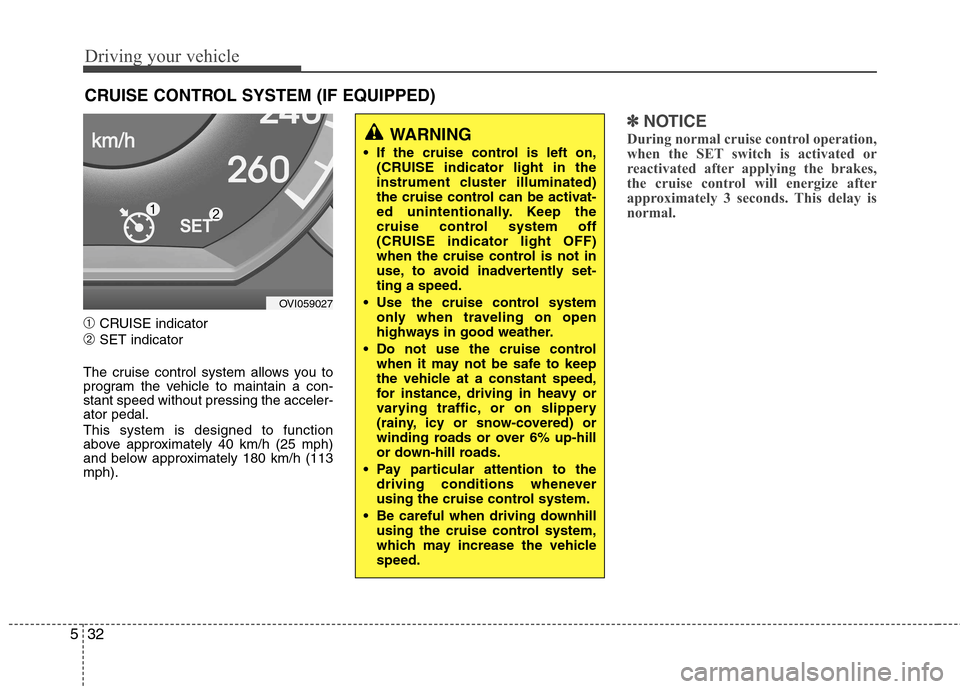
➀ CRUISE indicator
➁ SET indicator
The cruise control system allows you to
program the vehicle to maintain a con-stant speed without pressing the acceler-ator pedal. This system is designed to function
above approximately 40 km/h (25 mph)
and below approximately 180 km/h (113mph).
✽✽ NOTICE
During normal cruise control operation,
when the SET switch is activated or
reactivated after applying the brakes,
the cruise control will energize after
approximately 3 seconds. This delay is
normal.
CRUISE CONTROL SYSTEM (IF EQUIPPED)
WARNING
If the cruise control is left on, (CRUISE indicator light in the
instrument cluster illuminated)
the cruise control can be activat-
ed unintentionally. Keep the
cruise control system off
(CRUISE indicator light OFF)
when the cruise control is not in
use, to avoid inadvertently set-ting a speed.
Use the cruise control system only when traveling on open
highways in good weather.
Do not use the cruise control when it may not be safe to keep
the vehicle at a constant speed,
for instance, driving in heavy or
varying traffic, or on slippery
(rainy, icy or snow-covered) or
winding roads or over 6% up-hill
or down-hill roads.
Pay particular attention to the driving conditions whenever
using the cruise control system.
Be careful when driving downhill using the cruise control system,
which may increase the vehiclespeed.
OVI059027
Page 240 of 374
Driving your vehicle
36
5
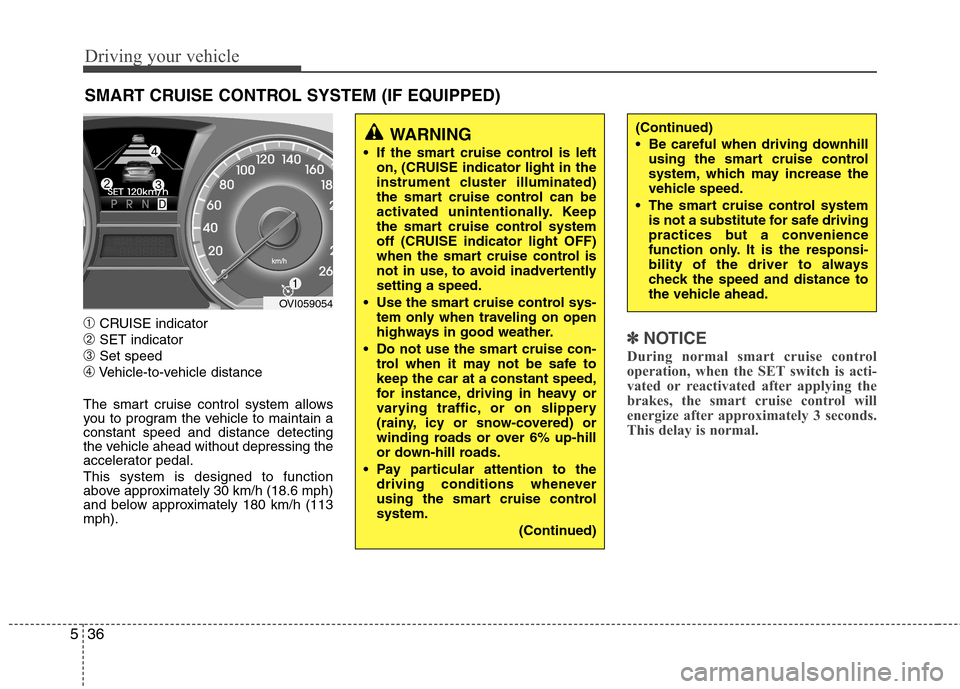
➀ CRUISE indicator
➁ SET indicator
➂ Set speed
➃ Vehicle-to-vehicle distance
The smart cruise control system allows
you to program the vehicle to maintain aconstant speed and distance detecting
the vehicle ahead without depressing the
accelerator pedal. This system is designed to function
above approximately 30 km/h (18.6 mph)
and below approximately 180 km/h (113mph).
✽✽ NOTICE
During normal smart cruise control
operation, when the SET switch is acti-
vated or reactivated after applying the
brakes, the smart cruise control will
energize after approximately 3 seconds.
This delay is normal.
SMART CRUISE CONTROL SYSTEM (IF EQUIPPED)
WARNING
If the smart cruise control is left on, (CRUISE indicator light in the
instrument cluster illuminated)
the smart cruise control can be
activated unintentionally. Keep
the smart cruise control system
off (CRUISE indicator light OFF)
when the smart cruise control is
not in use, to avoid inadvertentlysetting a speed.
Use the smart cruise control sys- tem only when traveling on open
highways in good weather.
Do not use the smart cruise con- trol when it may not be safe tokeep the car at a constant speed,
for instance, driving in heavy or
varying traffic, or on slippery
(rainy, icy or snow-covered) or
winding roads or over 6% up-hill
or down-hill roads.
Pay particular attention to the driving conditions whenever
using the smart cruise controlsystem.
(Continued)(Continued)
Be careful when driving downhillusing the smart cruise control
system, which may increase the
vehicle speed.
The smart cruise control system is not a substitute for safe driving
practices but a convenience
function only. It is the responsi-
bility of the driver to always
check the speed and distance to
the vehicle ahead.
OVI059054
Page 245 of 374
541
Driving your vehicle
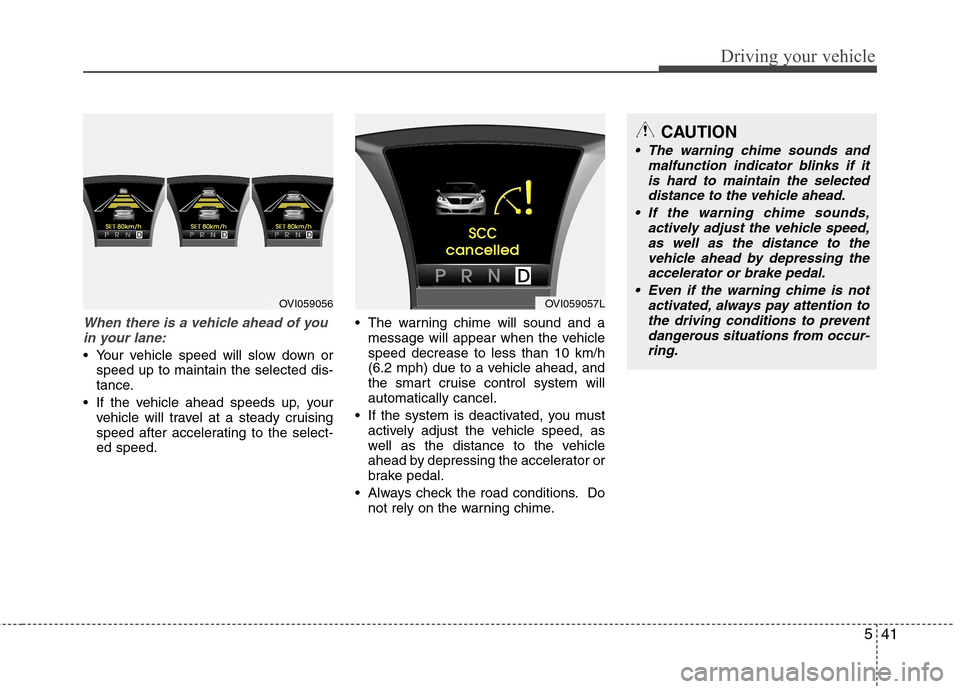
When there is a vehicle ahead of youin your lane:
Your vehicle speed will slow down or speed up to maintain the selected dis-
tance.
If the vehicle ahead speeds up, your vehicle will travel at a steady cruising
speed after accelerating to the select-ed speed. The warning chime will sound and a
message will appear when the vehiclespeed decrease to less than 10 km/h
(6.2 mph) due to a vehicle ahead, and
the smart cruise control system willautomatically cancel.
If the system is deactivated, you must actively adjust the vehicle speed, as
well as the distance to the vehicle
ahead by depressing the accelerator or
brake pedal.
Always check the road conditions. Do not rely on the warning chime.
OVI059056OVI059057L
CAUTION
The warning chime sounds and
malfunction indicator blinks if it
is hard to maintain the selected distance to the vehicle ahead.
If the warning chime sounds, actively adjust the vehicle speed,
as well as the distance to the vehicle ahead by depressing theaccelerator or brake pedal.
Even if the warning chime is not activated, always pay attention to
the driving conditions to preventdangerous situations from occur-ring.
Page 246 of 374
Driving your vehicle
42
5
Sensor to detect distance to the
vehicle ahead
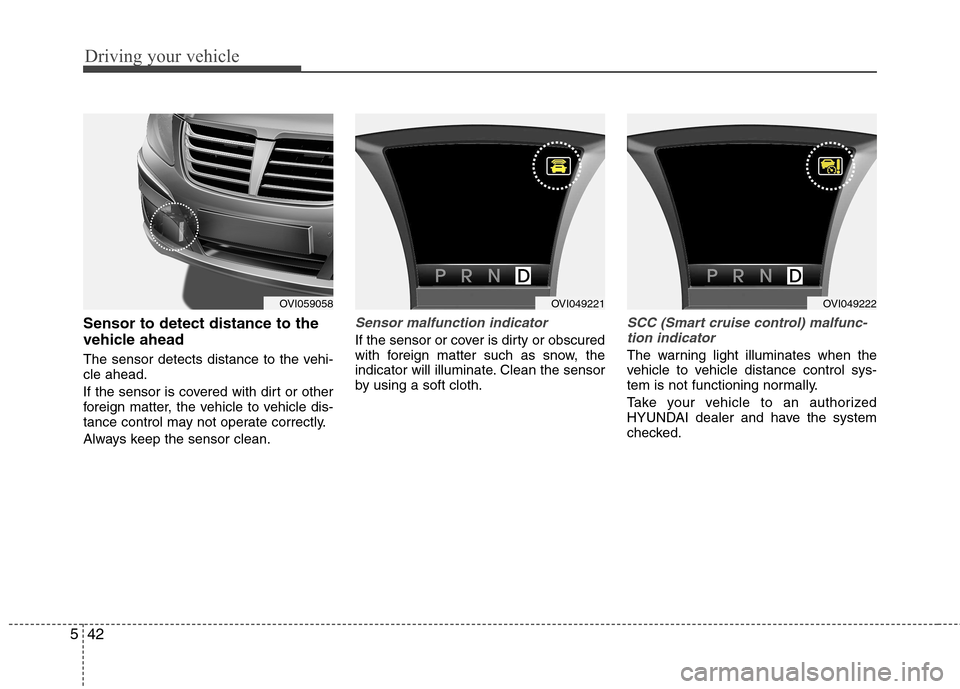
The sensor detects distance to the vehi- cle ahead.
If the sensor is covered with dirt or other
foreign matter, the vehicle to vehicle dis-
tance control may not operate correctly.
Always keep the sensor clean.Sensor malfunction indicator
If the sensor or cover is dirty or obscured
with foreign matter such as snow, the
indicator will illuminate. Clean the sensor
by using a soft cloth.
SCC (Smart cruise control) malfunc-
tion indicator
The warning light illuminates when the
vehicle to vehicle distance control sys-
tem is not functioning normally.
Take your vehicle to an authorized
HYUNDAI dealer and have the system
checked.
OVI059058OVI049221OVI049222
Page 249 of 374
545
Driving your vehicle
A vehicle ahead cannot be recognized
correctly by the sensor if any of followingoccurs:
- When the vehicle is pointing upwardsdue to overloading in the trunk
- While the steering wheel is operating
- When driving to one side of the lane
- When driving on narrow lanes or on curves
Apply the brakes or accelerator pedal if
necessary.(Continued)
The smart cruise control system is not a substitute for safe driving
practices but a convenience
function only. It is the responsi-
bility of the driver to always
check the speed and the distance
to the vehicle ahead.
Always be aware of the selected speed and vehicle to vehicle dis-
tance.
Always maintain sufficient brak- ing distance and decelerate your
vehicle by applying the brakes if
necessary.
As the smart cruise control sys- tem may not recognize complex
driving situations, always payattention to driving conditions
and control your vehicle speed.
For safe operation, carefully read and follow the instructions in this
manual before use.WARNING
The vehicle cannot be stopped by using the smart cruise control system.
If an emergency stop is neces-
sary, you must apply the brakes.
Keep a safe distance according to road conditions and vehicle
speed. If the vehicle to vehicle
distance is too close during a
high-speed driving, it may causea serious collision.
The smart cruise control system can not recognize a stopped
vehicle, pedestrians or an
oncoming vehicle. Always look
ahead cautiously to prevent
unexpected and sudden situa-
tions from occurring.
In front of you, vehicles moving with a frequent lane change may
cause a delay in the system's
reaction or may cause the system
to react to a vehicle actually in an
adjacent lane. Always look ahead
cautiously to prevent unexpected
and sudden situations fromoccurring.
(Continued)
CAUTION
The smart cruise control systemmay not operate temporarily due to electrical interference.
Page 250 of 374

Driving your vehicle
46
5
This system detects the lane with the
sensor at the front windshield and warns
you when your vehicle leaves the lane. To operate the LDWS, pull the switch or
press the switch with the engine
start/stop button in the ON position. The
indicator illuminates on the cluster. To
cancel the LDWS, pull the switch or
press the switch again.
LANE DEPARTURE WARNING SYSTEM (LDWS) (IF EQUIPPED)
OVI059012
OVI059013
WARNING
The LDWS does not make the vehicle change lanes. It is driver's
responsibility to always check
the road conditions.
Do not turn the steering wheel suddenly, when the LDWS warns
that your vehicle leaving the lane.
If the sensor can not detect the lane or if the vehicle speed does
not exceed 60km/h, the LDWS
won't warn you even though vehi-
cle leaves the lane.
If your vehicle has window tint or other types of coating on the
front windshield, the LDWS may
not work properly.
Prevent the LDWS sensor from water or any liquid.
Do not remove the LDWS parts and do not affect the sensor by a
strong impact.
Do not put objects that reflect light on the dash board.
Always check the road conditions because you may not hear the
warning chime because of audio,
and external conditions.
OVI059062L
Type AType B