display Hyundai Equus 2010 User Guide
[x] Cancel search | Manufacturer: HYUNDAI, Model Year: 2010, Model line: Equus, Model: Hyundai Equus 2010Pages: 374, PDF Size: 41.29 MB
Page 144 of 374
Features of your vehicle
66
4
AUTO HOLD indicator
If you press the AUTO HOLD switch, the
AUTO HOLD indicator on the cluster
comes on white. And when you stop the
vehicle completely by pressing the brakepedal, the indicator changes from white
to green.
For more information, refer to “AUTO
HOLD” in section 5.
AFLS (Adaptive Front
Lighting System)
OFF indicator (if equipped)
The AFLS OFF indicator will come on
when you turn the adaptive front light
system off by pressing the AFLS OFF
button. The AFLS OFF Indicator will illu-
minate when the engine start/stop button
is turned to ON, but should go off after
approximately 3 seconds. If the warning
light does not come on, when you turn
the engine start/stop button to the ON
position, The Adaptive Front Light
System is not working properly.
If it blinks while driving, the Adaptive Front
Light System is not working properly.
Take your vehicle to an authorized
HYUNDAI dealer and have the system
checked.
ECS (Electronic ControlSuspension) malfunctionindicator (if equipped)
The ECS malfunction indicator will illumi-
nate when the engine start/stop button is
turned to ON, but should go off after
approximately 3 seconds. If the warning
light does not come on, or continuously
remains on after coming on for about 3
seconds when you turn the engine
start/stop button to the ON position, the
ECS is not working properly.
If it comes on while driving, the electron-
ic control suspension is not working
properly.
Take your vehicle to an authorized
HYUNDAI dealer and have the system
checked. Warning on the LCD screen
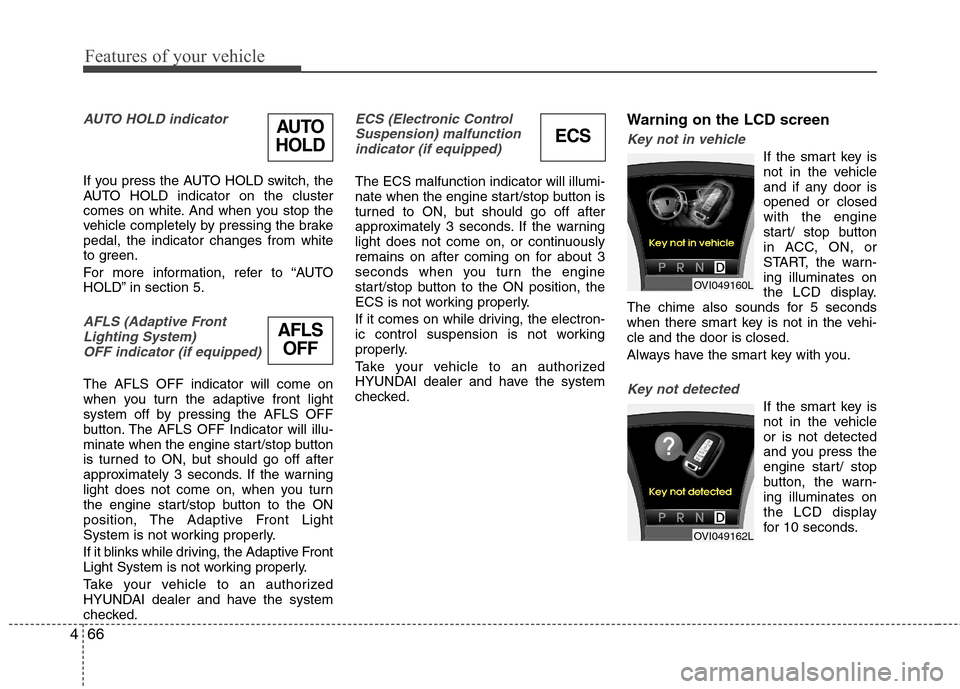
Key not in vehicle
If the smart key is
not in the vehicle
and if any door isopened or closedwith the engine
start/ stop button
in ACC, ON, or
START, the warn-ing illuminates on
the LCD display.
The chime also sounds for 5 seconds
when there smart key is not in the vehi-cle and the door is closed.
Always have the smart key with you.
Key not detected
If the smart key is
not in the vehicleor is not detected
and you press the
engine start/ stop
button, the warn-ing illuminates on
the LCD display
for 10 seconds.
AFLS
OFF
AUTO
HOLD
OVI049160L
OVI049162L
ECS
Page 145 of 374
467
Features of your vehicle
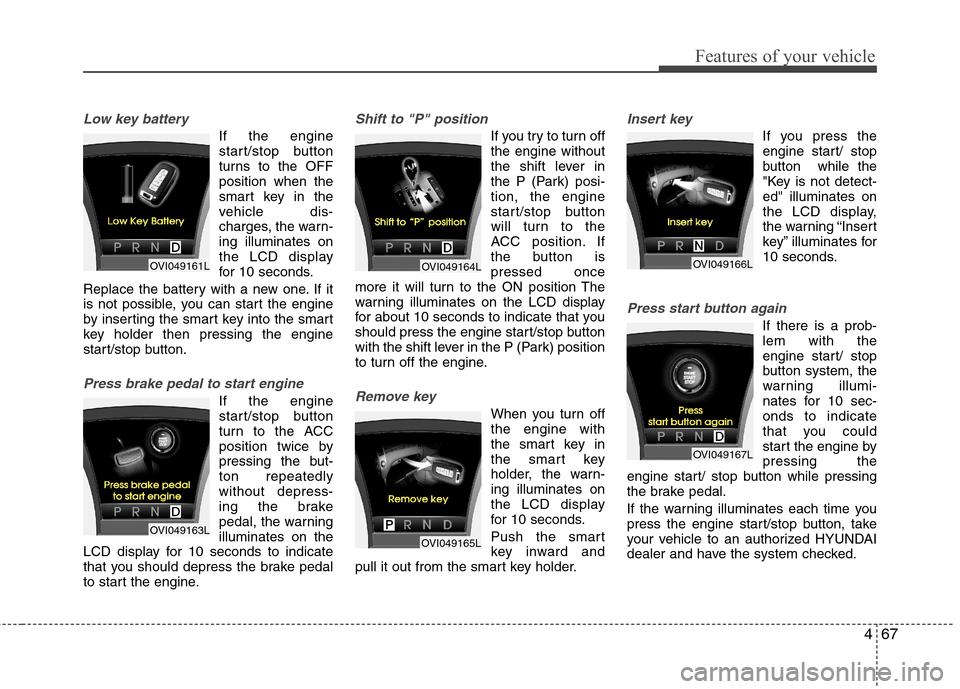
Low key battery
If the engine
start/stop button
turns to the OFFposition when the
smart key in the
vehicle dis-
charges, the warn-ing illuminates on
the LCD display
for 10 seconds.
Replace the battery with a new one. If it
is not possible, you can start the engine
by inserting the smart key into the smart
key holder then pressing the engine
start/stop button.
Press brake pedal to start engine
If the engine
start/stop button
turn to the ACC
position twice by
pressing the but-ton repeatedlywithout depress-
ing the brake
pedal, the warningilluminates on the
LCD display for 10 seconds to indicate
that you should depress the brake pedal
to start the engine.
Shift to "P" position
If you try to turn off the engine without
the shift lever in
the P (Park) posi-tion, the engine
start/stop button
will turn to the
ACC position. If
the button ispressed once
more it will turn to the ON position The
warning illuminates on the LCD display
for about 10 seconds to indicate that you
should press the engine start/stop button
with the shift lever in the P (Park) position
to turn off the engine.
Remove key
When you turn off the engine with
the smart key in
the smart key
holder, the warn-ing illuminates on
the LCD display
for 10 seconds.
Push the smart
key inward and
pull it out from the smart key holder.
Insert key
If you press the
engine start/ stop
button while the
"Key is not detect-ed" illuminates on
the LCD display,
the warning “Insert
key” illuminates for
10 seconds.
Press start button again
If there is a prob- lem with the
engine start/ stop
button system, the
warning illumi-
nates for 10 sec-onds to indicate
that you could
start the engine bypressing the
engine start/ stop button while pressing
the brake pedal.
If the warning illuminates each time you
press the engine start/stop button, take
your vehicle to an authorized HYUNDAI
dealer and have the system checked.
OVI049161L
OVI049163L
OVI049164L
OVI049165L
OVI049166L
OVI049167L
Page 146 of 374
Features of your vehicle
68
4
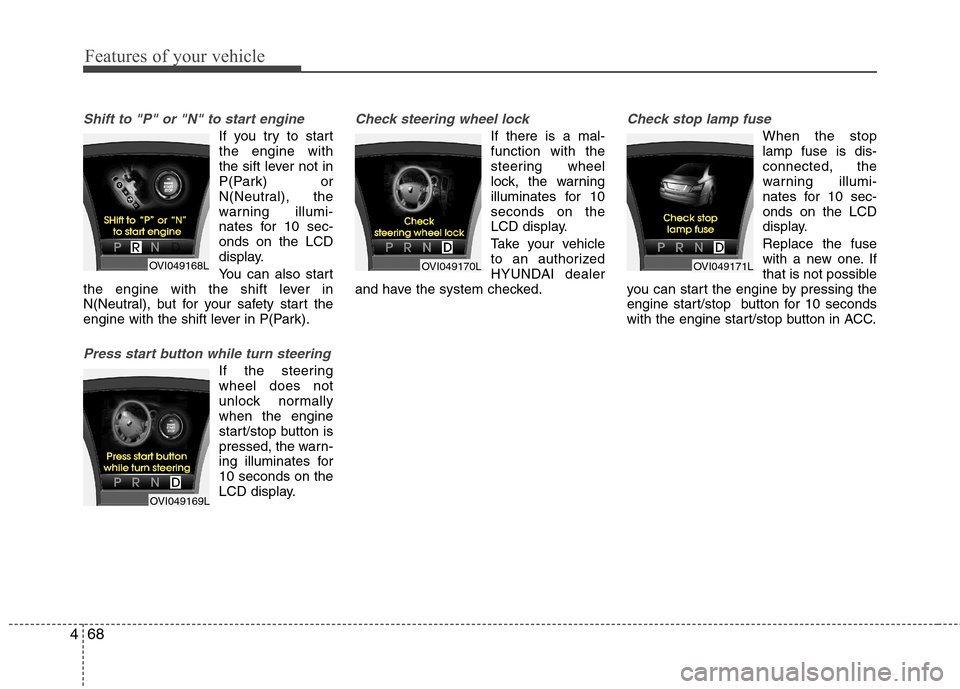
Shift to "P" or "N" to start engine
If you try to start the engine with
the sift lever not in
P(Park) or
N(Neutral), the
warning illumi-
nates for 10 sec-onds on the LCD
display.
You can also start
the engine with the shift lever in
N(Neutral), but for your safety start the
engine with the shift lever in P(Park).
Press start button while turn steering
If the steering wheel does not
unlock normallywhen the engine
start/stop button is
pressed, the warn-
ing illuminates for10 seconds on the
LCD display.
Check steering wheel lock
If there is a mal- function with the
steering wheel
lock, the warning
illuminates for 10seconds on the
LCD display.
Take your vehicle
to an authorized
HYUNDAI dealer
and have the system checked.
Check stop lamp fuse
When the stop lamp fuse is dis-connected, the
warning illumi-
nates for 10 sec-onds on the LCD
display. Replace the fuse
with a new one. If
that is not possible
you can start the engine by pressing the
engine start/stop button for 10 seconds
with the engine start/stop button in ACC.
OVI049168L
OVI049169L
OVI049170LOVI049171L
Page 175 of 374
497
Features of your vehicle
The temperature will increase to the
maximum (HI) by turning the knob to the
right extremly. The temperature will
decrease to the minimum (Lo) by turning
the knob to the left extremly. When turn-
ing the knob, the temperature will
increase or decrease by 0.5°C/1°F. When
set to the lowest temperature setting, the
air conditioning will operate continuously.Adjusting the driver and passenger side
temperature individually
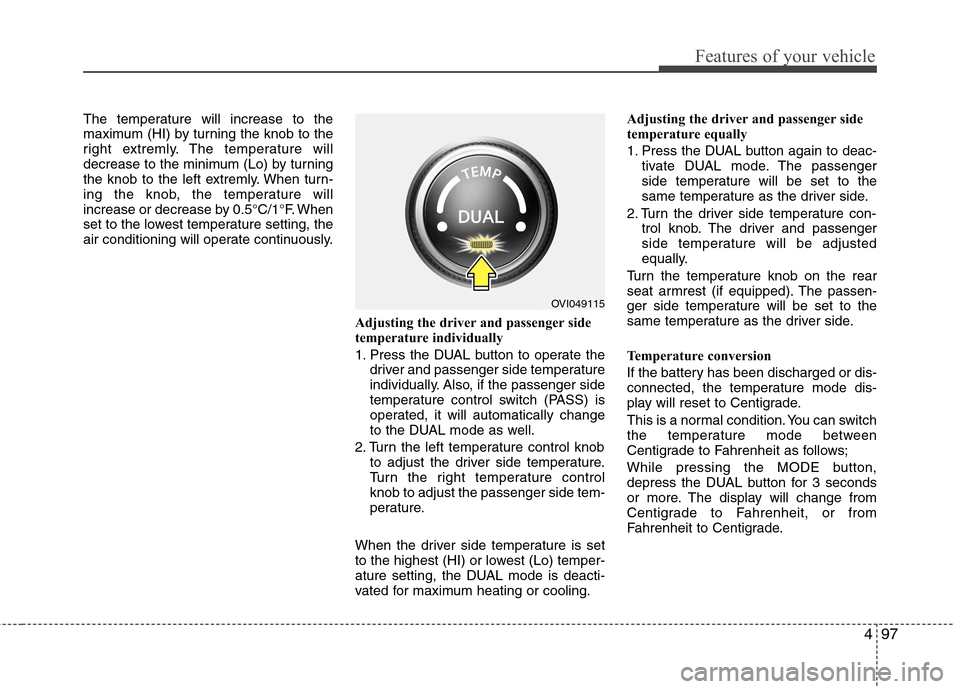
1. Press the DUAL button to operate thedriver and passenger side temperature
individually. Also, if the passenger side
temperature control switch (PASS) is
operated, it will automatically change
to the DUAL mode as well.
2. Turn the left temperature control knob to adjust the driver side temperature.
Turn the right temperature controlknob to adjust the passenger side tem-
perature.
When the driver side temperature is set
to the highest (HI) or lowest (Lo) temper-
ature setting, the DUAL mode is deacti-
vated for maximum heating or cooling. Adjusting the driver and passenger side
temperature equally
1. Press the DUAL button again to deac-
tivate DUAL mode. The passenger
side temperature will be set to the
same temperature as the driver side.
2. Turn the driver side temperature con- trol knob. The driver and passenger
side temperature will be adjusted
equally.
Turn the temperature knob on the rear
seat armrest (if equipped). The passen-
ger side temperature will be set to the
same temperature as the driver side.
Temperature conversion
If the battery has been discharged or dis-
connected, the temperature mode dis-
play will reset to Centigrade.
This is a normal condition. You can switch
the temperature mode between
Centigrade to Fahrenheit as follows;
While pressing the MODE button,
depress the DUAL button for 3 seconds
or more. The display will change from
Centigrade to Fahrenheit, or from
Fahrenheit to Centigrade.
OVI049115
Page 196 of 374
Features of your vehicle
118
4
Temperature conversion
If the battery has been discharged or dis-
connected, the temperature mode dis-
play will reset to Centigrade.
This is a normal condition. You can switch
the temperature mode between
Centigrade to Fahrenheit as follows;
While pressing the MODE button,
depress the DUAL button for 3 seconds
or more. The display will change from
Centigrade to Fahrenheit, or from
Fahrenheit to Centigrade.
The outside temperature on the display
may not change immediately like a gen-
eral thermometer to prevent the driver
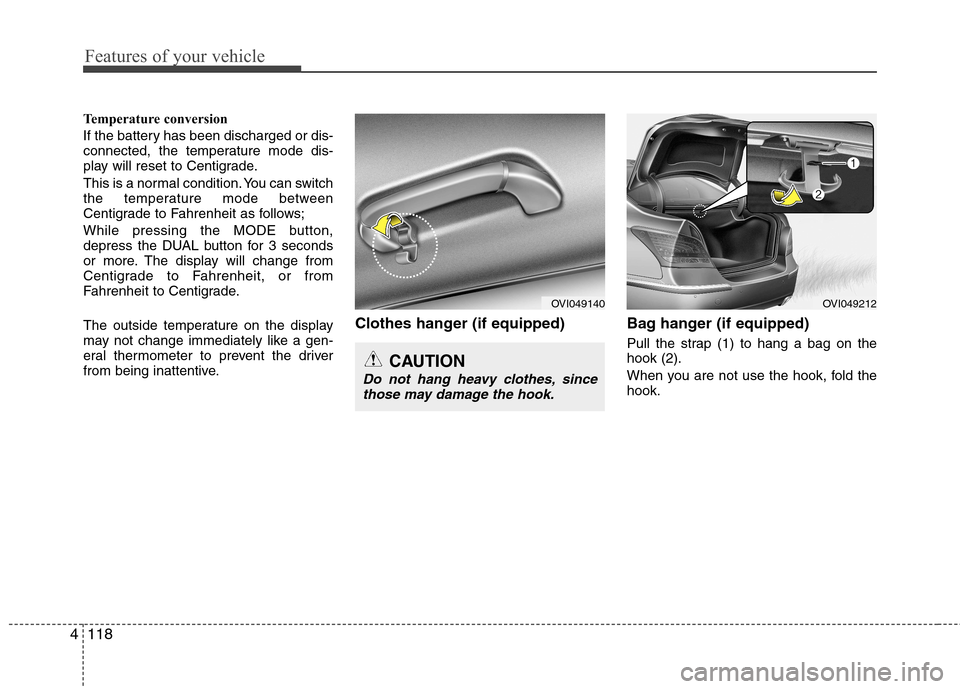
from being inattentive. Clothes hanger (if equipped) Bag hanger (if equipped)
Pull the strap (1) to hang a bag on thehook (2).
When you are not use the hook, fold the hook.
CAUTION
Do not hang heavy clothes, sincethose may damage the hook.
OVI049140OVI049212
Page 210 of 374
Driving your vehicle
6
5
1. Carry the smart key or leave it inside
the vehicle.
2. Make sure the parking brake is firmly applied.
3. Place the shift lever in the P(Park) position.
4. Press the engine start/stop button while depressing the brake pedal.
5. In extremely cold weather (below - 18°C / 0°F) or after the vehicle has not
been operated for several days, let the
engine warm up without depressing
the accelerator.
Whether the engine is cold or warm, itshould be started without depressing
the accelerator.
Even if the smart key is in the vehicle,
if it is far away from you, the engine
may not start.
When the engine start/stop button is in
the ACC or above, if any door is
opened, the system checks for the
smart key. If the smart key is not in the
vehicle, the warning, "Key not in vehi-
cle" will illuminate on the LCD display.And if all doors are closed, the chime
will sound for about 5 seconds. The
indicator will turn off while the vehicle
is moving. Keep the smart key in the
vehicle, when using the ACC position
or if the vehicle engine is on.
STARTING THE ENGINE
WARNING
Always wear appropriate shoes
when operating your vehicle.
Unsuitable shoes (high heels, ski
boots, etc.) may interfere with yourability to use the brake and acceler-ator pedal.WARNING
The engine will start, only when the
smart key is in the vehicle. Never
allow children or any person who is
unfamiliar with the vehicle to touch
the engine start/stop button or
related parts.
CAUTION
If the engine stalls while you are in motion, do not attempt to move theshift lever to the P (Park) position. If
traffic and road conditions permit,you may put the shift lever in the N(Neutral) position while the vehi-cle is still moving and press the
engine start/stop button in anattempt to restart the engine.
Page 213 of 374
59
Driving your vehicle
For smooth operation, depress the brakepedal when shifting from N (Neutral) to aforward or reverse gear.Transmission ranges
The indicator in the instrument cluster
displays the shift lever position when the
engine start/stop button is in the ONposition.
P (Park)
Always come to a complete stop before
shifting into P (Park). This position locks
the transmission and prevents the drivewheels from rotating.
WARNING - Automatic
transmission
Always check the surrounding areas near your vehicle for peo-
ple, especially children, before
shifting the shift lever into D
(Drive) or R (Reverse).
Before leaving the driver’s seat, always make sure the shift lever
is in the P (Park) position; then
set the parking brake fully and
shut the engine off. Unexpected
and sudden vehicle movementcan occur if these precautions
are not followed in the order iden-tified.
CAUTION
To avoid damage to your trans-
mission, do not accelerate the
engine in R (Reverse) or any for-ward gear position with thebrakes on.
When stopped on an incline, do not hold the vehicle with theengine power. Use the servicebrake or the parking brake.
Do not shift from N (Neutral) or P (Park) into D (Drive), or R
(Reverse) when the engine isabove idle speed.
WARNING
Shifting into P (Park) while the vehicle is in motion will cause the
drive wheels to lock which will
cause you to lose control of the
vehicle.
Do not use the P (Park) position in place of the parking brake.
Always make sure the shift lever
is latched in the P (Park) position
and set the parking brake fully.
Never leave a child unattended in a vehicle.
CAUTION
The transmission may be damaged
if you shift into P (Park) while the vehicle is in motion.
Page 251 of 374
547
Driving your vehicle
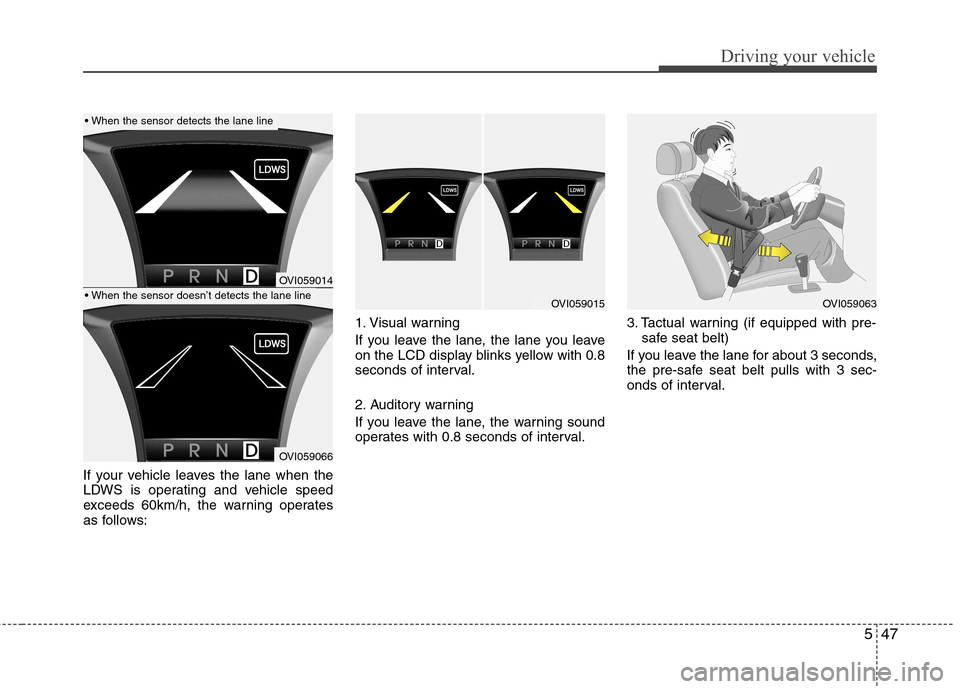
If your vehicle leaves the lane when the
LDWS is operating and vehicle speed
exceeds 60km/h, the warning operates
as follows:1. Visual warning
If you leave the lane, the lane you leave
on the LCD display blinks yellow with 0.8
seconds of interval.
2. Auditory warning
If you leave the lane, the warning sound
operates with 0.8 seconds of interval.
3. Tactual warning (if equipped with pre-
safe seat belt)
If you leave the lane for about 3 seconds,
the pre-safe seat belt pulls with 3 sec-
onds of interval.
OVI059014
OVI059066
OVI059015OVI059063
Page 274 of 374
67
What to do in an emergency
TIRE PRESSURE MONITORING SYSTEM (TPMS) (IF EQUIPPED)
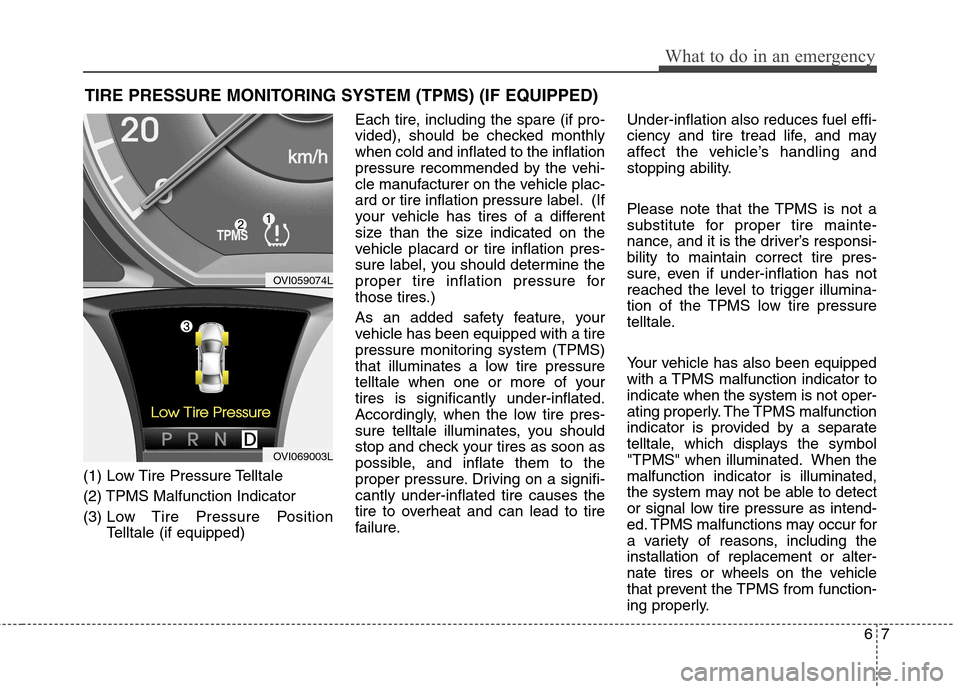
(1) Low Tire Pressure Telltale
(2) TPMS Malfunction Indicator
(3) Low Tire Pressure Position
Telltale (if equipped) Each tire, including the spare (if pro-
vided), should be checked monthlywhen cold and inflated to the inflation
pressure recommended by the vehi-
cle manufacturer on the vehicle plac-
ard or tire inflation pressure label. (If
your vehicle has tires of a different
size than the size indicated on the
vehicle placard or tire inflation pres-
sure label, you should determine the
proper tire inflation pressure for
those tires.)
As an added safety feature, your
vehicle has been equipped with a tire
pressure monitoring system (TPMS)
that illuminates a low tire pressure
telltale when one or more of yourtires is significantly under-inflated.
Accordingly, when the low tire pres-
sure telltale illuminates, you should
stop and check your tires as soon as
possible, and inflate them to the
proper pressure. Driving on a signifi-cantly under-inflated tire causes the
tire to overheat and can lead to tire
failure.
Under-inflation also reduces fuel effi-
ciency and tire tread life, and may
affect the vehicle’s handling and
stopping ability.
Please note that the TPMS is not a
substitute for proper tire mainte-
nance, and it is the driver’s responsi-bility to maintain correct tire pres-
sure, even if under-inflation has not
reached the level to trigger illumina-
tion of the TPMS low tire pressure
telltale.
Your vehicle has also been equipped
with a TPMS malfunction indicator toindicate when the system is not oper-
ating properly. The TPMS malfunction
indicator is provided by a separate
telltale, which displays the symbol
"TPMS" when illuminated. When themalfunction indicator is illuminated,
the system may not be able to detect
or signal low tire pressure as intend-
ed. TPMS malfunctions may occur for
a variety of reasons, including theinstallation of replacement or alter-
nate tires or wheels on the vehicle
that prevent the TPMS from function-
ing properly.
OVI059074L
OVI069003L
Page 331 of 374
Maintenance
40
7
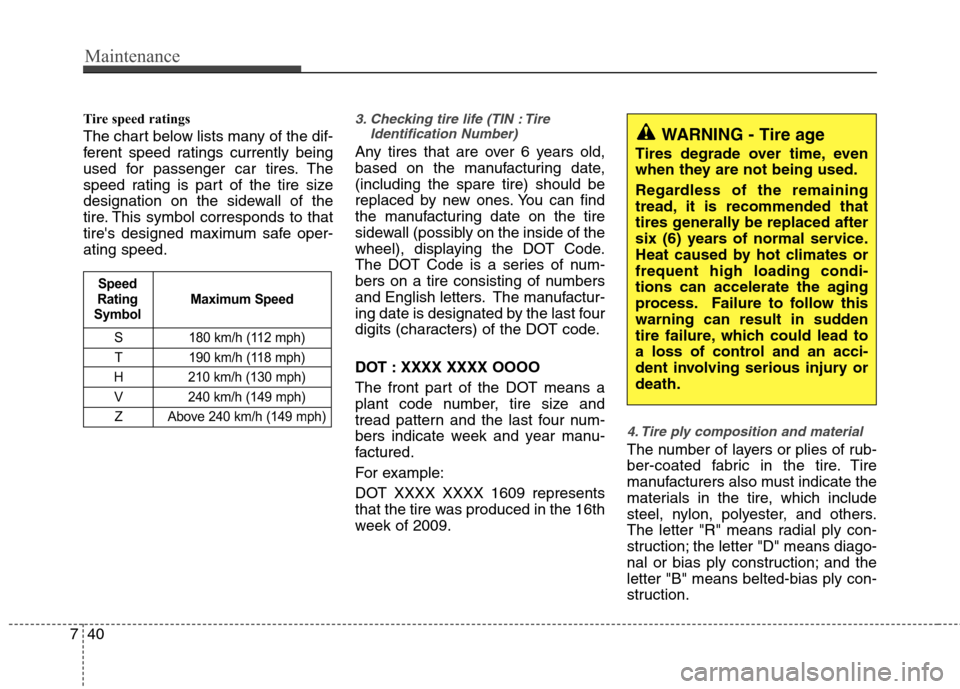
Tire speed ratings
The chart below lists many of the dif-
ferent speed ratings currently being
used for passenger car tires. The
speed rating is part of the tire size
designation on the sidewall of the
tire. This symbol corresponds to that
tire's designed maximum safe oper-ating speed.3. Checking tire life (TIN : Tire
Identification Number)
Any tires that are over 6 years old,
based on the manufacturing date,(including the spare tire) should be
replaced by new ones. You can find
the manufacturing date on the tire
sidewall (possibly on the inside of the
wheel), displaying the DOT Code.
The DOT Code is a series of num-
bers on a tire consisting of numbers
and English letters. The manufactur-
ing date is designated by the last four
digits (characters) of the DOT code.
DOT : XXXX XXXX OOOO
The front part of the DOT means a
plant code number, tire size and
tread pattern and the last four num-
bers indicate week and year manu-
factured.
For example:
DOT XXXX XXXX 1609 represents
that the tire was produced in the 16th
week of 2009.
4. Tire ply composition and material
The number of layers or plies of rub-
ber-coated fabric in the tire. Tire
manufacturers also must indicate the
materials in the tire, which include
steel, nylon, polyester, and others.
The letter "R" means radial ply con-
struction; the letter "D" means diago-
nal or bias ply construction; and theletter "B" means belted-bias ply con-
struction.
S 180 km/h (112 mph)
T 190 km/h (118 mph)
H 210 km/h (130 mph) V 240 km/h (149 mph)
Z Above 240 km/h (149 mph)
Maximum Speed
Speed
Rating
Symbol
WARNING - Tire age
Tires degrade over time, even
when they are not being used.
Regardless of the remaining
tread, it is recommended that
tires generally be replaced after
six (6) years of normal service.
Heat caused by hot climates orfrequent high loading condi-
tions can accelerate the aging
process. Failure to follow this
warning can result in sudden
tire failure, which could lead to
a loss of control and an acci-
dent involving serious injury ordeath.