engine Hyundai Equus 2010 Service Manual
[x] Cancel search | Manufacturer: HYUNDAI, Model Year: 2010, Model line: Equus, Model: Hyundai Equus 2010Pages: 374, PDF Size: 41.29 MB
Page 116 of 374
Features of your vehicle
38
4
Easy access function (if equipped)
The steering wheel will move away from
the driver and the seat will move rear-
ward, when the engine start/stop button
is turned to the OFF position or when you
pull out the smart key from the smart key
holder with the shift lever in the P posi-tion.
The steering wheel will move toward the
driver and the seat will move forward,
when the engine start/stop button is
turned to the ACC position or when you
insert the smart key into the smart key
holder with the shift lever in the P posi-tion.✽✽
NOTICE
You can activate or deactivate the easy
access function in the INFO menu of
DIS (Driver Information System, if
equipped) as follows (if equipped);
Seat easy access
Steering easy access
If you want detailed informations, refer
to the DIS manual (if equipped) sup-
plied separately.
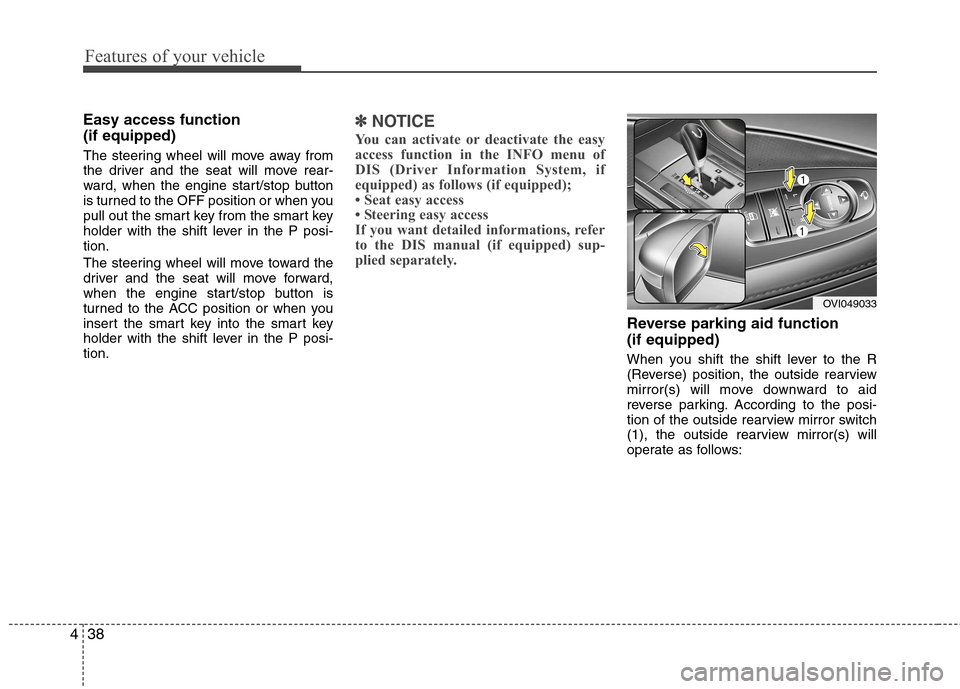
Reverse parking aid function (if equipped)
When you shift the shift lever to the R
(Reverse) position, the outside rearview
mirror(s) will move downward to aid
reverse parking. According to the posi-
tion of the outside rearview mirror switch
(1), the outside rearview mirror(s) will
operate as follows:
OVI049033
Page 117 of 374
439
Features of your vehicle
Left or Right: When the remote control
outside rearview mirror
switch is in the left or
right position, both out-
side rearview mirrors will
move downward.
Neutral : When the remote control out-
side rearview mirror switch is inthe middle position, the outside
rearview mirrors will not oper-
ate.
✽✽ NOTICE
The outside rearview mirrors will auto-
matically revert to their original posi-
tions under the following conditions:
1. Engine start/stop button is turned to the ACC or OFF position.
2. Shift lever is moved to any position except R.
3. Remote control outside rearview mir- ror switch is placed in the middle
position.
Power steering
Power steering uses energy from the
engine to assist you in steering the vehi-
cle. If the engine is off or if the power
steering system becomes inoperative,
the vehicle may still be steered, but it will
require increased steering effort.
Should you notice any change in the
effort required to steer during normal
vehicle operation, have the power steer-
ing checked by an authorized HYUNDAI
dealer.Electronic Hydraulic Power Steering
(EHPS)
EHPS uses an electromotor to assist you
in steering the vehicle. It senses the vehi-cle speed and road condition.
If the engine is off or if the power steer-
ing system becomes inoperative, the
vehicle may still be steered, but it will
require increased steering effort.
Should you notice any change in the
effort required to steer during normal
vehicle operation, have the power steer-
ing checked by an authorized HYUNDAI
dealer.
STEERING WHEEL
CAUTION
Never hold the steering wheel
against a stop (extreme right or left turn) for more than 5 seconds withthe engine running. Holding the
steering wheel for more than 5 sec-onds in either position may cause damage to the power steeringpump.
Page 118 of 374
Features of your vehicle
40
4
✽✽
NOTICE
If the power steering drive belt breaks
or if the power steering pump malfunc-
tions, the steering effort will greatly
increase.
✽
✽ NOTICE
If the vehicle is parked for extended
periods outside in cold weather (below -
10°C/14°F), the power steering may
require increased effort when the engine
is first started. This is caused by
increased fluid viscosity due to the cold
weather and does not indicate a mal-
function.
When this happens, increase the engine
RPM by depressing accelerator until the
RPM reaches 1,500 rpm then release or
let the engine idle for two or three min-
utes to warm up the fluid.
Tilt steering
Tilt steering allows you to adjust the
steering wheel before you drive. You can
also raise it to give your legs more room
when you exit and enter the vehicle.
The steering wheel should be positioned
so that it is comfortable for you to drive,
while permitting you to see the instru-
ment panel warning lights and gauges.
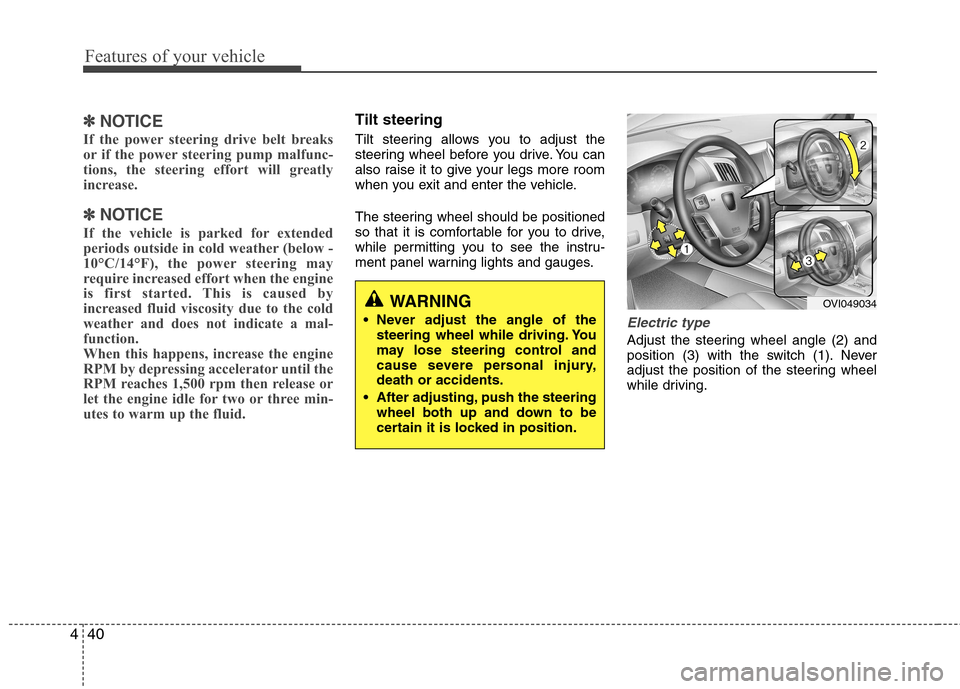
Electric type
Adjust the steering wheel angle (2) and
position (3) with the switch (1). Never
adjust the position of the steering wheel
while driving.
WARNING
Never adjust the angle of the steering wheel while driving. You
may lose steering control and
cause severe personal injury,death or accidents.
After adjusting, push the steering wheel both up and down to be
certain it is locked in position.OVI049034
Page 119 of 374
441
Features of your vehicle
Heated steering wheel (if equipped)
With the engine start/stop button in the ON position, pressing the heated steer-
ing wheel button warms the steering
wheel. The indicator on the button is illu-minated.
To turn the heated steering wheel off,
press the button once again. The indica-
tor on the button is turned off.
Approximately 30 munities after the heat-
ed steering wheel is turned on, it will be
turned off automatically.Horn
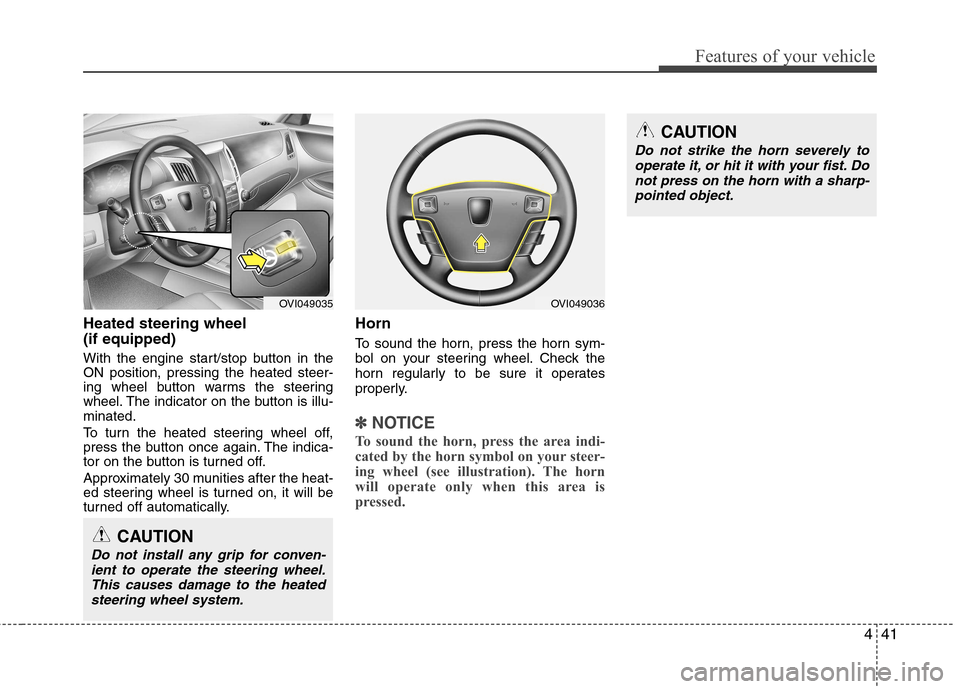
To sound the horn, press the horn sym-
bol on your steering wheel. Check the
horn regularly to be sure it operates
properly.
✽✽
NOTICE
To sound the horn, press the area indi-
cated by the horn symbol on your steer-
ing wheel (see illustration). The horn
will operate only when this area is
pressed.
OVI049036
CAUTION
Do not strike the horn severely to operate it, or hit it with your fist. Do
not press on the horn with a sharp- pointed object.
CAUTION
Do not install any grip for conven-
ient to operate the steering wheel.This causes damage to the heatedsteering wheel system.
OVI049035
Page 124 of 374
Features of your vehicle
46
4
Electric chromic mirror (ECM)
(if equipped)
The electric chromic mirror automatically controls the glare from the headlights of
the car behind you in nighttime or low
light driving conditions. The sensormounted in the mirror senses the light
level around the vehicle, and automati-cally controls the headlight glare from
vehicles behind you.
When the engine is running, the glare is
automatically controlled by the sensor
mounted in the rearview mirror.
Whenever the shift lever is shifted into R
(Reverse), the mirror will automatically
go to the brightest setting in order to
improve the drivers view behind the vehi-
cle. If the ECM of inside rear view mirror
operates, it will be working
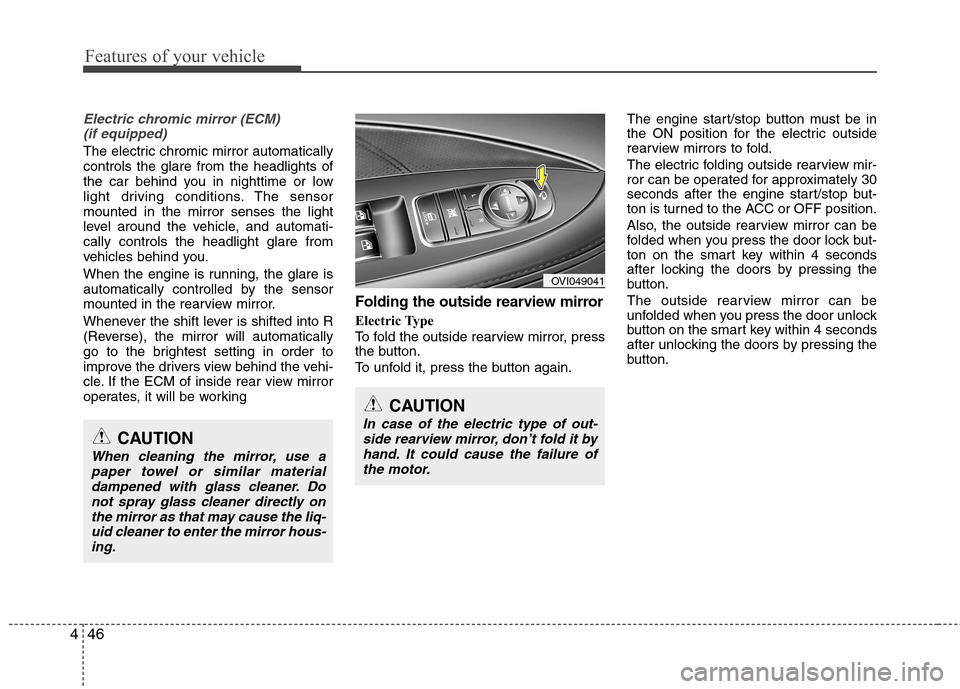
Folding the outside rearview mirror
Electric Type
To fold the outside rearview mirror, press
the button.
To unfold it, press the button again. The engine start/stop button must be in
the ON position for the electric outside
rearview mirrors to fold.
The electric folding outside rearview mir-
ror can be operated for approximately 30
seconds after the engine start/stop but-
ton is turned to the ACC or OFF position.
Also, the outside rearview mirror can be
folded when you press the door lock but-
ton on the smart key within 4 seconds
after locking the doors by pressing the
button.
The outside rearview mirror can be
unfolded when you press the door unlock
button on the smart key within 4 seconds
after unlocking the doors by pressing the
button.
OVI049041
CAUTION
In case of the electric type of out-
side rearview mirror, don’t fold it byhand. It could cause the failure of the motor.CAUTION
When cleaning the mirror, use apaper towel or similar materialdampened with glass cleaner. Donot spray glass cleaner directly on
the mirror as that may cause the liq-uid cleaner to enter the mirror hous- ing.
Page 125 of 374
447
Features of your vehicle
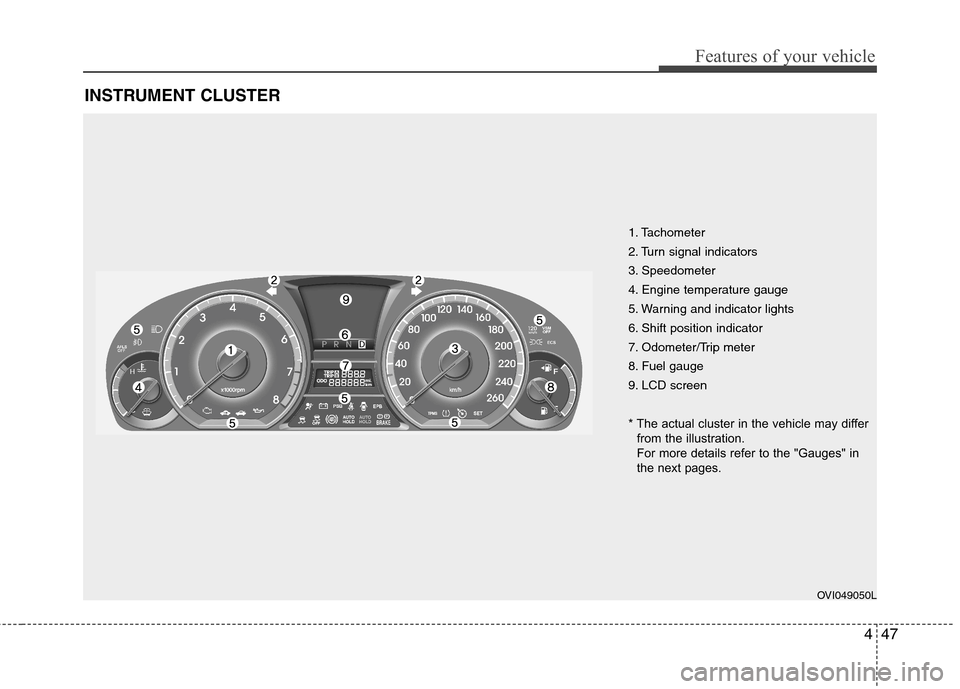
INSTRUMENT CLUSTER
1. Tachometer
2. Turn signal indicators
3. Speedometer
4. Engine temperature gauge
5. Warning and indicator lights
6. Shift position indicator
7. Odometer/Trip meter
8. Fuel gauge
9. LCD screen
* The actual cluster in the vehicle may differfrom the illustration.
For more details refer to the "Gauges" in
the next pages.
OVI049050L
Page 126 of 374
Features of your vehicle
48
4
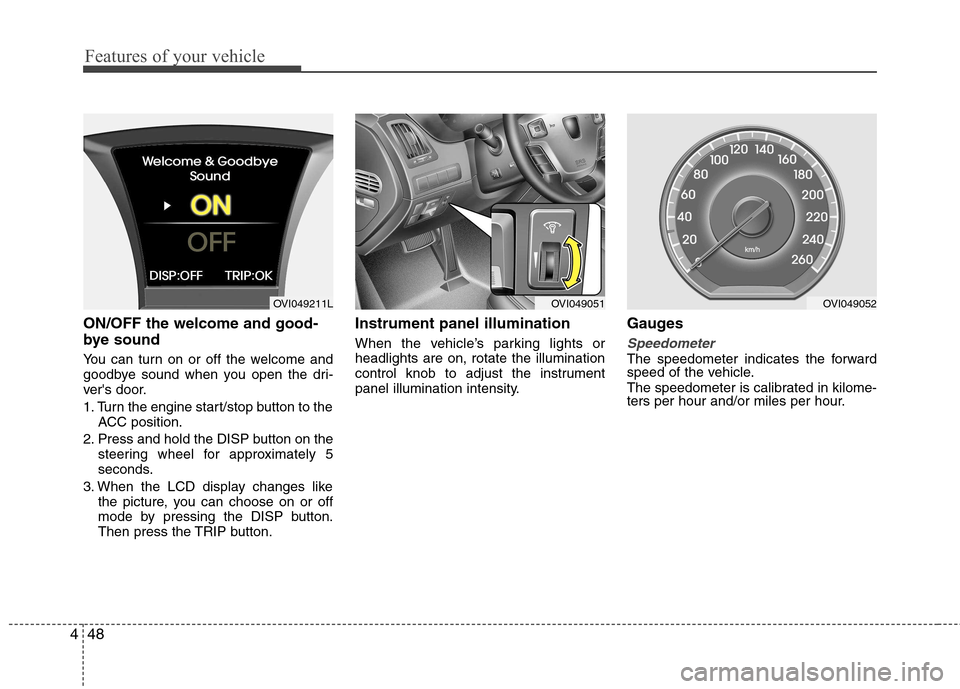
ON/OFF the welcome and good-
bye sound
You can turn on or off the welcome and
goodbye sound when you open the dri-
ver's door.
1. Turn the engine start/stop button to the
ACC position.
2. Press and hold the DISP button on the steering wheel for approximately 5
seconds.
3. When the LCD display changes like the picture, you can choose on or off
mode by pressing the DISP button.
Then press the TRIP button. Instrument panel illumination
When the vehicle’s parking lights or headlights are on, rotate the illumination
control knob to adjust the instrument
panel illumination intensity.
Gauges
Speedometer
The speedometer indicates the forward
speed of the vehicle.
The speedometer is calibrated in kilome-
ters per hour and/or miles per hour.
OVI049051OVI049211LOVI049052
Page 127 of 374
449
Features of your vehicle
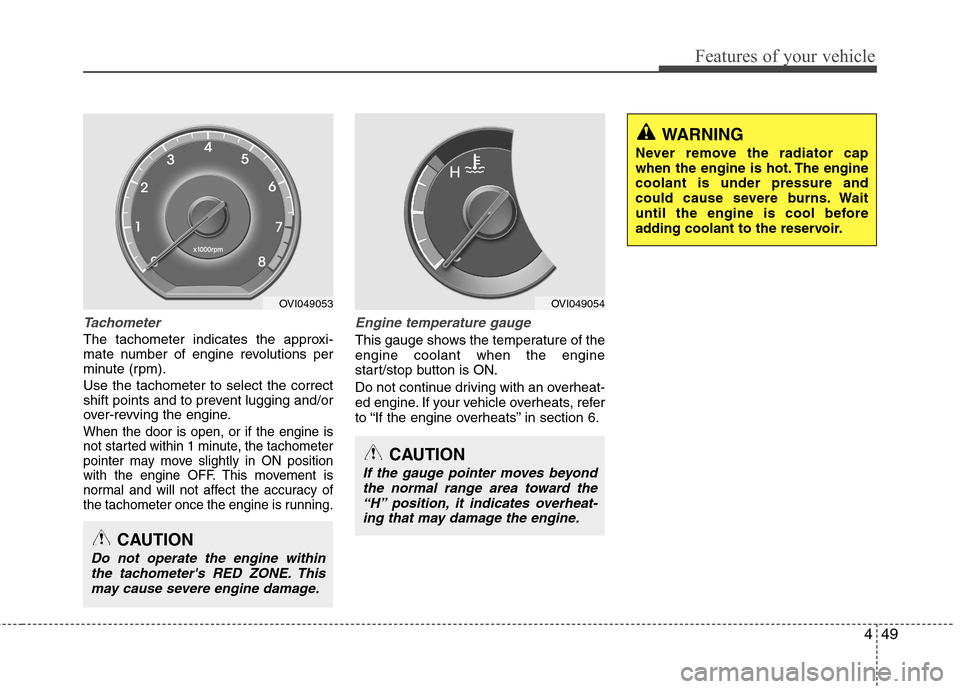
Tachometer
The tachometer indicates the approxi-
mate number of engine revolutions per
minute (rpm). Use the tachometer to select the correct
shift points and to prevent lugging and/or
over-revving the engine.
When the door is open, or if the engine is
not started within 1 minute, the tachometer
pointer may move slightly in ON position
with the engine OFF. This movement is
normal and will not affect the accuracy of
the tachometer once the engine is running.
Engine temperature gauge
This gauge shows the temperature of the engine coolant when the engine
start/stop button is ON.
Do not continue driving with an overheat-
ed engine. If your vehicle overheats, refer
to “If the engine overheats” in section 6.
CAUTION
If the gauge pointer moves beyondthe normal range area toward the“H” position, it indicates overheat-
ing that may damage the engine.
CAUTION
Do not operate the engine withinthe tachometer's RED ZONE. This may cause severe engine damage.
WARNING
Never remove the radiator cap
when the engine is hot. The enginecoolant is under pressure and
could cause severe burns. Wait
until the engine is cool before
adding coolant to the reservoir.
OVI049053OVI049054
Page 128 of 374
Features of your vehicle
50
4
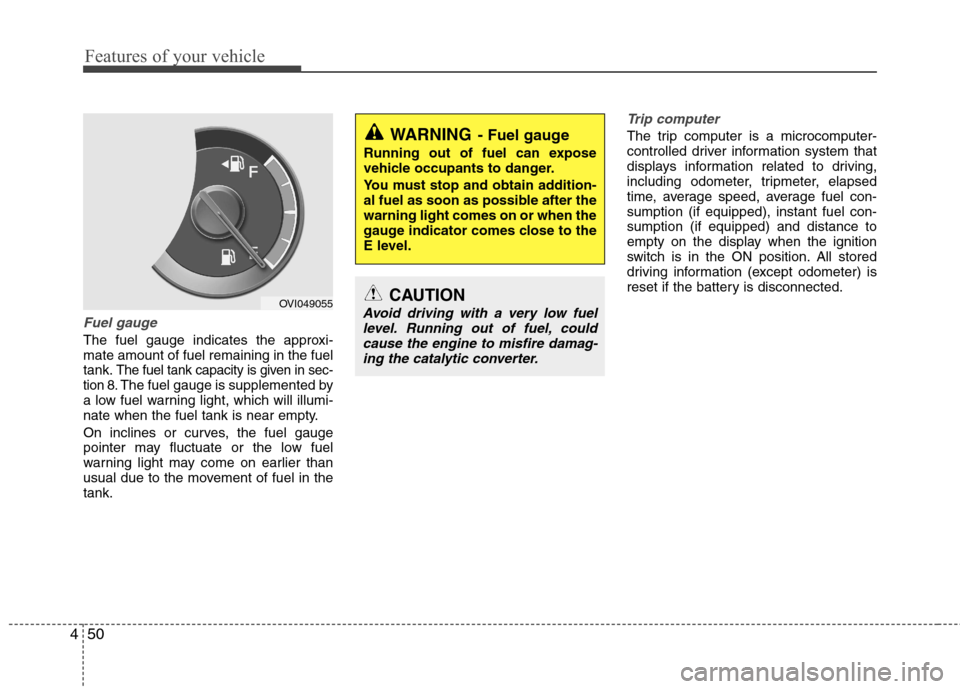
Fuel gauge
The fuel gauge indicates the approxi- mate amount of fuel remaining in the fueltank.
The fuel tank capacity is given in sec-
tion 8.The fuel gauge is supplemented by
a low fuel warning light, which will illumi-
nate when the fuel tank is near empty.
On inclines or curves, the fuel gauge
pointer may fluctuate or the low fuel
warning light may come on earlier than
usual due to the movement of fuel in thetank.
Trip computer
The trip computer is a microcomputer-
controlled driver information system that
displays information related to driving,
including odometer, tripmeter, elapsed
time, average speed, average fuel con-sumption (if equipped), instant fuel con-sumption (if equipped) and distance to
empty on the display when the ignition
switch is in the ON position. All stored
driving information (except odometer) is
reset if the battery is disconnected.
OVI049055
WARNING - Fuel gauge
Running out of fuel can expose
vehicle occupants to danger.
You must stop and obtain addition-
al fuel as soon as possible after thewarning light comes on or when the
gauge indicator comes close to the
E level.
CAUTION
Avoid driving with a very low fuel level. Running out of fuel, could cause the engine to misfire damag-ing the catalytic converter.
Page 130 of 374
Features of your vehicle
52
4
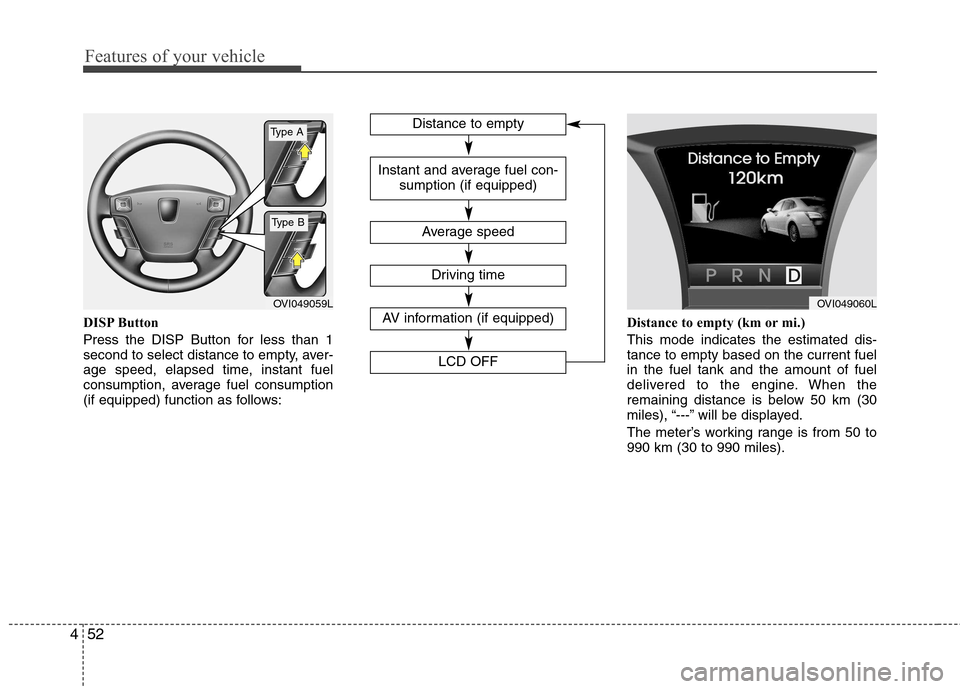
DISP Button
Press the DISP Button for less than 1
second to select distance to empty, aver-
age speed, elapsed time, instant fuel
consumption, average fuel consumption
(if equipped) function as follows: Distance to empty (km or mi.) This mode indicates the estimated dis- tance to empty based on the current fuelin the fuel tank and the amount of fuel
delivered to the engine. When the
remaining distance is below 50 km (30
miles), “---” will be displayed.
The meter’s working range is from 50 to 990 km (30 to 990 miles).
OVI049059LOVI049060L
Distance to empty
Average speed
Instant and average fuel con-
sumption (if equipped)
AV information (if equipped)
LCD OFF
Driving time
Type A
Type B