engine Hyundai Equus 2010 Manual PDF
[x] Cancel search | Manufacturer: HYUNDAI, Model Year: 2010, Model line: Equus, Model: Hyundai Equus 2010Pages: 374, PDF Size: 41.29 MB
Page 157 of 374
479
Features of your vehicle
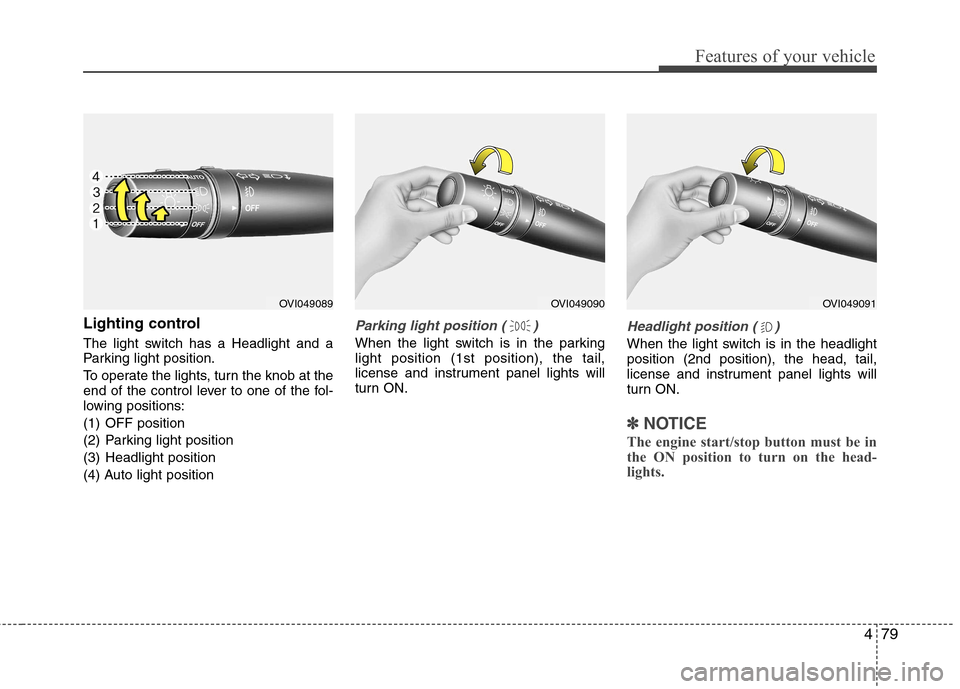
Lighting control
The light switch has a Headlight and a
Parking light position.
To operate the lights, turn the knob at the
end of the control lever to one of the fol-
lowing positions:
(1) OFF position
(2) Parking light position
(3) Headlight position
(4) Auto light positionParking light position ( )
When the light switch is in the parking light position (1st position), the tail,
license and instrument panel lights will
turn ON.
Headlight position ( )
When the light switch is in the headlight position (2nd position), the head, tail,
license and instrument panel lights will
turn ON.
✽✽NOTICE
The engine start/stop button must be in
the ON position to turn on the head-
lights.
OVI049089OVI049091OVI049090
Page 158 of 374
Features of your vehicle
80
4
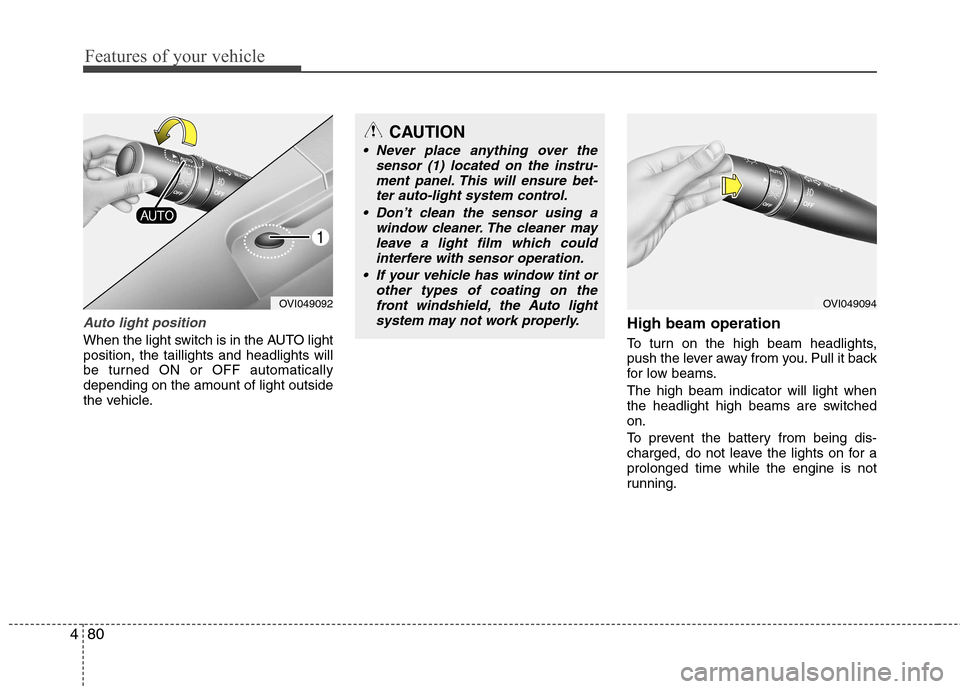
Auto light position
When the light switch is in the AUTO light position, the taillights and headlights will
be turned ON or OFF automaticallydepending on the amount of light outside
the vehicle. High beam operation
To turn on the high beam headlights,
push the lever away from you. Pull it back
for low beams. The high beam indicator will light when
the headlight high beams are switchedon.
To prevent the battery from being dis-
charged, do not leave the lights on for aprolonged time while the engine is not
running.
OVI049092
CAUTION
Never place anything over the
sensor (1) located on the instru-
ment panel. This will ensure bet-ter auto-light system control.
Don’t clean the sensor using a window cleaner. The cleaner may
leave a light film which could interfere with sensor operation.
If your vehicle has window tint or other types of coating on thefront windshield, the Auto light
system may not work properly.
OVI049094
Page 159 of 374
481
Features of your vehicle
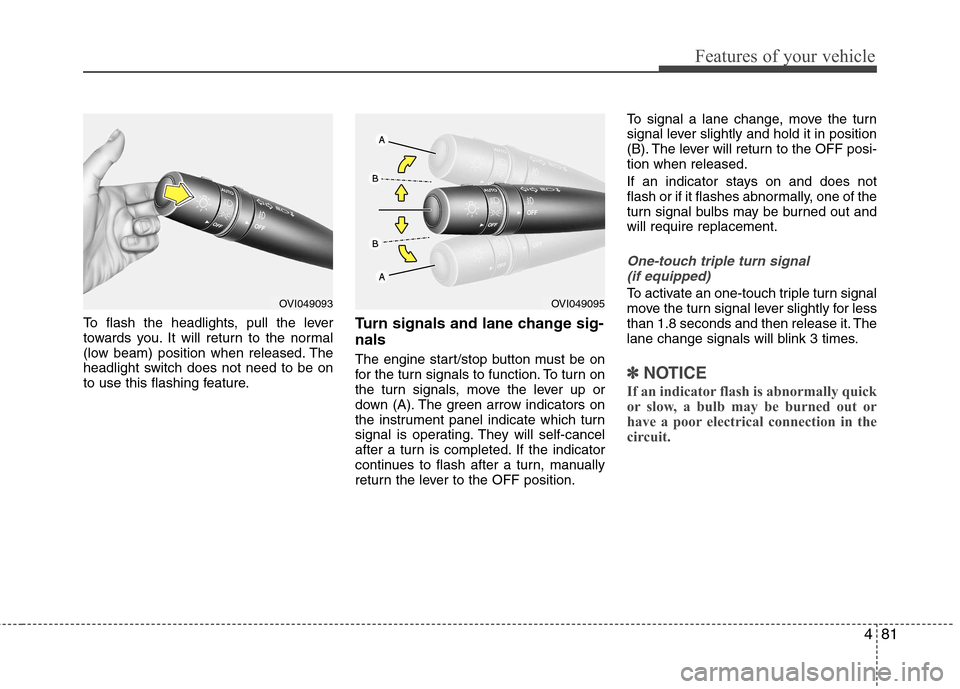
To flash the headlights, pull the lever
towards you. It will return to the normal
(low beam) position when released. The
headlight switch does not need to be on
to use this flashing feature.Turn signals and lane change sig- nals
The engine start/stop button must be on
for the turn signals to function. To turn on
the turn signals, move the lever up or
down (A). The green arrow indicators on
the instrument panel indicate which turn
signal is operating. They will self-cancel
after a turn is completed. If the indicator
continues to flash after a turn, manually
return the lever to the OFF position.To signal a lane change, move the turn
signal lever slightly and hold it in position
(B). The lever will return to the OFF posi-tion when released.
If an indicator stays on and does not
flash or if it flashes abnormally, one of the
turn signal bulbs may be burned out andwill require replacement.
One-touch triple turn signal
(if equipped)
To activate an one-touch triple turn signal
move the turn signal lever slightly for less
than 1.8 seconds and then release it. The
lane change signals will blink 3 times.
✽✽ NOTICE
If an indicator flash is abnormally quick
or slow, a bulb may be burned out or
have a poor electrical connection in the
circuit.
OVI049093OVI049095
Page 160 of 374
Features of your vehicle
82
4
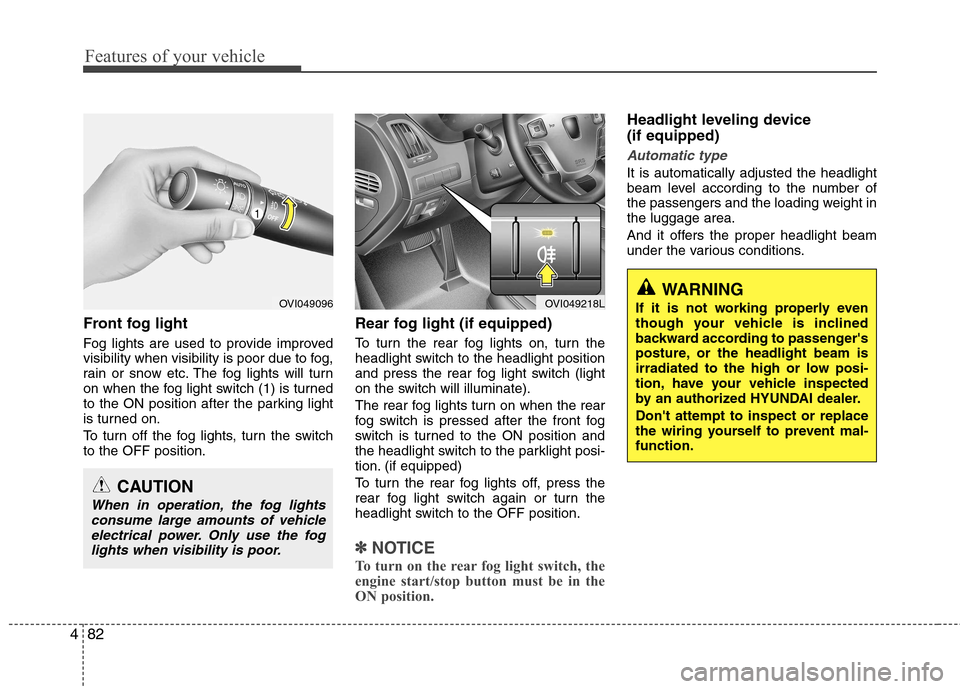
Front fog light
Fog lights are used to provide improved
visibility when visibility is poor due to fog,
rain or snow etc. The fog lights will turn
on when the fog light switch (1) is turned
to the ON position after the parking light
is turned on.
To turn off the fog lights, turn the switch to the OFF position. Rear fog light (if equipped)
To turn the rear fog lights on, turn the
headlight switch to the headlight position
and press the rear fog light switch (light
on the switch will illuminate).
The rear fog lights turn on when the rear
fog switch is pressed after the front fog
switch is turned to the ON position and
the headlight switch to the parklight posi-
tion. (if equipped)
To turn the rear fog lights off, press the
rear fog light switch again or turn the
headlight switch to the OFF position.
✽✽
NOTICE
To turn on the rear fog light switch, the
engine start/stop button must be in the
ON position.
Headlight leveling device (if equipped)
Automatic type
It is automatically adjusted the headlight
beam level according to the number of
the passengers and the loading weight inthe luggage area.
And it offers the proper headlight beam
under the various conditions.
OVI049096
CAUTION
When in operation, the fog lights consume large amounts of vehicle
electrical power. Only use the foglights when visibility is poor.
OVI049218LWARNING
If it is not working properly even
though your vehicle is inclined
backward according to passenger's
posture, or the headlight beam is
irradiated to the high or low posi-
tion, have your vehicle inspected
by an authorized HYUNDAI dealer. Don't attempt to inspect or replace
the wiring yourself to prevent mal-function.
Page 161 of 374
483
Features of your vehicle
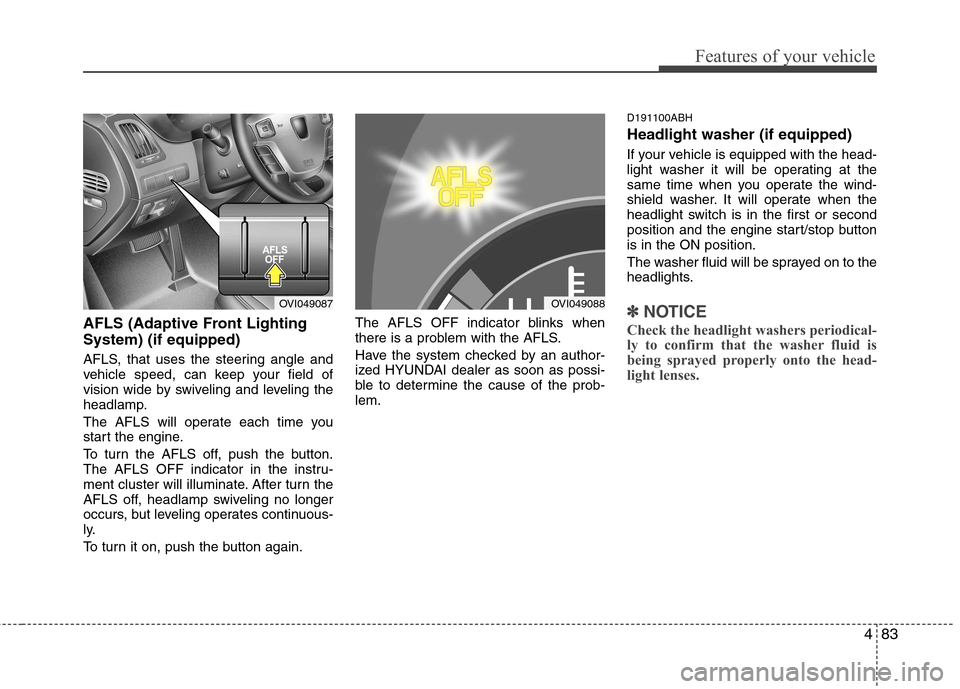
AFLS (Adaptive Front Lighting System) (if equipped)
AFLS, that uses the steering angle and
vehicle speed, can keep your field of
vision wide by swiveling and leveling the
headlamp.
The AFLS will operate each time you
start the engine.
To turn the AFLS off, push the button.
The AFLS OFF indicator in the instru-
ment cluster will illuminate. After turn the
AFLS off, headlamp swiveling no longer
occurs, but leveling operates continuous-
ly.
To turn it on, push the button again.The AFLS OFF indicator blinks when
there is a problem with the AFLS.
Have the system checked by an author-
ized HYUNDAI dealer as soon as possi-
ble to determine the cause of the prob-lem.D191100ABH Headlight washer (if equipped)
If your vehicle is equipped with the head-
light washer it will be operating at the
same time when you operate the wind-
shield washer. It will operate when the
headlight switch is in the first or second
position and the engine start/stop buttonis in the ON position.
The washer fluid will be sprayed on to the
headlights.✽✽
NOTICE
Check the headlight washers periodical-
ly to confirm that the washer fluid is
being sprayed properly onto the head-
light lenses.OVI049087OVI049088
Page 162 of 374
Features of your vehicle
84
4
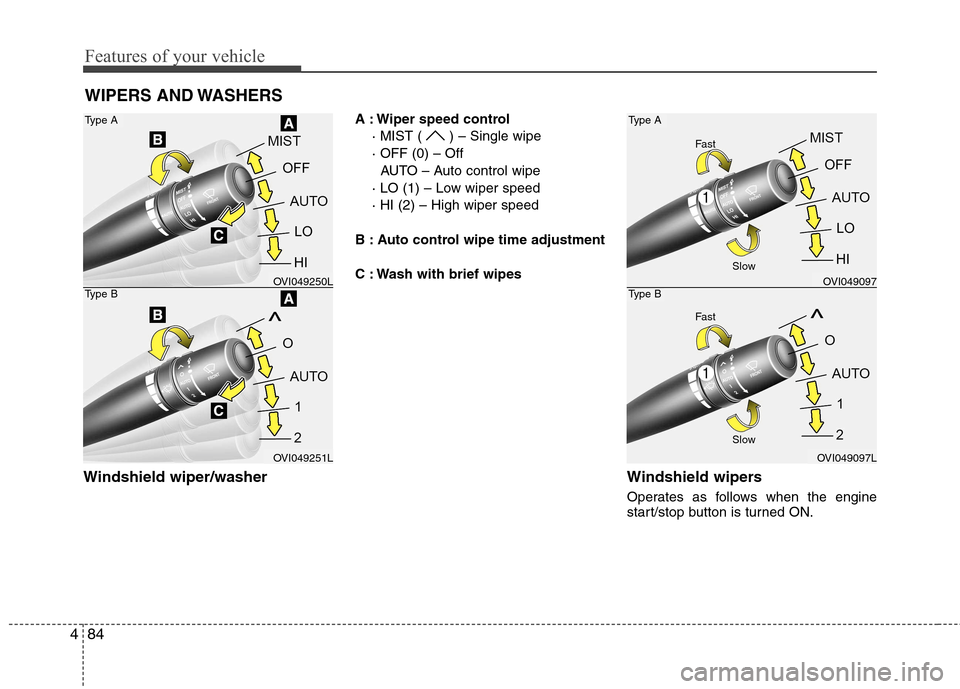
Windshield wiper/washer A : Wiper speed control
· MIST ( ) – Single wipe · OFF (0) – OffAUTO – Auto control wipe
· LO (1) – Low wiper speed· HI (2) – High wiper speed
B : Auto control wipe time adjustment
C : Wash with brief wipes
Windshield wipers
Operates as follows when the engine
start/stop button is turned ON.
WIPERS AND WASHERS
Type A
Type BOVI049250L
OVI049251L
Type A
Type BOVI049097
OVI049097L
Slow
Slow
Fast
Fast
Page 163 of 374
485
Features of your vehicle
MIST( ) : For a single wiping cycle,push the lever upward and
release it with the lever in
the OFF position. The
wipers will operate continu-
ously if the lever is pushed
upward and held.
OFF (0) : Wiper is not in operation
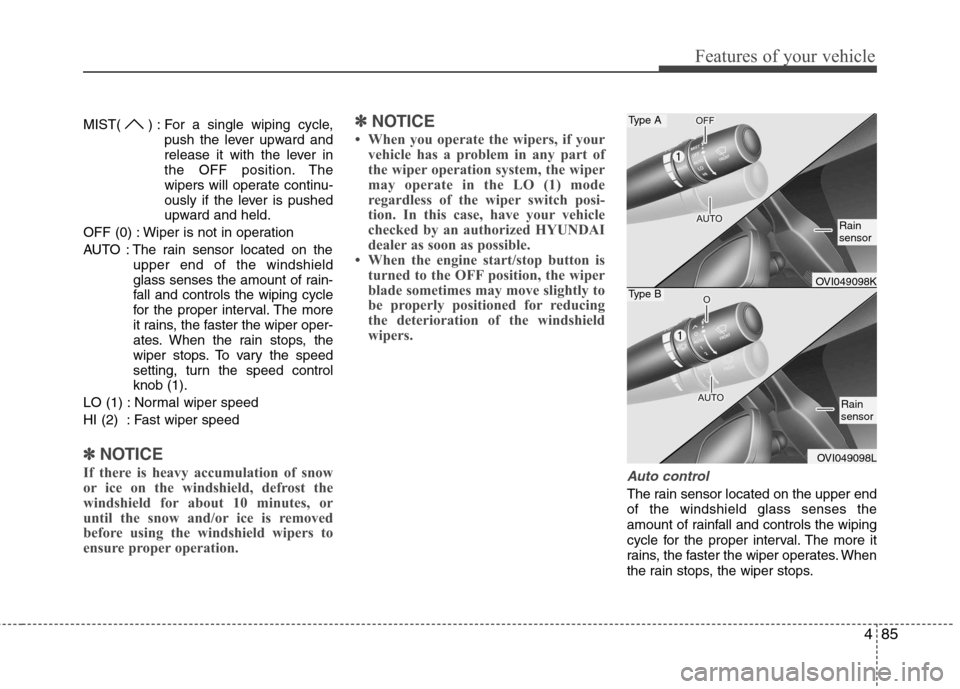
AUTO : The rain sensor located on the upper end of the windshield
glass senses the amount of rain-
fall and controls the wiping cycle
for the proper interval. The more
it rains, the faster the wiper oper-
ates. When the rain stops, the
wiper stops. To vary the speed
setting, turn the speed controlknob (1).
LO (1) : Normal wiper speed
HI (2) : Fast wiper speed
✽✽ NOTICE
If there is heavy accumulation of snow
or ice on the windshield, defrost the
windshield for about 10 minutes, or
until the snow and/or ice is removed
before using the windshield wipers to
ensure proper operation. ✽
✽
NOTICE
When you operate the wipers, if your vehicle has a problem in any part of
the wiper operation system, the wiper
may operate in the LO (1) mode
regardless of the wiper switch posi-
tion. In this case, have your vehicle
checked by an authorized HYUNDAI
dealer as soon as possible.
When the engine start/stop button is turned to the OFF position, the wiper
blade sometimes may move slightly to
be properly positioned for reducing
the deterioration of the windshield
wipers.
Auto control
The rain sensor located on the upper end of the windshield glass senses the
amount of rainfall and controls the wiping
cycle for the proper interval. The more it
rains, the faster the wiper operates. When
the rain stops, the wiper stops.
Type A
Type BOVI049098K
OVI049098L
Rain sensor
Rain sensor
Page 164 of 374
Features of your vehicle
86
4
To vary the speed setting, turn the speed control knob (1). Set the wiper to OFF (0) position when
the wiper is not in use.
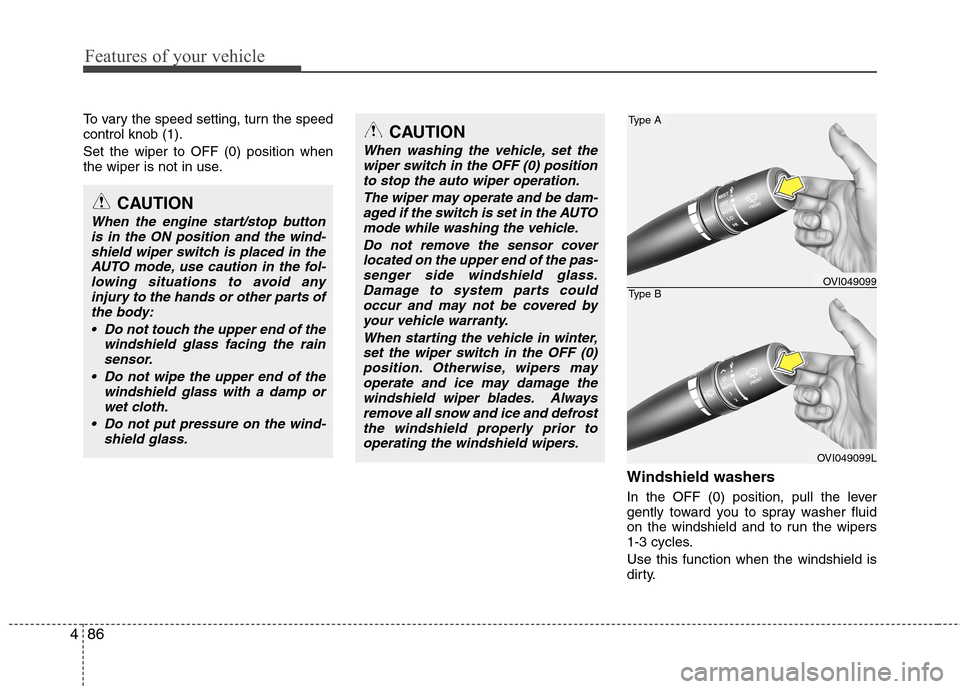
Windshield washers
In the OFF (0) position, pull the lever
gently toward you to spray washer fluid
on the windshield and to run the wipers
1-3 cycles. Use this function when the windshield is
dirty.
CAUTION
When the engine start/stop buttonis in the ON position and the wind-shield wiper switch is placed in the
AUTO mode, use caution in the fol-lowing situations to avoid anyinjury to the hands or other parts of the body:
Do not touch the upper end of the windshield glass facing the rainsensor.
Do not wipe the upper end of the windshield glass with a damp or
wet cloth.
Do not put pressure on the wind- shield glass.
CAUTION
When washing the vehicle, set thewiper switch in the OFF (0) position
to stop the auto wiper operation.
The wiper may operate and be dam-aged if the switch is set in the AUTOmode while washing the vehicle.
Do not remove the sensor coverlocated on the upper end of the pas-senger side windshield glass.Damage to system parts could occur and may not be covered by
your vehicle warranty.
When starting the vehicle in winter,set the wiper switch in the OFF (0) position. Otherwise, wipers mayoperate and ice may damage the
windshield wiper blades. Alwaysremove all snow and ice and defrostthe windshield properly prior tooperating the windshield wipers.
Type A
Type BOVI049099
OVI049099L
Page 165 of 374
487
Features of your vehicle
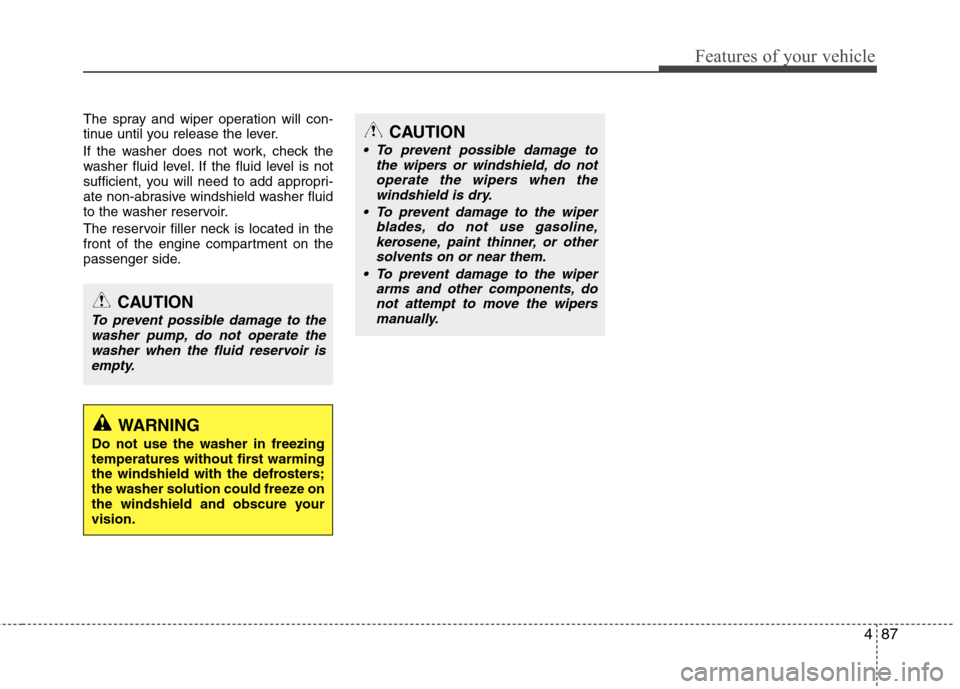
The spray and wiper operation will con-
tinue until you release the lever.
If the washer does not work, check the
washer fluid level. If the fluid level is not
sufficient, you will need to add appropri-
ate non-abrasive windshield washer fluid
to the washer reservoir.
The reservoir filler neck is located in the
front of the engine compartment on the
passenger side.
CAUTION
To prevent possible damage to thewasher pump, do not operate thewasher when the fluid reservoir is
empty.
WARNING
Do not use the washer in freezing
temperatures without first warming
the windshield with the defrosters;
the washer solution could freeze on
the windshield and obscure yourvision.
CAUTION
To prevent possible damage to the wipers or windshield, do notoperate the wipers when the
windshield is dry.
To prevent damage to the wiper blades, do not use gasoline,
kerosene, paint thinner, or othersolvents on or near them.
To prevent damage to the wiper arms and other components, do
not attempt to move the wipersmanually.
Page 166 of 374
Features of your vehicle
88
4
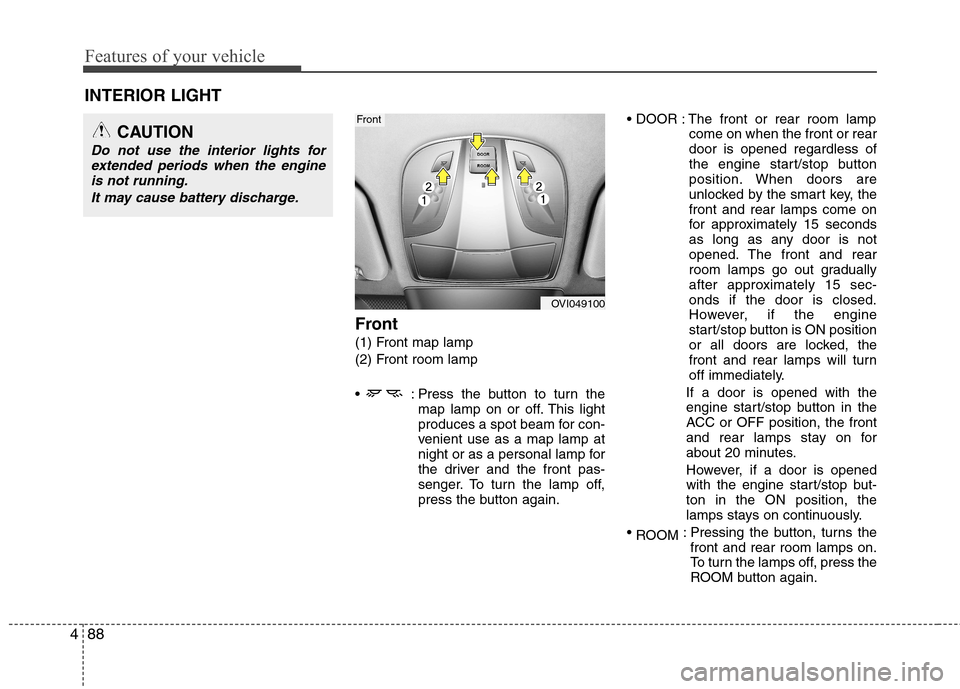
Front
(1) Front map lamp
(2) Front room lamp
: Press the button to turn the
map lamp on or off. This light
produces a spot beam for con-
venient use as a map lamp at
night or as a personal lamp for
the driver and the front pas-
senger. To turn the lamp off,
press the button again. The front or rear room lamp
come on when the front or reardoor is opened regardless of
the engine start/stop button
position. When doors are
unlocked by the smart key, thefront and rear lamps come on
for approximately 15 seconds
as long as any door is not
opened. The front and rear
room lamps go out gradually
after approximately 15 sec-onds if the door is closed.
However, if the engine
start/stop button is ON position
or all doors are locked, the
front and rear lamps will turn
off immediately.
If a door is opened with the
engine start/stop button in the
ACC or OFF position, the front
and rear lamps stay on for
about 20 minutes.
However, if a door is opened
with the engine start/stop but-ton in the ON position, the
lamps stays on continuously.
ROOM : Pressing the button, turns the
front and rear room lamps on.
To turn the lamps off, press the
ROOM button again.
INTERIOR LIGHT
CAUTION
Do not use the interior lights for
extended periods when the engine
is not running.
It may cause battery discharge.
OVI049100
Front