Battery Hyundai Equus 2012 User Guide
[x] Cancel search | Manufacturer: HYUNDAI, Model Year: 2012, Model line: Equus, Model: Hyundai Equus 2012Pages: 385, PDF Size: 10.67 MB
Page 145 of 385
463
Features of your vehicle
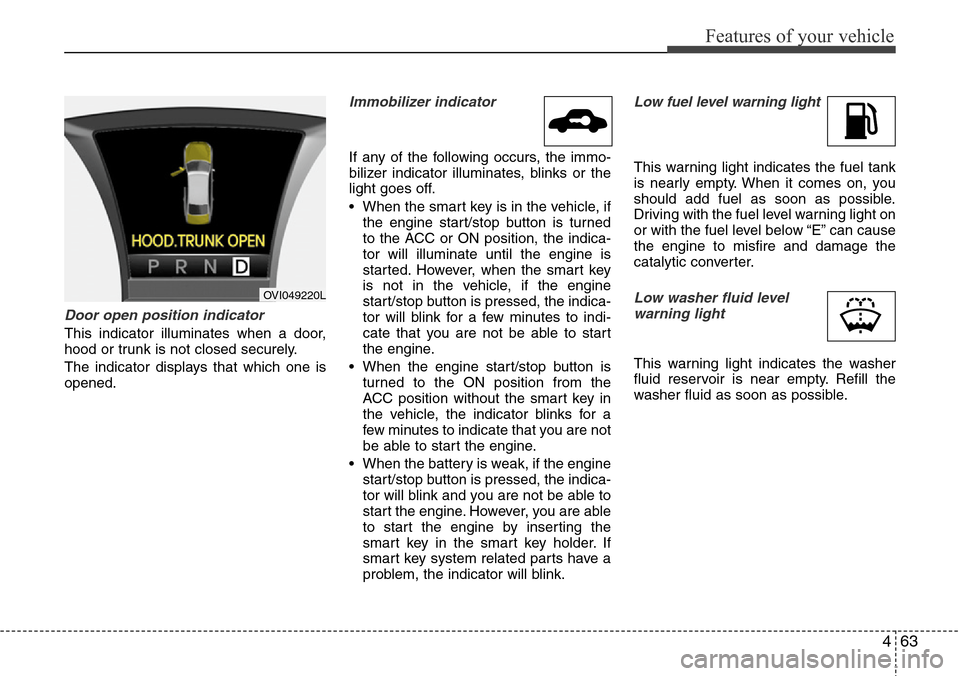
Door open position indicator
This indicator illuminates when a door,
hood or trunk is not closed securely.
The indicator displays that which one is
opened.
Immobilizer indicator
If any of the following occurs, the immo-
bilizer indicator illuminates, blinks or the
light goes off.
• When the smart key is in the vehicle, if
the engine start/stop button is turned
to the ACC or ON position, the indica-
tor will illuminate until the engine is
started. However, when the smart key
is not in the vehicle, if the engine
start/stop button is pressed, the indica-
tor will blink for a few minutes to indi-
cate that you are not be able to start
the engine.
• When the engine start/stop button is
turned to the ON position from the
ACC position without the smart key in
the vehicle, the indicator blinks for a
few minutes to indicate that you are not
be able to start the engine.
• When the battery is weak, if the engine
start/stop button is pressed, the indica-
tor will blink and you are not be able to
start the engine. However, you are able
to start the engine by inserting the
smart key in the smart key holder. If
smart key system related parts have a
problem, the indicator will blink.
Low fuel level warning light
This warning light indicates the fuel tank
is nearly empty. When it comes on, you
should add fuel as soon as possible.
Driving with the fuel level warning light on
or with the fuel level below “E” can cause
the engine to misfire and damage the
catalytic converter.
Low washer fluid level
warning light
This warning light indicates the washer
fluid reservoir is near empty. Refill the
washer fluid as soon as possible.
OVI049220L
Page 152 of 385
Features of your vehicle
70 4
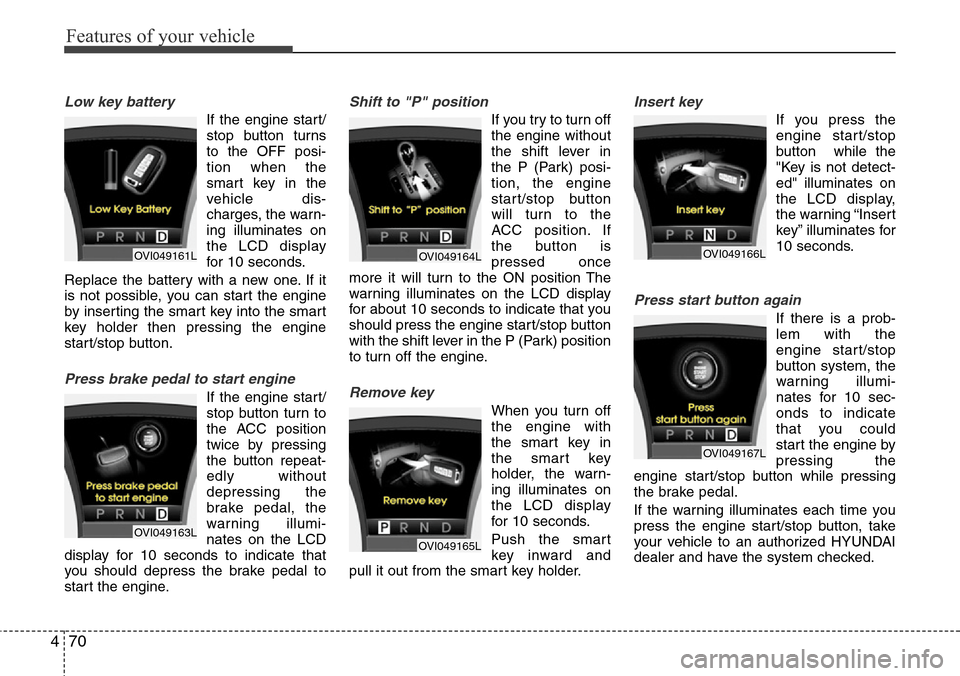
Low key battery
If the engine start/
stop button turns
to the OFF posi-
tion when the
smart key in the
vehicle dis-
charges, the warn-
ing illuminates on
the LCD display
for 10 seconds.
Replace the battery with a new one. If it
is not possible, you can start the engine
by inserting the smart key into the smart
key holder then pressing the engine
start/stop button.
Press brake pedal to start engine
If the engine start/
stop button turn to
the ACC position
twice by pressing
the button repeat-
edly without
depressing the
brake pedal, the
warning illumi-
nates on the LCD
display for 10 seconds to indicate that
you should depress the brake pedal to
start the engine.
Shift to "P" position
If you try to turn off
the engine without
the shift lever in
the P (Park) posi-
tion, the engine
start/stop button
will turn to the
ACC position. If
the button is
pressed once
more it will turn to the ON position The
warning illuminates on the LCD display
for about 10 seconds to indicate that you
should press the engine start/stop button
with the shift lever in the P (Park) position
to turn off the engine.
Remove key
When you turn off
the engine with
the smart key in
the smart key
holder, the warn-
ing illuminates on
the LCD display
for 10 seconds.
Push the smart
key inward and
pull it out from the smart key holder.
Insert key
If you press the
engine start/stop
button while the
"Key is not detect-
ed" illuminates on
the LCD display,
the warning “Insert
key” illuminates for
10 seconds.
Press start button again
If there is a prob-
lem with the
engine start/stop
button system, the
warning illumi-
nates for 10 sec-
onds to indicate
that you could
start the engine by
pressing the
engine start/stop button while pressing
the brake pedal.
If the warning illuminates each time you
press the engine start/stop button, take
your vehicle to an authorized HYUNDAI
dealer and have the system checked.
OVI049161L
OVI049163L
OVI049164L
OVI049165L
OVI049166L
OVI049167L
Page 163 of 385
481
Features of your vehicle
Battery saver function
• The purpose of this feature is to pre-
vent the battery from being dis-
charged. The system automatically
turns off the parking lights when the
driver turns off the engine and opens
the driver-side door.
• With this feature, the parking lights will
be turned off automatically if the driver
parks on the side of road at night.
If necessary, to keep the lights on
when the engine start/stop button is
turned to the OFF position, perform the
following:
1) Open the driver-side door.
2) Turn the parking lights OFF and ON
again using the light switch on the
steering column.
Headlight welcome function
(if equipped)
When the headlight is ON or AUTO posi-
tion and all doors (and trunk) are closed
and locked, if you press the door unlock
button on the smart key, the headlights
will come on for about 15 seconds. At this
time, if you press the door lock or unlock
button, the headlights will turn off imme-
diately.
Headlight escort function
(if equipped)
If you turn the engine start/stop button to
the ACC or OFF position with the head-
lights ON, the headlights (and/or tail
lights) remain on for about 20 minutes.
However, if the driver’s door is opened
and closed, the headlights are turned off
after 30 seconds.
The headlights can be turned off by
pressing the door lock button on the
smart key twice or turning the light switch
to the OFF or Auto position.
If the headlight switch is in the AUTO
position, the function can only operate at
night.
Rescue mode function
(if equipped)
If your vehicle has any problem on the
vehicle network system, the headlights
(low beam) turn on automatically with the
engine start/stop button in the ON posi-
tion even though the headlight switch is
not turned on. At this time, the emer-
gency lighting is not turned off when the
headlight switch is turned off.
LIGHTING
CAUTION
If the driver gets out of the vehicle
through other doors (except dri-
ver's door), the battery saver func-
tion does not operate and the head-
light escort function does not turn
off automatically. Therefore, it caus-
es the battery to be discharged. In
this case, make sure to turn off the
lamp before getting out of the vehi-
cle.
CAUTION
If the rescue mode occurs, have
your vehicle checked by an author-
ized HYUNDAI dealer as soon as
possible.
Page 165 of 385
483
Features of your vehicle
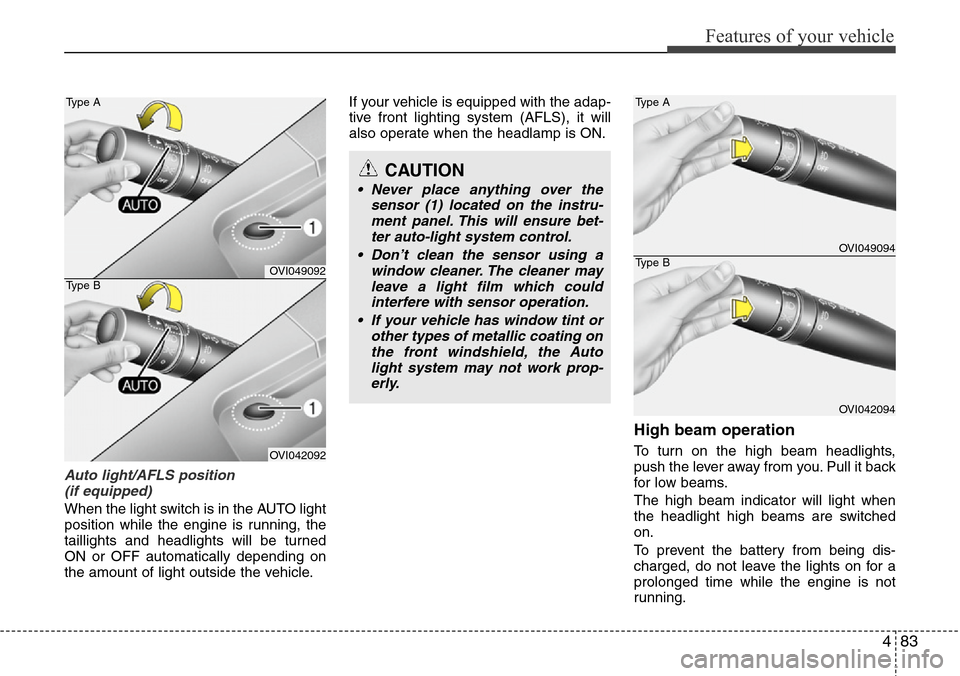
Auto light/AFLS position
(if equipped)
When the light switch is in the AUTO light
position while the engine is running, the
taillights and headlights will be turned
ON or OFF automatically depending on
the amount of light outside the vehicle.If your vehicle is equipped with the adap-
tive front lighting system (AFLS), it will
also operate when the headlamp is ON.
High beam operation
To turn on the high beam headlights,
push the lever away from you. Pull it back
for low beams.
The high beam indicator will light when
the headlight high beams are switched
on.
To prevent the battery from being dis-
charged, do not leave the lights on for a
prolonged time while the engine is not
running.
CAUTION
• Never place anything over the
sensor (1) located on the instru-
ment panel. This will ensure bet-
ter auto-light system control.
• Don’t clean the sensor using a
window cleaner. The cleaner may
leave a light film which could
interfere with sensor operation.
• If your vehicle has window tint or
other types of metallic coating on
the front windshield, the Auto
light system may not work prop-
erly.
OVI049092
OVI042092 Type A
Type B
OVI049094
OVI042094 Type A
Type B
Page 174 of 385
Features of your vehicle
92 4
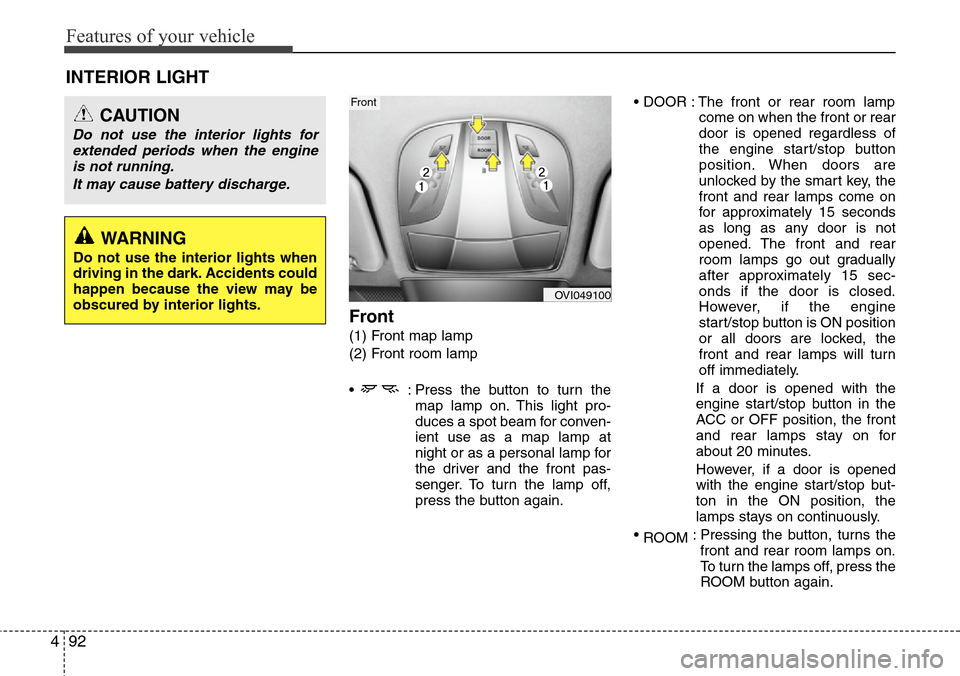
Front
(1) Front map lamp
(2) Front room lamp
• : Press the button to turn the
map lamp on. This light pro-
duces a spot beam for conven-
ient use as a map lamp at
night or as a personal lamp for
the driver and the front pas-
senger. To turn the lamp off,
press the button again.• DOOR : The front or rear room lamp
come on when the front or rear
door is opened regardless of
the engine start/stop button
position. When doors are
unlocked by the smart key, the
front and rear lamps come on
for approximately 15 seconds
as long as any door is not
opened. The front and rear
room lamps go out gradually
after approximately 15 sec-
onds if the door is closed.
However, if the engine
start/stop button is ON position
or all doors are locked, the
front and rear lamps will turn
off immediately.
If a door is opened with the
engine start/stop button in the
ACC or OFF position, the front
and rear lamps stay on for
about 20 minutes.
However, if a door is opened
with the engine start/stop but-
ton in the ON position, the
lamps stays on continuously.
•
ROOM: Pressing the button, turns the
front and rear room lamps on.
To turn the lamps off, press the
ROOM button again.
INTERIOR LIGHT
CAUTION
Do not use the interior lights for
extended periods when the engine
is not running.
It may cause battery discharge.
OVI049100
Front
WARNING
Do not use the interior lights when
driving in the dark. Accidents could
happen because the view may be
obscured by interior lights.
Page 183 of 385
4101
Features of your vehicle
The temperature will increase to the
maximum (HI) by turning the knob to the
right extremly. The temperature will
decrease to the minimum (Lo) by turning
the knob to the left extremly. When turn-
ing the knob, the temperature will
increase or decrease by 0.5°C/1°F. When
set to the lowest temperature setting, the
air conditioning will operate continuously.
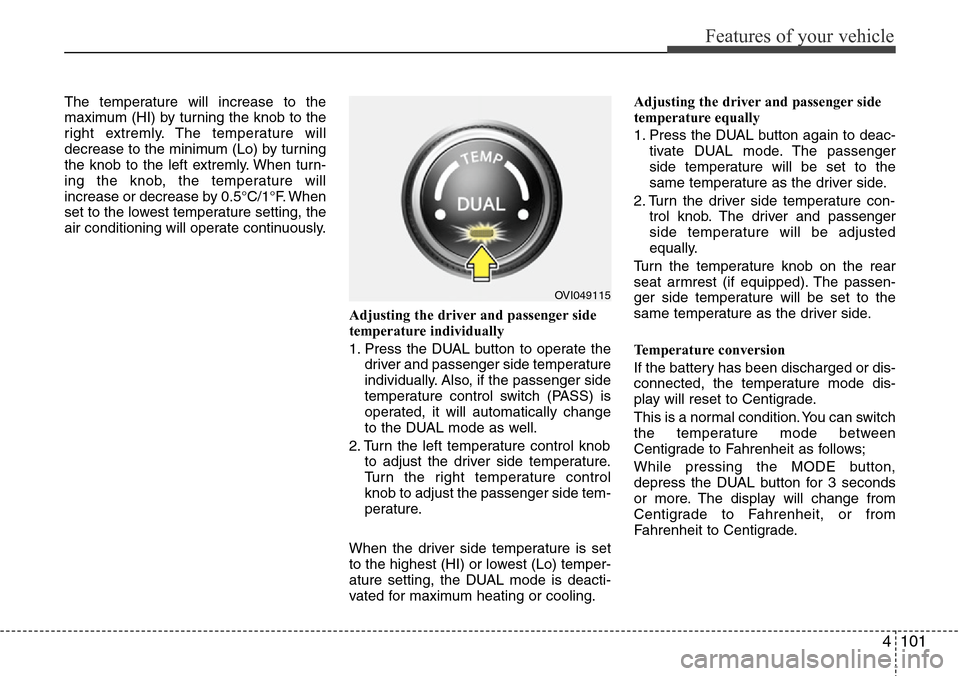
Adjusting the driver and passenger side
temperature individually
1. Press the DUAL button to operate the
driver and passenger side temperature
individually. Also, if the passenger side
temperature control switch (PASS) is
operated, it will automatically change
to the DUAL mode as well.
2. Turn the left temperature control knob
to adjust the driver side temperature.
Turn the right temperature control
knob to adjust the passenger side tem-
perature.
When the driver side temperature is set
to the highest (HI) or lowest (Lo) temper-
ature setting, the DUAL mode is deacti-
vated for maximum heating or cooling.Adjusting the driver and passenger side
temperature equally
1. Press the DUAL button again to deac-
tivate DUAL mode. The passenger
side temperature will be set to the
same temperature as the driver side.
2. Turn the driver side temperature con-
trol knob. The driver and passenger
side temperature will be adjusted
equally.
Turn the temperature knob on the rear
seat armrest (if equipped). The passen-
ger side temperature will be set to the
same temperature as the driver side.
Temperature conversion
If the battery has been discharged or dis-
connected, the temperature mode dis-
play will reset to Centigrade.
This is a normal condition. You can switch
the temperature mode between
Centigrade to Fahrenheit as follows;
While pressing the MODE button,
depress the DUAL button for 3 seconds
or more. The display will change from
Centigrade to Fahrenheit, or from
Fahrenheit to Centigrade.
OVI049115
Page 192 of 385
Features of your vehicle
110 4
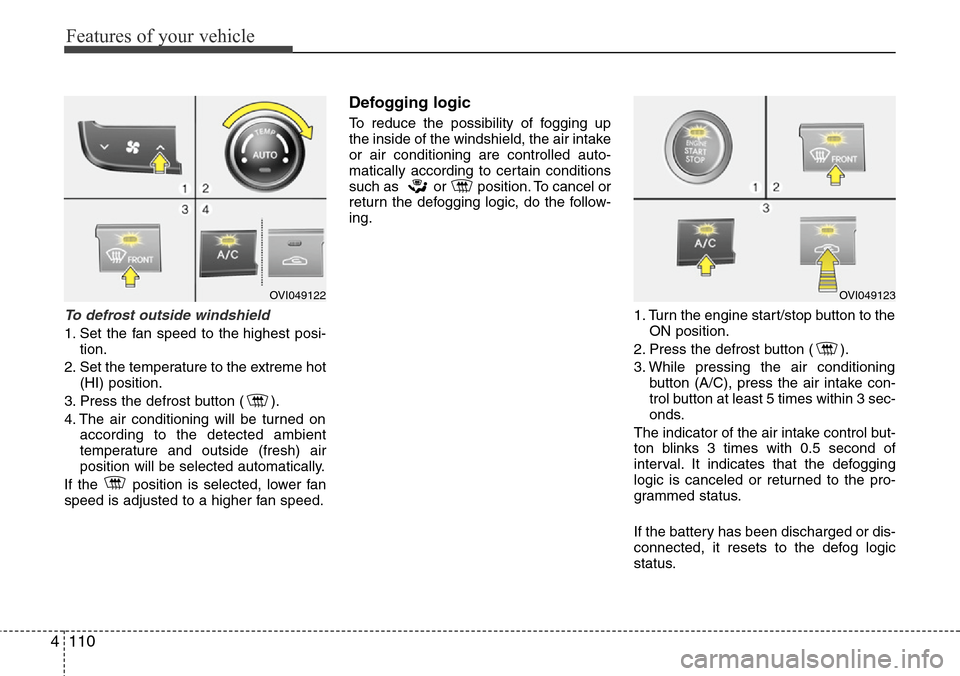
To defrost outside windshield
1. Set the fan speed to the highest posi-
tion.
2. Set the temperature to the extreme hot
(HI) position.
3. Press the defrost button ( ).
4. The air conditioning will be turned on
according to the detected ambient
temperature and outside (fresh) air
position will be selected automatically.
If the position is selected, lower fan
speed is adjusted to a higher fan speed.
Defogging logic
To reduce the possibility of fogging up
the inside of the windshield, the air intake
or air conditioning are controlled auto-
matically according to certain conditions
such as or position. To cancel or
return the defogging logic, do the follow-
ing.
1. Turn the engine start/stop button to the
ON position.
2. Press the defrost button ( ).
3. While pressing the air conditioning
button (A/C), press the air intake con-
trol button at least 5 times within 3 sec-
onds.
The indicator of the air intake control but-
ton blinks 3 times with 0.5 second of
interval. It indicates that the defogging
logic is canceled or returned to the pro-
grammed status.
If the battery has been discharged or dis-
connected, it resets to the defog logic
status.
OVI049122OVI049123
Page 193 of 385
4111
Features of your vehicle
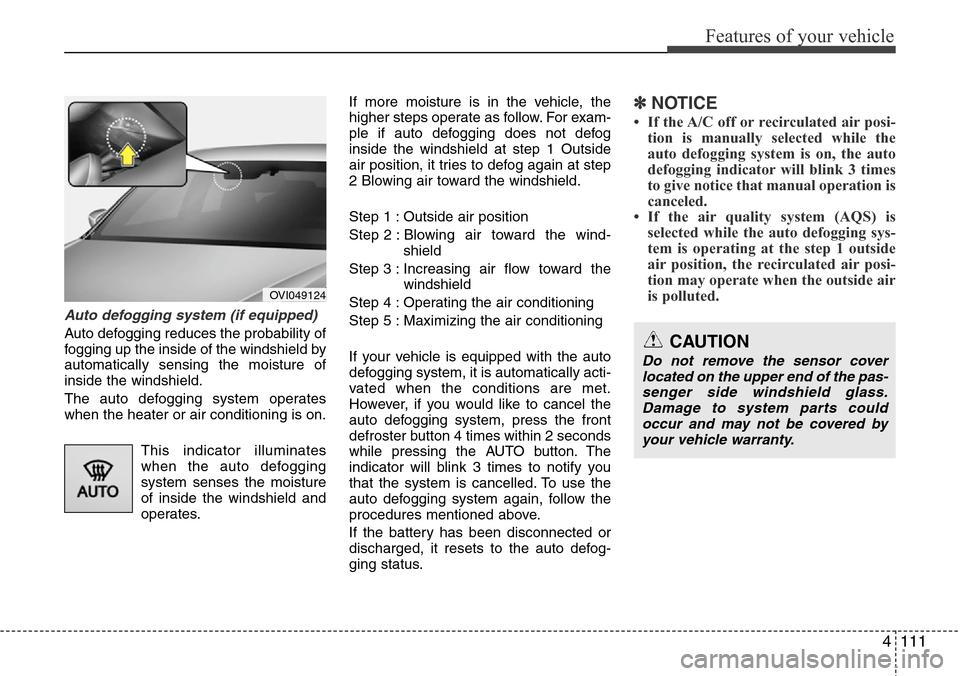
Auto defogging system (if equipped)
Auto defogging reduces the probability of
fogging up the inside of the windshield by
automatically sensing the moisture of
inside the windshield.
The auto defogging system operates
when the heater or air conditioning is on.
This indicator illuminates
when the auto defogging
system senses the moisture
of inside the windshield and
operates.If more moisture is in the vehicle, the
higher steps operate as follow. For exam-
ple if auto defogging does not defog
inside the windshield at step 1 Outside
air position, it tries to defog again at step
2 Blowing air toward the windshield.
Step 1 : Outside air position
Step 2 : Blowing air toward the wind-
shield
Step 3 : Increasing air flow toward the
windshield
Step 4 : Operating the air conditioning
Step 5 : Maximizing the air conditioning
If your vehicle is equipped with the auto
defogging system, it is automatically acti-
vated when the conditions are met.
However, if you would like to cancel the
auto defogging system, press the front
defroster button 4 times within 2 seconds
while pressing the AUTO button. The
indicator will blink 3 times to notify you
that the system is cancelled. To use the
auto defogging system again, follow the
procedures mentioned above.
If the battery has been disconnected or
discharged, it resets to the auto defog-
ging status.
✽NOTICE
• If the A/C off or recirculated air posi-
tion is manually selected while the
auto defogging system is on, the auto
defogging indicator will blink 3 times
to give notice that manual operation is
canceled.
• If the air quality system (AQS) is
selected while the auto defogging sys-
tem is operating at the step 1 outside
air position, the recirculated air posi-
tion may operate when the outside air
is polluted.
OVI049124
CAUTION
Do not remove the sensor cover
located on the upper end of the pas-
senger side windshield glass.
Damage to system parts could
occur and may not be covered by
your vehicle warranty.
Page 201 of 385
4119
Features of your vehicle
Front
To open the cover, press the cover and it
will slowly open.
Rear (A)
To open the cover, press the button and
it will slowly open.
Rear (B) (if equipped)
To open the cover, press the cover and it
will slowly open.
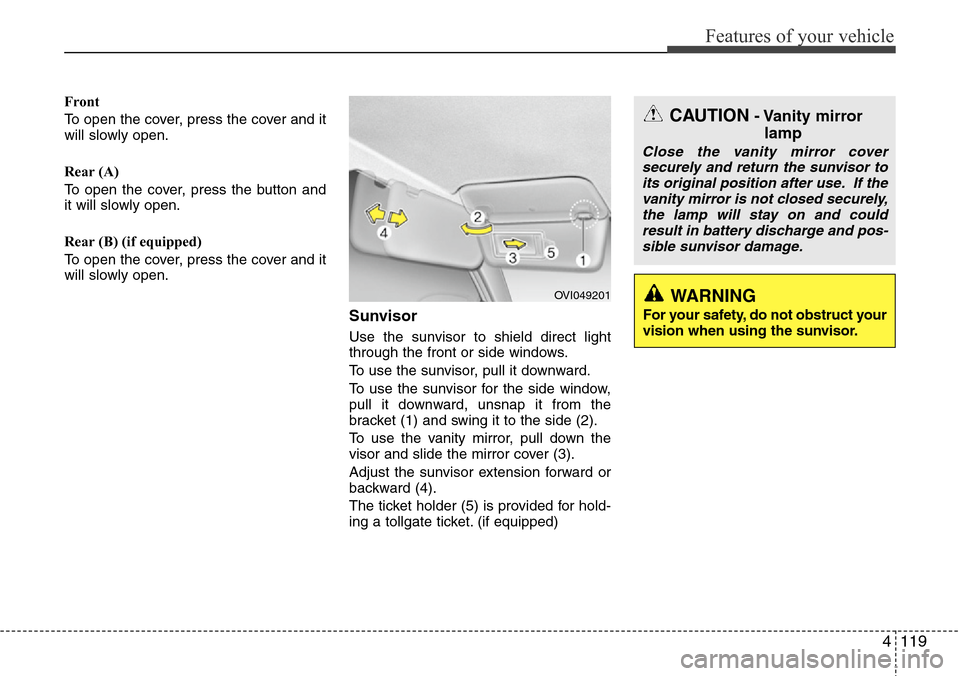
Sunvisor
Use the sunvisor to shield direct light
through the front or side windows.
To use the sunvisor, pull it downward.
To use the sunvisor for the side window,
pull it downward, unsnap it from the
bracket (1) and swing it to the side (2).
To use the vanity mirror, pull down the
visor and slide the mirror cover (3).
Adjust the sunvisor extension forward or
backward (4).
The ticket holder (5) is provided for hold-
ing a tollgate ticket. (if equipped)
OVI049201
CAUTION- Vanity mirror
lamp
Close the vanity mirror cover
securely and return the sunvisor to
its original position after use. If the
vanity mirror is not closed securely,
the lamp will stay on and could
result in battery discharge and pos-
sible sunvisor damage.
WARNING
For your safety, do not obstruct your
vision when using the sunvisor.
Page 202 of 385
Features of your vehicle
120 4
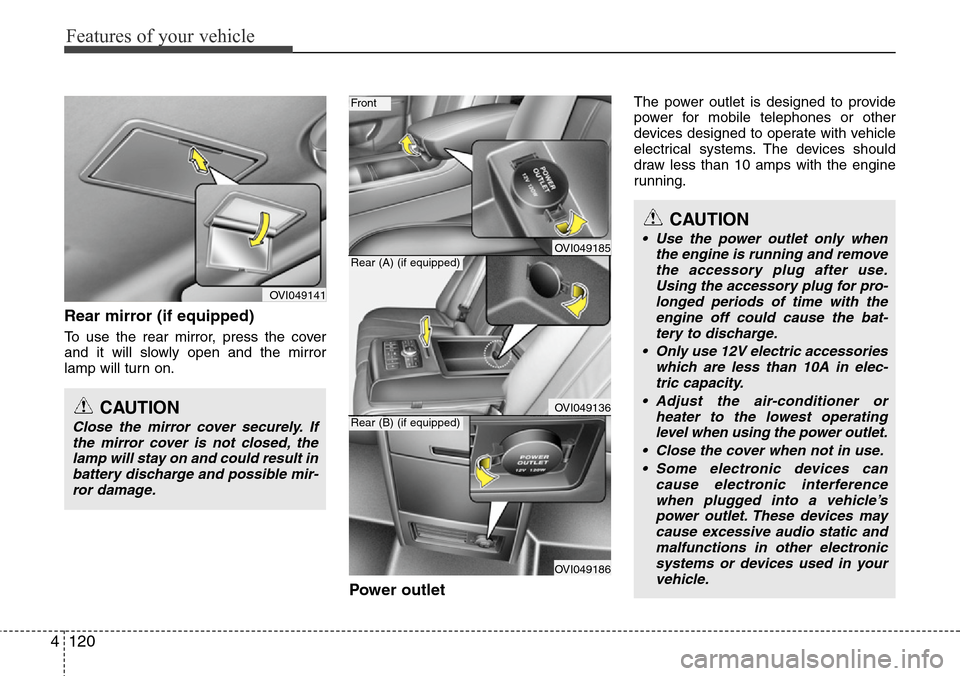
Rear mirror (if equipped)
To use the rear mirror, press the cover
and it will slowly open and the mirror
lamp will turn on.
Power outlet
The power outlet is designed to provide
power for mobile telephones or other
devices designed to operate with vehicle
electrical systems. The devices should
draw less than 10 amps with the engine
running.
OVI049141
CAUTION
Close the mirror cover securely. If
the mirror cover is not closed, the
lamp will stay on and could result in
battery discharge and possible mir-
ror damage.
OVI049185
OVI049136
OVI049186
Front
Rear (A) (if equipped)
Rear (B) (if equipped)
CAUTION
• Use the power outlet only when
the engine is running and remove
the accessory plug after use.
Using the accessory plug for pro-
longed periods of time with the
engine off could cause the bat-
tery to discharge.
• Only use 12V electric accessories
which are less than 10A in elec-
tric capacity.
• Adjust the air-conditioner or
heater to the lowest operating
level when using the power outlet.
• Close the cover when not in use.
• Some electronic devices can
cause electronic interference
when plugged into a vehicle’s
power outlet. These devices may
cause excessive audio static and
malfunctions in other electronic
systems or devices used in your
vehicle.