ESP Hyundai Equus 2012 Owner's Guide
[x] Cancel search | Manufacturer: HYUNDAI, Model Year: 2012, Model line: Equus, Model: Hyundai Equus 2012Pages: 385, PDF Size: 10.67 MB
Page 168 of 385
Features of your vehicle
86 4
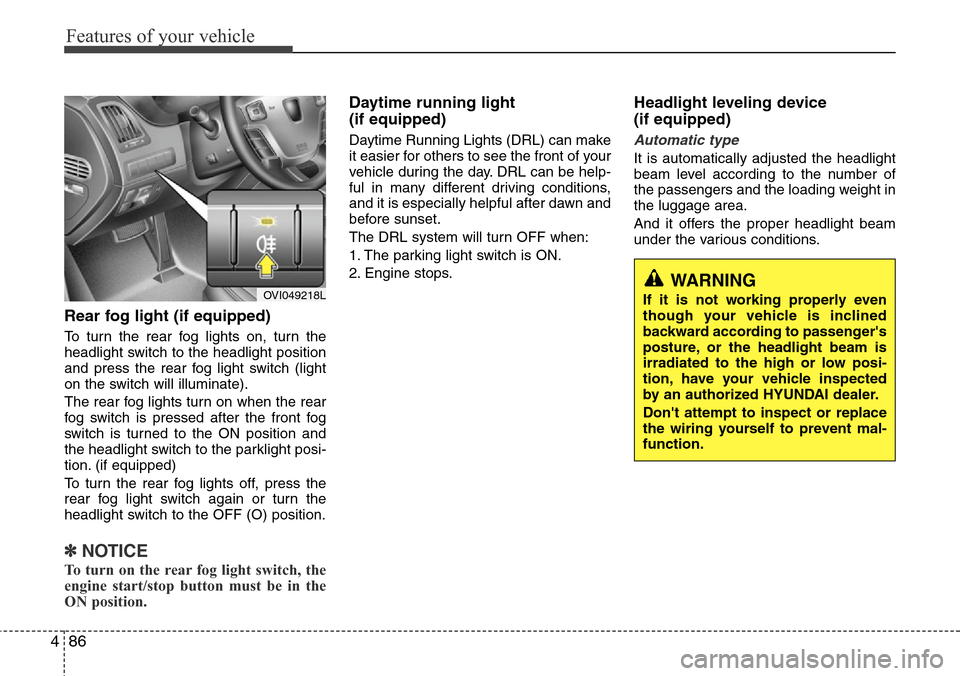
Rear fog light (if equipped)
To turn the rear fog lights on, turn the
headlight switch to the headlight position
and press the rear fog light switch (light
on the switch will illuminate).
The rear fog lights turn on when the rear
fog switch is pressed after the front fog
switch is turned to the ON position and
the headlight switch to the parklight posi-
tion. (if equipped)
To turn the rear fog lights off, press the
rear fog light switch again or turn the
headlight switch to the OFF (O) position.
✽NOTICE
To turn on the rear fog light switch, the
engine start/stop button must be in the
ON position.
Daytime running light
(if equipped)
Daytime Running Lights (DRL) can make
it easier for others to see the front of your
vehicle during the day. DRL can be help-
ful in many different driving conditions,
and it is especially helpful after dawn and
before sunset.
The DRL system will turn OFF when:
1. The parking light switch is ON.
2. Engine stops.
Headlight leveling device
(if equipped)
Automatic type
It is automatically adjusted the headlight
beam level according to the number of
the passengers and the loading weight in
the luggage area.
And it offers the proper headlight beam
under the various conditions.
OVI049218LWARNING
If it is not working properly even
though your vehicle is inclined
backward according to passenger's
posture, or the headlight beam is
irradiated to the high or low posi-
tion, have your vehicle inspected
by an authorized HYUNDAI dealer.
Don't attempt to inspect or replace
the wiring yourself to prevent mal-
function.
Page 191 of 385
4109
Features of your vehicle
• For maximum defrosting, set the tem-
perature control to the extreme
right/hot position and the fan speed
control to the highest speed.
• If warm air to the floor is desired while
defrosting or defogging, set the mode
to the floor-defrost position.
• Before driving, clear all snow and ice
from the windshield, rear window, out-
side rear view mirrors, and all side win-
dows.
• Clear all snow and ice from the hood
and air inlet in the cowl grill to improve
heater and defroster efficiency and to
reduce the probability of fogging up the
inside of the windshield.
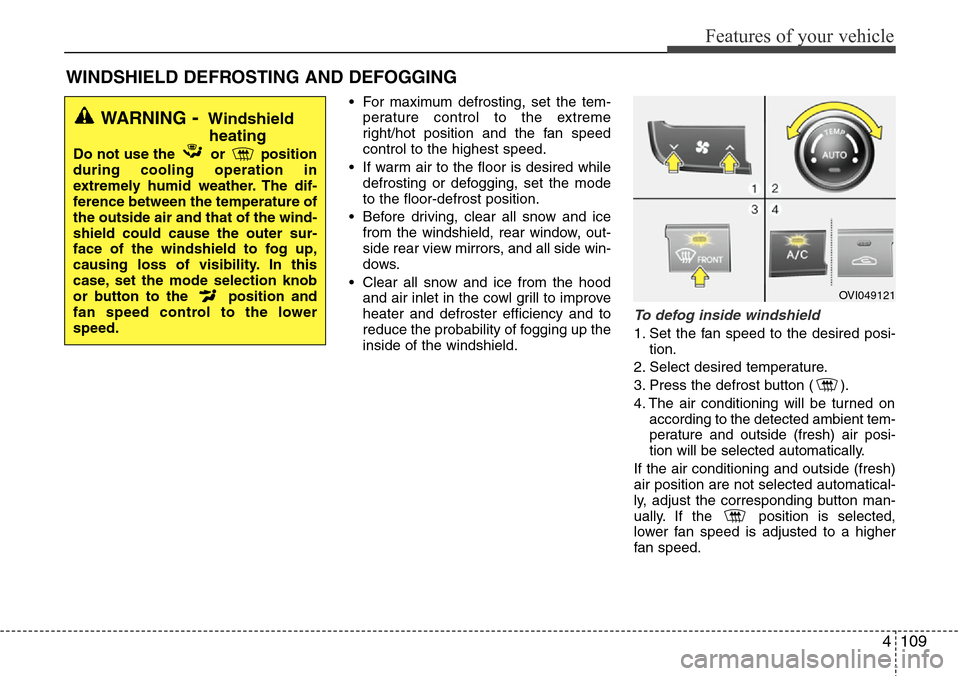
To defog inside windshield
1. Set the fan speed to the desired posi-
tion.
2. Select desired temperature.
3. Press the defrost button ( ).
4. The air conditioning will be turned on
according to the detected ambient tem-
perature and outside (fresh) air posi-
tion will be selected automatically.
If the air conditioning and outside (fresh)
air position are not selected automatical-
ly, adjust the corresponding button man-
ually. If the position is selected,
lower fan speed is adjusted to a higher
fan speed.
WINDSHIELD DEFROSTING AND DEFOGGING
WARNING- Windshield
heating
Do not use the or position
during cooling operation in
extremely humid weather. The dif-
ference between the temperature of
the outside air and that of the wind-
shield could cause the outer sur-
face of the windshield to fog up,
causing loss of visibility. In this
case, set the mode selection knob
or button to the position and
fan speed control to the lower
speed.
OVI049121
Page 216 of 385
53
Driving your vehicle
Before entering vehicle
• Be sure that all windows, outside mir-
ror(s), and outside lights are clean.
• Check the condition of the tires.
• Check under the vehicle for any sign of
leaks.
• Be sure there are no obstacles behind
you if you intend to back up.
Necessary inspections
Fluid levels, such as engine oil, engine
coolant, brake fluid, and washer fluid
should be checked on a regular basis,
with the exact interval depending on the
fluid. Further details are provided in sec-
tion 7, “Maintenance”.
Before starting
• Close and lock all doors.
• Position the seat so that all controls are
easily reached.
• Adjust the inside and outside rearview
mirrors.
• Be sure that all lights work.
• Check all gauges.
• Check the operation of warning lights
when the engine start/stop button is
turned to the ON position.
• Release the parking brake and make
sure the brake warning light goes out.
For safe operation, be sure you are famil-
iar with your vehicle and its equipment.
BEFORE DRIVING
WARNING
All passengers must be properly
belted whenever the vehicle is mov-
ing. Refer to “Seat belts” in section
3 for more information on their
proper use.
WARNING
Always check the surrounding
areas near your vehicle for people,
especially children, before putting a
vehicle into D (Drive) or R
(Reverse).
WARNING- Driving under
the influence of alcohol or
drugs
Drinking and driving is dangerous.
Drunk driving is the number one
contributor to the highway death
toll each year. Even a small amount
of alcohol will affect your reflexes,
perceptions and judgment. Driving
while under the influence of drugs
is as dangerous or more dangerous
than driving drunk.
You are much more likely to have a
serious accident if you drink or
take drugs and drive.
If you are drinking or taking drugs,
don’t drive. Do not ride with a driv-
er who has been drinking or taking
drugs. Choose a designated driver
or call a cab.
WARNING
Driving while distracted can result in
a loss of vehicle control, that may
lead to an accident, severe personal
injury, and death. The driver’s primary
responsibility is in the safe and legal
operation of a vehicle, and use of any
handheld devices, other equipment,
or vehicle systems which take the
driver’s eyes, attention and focus
away from the safe operation of a
vehicle or which are not permissible
by law should never be used during
operation of the vehicle.
Page 217 of 385
Driving your vehicle
4 5
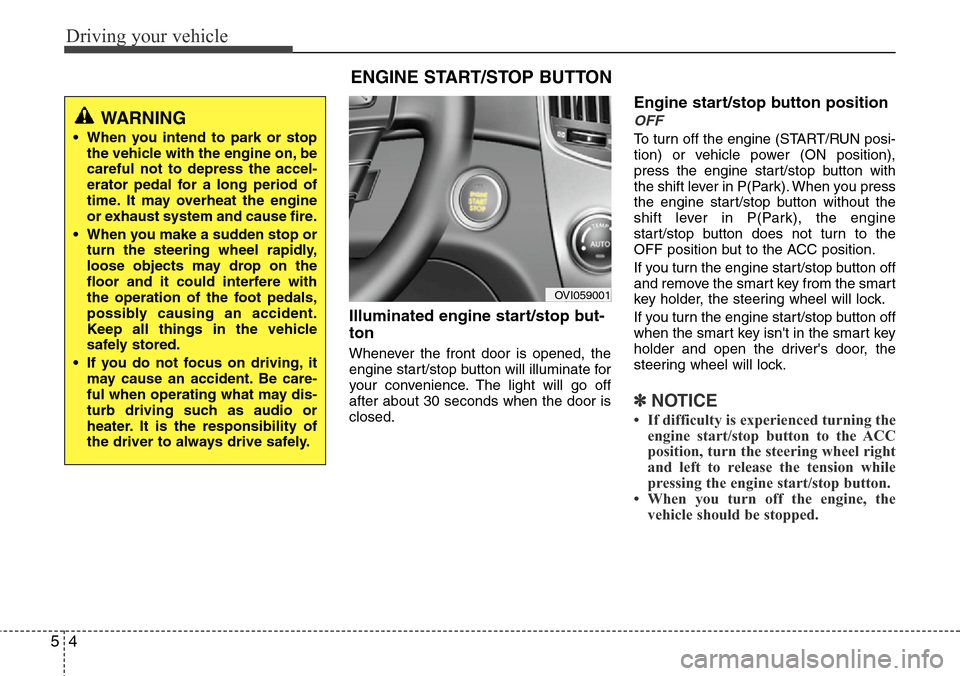
Illuminated engine start/stop but-
ton
Whenever the front door is opened, the
engine start/stop button will illuminate for
your convenience. The light will go off
after about 30 seconds when the door is
closed.
Engine start/stop button position
OFF
To turn off the engine (START/RUN posi-
tion) or vehicle power (ON position),
press the engine start/stop button with
the shift lever in P(Park). When you press
the engine start/stop button without the
shift lever in P(Park), the engine
start/stop button does not turn to the
OFF position but to the ACC position.
If you turn the engine start/stop button off
and remove the smart key from the smart
key holder, the steering wheel will lock.
If you turn the engine start/stop button off
when the smart key isn't in the smart key
holder and open the driver's door, the
steering wheel will lock.
✽NOTICE
• If difficulty is experienced turning the
engine start/stop button to the ACC
position, turn the steering wheel right
and left to release the tension while
pressing the engine start/stop button.
• When you turn off the engine, the
vehicle should be stopped.
ENGINE START/STOP BUTTON
OVI059001
WARNING
• When you intend to park or stop
the vehicle with the engine on, be
careful not to depress the accel-
erator pedal for a long period of
time. It may overheat the engine
or exhaust system and cause fire.
• When you make a sudden stop or
turn the steering wheel rapidly,
loose objects may drop on the
floor and it could interfere with
the operation of the foot pedals,
possibly causing an accident.
Keep all things in the vehicle
safely stored.
• If you do not focus on driving, it
may cause an accident. Be care-
ful when operating what may dis-
turb driving such as audio or
heater. It is the responsibility of
the driver to always drive safely.
Page 222 of 385
59
Driving your vehicle
For smooth operation, depress the brake
pedal when shifting from N (Neutral) to a
forward or reverse gear.Transmission ranges
The indicator in the instrument cluster
displays the shift lever position when the
engine start/stop button is in the ON
position.
P (Park)
Always come to a complete stop before
shifting into P (Park). This position locks
the transmission and prevents the drive
wheels from rotating.
WARNING- Automatic
transmission
• Always check the surrounding
areas near your vehicle for peo-
ple, especially children, before
shifting the shift lever into D
(Drive) or R (Reverse).
• Before leaving the driver’s seat,
always make sure the shift lever
is in the P (Park) position; then
set the parking brake fully and
shut the engine off. Unexpected
and sudden vehicle movement
can occur if these precautions
are not followed in the order iden-
tified.
CAUTION
• To avoid damage to your trans-
mission, do not accelerate the
engine in R (Reverse) or any for-
ward gear position with the
brakes on.
• When stopped on an incline, do
not hold the vehicle with the
engine power. Use the service
brake or the parking brake.
• Do not shift from N (Neutral) or P
(Park) into D (Drive), or R
(Reverse) when the engine is
above idle speed.
WARNING
• Shifting into P (Park) while the
vehicle is in motion will cause the
drive wheels to lock which will
cause you to lose control of the
vehicle.
• Do not use the P (Park) position
in place of the parking brake.
Always make sure the shift lever
is latched in the P (Park) position
and set the parking brake fully.
• Never leave a child unattended in
a vehicle.
CAUTION
The transmission may be damaged
if you shift into P (Park) while the
vehicle is in motion.
Page 225 of 385
Driving your vehicle
12 5
Good driving practices
• Never move the shift lever from P
(Park) or N (Neutral) to any other posi-
tion with the accelerator pedal
depressed.
• Never move the shift lever into P (Park)
when the vehicle is in motion.
• Be sure the vehicle is completely
stopped before you attempt to shift into
R (Reverse) or D (Drive).
• Never take the vehicle out of gear and
coast down a hill. This may be
extremely hazardous. Always leave the
vehicle in gear when moving.
• Do not "ride" the brakes. This can
cause them to overheat and malfunc-
tion. Instead, when you are driving
down a long hill, slow down and shift to
a lower gear. When you do this, engine
braking will help slow the vehicle.
• Slow down before shifting to a lower
gear. Otherwise, the lower gear may
not be engaged.• Always use the parking brake. Do not
depend on placing the transmission in
P (Park) to keep the vehicle from mov-
ing.
• Exercise extreme caution when driving
on a slippery surface. Be especially
careful when braking, accelerating or
shifting gears. On a slippery surface,
an abrupt change in vehicle speed can
cause the drive wheels to lose traction
and the vehicle to go out of control.
• Optimum vehicle performance and
economy is obtained by smoothly
depressing and releasing the accelera-
tor pedal.WARNING
• Always buckle-up! In a collision,
an unbelted occupant is signifi-
cantly more likely to be seriously
injured or killed than a properly
belted occupant.
• Avoid high speeds when corner-
ing or turning.
• Do not make quick steering
wheel movements, such as sharp
lane changes or fast, sharp turns.
• The risk of rollover is greatly
increased if you lose control of
your vehicle at highway speeds.
• Lossing control often occurs if
two or more wheels drop off the
roadway and the driver over-
steers to reenter the roadway.
• In the event your vehicle leaves
the roadway, do not steer sharply.
Instead, slow down before pulling
back into the travel lanes.
• Never exceed posted speed lim-
its.
Page 230 of 385
517
Driving your vehicle
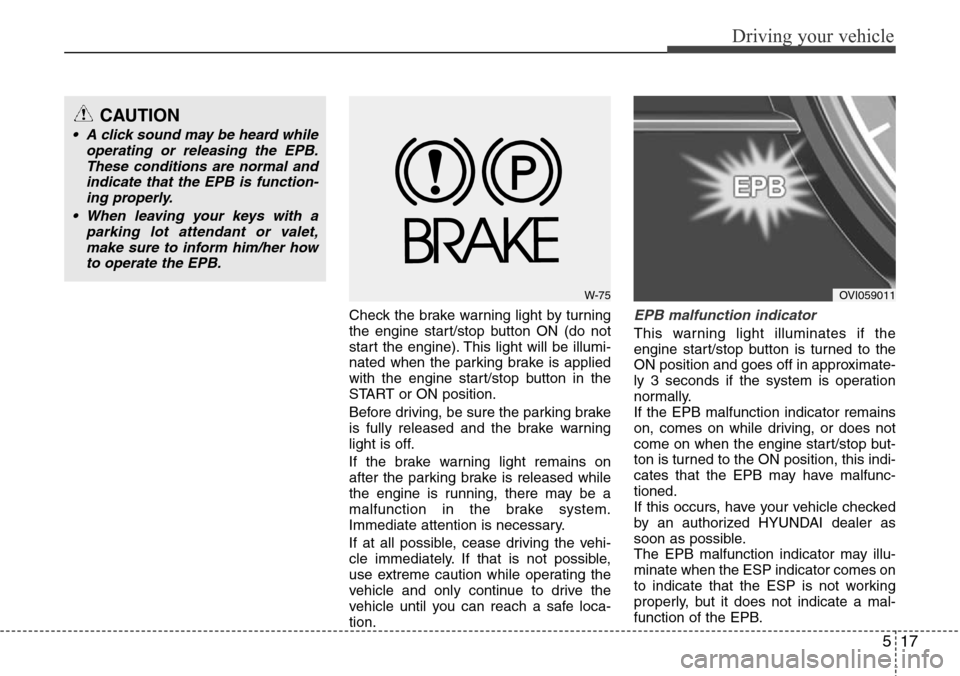
Check the brake warning light by turning
the engine start/stop button ON (do not
start the engine). This light will be illumi-
nated when the parking brake is applied
with the engine start/stop button in the
START or ON position.
Before driving, be sure the parking brake
is fully released and the brake warning
light is off.
If the brake warning light remains on
after the parking brake is released while
the engine is running, there may be a
malfunction in the brake system.
Immediate attention is necessary.
If at all possible, cease driving the vehi-
cle immediately. If that is not possible,
use extreme caution while operating the
vehicle and only continue to drive the
vehicle until you can reach a safe loca-
tion.EPB malfunction indicator
This warning light illuminates if the
engine start/stop button is turned to the
ON position and goes off in approximate-
ly 3 seconds if the system is operation
normally.
If the EPB malfunction indicator remains
on, comes on while driving, or does not
come on when the engine start/stop but-
ton is turned to the ON position, this indi-
cates that the EPB may have malfunc-
tioned.
If this occurs, have your vehicle checked
by an authorized HYUNDAI dealer as
soon as possible.
The EPB malfunction indicator may illu-
minate when the ESP indicator comes on
to indicate that the ESP is not working
properly, but it does not indicate a mal-
function of the EPB.
W-75OVI059011
CAUTION
• A click sound may be heard while
operating or releasing the EPB.
These conditions are normal and
indicate that the EPB is function-
ing properly.
• When leaving your keys with a
parking lot attendant or valet,
make sure to inform him/her how
to operate the EPB.
Page 234 of 385
521
Driving your vehicle
Anti-lock brake system (ABS)The ABS continuously senses the speed
of the wheels. If the wheels are going to
lock, the ABS system repeatedly modu-
lates the hydraulic brake pressure to the
wheels.
When you apply your brakes under con-
ditions which may lock the wheels, you
may hear a “tik-tik’’ sound from the
brakes, or feel a corresponding sensation
in the brake pedal. This is normal and it
means your ABS is active.
In order to obtain the maximum benefit
from your ABS in an emergency situa-
tion, do not attempt to modulate your
brake pressure and do not try to pump
your brakes. Press your brake pedal as
hard as possible or as hard as the situa-
tion allow the ABS to control the force
being delivered to the brakes.
WARNING
ABS (or ESP) will not prevent acci-
dents due to improper or danger-
ous driving maneuvers. Even
though vehicle control is improved
during emergency braking, always
maintain a safe distance between
you and objects ahead. Vehicle
speeds should always be reduced
during extreme road conditions.
The braking distance for vehicle
equipped with an anti-lock braking
system (or Electronic Stability
Program system) may be longer
than for those without it in the fol-
lowing road conditions.
During these conditions the vehicle
should be driven at reduced
speeds:
• Rough, gravel or snow-covered
roads.
• With tire chains installed.
• On roads where the road surface
is pitted or has different surface
height.
The safety features of an ABS (or
ESP) equipped vehicle should not
be tested by high speed driving or
cornering. This could endanger the
safety of yourself or others.
CAUTION
If there is a malfunction with the dri-
ver’s door, hood or trunk open
detection system, the AUTO HOLD
may not work properly.
Take your vehicle to an authorized
HYUNDAI dealer and have the sys-
tem checked.
WARNING
• Press the accelerator pedal slow-
ly when you start the vehicle.
• For your safety, cancel the AUTO
HOLD when you drive downhill or
back up the vehicle or park the
vehicle.
Page 236 of 385
523
Driving your vehicle
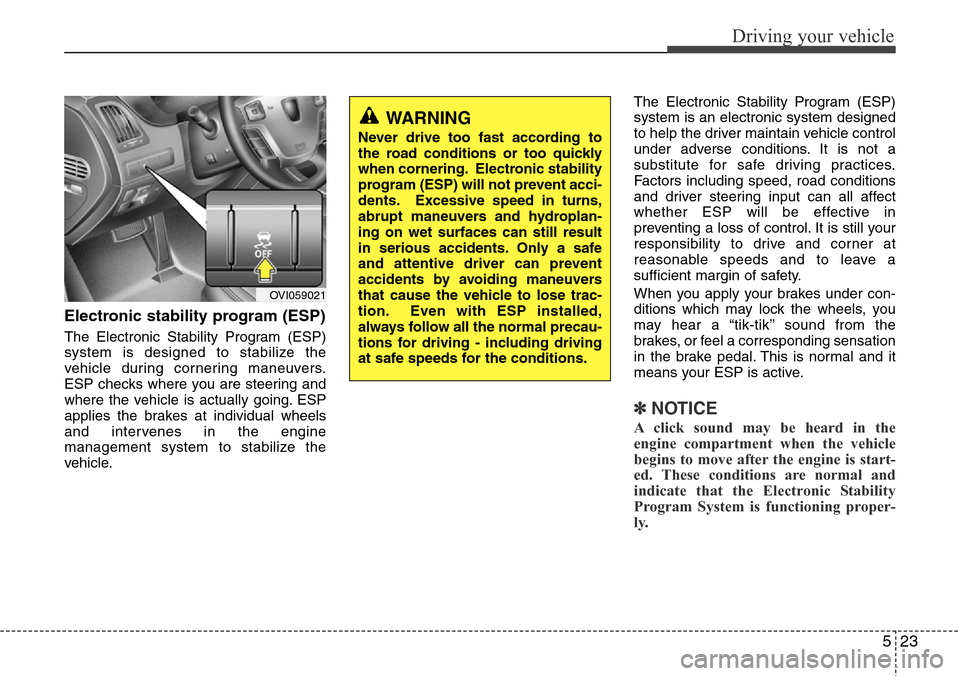
Electronic stability program (ESP)
The Electronic Stability Program (ESP)
system is designed to stabilize the
vehicle during cornering maneuvers.
ESP checks where you are steering and
where the vehicle is actually going. ESP
applies the brakes at individual wheels
and intervenes in the engine
management system to stabilize the
vehicle.The Electronic Stability Program (ESP)
system is an electronic system designed
to help the driver maintain vehicle control
under adverse conditions. It is not a
substitute for safe driving practices.
Factors including speed, road conditions
and driver steering input can all affect
whether ESP will be effective in
preventing a loss of control. It is still your
responsibility to drive and corner at
reasonable speeds and to leave a
sufficient margin of safety.
When you apply your brakes under con-
ditions which may lock the wheels, you
may hear a “tik-tik’’ sound from the
brakes, or feel a corresponding sensation
in the brake pedal. This is normal and it
means your ESP is active.
✽NOTICE
A click sound may be heard in the
engine compartment when the vehicle
begins to move after the engine is start-
ed. These conditions are normal and
indicate that the Electronic Stability
Program System is functioning proper-
ly.
WARNING
Never drive too fast according to
the road conditions or too quickly
when cornering. Electronic stability
program (ESP) will not prevent acci-
dents. Excessive speed in turns,
abrupt maneuvers and hydroplan-
ing on wet surfaces can still result
in serious accidents. Only a safe
and attentive driver can prevent
accidents by avoiding maneuvers
that cause the vehicle to lose trac-
tion. Even with ESP installed,
always follow all the normal precau-
tions for driving - including driving
at safe speeds for the conditions.
OVI059021
Page 237 of 385
Driving your vehicle
24 5
ESP operation
ESP ON condition
• When the engine start/stop
button is turned ON, ESP and
ESP OFF indicator lights illu-
minate for approximately 3
seconds, then ESP is turned
on.
• Press the ESP OFF button for
at least half a second after
turning the engine start/stop
button ON to turn ESP off.
(ESP OFF indicator will illumi-
nate). To turn the ESP on,
press the ESP OFF button
(ESP OFF indicator light will
go off).
• When starting the engine,
you may hear a slight ticking
sound. This is the ESP per-
forming an automatic system
self-check and does not indi-
cate a problem.When operating
When the ESP is in operation,
ESP indicator light blinks.
• When the Electronic Stability
Program is operating proper-
ly, you can feel a slight pulsa-
tion in the vehicle. This is only
the effect of brake control and
indicates nothing unusual.
• When moving out of the mud
or slippery road, the engine
rpm (revolution per minute)
may not be increased even if
you press the accelerator
pedal deeply. This is to main-
tain the stability and traction
of the vehicle and does not
indicate a problem.
ESP operation off
ESP OFF state
• To cancel ESP operation,
press the ESP OFF button for
more than 0.5 second. (ESP
OFF indicator light illumi-
nates).
• If the engine stops when ESP
is off, ESP remains off. Upon
restarting the engine, the
ESP will be automatically
turned on again.
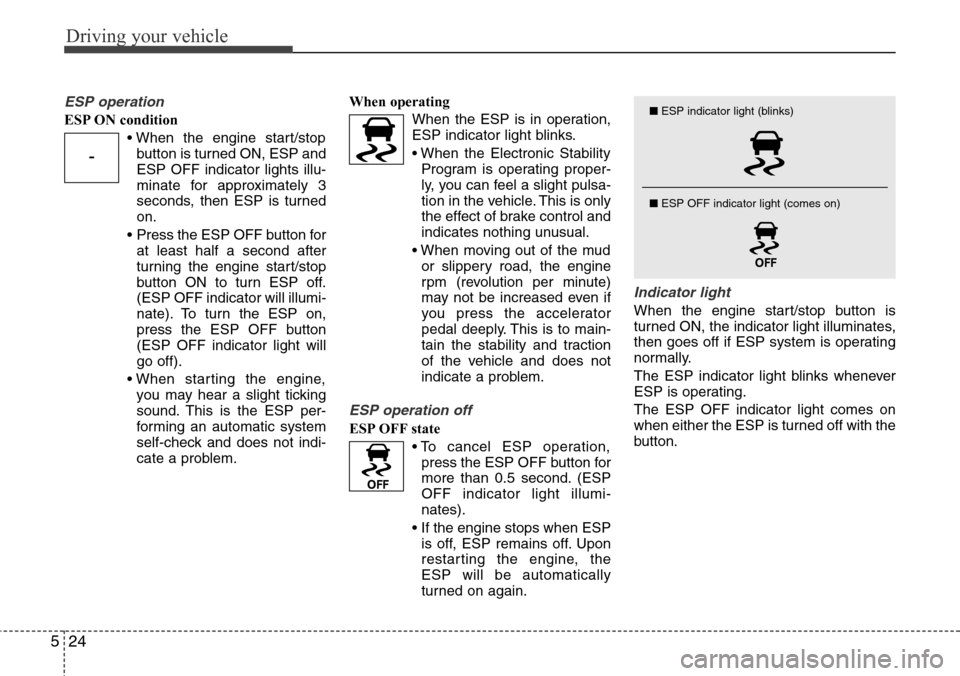
Indicator light
When the engine start/stop button is
turned ON, the indicator light illuminates,
then goes off if ESP system is operating
normally.
The ESP indicator light blinks whenever
ESP is operating.
The ESP OFF indicator light comes on
when either the ESP is turned off with the
button.
-
■ESP indicator light (blinks)
■ ESP OFF indicator light (comes on)