key Hyundai Equus 2012 Owner's Guide
[x] Cancel search | Manufacturer: HYUNDAI, Model Year: 2012, Model line: Equus, Model: Hyundai Equus 2012Pages: 385, PDF Size: 10.67 MB
Page 145 of 385
463
Features of your vehicle
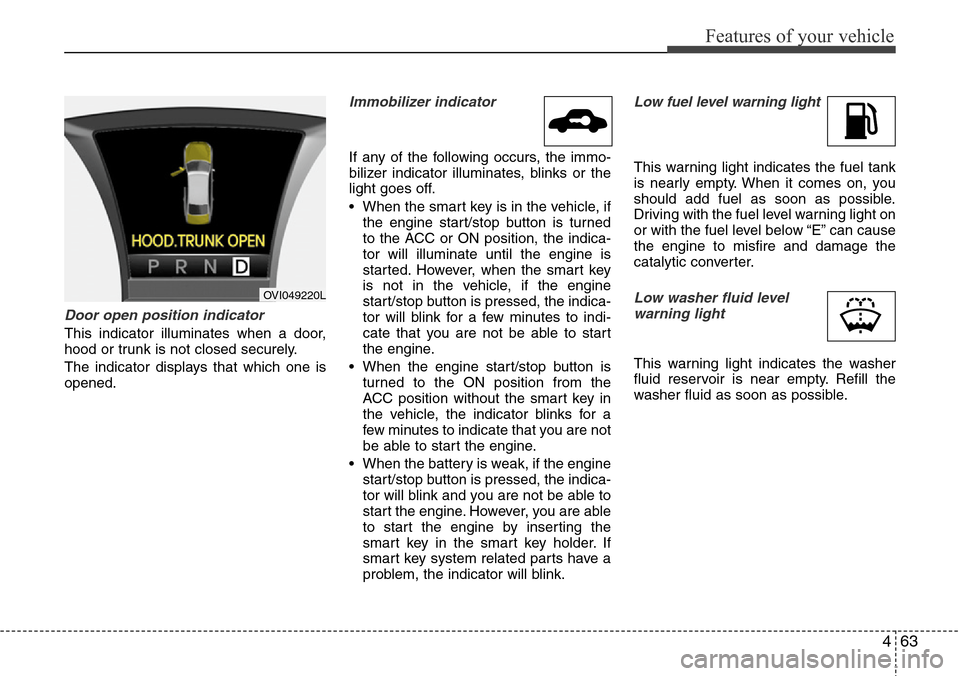
Door open position indicator
This indicator illuminates when a door,
hood or trunk is not closed securely.
The indicator displays that which one is
opened.
Immobilizer indicator
If any of the following occurs, the immo-
bilizer indicator illuminates, blinks or the
light goes off.
• When the smart key is in the vehicle, if
the engine start/stop button is turned
to the ACC or ON position, the indica-
tor will illuminate until the engine is
started. However, when the smart key
is not in the vehicle, if the engine
start/stop button is pressed, the indica-
tor will blink for a few minutes to indi-
cate that you are not be able to start
the engine.
• When the engine start/stop button is
turned to the ON position from the
ACC position without the smart key in
the vehicle, the indicator blinks for a
few minutes to indicate that you are not
be able to start the engine.
• When the battery is weak, if the engine
start/stop button is pressed, the indica-
tor will blink and you are not be able to
start the engine. However, you are able
to start the engine by inserting the
smart key in the smart key holder. If
smart key system related parts have a
problem, the indicator will blink.
Low fuel level warning light
This warning light indicates the fuel tank
is nearly empty. When it comes on, you
should add fuel as soon as possible.
Driving with the fuel level warning light on
or with the fuel level below “E” can cause
the engine to misfire and damage the
catalytic converter.
Low washer fluid level
warning light
This warning light indicates the washer
fluid reservoir is near empty. Refill the
washer fluid as soon as possible.
OVI049220L
Page 148 of 385
Features of your vehicle
66 4
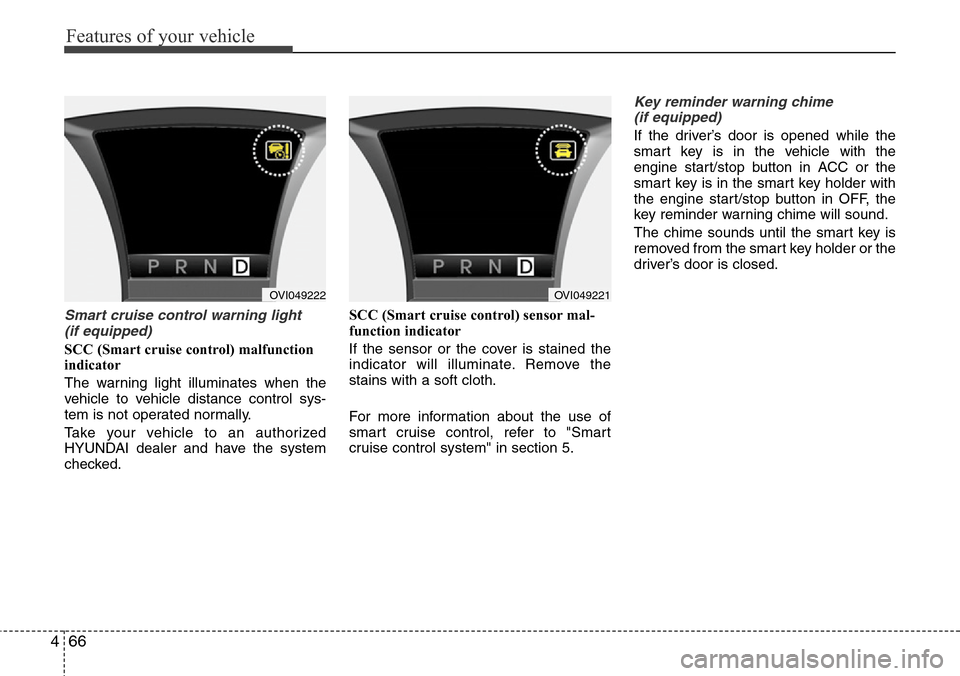
Smart cruise control warning light
(if equipped)
SCC (Smart cruise control) malfunction
indicator
The warning light illuminates when the
vehicle to vehicle distance control sys-
tem is not operated normally.
Take your vehicle to an authorized
HYUNDAI dealer and have the system
checked.SCC (Smart cruise control) sensor mal-
function indicator
If the sensor or the cover is stained the
indicator will illuminate. Remove the
stains with a soft cloth.
For more information about the use of
smart cruise control, refer to "Smart
cruise control system" in section 5.
Key reminder warning chime
(if equipped)
If the driver’s door is opened while the
smart key is in the vehicle with the
engine start/stop button in ACC or the
smart key is in the smart key holder with
the engine start/stop button in OFF, the
key reminder warning chime will sound.
The chime sounds until the smart key is
removed from the smart key holder or the
driver’s door is closed.
OVI049221OVI049222
Page 151 of 385
469
Features of your vehicle
AFLS (Adaptive Front
Lighting System)
malfunction indicator
(if equipped)
If the AFLS malfunction indicator comes
on, the AFLS is not working properly.
Drive to the nearest safe location and
restart the engine. If the indicator contin-
uously remains on, take your vehicle to
an authorized HYUNDAI dealer and have
the system checked.
SPORT mode indicator
(if equipped)
The SPORT indicator light will illuminate
when the SPORT button is pressed. It
enables you to drive dynamically. The
indicator light turns off when the SPORT
button is pressed again. The sporty driv-
ing mode returns to the normal mode.
For more information, refer to "Electronic
controlled suspension" in section 5.
ECS (Electronic Control
Suspension) malfunction
indicator (if equipped)
The ECS malfunction indicator will illumi-
nate when the engine start/stop button is
turned to ON, but should go off after
approximately 3 seconds. If the warning
light does not come on, or continuously
remains on after coming on for about 3
seconds when you turn the engine
start/stop button to the ON position, the
ECS is not working properly.
If it comes on while driving, the electron-
ic control suspension is not working
properly.
Take your vehicle to an authorized
HYUNDAI dealer and have the system
checked.
Warning on the LCD screen
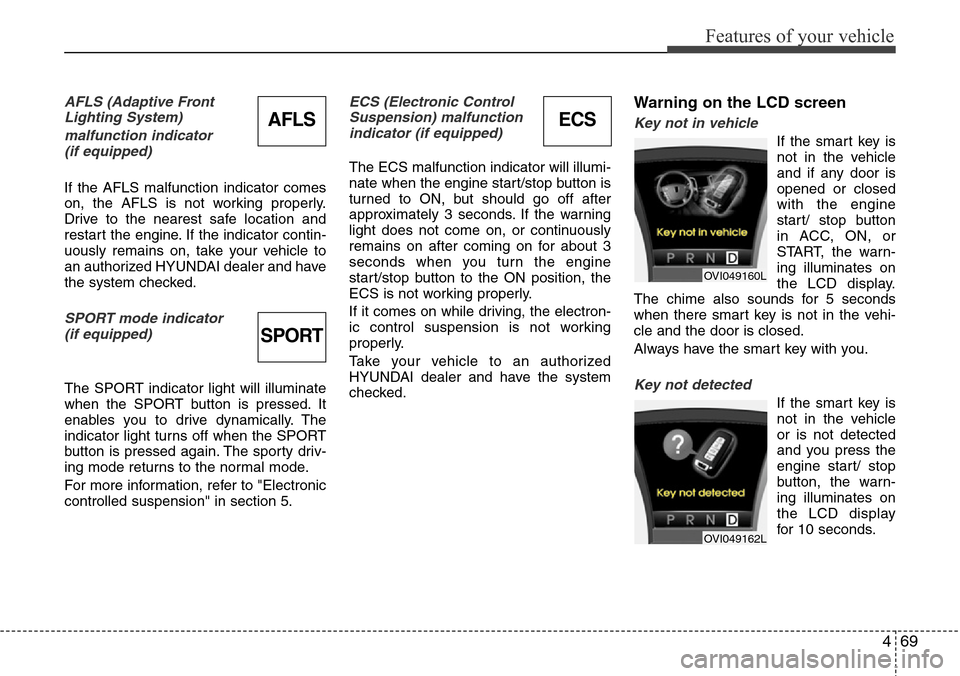
Key not in vehicle
If the smart key is
not in the vehicle
and if any door is
opened or closed
with the engine
start/ stop button
in ACC, ON, or
START, the warn-
ing illuminates on
the LCD display.
The chime also sounds for 5 seconds
when there smart key is not in the vehi-
cle and the door is closed.
Always have the smart key with you.
Key not detected
If the smart key is
not in the vehicle
or is not detected
and you press the
engine start/ stop
button, the warn-
ing illuminates on
the LCD display
for 10 seconds.
OVI049160L
OVI049162L
ECSAFLS
SPORT
Page 152 of 385
Features of your vehicle
70 4
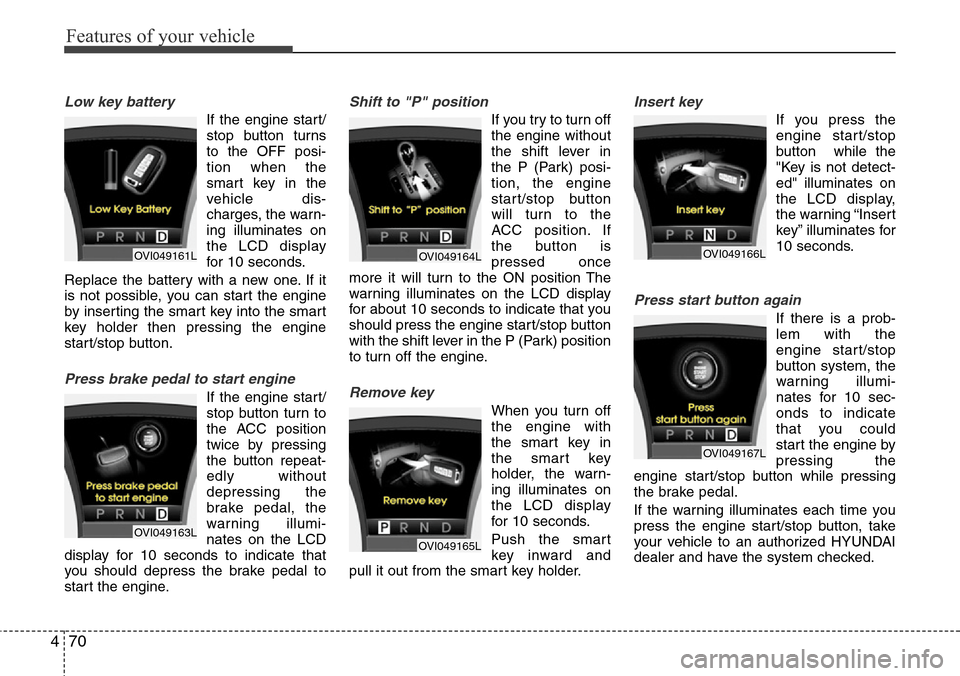
Low key battery
If the engine start/
stop button turns
to the OFF posi-
tion when the
smart key in the
vehicle dis-
charges, the warn-
ing illuminates on
the LCD display
for 10 seconds.
Replace the battery with a new one. If it
is not possible, you can start the engine
by inserting the smart key into the smart
key holder then pressing the engine
start/stop button.
Press brake pedal to start engine
If the engine start/
stop button turn to
the ACC position
twice by pressing
the button repeat-
edly without
depressing the
brake pedal, the
warning illumi-
nates on the LCD
display for 10 seconds to indicate that
you should depress the brake pedal to
start the engine.
Shift to "P" position
If you try to turn off
the engine without
the shift lever in
the P (Park) posi-
tion, the engine
start/stop button
will turn to the
ACC position. If
the button is
pressed once
more it will turn to the ON position The
warning illuminates on the LCD display
for about 10 seconds to indicate that you
should press the engine start/stop button
with the shift lever in the P (Park) position
to turn off the engine.
Remove key
When you turn off
the engine with
the smart key in
the smart key
holder, the warn-
ing illuminates on
the LCD display
for 10 seconds.
Push the smart
key inward and
pull it out from the smart key holder.
Insert key
If you press the
engine start/stop
button while the
"Key is not detect-
ed" illuminates on
the LCD display,
the warning “Insert
key” illuminates for
10 seconds.
Press start button again
If there is a prob-
lem with the
engine start/stop
button system, the
warning illumi-
nates for 10 sec-
onds to indicate
that you could
start the engine by
pressing the
engine start/stop button while pressing
the brake pedal.
If the warning illuminates each time you
press the engine start/stop button, take
your vehicle to an authorized HYUNDAI
dealer and have the system checked.
OVI049161L
OVI049163L
OVI049164L
OVI049165L
OVI049166L
OVI049167L
Page 163 of 385
481
Features of your vehicle
Battery saver function
• The purpose of this feature is to pre-
vent the battery from being dis-
charged. The system automatically
turns off the parking lights when the
driver turns off the engine and opens
the driver-side door.
• With this feature, the parking lights will
be turned off automatically if the driver
parks on the side of road at night.
If necessary, to keep the lights on
when the engine start/stop button is
turned to the OFF position, perform the
following:
1) Open the driver-side door.
2) Turn the parking lights OFF and ON
again using the light switch on the
steering column.
Headlight welcome function
(if equipped)
When the headlight is ON or AUTO posi-
tion and all doors (and trunk) are closed
and locked, if you press the door unlock
button on the smart key, the headlights
will come on for about 15 seconds. At this
time, if you press the door lock or unlock
button, the headlights will turn off imme-
diately.
Headlight escort function
(if equipped)
If you turn the engine start/stop button to
the ACC or OFF position with the head-
lights ON, the headlights (and/or tail
lights) remain on for about 20 minutes.
However, if the driver’s door is opened
and closed, the headlights are turned off
after 30 seconds.
The headlights can be turned off by
pressing the door lock button on the
smart key twice or turning the light switch
to the OFF or Auto position.
If the headlight switch is in the AUTO
position, the function can only operate at
night.
Rescue mode function
(if equipped)
If your vehicle has any problem on the
vehicle network system, the headlights
(low beam) turn on automatically with the
engine start/stop button in the ON posi-
tion even though the headlight switch is
not turned on. At this time, the emer-
gency lighting is not turned off when the
headlight switch is turned off.
LIGHTING
CAUTION
If the driver gets out of the vehicle
through other doors (except dri-
ver's door), the battery saver func-
tion does not operate and the head-
light escort function does not turn
off automatically. Therefore, it caus-
es the battery to be discharged. In
this case, make sure to turn off the
lamp before getting out of the vehi-
cle.
CAUTION
If the rescue mode occurs, have
your vehicle checked by an author-
ized HYUNDAI dealer as soon as
possible.
Page 174 of 385
Features of your vehicle
92 4
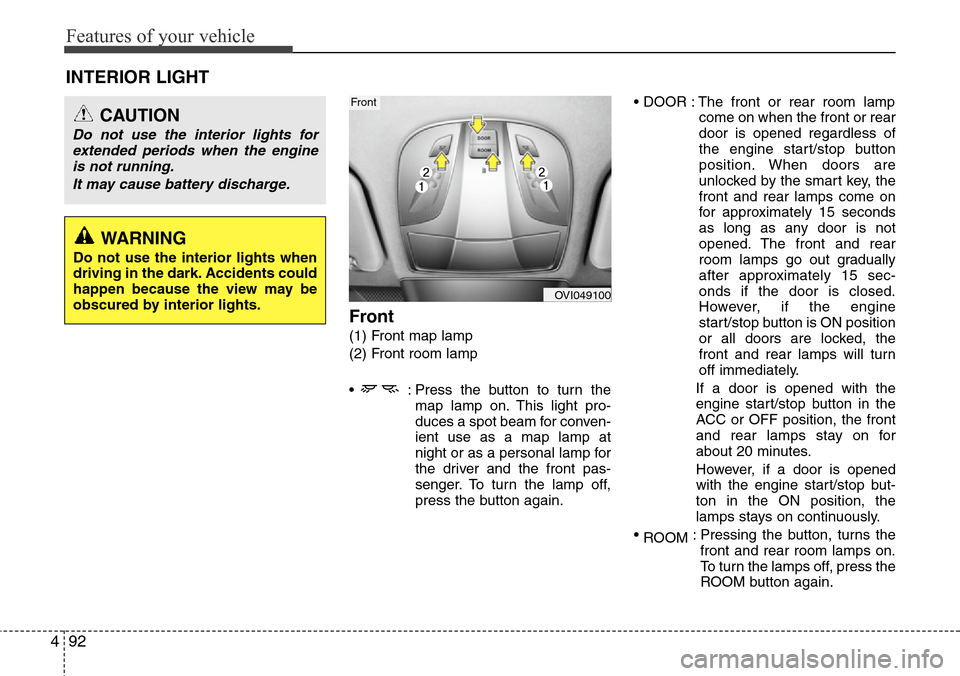
Front
(1) Front map lamp
(2) Front room lamp
• : Press the button to turn the
map lamp on. This light pro-
duces a spot beam for conven-
ient use as a map lamp at
night or as a personal lamp for
the driver and the front pas-
senger. To turn the lamp off,
press the button again.• DOOR : The front or rear room lamp
come on when the front or rear
door is opened regardless of
the engine start/stop button
position. When doors are
unlocked by the smart key, the
front and rear lamps come on
for approximately 15 seconds
as long as any door is not
opened. The front and rear
room lamps go out gradually
after approximately 15 sec-
onds if the door is closed.
However, if the engine
start/stop button is ON position
or all doors are locked, the
front and rear lamps will turn
off immediately.
If a door is opened with the
engine start/stop button in the
ACC or OFF position, the front
and rear lamps stay on for
about 20 minutes.
However, if a door is opened
with the engine start/stop but-
ton in the ON position, the
lamps stays on continuously.
•
ROOM: Pressing the button, turns the
front and rear room lamps on.
To turn the lamps off, press the
ROOM button again.
INTERIOR LIGHT
CAUTION
Do not use the interior lights for
extended periods when the engine
is not running.
It may cause battery discharge.
OVI049100
Front
WARNING
Do not use the interior lights when
driving in the dark. Accidents could
happen because the view may be
obscured by interior lights.
Page 176 of 385
Features of your vehicle
94 4
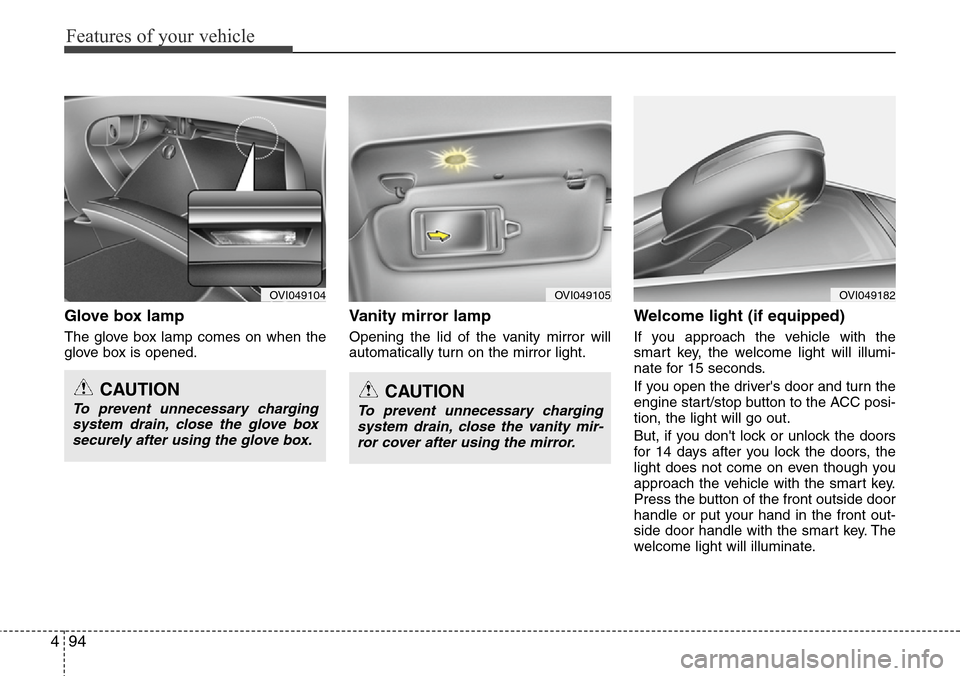
Glove box lamp
The glove box lamp comes on when the
glove box is opened.
Vanity mirror lamp
Opening the lid of the vanity mirror will
automatically turn on the mirror light.
Welcome light (if equipped)
If you approach the vehicle with the
smart key, the welcome light will illumi-
nate for 15 seconds.
If you open the driver's door and turn the
engine start/stop button to the ACC posi-
tion, the light will go out.
But, if you don't lock or unlock the doors
for 14 days after you lock the doors, the
light does not come on even though you
approach the vehicle with the smart key.
Press the button of the front outside door
handle or put your hand in the front out-
side door handle with the smart key. The
welcome light will illuminate.
OVI049104OVI049105OVI049182
CAUTION
To prevent unnecessary charging
system drain, close the glove box
securely after using the glove box.CAUTION
To prevent unnecessary charging
system drain, close the vanity mir-
ror cover after using the mirror.
Page 196 of 385
Features of your vehicle
114 4
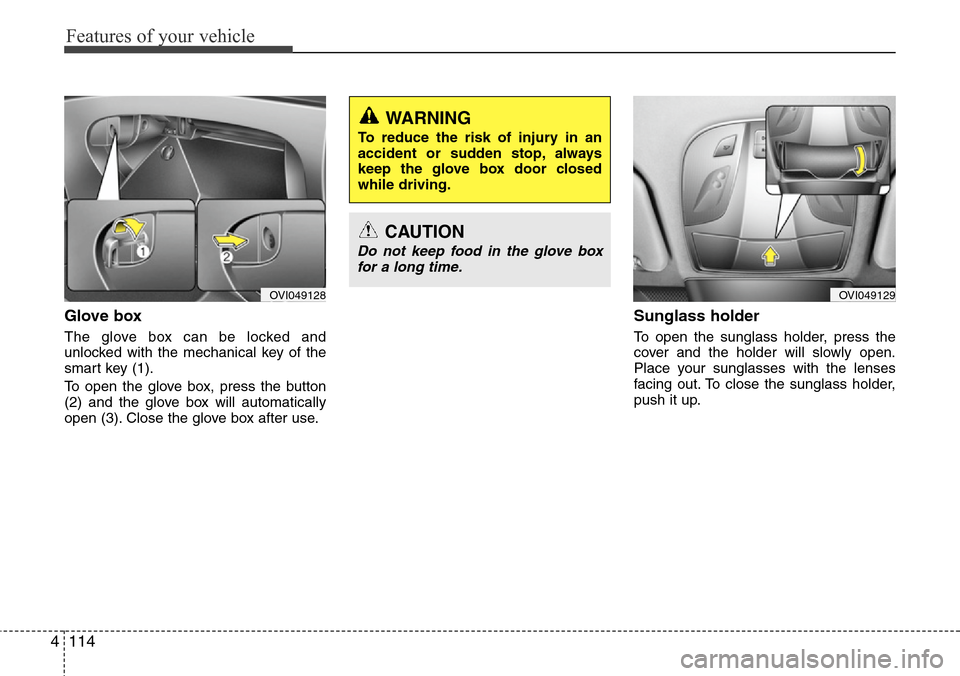
Glove box
The glove box can be locked and
unlocked with the mechanical key of the
smart key (1).
To open the glove box, press the button
(2) and the glove box will automatically
open (3). Close the glove box after use.
Sunglass holder
To open the sunglass holder, press the
cover and the holder will slowly open.
Place your sunglasses with the lenses
facing out. To close the sunglass holder,
push it up.
OVI049129OVI049128
WARNING
To reduce the risk of injury in an
accident or sudden stop, always
keep the glove box door closed
while driving.
CAUTION
Do not keep food in the glove box
for a long time.
Page 217 of 385
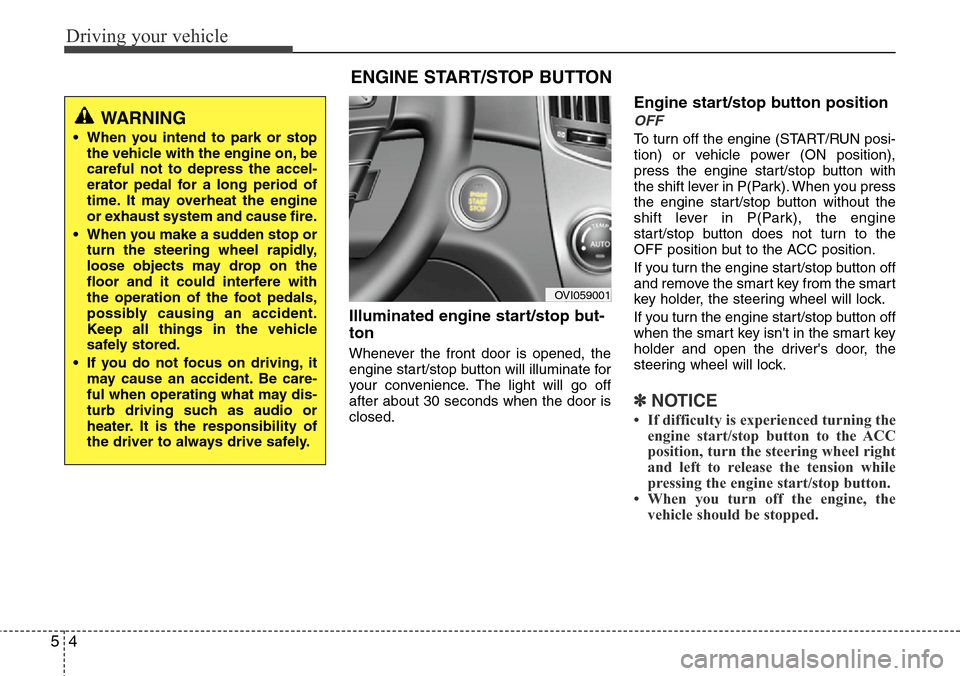
Driving your vehicle
4 5
Illuminated engine start/stop but-
ton
Whenever the front door is opened, the
engine start/stop button will illuminate for
your convenience. The light will go off
after about 30 seconds when the door is
closed.
Engine start/stop button position
OFF
To turn off the engine (START/RUN posi-
tion) or vehicle power (ON position),
press the engine start/stop button with
the shift lever in P(Park). When you press
the engine start/stop button without the
shift lever in P(Park), the engine
start/stop button does not turn to the
OFF position but to the ACC position.
If you turn the engine start/stop button off
and remove the smart key from the smart
key holder, the steering wheel will lock.
If you turn the engine start/stop button off
when the smart key isn't in the smart key
holder and open the driver's door, the
steering wheel will lock.
✽NOTICE
• If difficulty is experienced turning the
engine start/stop button to the ACC
position, turn the steering wheel right
and left to release the tension while
pressing the engine start/stop button.
• When you turn off the engine, the
vehicle should be stopped.
ENGINE START/STOP BUTTON
OVI059001
WARNING
• When you intend to park or stop
the vehicle with the engine on, be
careful not to depress the accel-
erator pedal for a long period of
time. It may overheat the engine
or exhaust system and cause fire.
• When you make a sudden stop or
turn the steering wheel rapidly,
loose objects may drop on the
floor and it could interfere with
the operation of the foot pedals,
possibly causing an accident.
Keep all things in the vehicle
safely stored.
• If you do not focus on driving, it
may cause an accident. Be care-
ful when operating what may dis-
turb driving such as audio or
heater. It is the responsibility of
the driver to always drive safely.
Page 219 of 385
Driving your vehicle
6 5
1. Carry the smart key or leave it inside
the vehicle.
2. Make sure the parking brake is firmly
applied.
3. Place the shift lever in the P(Park)
position.
4. Press the engine start/stop button
while depressing the brake pedal.
5. In extremely cold weather (below -
18°C / 0°F) or after the vehicle has not
been operated for several days, let the
engine warm up without depressing
the accelerator.
Whether the engine is cold or warm, it
should be started without depressing
the accelerator.•Even if the smart key is in the vehicle,
if it is far away from you, the engine
may not start.
•When the engine start/stop button is in
the ACC or above, if any door is
opened, the system checks for the
smart key. If the smart key is not in the
vehicle, the warning, "Key not in vehi-
cle" will illuminate on the LCD display.
And if all doors are closed, the chime
will sound for about 5 seconds. The
indicator will turn off while the vehicle
is moving. Keep the smart key in the
vehicle, when using the ACC position
or if the vehicle engine is on.
STARTING THE ENGINE
WARNING
Always wear appropriate shoes
when operating your vehicle.
Unsuitable shoes (high heels, ski
boots, etc.) may interfere with your
ability to use the brake and acceler-
ator pedal.
(Continued)
• Do not place any movable objects
around the driver’s seat as they
may move while driving, interfere
with the driver and lead to an
accident.