ECO mode Hyundai Equus 2014 User Guide
[x] Cancel search | Manufacturer: HYUNDAI, Model Year: 2014, Model line: Equus, Model: Hyundai Equus 2014Pages: 479, PDF Size: 10.15 MB
Page 178 of 479
489
Features of your vehicle
Manual reset
To clear the average fuel economy
manually, press the OK button on the
steering wheel for more than 1 sec-
ond when the average fuel economy
is displayed.
❈For more details of OK button,
refer to the "LCD Display Control"
in this chapterAutomatic reset
To make the average fuel economy
be reset automatically whenever refu-
eling, select the "Auto Reset" mode in
User Setting menu of the LCD display
(Refer to "LCD Display").
Under "Auto Reset" mode, the aver-
age fuel economy will be cleared to
zero (---) when the vehicle speed
exceeds 1 km/h after refueling more
than 6 liters (1.6 gallons).
✽NOTICE
The average fuel economy is not dis-
played for more accurate calculation
if the vehicle does not drive more
than 300 meters (0.19 miles) since
the Engine Start/Stop button is
turned to ON.
Page 191 of 479
![Hyundai Equus 2014 User Guide Features of your vehicle
102 4
Lane Departure Warning
System (LDWS)
Indicator Light
(if equipped)
This indicator light illuminates:
• [Green] When you activate the lane
departure warning system by](/img/35/14641/w960_14641-190.png "Hyundai Equus 2014 User Guide Features of your vehicle
102 4
Lane Departure Warning
System (LDWS)
Indicator Light
(if equipped)
This indicator light illuminates:
• [Green] When you activate the lane
departure warning system by")
Features of your vehicle
102 4
Lane Departure Warning
System (LDWS)
Indicator Light
(if equipped)
This indicator light illuminates:
• [Green] When you activate the lane
departure warning system by
pressing the LDWS button.
• [White] When system operating
conditions are not satisfied or
when the sensor does not detect
the lane line.
• [Yellow] When there is a malfunc-
tion with the lane departure warn-
ing system.
In this case, we recommend that
you have the vehicle inspected by
an authorized HYUNDAI dealer.
❈For more details, refer to “Lane
Departure Warning System
(LDWS)” in chapter 5.
Advanced Vehicle Safety
Management (AVSM)
OFF Indicator Light
(if equipped)
This indicator light illuminates:
• Once you set the Engine Start/Stop
Button to the ON position.
- It illuminates for approximately 3
seconds and then goes off.
• When you deactivate the AVSM sys-
tem by setting on the LCD display.
❈For more details, refer to “LCD
Display” in this chapter.
If this indicator stays on when VSM
OFF is not selected, the AVSM may
have malfunctioned.
In this case, we recommend that you
have the vehicle inspected by an
authorized HYUNDAI dealer.
❈For more details, refer to “Advanced
Vehicle Safety Management
(AVSM) System” in chapter 5.
SPORT/SNOW Mode
Indicator Light
This indicator light illuminates:
• When you select "SPORT/SNOW"
mode as drive mode.
❈For more details, refer to "Drive
mode integrated control system"
in chapter 5.
✽ NOTICE
If you activate the Driving Mode
Theme on the User Settings Mode of
the LCD display (if equipped), the
SPORT and SNOW indicators will
not turn on the instrument cluster.
VSM
OFFSPORT
Page 192 of 479
4103
Features of your vehicle
ECO Indicator Light
(if equipped)
The ECO indicator light informs you
to drive economically, and turns on
green in accordance with the driving
condition.
This indicator light illuminates:
• [Green] when you are driving eco-
nomically.
• The drive’s driving habit and road
condition can affect fuel efficiency.
• The light will not display :
- If the condition does not meet
economical driving such as P
(Park), N (Neutral), R (Reverse),
or sports mode.
- While the instant fuel Economy of
the trip computer is display on the
LCD display.
• On the "User Settings Mode" of the
LCD display, you can activate or
deactivate the ECO driving mode.❈For more details, refer to "LCD
Display" in this chapter.
Intelligent Accelerator
Pedal Indicator Light
(if equipped)
This indicator light illuminates:
• When you activate the intelligent
accelerator pedal on the "User
Setting Mode" of the LCD display.
❈For more details, refer to "LCD
Display" in this chapter.
When the ECO indicator light turns
on red, the intelligent accelerator
pedal (if equipped) becomes more
stiff to prevent a sudden accelerator.
❈For more details, refer to
"Intelligent Accelerator Pedal" in
chapter 5.
ECOECO-P
WARNING
Do not watch the ECO indicator
light while driving. This will dis-
tract you and may cause an
accident that results in severe
personal injury.
Page 231 of 479
Features of your vehicle
142 4
Air quality system
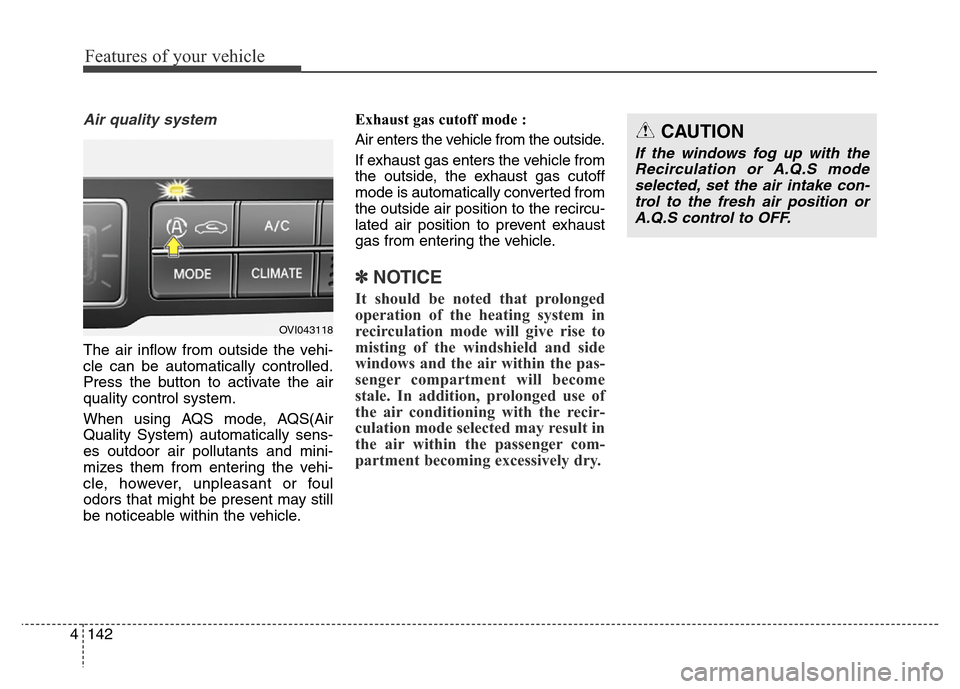
The air inflow from outside the vehi-
cle can be automatically controlled.
Press the button to activate the air
quality control system.
When using AQS mode, AQS(Air
Quality System) automatically sens-
es outdoor air pollutants and mini-
mizes them from entering the vehi-
cle, however, unpleasant or foul
odors that might be present may still
be noticeable within the vehicle.Exhaust gas cutoff mode :
Air enters the vehicle from the outside.
If exhaust gas enters the vehicle from
the outside, the exhaust gas cutoff
mode is automatically converted from
the outside air position to the recircu-
lated air position to prevent exhaust
gas from entering the vehicle.
✽NOTICE
It should be noted that prolonged
operation of the heating system in
recirculation mode will give rise to
misting of the windshield and side
windows and the air within the pas-
senger compartment will become
stale. In addition, prolonged use of
the air conditioning with the recir-
culation mode selected may result in
the air within the passenger com-
partment becoming excessively dry.
OVI043118
CAUTION
If the windows fog up with the
Recirculation or A.Q.S mode
selected, set the air intake con-
trol to the fresh air position or
A.Q.S control to OFF.
Page 235 of 479
Features of your vehicle
146 4
• When using the air conditioning
system, you may notice clear water
dripping (or even puddling) on the
ground under the passenger side
of the vehicle. This is a normal sys-
tem operation characteristic.
• Operating the air conditioning sys-
tem in the recirculated air position
provides maximum cooling, how-
ever, continual operation in this
mode may cause the air inside the
vehicle to become stale.
• During cooling operation, you may
occasionally notice a misty air flow
because of rapid cooling and
humid air intake. This is a normal
system operation characteristics.Climate control air filter
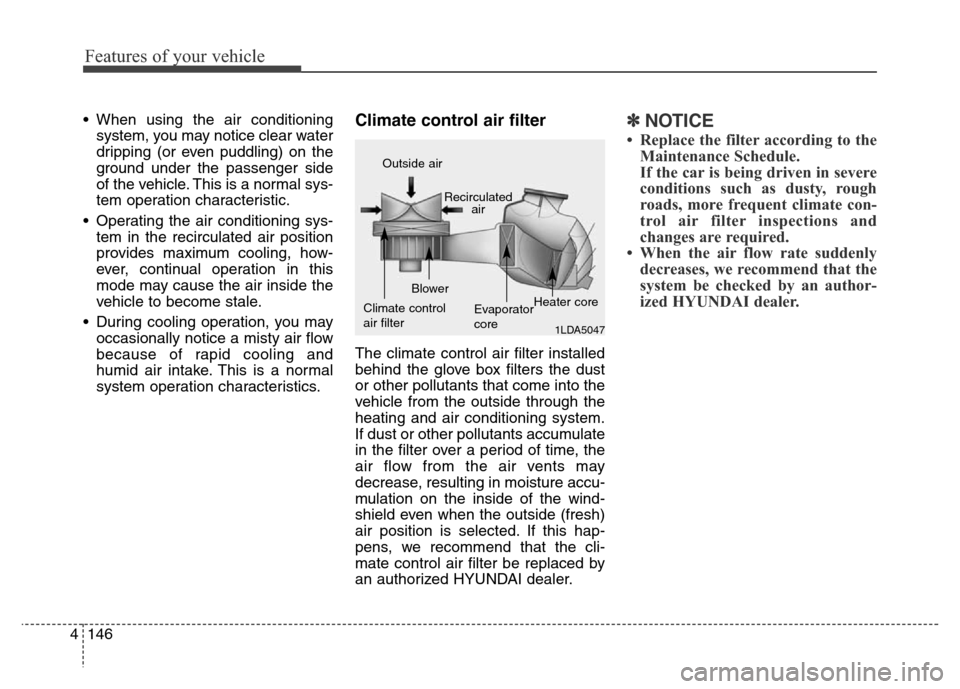
The climate control air filter installed
behind the glove box filters the dust
or other pollutants that come into the
vehicle from the outside through the
heating and air conditioning system.
If dust or other pollutants accumulate
in the filter over a period of time, the
air flow from the air vents may
decrease, resulting in moisture accu-
mulation on the inside of the wind-
shield even when the outside (fresh)
air position is selected. If this hap-
pens, we recommend that the cli-
mate control air filter be replaced by
an authorized HYUNDAI dealer.
✽NOTICE
• Replace the filter according to the
Maintenance Schedule.
If the car is being driven in severe
conditions such as dusty, rough
roads, more frequent climate con-
trol air filter inspections and
changes are required.
• When the air flow rate suddenly
decreases, we recommend that the
system be checked by an author-
ized HYUNDAI dealer.
1LDA5047
Outside air
Recirculated
air
Climate control
air filterBlower
Evaporator
coreHeater core
Page 244 of 479
4155
Features of your vehicle
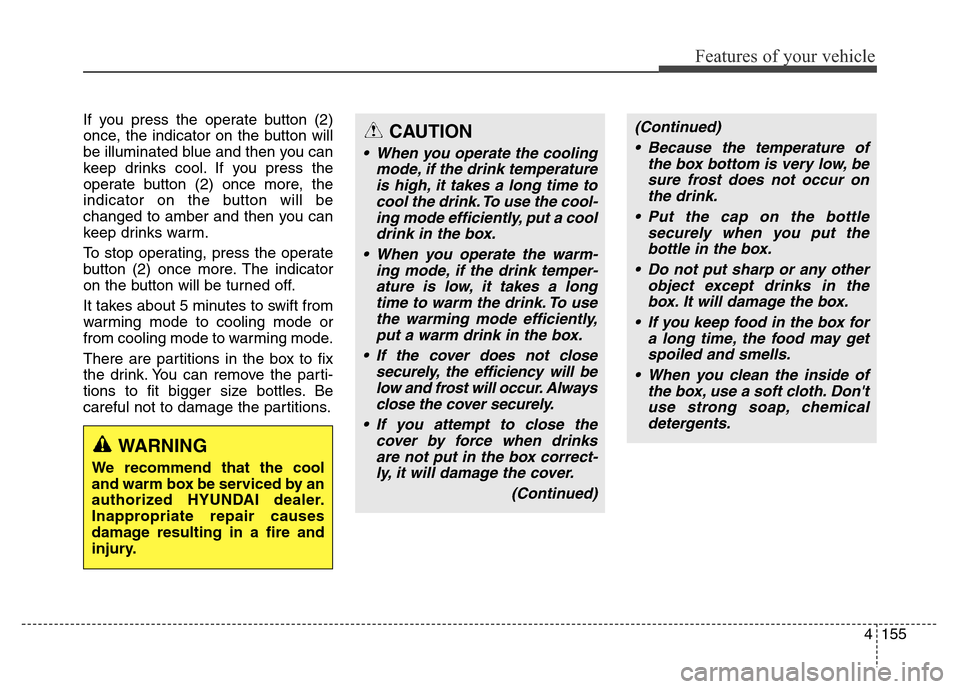
If you press the operate button (2)
once, the indicator on the button will
be illuminated blue and then you can
keep drinks cool. If you press the
operate button (2) once more, the
indicator on the button will be
changed to amber and then you can
keep drinks warm.
To stop operating, press the operate
button (2) once more. The indicator
on the button will be turned off.
It takes about 5 minutes to swift from
warming mode to cooling mode or
from cooling mode to warming mode.
There are partitions in the box to fix
the drink. You can remove the parti-
tions to fit bigger size bottles. Be
careful not to damage the partitions.
WARNING
We recommend that the cool
and warm box be serviced by an
authorized HYUNDAI dealer.
Inappropriate repair causes
damage resulting in a fire and
injury.
CAUTION
• When you operate the cooling
mode, if the drink temperature
is high, it takes a long time to
cool the drink. To use the cool-
ing mode efficiently, put a cool
drink in the box.
• When you operate the warm-
ing mode, if the drink temper-
ature is low, it takes a long
time to warm the drink. To use
the warming mode efficiently,
put a warm drink in the box.
• If the cover does not close
securely, the efficiency will be
low and frost will occur. Always
close the cover securely.
• If you attempt to close the
cover by force when drinks
are not put in the box correct-
ly, it will damage the cover.
(Continued)
(Continued)
• Because the temperature of
the box bottom is very low, be
sure frost does not occur on
the drink.
• Put the cap on the bottle
securely when you put the
bottle in the box.
• Do not put sharp or any other
object except drinks in the
box. It will damage the box.
• If you keep food in the box for
a long time, the food may get
spoiled and smells.
• When you clean the inside of
the box, use a soft cloth. Don't
use strong soap, chemical
detergents.
Page 257 of 479
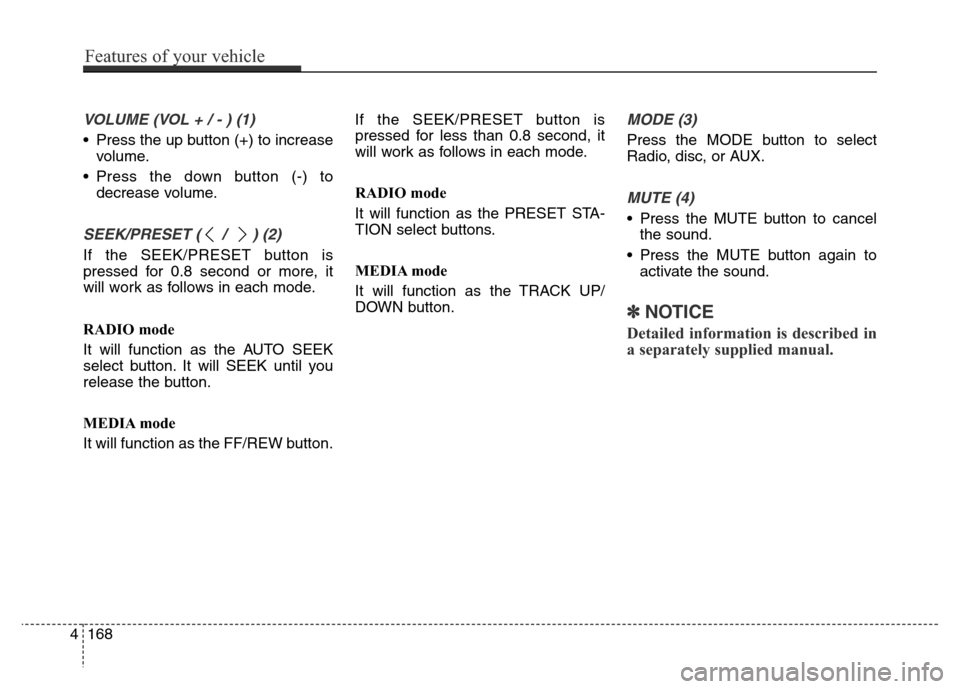
VOLUME (VOL + / - ) (1)
• Press the up button (+) to increase
volume.
• Press the down button (-) to
decrease volume.
SEEK/PRESET ( / ) (2)
If the SEEK/PRESET button is
pressed for 0.8 second or more, it
will work as follows in each mode.
RADIO mode
It will function as the AUTO SEEK
select button. It will SEEK until you
release the button.
MEDIA mode
It will function as the FF/REW button.If the SEEK/PRESET button is
pressed for less than 0.8 second, it
will work as follows in each mode.
RADIO mode
It will function as the PRESET STA-
TION select buttons.
MEDIA mode
It will function as the TRACK UP/
DOWN button.
MODE (3)
Press the MODE button to select
Radio, disc, or AUX.
MUTE (4)
• Press the MUTE button to cancel
the sound.
• Press the MUTE button again to
activate the sound.
✽NOTICE
Detailed information is described in
a separately supplied manual.
4168
Features of your vehicle
Page 266 of 479
59
Driving your vehicle
STARTING THE ENGINE
1. Carry the smart key or leave it
inside the vehicle.
2. Make sure the parking brake is
firmly applied.
3. Place the shift lever in the P(Park)
position.4. Press the engine start/stop button
while depressing the brake pedal.
It should be started without
depressing the accelerator.
5. Do not wait for the engine to warm
up while the vehicle remains sta-
tionary.
Start driving at moderate engine
speeds. (Steep accelerating and
decelerating should be avoided.)
• Even if the smart key is in the vehi-
cle, if it is far away from you, the
engine may not start.
• When the engine start/stop button
is in the ACC or above, if any door
is opened, the system checks for
the smart key. If the smart key is
not in the vehicle, the warning,
"Key not in vehicle" will illuminate
on the LCD display. And if all doors
are closed, the chime will sound for
about 5 seconds. The indicator will
turn off while the vehicle is moving.
Keep the smart key in the vehicle,
when using the ACC position or if
the vehicle engine is on.
WARNING
The engine will start, only when
the smart key is in the vehicle.
Never allow children or any per-
son who is unfamiliar with the
vehicle to touch the engine
start/stop button or related
parts.
CAUTION
If the engine stalls while you are
in motion, do not attempt to
move the shift lever to the P
(Park) position. If traffic and
road conditions permit, you may
put the shift lever in the
N(Neutral) position while the
vehicle is still moving and press
the engine start/stop button in
an attempt to restart the engine.
WARNING
• Always wear appropriate
shoes when operating your
vehicle. Unsuitable shoes (high
heels, ski boots, etc.) may
interfere with your ability to
use the brake and accelerator
pedal.
• Do not start the vehicle with the
accelerator pedal depressed.
The vehicle can move and
lead to an accident.
• Wait until the engine rpm is nor-
mal. The vehicle may suddenly
move if the brake pedal is
released when the rpm is high.
Page 272 of 479
![Hyundai Equus 2014 User Guide 515
Driving your vehicle
When you turn off the vehicle in [N]
gear, if you open the drivers door or
front passengers door, the gear is
automatically changed to [P].D (Drive)
This is the normal forwa](/img/35/14641/w960_14641-271.png "Hyundai Equus 2014 User Guide 515
Driving your vehicle
When you turn off the vehicle in [N]
gear, if you open the drivers door or
front passengers door, the gear is
automatically changed to [P].D (Drive)
This is the normal forwa")
515
Driving your vehicle
When you turn off the vehicle in [N]
gear, if you open the driver's door or
front passenger's door, the gear is
automatically changed to [P].D (Drive)
This is the normal forward driving
position. The transmission will auto-
matically shift through a 8-gear
sequence, providing the best fuel
economy and power.
For extra power when passing anoth-
er vehicle or climbing grades,
depress the accelerator fully, at
which time the transmission will
automatically downshift to the lower
gear.
To shift into [D], depress the brake
pedal and press the [UNLOCK] but-
ton of shift lever. And then move the
shift lever to backward.
To shift into [D], from [N] you must
depress the brake pedal.
✽NOTICE
Always come to a complete stop
before shifting into D (Drive).
Manual mode
Whether the vehicle is stationary or
in motion, sports mode is selected by
pushing the shift lever from the D
(Drive) position into the manual gate.
To return to D (Drive) range opera-
tion, push the shift lever back into the
main gate.
In manual mode, moving the shift
lever backwards and forwards will
allow you to make gearshifts rapidly.
Up (+) : Push the lever forward
once to shift up one gear.
Down (-) : Pull the lever backwards
once to shift down one
gear.
OVI053106L
+ (UP)
- (DOWN)
Manual mode
WARNING
Do not drive with the shift lever
in N (Neutral).
The engine brake will not work
and lead to an accident.
Page 287 of 479
Driving your vehicle
30 5
When the EPB (electric parking
brake) is not released
If the EPB does not release normal-
ly, we recommend that you contact
an authorized HYUNDAI dealer by
loading the vehicle on a flatbed tow
truck and have the system checked.
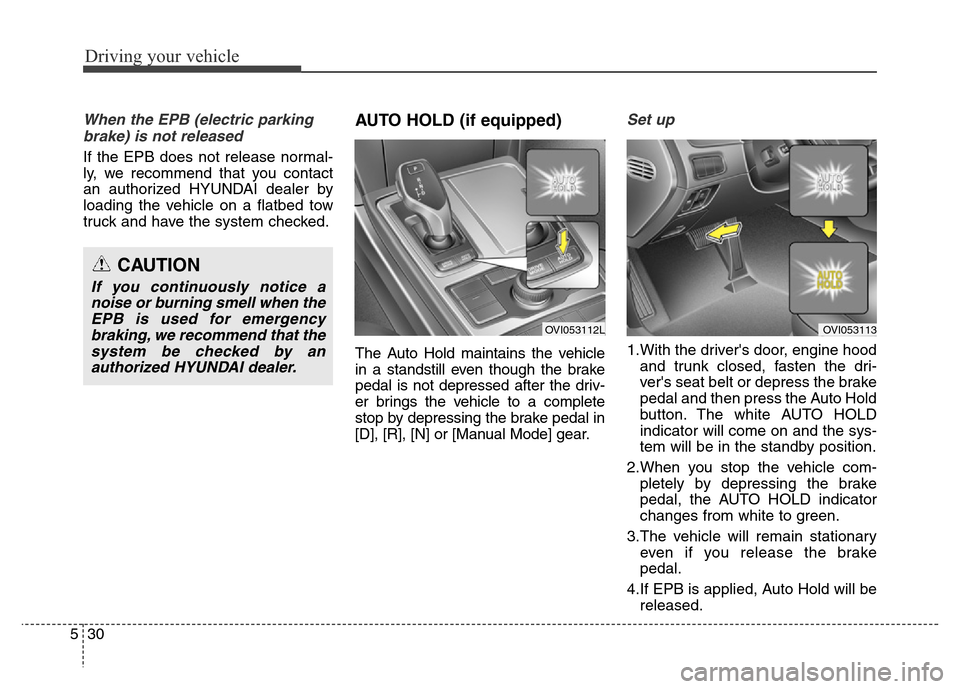
AUTO HOLD (if equipped)
The Auto Hold maintains the vehicle
in a standstill even though the brake
pedal is not depressed after the driv-
er brings the vehicle to a complete
stop by depressing the brake pedal in
[D], [R], [N] or [Manual Mode] gear.
Set up
1.With the driver's door, engine hood
and trunk closed, fasten the dri-
ver's seat belt or depress the brake
pedal and then press the Auto Hold
button. The white AUTO HOLD
indicator will come on and the sys-
tem will be in the standby position.
2.When you stop the vehicle com-
pletely by depressing the brake
pedal, the AUTO HOLD indicator
changes from white to green.
3.The vehicle will remain stationary
even if you release the brake
pedal.
4.If EPB is applied, Auto Hold will be
released.
CAUTION
If you continuously notice a
noise or burning smell when the
EPB is used for emergency
braking, we recommend that the
system be checked by an
authorized HYUNDAI dealer.
OVI053112LOVI053113